setting SKODA OCTAVIA 2005 1.G / (1U) Owner's Manual
[x] Cancel search | Manufacturer: SKODA, Model Year: 2005, Model line: OCTAVIA, Model: SKODA OCTAVIA 2005 1.G / (1U)Pages: 315, PDF Size: 11.8 MB
Page 6 of 315
Contents5
Contents
Layout of this Owner's Manual
(explanations)
. . . . . . . . . . . . . . . . . . .
Using the system . . . . . . . . . . . . . . .
Cockpit . . . . . . . . . . . . . . . . . . . . . . . . . . . . . . .
An overview . . . . . . . . . . . . . . . . . . . . . . . . . .
Instruments and Indicator/Warning LightsGeneral view of the instrument cluster . . . . . .
Engine revolutions counter . . . . . . . . . . . . . . .
Coolant temperature gauge . . . . . . . . . . . . . .
Fuel gauge . . . . . . . . . . . . . . . . . . . . . . . . . . .
Speedometer . . . . . . . . . . . . . . . . . . . . . . . . .
Counter for distance driven . . . . . . . . . . . . . .
Service Interval Display . . . . . . . . . . . . . . . . .
Digital clock . . . . . . . . . . . . . . . . . . . . . . . . . .
Multi-functional indicator (onboard computer)*
Information display* . . . . . . . . . . . . . . . . . . . .
Audio . . . . . . . . . . . . . . . . . . . . . . . . . . . . . . .
Navigation system* . . . . . . . . . . . . . . . . . . . .
Auto Check Control . . . . . . . . . . . . . . . . . . . .
Settings . . . . . . . . . . . . . . . . . . . . . . . . . . . . .
Warning lights . . . . . . . . . . . . . . . . . . . . . . . . .
Unlocking and locking . . . . . . . . . . . . . . . . . .
Keys . . . . . . . . . . . . . . . . . . . . . . . . . . . . . . . .
Key with light* . . . . . . . . . . . . . . . . . . . . . . . . .
Changing the battery of the radio remote
control . . . . . . . . . . . . . . . . . . . . . . . . . . . . . .
Electronic immobiliser . . . . . . . . . . . . . . . . . .
Child safety locks . . . . . . . . . . . . . . . . . . . . . .
Central locking system . . . . . . . . . . . . . . . . . .
Remote control* . . . . . . . . . . . . . . . . . . . . . . . Synchonisation of the remote control . . . . . . .
Anti-theft alarm system* . . . . . . . . . . . . . . . . .
Power windows* . . . . . . . . . . . . . . . . . . . . . . .
Electric sliding/tilting roof* . . . . . . . . . . . . . . .
Lights and Visibility . . . . . . . . . . . . . . . . . . . .
Lights . . . . . . . . . . . . . . . . . . . . . . . . . . . . . . .
Interior lighting . . . . . . . . . . . . . . . . . . . . . . . .
Visibility . . . . . . . . . . . . . . . . . . . . . . . . . . . . .
Windshield wiper and wash system . . . . . . . .
Rear-view mirror . . . . . . . . . . . . . . . . . . . . . .
Seats and Stowage . . . . . . . . . . . . . . . . . . . .
Front seats . . . . . . . . . . . . . . . . . . . . . . . . . . .
Adjusting front seats electrically* . . . . . . . . . .
Head restraints . . . . . . . . . . . . . . . . . . . . . . . .
Heating the front seats* . . . . . . . . . . . . . . . . .
Rear seats . . . . . . . . . . . . . . . . . . . . . . . . . . .
Pedals . . . . . . . . . . . . . . . . . . . . . . . . . . . . . .
Luggage compartment . . . . . . . . . . . . . . . . . .
Net partition (Estate)* . . . . . . . . . . . . . . . . . . .
Roof rack* . . . . . . . . . . . . . . . . . . . . . . . . . . .
Cup holder . . . . . . . . . . . . . . . . . . . . . . . . . . .
Note holder . . . . . . . . . . . . . . . . . . . . . . . . . .
Ashtrays . . . . . . . . . . . . . . . . . . . . . . . . . . . . .
Cigarette lighter*, power sockets . . . . . . . . . .
Storage compartments . . . . . . . . . . . . . . . . . .
Heating and air conditioning system . . . . .
Heating . . . . . . . . . . . . . . . . . . . . . . . . . . . . . .
Climatic* (semi-automatic air conditioning
system) . . . . . . . . . . . . . . . . . . . . . . . . . . . . .
Climatronic* (automatic air conditioning) . . . .
Auxiliary heating (auxiliary heating and
ventilation)* . . . . . . . . . . . . . . . . . . . . . . . . . .
Starting-off and Driving. . . . . . . . . . . . . . . . .
Setting steering wheel position . . . . . . . . . . .
Ignition lock . . . . . . . . . . . . . . . . . . . . . . . . . .
Starting engine . . . . . . . . . . . . . . . . . . . . . . . .
Switching the engine off . . . . . . . . . . . . . . . .
Shifting (manual gearbox) . . . . . . . . . . . . . . .
Handbrake . . . . . . . . . . . . . . . . . . . . . . . . . . .
Rear parking aid* . . . . . . . . . . . . . . . . . . . . . .
Front and rear parking aid* . . . . . . . . . . . . . .
Cruise control system (CCS)* . . . . . . . . . . . .
Automatic gearbox. . . . . . . . . . . . . . . . . . . . .
6-speed automatic gearbox* . . . . . . . . . . . . .
Automatic gearbox DSG . . . . . . . . . . . . . . .
Automatic gearbox DSG* . . . . . . . . . . . . . . .
Communication . . . . . . . . . . . . . . . . . . . . . . .
Multifunction steering wheel* . . . . . . . . . . . . .
Universal telephone preinstallation with voice
control* . . . . . . . . . . . . . . . . . . . . . . . . . . . . .
Phone Phonebook* . . . . . . . . . . . . . . . . . . . .
Bluetooth™* . . . . . . . . . . . . . . . . . . . . . . . . .
Mobile phones and two-way radio systems . .
The CD changer* . . . . . . . . . . . . . . . . . . . . . .
Safety. . . . . . . . . . . . . . . . . . . . . . . . . . . . . .
Passive Safety . . . . . . . . . . . . . . . . . . . . . . . .
Basic information . . . . . . . . . . . . . . . . . . . . . .
Correct seated position . . . . . . . . . . . . . . . . .
Seat belts. . . . . . . . . . . . . . . . . . . . . . . . . . . . .
Why seat belts? . . . . . . . . . . . . . . . . . . . . . . .
The physical principle of a frontal collision . .
8
9
11
11
13
13
14
14
14
15
15
16
17
18
23
25
26
26
28
30
42
42
43
44
45
45
46
52 53
54
56
59
63
63
70
72
75
79
82
82
84
87
88
89
91
92
99
102
103
104
105
106
108
11 9
11 9
123
128
134 138
138
139
140
141
142
143
144
145
146
149
149
156
156
163
163
165
171
173
175
176
177
177
177
179
183
183
184
s24s.book Page 5 Thursday, November 24, 2005 12:27 PM
Page 18 of 315
Instruments and Indicator/Warning Lights17
Using the systemSafetyDriving TipsGeneral MaintenanceBreakdown assistanceTechnical Data
The following will be displayed in the information display*:
Service now!
The display disappears within 20 seconds after switching on the ignition.
The trip counter is also displayed after pressing the reset button for the trip
counter (for more than 1 second).
Display regarding the distance and days until the following service
interval
You can have the distance still to be driven and the days until the following
service interval displayed at any time as follows:
•Switch on the ignition and press the reset button ⇒page 13, fig. 2
for more than 2 seconds.
A key symbol
is displayed on the display of the counter for the
distance driven. The remaining distance to be driven will be indicated for
10 seconds next to the key symbol and then the remaining number of days
to the due date for the service inspection.
Resetting Service Interval Display
We recommend having this resetting performed by a specialist garage.
Specialist garage:
•resets the memory of the display after the appropriate inspection
•makes an entry in the Service schedule
•affix the sticker with the entry of the following service interval to the
side of the dash panel on the driver's side.
The service interval displays can also be reset as follows by using the
reset button ⇒page 13, fig. 2 on the trip counter:
•Switch off the ignition, press the reset button of the trip counter for
distance driven and hold it down.
•Switch the ignition on and release the reset button. Now turn the reset
button to the right. The service interval displays are reset.
Caution
We recommend that you do not reset the Service Interval Display yourself
otherwise this can result in the service interval display being incorrectly
set, which may also result in problems with operation of your vehicle.
Note
•Never reset the display between service intervals otherwise this may
result in incorrect readouts.
•Information is retained in the Service Interval Display also after the
battery of the vehicle is disconnected.
•It is necessary to re-code the Service Interval Display if a new instru-
ment cluster is installed during repair work. This work is carried out by a
specialist garage.
•The data displayed is the same after resetting the display with flexible
service intervals (QG1) using the reset button as that for a vehicle with
fixed service intervals (QG2). We therefore recommend having the
Service Interval Display reset only by a Škoda dealer who is familiar with
the procedure for resetting the display with a vehicle system tester.
•Please refer to the brochure Service schedule for extensive informa-
tion about the service intervals.
Digital clock
A clock-set button is installed on the bottom left beside the
speedometer for adjusting the clock ⇒page 13, fig. 2 .
Set hours
– Turn the reset button to the left.
A6
A6A6
s24s.book Page 17 Thursday, November 24, 2005 12:27 PM
Page 19 of 315
Instruments and Indicator/Warning Lights
18
Setting minutes
– Turn the reset button to the right.
WARNING
The clock should not be adjusted while driving for safety reasons
but only when the vehicle is stationary!
Multi-functional indicator (onboard
computer)*
Introduction
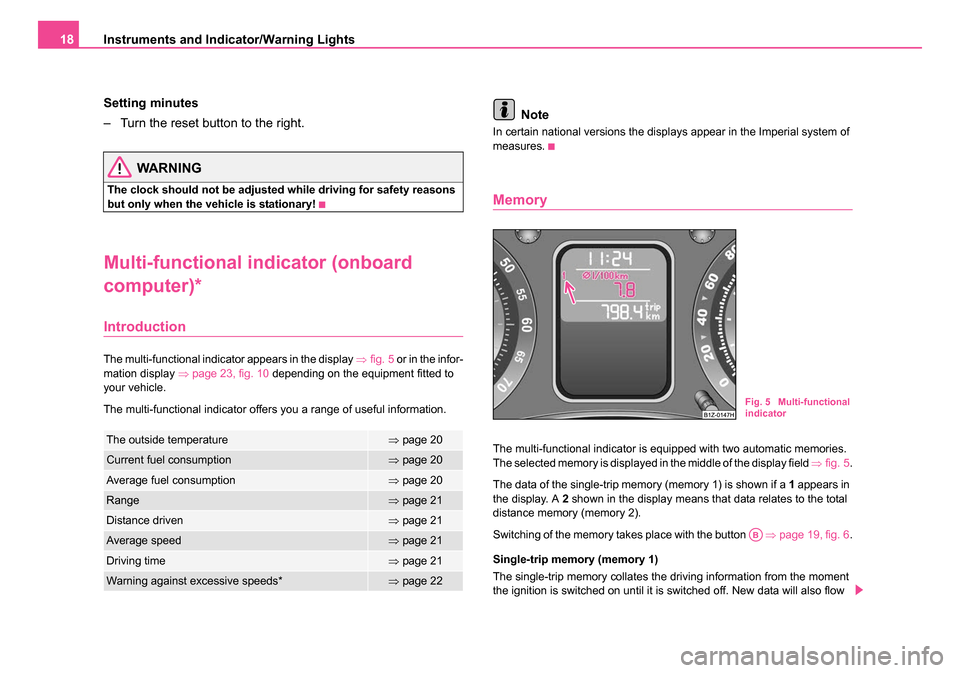
The multi-functional indicator appears in the display ⇒fig. 5 or in the infor-
mation display ⇒page 23, fig. 10 depending on the equipment fitted to
your vehicle.
The multi-functional indicator offers you a range of useful information.
Note
In certain national versions the displays appear in the Imperial system of
measures.
Memory
The multi-functional indicator is equipped with two automatic memories.
The selected memory is displayed in the middle of the display field ⇒fig. 5 .
The data of the single-trip memory (memory 1) is shown if a 1 appears in
the display. A 2 shown in the display means that data relates to the total
distance memory (memory 2).
Switching of the memory takes place with the button ⇒page 19, fig. 6 .
Single-trip memory (memory 1)
The single-trip memory collates the driving information from the moment
the ignition is switched on until it is switched off. New data will also flow The outside temperature⇒ page 20
Current fuel consumption⇒page 20
Average fuel consumption⇒page 20
Range⇒page 21
Distance driven⇒page 21
Average speed⇒page 21
Driving time⇒page 21
Warning against excessive speeds*⇒page 22
Fig. 5 Multi-functional
indicator
AB
s24s.book Page 18 Thursday, November 24, 2005 12:27 PM
Page 20 of 315
Instruments and Indicator/Warning Lights19
Using the systemSafetyDriving TipsGeneral MaintenanceBreakdown assistanceTechnical Data
into the calculation of the current driving information if the trip is continued
within 2 hours
after switching off the ignition. The memory will be auto-
matically erased, on the other hand, if the trip is interrupted for more than
2 hours.
Total-trip memory (memory 2)
The total distance driven memory gathers data from any number of indi-
vidual journeys up to a total of 99 hours and 59 minutes driving or 9.999
kilometres driven. The memory is deleted when either of these limits is
reached and the calculation starts from anew.
The total-trip memory will not, contrary to the single-trip memory, be
deleted after a period of interruption of driving of 2 hours.
Note
All information in the memory is erased if the battery of the vehicle is
disconnected.
Using the system
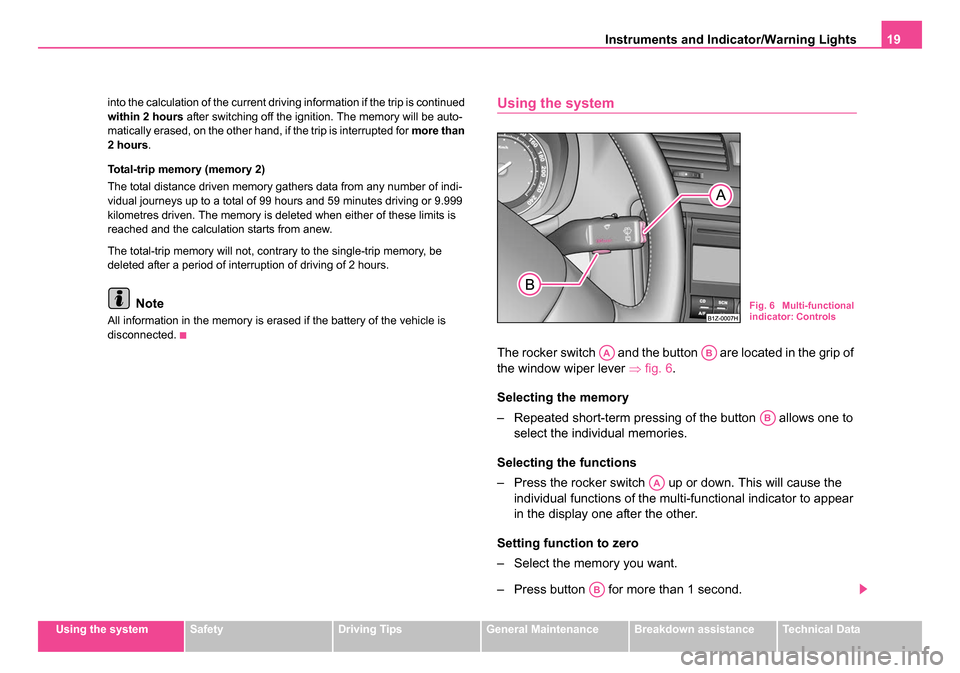
The rocker switch and the button are located in the grip of
the window wiper lever ⇒fig. 6 .
Selecting the memory
– Repeated short-term pressing of the button allows one to select the individual memories.
Selecting the functions
– Press the rocker switch up or down. This will cause the individual functions of the multi-functional indicator to appear
in the display one after the other.
Setting function to zero
– Select the memory you want.
– Press button for more than 1 second.
Fig. 6 Multi-functional
indicator: Controls
AAAB
AB
AA
AB
s24s.book Page 19 Thursday, November 24, 2005 12:27 PM
Page 23 of 315
Instruments and Indicator/Warning Lights
22
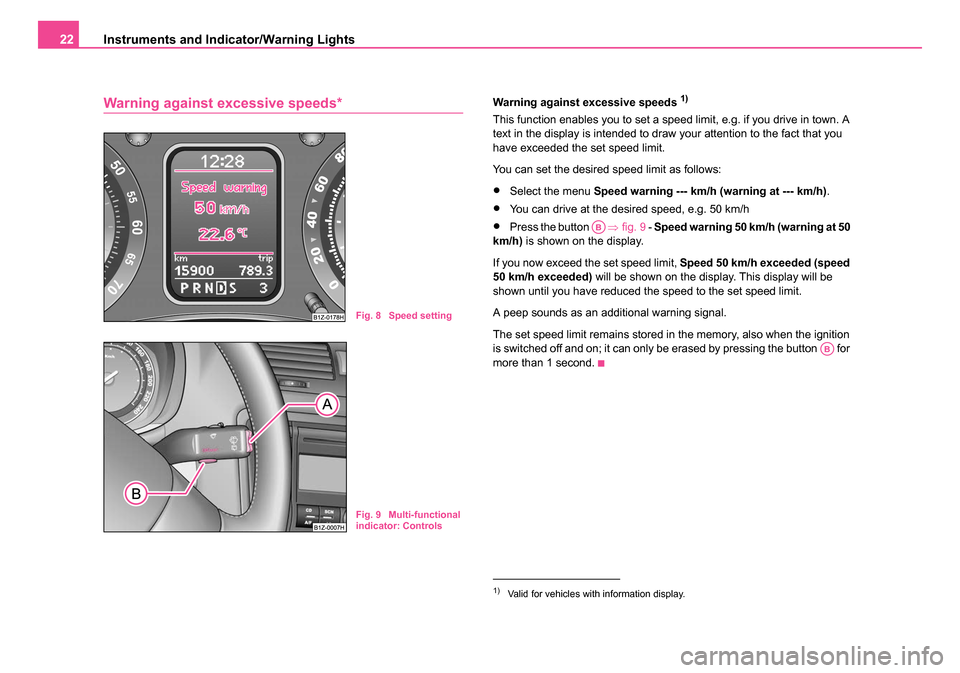
Warning against excessive speeds*Warning against excessive speeds 1)
This function enables you to set a speed limit, e.g. if you drive in town. A
text in the display is intended to draw your attention to the fact that you
have exceeded the set speed limit.
You can set the desired speed limit as follows:
•Select the menu Speed warning --- km/h (warning at --- km/h) .
•You can drive at the desired speed, e.g. 50 km/h
•Press the button ⇒fig. 9 - Speed warning 50 km/h (warning at 50
km/h) is shown on the display.
If you now exceed the set speed limit, Speed 50 km/h exceeded (speed
50 km/h exceeded) will be shown on the display. This display will be
shown until you have reduced the speed to the set speed limit.
A peep sounds as an additional warning signal.
The set speed limit remains stored in the memory, also when the ignition
is switched off and on; it can only be erased by pressing the button for
more than 1 second.
Fig. 8 Speed setting
Fig. 9 Multi-functional
indicator: Controls
1)Valid for vehicles with information display.
AB
AB
s24s.book Page 22 Thursday, November 24, 2005 12:27 PM
Page 24 of 315
Instruments and Indicator/Warning Lights23
Using the systemSafetyDriving TipsGeneral MaintenanceBreakdown assistanceTechnical Data
Information display*
Introduction
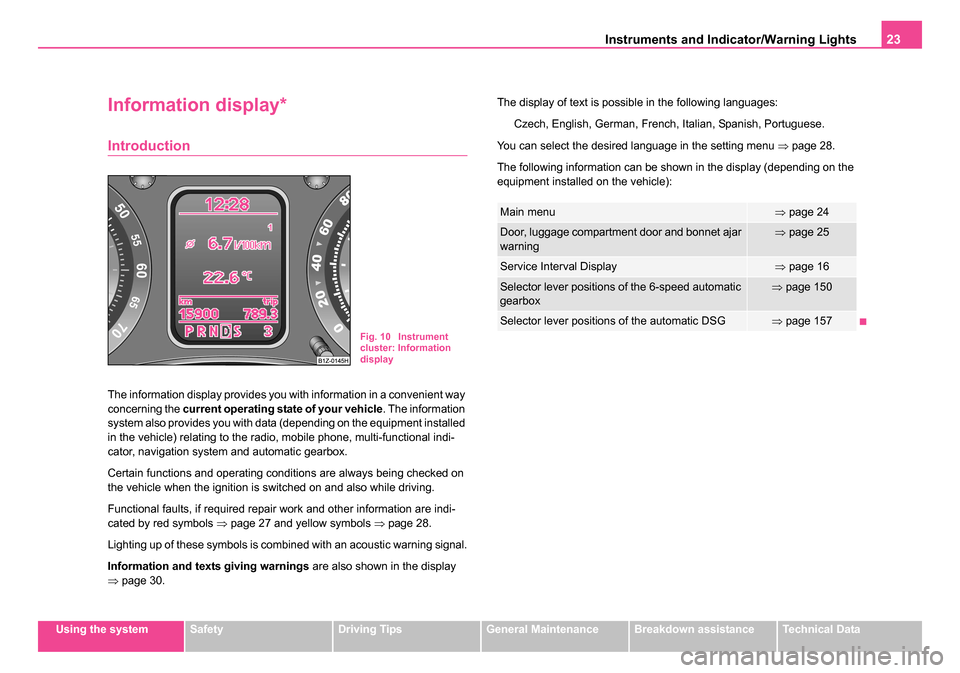
The information display provides you with information in a convenient way
concerning the current operating state of your vehicle . The information
system also provides you with data (depending on the equipment installed
in the vehicle) relating to the radio, mobile phone, multi-functional indi-
cator, navigation system and automatic gearbox.
Certain functions and operating conditions are always being checked on
the vehicle when the ignition is switched on and also while driving.
Functional faults, if required repair work and other information are indi-
cated by red symbols ⇒page 27 and yellow symbols ⇒page 28.
Lighting up of these symbols is combined with an acoustic warning signal.
Information and texts giving warnings are also shown in the display
⇒ page 30. The display of text is possible in the following languages:
Czech, English, German, French, Italian, Spanish, Portuguese.
You can select the desired language in the setting menu ⇒page 28.
The following information can be shown in the display (depending on the
equipment installed on the vehicle):
Fig. 10 Instrument
cluster: Information
display
Main menu⇒ page 24
Door, luggage compartment door and bonnet ajar
warning⇒page 25
Service Interval Display⇒page 16
Selector lever positions of the 6-speed automatic
gearbox⇒page 150
Selector lever positions of the automatic DSG⇒page 157
s24s.book Page 23 Thursday, November 24, 2005 12:27 PM
Page 29 of 315
Instruments and Indicator/Warning Lights
28
Three successive warning signals will sound if a red symbol appears.
If several operational faults of priority 1 exist, the symbols appear one
after the other and are each illiminated for about 5 seconds.
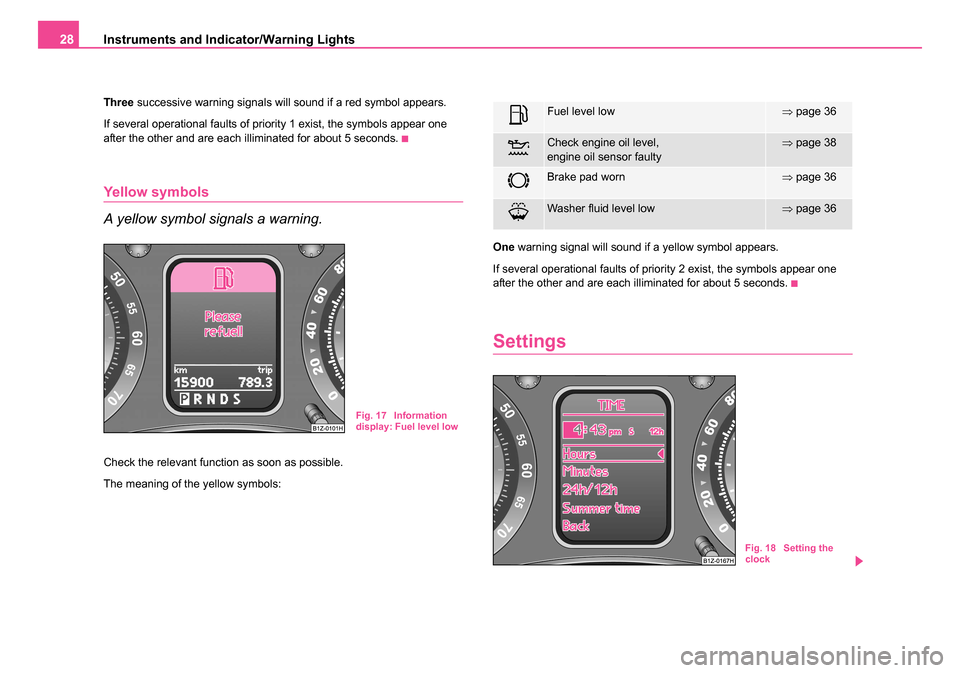
Yellow symbols
A yellow symbol signals a warning.
Check the relevant function as soon as possible.
The meaning of the yellow symbols: One
warning signal will sound if a yellow symbol appears.
If several operational faults of priority 2 exist, the symbols appear one
after the other and are each illiminated for about 5 seconds.
Settings
Fig. 17 Information
display: Fuel level low
Fuel level low⇒ page 36
Check engine oil level,
engine oil sensor faulty⇒page 38
Brake pad worn⇒page 36
Washer fluid level low⇒page 36
Fig. 18 Setting the
clock
s24s.book Page 28 Thursday, November 24, 2005 12:27 PM
Page 30 of 315
Instruments and Indicator/Warning Lights29
Using the systemSafetyDriving TipsGeneral MaintenanceBreakdown assistanceTechnical Data
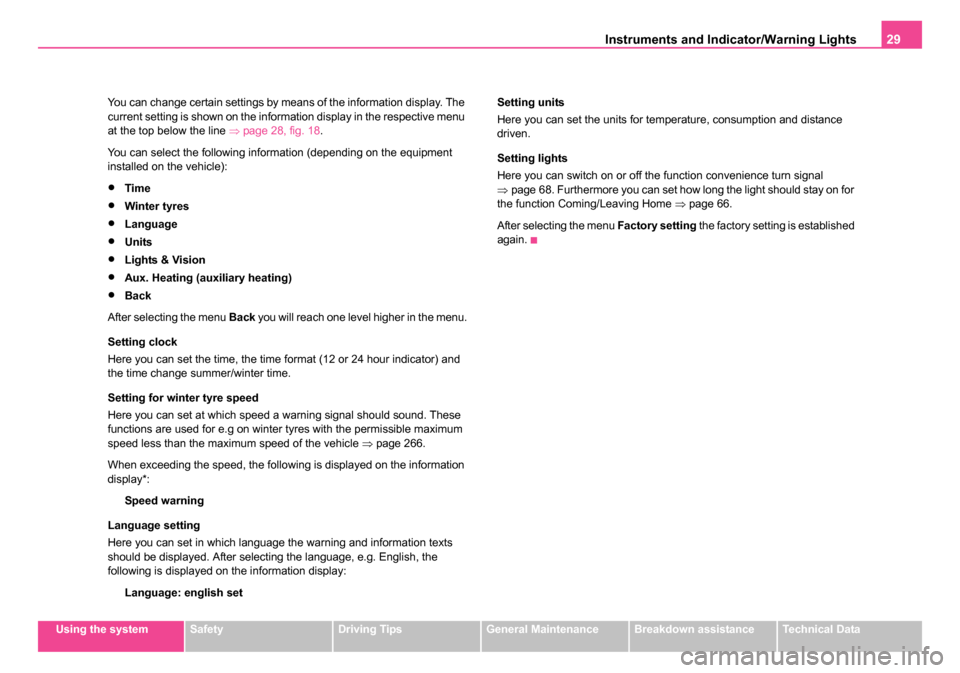
You can change certain settings by means of the information display. The
current setting is shown on the information display in the respective menu
at the top below the line
⇒page 28, fig. 18 .
You can select the following information (depending on the equipment
installed on the vehicle):
•Time
•Winter tyres
•Language
•Units
•Lights & Vision
•Aux. Heating (auxiliary heating)
•Back
After selecting the menu Back you will reach one level higher in the menu.
Setting clock
Here you can set the time, the time format (12 or 24 hour indicator) and
the time change summer/winter time.
Setting for winter tyre speed
Here you can set at which speed a warning signal should sound. These
functions are used for e.g on winter tyres with the permissible maximum
speed less than the maximum speed of the vehicle ⇒page 266.
When exceeding the speed, the following is displayed on the information
display*: Speed warning
Language setting
Here you can set in which language the warning and information texts
should be displayed. After selecting the language, e.g. English, the
following is displayed on the information display: Language: english set Setting units
Here you can set the units for temperature, consumption and distance
driven.
Setting lights
Here you can switch on or off the function convenience turn signal
⇒
page 68. Furthermore you can set how long the light should stay on for
the function Coming/Leaving Home ⇒page 66.
After selecting the menu Factory setting the factory setting is established
again.
s24s.book Page 29 Thursday, November 24, 2005 12:27 PM
Page 54 of 315
Unlocking and locking53
Using the systemSafetyDriving TipsGeneral MaintenanceBreakdown assistanceTechnical Data
Folding out of the key
– Press button .
Folding up of the key
– Press button and collapse the key bit in the housing.
The turn signal lights flash twice as confirmation that the vehicle has been
unlocked. The vehicle will lock again automatically if you unlock the
vehicle using button but do not open a door or the boot lid within the
next 30 seconds. This function is intended to prevent the car being
unlocked unintentionally.
In addition, when the car is unlocked, the power seats and exterior
mirrors* move into the position assigned to this key. The stored setting of
driver seat and exterior mirrors is retrieved.
The turn signal lights flash once to confirm that the vehicle has been
correctly locked. If the turn signal lights do not flash, check the doors,
bonnet and boot lid again to ensure that they are closed. If the doors, the
bonnet or the boot lid remain open when the anti-theft alarm system is
activated, the turn signal lights do not flash until after they have been
closed.
When the vehicle is unlocked or locked, the interior lights in the door
contact are automatically switched on or off.
WARNING
If the vehicle is locked from the outside and the safe securing
system is activated, there must not be any person in the vehicle as
it is then not possible to open either a door or a window from the
inside. The locked doors make it more difficult for rescuers to get
into the vehicle in an emergency - hazard!
Note
•Operate the radio remote control only when the doors and boot lid are
closed and you have visual contact with the vehicle.
•Once in the car, you must not press the lock button of the radio
remote control before inserting the key into the ignition lock in order to
avoid the car being inadvertently locked and, in addition, the anti-theft
alarm system* being switched on. Should this happen, press the unlock
button
of the radio remote control.
Synchonisation of the remote control
If the vehicle cannot be unlocked by actuating the remote control system
then it is possible that the code in the key and the control unit in the vehicle
are no longer synchronised. This can occur when the buttons on the radio-
operated key are actuated a number of times outside of the operative
range of the equipment or the battery on the remote control was replaced.
This means it is necessary to synchronise the code as follows:
•Press any button on the remote control.
•Pressing of the button means that the door will unlock with the key
within 1 minute.
A4
A4
A1
s24s.book Page 53 Thursday, November 24, 2005 12:27 PM
Page 68 of 315
Lights and Visibility67
Using the systemSafetyDriving TipsGeneral MaintenanceBreakdown assistanceTechnical Data
Instrument lighting*
You can adjust the brightness of the instrument lighting.
Instrument lighting
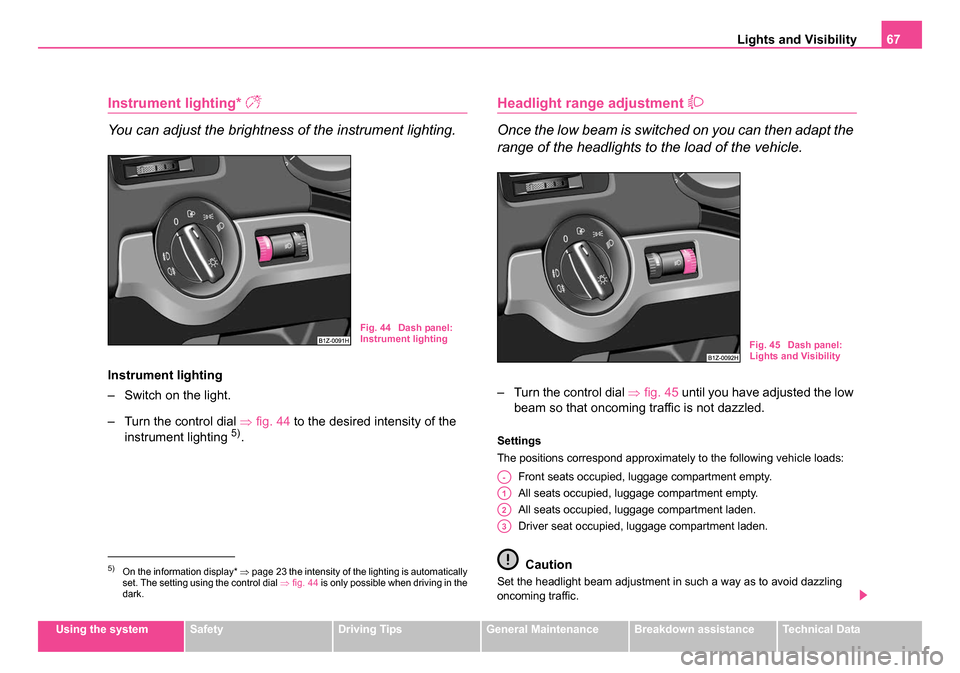
– Switch on the light.
– Turn the control dial ⇒fig. 44 to the desired intensity of the
instrument lighting
5).
Headlight range adjustment
Once the low beam is switched on you can then adapt the
range of the headlights to the load of the vehicle.
– Turn the control dial ⇒fig. 45 until you have adjusted the low
beam so that oncoming traffic is not dazzled.
Settings
The positions correspond approximately to the following vehicle loads:
Front seats occupied, luggage compartment empty.
All seats occupied, luggage compartment empty.
All seats occupied, luggage compartment laden.
Driver seat occupied, luggage compartment laden.
Caution
Set the headlight beam adjustment in such a way as to avoid dazzling
oncoming traffic.5)On the information display* ⇒page 23 the intensity of the lighting is automatically
set. The setting using the control dial ⇒fig. 44 is only possible when driving in the
dark.
Fig. 44 Dash panel:
Instrument lighting
Fig. 45 Dash panel:
Lights and Visibility
A-
A1
A2
A3
s24s.book Page 67 Thursday, November 24, 2005 12:27 PM