brake light SKODA OCTAVIA 2006 Owner´s Manual
[x] Cancel search | Manufacturer: SKODA, Model Year: 2006, Model line: OCTAVIA, Model: SKODA OCTAVIA 2006Pages: 218, PDF Size: 5.48 MB
Page 97 of 218
Faults in the brake surface
If it is found that the braking distance has suddenly become longer and that the
brake pedal can be depressed further, the brake system may be faulty. Visit a
ŠKODA specialist garage immediately and adjust your style of driving appropriate-
ly as you will not know how great the damage is.
Low brake fluid level
An insufficient level of brake fluid may result in problems in the brake system. The
level of the brake fluid is monitored electronically
» page 19, Brake system .
Brake booster
The brake booster increases the pressure generated with the brake pedal. The
brake booster only operates when the engine is running. ÐHandbrake
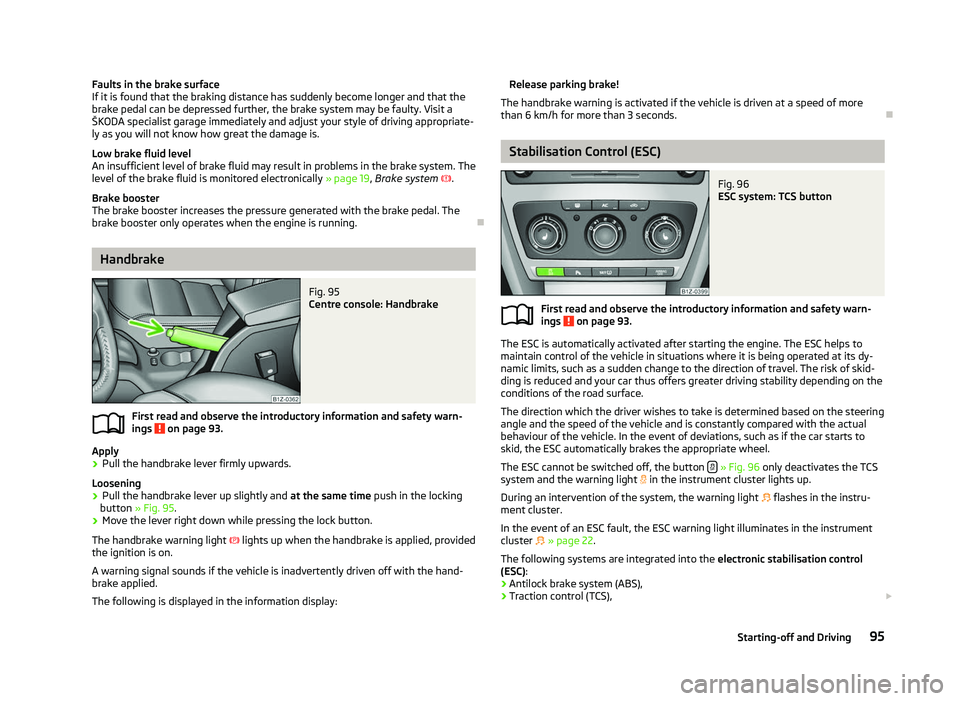
Fig. 95
Centre console: Handbrake
First read and observe the introductory information and safety warn-
ings on page 93.
Apply
› Pull the handbrake lever firmly upwards.
Loosening
› Pull the handbrake lever up slightly and
at the same time push in the locking
button » Fig. 95 .
› Move the lever right down while pressing the lock button.
The handbrake warning light lights up when the handbrake is applied, provided
the ignition is on.
A warning signal sounds if the vehicle is inadvertently driven off with the hand-
brake applied.
The following is displayed in the information display: ä Release parking brake!
The handbrake warning is activated if the vehicle is driven at a speed of more
than 6 km/h for more than 3
seconds. Ð Stabilisation Control (ESC)
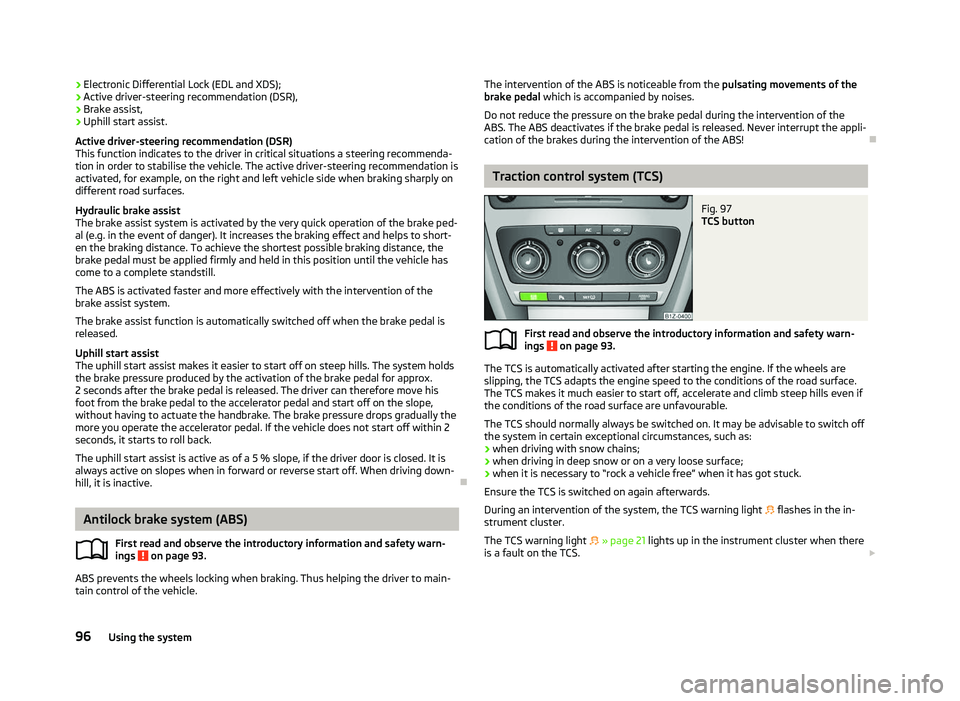
Fig. 96
ESC system: TCS button
First read and observe the introductory information and safety warn-
ings on page 93.
The ESC is automatically activated after starting the engine. The ESC helps to
maintain control of the vehicle in situations where it is being operated at its dy-
namic limits, such as a sudden change to the direction of travel. The risk of skid-
ding is reduced and your car thus offers greater driving stability depending on the
conditions of the road surface.
The direction which the driver wishes to take is determined based on the steering
angle and the speed of the vehicle and is constantly compared with the actual
behaviour of the vehicle. In the event of deviations, such as if the car starts to
skid, the ESC automatically brakes the appropriate wheel.
The ESC cannot be switched off, the button » Fig. 96
only deactivates the TCS
system and the warning light in the instrument cluster lights up.
During an intervention of the system, the warning light flashes in the instru-
ment cluster.
In the event of an ESC fault, the ESC warning light illuminates in the instrument
cluster
» page 22.
The following systems are integrated into the electronic stabilisation control
(ESC):
› Antilock brake system (ABS),
› Traction control (TCS),
£
ä
95
Starting-off and Driving
Page 98 of 218
›
Electronic Differential Lock (EDL and XDS);
› Active driver-steering recommendation (DSR),
› Brake assist,
› Uphill start assist.
Active driver-steering recommendation (DSR)
This function indicates to the driver in critical situations a steering recommenda-
tion in order to stabilise the vehicle. The active driver-steering recommendation is
activated, for example, on the right and left vehicle side when braking sharply on
different road surfaces.
Hydraulic brake assist
The brake assist system is activated by the very quick operation of the brake ped-
al (e.g. in the event of danger). It increases the braking effect and helps to short-
en the braking distance. To achieve the shortest possible braking distance, the
brake pedal must be applied firmly and held in this position until the vehicle has
come to a complete standstill.
The ABS is activated faster and more effectively with the intervention of the
brake assist system.
The brake assist function is automatically switched off when the brake pedal is
released.
Uphill start assist
The uphill start assist makes it easier to start off on steep hills. The system holds
the brake pressure produced by the activation of the brake pedal for approx.
2 seconds after the brake pedal is released. The driver can therefore move his
foot from the brake pedal to the accelerator pedal and start off on the slope,
without having to actuate the handbrake. The brake pressure drops gradually the
more you operate the accelerator pedal. If the vehicle does not start off within 2
seconds, it starts to roll back.
The uphill start assist is active as of a 5 % slope, if the driver door is closed. It is
always active on slopes when in forward or reverse start off. When driving down-
hill, it is inactive. ÐAntilock brake system (ABS)
First read and observe the introductory information and safety warn-
ings on page 93.
ABS prevents the wheels locking when braking. Thus helping the driver to main-
tain control of the vehicle.
ä The intervention of the ABS is noticeable from the
pulsating movements of the
brake pedal which is accompanied by noises.
Do not reduce the pressure on the brake pedal during the intervention of the
ABS. The ABS deactivates if the brake pedal is released. Never interrupt the appli-
cation of the brakes during the intervention of the ABS! Ð Traction control system (TCS)
Fig. 97
TCS button
First read and observe the introductory information and safety warn-
ings on page 93.
The TCS is automatically activated after starting the engine. If the wheels are
slipping, the TCS adapts the engine speed to the conditions of the road surface.
The TCS makes it much easier to start off, accelerate and climb steep hills even if
the conditions of the road surface are unfavourable.
The TCS should normally always be switched on. It may be advisable to switch off
the system in certain exceptional circumstances, such as:
› when driving with snow chains;
› when driving in deep snow or on a very loose surface;
› when it is necessary to
“rock a vehicle free” when it has got stuck.
Ensure the TCS is switched on again afterwards.
During an intervention of the system, the TCS warning light flashes in the in-
strument cluster.
The TCS warning light » page 21 lights up in the instrument cluster when there
is a fault on the TCS. £
ä
96 Using the system
Page 99 of 218
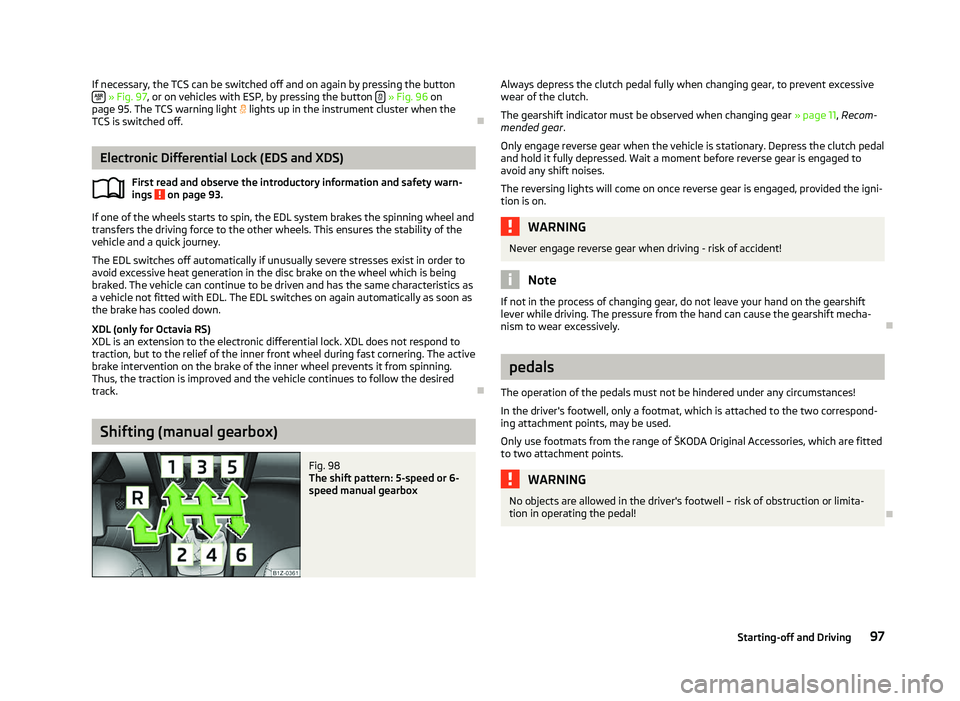
If necessary, the TCS can be switched off and on again by pressing the button
» Fig. 97, or on vehicles with ESP, by pressing the button
» Fig. 96
on
page 95
. The TCS warning light lights up in the instrument cluster when the
TCS is switched off. ÐElectronic Differential Lock (EDS and XDS)
First read and observe the introductory information and safety warn-
ings on page 93.
If one of the wheels starts to spin, the EDL system brakes the spinning wheel and
transfers the driving force to the other wheels. This ensures the stability of the
vehicle and a quick journey.
The EDL switches off automatically if unusually severe stresses exist in order to
avoid excessive heat generation in the disc brake on the wheel which is being
braked. The vehicle can continue to be driven and has the same characteristics as
a vehicle not fitted with EDL. The EDL switches on again automatically as soon as
the brake has cooled down.
XDL (only for Octavia RS)
XDL is an extension to the electronic differential lock. XDL does not respond to
traction, but to the relief of the inner front wheel during fast cornering. The active
brake intervention on the brake of the inner wheel prevents it from spinning.
Thus, the traction is improved and the vehicle continues to follow the desired
track. ÐShifting (manual gearbox)
Fig. 98
The shift pattern: 5-speed or 6-
speed manual gearbox
ä
Always depress the clutch pedal fully when changing gear, to prevent excessive
wear of the clutch.
The gearshift indicator must be observed when changing gear
» page 11, Recom-
mended gear .
Only engage reverse gear when the vehicle is stationary. Depress the clutch pedal
and hold it fully depressed. Wait a moment before reverse gear is engaged to
avoid any shift noises.
The reversing lights will come on once reverse gear is engaged, provided the igni-
tion is on. WARNING
Never engage reverse gear when driving - risk of accident! Note
If not in the process of changing gear, do not leave your hand on the gearshift
lever while driving. The pressure from the hand can cause the gearshift mecha-
nism to wear excessively. Ð pedals
The operation of the pedals must not be hindered under any circumstances!
In the driver's footwell, only a footmat, which is attached to the two correspond-
ing attachment points, may be used.
Only use footmats from the range of
ŠKODA Original Accessories, which are fitted
to two attachment points. WARNING
No objects are allowed in the driver's footwell – risk of obstruction or limita-
tion in operating the pedal! Ð
97
Starting-off and Driving
Page 101 of 218
Cruise control system (CCS)
ä
Introduction
This chapter contains information on the following subjects:
Storing a speed 99
Changing a stored speed 99
Switching off the cruise control system temporarily 100
Switching off the cruise control system completely 100
The cruise control system (CCS) maintains a constant speed, more than 30 km/h
(20 mph), once it has been set, without you having to depress the accelerator
pedal. This is only possible within the range which is permitted by the power out-
put and braking power of the engine.
The warning light illuminates in the instrument cluster when the cruise control
system is activated. WARNING
■ For safety reasons, the cruise control system must not be used in dense
traffic or on unfavourable road surfaces (such as icy roads, slippery roads,
loose gravel) - risk of accident!
■ The saved speed may only be resumed if it is not too high for the current
traffic conditions.
■ Always switch off the cruise control system after use to prevent uninten-
tional use of the system. CAUTION
■ Always depress the clutch pedal if switching to the neutral position (vehicle
with a manual gearbox) when the cruise control system is switched on! Otherwise
the engine can rev up unintentionally.
■ The cruise control system is not able to maintain a constant speed when driving
in areas with steeper gradients. The weight of the vehicle increases the speed at
which it travels. Therefore, shift to a lower gear in good time or slow the vehicle
down by applying the foot brake. Note
It is not possible on vehicles fitted with an automatic gearbox to switch on the
cruise control system if the selector lever is in the position P, N or R. Ð Storing a speed
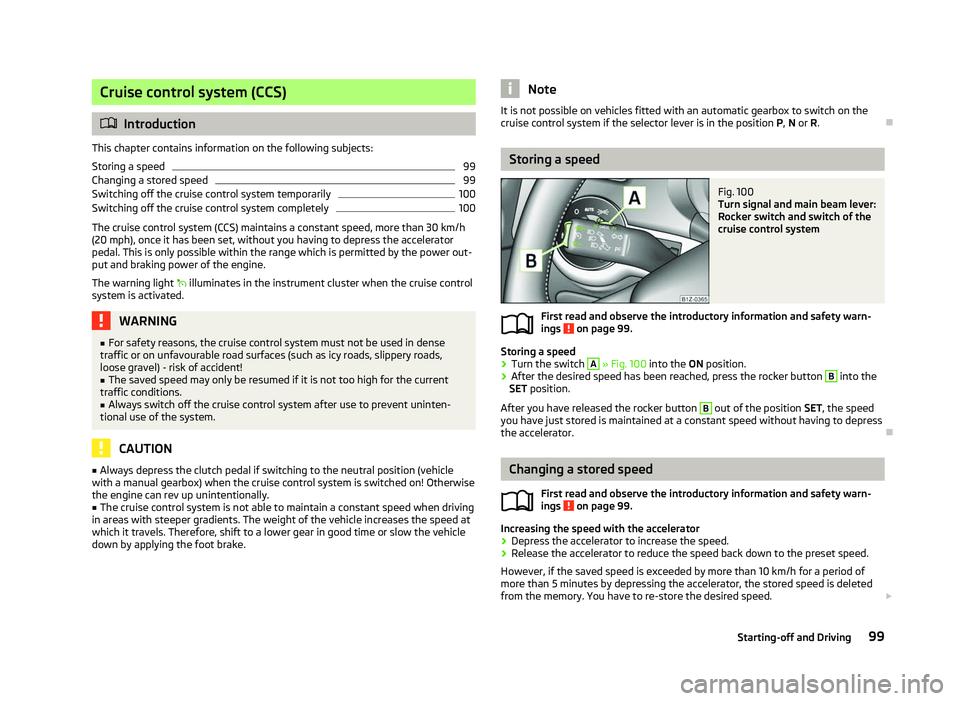
Fig. 100
Turn signal and main beam lever:
Rocker switch and switch of the
cruise control system
First read and observe the introductory information and safety warn-
ings on page 99.
Storing a speed
›
Turn the switch A
» Fig. 100 into the ON position.
› After the desired speed has been reached, press the rocker button B
into the
SET position.
After you have released the rocker button B
out of the position SET
, the speed
you have just stored is maintained at a constant speed without having to depress
the accelerator. Ð Changing a stored speed
First read and observe the introductory information and safety warn-
ings on page 99.
Increasing the speed with the accelerator
›
Depress the accelerator to increase the speed.
› Release the accelerator to reduce the speed back down to the preset speed.
However, if the saved speed is exceeded by more than 10 km/h for a period of
more than 5 minutes by depressing the accelerator, the stored speed is deleted
from the memory. You have to re-store the desired speed. £
ä
ä
99
Starting-off and Driving
Page 102 of 218
Increasing the speed with the rocker button B
›
Press the rocker button B
» Fig. 100 on page 99
into the RES position.
› The speed will increase continuously, if the rocker button is pressed and held in
the RES position. Release the rocker button once the desired speed is reached.
The set speed is then stored in the memory.
Decreasing the speed
› The stored speed can be
reduced by pressing the rocker button B
» Fig. 100
on page 99
into the position SET.
› The speed will decrease continuously, if the rocker button is pressed and held
in the SET position. Release the rocker button once the desired speed is
reached. The set speed is then stored in the memory.
› If the rocker button is released at a speed of less than 30 km/h, the speed is
not stored and the memory is erased. The speed must then be stored again by
pressing the rocker button B
in the position SET after increasing the speed of
the vehicle to more than 30
km/h.
The speed can also be reduced by depressing the brake pedal, which temporarily
deactivates the system. ÐSwitching off the cruise control system temporarily
First read and observe the introductory information and safety warn-
ings on page 99.
The cruise control system is
temporarily switched off
by pressing the switchA
» Fig. 100 on page 99
into the spring-tensioned position CANCEL or by de-
pressing the brake or clutch pedal.
The set speed remains stored in the memory.
Briefly press the rocker button B
into the position RES
to resume the stored
speed after the clutch or brake pedal is released. ÐSwitching off the cruise control system completely
First read and observe the introductory information and safety warn-
ings on page 99.
›
Turn the switch A
» Fig. 100 on page 99
into the OFF position. Ð
ä
ä START/STOP
Fig. 101
Button for the START-STOP sys-
tem
The START-STOP system helps you to save fuel while at the same time reducing
harmful exhaust emissions and CO 2 emissions.
The function is automatically activated each time the ignition is switched on.
In the start-stop mode, the engine automatically switches to the vehicle's idle
phase, e.g. when stopped at traffic lights.
Information regarding the current state of the
START-STOP system is indicated in
the display of the instrument cluster.
Automatic engine shut down (stop phase)
› Stop the vehicle (where necessary, apply the handbrake).
› Take the vehicle out of gear.
› Release the clutch pedal.
Automatic renewed engine restart (start phase).
› Depress the clutch pedal.
Switching the
START-STOP system on and off
The START/STOP system can be switched on/off by pressing the button » Fig. 101.
When start-stop mode is deactivated, the warning light in the button lights up.
If the vehicle is in the stop phase when manually switching off the system, the
engine starts immediately.
The
START-STOP system is very complex. Some of the procedures are hard to
check without servicing. The general conditions for the proper functioning of the
START-STOP system are listed in the following overview. £
100 Using the system
Page 103 of 218
Conditions for the automatic engine shut down (stop phase):
›
The gearshift lever is in Neutral.
› The clutch pedal is not depressed.
› The driver has fastened the seat belt.
› The driver's door is closed.
› The bonnet is closed.
› The vehicle is at a standstill.
› The factory-fitted towing device is not electrically connected to a trailer.
› The engine is at operating temperature.
› The charge state of the vehicle battery is sufficient.
› The stationary vehicle is not on a steep slope or a steep downhill section.
› The engine speed is less than 1
200 rpm.
› The temperature inside the vehicle battery is not too low or too high.
› There is sufficient pressure in the braking system.
› The difference between the outdoor- and the set temperature in the interior is
not too great.
› The vehicle speed since the last time the engine was switched off was greater
than 3 km/h.
› No cleaning of the diesel particle filter takes place
» page 23.
› The front wheels are not turned excessively (the steering angle is less than 3/4
of a steering wheel revolution).
Conditions for an automatic restart (start phase):
› The clutch pedal is depressed.
› The max./min. temperature is set.
› The defrost function for the windscreen is switched on.
› A high blower stage has been selected.
› The START STOP button is pressed.
Conditions for an automatic restart without driver intervention: › The vehicle moves at a speed of more than 3 km/h.
› The difference between the outdoor- and the set temperature in the interior is
too great.
› The charge state of the vehicle battery is not sufficient.
› There is insufficient pressure in the braking system.
If the driver's seat belt is removed for more than 30 seconds or the driver's door is
opened during stop mode, the engine must be started manually with the key. The
following messages in the instrument cluster display must be observed. Messages in the instrument cluster display (valid for vehicles without
Information display)
ERROR START STOP Error in the START-STOP system
START STOP NOT POSSIBLE Automatic engine shut down is not
possible.
START STOP ACTIVE Automatic engine shut down (stop
phase)
SWITCH OFF IGNITION Switch off the ignition.
START MANUALLY Start the engine manually. WARNING
■ The brake servo unit and power steering only operate if the engine is run-
ning.
■ Never let the vehicle roll with the engine switched off. CAUTION
Deactivate the START-STOP system before driving through water on the
street » page 144. Note
■ Changes to the outdoor temperature can have an effect on the internal temper-
ature of the vehicle battery even after several hours. If the vehicle remains out-
doors for a long time in minus temperatures or in direct sunlight, it can take sev-
eral hours until the internal temperature of the vehicle battery reaches a suitable
temperature for proper operation of the
START STOP system.
■ If the Climatronic is running in automatic mode, under certain conditions, the
engine may not switch off automatically. Ð 101
Starting-off and Driving
Page 105 of 218
When parking on a level road surface, it suffices to engage selector lever position
P. When parking on a slope, the handbrake should be applied firmly before the
park position is selected. This ensures that there is no excessive pressure on the
lock mechanism and that it is subsequently easier to move the selector lever out
of position P.
If the selector lever position N is accidentally selected while driving, it is first nec-
essary to release pressure on the accelerator pedal and wait for the idling speed
of the engine to be reached before the selector lever can be engaged in the drive
position. ÐStarting-off and driving
First read and observe the introductory information and safety warn-
ings on page 102.
Starting off
›
Firmly depress and hold the brake pedal.
› Press the Shiftlock button (button in the selector lever handle), move the selec-
tor lever into the desired position » page 103 and then release the Shiftlock
button.
› Wait a moment until the gearbox has shifted (a slight engagement nudge can
be felt) 1)
.
› Release the brake pedal and accelerate.
Stop
› The selector lever position
N does not have to be selected when stopping for a
short time, such as at a cross roads. It is sufficient to hold the vehicle stationary
using the foot brake. The engine can, however, be allowed just to idle.
Parking
› Depress the brake pedal.
› Firmly apply the handbrake.
› Press and Shiftlock button in the selector lever, move the selector lever to
P
and then release the Shiftlock button. Ð
ä Selector lever positions
Fig. 102
Selector lever/information display: Selector lever positions
First read and observe the introductory information and safety warn-
ings on page 102.
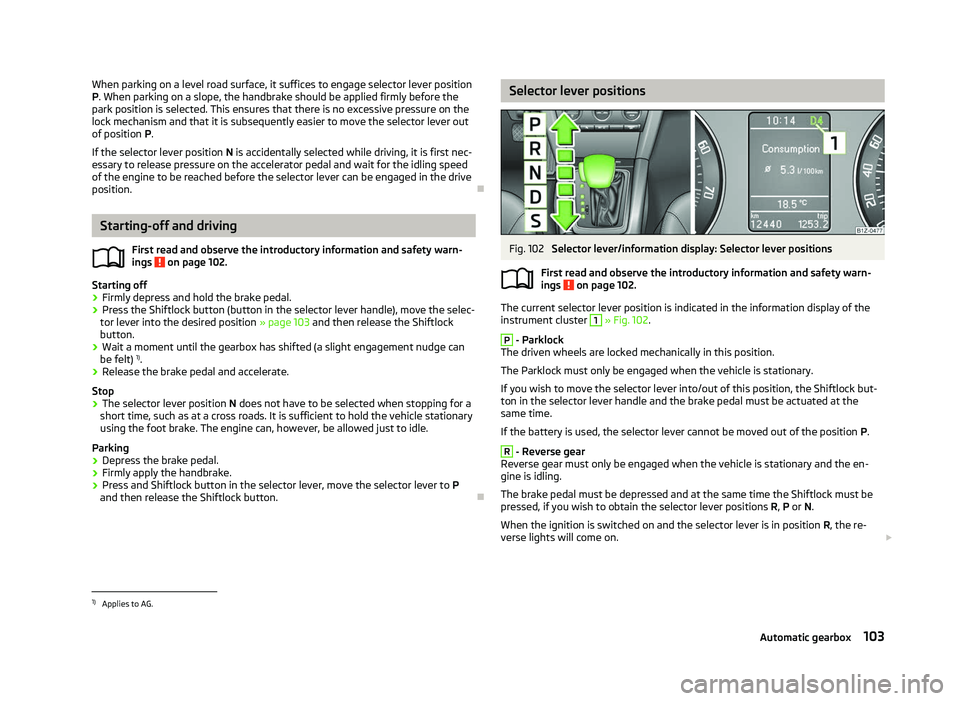
The current selector lever position is indicated in the information display of the
instrument cluster
1
» Fig. 102.
P
- Parklock
The driven wheels are locked mechanically in this position.
The Parklock must only be engaged when the vehicle is stationary.
If you wish to move the selector lever into/out of this position, the Shiftlock but-
ton in the selector lever handle and the brake pedal must be actuated at the
same time.
If the battery is used, the selector lever cannot be moved out of the position P. R
- Reverse gear
Reverse gear must only be engaged when the vehicle is stationary and the en-
gine is idling.
The brake pedal must be depressed and at the same time the Shiftlock must be
pressed, if you wish to obtain the selector lever positions R, P or N.
When the ignition is switched on and the selector lever is in position R, the re-
verse lights will come on. £
ä
1)
Applies to AG.
103
Automatic gearbox
Page 107 of 218
Selector lever lock
First read and observe the introductory information and safety warn-
ings on page 102.
Automatic selector lever lock
With the ignition on, the selector lever is locked when it is in the positions P and
N. The brake pedal must be depressed to move the selector lever out of this posi-
tion. The warning light » page 25, Selector lever lock illuminates in the in-
strument cluster as a reminder for the driver when the selector lever is in the po-
sitions P and N.
The selector lever is not locked when quickly moving across the position
N (e.g.
from R to D). This, for example, helps to rock out a vehicle that is stuck. The selec-
tor lever lock will click into place if the lever is in the N position for more than 2
seconds without the brake pedal being pressed.
The selector lever lock is only active if the vehicle is stationary or moving at speed
of less than 5 km/hour. The lock is switched off automatically into position N
when the car is travelling at a higher speed.
Shiftlock button
The Shiftlock button in the handle of selector lever prevents certain selector lever
positions being engaged inadvertently. The selector lever lock is cancelled when
the Shiftlock button is pressed.
Ignition key withdrawal lock
After the ignition is switched off, the ignition key can only be withdrawn if the se-
lector lever is in the position P. If the ignition key is withdrawn, the selector lever
is blocked in position P . ÐKickdown function
First read and observe the introductory information and safety warn-
ings on page 102.
The kickdown function provides you with maximum acceleration power.
When the accelerator pedal is fully depressed, the kickdown function is activated
in the desired driving program. This function has precedence over the driving pro-
gramme and serves for maximum acceleration of the vehicle when exploiting the
maximum power potential of the engine without taking into account the current
selector lever position ( D, S or Tiptronic ). The gearbox shifts down to one or sev-
ä
ä
eral gears in line with the driving state and the vehicle accelerates. The gearbox
does not shift up into the highest gear until the engine has reached its maximum
revolutions for this gear range. Ð Dynamic shift programme
First read and observe the introductory information and safety warn-
ings on page 102.
The automatic gearbox of your vehicle is controlled electronically. Shifting up and
down through the gears is performed automatically on the basis of pre-defined
driving programmes.
Adopting a moderate style of driving
will cause the gearbox to select the most
economical driving programme. Shifting up into a higher gear as soon as possible
and shifting down as late as possible will have a favourable effect on your fuel
consumption.
When adopting a sporty style of driving with rapid movements of the accelerator
pedal combined with sharp acceleration, frequent changes in speed and exploit-
ing the top speed of the car, the gearbox will adjust to this style of driving once
the accelerator pedal (kickdown function) is depressed and will shift down earlier,
frequently by several gears in comparison to a moderate style of driving.
Selecting the most appropriate driving programme for the particular style of driv-
ing is a continuous process. Irrespective of this it is, however, possible to switch
or shift down into a dynamic shift programme by depressing the accelerator rap-
idly. The gearbox shifts down into a lower gear in accordance with the speed,
therefore enabling rapid acceleration (e.g. when overtaking) without the accelera-
tor pedal having to be depressed into the kickdown range. The original pro-
gramme will be reactivated to match your particular style of driving once the
gearbox has shifted up again.
When driving in hilly regions, the gears are selected to match uphill and downhill
sections. This avoids the gearbox frequently shifting up and down when negoti-
ating an uphill stretch. When driving downhill, it is possible to shift down into the
Tiptronic position, in order to exploit the engine brake torque. Ð
ä
105
Automatic gearbox
Page 142 of 218
WARNING
■ In view of the high temperatures which can be produced in the catalytic con-
verter, the vehicle should be parked in such a way that the catalytic converter
cannot come into contact with easily flammable materials under the vehicle -
risk of fire!
■ Never use additional underbody protection or anti-corrosion agents for ex-
haust pipes, catalytic converters or heat shields - risk of fire! CAUTION
■ Never drive until the fuel tank is completely empty! The irregular supply of fuel
can cause misfiring, which can result in considerable damage to parts of the en-
gine and exhaust system. ■ Just filling the tank with leaded petrol once will damage the exhaust system! ÐEconomical and environmentally friendly driving
Introductory information
Your fuel consumption, any pollution of the environmental and the wear-and-tear
to the engine, brakes and tyres, depend essentially on three factors:
› your personal style of driving;
› the conditions under which your vehicle is operated;
› technical aspects.
The fuel economy by can be improved by 10
-15 % by always looking ahead and
driving in an economical way.
Fuel consumption is also be influenced by external factors which are beyond the
driver's control. Consumption increases during the winter or under difficult condi-
tions, on poor roads, etc.
Fuel consumption can vary considerably from the manufacturer's data, as a result
of outside temperatures, the weather and driving style.
The technical requirements for low fuel usage and economic efficiency of the ve-
hicle have already been built into the vehicle at the works. ŠKODA places a partic-
ular emphasis on minimising negative effects on the environment. It is necessary
to take note of the guidelines given in this chapter in order to make best use of
these characteristics and to maintain their effectiveness. The optimal engine speed should be obtained when accelerating, in order to
avoid a high fuel consumption and resonance of the vehicle.
Ð Looking ahead when driving
A vehicle's highest fuel consumption occurs when accelerating, therefore unnec-
essary accelerating and braking should be avoided. If looking ahead when driving,
less braking and consequently less accelerating are required. If possible, let your
vehicle coast to a stop, or use the engine brake, if you can see that the next set
of traffic lights is on red, for example. Ð Shifting to save energy
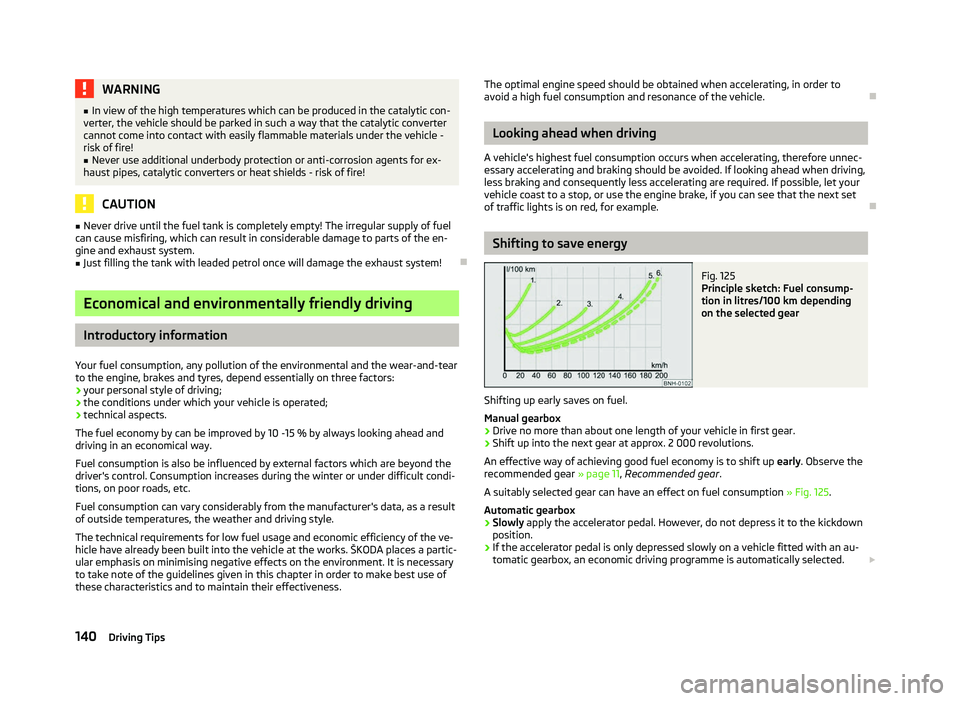
Fig. 125
Principle sketch: Fuel consump-
tion in litres/100 km depending
on the selected gear
Shifting up early saves on fuel.
Manual gearbox › Drive no more than about one length of your vehicle in first gear.
› Shift up into the next gear at approx. 2
000 revolutions.
An effective way of achieving good fuel economy is to shift up early. Observe the
recommended gear » page 11, Recommended gear .
A suitably selected gear can have an effect on fuel consumption » Fig. 125.
Automatic gearbox › Slowly
apply the accelerator pedal. However, do not depress it to the kickdown
position.
› If the accelerator pedal is only depressed slowly on a vehicle fitted with an au-
tomatic gearbox, an economic driving programme is automatically selected.
£
140 Driving Tips
Page 148 of 218
Immediately reduce your speed as soon as even the slightest swaying of the trail-
er is detected. Never attempt to stop the trailer from “swaying” by accelerating.
Brakes
Apply the brakes in good time! If the trailer is fitted with a trailer brake, apply the
brakes gently at first, then brake firmly. This will avoid brake jolts resulting from
the trailer wheels locking. On downhill sections shift down a gear in good time to
also use the engine as a brake.
Trailer stabilisation
The trailer stabilisation is an extension of the stabilisation control that works in
conjunction with the counter-steering assistance to reduce the amount the trail-
er "sways". After turning on the ignition, the ESC warning light in the instru-
ment cluster lights up for about 2 seconds longer than the ABS warning light.
Prerequisites for stabilising the trailer.
› The towing device is factory-fitted or a compatible towing device has been ret-
rofitted.
› The ESC is active. The warning light
or in the instrument cluster is not illu-
minated.
› The trailer is electrically connected to the towing vehicle by means of the trailer
socket.
› The speed is higher than approx. 60 km/h.
› Trailers must have a fixed drawbar.
› The ESC works for both braked and unbraked trailers.
Trailer is connected to the anti-theft alarm system. › If the vehicle is factory-fitted with an anti-theft alarm system and a towing de-
vice.
› If the trailer is electrically connected to the towing vehicle by means of the trail-
er socket.
› If the electrical system of the vehicle and trailer is fully functional.
› If the vehicle is locked with the car key and the anti-theft alarm system is acti-
vated.
When the vehicle is locked, the alarm is activated as soon as the electrical con-
nection to the trailer is interrupted.
Always deactivate the anti-theft alarm system before a trailer is connected/dis-
connected. Otherwise, the anti-theft alarm system could accidentally be trig-
gered » page 31 , Anti-theft alarm system . Engine overheating
If the needle for the coolant temperature gauge moves into the right-hand area
or the red area of the scale, the speed must be reduced immediately. Stop and
switch off the engine if the warning light
in the instrument cluster starts to
flash. Wait a few minutes and check the level of coolant in the coolant expansion
bottle » page 163, Checking the coolant level .
The following guidelines must be observed » page 20, Coolant temperature/cool-
ant level .
The coolant temperature can be reduced by switching on the heating. WARNING
■ The increased safety offered by the trailer stabilisation must not tempt you
to take greater risks than otherwise. ■ Adapt your speed to the conditions of the road surface and to the traffic sit-
uation.
■ Improper or incorrectly connected electric cables can energise the trailer and
cause functional faults to the vehicle's entire electrical system as well as acci-
dents and severe injuries.
■ Any work on the electrical system must be carried out only by ŠKODA spe-
cialist garages.
■ Never directly connect the trailer's electrical system with the electrical con-
nections for the tail lights or other current sources. CAUTION
■ The trailer stabilisation need not be able to correctly detect all of driving situa-
tions.
■ Trailers that sway slightly are not always detected by the trailer stabilisation
and thus are not stabilised accordingly.
■ Release the pressure on the accelerator pedal if the system is being regulated.
■ Avoid abrupt and sudden driving/braking manoeuvres.
■ When the ball rod is removed, the mounting shaft must be sealed with an ap-
propriate cover. This prevents foreign matter from penetrating into the mounting
shaft. See the fitting instructions for the towing device. £
146 Driving Tips