battery SKODA OCTAVIA 2015 3.G / (5E) Owner's Manual
[x] Cancel search | Manufacturer: SKODA, Model Year: 2015, Model line: OCTAVIA, Model: SKODA OCTAVIA 2015 3.G / (5E)Pages: 268, PDF Size: 37.54 MB
Page 5 of 268
General Maintenance
Care and maintenance178
Service work, adjustments and technical
alterations
178
Washing vehicle
181
Cleaning vehicle exterior
182
Interior care
186
Inspecting and replenishing
189
Fuel
189
Engine compartment
194
Engine oil
197
Coolant
198
Brake fluid
200
Vehicle battery
201
Wheels
205
Tyres and wheel rims
205
Winter operation
209
Do-it-yourself
Emergency equipment, and self-help
211
Emergency equipment
211
Changing a wheel
213
Puncture repair kit
217
Jump-starting
219
Towing the vehicle
220
Remote control
223
Emergency unlocking/locking
224
Replacing windscreen wiper blades
225
Fuses and light bulbs
226
Fuses
226
Bulbs
230Technical data
Technical data236
Basic vehicle data
236
Vehicle-specific information depending on
engine type
244
Index
3Table of Contents
Page 9 of 268
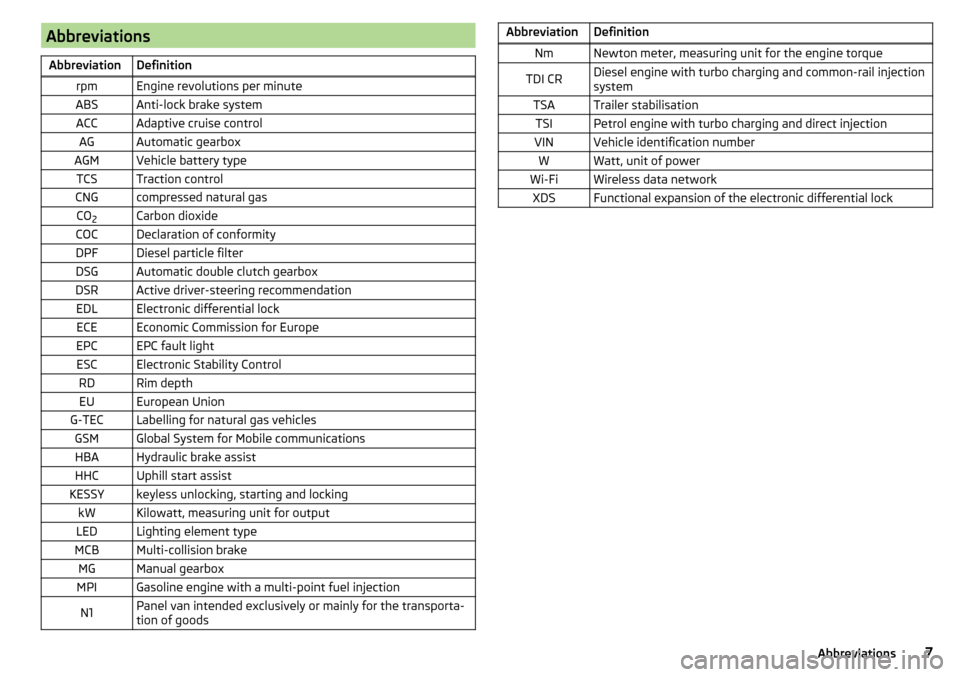
AbbreviationsAbbreviationDefinitionrpmEngine revolutions per minuteABSAnti-lock brake systemACCAdaptive cruise controlAGAutomatic gearboxAGMVehicle battery typeTCSTraction controlCNGcompressed natural gasCO2Carbon dioxideCOCDeclaration of conformityDPFDiesel particle filterDSGAutomatic double clutch gearboxDSRActive driver-steering recommendationEDLElectronic differential lockECEEconomic Commission for EuropeEPCEPC fault lightESCElectronic Stability ControlRDRim depthEUEuropean UnionG-TECLabelling for natural gas vehiclesGSMGlobal System for Mobile communicationsHBAHydraulic brake assistHHCUphill start assistKESSYkeyless unlocking, starting and lockingkWKilowatt, measuring unit for outputLEDLighting element typeMCBMulti-collision brakeMGManual gearboxMPIGasoline engine with a multi-point fuel injectionN1Panel van intended exclusively or mainly for the transporta-
tion of goodsAbbreviationDefinitionNmNewton meter, measuring unit for the engine torqueTDI CRDiesel engine with turbo charging and common-rail injection
systemTSATrailer stabilisationTSIPetrol engine with turbo charging and direct injectionVINVehicle identification numberWWatt, unit of powerWi-FiWireless data networkXDSFunctional expansion of the electronic differential lock7Abbreviations
Page 35 of 268
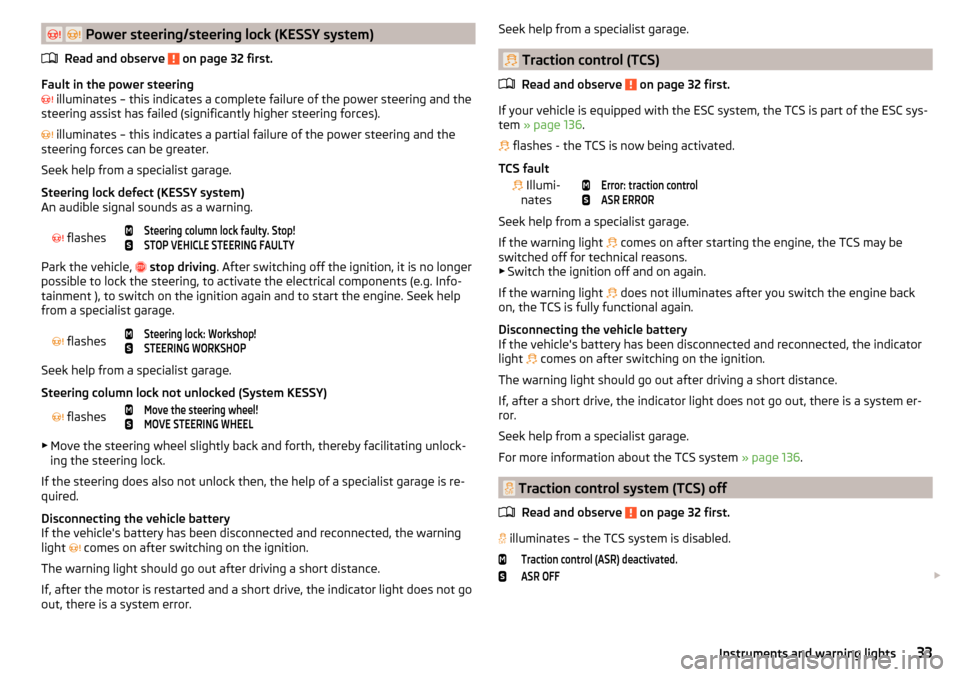
Power steering/steering lock (KESSY system)
Read and observe
on page 32 first.
Fault in the power steering
illuminates – this indicates a complete failure of the power steering and the
steering assist has failed (significantly higher steering forces).
illuminates – this indicates a partial failure of the power steering and the
steering forces can be greater.
Seek help from a specialist garage.
Steering lock defect (KESSY system)
An audible signal sounds as a warning.
flashes
Steering column lock faulty. Stop!STOP VEHICLE STEERING FAULTY
Park the vehicle,
stop driving . After switching off the ignition, it is no longer
possible to lock the steering, to activate the electrical components (e.g. Info-
tainment ), to switch on the ignition again and to start the engine. Seek help
from a specialist garage.
flashes
Steering lock: Workshop!STEERING WORKSHOP
Seek help from a specialist garage.
Steering column lock not unlocked (System KESSY)
flashes
Move the steering wheel!MOVE STEERING WHEEL
▶ Move the steering wheel slightly back and forth, thereby facilitating unlock-
ing the steering lock.
If the steering does also not unlock then, the help of a specialist garage is re-
quired.
Disconnecting the vehicle battery
If the vehicle's battery has been disconnected and reconnected, the warning
light comes on after switching on the ignition.
The warning light should go out after driving a short distance.
If, after the motor is restarted and a short drive, the indicator light does not go out, there is a system error.
Seek help from a specialist garage.
Traction control (TCS)
Read and observe
on page 32 first.
If your vehicle is equipped with the ESC system, the TCS is part of the ESC sys-tem » page 136 .
flashes - the TCS is now being activated.
TCS fault
Illumi-
nates
Error: traction controlASR ERROR
Seek help from a specialist garage.
If the warning light comes on after starting the engine, the TCS may be
switched off for technical reasons. ▶ Switch the ignition off and on again.
If the warning light does not illuminates after you switch the engine back
on, the TCS is fully functional again.
Disconnecting the vehicle battery
If the vehicle's battery has been disconnected and reconnected, the indicator
light comes on after switching on the ignition.
The warning light should go out after driving a short distance.
If, after a short drive, the indicator light does not go out, there is a system er-
ror.
Seek help from a specialist garage.
For more information about the TCS system » page 136.
Traction control system (TCS) off
Read and observe
on page 32 first.
illuminates – the TCS system is disabled.
Traction control (ASR) deactivated.ASR OFF
33Instruments and warning lights
Page 36 of 268
NoteOn vehicles without the ESC system, the warning light does not illuminate
upon deactivation of the TCS system, but a message is only displayed on the
display of the instrument cluster.
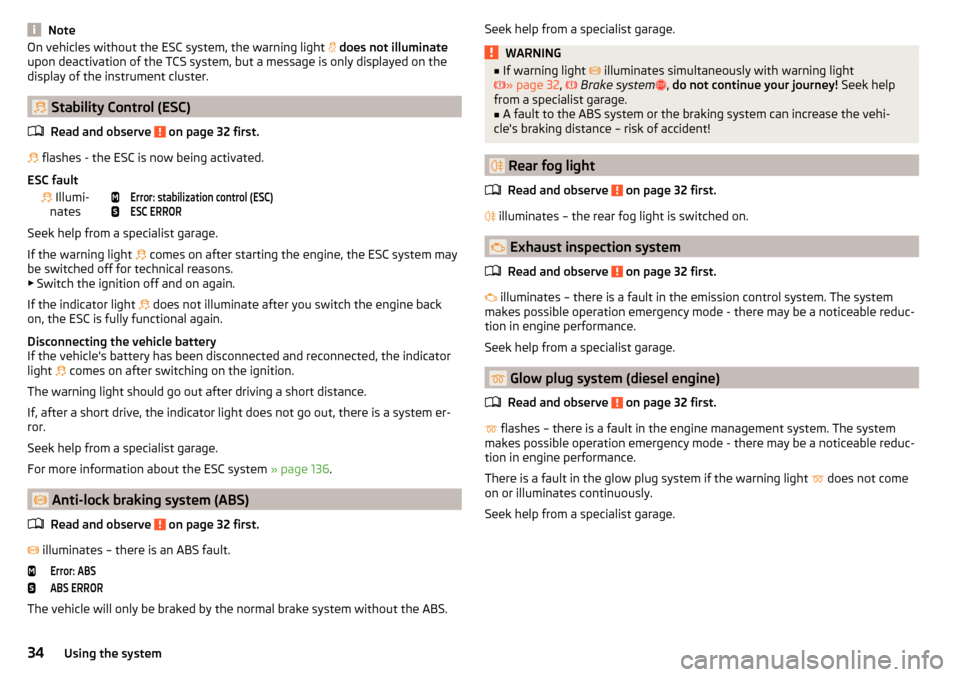
Stability Control (ESC)
Read and observe
on page 32 first.
flashes - the ESC is now being activated.
ESC fault
Illumi-
nates
Error: stabilization control (ESC)ESC ERROR
Seek help from a specialist garage.
If the warning light comes on after starting the engine, the ESC system may
be switched off for technical reasons. ▶ Switch the ignition off and on again.
If the indicator light does not illuminate after you switch the engine back
on, the ESC is fully functional again.
Disconnecting the vehicle battery
If the vehicle's battery has been disconnected and reconnected, the indicator
light comes on after switching on the ignition.
The warning light should go out after driving a short distance.
If, after a short drive, the indicator light does not go out, there is a system er-
ror.
Seek help from a specialist garage.
For more information about the ESC system » page 136.
Anti-lock braking system (ABS)
Read and observe
on page 32 first.
illuminates – there is an ABS fault.
Error: ABSABS ERROR
The vehicle will only be braked by the normal brake system without the ABS.
Seek help from a specialist garage.WARNING■
If warning light illuminates simultaneously with warning light
» page 32 , Brake system , do not continue your journey! Seek help
from a specialist garage.■
A fault to the ABS system or the braking system can increase the vehi-
cle's braking distance – risk of accident!
Rear fog light
Read and observe
on page 32 first.
illuminates – the rear fog light is switched on.
Exhaust inspection system
Read and observe
on page 32 first.
illuminates – there is a fault in the emission control system. The system
makes possible operation emergency mode - there may be a noticeable reduc-
tion in engine performance.
Seek help from a specialist garage.
Glow plug system (diesel engine)
Read and observe
on page 32 first.
flashes – there is a fault in the engine management system. The system
makes possible operation emergency mode - there may be a noticeable reduc-
tion in engine performance.
There is a fault in the glow plug system if the warning light does not come
on or illuminates continuously.
Seek help from a specialist garage.
34Using the system
Page 37 of 268
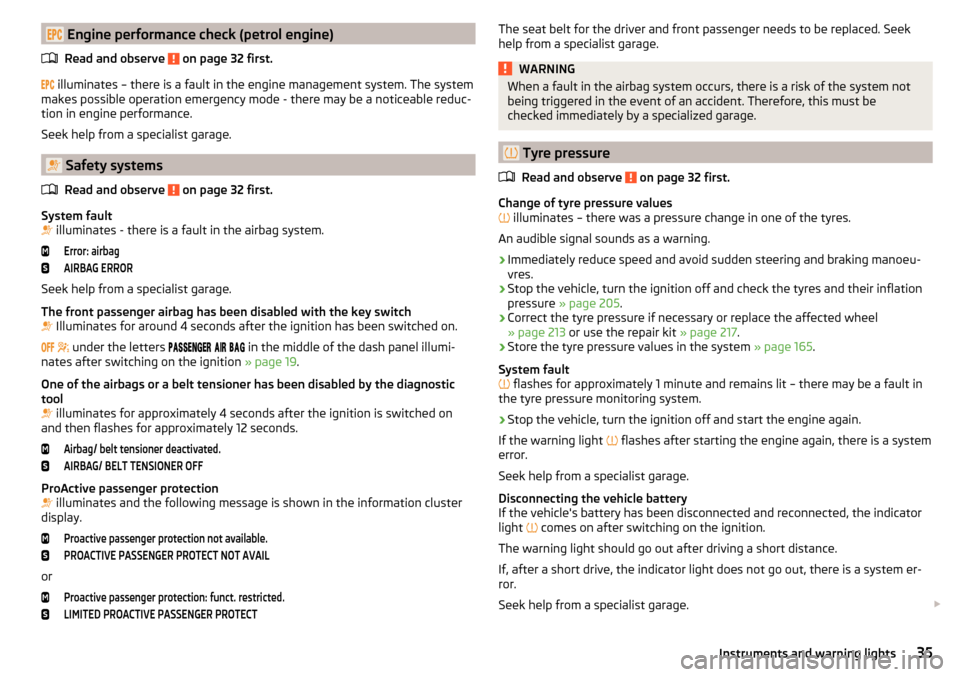
Engine performance check (petrol engine)Read and observe
on page 32 first.
illuminates – there is a fault in the engine management system. The system
makes possible operation emergency mode - there may be a noticeable reduc-
tion in engine performance.
Seek help from a specialist garage.
Safety systems
Read and observe
on page 32 first.
System fault
illuminates - there is a fault in the airbag system.
Error: airbagAIRBAG ERROR
Seek help from a specialist garage.
The front passenger airbag has been disabled with the key switch
Illuminates for around 4 seconds after the ignition has been switched on.
under the letters
in the middle of the dash panel illumi-
nates after switching on the ignition » page 19.
One of the airbags or a belt tensioner has been disabled by the diagnostic
tool
illuminates for approximately 4 seconds after the ignition is switched on
and then flashes for approximately 12 seconds.
Airbag/ belt tensioner deactivated.AIRBAG/ BELT TENSIONER OFF
ProActive passenger protection
illuminates and the following message is shown in the information cluster
display.
Proactive passenger protection not available.PROACTIVE PASSENGER PROTECT NOT AVAIL
or
Proactive passenger protection: funct. restricted.LIMITED PROACTIVE PASSENGER PROTECTThe seat belt for the driver and front passenger needs to be replaced. Seek
help from a specialist garage.WARNINGWhen a fault in the airbag system occurs, there is a risk of the system not
being triggered in the event of an accident. Therefore, this must be
checked immediately by a specialized garage.
Tyre pressure
Read and observe
on page 32 first.
Change of tyre pressure values
illuminates – there was a pressure change in one of the tyres.
An audible signal sounds as a warning.
›
Immediately reduce speed and avoid sudden steering and braking manoeu-
vres.
›
Stop the vehicle, turn the ignition off and check the tyres and their inflation
pressure » page 205 .
›
Correct the tyre pressure if necessary or replace the affected wheel
» page 213 or use the repair kit » page 217.
›
Store the tyre pressure values in the system » page 165.
System fault
flashes for approximately 1 minute and remains lit – there may be a fault in
the tyre pressure monitoring system.
›
Stop the vehicle, turn the ignition off and start the engine again.
If the warning light flashes after starting the engine again, there is a system
error.
Seek help from a specialist garage.
Disconnecting the vehicle battery
If the vehicle's battery has been disconnected and reconnected, the indicator
light comes on after switching on the ignition.
The warning light should go out after driving a short distance.
If, after a short drive, the indicator light does not go out, there is a system er-
ror.
Seek help from a specialist garage.
35Instruments and warning lights
Page 39 of 268
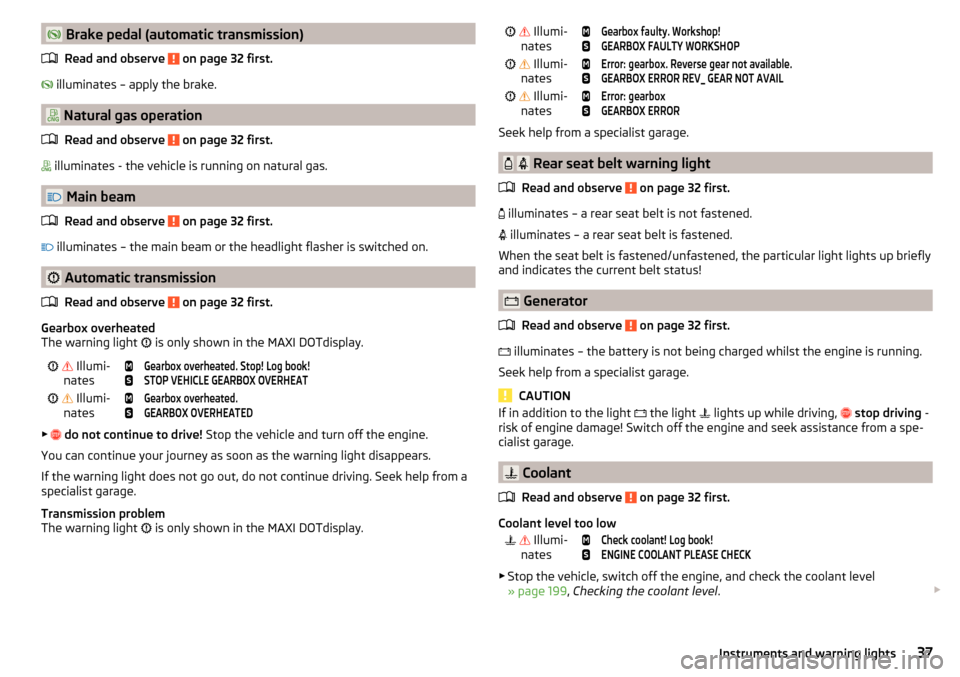
Brake pedal (automatic transmission)Read and observe
on page 32 first.
illuminates – apply the brake.
Natural gas operation
Read and observe
on page 32 first.
illuminates - the vehicle is running on natural gas.
Main beam
Read and observe
on page 32 first.
illuminates – the main beam or the headlight flasher is switched on.
Automatic transmission
Read and observe
on page 32 first.
Gearbox overheated
The warning light is only shown in the MAXI DOTdisplay.
Illumi-
nates
Gearbox overheated. Stop! Log book!STOP VEHICLE GEARBOX OVERHEAT Illumi-
nates
Gearbox overheated.GEARBOX OVERHEATED
▶
do not continue to drive! Stop the vehicle and turn off the engine.
You can continue your journey as soon as the warning light disappears.
If the warning light does not go out, do not continue driving. Seek help from a specialist garage.
Transmission problem
The warning light is only shown in the MAXI DOTdisplay.
Illumi-
nates
Gearbox faulty. Workshop!GEARBOX FAULTY WORKSHOP Illumi-
nates
Error: gearbox. Reverse gear not available.GEARBOX ERROR REV_ GEAR NOT AVAIL Illumi-
nates
Error: gearboxGEARBOX ERROR
Seek help from a specialist garage.
Rear seat belt warning light
Read and observe
on page 32 first.
illuminates – a rear seat belt is not fastened.
illuminates – a rear seat belt is fastened.
When the seat belt is fastened/unfastened, the particular light lights up briefly
and indicates the current belt status!
Generator
Read and observe
on page 32 first.
illuminates – the battery is not being charged whilst the engine is running.
Seek help from a specialist garage.
CAUTION
If in addition to the light the light lights up while driving, stop driving -
risk of engine damage! Switch off the engine and seek assistance from a spe-
cialist garage.
Coolant
Read and observe
on page 32 first.
Coolant level too low
Illumi-
nates
Check coolant! Log book!ENGINE COOLANT PLEASE CHECK
▶ Stop the vehicle, switch off the engine, and check the coolant level
» page 199 , Checking the coolant level .
37Instruments and warning lights
Page 46 of 268
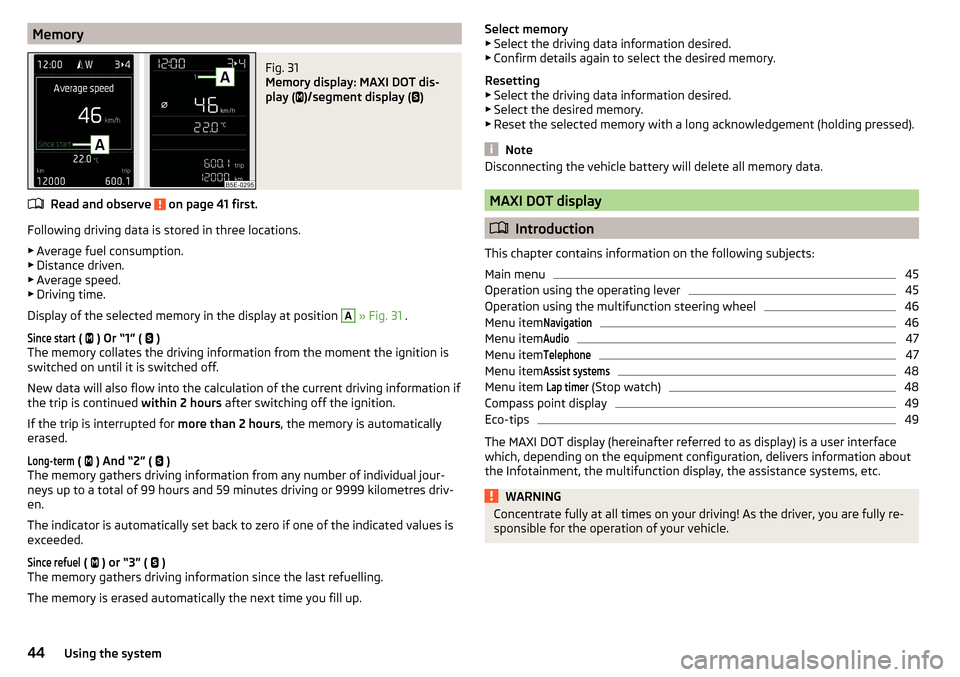
MemoryFig. 31
Memory display: MAXI DOT dis-
play (
)/segment display (
)
Read and observe on page 41 first.
Following driving data is stored in three locations.
▶ Average fuel consumption.
▶ Distance driven.
▶ Average speed.
▶ Driving time.
Display of the selected memory in the display at position
A
» Fig. 31 .
Since start
(
) Or “1” (
)
The memory collates the driving information from the moment the ignition is
switched on until it is switched off.
New data will also flow into the calculation of the current driving information if
the trip is continued within 2 hours after switching off the ignition.
If the trip is interrupted for more than 2 hours, the memory is automatically
erased.
Long-term
( ) And “2” (
)
The memory gathers driving information from any number of individual jour-
neys up to a total of 99 hours and 59 minutes driving or 9999 kilometres driv-
en.
The indicator is automatically set back to zero if one of the indicated values is
exceeded.
Since refuel
( ) or “3” (
)
The memory gathers driving information since the last refuelling.
The memory is erased automatically the next time you fill up.
Select memory
▶ Select the driving data information desired.
▶ Confirm details again to select the desired memory.
Resetting ▶ Select the driving data information desired.
▶ Select the desired memory.
▶ Reset the selected memory with a long acknowledgement (holding pressed).
Note
Disconnecting the vehicle battery will delete all memory data.
MAXI DOT display
Introduction
This chapter contains information on the following subjects:
Main menu
45
Operation using the operating lever
45
Operation using the multifunction steering wheel
46
Menu item
Navigation46
Menu item
Audio47
Menu item
Telephone47
Menu item
Assist systems48
Menu item
Lap timer
(Stop watch)
48
Compass point display
49
Eco-tips
49
The MAXI DOT display (hereinafter referred to as display) is a user interface
which, depending on the equipment configuration, delivers information about
the Infotainment, the multifunction display, the assistance systems, etc.
WARNINGConcentrate fully at all times on your driving! As the driver, you are fully re-
sponsible for the operation of your vehicle.44Using the system
Page 49 of 268
Then turn dial G » Fig. 33 on page 46 on the multifunction steering wheel to
display the Last destinations
menu.
The menu shows the
Home address
menu item and a list of recent destinations.
When you select one of the menu items, the destination name and the follow-
ing items are displayed.
■
OK
- Start navigation
■
Cancel
- Return to the Navigation menu – the compass/vehicle symbol will be
displayed
If the home address is not defined when the menu item
Home address
is selec-
ted, the following message appears:
Please enter the home address on the infotain-ment system.
Menu item
Audio
Read and observe on page 44 first.
Select menu item
Audio›
Select and confirm
Audio
in the main menu.
The following information can be displayed in the display.
■ Radio
■ Currently played station (name/frequency)
■ The selected frequency range (e.g. FM) optionally with the number of the
station button (e.g. FM3), if the station is stored in the memory list
■ List of available station (if more than 5 stations can be received)
■ TP traffic announcements.
■ Media
■ Name of the track being played, if necessary, further information regarding
title (e.g. artist, album name), if this information is stored as a so called ID3
tag on the audio source.
Menu item
Telephone
Read and observe on page 44 first.
Select menu item
Telephone›
Select and confirm
Telephone
in the main menu.
›
Turn the dial
G
» Fig. 33 on page 46 .
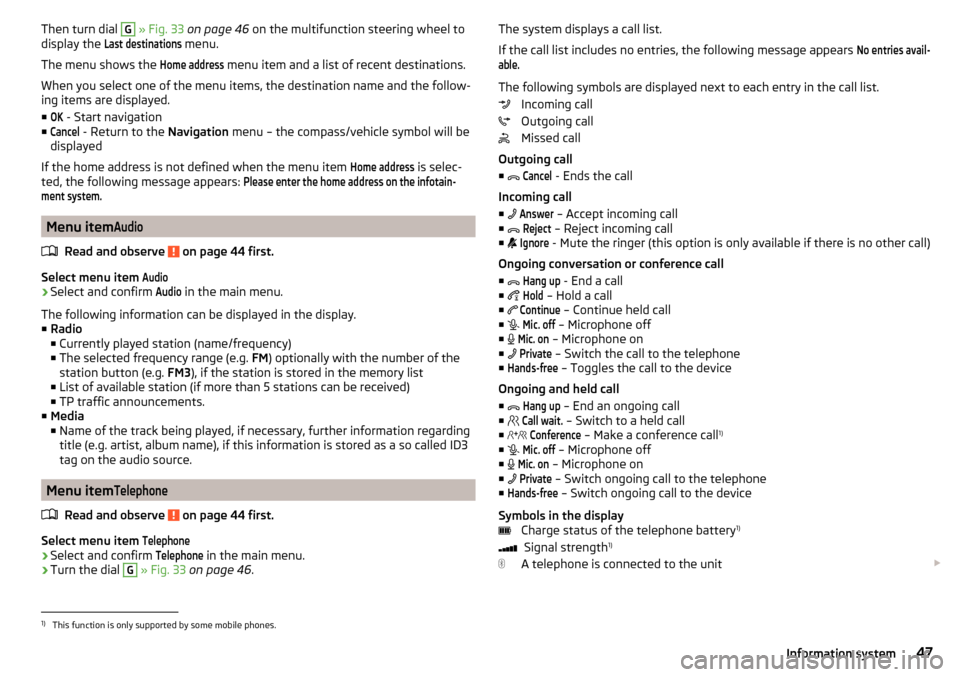
The system displays a call list.
If the call list includes no entries, the following message appears No entries avail-able.
The following symbols are displayed next to each entry in the call list. Incoming call
Outgoing call
Missed call
Outgoing call
■
Cancel
- Ends the call
Incoming call
■
Answer
– Accept incoming call
■
Reject
– Reject incoming call
■
Ignore
- Mute the ringer (this option is only available if there is no other call)
Ongoing conversation or conference call
■
Hang up
- End a call
■
Hold
– Hold a call
■
Continue
– Continue held call
■
Mic. off
– Microphone off
■
Mic. on
– Microphone on
■
Private
– Switch the call to the telephone
■
Hands-free
– Toggles the call to the device
Ongoing and held call ■
Hang up
– End an ongoing call
■
Call wait.
– Switch to a held call
■
Conference
– Make a conference call 1)
■
Mic. off
– Microphone off
■
Mic. on
– Microphone on
■
Private
– Switch ongoing call to the telephone
■
Hands-free
– Switch ongoing call to the device
Symbols in the display Charge status of the telephone battery 1)
Signal strength 1)
A telephone is connected to the unit
1)
This function is only supported by some mobile phones.
47Information system
Page 56 of 268
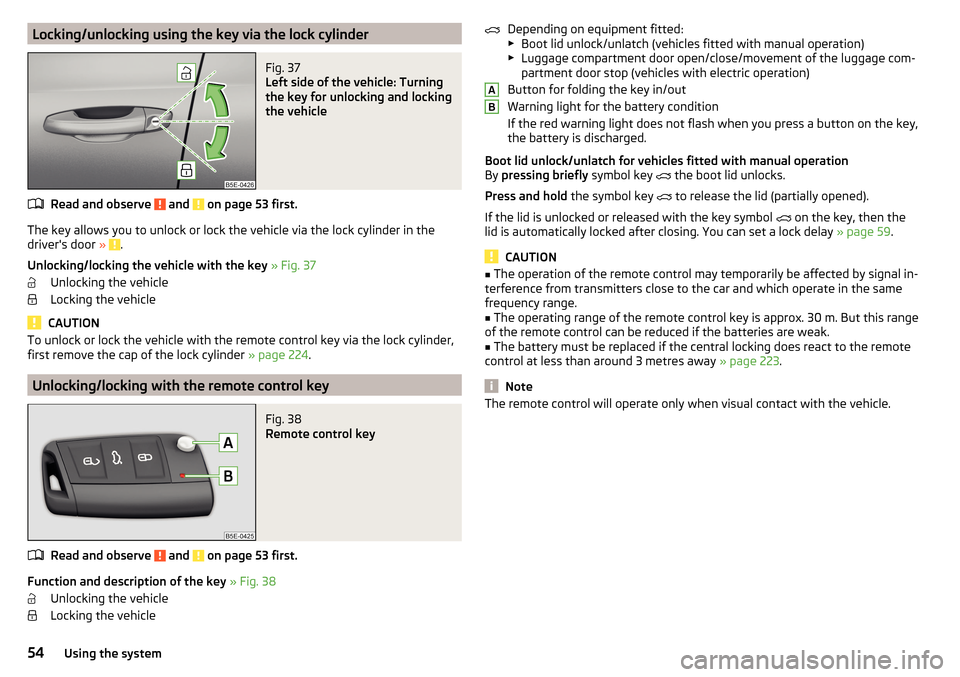
Locking/unlocking using the key via the lock cylinderFig. 37
Left side of the vehicle: Turning
the key for unlocking and locking
the vehicle
Read and observe and on page 53 first.
The key allows you to unlock or lock the vehicle via the lock cylinder in the
driver's door » .
Unlocking/locking the vehicle with the key » Fig. 37
Unlocking the vehicle
Locking the vehicle
CAUTION
To unlock or lock the vehicle with the remote control key via the lock cylinder,
first remove the cap of the lock cylinder » page 224.
Unlocking/locking with the remote control key
Fig. 38
Remote control key
Read and observe and on page 53 first.
Function and description of the key » Fig. 38
Unlocking the vehicle
Locking the vehicle
Depending on equipment fitted:
▶ Boot lid unlock/unlatch (vehicles fitted with manual operation)
▶ Luggage compartment door open/close/movement of the luggage com-
partment door stop (vehicles with electric operation)
Button for folding the key in/out
Warning light for the battery condition
If the red warning light does not flash when you press a button on the key,
the battery is discharged.
Boot lid unlock/unlatch for vehicles fitted with manual operation
By pressing briefly symbol key
the boot lid unlocks.
Press and hold the symbol key
to release the lid (partially opened).
If the lid is unlocked or released with the key symbol on the key, then the
lid is automatically locked after closing. You can set a lock delay » page 59.
CAUTION
■
The operation of the remote control may temporarily be affected by signal in-
terference from transmitters close to the car and which operate in the same
frequency range.■
The operating range of the remote control key is approx. 30 m. But this range
of the remote control can be reduced if the batteries are weak.
■
The battery must be replaced if the central locking does react to the remote
control at less than around 3 metres away » page 223.
Note
The remote control will operate only when visual contact with the vehicle.AB54Using the system
Page 60 of 268
Failure of the system KESSY
If the following message is displayed in the display of the instrument cluster,
then help is required from a specialist company.Keyless access system faulty.KEYLESS ACCESS SYSTEM FAULTY
Key battery discharged
If the voltage of the key battery is too low, the following message appears in
the display of the instrument cluster.
Change the key battery!KEY BATTERY PLEASE CHANGE
Replace the battery » page 223.
Anti-theft alarm system
Introduction
This chapter contains information on the following subjects:
Interior monitor and towing protection
58
The anti-theft alarm system (hereinafter referred to as alarm system) increa-
ses protection against theft and break-in attempts into the vehicle.
The anti-theft alarm system is activated automatically approximately 30 sec-
onds after the vehicle is locked. This is automatically disabled after release.
The alarm system triggers audible and visual signals if an attempt is made to
break into the vehicle (hereafter referred to as alarm).
Triggering the alarm
The alarm is triggered when the following unauthorized actions are carried out
on the locked vehicle.
▶ Opening the bonnet.
▶ Opening the boot lid.
▶ Opening the doors.
▶ Manipulation of the ignition lock.
▶ Towing the vehicle.
▶ Movement in the vehicle.
▶ Sudden and significant voltage drop of the electrical system.
▶ Uncoupling the trailer.
If the driver's door of a vehicle is unlocked and opened by the lock cylinder,
then the alarm is triggered.
Switching off the alarm
The alarm is turned off by pressing the button on the key or switching on
the ignition.
CAUTION
Before leaving the vehicle, it must be checked that all of the windows, doors
and the sliding/tilting roof are locked in order to ensure the full functionality of
the anti-theft alarm system.
Note
The alarm system has its own power source. The working life of the power
supply source is 5 years.
Interior monitor and towing protection
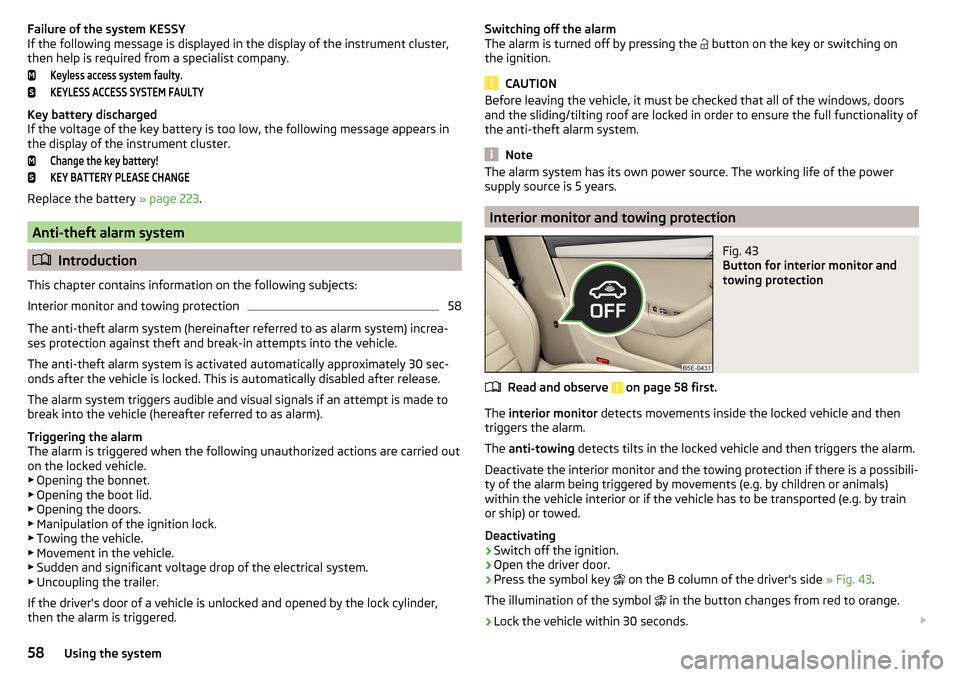
Fig. 43
Button for interior monitor and
towing protection
Read and observe on page 58 first.
The interior monitor detects movements inside the locked vehicle and then
triggers the alarm.
The anti-towing detects tilts in the locked vehicle and then triggers the alarm.
Deactivate the interior monitor and the towing protection if there is a possibili-
ty of the alarm being triggered by movements (e.g. by children or animals)
within the vehicle interior or if the vehicle has to be transported (e.g. by train
or ship) or towed.
Deactivating
›
Switch off the ignition.
›
Open the driver door.
›
Press the symbol key
on the B column of the driver's side » Fig. 43.
The illumination of the symbol
in the button changes from red to orange.
›
Lock the vehicle within 30 seconds.
58Using the system