SKODA OCTAVIA 2018 Owner´s Manual
OCTAVIA 2018
SKODA
SKODA
https://www.carmanualsonline.info/img/3/38031/w960_38031-0.png
SKODA OCTAVIA 2018 Owner´s Manual
Page 143 of 340
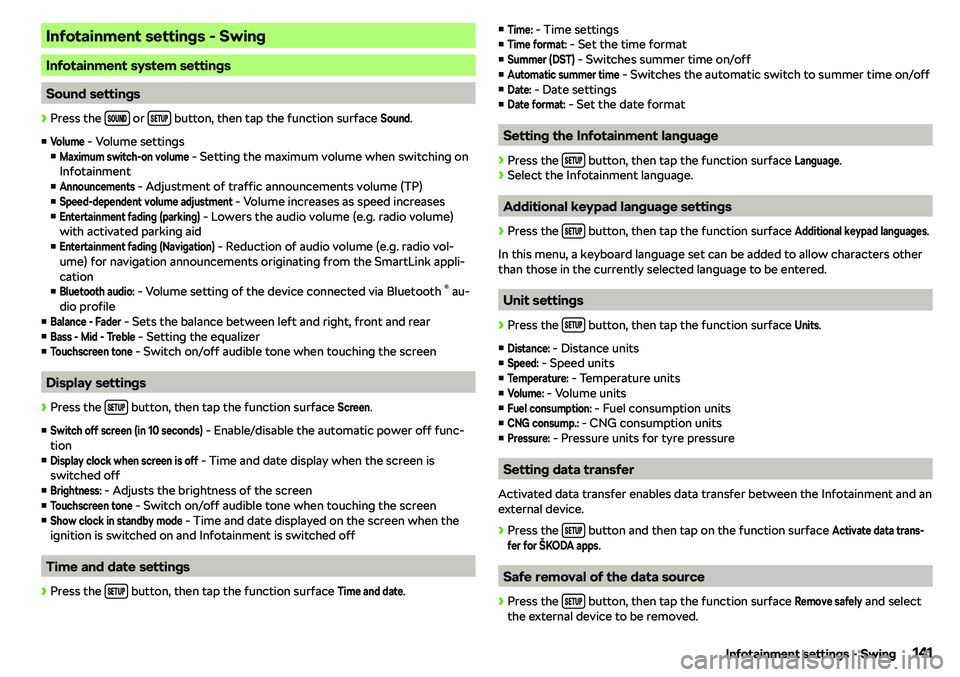
Infotainment settings - Swing
Infotainment system settings
Sound settings
Page 146 of 340
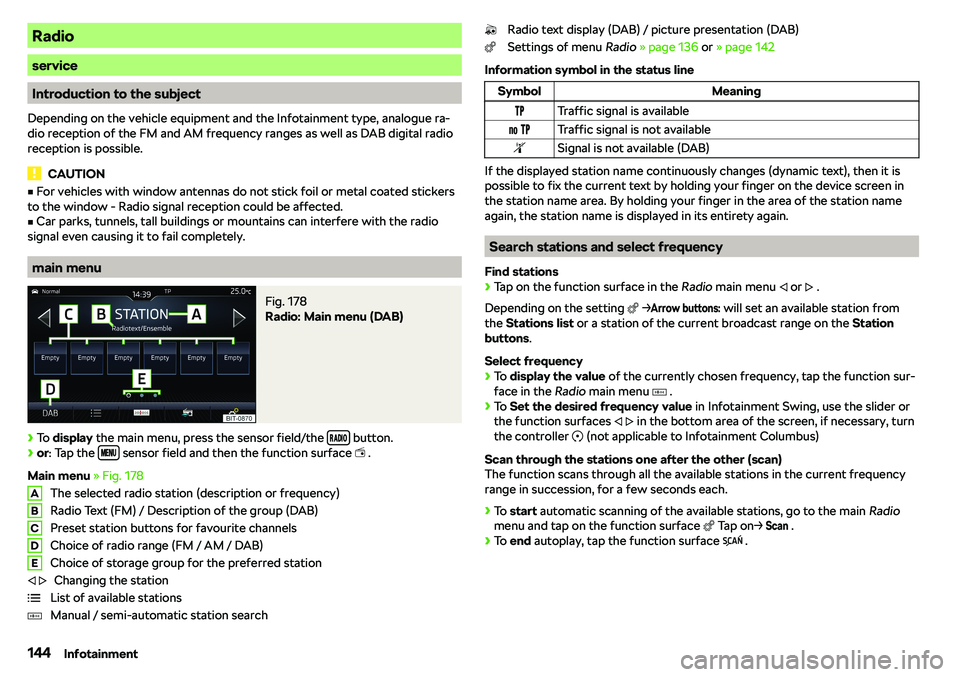
Radio
service
Introduction to the subject
Depending on the vehicle equipment and the Infotainment type, analogue ra-
dio reception of the FM and AM frequency ranges as well as DAB digital radio
reception is possible.
CAUTION
�v For vehicles with window antennas do not stick foil or metal coated stickers
to the window - Radio signal reception could be affected.�v
Car parks, tunnels, tall buildings or mountains can interfere with the radio
signal even causing it to fail completely.
main menu
Fig. 178
Radio: Main menu (DAB)
Page 147 of 340
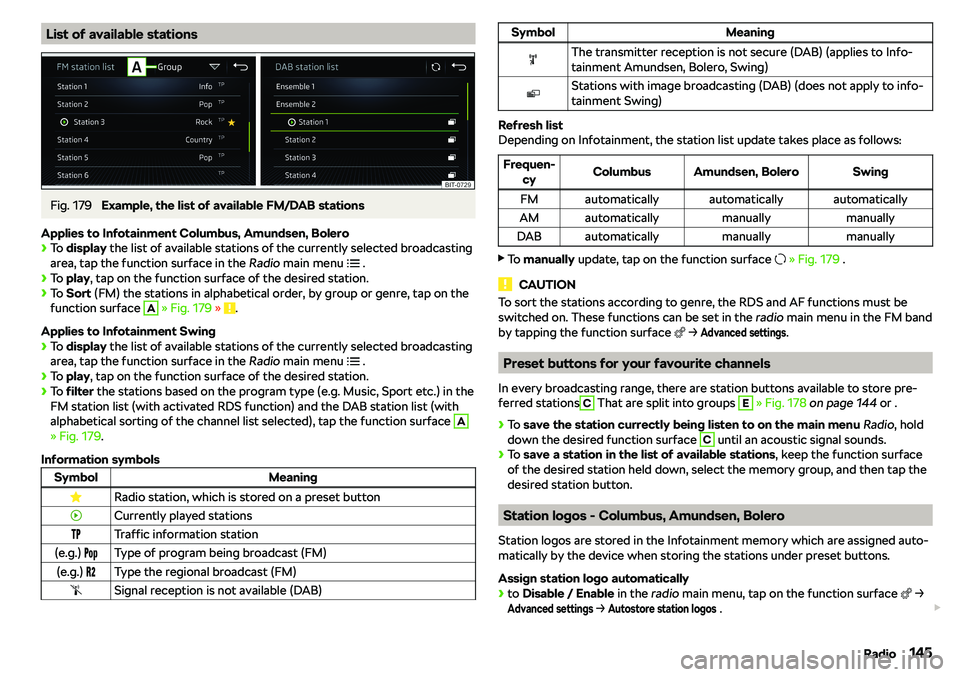
List of available stationsFig. 179
Example, the list of available FM/DAB stations
Applies to Infotainment Columbus, Amundsen, Bolero
Page 155 of 340
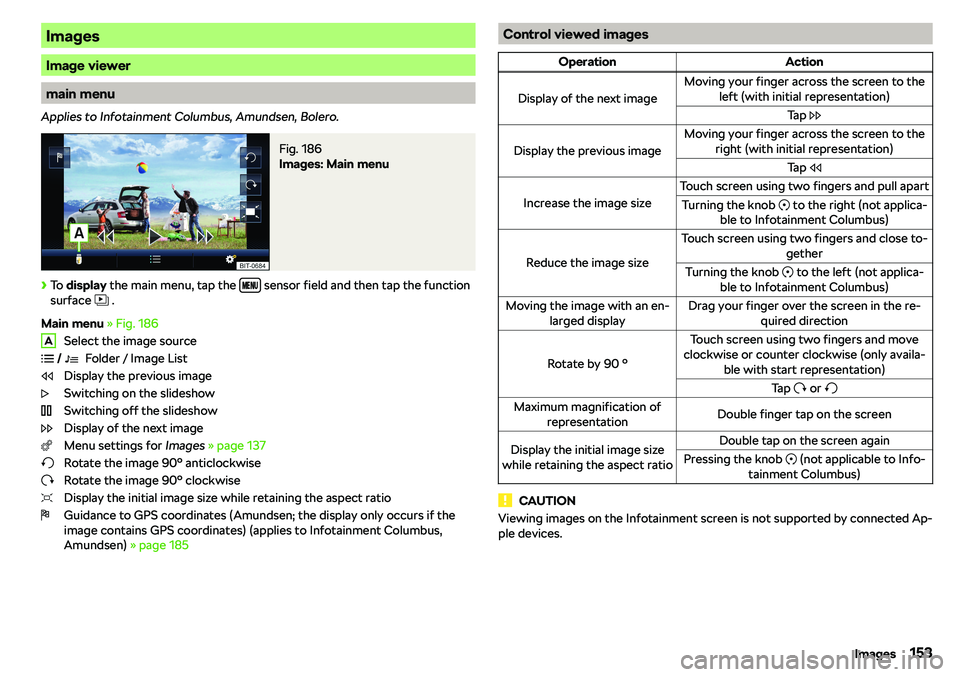
Images
Image viewer
main menu
Applies to Infotainment Columbus, Amundsen, Bolero.
Fig. 186
Images: Main menu
Page 158 of 340
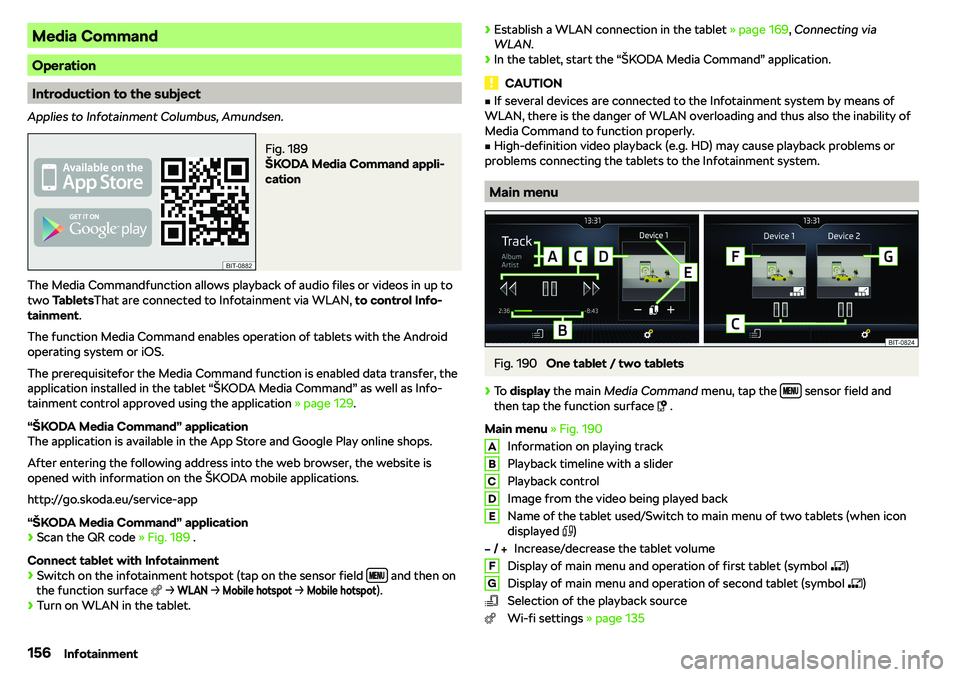
Media Command
Operation
Introduction to the subject
Applies to Infotainment Columbus, Amundsen.
Fig. 189
Page 160 of 340
Telephone
Introductory information
Introduction to the subject
WARNINGThe general binding country-specific regulations for operating mobile
phones in the vehicle must be observed.
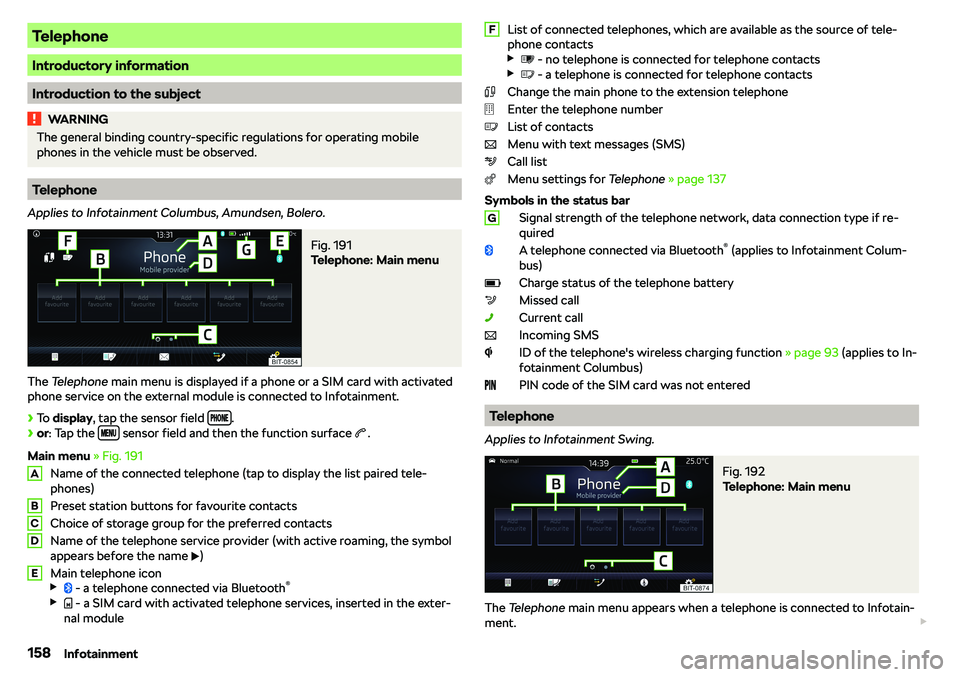
Telephone
Applies to Infotainment Columbus, Amundsen, Bolero.
Fig. 191
Telephone: Main menu
The Telephone main menu is displayed if a phone or a SIM card with activated
phone service on the external module is connected to Infotainment.
Page 163 of 340
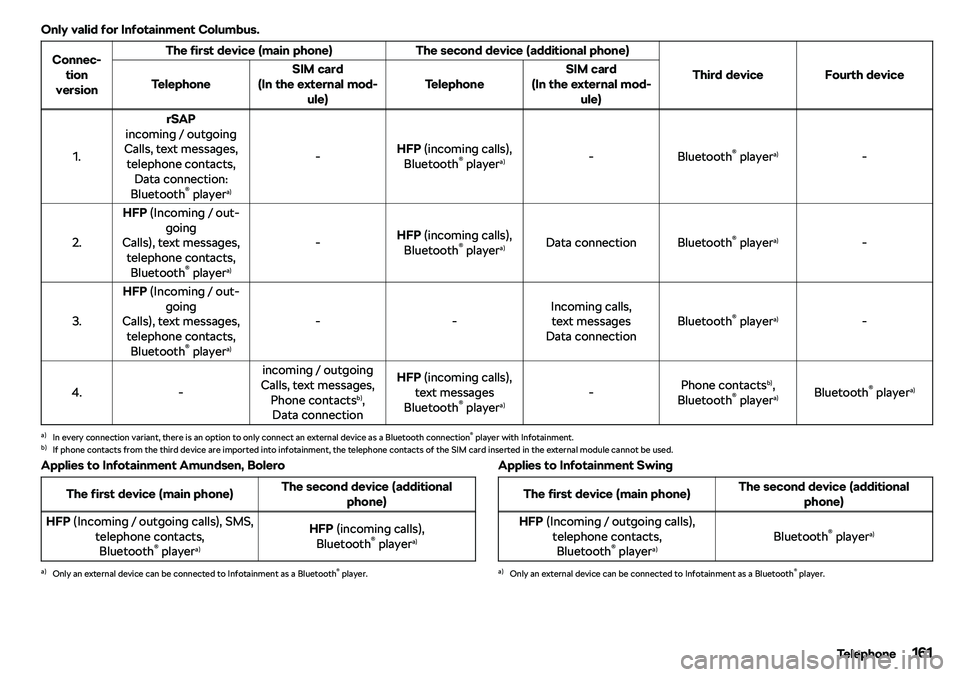
Only valid for Infotainment Columbus.Connec-tion
versionThe first device (main phone)The second device (additional phone)
Third deviceFourth deviceTelephoneSIM card
(In the external mod- ule)TelephoneSIM card
(In the external mod- ule)
1.
rSAP
incoming / outgoing
Calls, text messages, telephone contacts, Data connection:
Bluetooth
Page 168 of 340
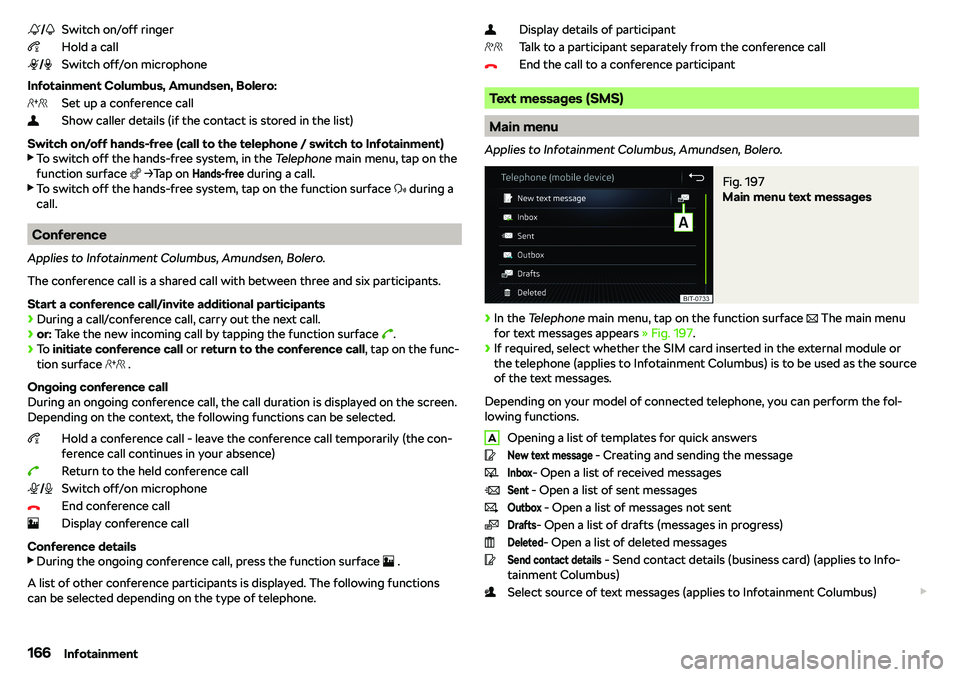
Switch on/off ringer
Hold a call
Switch off/on microphone
Infotainment Columbus, Amundsen, Bolero: Set up a conference call
Show caller details (if the contact is stored in the list)
Switch on/off hands-free (call to the telephone / switch to Infotainment)
Page 169 of 340
Display for the selection of the source of text messages (this applies to theInfotainment Columbus with the SIM card slot in the external module)If a SIM card used only for data services is located in the external module and if
a phone that supports the Bluetooth
Page 170 of 340
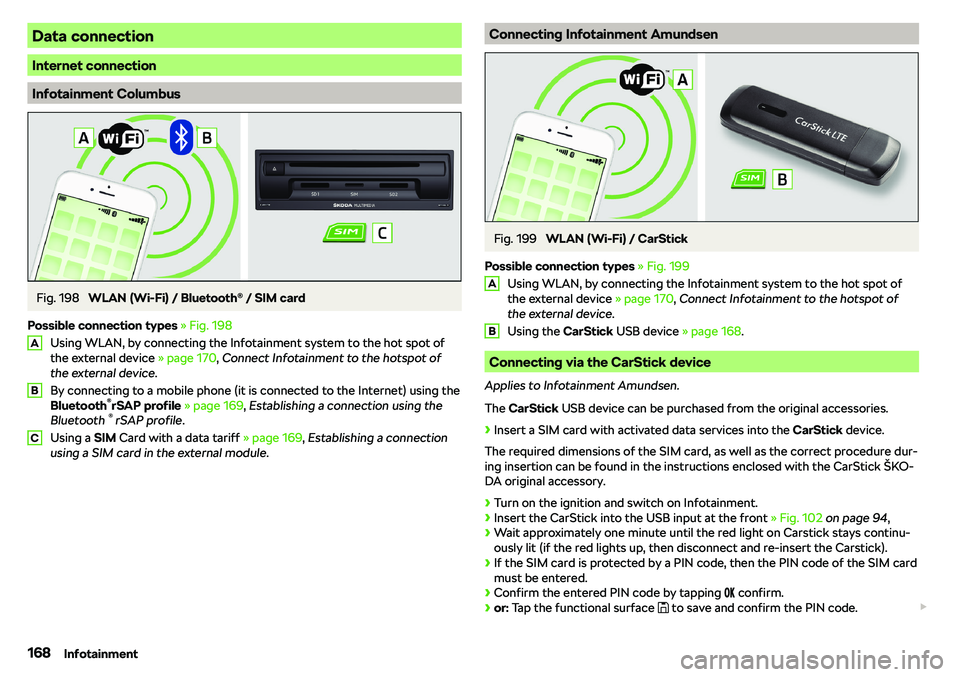
Data connection
Internet connection
Infotainment Columbus
Fig. 198
WLAN (Wi-Fi) / Bluetooth