SKODA OCTAVIA 2018 Owner´s Manual
OCTAVIA 2018
SKODA
SKODA
https://www.carmanualsonline.info/img/3/38031/w960_38031-0.png
SKODA OCTAVIA 2018 Owner´s Manual
Page 6 of 340
Infotainment operation125
Infotainment operation
125
Voice control
130
Updating the Infotainment software
132
Infotainment settings - Columbus, Amundsen,
Bolero
133
Infotainment system settings
133
Radio menu settings
136
Media menu settings
137
Image menu settings
137
Video DVD menu settings
137
Settings
137
SmartLink+ menu settings
138
Navigation menu settings
139
Infotainment settings - Swing
141
Infotainment system settings
141
Radio menu settings
142
Media menu settings
143
Import contactsTelephone menu settings
143
SmartLink+ menu settings
143
Radio
144
service
144
Media
147
service
147
Audio sources
149
Images
153
Image viewer
153
Video DVD
154
video player
154
Media Command
156
Operation
156Telephone158
Introductory information
158
Pairing and connecting
159
Use the SIM card in the external module
162
Telephone functions
163
Text messages (SMS)
166
Data connection
168
Internet connection
168
Connecting via the CarStick device
168
Establishing a connection using a SIM card in
the external module
169
Establishing a connection using the Bluetooth
Page 135 of 340
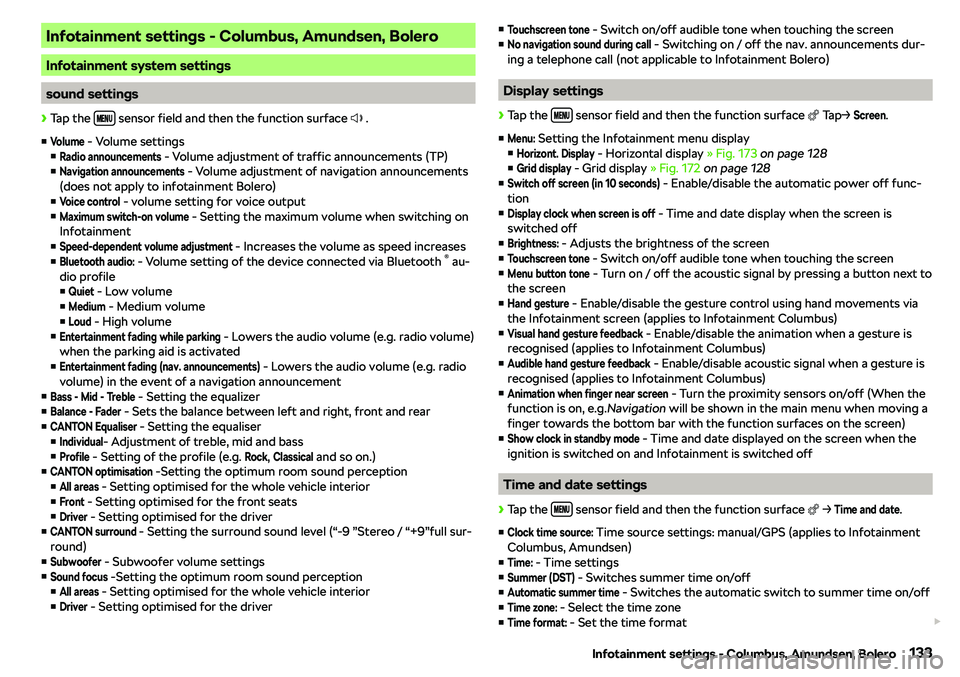
Infotainment settings - Columbus, Amundsen, Bolero
Infotainment system settings
sound settings
Page 147 of 340
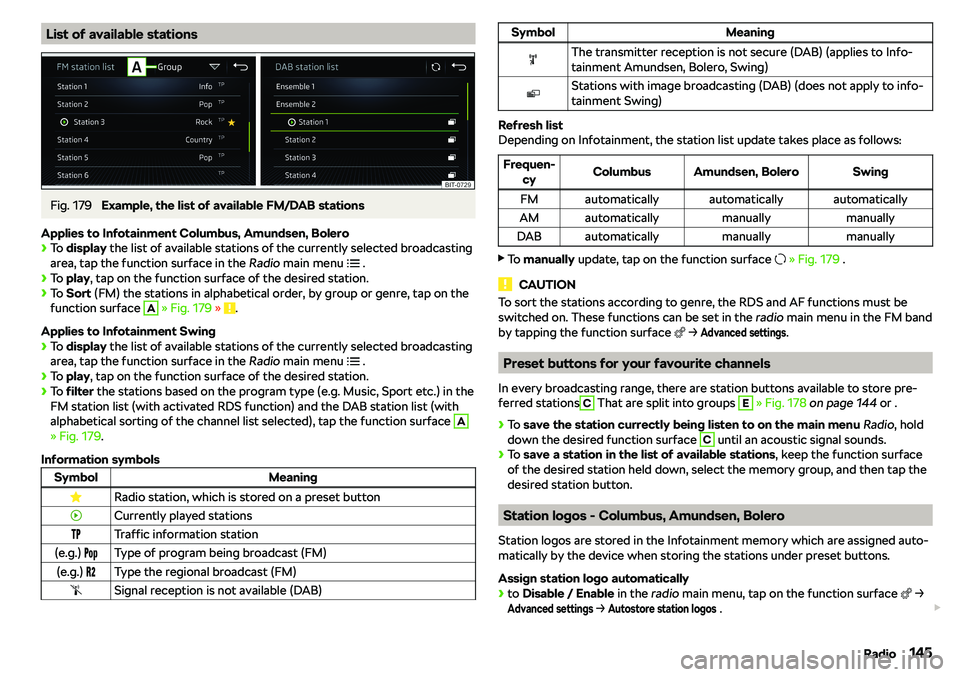
List of available stationsFig. 179
Example, the list of available FM/DAB stations
Applies to Infotainment Columbus, Amundsen, Bolero
Page 152 of 340
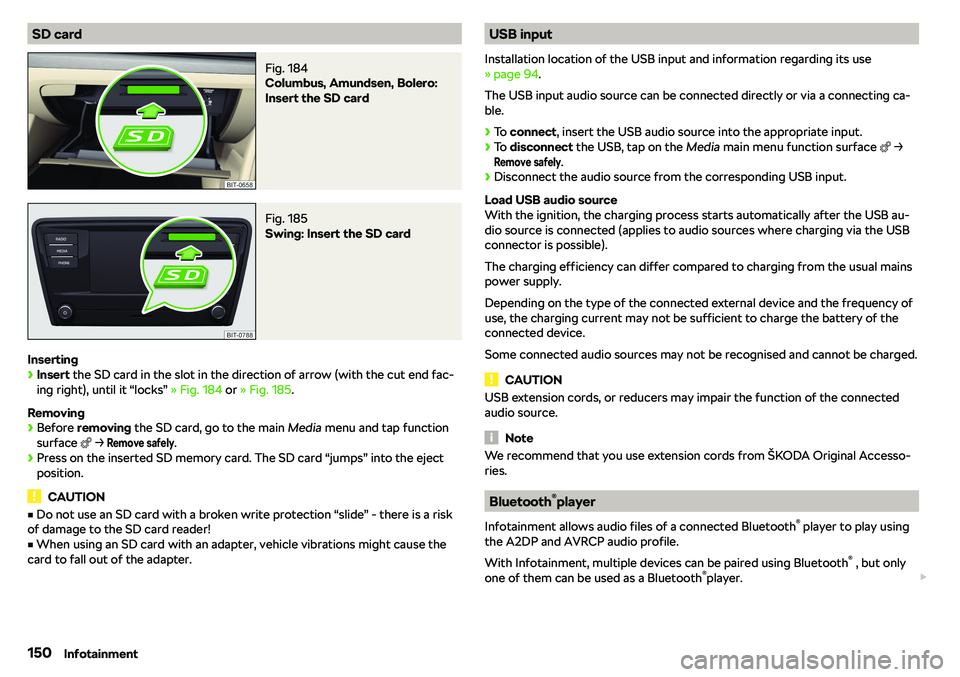
SD cardFig. 184
Columbus, Amundsen, Bolero:
Insert the SD card
Fig. 185
Swing: Insert the SD card
Inserting
Page 155 of 340
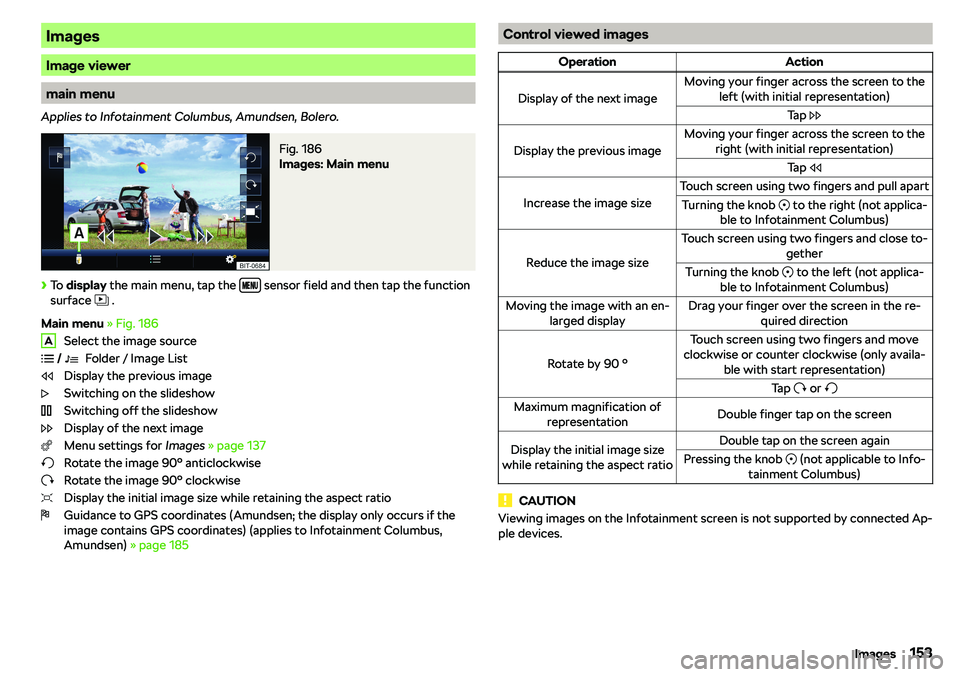
Images
Image viewer
main menu
Applies to Infotainment Columbus, Amundsen, Bolero.
Fig. 186
Images: Main menu
Page 160 of 340
Telephone
Introductory information
Introduction to the subject
WARNINGThe general binding country-specific regulations for operating mobile
phones in the vehicle must be observed.
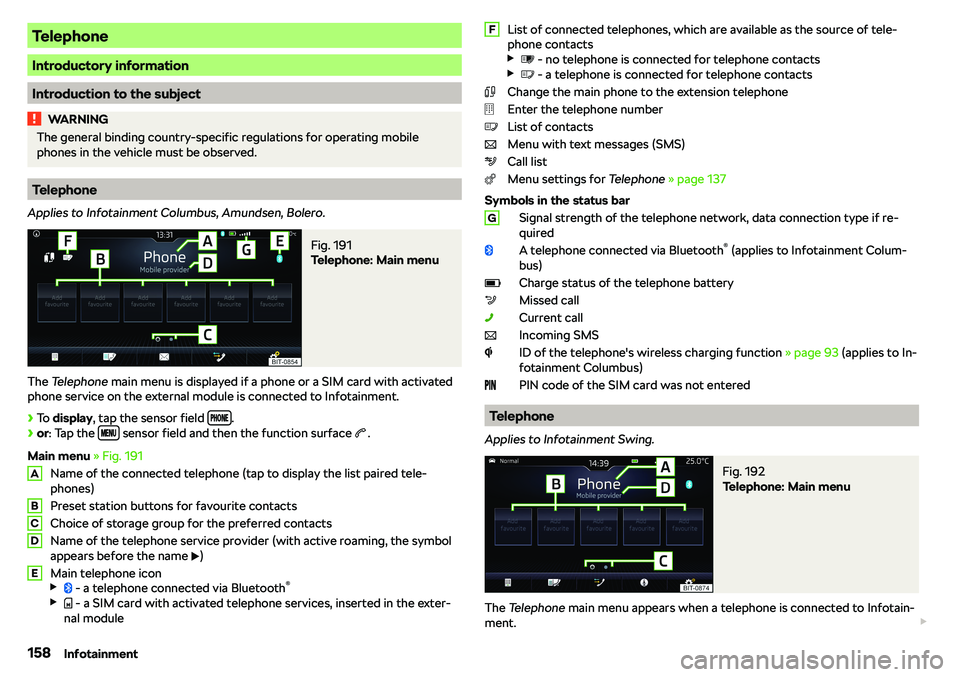
Telephone
Applies to Infotainment Columbus, Amundsen, Bolero.
Fig. 191
Telephone: Main menu
The Telephone main menu is displayed if a phone or a SIM card with activated
phone service on the external module is connected to Infotainment.
Page 168 of 340
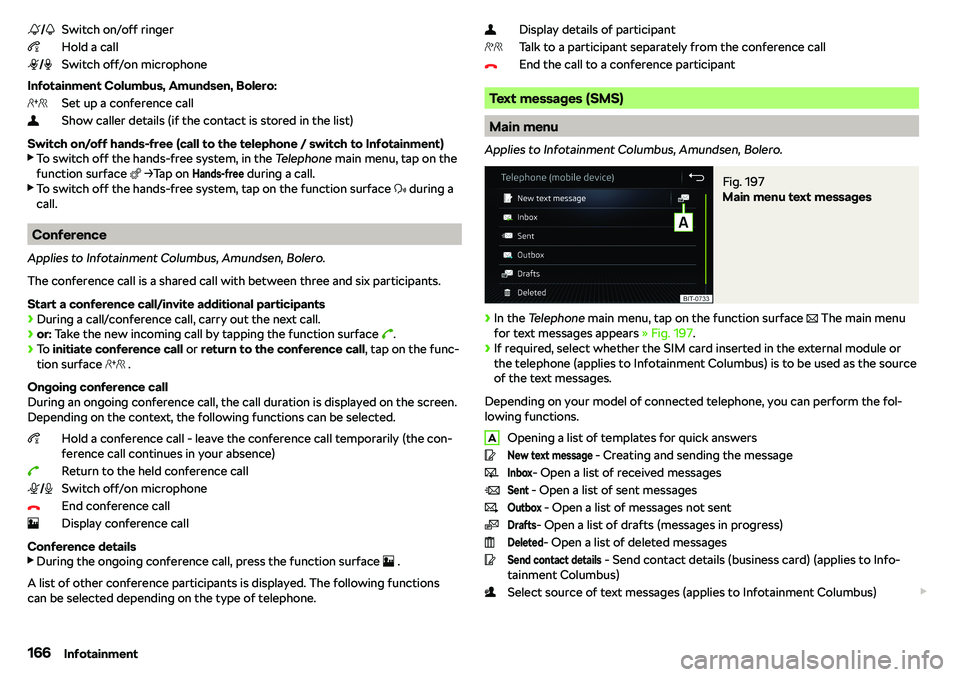
Switch on/off ringer
Hold a call
Switch off/on microphone
Infotainment Columbus, Amundsen, Bolero: Set up a conference call
Show caller details (if the contact is stored in the list)
Switch on/off hands-free (call to the telephone / switch to Infotainment)
Page 324 of 340
fuelGasoline / Diesel gauge37
Fuel
265
Diesel267
Natural gas / petrol gauge37
refer to Fuel265
Refuel CNG268
Refuelling265
Unleaded petrol266
Warning light44
Fuel consumption
307
Fuel filter
48
Fuel options
140
Fuel reserve Petrol/diesel
44
Functional surfaces
125
Fuses
296
in the engine compartment299
in the switchboard297, 298
Plastic clip299
G
Gearbox Information messages
45
Gear change Gear recommendation
50
Information on the selected gear50
Gear changing lever
204
Genuine parts
259
Glasses storage box
96
GPS
176
Graphical driving recommendations
191
H
Handbrake
203
Warning light41
hand gestures
127
Hazard warning light system77
HBA
212
Headrests
89
Heating
114, 115
Air distribution control117
Mirrors83
Seats90
Steering wheel90
Windscreen and rear window79
High-beam assistant
48
High beam Light Assist
75
Hill Descent Assist
214
Hill Start Assist
212
hitch
255
Hitch
250
Home address
139, 183
HOME button
129
HOME main screen
129
Hook
105
Horn
35
Hotspot Connect
170
Set170
I
I-PAD holder
101
Ignition lock
200
Images Display
137
main menu153
Operation153
safe removal of the data source134
Select Image Source153
Set to137
Image viewer
153
Immobiliser
199
import Destinations (online)185
Objectives (vCard)184
POI categories184
POI categories (online)177, 185
Routes (online)193
Import contacts
137
Inertia reels
24
Information about the towing process
291
Information call
163
Information system
49
Gear recommendation50
Menus in the display of the instrument clus- ter
54
Multifunction display52
Service interval display56
infotainment Description Columbus
122
Infotainment description Amundsen
123
Bolero123
Swing124
Infotainment gesture control
127
Infotainment language
134, 141
Infotainment menus Grid display
128
Horizontal display128
Infotainment Online
18
Infotainment operation
125
Infotainment screen125
Infotainment operation using an application in the external device
129
Infotainment Overview
122
Infotainment restart
127
Infotainment screen
133, 141
Areas125
Important information124
keyboard126
322Index