steering SKODA RAPID 2016 1.G User Guide
[x] Cancel search | Manufacturer: SKODA, Model Year: 2016, Model line: RAPID, Model: SKODA RAPID 2016 1.GPages: 184, PDF Size: 27.06 MB
Page 43 of 184
Long-term ( ) and “2” ( )
The memory gathers driving data from any number of individual journeys up to
a total of 99 hours and 59 minutes driving time or 9999 kilometres driven.
The indicator is automatically set back to zero if one of the indicated values is
exceeded.Since refuel
(
) or “3” (
)
The driving data is stored in the memory since the last fuel refuelling.
The memory is erased automatically the next time you fill up.
›
For the storage choice , repeatedly confirm the selected indication and select
the desired memory.
›
For deleting the memory for the selected information, hold down the button
confirming the specification.
The following Driving data is stored in different memory banks.
▶ Average fuel consumption.
▶ Distance driven.
▶ Average speed.
▶ Driving time.
Note
Disconnecting the vehicle battery will delete all memory data.
MAXI DOT display
Introduction
This chapter contains information on the following subjects:
Menu item
Navigation41
Menu item
Audio41
Menu item
Telephone42
Menu item
Assist systems42
The MAXI DOT display is a user interface which, depending on the equipment
configuration, provides information about the Infotainment, the multifunction
display, the assistance systems etc.
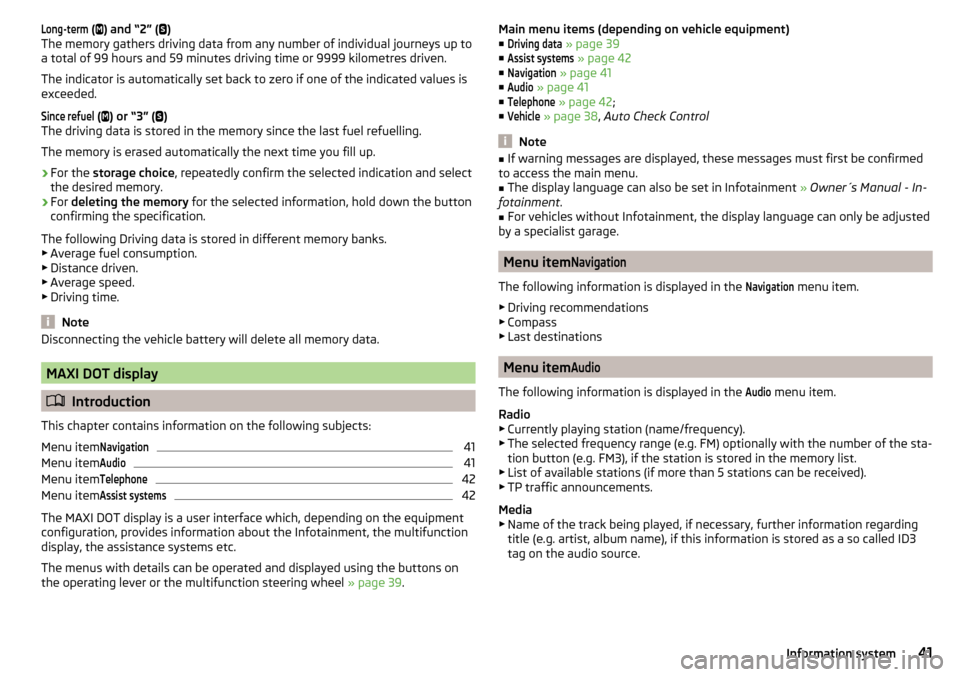
The menus with details can be operated and displayed using the buttons on
the operating lever or the multifunction steering wheel » page 39.
Main menu items (depending on vehicle equipment)
■Driving data
» page 39
■
Assist systems
» page 42
■
Navigation
» page 41
■
Audio
» page 41
■
Telephone
» page 42 ;
■
Vehicle
» page 38 , Auto Check Control
Note
■
If warning messages are displayed, these messages must first be confirmed
to access the main menu.■
The display language can also be set in Infotainment » Owner´s Manual - In-
fotainment .
■
For vehicles without Infotainment, the display language can only be adjusted
by a specialist garage.
Menu item
Navigation
The following information is displayed in the
Navigation
menu item.
▶ Driving recommendations
▶ Compass
▶ Last destinations
Menu item
Audio
The following information is displayed in the
Audio
menu item.
Radio
▶ Currently playing station (name/frequency).
▶ The selected frequency range (e.g. FM) optionally with the number of the sta-
tion button (e.g. FM3), if the station is stored in the memory list.
▶ List of available stations (if more than 5 stations can be received).
▶ TP traffic announcements.
Media
▶ Name of the track being played, if necessary, further information regarding
title (e.g. artist, album name), if this information is stored as a so called ID3
tag on the audio source.
41Information system
Page 56 of 184
Operating the light functionFig. 40
Light switch and control dial for
headlight range adjustment
Read and observe on page 53 first.
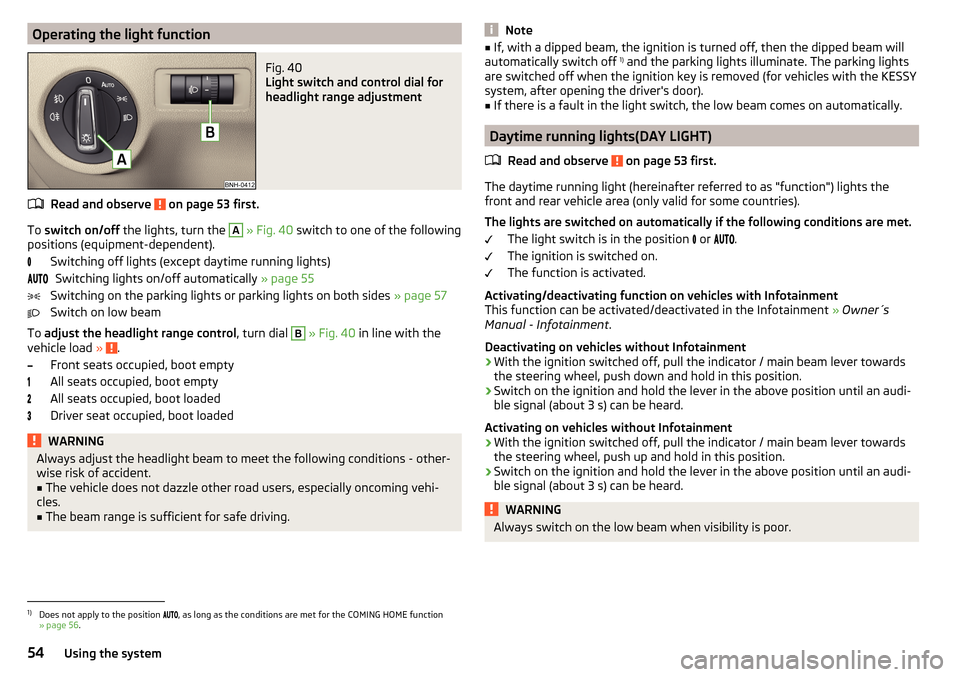
To switch on/off the lights, turn the
A
» Fig. 40 switch to one of the following
positions (equipment-dependent).
Switching off lights (except daytime running lights)Switching lights on/off automatically » page 55
Switching on the parking lights or parking lights on both sides » page 57
Switch on low beam
To adjust the headlight range control , turn dial
B
» Fig. 40 in line with the
vehicle load » .
Front seats occupied, boot empty
All seats occupied, boot empty
All seats occupied, boot loaded
Driver seat occupied, boot loaded
WARNINGAlways adjust the headlight beam to meet the following conditions - other-
wise risk of accident.■
The vehicle does not dazzle other road users, especially oncoming vehi-
cles.
■
The beam range is sufficient for safe driving.
Note■ If, with a dipped beam, the ignition is turned off, then the dipped beam will
automatically switch off 1)
and the parking lights illuminate. The parking lights
are switched off when the ignition key is removed (for vehicles with the KESSY
system, after opening the driver's door).■
If there is a fault in the light switch, the low beam comes on automatically.
Daytime running lights(DAY LIGHT)
Read and observe
on page 53 first.
The daytime running light (hereinafter referred to as "function") lights the
front and rear vehicle area (only valid for some countries).
The lights are switched on automatically if the following conditions are met. The light switch is in the position or
.
The ignition is switched on.
The function is activated.
Activating/deactivating function on vehicles with Infotainment
This function can be activated/deactivated in the Infotainment » Owner´s
Manual - Infotainment .
Deactivating on vehicles without Infotainment
›
With the ignition switched off, pull the indicator / main beam lever towards the steering wheel, push down and hold in this position.
›
Switch on the ignition and hold the lever in the above position until an audi-
ble signal (about 3 s) can be heard.
Activating on vehicles without Infotainment
›
With the ignition switched off, pull the indicator / main beam lever towards the steering wheel, push up and hold in this position.
›
Switch on the ignition and hold the lever in the above position until an audi-
ble signal (about 3 s) can be heard.
WARNINGAlways switch on the low beam when visibility is poor.1)
Does not apply to the position , as long as the conditions are met for the COMING HOME function
» page 56 .
54Using the system
Page 57 of 184
Turn signal/main beamFig. 41
Operating lever: Turn signal and
main beam operation
Read and observe on page 53 first.
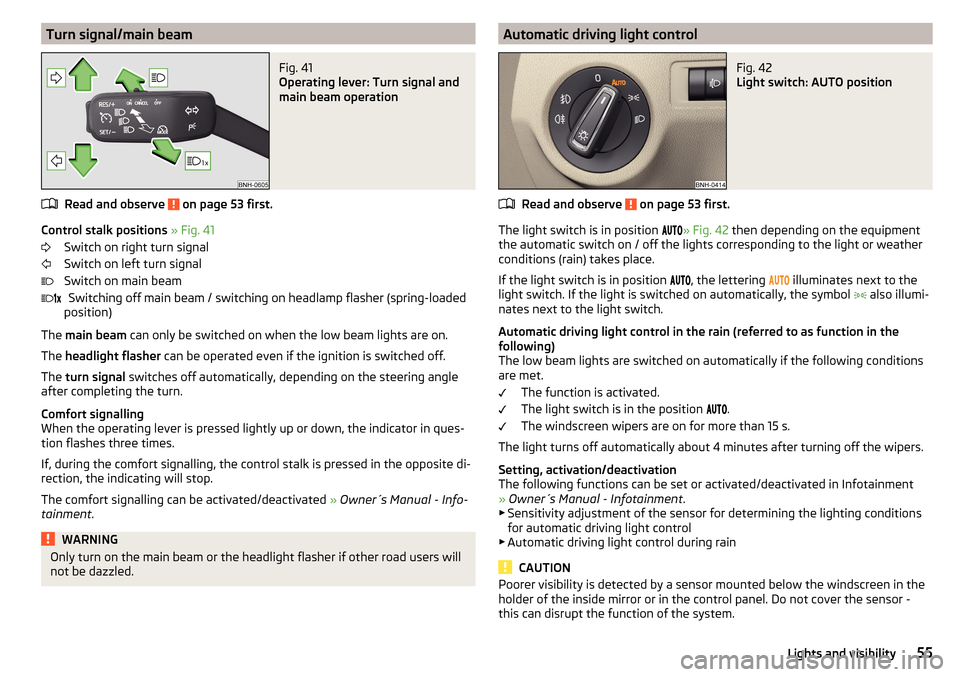
Control stalk positions » Fig. 41
Switch on right turn signal
Switch on left turn signal
Switch on main beam Switching off main beam / switching on headlamp flasher (spring-loaded
position)
The main beam can only be switched on when the low beam lights are on.
The headlight flasher can be operated even if the ignition is switched off.
The turn signal switches off automatically, depending on the steering angle
after completing the turn.
Comfort signalling
When the operating lever is pressed lightly up or down, the indicator in ques-
tion flashes three times.
If, during the comfort signalling, the control stalk is pressed in the opposite di-
rection, the indicating will stop.
The comfort signalling can be activated/deactivated » Owner´s Manual - Info-
tainment .
WARNINGOnly turn on the main beam or the headlight flasher if other road users will
not be dazzled. Automatic driving light controlFig. 42
Light switch: AUTO position
Read and observe on page 53 first.
The light switch is in position
» Fig. 42
then depending on the equipment
the automatic switch on / off the lights corresponding to the light or weather
conditions (rain) takes place.
If the light switch is in position , the lettering
illuminates next to the
light switch. If the light is switched on automatically, the symbol also illumi-
nates next to the light switch.
Automatic driving light control in the rain (referred to as function in the
following)
The low beam lights are switched on automatically if the following conditions
are met.
The function is activated.
The light switch is in the position .
The windscreen wipers are on for more than 15 s.
The light turns off automatically about 4 minutes after turning off the wipers.
Setting, activation/deactivation
The following functions can be set or activated/deactivated in Infotainment
» Owner´s Manual - Infotainment .
▶ Sensitivity adjustment of the sensor for determining the lighting conditions
for automatic driving light control
▶ Automatic driving light control during rain
CAUTION
Poorer visibility is detected by a sensor mounted below the windscreen in the
holder of the inside mirror or in the control panel. Do not cover the sensor -
this can disrupt the function of the system.55Lights and visibility
Page 85 of 184

Driving
Starting-off and Driving
Starting and stopping the engine
Introduction
This chapter contains information on the following subjects:
Electronic immobiliser and steering lock
83
Switch on/off ignition
84
Starting / stopping the engine
84
Problems with the engine start - vehicles with starter button
85
Depending on equipment fitted, it is possible to switch the ignition on/off and
start/stop the engine with the key in the ignition or using the starter button .
WARNING■
Never switch off the engine before the vehicle is stationary – risk of acci-
dent!■
While driving with the engine stopped the ignition must always be
switched on. Otherwise, the steering may lock - danger of an accident!
■
Do not withdraw the ignition key from the ignition lock until the vehicle
has come to a stop » page 88, Parking . Otherwise, the steering may lock -
danger of an accident!
■
Never leave the vehicle unattended with the engine running - there is a
risk of theft etc!
■
Never (e.g. in garages) run the engine in an enclosed place - there is the
danger of poisoning and death!
CAUTION
■ Only start the engine when the engine and the vehicle are stationary - there
is a danger of starter and engine damage!■
Do not push-start the engine – risk of damaging the engine and the catalytic
converter. The battery from another vehicle can be used as a jump-start aid.
■
On vehicles with the starter button, pay attention to where the key is loca-
ted. The system can recognize the valid key, even if it has been accidentally
left on the vehicle roof - there is danger of loss or damage to the key!
NoteDo not warm up the engine while the vehicle is stationary. If possible, start
your journey as soon as the engine has started. This helps the engine to reach
its operating temperature faster.
Electronic immobiliser and steering lock
Read and observe
and on page 83 first.
The electronic immobiliser (hereinafter referred to as immobiliser) makes the
theft or unauthorised use of your vehicle more difficult.
Immobiliser
The immobiliser allows the engine to start provided an original vehicle key only
is used.
Malfunction of the immobiliser
If a component in the immobiliser key fails, it is not possible to start the en-
gine. A corresponding message appears in the display of the instrument clus-
ter to explain the immobiliser is active.
To start, use the other vehicle key or seek help from a specialist garage.
Steering lock - lock
›
On vehicles with ignition lock, remove the key and turn the steering wheel
until the steering lock engages.
›
On vehicles with a starter button, switch off the ignition and open the driv-
er's door. If the driver's door is opened and the ignition is switched off after-
wards, the steering is only locked automatically after the vehicle has been
locked.
Steering lock - unlock
›
On vehicles with ignition lock, insert the key into the ignition and turn on the
ignition. If this is not possible, then move the steering wheel slightly back
and forth, as a result of which the steering lock should unlock.
›
On vehicles with starter button, get into the vehicle and close the driver's
door. Under certain circumstances, the steering lock can be unlocked only
when the ignition is switched on or the engine is started.
WARNINGNever let the vehicle roll with locked steering lock - risk of accident!83Starting-off and Driving
Page 86 of 184
Switch on/off ignitionFig. 98
Positions of the vehicle key in the ignition lock / starter button
Read and observe
and on page 83 first.
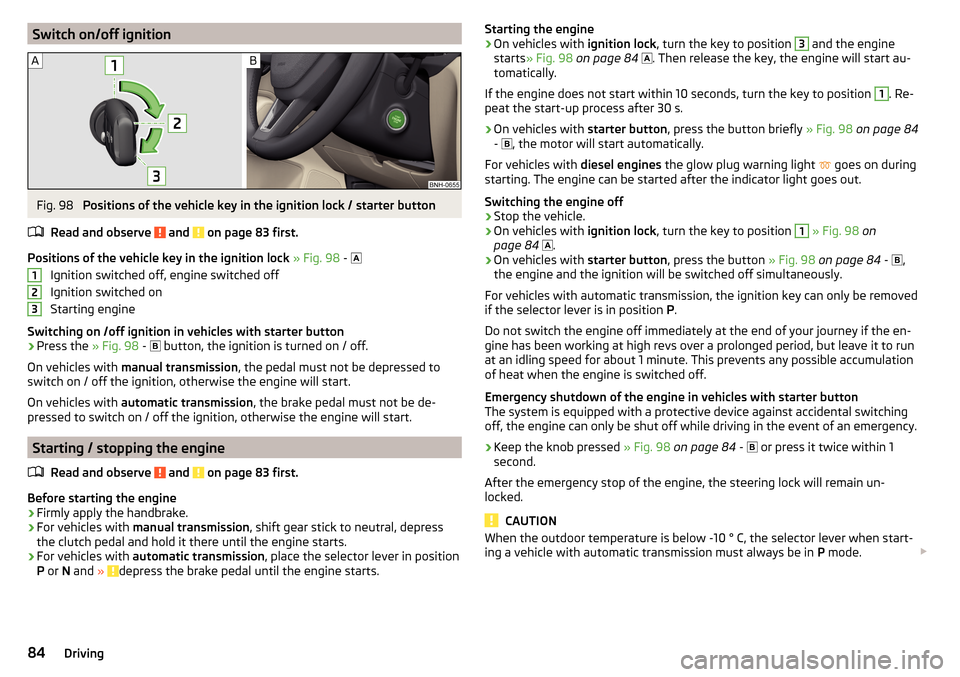
Positions of the vehicle key in the ignition lock » Fig. 98 -
Ignition switched off, engine switched off
Ignition switched on
Starting engine
Switching on /off ignition in vehicles with starter button
›
Press the » Fig. 98 -
button, the ignition is turned on / off.
On vehicles with manual transmission , the pedal must not be depressed to
switch on / off the ignition, otherwise the engine will start.
On vehicles with automatic transmission , the brake pedal must not be de-
pressed to switch on / off the ignition, otherwise the engine will start.
Starting / stopping the engine
Read and observe
and on page 83 first.
Before starting the engine
›
Firmly apply the handbrake.
›
For vehicles with manual transmission , shift gear stick to neutral, depress
the clutch pedal and hold it there until the engine starts.
›
For vehicles with automatic transmission , place the selector lever in position
P or N and » depress the brake pedal until the engine starts.
123Starting the engine›On vehicles with ignition lock, turn the key to position 3 and the engine
starts » Fig. 98 on page 84
. Then release the key, the engine will start au-
tomatically.
If the engine does not start within 10 seconds, turn the key to position 1
. Re-
peat the start-up process after 30 s.
›
On vehicles with starter button, press the button briefly » Fig. 98 on page 84
-
, the motor will start automatically.
For vehicles with diesel engines the glow plug warning light
goes on during
starting. The engine can be started after the indicator light goes out.
Switching the engine off
›
Stop the vehicle.
›
On vehicles with ignition lock, turn the key to position
1
» Fig. 98 on
page 84
.
›
On vehicles with
starter button, press the button » Fig. 98 on page 84 -
,
the engine and the ignition will be switched off simultaneously.
For vehicles with automatic transmission, the ignition key can only be removed
if the selector lever is in position P.
Do not switch the engine off immediately at the end of your journey if the en-
gine has been working at high revs over a prolonged period, but leave it to run
at an idling speed for about 1 minute. This prevents any possible accumulation
of heat when the engine is switched off.
Emergency shutdown of the engine in vehicles with starter button
The system is equipped with a protective device against accidental switching
off, the engine can only be shut off while driving in the event of an emergency.
›
Keep the knob pressed » Fig. 98 on page 84 -
or press it twice within 1
second.
After the emergency stop of the engine, the steering lock will remain un-
locked.
CAUTION
When the outdoor temperature is below -10 ° C, the selector lever when start-
ing a vehicle with automatic transmission must always be in P mode. 84Driving
Page 88 of 184
Requirements for the system to function correctly
The following conditions must be met for the system to function correctly.
The driver's door is closed.
The driver has fastened the seat belt.
The driving speed was higher than 4 km/h after the last stop.
No trailer or other accessory is connected to the trailer socket.
System status
The system status is shown in the display when the vehicle comes to a halt
» Fig. 100 .
The engine is automatically switched off; when the vehicle moves off the
ignition process will be automatically initiated.
The engine is not automatically switched off.
The engine does not shut down when the vehicle stops, if e.g. the following
applies.
▶ The engine temperature for the proper function of the system has not yet
been reached.
▶ The charge state of the vehicle battery is too low.
▶ The current consumption is too high.
▶ High air conditioning or heating output (high fan speed, big difference be-
tween the desired and actual interior temperature).
If the engine has shut down automatically but the system detects that the en- gine is required to run (e.g. if the brake pedal is pressed repeatedly) then the
system automatically starts up the engine.
More information about the current system status can be displayed on the In-
fotainment screen » Owner´s Manual - Infotainment .
If there is a system fault , the following message will appear in the display of
the instrument cluster. Seek help from a specialist garage.Note■ If the driver's seat belt is removed for more than 30 seconds or the driver's
door is opened after the engine has switched off automatically, the engine will
have to be restarted manually.■
No automatic engine shut-down takes place when a vehicle with automatic
transmission is moving at low speed (e.g. during a traffic jam) and remains sta-
tionary after pressing the brake pedal lightly. Automatic engine shut-down
takes place if you press the brake pedal down with more force.
■
For vehicles with automatic transmission there is no automatic engine shut-
down when the system detects a manoeuvring action due to a large steering
angle.
Manually deactivating/activating the system
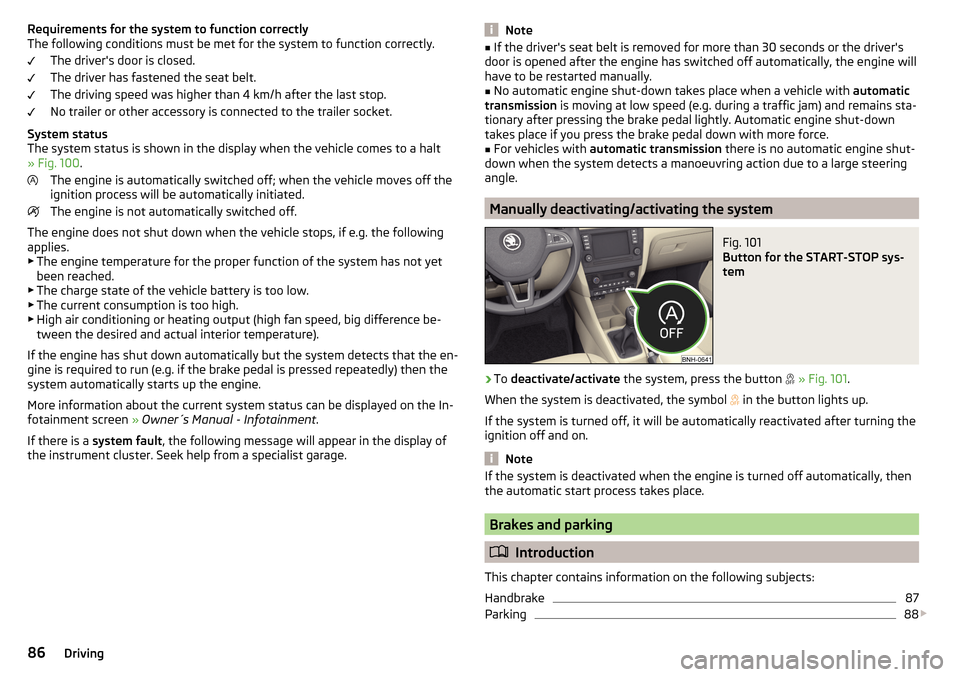
Fig. 101
Button for the START-STOP sys-
tem
›
To deactivate/activate the system, press the button
» Fig. 101 .
When the system is deactivated, the symbol
in the button lights up.
If the system is turned off, it will be automatically reactivated after turning the ignition off and on.
Note
If the system is deactivated when the engine is turned off automatically, then
the automatic start process takes place.
Brakes and parking
Introduction
This chapter contains information on the following subjects:
Handbrake
87
Parking
88
86Driving
Page 99 of 184
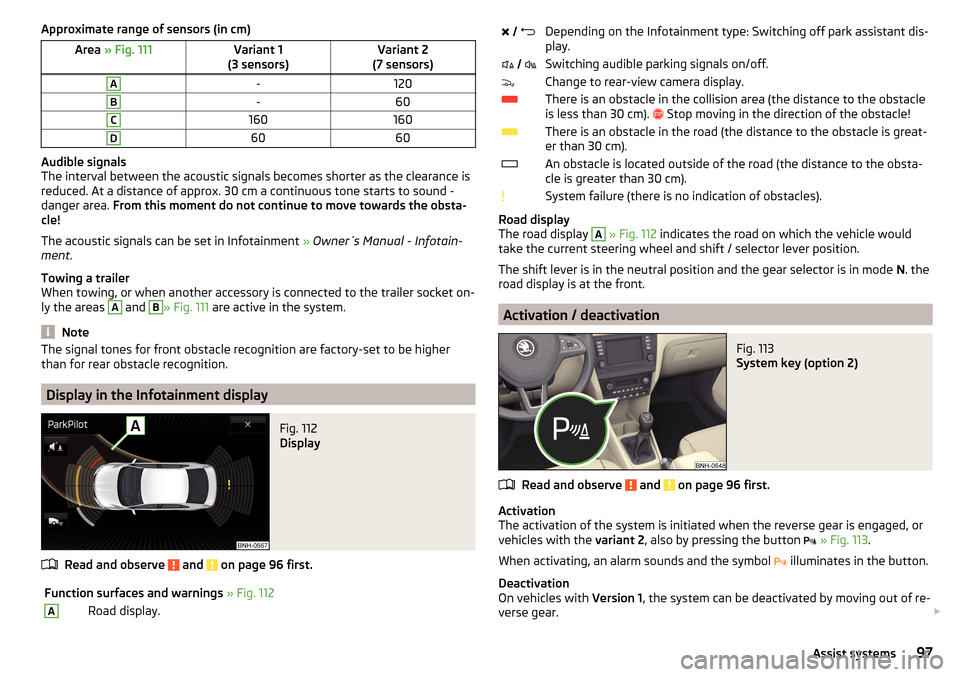
Approximate range of sensors (in cm)Area » Fig. 111Variant 1
(3 sensors)Variant 2
(7 sensors)A-120B-60C160160D6060
Audible signals
The interval between the acoustic signals becomes shorter as the clearance is
reduced. At a distance of approx. 30 cm a continuous tone starts to sound -
danger area. From this moment do not continue to move towards the obsta-
cle!
The acoustic signals can be set in Infotainment » Owner´s Manual - Infotain-
ment .
Towing a trailer
When towing, or when another accessory is connected to the trailer socket on-
ly the areas
A
and
B
» Fig. 111 are active in the system.
Note
The signal tones for front obstacle recognition are factory-set to be higher
than for rear obstacle recognition.
Display in the Infotainment display
Fig. 112
Display
Read and observe and on page 96 first.
Function surfaces and warnings » Fig. 112ARoad display. Depending on the Infotainment type: Switching off park assistant dis-
play. Switching audible parking signals on/off.Change to rear-view camera display.There is an obstacle in the collision area (the distance to the obstacle
is less than 30 cm).
Stop moving in the direction of the obstacle!There is an obstacle in the road (the distance to the obstacle is great-
er than 30 cm).An obstacle is located outside of the road (the distance to the obsta-
cle is greater than 30 cm).System failure (there is no indication of obstacles).
Road display
The road display
A
» Fig. 112 indicates the road on which the vehicle would
take the current steering wheel and shift / selector lever position.
The shift lever is in the neutral position and the gear selector is in mode N. the
road display is at the front.
Activation / deactivation
Fig. 113
System key (option 2)
Read and observe and on page 96 first.
Activation
The activation of the system is initiated when the reverse gear is engaged, or
vehicles with the variant 2, also by pressing the button
» Fig. 113 .
When activating, an alarm sounds and the symbol illuminates in the button.
Deactivation
On vehicles with Version 1, the system can be deactivated by moving out of re-
verse gear.
97Assist systems
Page 106 of 184

Distance warningFig. 124
Instrument cluster display: Distance warning
Read and observe and on page 103 first.
The display of the distance warning is for vehicles with MAXI DOT display.
If a safe distance from the vehicle ahead is fallen short of, the warning light
» Fig. 124 appears in the display.
Immediately increase the proximity if the current traffic situation allows you to do so!
The proximity at which the warning is displayed depends on the current speed.
The warning may occur when driving between about 60 km/h and 210 km/h.
Warning and automatic braking
Fig. 125
Instrument cluster display: Warning or emergency
braking at low speed
Read and observe and on page 103 first.
Emergency braking at low speed
If there is a risk of collision in a vehicle speed range of about 5 km/h to 30 km/h, the system triggers an automatic braking.
With automatic braking, the warning light
» Fig. 125 appears in the display.
Advance warning
If the system detects a risk of collision, the warning light » Fig. 125 appears
in the display and you will hear an acoustic signal.
The pre-warning display can occur in the following situations. ▶ If there is a risk of collision with a moving obstacle at a driving speed range
of approx. 30 km/h to approx. 210 km/h.
▶ If there is a risk of collision with a stationary obstacle at a driving speed
range of approx. 30 km/h to approx. 85 km/h.
With a warning the brake pedal must be pressed or the moving obstacle is to
be avoided!
Acute alert
If the driver does not react to the advance warning when in danger of a colli-
sion with a moving obstacle, the system briefly applies the brake automatically
via an active brake intervention to draw attention to the potential danger of a
collision again.
Automatic Braking
If the driver does not respond to acute warning, the system begins to auto-
matically brake the vehicle.
If an automatic brake intervention is triggered by the system, the pressure in
the brake system increases and the brake pedal cannot be operated with the
normal pedal stroke.
The automatic braking interventions can be cancelled by pressing the acceler-
ator pedal or by steering intervention.
Brake assist
If the driver brakes inadequate with an impending collision, the system auto-
matically increases braking force.
The braking assistance only occurs as long as the brake pedal is being firmly
pressed down.104Driving
Page 107 of 184
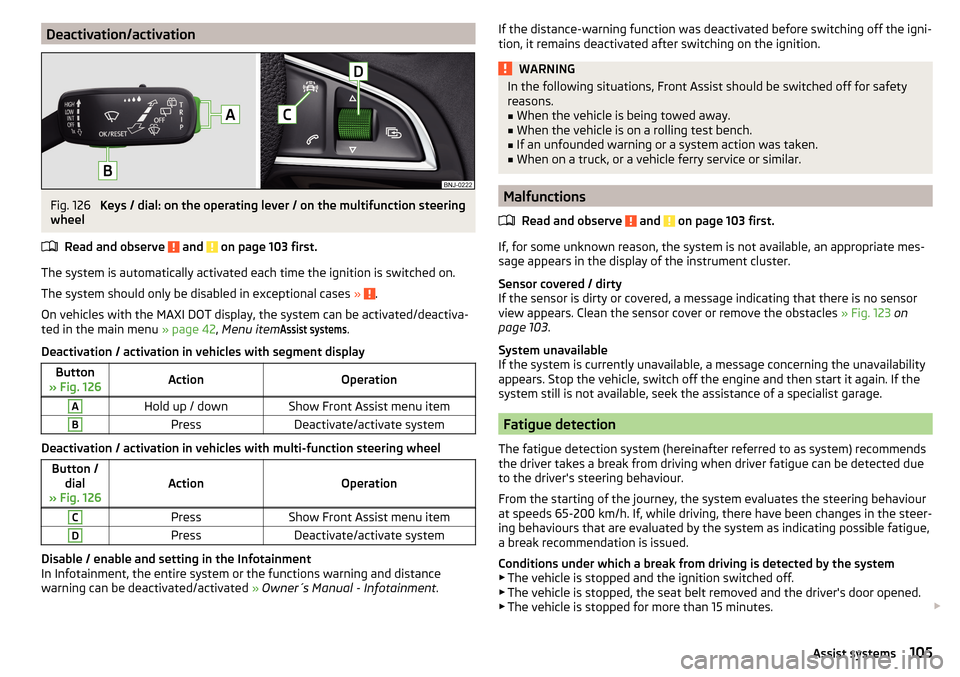
Deactivation/activationFig. 126
Keys / dial: on the operating lever / on the multifunction steering
wheel
Read and observe
and on page 103 first.
The system is automatically activated each time the ignition is switched on.The system should only be disabled in exceptional cases »
.
On vehicles with the MAXI DOT display, the system can be activated/deactiva- ted in the main menu » page 42, Menu item
Assist systems
.
Deactivation / activation in vehicles with segment display
Button
» Fig. 126ActionOperationAHold up / downShow Front Assist menu itemBPressDeactivate/activate system
Deactivation / activation in vehicles with multi-function steering wheel
Button / dial
» Fig. 126ActionOperation
CPressShow Front Assist menu itemDPressDeactivate/activate system
Disable / enable and setting in the Infotainment
In Infotainment, the entire system or the functions warning and distance
warning can be deactivated/activated » Owner´s Manual - Infotainment .
If the distance-warning function was deactivated before switching off the igni-
tion, it remains deactivated after switching on the ignition.WARNINGIn the following situations, Front Assist should be switched off for safety
reasons.■
When the vehicle is being towed away.
■
When the vehicle is on a rolling test bench.
■
If an unfounded warning or a system action was taken.
■
When on a truck, or a vehicle ferry service or similar.
Malfunctions
Read and observe
and on page 103 first.
If, for some unknown reason, the system is not available, an appropriate mes-
sage appears in the display of the instrument cluster.
Sensor covered / dirty
If the sensor is dirty or covered, a message indicating that there is no sensor
view appears. Clean the sensor cover or remove the obstacles » Fig. 123 on
page 103 .
System unavailable
If the system is currently unavailable, a message concerning the unavailability
appears. Stop the vehicle, switch off the engine and then start it again. If the
system still is not available, seek the assistance of a specialist garage.
Fatigue detection
The fatigue detection system (hereinafter referred to as system) recommends
the driver takes a break from driving when driver fatigue can be detected due
to the driver's steering behaviour.
From the starting of the journey, the system evaluates the steering behaviour
at speeds 65-200 km/h. If, while driving, there have been changes in the steer-
ing behaviours that are evaluated by the system as indicating possible fatigue,
a break recommendation is issued.
Conditions under which a break from driving is detected by the system ▶ The vehicle is stopped and the ignition switched off.
▶ The vehicle is stopped, the seat belt removed and the driver's door opened.
▶ The vehicle is stopped for more than 15 minutes.
105Assist systems
Page 119 of 184
WARNING■No changes may be made to airbag system components, the front bump-
er and the bodywork.■
Any work on the airbag system including the installation and removal of
system components due to other repair work (e.g. removal of the steering
wheel) must only be carried out by a specialist garage.
■
Do not manipulate individual parts of the airbag system, as this might re-
sult in the airbag being deployed.
■
If the airbag has been deployed, the airbag system must be replaced.
Acceptance and recycling of used vehicles
Read and observe
on page 115 first.
All new ŠKODA vehicles are 95% recyclable.
Service intervals
Introduction
This chapter contains information on the following subjects:
Overview of service intervals
117
Fixed service intervals QI1 - QI4
118
Variable service interval QI6
118
Digital Service Plan
118
The service interval display in the display of the instrument cluster will remind
you to carry out every service stipulated by the manufacturer at the right time
in order to prevent you from forgetting any » page 42.
The completion of services can be verified through the printed verification
from the digital service schedule and the respective receipts.
The specified service intervals are tailored to normal operating conditions.
In the case of aggravated operating conditions, it will be necessary to have
some service work carried out before the date of the next regular service or
between the specified service intervals. This applies mainly to the cleaning or
the replacement of the air filter insert in regions with heavy dust pollution as
well as checking and replacing the toothed belt, but also to vehicles with die-
sel particle filters, which can put greater strain on the engine oil.
The following is taken to mean aggravated operating conditions:
▶ Fuel containing sulphur.
▶ Frequent short trips.
▶ Longer periods of engine idling (e.g. taxis).
▶ Operation in areas with heavy dust pollution.
▶ Frequent trailer operation.
▶ Predominantly stop-and-go traffic as is e.g. often the case in city driving.
▶ Operation predominantly during winter.
You will be told at the specialist garage whether the operating conditions of
your vehicle may make it necessary for service work to be carried out between
the normal service intervals.
Different service charges may apply according to the particular scope of work
required, the vehicle type and specification, and your vehicle’s condition.
Note
■ The customer is responsible for covering the cost of all services including
changing or replenishing the oil, even during the warranty period, unless sta-
ted otherwise in the ŠKODA AUTO warranty terms or other agreements.■
You will be informed about the service checks and actions at each service by
the specialist garage.
Overview of service intervals
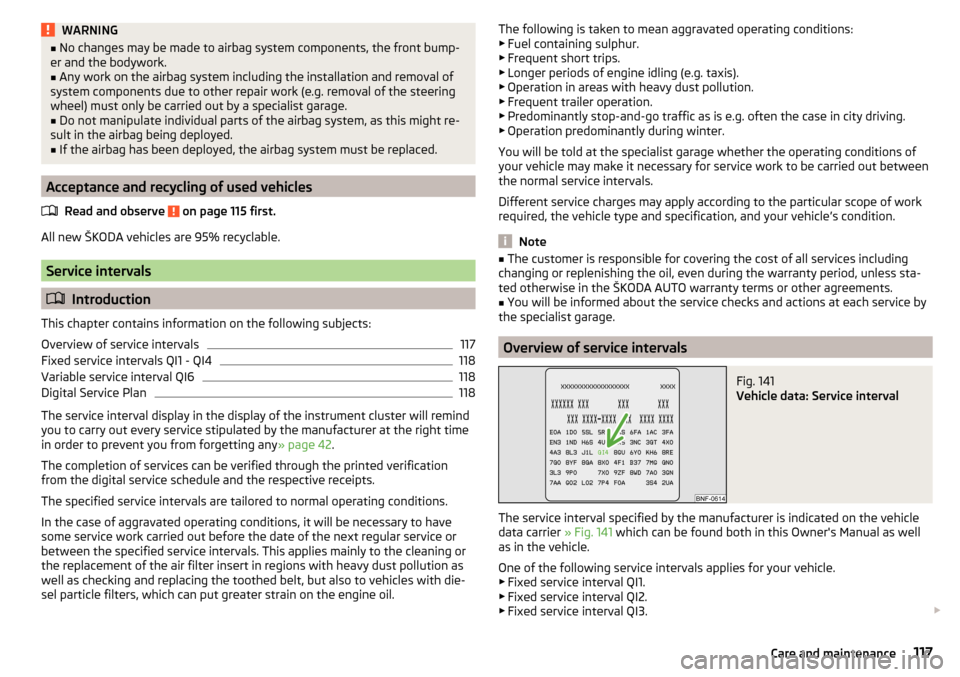
Fig. 141
Vehicle data: Service interval
The service interval specified by the manufacturer is indicated on the vehicle
data carrier » Fig. 141 which can be found both in this Owner's Manual as well
as in the vehicle.
One of the following service intervals applies for your vehicle. ▶ Fixed service interval QI1.
▶ Fixed service interval QI2.
▶ Fixed service interval QI3.
117Care and maintenance