brake light SKODA RAPID SPACEBACK 2014 1.G Owner's Manual
[x] Cancel search | Manufacturer: SKODA, Model Year: 2014, Model line: RAPID SPACEBACK, Model: SKODA RAPID SPACEBACK 2014 1.GPages: 204, PDF Size: 27.11 MB
Page 5 of 204
Table of Contents
Board literature4
Notes
5
Structure and more information about the
Operating Instructions
6
Abbreviations
Safety
Passive Safety
8
General information
8
Correct and safe seated position
9
Seat belts
12
Using seat belts
12
Inertia reels and belt tensioners
15
Airbag system
16
Description of the airbag system
16
Airbag overview
17
Deactivating airbags
20
Transporting children safely
22
Child seat
22
Fastening systems
25
Using the system
Cockpit
29
Overview
28
Instruments and Indicator Lights
30
Instrument cluster
30
Indicator lights
34
Information system
41
Driver information system
41
Multifunction display (MFD)
43MAXI DOT display46Service interval display47
Unlocking and opening
49
Unlocking and locking
49
Anti-theft alarm system
53
Luggage compartment lid
54
Power windows
55
Mechanical windows
57
Lights and visibility
58
Lights
58
Interior lighting
63
Visibility
64
Windscreen wipers and washers
65
Rear mirror
67
Seats and head restraints
69
Seats and head restraints
69
Seat features
71
Transporting and practical equipment
73
Useful equipment
73
Luggage compartment
80
Variable loading floor in the luggage
compartment (Estate)
85
Roof rack
88
Heating and air conditioning
89
Heating, ventilation, cooling
89
Communication and multimedia
94
Universal telephone installation GSM II
94
Voice control
98
Multimedia
99
SmartGate
101
Driving
Starting-off and Driving
104
Starting and turning off the engine
104
Brakes and parking
106Manual gear changing and pedals107Automatic gearbox108
Retraction and economical driving
111
Driving through water and driving off made-
up roads
111
Assist systems
113
Braking and stabilisation systems
113
Parking aid
114
Cruise Control System
115
START-STOP
116
Tyre pressure monitoring
119
Hitch and trailer
120
Hitch
120
Trailer
125
General Maintenance
Care and maintenance
128
Service work, adjustments and technical alterations
128
Washing vehicle
131
Cleaning vehicle exterior
132
Interior care
136
Inspecting and replenishing
138
Fuel
138
Engine compartment
141
Engine oil
144
Coolant
146
Brake fluid
147
Vehicle battery
148
Wheels
152
Tyres and wheel rims
152
Manufacturer-approved tyre variants
155
Winter operation
1562Table of Contents
Page 10 of 204
AbbreviationsAbbreviationDefinitionrpmEngine revolutions per minuteA2DPa Bluetooth software profile for a one-way transfer of audio
dataABSAnti-lock brake systemAGAutomatic gearboxAGMVehicle battery typeTCSTraction controlCO 2Carbon dioxideDPFDiesel particle filterDSGAutomatic double clutch gearboxEDLElectronic differential lockECEEconomic Commission for EuropeEPCEPC fault lightESCElectronic Stability ControlETRim depthEUEuropean UnionGSMGlobal System for Mobile communicationsHBAHydraulic brake assistHHCUphill start assistkWKilowatt, measuring unit for the engine outputMDIInputs for connecting external devicesMFDMultifunction displayMGManual gearboxMPIGasoline engine with a multi-point fuel injectionN1Panel van intended exclusively or mainly for the transporta-
tion of goodsNmNewton meter, measuring unit for the engine torquePINpersonal identification numberSIM carda card for the identification of the mobile network operatorAbbreviationDefinitionTDI CRDiesel engine with turbo charging and common rail injection
systemTSIPetrol engine with turbo charging and direct injectionVINVehicle identification numberWi-Fiwireless data network7Abbreviations
Page 11 of 204
Safety
Passive Safety
General information
Introduction
This chapter contains information on the following subjects:
Before setting off
8
Driving safety
8
Safety equipment
8
In this section you will find important information, tips and notes on the sub-
ject of passive safety in your vehicle.
We have combined everything here which you should be familiar with, for ex-
ample, regarding seat belts, airbags, child seats and safety of children.
WARNING■ This chapter contains important information on how to use the vehicle for
the driver and his occupants.■
You can find further information on safety concerning you and those trav-
elling with you in the following chapters of this owner's manual.
■
The complete on-board literature should always be in the vehicle. This
applies in particular, if you rent out or sell the vehicle.
Before setting off
Read and observe
on page 8 first.
For your own safety and the safety of the people travelling with you, please
pay attention to the following points before setting off.
Ensure that the lighting and the turn signal system are functioning proper-
ly.
Ensure that the function of the wipers and the condition of the wiper
blades are free of any defects.
Ensure that all of the windows offer good visibility to the outside.
Adjust the rear-view mirror so that vision to the rear is guaranteed.
Ensure that the mirrors are not covered.
Check the tyre inflation pressure.
Check the engine oil, brake fluid and coolant level.
Secure all items of luggage.
Do not exceed the permissible axle loads and permissible gross weight of
the vehicle.
Close all doors as well as the bonnet and boot lid.
Ensure that no objects can obstruct the pedals.
Protect children in suitable child seats with correctly fastened seat
belts » page 22 , Transporting children safely .
Adopt the correct seated position » page 9, Correct and safe seated
position . Tell your passengers to assume the correct seated position.
Driving safety
Read and observe
on page 8 first.
The driver is fully responsible for himself and his occupants. If your driving
safety is effected, you place yourself and the oncoming traffic at risk.
The following guidelines must therefore be observed. Do not become distracted from concentrating on the traffic situation, e.g.
by your passengers or mobile phone calls.
Never drive when your driving ability is impaired, e.g. due to medication, al-
cohol or drugs.
Keep to the traffic regulations and the permissible speed limit.
Always adjust the driving speed to the road, traffic and weather condi-
tions.
Take regular breaks on long journeys – at least every two hours.
Safety equipment
Read and observe
on page 8 first.
The following list contains only part of the safety equipment in your vehicle.
› Three-point seat belts for all the seats.
› Belt force limiters for the front seats.
› Belt tensioners for the front seats.
› Seat belt height adjusters for the front seats.
› Front airbag for the driver and the front passenger.
› Side airbags.
› Head airbags.
› Anchoring points for child seats using the ISOFIX system.
8Safety
Page 32 of 204
Using the system
Cockpit
OverviewElectrical power windows
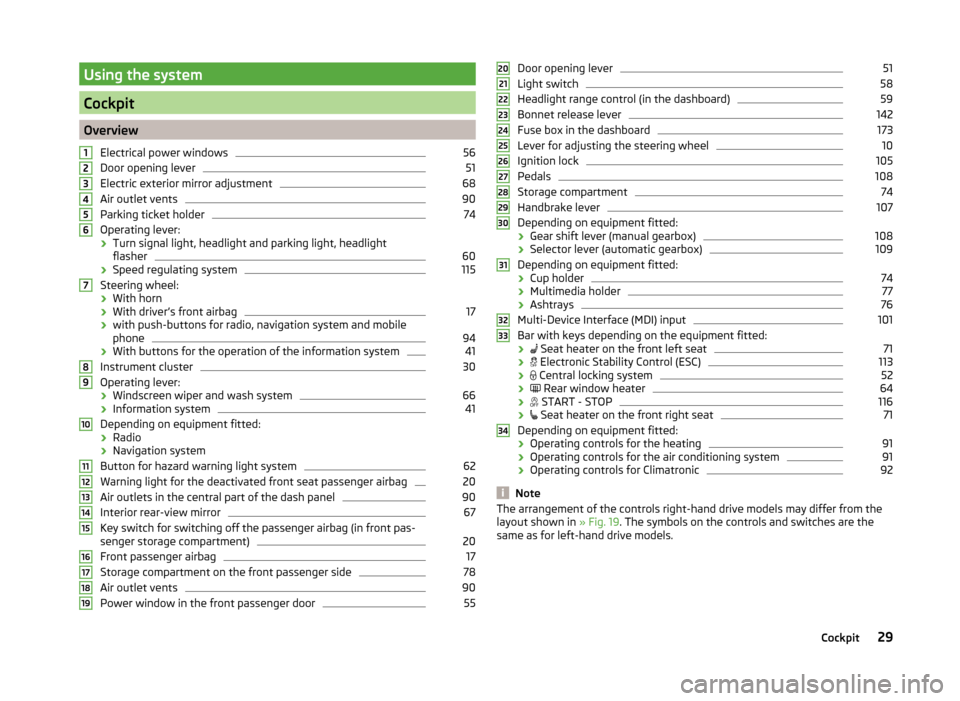
56
Door opening lever
51
Electric exterior mirror adjustment
68
Air outlet vents
90
Parking ticket holder
74
Operating lever:
› Turn signal light, headlight and parking light, headlight
flasher
60
› Speed regulating system
115
Steering wheel:
› With horn
› With driver’s front airbag
17
›with push-buttons for radio, navigation system and mobile
phone
94
› With buttons for the operation of the information system
41
Instrument cluster
30
Operating lever:
› Windscreen wiper and wash system
66
›Information system
41
Depending on equipment fitted:
› Radio
› Navigation system
Button for hazard warning light system
62
Warning light for the deactivated front seat passenger airbag
20
Air outlets in the central part of the dash panel
90
Interior rear-view mirror
67
Key switch for switching off the passenger airbag (in front pas-
senger storage compartment)
20
Front passenger airbag
17
Storage compartment on the front passenger side
78
Air outlet vents
90
Power window in the front passenger door
5512345678910111213141516171819Door opening lever51
Light switch
58
Headlight range control (in the dashboard)
59
Bonnet release lever
142
Fuse box in the dashboard
173
Lever for adjusting the steering wheel
10
Ignition lock
105
Pedals
108
Storage compartment
74
Handbrake lever
107
Depending on equipment fitted:
› Gear shift lever (manual gearbox)
108
›Selector lever (automatic gearbox)
109
Depending on equipment fitted:
› Cup holder
74
›Multimedia holder
77
›Ashtrays
76
Multi-Device Interface (MDI) input
101
Bar with keys depending on the equipment fitted:
›
Seat heater on the front left seat
71
›
Electronic Stability Control (ESC)
113
›
Central locking system
52
›
Rear window heater
64
›
START - STOP
116
›
Seat heater on the front right seat
71
Depending on equipment fitted:
› Operating controls for the heating
91
›
Operating controls for the air conditioning system
91
›Operating controls for Climatronic
92
Note
The arrangement of the controls right-hand drive models may differ from the
layout shown in » Fig. 19. The symbols on the controls and switches are the
same as for left-hand drive models.20212223242526272829303132333429Cockpit
Page 37 of 204
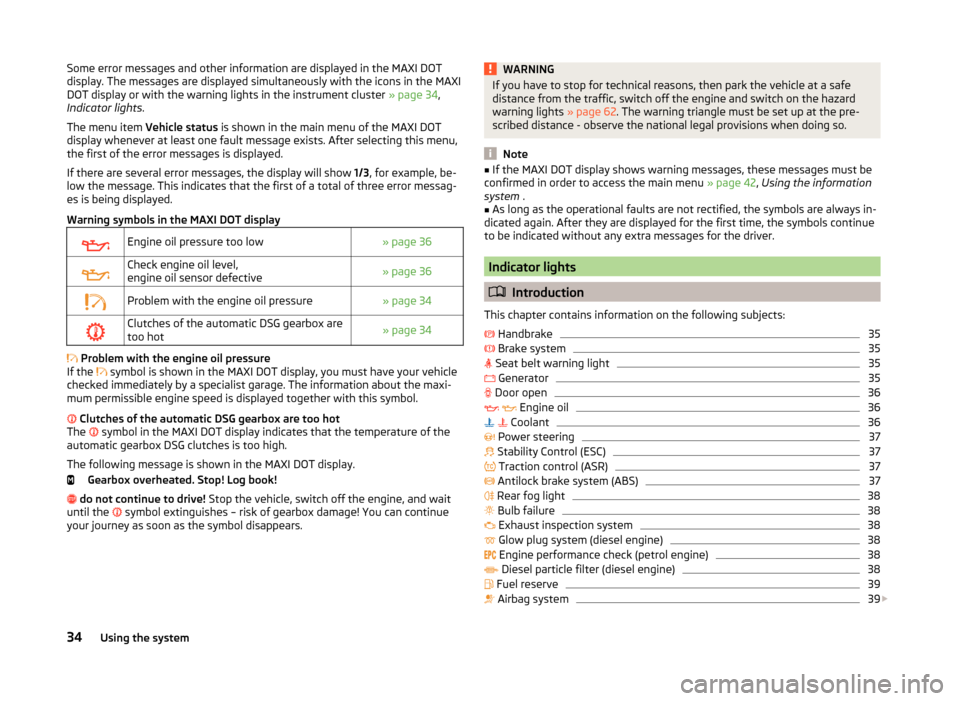
Some error messages and other information are displayed in the MAXI DOT
display. The messages are displayed simultaneously with the icons in the MAXI
DOT display or with the warning lights in the instrument cluster » page 34,
Indicator lights .
The menu item Vehicle status is shown in the main menu of the MAXI DOT
display whenever at least one fault message exists. After selecting this menu,
the first of the error messages is displayed.
If there are several error messages, the display will show 1/3, for example, be-
low the message. This indicates that the first of a total of three error messag-
es is being displayed.
Warning symbols in the MAXI DOT displayEngine oil pressure too low» page 36Check engine oil level,
engine oil sensor defective» page 36Problem with the engine oil pressure» page 34Clutches of the automatic DSG gearbox are
too hot» page 34
Problem with the engine oil pressure
If the symbol is shown in the MAXI DOT display, you must have your vehicle
checked immediately by a specialist garage. The information about the maxi-
mum permissible engine speed is displayed together with this symbol.
Clutches of the automatic DSG gearbox are too hot
The symbol in the MAXI DOT display indicates that the temperature of the
automatic gearbox DSG clutches is too high.
The following message is shown in the MAXI DOT display. Gearbox overheated. Stop! Log book!
do not continue to drive! Stop the vehicle, switch off the engine, and wait
until the symbol extinguishes – risk of gearbox damage! You can continue
your journey as soon as the symbol disappears.
WARNINGIf you have to stop for technical reasons, then park the vehicle at a safe
distance from the traffic, switch off the engine and switch on the hazard
warning lights » page 62. The warning triangle must be set up at the pre-
scribed distance - observe the national legal provisions when doing so.
Note
■ If the MAXI DOT display shows warning messages, these messages must be
confirmed in order to access the main menu » page 42, Using the information
system .■
As long as the operational faults are not rectified, the symbols are always in-
dicated again. After they are displayed for the first time, the symbols continue
to be indicated without any extra messages for the driver.
Indicator lights
Introduction
This chapter contains information on the following subjects:
Handbrake
35
Brake system
35
Seat belt warning light
35
Generator
35
Door open
36
Engine oil
36
Coolant
36
Power steering
37
Stability Control (ESC)
37
Traction control (ASR)
37
Antilock brake system (ABS)
37
Rear fog light
38
Bulb failure
38
Exhaust inspection system
38
Glow plug system (diesel engine)
38
Engine performance check (petrol engine)
38
Diesel particle filter (diesel engine)
38
Fuel reserve
39
Airbag system
39
34Using the system
Page 38 of 204
Tyre inflation pressure40 Windscreen washer fluid40
Turn signal system
40
Fog lights
40
Cruise control system
41
Brake pedal (automatic gearbox)
41
Main beam
41
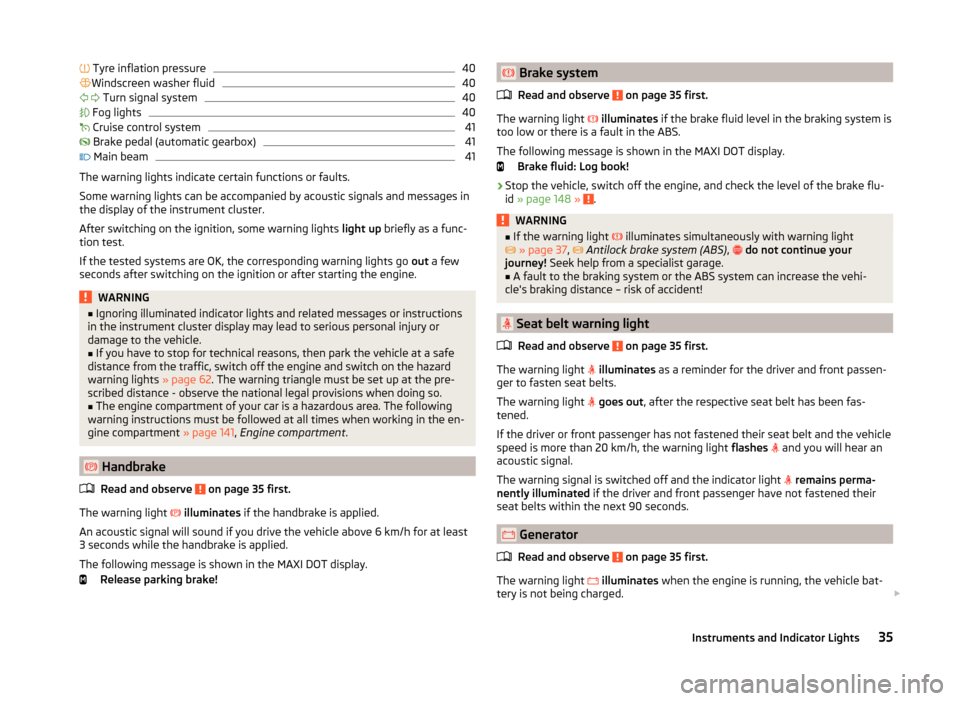
The warning lights indicate certain functions or faults.
Some warning lights can be accompanied by acoustic signals and messages in
the display of the instrument cluster.
After switching on the ignition, some warning lights light up briefly as a func-
tion test.
If the tested systems are OK, the corresponding warning lights go out a few
seconds after switching on the ignition or after starting the engine.
WARNING■ Ignoring illuminated indicator lights and related messages or instructions
in the instrument cluster display may lead to serious personal injury or
damage to the vehicle.■
If you have to stop for technical reasons, then park the vehicle at a safe
distance from the traffic, switch off the engine and switch on the hazard
warning lights » page 62. The warning triangle must be set up at the pre-
scribed distance - observe the national legal provisions when doing so.
■
The engine compartment of your car is a hazardous area. The following
warning instructions must be followed at all times when working in the en-
gine compartment » page 141, Engine compartment .
Handbrake
Read and observe
on page 35 first.
The warning light
illuminates if the handbrake is applied.
An acoustic signal will sound if you drive the vehicle above 6 km/h for at least
3 seconds while the handbrake is applied.
The following message is shown in the MAXI DOT display. Release parking brake!
Brake system
Read and observe
on page 35 first.
The warning light
illuminates if the brake fluid level in the braking system is
too low or there is a fault in the ABS.
The following message is shown in the MAXI DOT display. Brake fluid: Log book!
›
Stop the vehicle, switch off the engine, and check the level of the brake flu-
id » page 148 » .
WARNING■
If the warning light illuminates simultaneously with warning light
» page 37 , Antilock brake system (ABS) , do not continue your
journey! Seek help from a specialist garage.■
A fault to the braking system or the ABS system can increase the vehi-
cle's braking distance – risk of accident!
Seat belt warning light
Read and observe
on page 35 first.
The warning light
illuminates as a reminder for the driver and front passen-
ger to fasten seat belts.
The warning light
goes out , after the respective seat belt has been fas-
tened.
If the driver or front passenger has not fastened their seat belt and the vehicle
speed is more than 20 km/h, the warning light flashes
and you will hear an
acoustic signal.
The warning signal is switched off and the indicator light
remains perma-
nently illuminated if the driver and front passenger have not fastened their
seat belts within the next 90 seconds.
Generator
Read and observe
on page 35 first.
The warning light
illuminates when the engine is running, the vehicle bat-
tery is not being charged.
35Instruments and Indicator Lights
Page 40 of 204
Seek help from a specialist garage.WARNING■Carefully open the coolant expansion bottle. If the engine is hot, the cool-
ing system is pressurized – risk of scalding! It is therefore best to allow the
engine to cool down before removing the cap.■
Do not touch the radiator fan. The radiator fan may switch itself on auto-
matically even if the ignition is off - a danger of injury is present!
CAUTION
■ Additional headlights and other attached components in front of the air inlet
impair the cooling efficiency of the coolant.■
Never cover the radiator - there is a risk of the engine overheating.
Power steering
Read and observe
on page 35 first.
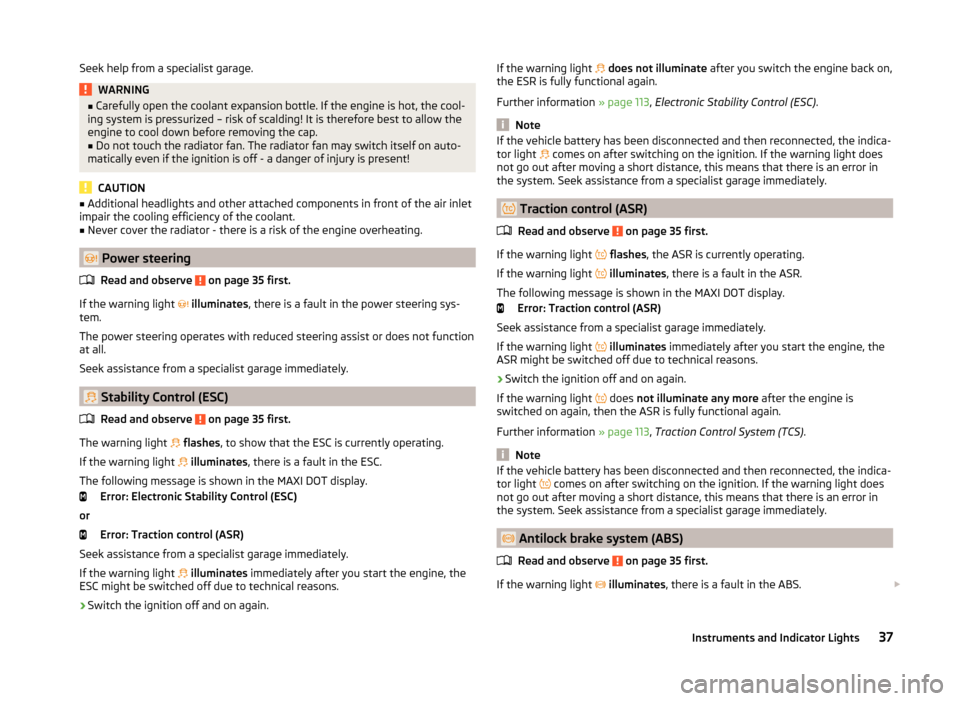
If the warning light
illuminates , there is a fault in the power steering sys-
tem.
The power steering operates with reduced steering assist or does not function
at all.
Seek assistance from a specialist garage immediately.
Stability Control (ESC)
Read and observe
on page 35 first.
The warning light
flashes , to show that the ESC is currently operating.
If the warning light
illuminates , there is a fault in the ESC.
The following message is shown in the MAXI DOT display. Error: Electronic Stability Control (ESC)
or Error: Traction control (ASR)
Seek assistance from a specialist garage immediately.
If the warning light
illuminates immediately after you start the engine, the
ESC might be switched off due to technical reasons.
›
Switch the ignition off and on again.
If the warning light does not illuminate after you switch the engine back on,
the ESR is fully functional again.
Further information » page 113, Electronic Stability Control (ESC) .
Note
If the vehicle battery has been disconnected and then reconnected, the indica-
tor light comes on after switching on the ignition. If the warning light does
not go out after moving a short distance, this means that there is an error in
the system. Seek assistance from a specialist garage immediately.
Traction control (ASR)
Read and observe
on page 35 first.
If the warning light
flashes , the ASR is currently operating.
If the warning light
illuminates , there is a fault in the ASR.
The following message is shown in the MAXI DOT display. Error: Traction control (ASR)
Seek assistance from a specialist garage immediately.
If the warning light
illuminates immediately after you start the engine, the
ASR might be switched off due to technical reasons.
›
Switch the ignition off and on again.
If the warning light does
not illuminate any more after the engine is
switched on again, then the ASR is fully functional again.
Further information » page 113, Traction Control System (TCS) .
Note
If the vehicle battery has been disconnected and then reconnected, the indica-
tor light comes on after switching on the ignition. If the warning light does
not go out after moving a short distance, this means that there is an error in
the system. Seek assistance from a specialist garage immediately.
Antilock brake system (ABS)
Read and observe
on page 35 first.
If the warning light
illuminates , there is a fault in the ABS.
37Instruments and Indicator Lights
Page 41 of 204
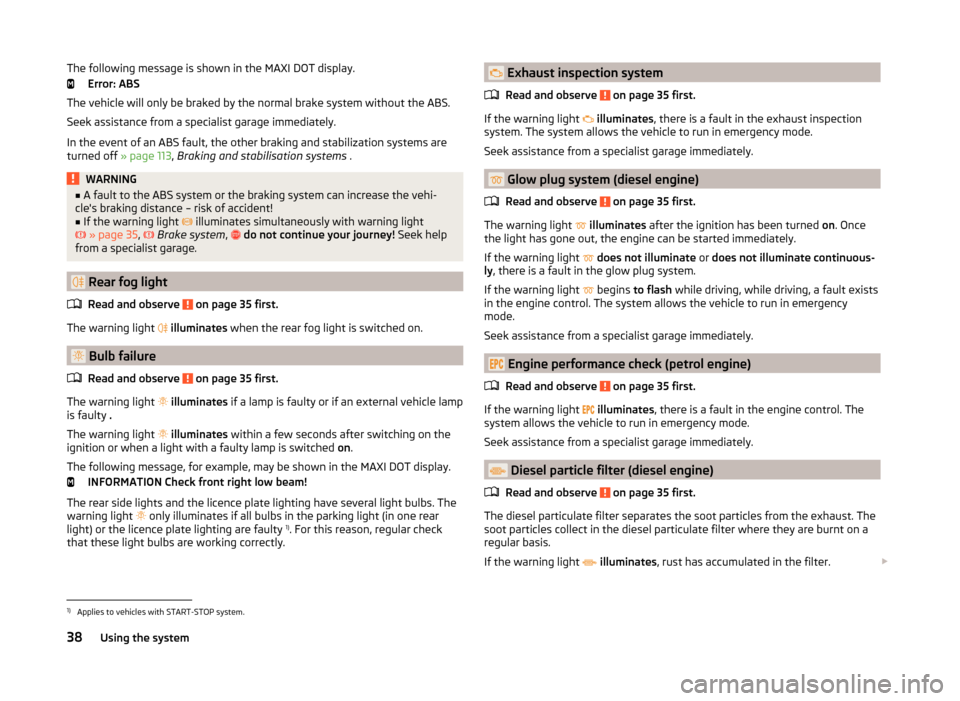
The following message is shown in the MAXI DOT display.Error: ABS
The vehicle will only be braked by the normal brake system without the ABS.
Seek assistance from a specialist garage immediately.
In the event of an ABS fault, the other braking and stabilization systems are
turned off » page 113, Braking and stabilisation systems .WARNING■
A fault to the ABS system or the braking system can increase the vehi-
cle's braking distance – risk of accident!■
If the warning light
illuminates simultaneously with warning light
» page 35 ,
Brake system ,
do not continue your journey! Seek help
from a specialist garage.
Rear fog light
Read and observe
on page 35 first.
The warning light
illuminates when the rear fog light is switched on.
Bulb failure
Read and observe
on page 35 first.
The warning light
illuminates if a lamp is faulty or if an external vehicle lamp
is faulty .
The warning light
illuminates within a few seconds after switching on the
ignition or when a light with a faulty lamp is switched on.
The following message, for example, may be shown in the MAXI DOT display. INFORMATION Check front right low beam!
The rear side lights and the licence plate lighting have several light bulbs. The
warning light only illuminates if all bulbs in the parking light (in one rear
light) or the licence plate lighting are faulty 1)
. For this reason, regular check
that these light bulbs are working correctly.
Exhaust inspection system
Read and observe
on page 35 first.
If the warning light
illuminates , there is a fault in the exhaust inspection
system. The system allows the vehicle to run in emergency mode.
Seek assistance from a specialist garage immediately.
Glow plug system (diesel engine)
Read and observe
on page 35 first.
The warning light
illuminates after the ignition has been turned on. Once
the light has gone out, the engine can be started immediately.
If the warning light
does not illuminate or does not illuminate continuous-
ly , there is a fault in the glow plug system.
If the warning light begins
to flash while driving, while driving, a fault exists
in the engine control. The system allows the vehicle to run in emergency
mode.
Seek assistance from a specialist garage immediately.
Engine performance check (petrol engine)
Read and observe
on page 35 first.
If the warning light
illuminates , there is a fault in the engine control. The
system allows the vehicle to run in emergency mode.
Seek assistance from a specialist garage immediately.
Diesel particle filter (diesel engine)
Read and observe
on page 35 first.
The diesel particulate filter separates the soot particles from the exhaust. The soot particles collect in the diesel particulate filter where they are burnt on a
regular basis.
If the warning light
illuminates , rust has accumulated in the filter.
1)
Applies to vehicles with START-STOP system.
38Using the system
Page 44 of 204
Cruise control systemRead and observe
on page 35 first.
The warning light
illuminates when the cruise control is active » page 115.
Brake pedal (automatic gearbox)
Read and observe
on page 35 first.
If the warning light
illuminates , operate the brake pedal.
Main beam
Read and observe
on page 35 first.
The warning light
illuminates when the main beam or the headlight flasher
is operated.
Information system
Driver information system
Introduction
This chapter contains information on the following subjects:
Using the information system
42
Display a low temperature
42
Gear recommendation
43
Door, boot or engine compartment warning
43
The information system provides the driver with alerts and messages about in-
dividual vehicle systems.
This information and advice is shown in the instrument cluster display or indi-
cated by the illumination of the corresponding indicator light in the instrument
cluster.
The information system provides the following information and instructions
(depending on vehicle equipment).
› Data relating to the multi-function display (MFD)
» page 43.
› Data relating to the Maxi DOT display
» page 46.
› Service interval display
» page 47.
› Auto Check Control
» page 33.
› Selector lever positions for an automatic gearbox
» page 109.
WARNINGConcentrate fully at all times on your driving! As the driver, you are fully re-
sponsible for the operation of your vehicle.41Information system
Page 53 of 204
›The SafeLock system is switched on.
› The warning light in the driver door begins flashing.
› The anti-theft alarm system is activated.
If the doors or the boot lid remain open after the vehicle has been locked, the
turn signal lights do not flash until they have been closed.WARNING■ Never leave the key in the vehicle when you exit the vehicle. Unauthor-
ized persons, such as children, for example, could lock the car, turn on the
ignition or start the engine - there is a danger of injury and accidents!■
When leaving the vehicle, never leave persons who are not completely in-
dependent, such as children, unattended in the vehicle. The children might,
for example, release the handbrake or take the vehicle out of gear. The ve-
hicle could then start to move – risk of injury and accidents! These individu-
als might also not be able to leave the vehicle on their own or to help
themselves. Can be fatal at very high or very low temperatures!
CAUTION
■ Each key contains electronic components; therefore it must be protected
against moisture and severe shocks.■
Keep the groove of the keys absolutely clean. Impurities (textile fibres, dust,
etc.) have a negative effect on the functionality of the locking cylinder and ig-
nition lock.
■
The battery must be replaced if the central locking or anti-theft alarm system
does react to the remote control at less than approx. 3 metres
away » page 170 .
■
When leaving the vehicle, always check if it is locked.
■
If the driver's door has been opened, the vehicle cannot be locked.
Note
In the event of an accident in which the airbags are deployed, the locked doors
are automatically unlocked in order to enable rescuers to gain access to the
vehicle.With the key on the lock cylinder unlock / lockFig. 30
Left side of the vehicle: Turning
the key for unlocking and locking
the vehicle
Read and observe and on page 50 first.
The key allows you to unlock or lock the vehicle via the lock cylinder in the
driver's door.
Unlocking / locking the vehicle with the key » Fig. 30
Unlocking the vehicle
Locking the vehicle
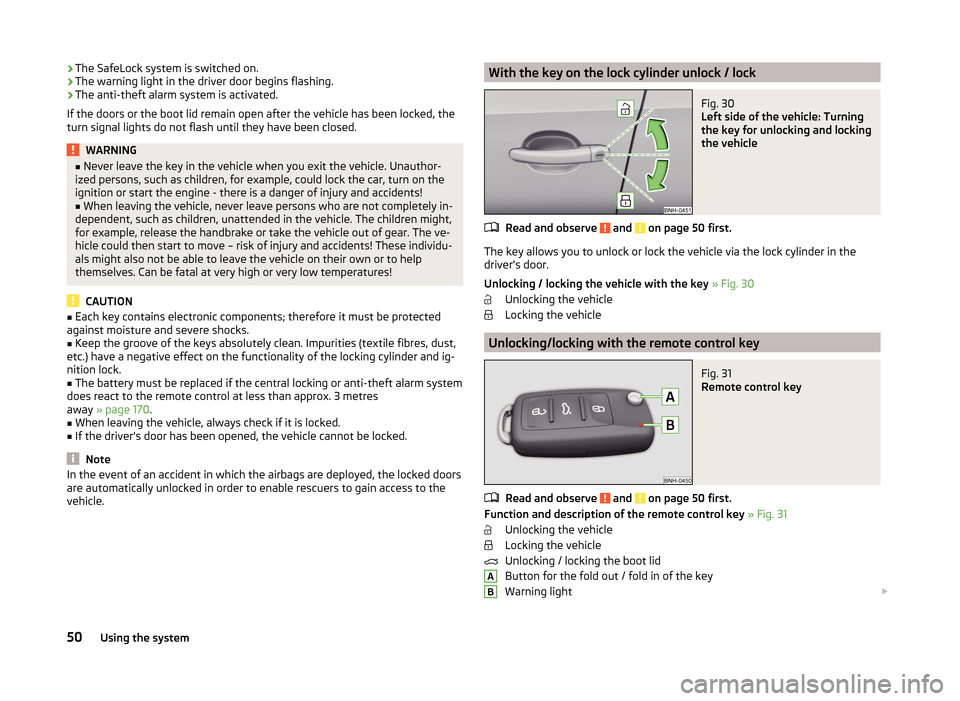
Unlocking/locking with the remote control key
Fig. 31
Remote control key
Read and observe and on page 50 first.
Function and description of the remote control key » Fig. 31
Unlocking the vehicle
Locking the vehicle
Unlocking / locking the boot lid
Button for the fold out / fold in of the key
Warning light
AB50Using the system