service SKODA RAPID SPACEBACK 2015 1.G Owner's Guide
[x] Cancel search | Manufacturer: SKODA, Model Year: 2015, Model line: RAPID SPACEBACK, Model: SKODA RAPID SPACEBACK 2015 1.GPages: 208, PDF Size: 29.2 MB
Page 151 of 208
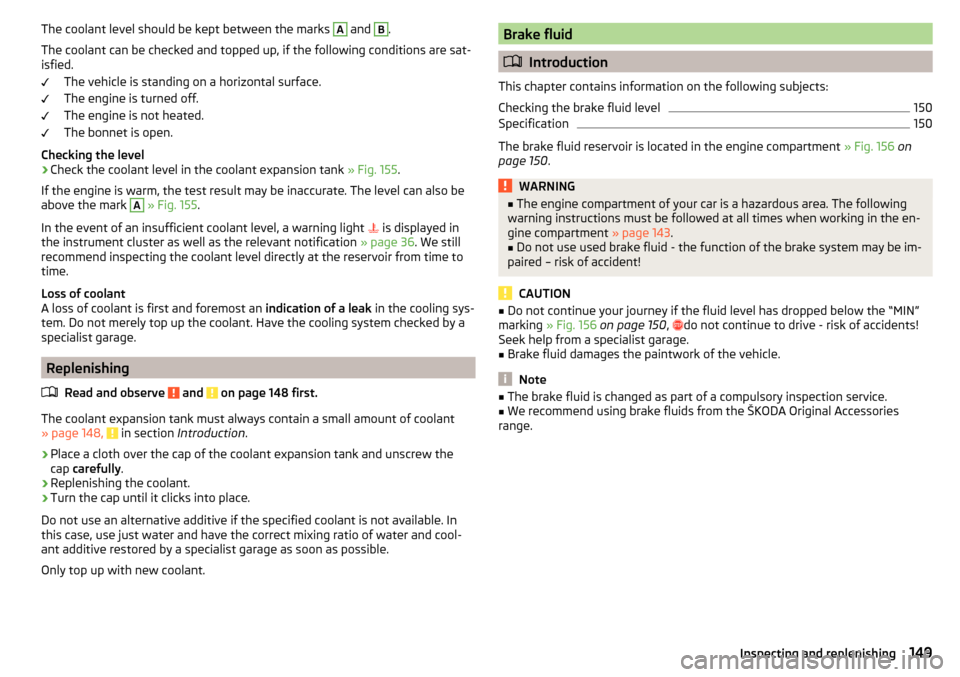
The coolant level should be kept between the marks A and B.
The coolant can be checked and topped up, if the following conditions are sat-
isfied.
The vehicle is standing on a horizontal surface.
The engine is turned off.
The engine is not heated.
The bonnet is open.
Checking the level›
Check the coolant level in the coolant expansion tank » Fig. 155.
If the engine is warm, the test result may be inaccurate. The level can also be
above the mark
A
» Fig. 155 .
In the event of an insufficient coolant level, a warning light is displayed in
the instrument cluster as well as the relevant notification » page 36. We still
recommend inspecting the coolant level directly at the reservoir from time to
time.
Loss of coolant
A loss of coolant is first and foremost an indication of a leak in the cooling sys-
tem. Do not merely top up the coolant. Have the cooling system checked by a
specialist garage.
Replenishing
Read and observe
and on page 148 first.
The coolant expansion tank must always contain a small amount of coolant
» page 148, in section Introduction .
›
Place a cloth over the cap of the coolant expansion tank and unscrew the
cap carefully .
›
Replenishing the coolant.
›
Turn the cap until it clicks into place.
Do not use an alternative additive if the specified coolant is not available. In
this case, use just water and have the correct mixing ratio of water and cool-
ant additive restored by a specialist garage as soon as possible.
Only top up with new coolant.
Brake fluid
Introduction
This chapter contains information on the following subjects:
Checking the brake fluid level
150
Specification
150
The brake fluid reservoir is located in the engine compartment » Fig. 156 on
page 150 .
WARNING■
The engine compartment of your car is a hazardous area. The following
warning instructions must be followed at all times when working in the en-
gine compartment » page 143.■
Do not use used brake fluid - the function of the brake system may be im-
paired – risk of accident!
CAUTION
■ Do not continue your journey if the fluid level has dropped below the “MIN”
marking » Fig. 156 on page 150 , do not continue to drive - risk of accidents!
Seek help from a specialist garage.■
Brake fluid damages the paintwork of the vehicle.
Note
■ The brake fluid is changed as part of a compulsory inspection service.■We recommend using brake fluids from the ŠKODA Original Accessories
range.149Inspecting and replenishing
Page 154 of 208
Checking the battery electrolyte levelFig. 158
Vehicle battery: Electrolyte level
indicator
Read and observe and on page 151 first.
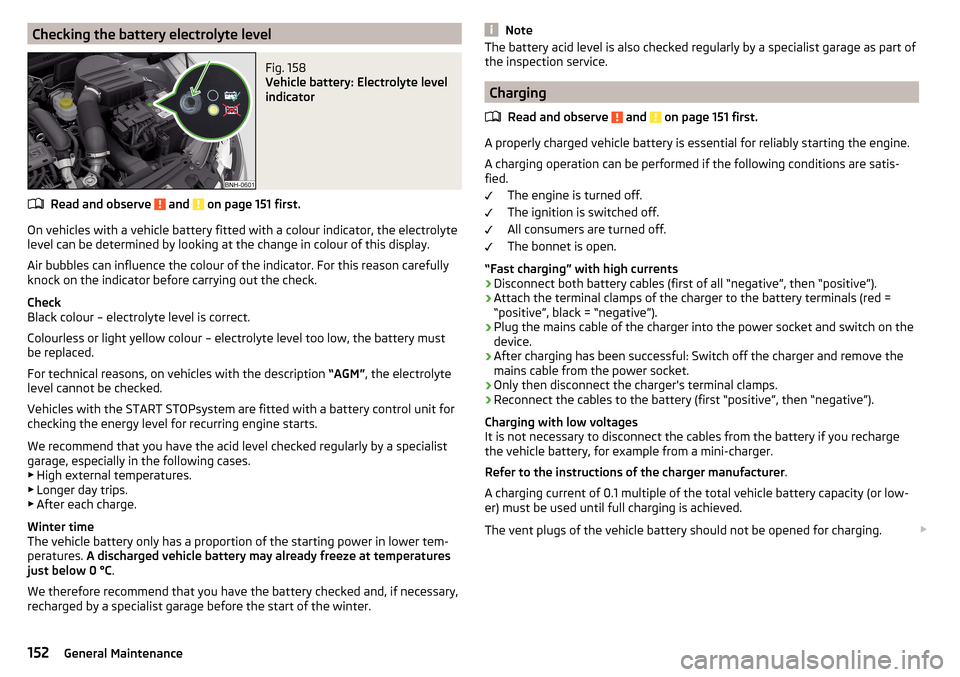
On vehicles with a vehicle battery fitted with a colour indicator, the electrolyte
level can be determined by looking at the change in colour of this display.
Air bubbles can influence the colour of the indicator. For this reason carefully
knock on the indicator before carrying out the check.
Check
Black colour – electrolyte level is correct.
Colourless or light yellow colour – electrolyte level too low, the battery must
be replaced.
For technical reasons, on vehicles with the description “AGM”, the electrolyte
level cannot be checked.
Vehicles with the START STOPsystem are fitted with a battery control unit for
checking the energy level for recurring engine starts.
We recommend that you have the acid level checked regularly by a specialist
garage, especially in the following cases. ▶ High external temperatures.
▶ Longer day trips.
▶ After each charge.
Winter time
The vehicle battery only has a proportion of the starting power in lower tem-
peratures. A discharged vehicle battery may already freeze at temperatures
just below 0 °C .
We therefore recommend that you have the battery checked and, if necessary,
recharged by a specialist garage before the start of the winter.
NoteThe battery acid level is also checked regularly by a specialist garage as part of
the inspection service.
Charging
Read and observe
and on page 151 first.
A properly charged vehicle battery is essential for reliably starting the engine.
A charging operation can be performed if the following conditions are satis-
fied.
The engine is turned off.
The ignition is switched off.
All consumers are turned off.
The bonnet is open.
“Fast charging” with high currents
›
Disconnect both battery cables (first of all “negative”, then “positive”).
›
Attach the terminal clamps of the charger to the battery terminals (red =
“positive”, black = “negative”).
›
Plug the mains cable of the charger into the power socket and switch on the
device.
›
After charging has been successful: Switch off the charger and remove the
mains cable from the power socket.
›
Only then disconnect the charger's terminal clamps.
›
Reconnect the cables to the battery (first “positive”, then “negative”).
Charging with low voltages
It is not necessary to disconnect the cables from the battery if you recharge
the vehicle battery, for example from a mini-charger.
Refer to the instructions of the charger manufacturer .
A charging current of 0.1 multiple of the total vehicle battery capacity (or low-
er) must be used until full charging is achieved.
The vent plugs of the vehicle battery should not be opened for charging.
152General Maintenance
Page 157 of 208
Always store wheels or tyres in a cool, dry place that is as dark as possible.
Tyres which are not fixed to a wheel trim should be stored upright.
Tyre age
Tyres age and lose their original characteristics, even if they are not being
used. The service life of the tyres is 6 years. Therefore, we recommend not us-
ing tyres that are older than 6 years.
Wheel bolts
Wheels and wheel bolts are matched to each other in terms of design. We rec-
ommend that you use wheel rims and wheel bolts from ŠKODA Original Acces-
sories.WARNINGNever use tyres if you do not know anything about the condition and age.
Tyre pressure
Fig. 159
Label with a table of tyre sizes and tyre pressure value / inflate
tyres
Read and observe
on page 154 first.
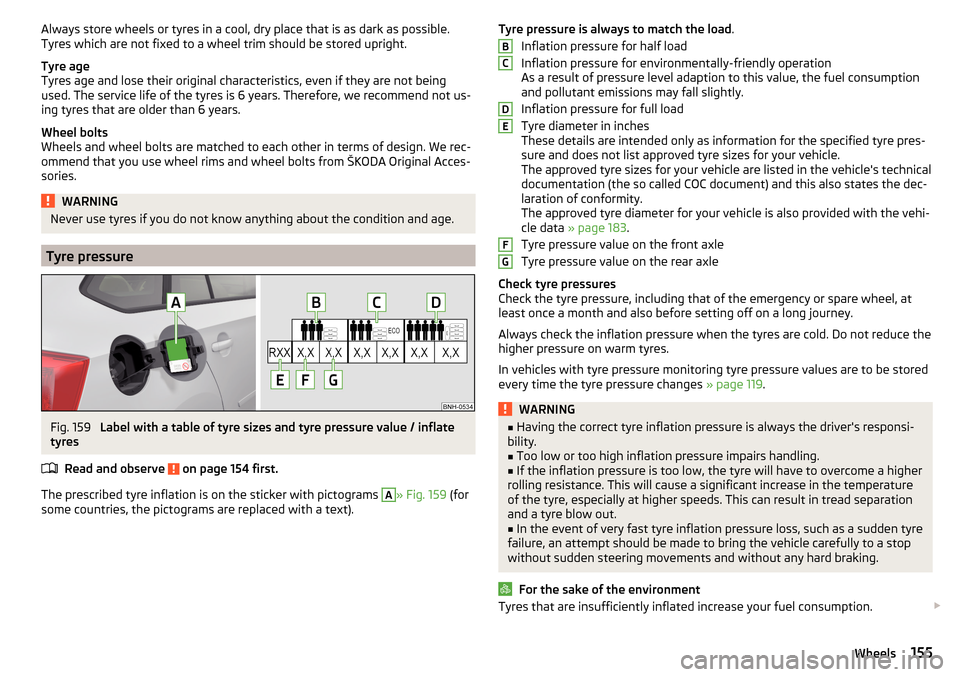
The prescribed tyre inflation is on the sticker with pictograms
A
» Fig. 159 (for
some countries, the pictograms are replaced with a text).
Tyre pressure is always to match the load .
Inflation pressure for half load
Inflation pressure for environmentally-friendly operation
As a result of pressure level adaption to this value, the fuel consumption
and pollutant emissions may fall slightly.
Inflation pressure for full load
Tyre diameter in inches
These details are intended only as information for the specified tyre pres-
sure and does not list approved tyre sizes for your vehicle.
The approved tyre sizes for your vehicle are listed in the vehicle's technical
documentation (the so called COC document) and this also states the dec-
laration of conformity.
The approved tyre diameter for your vehicle is also provided with the vehi-
cle data » page 183 .
Tyre pressure value on the front axle
Tyre pressure value on the rear axle
Check tyre pressures
Check the tyre pressure, including that of the emergency or spare wheel, at
least once a month and also before setting off on a long journey.
Always check the inflation pressure when the tyres are cold. Do not reduce the
higher pressure on warm tyres.
In vehicles with tyre pressure monitoring tyre pressure values are to be stored
every time the tyre pressure changes » page 119.WARNING■
Having the correct tyre inflation pressure is always the driver's responsi-
bility.■
Too low or too high inflation pressure impairs handling.
■
If the inflation pressure is too low, the tyre will have to overcome a higher
rolling resistance. This will cause a significant increase in the temperature
of the tyre, especially at higher speeds. This can result in tread separation
and a tyre blow out.
■
In the event of very fast tyre inflation pressure loss, such as a sudden tyre
failure, an attempt should be made to bring the vehicle carefully to a stop
without sudden steering movements and without any hard braking.
For the sake of the environment
Tyres that are insufficiently inflated increase your fuel consumption. BCDEFG155Wheels
Page 173 of 208
›Unscrew the towing eye against the direction of the arrow 3.WARNINGThe towing eye must always be screwed in fully and firmly tightened, oth-
erwise the towing eye can tear when towing or tow-starting.
Rear towing eye
Fig. 176
Rear towing eye
Read and observe and on page 170 first.
The rear towing eye is located below the bumper on the right.
Remove the protective cap before using the towing eye. » Fig. 176. Replace the
protective cap after using the towing eye.
Vehicles with a tow hitch
Read and observe
and on page 170 first.
For vehicles with a factory-fitted towing device, the pre-installed detachable
tow-bar may be used » page 121, Hitch .
Towing the vehicle using the towing device is a viable alternative solution to
using the towing eye.
CAUTION
The detachable ball rod and/or the vehicle can be damaged if an unsuitable
tow bar is used.Remote control
Introduction
This chapter contains information on the following subjects:
Replacing the battery in the remote control key
171
Synchronising the remote control
172
CAUTION
■ The replacement battery must have the same specification as the original
battery.■
We recommend having faulty rechargeable batteries replaced by a ŠKODA
service partner.
■
Pay attention to the correct polarity when changing the battery.
Note
If a key has an affixed decorative cover, this will be destroyed when the bat-
tery is replaced. A replacement cover can be purchased from a ŠKODA Partner.
Replacing the battery in the remote control key
Fig. 177
Remove cover/take out battery
Read and observe
on page 171 first.
The battery change is carried out as follows.
›
Flip out the key.
›
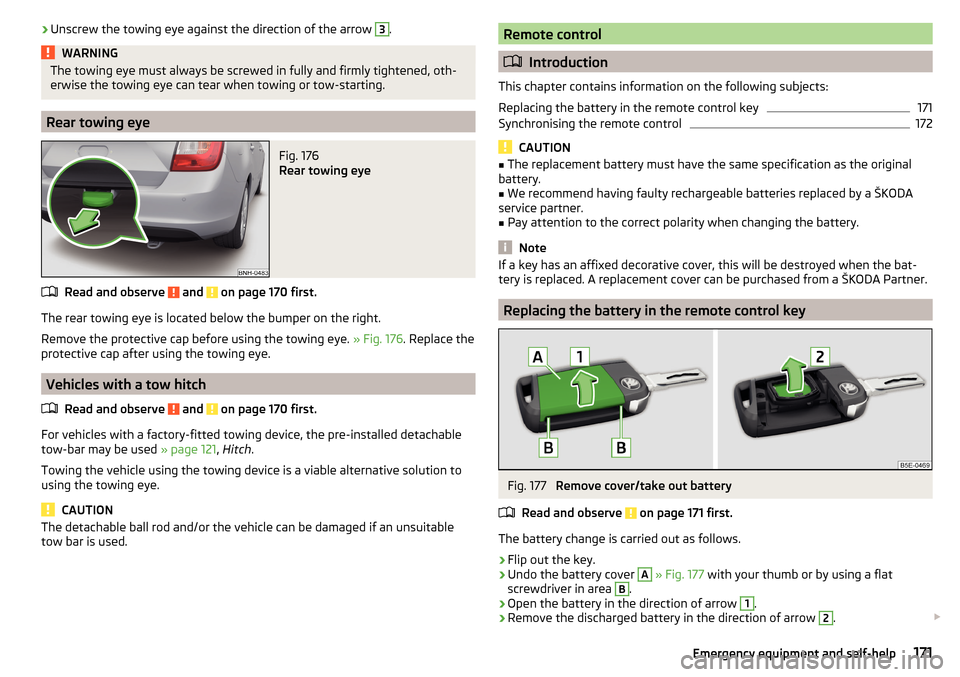
Undo the battery cover
A
» Fig. 177 with your thumb or by using a flat
screwdriver in area
B
.
›
Open the battery in the direction of arrow
1
.
›
Remove the discharged battery in the direction of arrow
2
.
171Emergency equipment and self-help
Page 175 of 208

›At the same time lift the cover on the selector lever gaiter with the other
hand in direction of arrow 2.›
With one finger, push the yellow plastic element in the direction of arrow
3
down to the stop.
›
At the same time, press the locking button in the selector lever and move
the selector lever to position N.
If the selector lever is moved again to position P, it is once again blocked.
Replacing windscreen wiper blades
Introduction
This chapter contains information on the following subjects:
Replacing the windscreen wiper blades
173
Replacing the rear window wiper blade
173WARNINGReplace the windscreen wiper blades once or twice a year for safety rea-
sons. These can be purchased from a ŠKODA Partner.
Replacing the windscreen wiper blades
Fig. 181
Windscreen wiper blade
Read and observe
on page 173 first.
Before replacing the windscreen wiper blade, put the windscreen wiper arms
into the service position.
Service position for changing wiper blades
›
Close the bonnet.
› Switch the ignition on and off again.›Place the operating lever in position 4
» page 66 , Activating the windscreen
wipers and washers .
The windscreen wiper arms move into the service position.
Removing the wiper blade›
Lift the wiper arm from the window in the direction of
1
» Fig. 181 .
›
Tilt the wiper blade to the stop in the same direction.
›
Hold the upper part of the wiper arm and press the securing mechanism
A
in the direction of arrow
2
.
›
Remove the wiper blade in the direction of the arrow
3
.
Attaching the windscreen wiper blade
›
Push the windscreen wiper blade to the stop until it locks into place.
›
Check that the windscreen wiper blade is correctly attached.
›
Fold the windscreen wiper arm back to the windscreen.
›
Turn on the ignition and press the lever into position
4
» page 66 , Activat-
ing the windscreen wipers and washers .
The windscreen wiper arms move into the home position.
Replacing the rear window wiper blade
Fig. 182
Rear window wiper blade
Read and observe
on page 173 first.
Removing the wiper blade
›
Lift the wiper arm from the window in the direction of
1
» Fig. 182 .
›
Tilt the wiper blade to the stop in the same direction.
›
Hold the upper part of the wiper arm and press the securing mechanism
A
in the direction of arrow
2
.
›
Remove the wiper blade in the direction of the arrow
3
.
173Emergency equipment and self-help
Page 185 of 208

Technical data
Technical data
Basic vehicle data
Introduction
This chapter contains information on the following subjects:
Vehicle characteristics
183
Operating weight
184
Payload
184
Measurement of fuel consumption and CO 2 emissions according to ECE
Regulations and EU Directives
184
Dimensions
186
Departure angle
187
The details given in the vehicle's technical documentation always take prece-
dence over the details in the Owner's Manual.
The listed performance values were determined without performance-reduc- ing equipment, e.g. air conditioning system.
The values given have been determined in accordance with regulations and in
conditions prescribed by legal or technical provisions for determining the oper-
ating and technical data of vehicles.
Vehicle characteristicsFig. 197
Vehicle data sticker/type plate
Vehicle data sticker
The vehicle data sticker » Fig. 197 -
is located on the base of the luggage
compartment and is also stuck into the service schedule.
The vehicle data sticker contains the following data. Vehicle identification number (VIN)
Vehicle type
Gearbox code/paint number/interior equipment/engine output/engine code
Partial vehicle description
Approved tyre diameter in inches 1)
The approved tyres and rim sizes for your vehicle are listed in the vehicle's
technical documentation (the so called COC document) and this also states the
declaration of conformity.
Type plate
The type plate » Fig. 197 -
is located at the bottom of the B-pillar on the
right-hand driver's side.
The type plate contains the following data. Manufacturer
Vehicle identification number (VIN)
Maximum permissible gross weight
Maximum permissible towed weight (towing vehicle and trailer)
1234567891)
Only valid for some countries.
183Technical data
Page 194 of 208
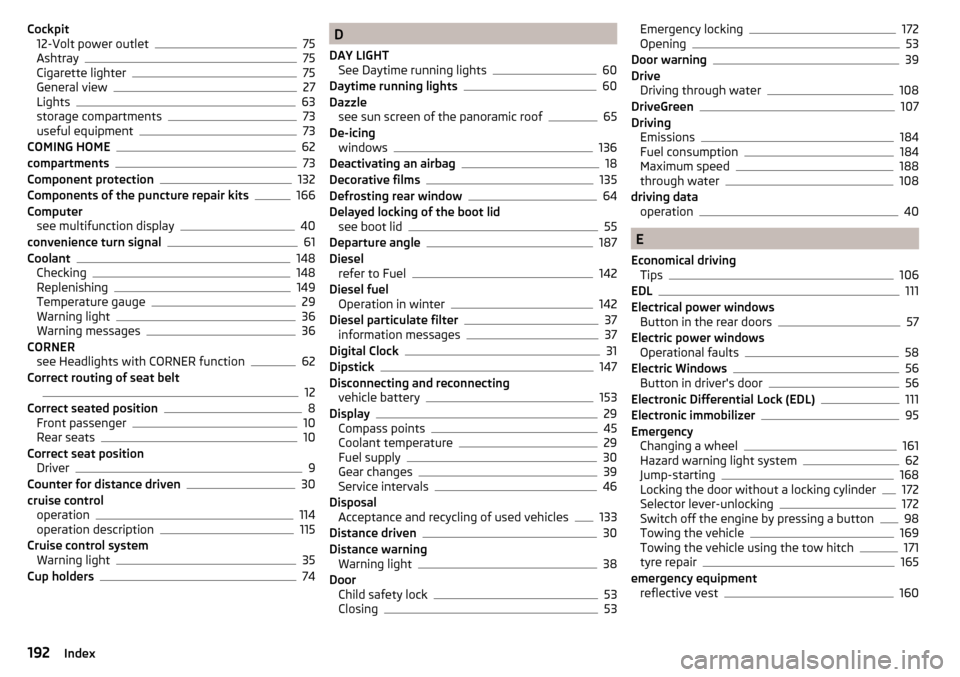
Cockpit12-Volt power outlet75
Ashtray75
Cigarette lighter75
General view27
Lights63
storage compartments73
useful equipment73
COMING HOME62
compartments73
Component protection132
Components of the puncture repair kits166
Computer see multifunction display
40
convenience turn signal61
Coolant148
Checking148
Replenishing149
Temperature gauge29
Warning light36
Warning messages36
CORNER see Headlights with CORNER function
62
Correct routing of seat belt
12
Correct seated position8
Front passenger10
Rear seats10
Correct seat position Driver
9
Counter for distance driven30
cruise control operation
114
operation description115
Cruise control system Warning light
35
Cup holders74
D
DAY LIGHT See Daytime running lights
60
Daytime running lights60
Dazzle see sun screen of the panoramic roof
65
De-icing windows
136
Deactivating an airbag18
Decorative films135
Defrosting rear window64
Delayed locking of the boot lid see boot lid
55
Departure angle187
Diesel refer to Fuel
142
Diesel fuel Operation in winter
142
Diesel particulate filter37
information messages37
Digital Clock31
Dipstick147
Disconnecting and reconnecting vehicle battery
153
Display29
Compass points45
Coolant temperature29
Fuel supply30
Gear changes39
Service intervals46
Disposal Acceptance and recycling of used vehicles
133
Distance driven30
Distance warning Warning light
38
Door Child safety lock
53
Closing53
Emergency locking172
Opening53
Door warning39
Drive Driving through water
108
DriveGreen107
Driving Emissions
184
Fuel consumption184
Maximum speed188
through water108
driving data operation
40
E
Economical driving Tips
106
EDL111
Electrical power windows Button in the rear doors
57
Electric power windows Operational faults
58
Electric Windows56
Button in driver's door56
Electronic Differential Lock (EDL)111
Electronic immobilizer95
Emergency Changing a wheel
161
Hazard warning light system62
Jump-starting168
Locking the door without a locking cylinder172
Selector lever-unlocking172
Switch off the engine by pressing a button98
Towing the vehicle169
Towing the vehicle using the tow hitch171
tyre repair165
emergency equipment reflective vest
160
192Index
Page 196 of 208
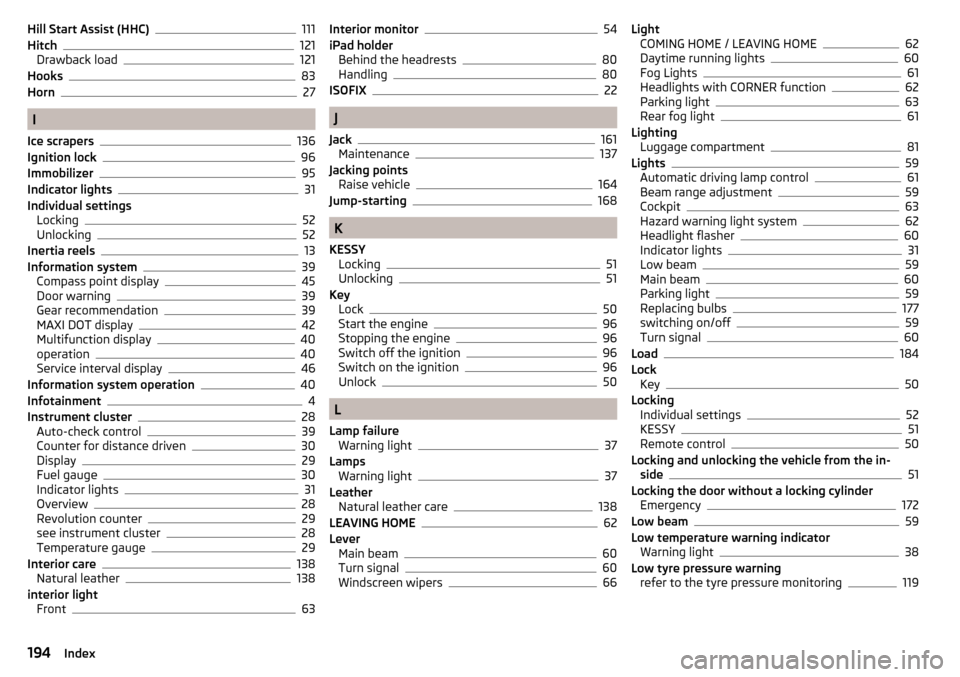
Hill Start Assist (HHC)111
Hitch121
Drawback load121
Hooks83
Horn27
I
Ice scrapers
136
Ignition lock96
Immobilizer95
Indicator lights31
Individual settings Locking
52
Unlocking52
Inertia reels13
Information system39
Compass point display45
Door warning39
Gear recommendation39
MAXI DOT display42
Multifunction display40
operation40
Service interval display46
Information system operation40
Infotainment4
Instrument cluster28
Auto-check control39
Counter for distance driven30
Display29
Fuel gauge30
Indicator lights31
Overview28
Revolution counter29
see instrument cluster28
Temperature gauge29
Interior care138
Natural leather138
interior light Front
63
Interior monitor54
iPad holder Behind the headrests
80
Handling80
ISOFIX22
J
Jack
161
Maintenance137
Jacking points Raise vehicle
164
Jump-starting168
K
KESSY Locking
51
Unlocking51
Key Lock
50
Start the engine96
Stopping the engine96
Switch off the ignition96
Switch on the ignition96
Unlock50
L
Lamp failure Warning light
37
Lamps Warning light
37
Leather Natural leather care
138
LEAVING HOME62
Lever Main beam
60
Turn signal60
Windscreen wipers66
Light COMING HOME / LEAVING HOME62
Daytime running lights60
Fog Lights61
Headlights with CORNER function62
Parking light63
Rear fog light61
Lighting Luggage compartment
81
Lights59
Automatic driving lamp control61
Beam range adjustment59
Cockpit63
Hazard warning light system62
Headlight flasher60
Indicator lights31
Low beam59
Main beam60
Parking light59
Replacing bulbs177
switching on/off59
Turn signal60
Load184
Lock Key
50
Locking Individual settings
52
KESSY51
Remote control50
Locking and unlocking the vehicle from the in- side
51
Locking the door without a locking cylinder Emergency
172
Low beam59
Low temperature warning indicator Warning light
38
Low tyre pressure warning refer to the tyre pressure monitoring
119
194Index
Page 197 of 208

Luggage compartment81
Cover84
Fastening elements82
Fixing nets83
floor covering on both sides86
Lighting81
unlock manually172
Unlock the boot lid172
Variable loading floor86
Luggage compartment cover84
Luggage compartment lid55
Luggage Storage Storage net bag
85
M
Main beam
60
Warning light36
Maintenance see vehicle care
135
Manual air conditioning Air distribution control
93
Controls91
Manual gear changing see Gear changing
103
MAXI DOT See MAXI DOT display
42
MAXI DOT display42
Main menu42
Menu item assist systems45
Menu item Audio44
Menu item navigation44
Menu item telephone45
Operation43
Maximum permissible weights
183
Maximum speed188
MCB111
MDI80
Mechanical window lifter open and close
56
Mechanical window lifters56
Media see Infotainment
4
Mirror Exterior mirror
68
Interior mirror67
Make-up65
Modifications130
Modifications and technical alterations Airbags
132
Service131
Spoiler132
Multi-function display operation
40
Multi collision brake (MCB)111
Multifunction display Functions
40
Information40
Memory42
Multifunction pocket83
Multifunction steering wheel Operation
43
Multimedia AUX
80
USB80
Multimedia holder77
N
N1
86
Nameplate183
Navigation see Infotainment
4
Nets83
Notes for driving with tyre repaired167
Notes on using wheels154
O
Oil See Engine oil
147
Warning messages37
Oil pressure Warning messages
37
On-board computer see multifunction display
40
Operating weight184
Operation in winter Diesel fuel
142
Vehicle battery152
Original accessories131
Overview Engine compartment
145
Indicator lights31
P
Parking
103
Parking assistance112
Parking aid Automatic system activation when moving for-ward
114
Function112
Parking assistance112
Activation / deactivation113
Display in the Infotainment display113
Parking light59
Park Pilot112
Park the vehicle see Parking
103
Passive safety Before setting off
8
Driving safety8
Passive Safety8
Pedals103
Footmats103
Petrol see fuel
141
195Index
Page 199 of 208
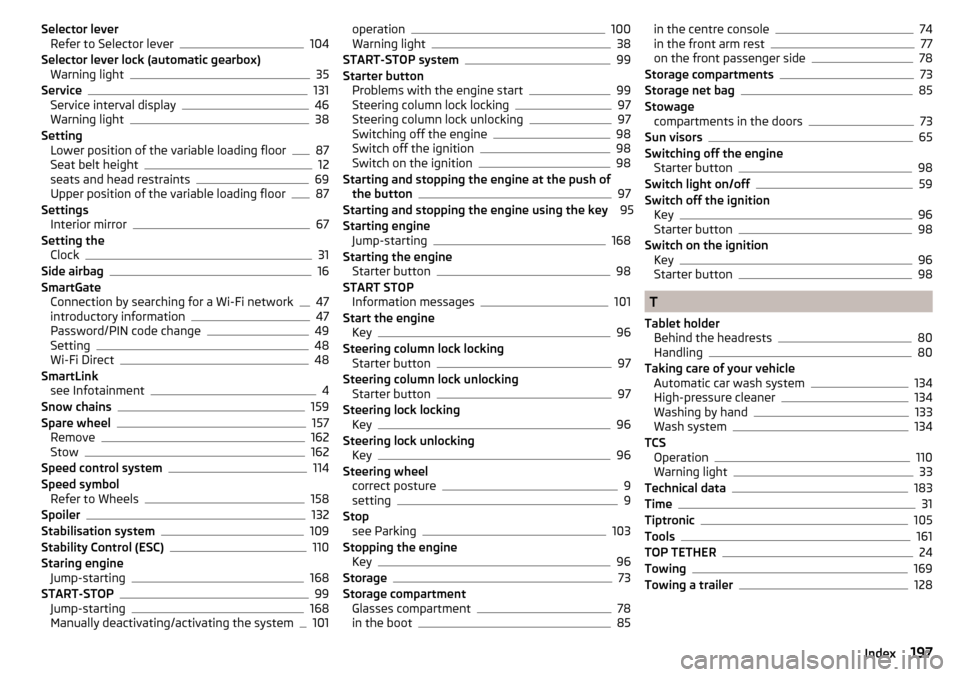
Selector leverRefer to Selector lever104
Selector lever lock (automatic gearbox) Warning light
35
Service131
Service interval display46
Warning light38
Setting Lower position of the variable loading floor
87
Seat belt height12
seats and head restraints69
Upper position of the variable loading floor87
Settings Interior mirror
67
Setting the Clock
31
Side airbag16
SmartGate Connection by searching for a Wi-Fi network
47
introductory information47
Password/PIN code change49
Setting48
Wi-Fi Direct48
SmartLink see Infotainment
4
Snow chains159
Spare wheel157
Remove162
Stow162
Speed control system114
Speed symbol Refer to Wheels
158
Spoiler132
Stabilisation system109
Stability Control (ESC)110
Staring engine Jump-starting
168
START-STOP99
Jump-starting168
Manually deactivating/activating the system101
operation100
Warning light38
START-STOP system99
Starter button Problems with the engine start
99
Steering column lock locking97
Steering column lock unlocking97
Switching off the engine98
Switch off the ignition98
Switch on the ignition98
Starting and stopping the engine at the push of the button
97
Starting and stopping the engine using the key 95
Starting engine Jump-starting
168
Starting the engine Starter button
98
START STOP Information messages
101
Start the engine Key
96
Steering column lock locking Starter button
97
Steering column lock unlocking Starter button
97
Steering lock locking Key
96
Steering lock unlocking Key
96
Steering wheel correct posture
9
setting9
Stop see Parking
103
Stopping the engine Key
96
Storage73
Storage compartment Glasses compartment
78
in the boot85
in the centre console74
in the front arm rest77
on the front passenger side78
Storage compartments73
Storage net bag85
Stowage compartments in the doors
73
Sun visors65
Switching off the engine Starter button
98
Switch light on/off59
Switch off the ignition Key
96
Starter button98
Switch on the ignition Key
96
Starter button98
T
Tablet holder Behind the headrests
80
Handling80
Taking care of your vehicle Automatic car wash system
134
High-pressure cleaner134
Washing by hand133
Wash system134
TCS Operation
110
Warning light33
Technical data183
Time31
Tiptronic105
Tools161
TOP TETHER24
Towing169
Towing a trailer128
197Index