tow SKODA RAPID SPACEBACK 2019 User Guide
[x] Cancel search | Manufacturer: SKODA, Model Year: 2019, Model line: RAPID SPACEBACK, Model: SKODA RAPID SPACEBACK 2019Pages: 256, PDF Size: 38.44 MB
Page 243 of 256
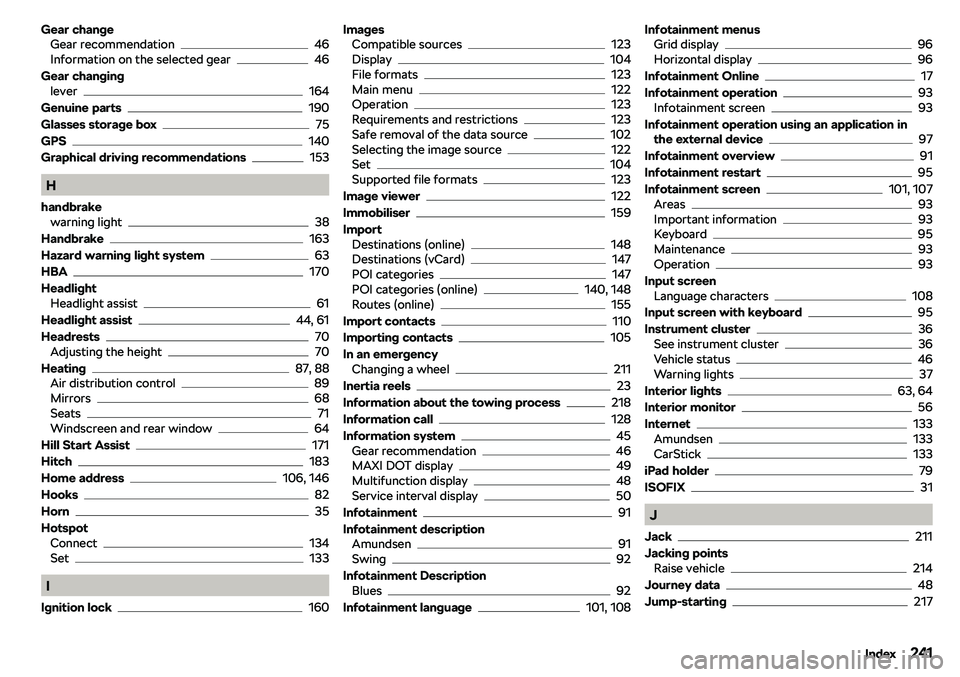
Gear changeGear recommendation46
Information on the selected gear46
Gear changing lever
164
Genuine parts
190
Glasses storage box
75
GPS
140
Graphical driving recommendations
153
H
handbrake warning light
38
Handbrake
163
Hazard warning light system
63
HBA
170
Headlight Headlight assist
61
Headlight assist
44, 61
Headrests
70
Adjusting the height70
Heating
87, 88
Air distribution control89
Mirrors68
Seats71
Windscreen and rear window64
Hill Start Assist
171
Hitch
183
Home address
106, 146
Hooks
82
Horn
35
Hotspot Connect
134
Set133
I
Ignition lock
160
Images Compatible sources123
Display104
File formats123
Main menu122
Operation123
Requirements and restrictions123
Safe removal of the data source102
Selecting the image source122
Set104
Supported file formats123
Image viewer
122
Immobiliser
159
Import Destinations (online)
148
Destinations (vCard)147
POI categories147
POI categories (online)140, 148
Routes (online)155
Import contacts
110
Importing contacts
105
In an emergency Changing a wheel
211
Inertia reels
23
Information about the towing process
218
Information call
128
Information system
45
Gear recommendation46
MAXI DOT display49
Multifunction display48
Service interval display50
Infotainment
91
Infotainment description Amundsen
91
Swing92
Infotainment Description Blues
92
Infotainment language
101, 108
Infotainment menus Grid display96
Horizontal display96
Infotainment Online
17
Infotainment operation
93
Infotainment screen93
Infotainment operation using an application in the external device
97
Infotainment overview
91
Infotainment restart
95
Infotainment screen
101, 107
Areas93
Important information93
Keyboard95
Maintenance93
Operation93
Input screen Language characters
108
Input screen with keyboard
95
Instrument cluster
36
See instrument cluster36
Vehicle status46
Warning lights37
Interior lights
63, 64
Interior monitor
56
Internet
133
Amundsen133
CarStick133
iPad holder
79
ISOFIX
31
J
Jack
211
Jacking points Raise vehicle
214
Journey data
48
Jump-starting
217
241Index
Page 246 of 256

Main menu141
Manage memory106
Map105
Map centring150
Map display options149
Map orientation150
Map scale149
Most frequent routes153
Navigation announcements106, 153
Navigation data140
Preferred type of route105
Route151
Route calculation152
Route details154
Route display149
Route guidance151
Route information154
Route list155
Route options105
Set105
Speed limits106
Split screen142
Start route guidance152
Status line106
Stopover151
Traffic obstruction157
Trailer towing152
Types of destination search/destination en- try
142
Update navigation data140
Update the navigation data106
Updating the navigation data online140
Version information106
Voice control98
Working with the navigation140
Navigation announcements
106, 153
Navigation data
140
Nets
81
Network Data connection103
Data roaming103
Set105
setting103
Values of the downloaded data103
New route
155
Notes
11
O
oil see Engine oil
200
Oil changing Engine oil
200
On-board computer see multifunction display
48
Online Destination details
151
Destination import145
Destination search142
Details of the traffic report156
Find car park144
Find petrol station144
Import destination148
Importing POI categories140, 148
List of traffic reports155
Route import155
Update navigation data140
Updating the navigation data140
Online destinations
145
Online services Deleting the user
13
Electronic Owner
Page 248 of 256
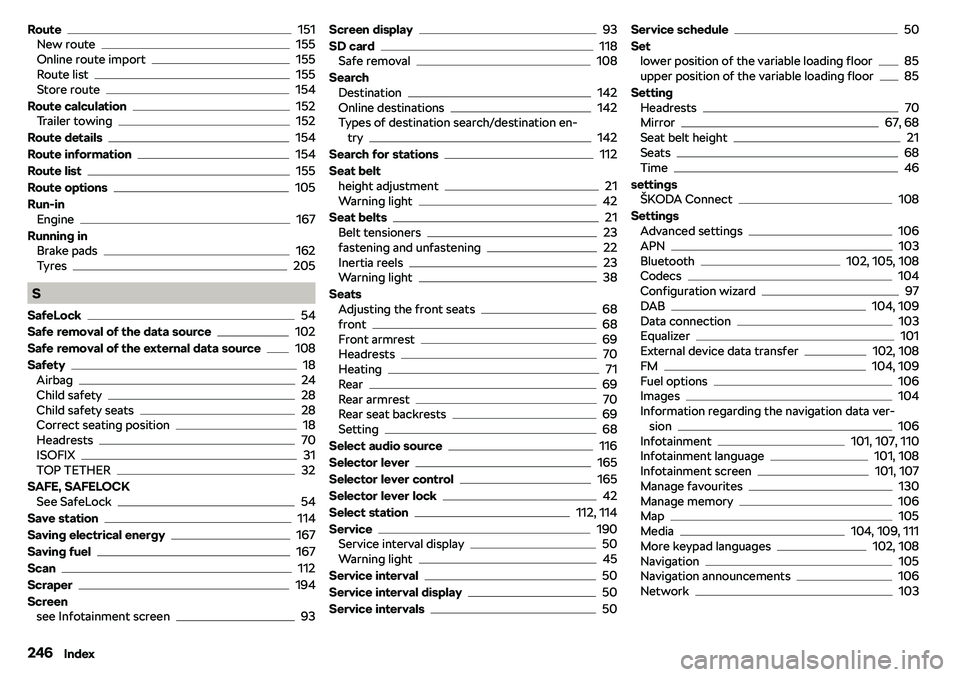
Route151
New route155
Online route import155
Route list155
Store route154
Route calculation
152
Trailer towing152
Route details
154
Route information
154
Route list
155
Route options
105
Run-in Engine
167
Running in Brake pads
162
Tyres205
S
SafeLock
54
Safe removal of the data source
102
Safe removal of the external data source
108
Safety
18
Airbag24
Child safety28
Child safety seats28
Correct seating position18
Headrests70
ISOFIX31
TOP TETHER32
SAFE, SAFELOCK See SafeLock
54
Save station
114
Saving electrical energy
167
Saving fuel
167
Scan
112
Scraper
194
Screen see Infotainment screen
93
Screen display93
SD card
118
Safe removal108
Search Destination
142
Online destinations142
Types of destination search/destination en- try
142
Search for stations
112
Seat belt height adjustment
21
Warning light42
Seat belts
21
Belt tensioners23
fastening and unfastening22
Inertia reels23
Warning light38
Seats Adjusting the front seats
68
front68
Front armrest69
Headrests70
Heating71
Rear69
Rear armrest70
Rear seat backrests69
Setting68
Select audio source
116
Selector lever
165
Selector lever control
165
Selector lever lock
42
Select station
112, 114
Service
190
Service interval display50
Warning light45
Service interval
50
Service interval display
50
Service intervals
50
Service schedule50
Set lower position of the variable loading floor
85
upper position of the variable loading floor85
Setting Headrests
70
Mirror67, 68
Seat belt height21
Seats68
Time46
settings