The Infotainment system enables the reception of traffic reports, which in-
clude information regarding traffic congestion, using TMC (Traffic Message
Channel) or online (when “Infotainment Online”
Vehicle systems
CAR - Vehicle settings
Introduction to the subject
Applies to Infotainment Columbus, Amundsen.
In the CAR menu, you can display driving data and vehicle information and can
configure some vehicle systems.
Reset to factory settings
You can reset the factory settings in the Infotainment system in menu
Deactivation
On vehicles with Version 1, the system can be deactivated by moving out of
reverse gear.
For vehicles with variant 2, the system is automatically deactivated by press-
ing the ' button or at a speed above 15 km/h (the ' symbol in the button
goes out).
Displaying an error
If a warning signal sounds for 3 seconds after activating the system and there
is no obstacle close to your car, this indicates a system fault. The fault is also
indicated by the symbol ' flashing in the button. Seek help from a specialist
garage.
Note
The system can only be activated with the 'button at a speed of below 15
km/h.
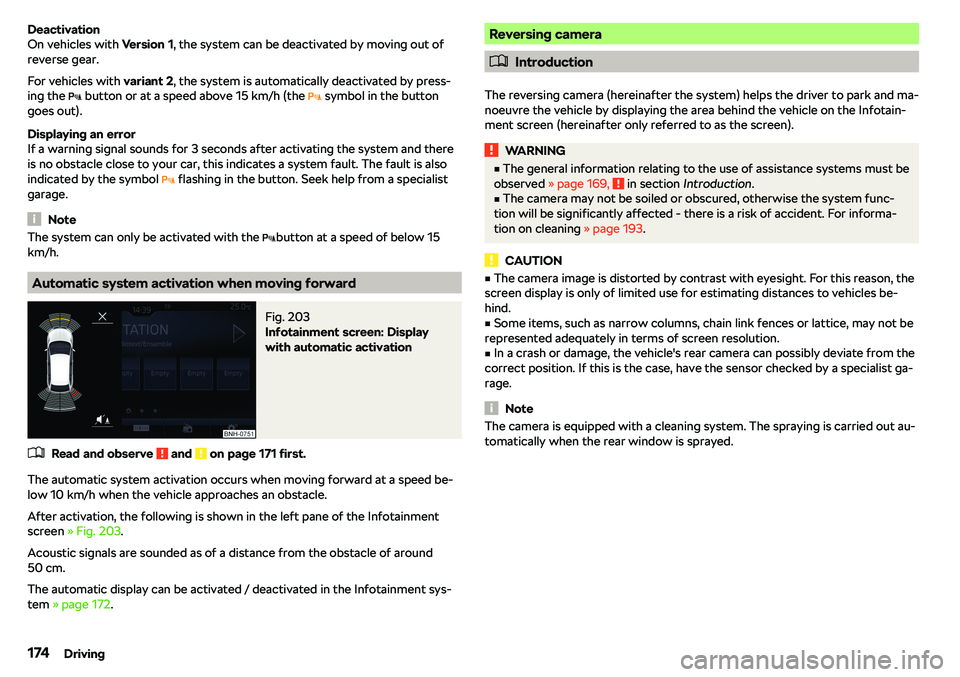
Automatic system activation when moving forward
Fig. 203
Infotainment screen: Display
with automatic activation
No.Power consumer12Infotainment screen13Not assigned14Operating lever under the steering wheel, light switch, ignition key
removal lock (automatic gearbox), headlight flasher, rain sensor, re-
versing camera15Air conditioning, automatic transmission, diagnostic connector, heat-
ed windscreen16Instrument cluster, emergency call17Anti-theft alarm, horn18Heating of the rear seats19Not assigned20Not assigned21Not assigned22Windscreen and rear window washer system (without KESSY or
without heated windscreen)23Heated front seats24Air conditioning/heating25Not assigned26Heated front seats27Rear window wiper28Not assigned29airbag
30
Electric windows, reverse light switches, air conditioning system,
Park Assist, exterior mirror settings, power feed for centre button
strip, power feed for side button strip, interior mirror, switch for haz-
ard warning lights31Fuel pump, radiator fan, cruise control, windscreen and rear window
washer, light switch32Diagnostic connection, headlamp levelling, operating lever under the
steering wheel33Engine starting, clutch pedal switch34Heated windscreen washer jets35Not assignedNo.Power consumer36USB charge function37Radar38Not assigned39Not assigned40Not assigned41Rear window heater42Power windows - front passenger43Tow hitch44Cigarette lighter, 12-volt socket in the interior, 12-volt socket in the
luggage compartment45Power windows - rear right46Front and rear window washer, operating lever under the steering
wheel47Tow hitch48Tow hitch49Fuel pump50Infotainment51Heating of the external mirror52KESSY53Steering lock (KESSY)54ABS or ESC55Not assigned56Not assigned57Not assigned58Heating of the rear seats59Not assigned224Do-it-yourself