door lock SKODA SUPERB 2008 2.G / (B6/3T) User Guide
[x] Cancel search | Manufacturer: SKODA, Model Year: 2008, Model line: SUPERB, Model: SKODA SUPERB 2008 2.G / (B6/3T)Pages: 272, PDF Size: 18.25 MB
Page 45 of 272

Unlocking and locking
44
The transmitter with the battery is housed in the handle of the key. The receiver is
located in the interior of the car. The operating range of the remote control is
approx. 30 m. But this range of the remote control can be reduced if the batteries
are weak.
The key has a fold-open key bit which can be used for unlocking and locking the car
manually and also for starting the engine.
If a lost key is replaced or if the rece iver unit has been repaired or a new unit
installed, it is then necessary for a Škoda Dealer to initialise the system. Only after
this is it possible to again use the remote control.
Note
•The remote control is automatically deac tivated when the ignition is switched
on.
•The operation of the remote control may temporarily be affected by interfer-
ence from transmitters close to the car and which operate in the same frequency
range (e.g. mobile phone, TV transmitter).
•The battery must be replaced, ideally by a Škoda Service Partner, if the central
locking or anti-theft alarm system does re act to the remote control at less than 3
metres away.
•If the vehicle door is opened, the vehicle cannot be locked using the remote
control.
Unlocking and locking car
Unlocking the vehicle
– Press button for about 1 second.
Locking the vehicle
– Press button for about 1 second.
Deactivating safe securing system
– Press button twice in 3 seconds. Further information ⇒page 39.
Small boot lid release
– Press button for about 1 second ⇒fig. 34 . Further information
⇒ page 41.
Automatic raising of the small boot lid
– Press button for about 2 second ⇒fig. 34 . Further information
⇒ page 41.
Folding out of the key
– Press button .
Fig. 34 Radio-operated key
A1
A3
A2
A2
A2
A4
NKO B6 20.book Page 44 Wednesday, March 26, 2008 3:15 PM
Page 46 of 272

Unlocking and locking45
Using the systemSafetyDriving TipsGeneral MaintenanceBreakdown assistanceTechnical Data
Folding up of the key
– Press button and collapse the key bit in the housing.
The turn signal lights flash twice as confirmation that the vehicle has been
unlocked. The vehicle will lock again auto matically if you unlock the vehicle using
button but do not open a door or the boot lid within the next 30 seconds. This
function is intended to prevent th e car being unlocked unintentionally.
In addition, when the car is unlocked, the power seats and exterior mirrors* move
into the position assigned to this key. The stored setting of driver seat and exterior
mirrors is retrieved.
The interior lights and the lighting of th e entry area are automatically switched on
or off (if they have been set to operat e via door contact) when unlocking and
locking the vehicle.
Display of the locking
The turn signal lights flash once to co nfirm that the vehicle has been correctly
locked.
If the doors or the boot lid remain open after the vehicle has been locked, the turn
signal lights do not flash unt il they have been closed.
WARNING
If the vehicle is locked from the outside and the safe securing system is acti-
vated, there must not be any person in the vehicle as it is then not possible
to open either a door or a window from the inside. The locked doors make it
more difficult for rescuers to get into the vehicle in an emergency - hazard!
Note
•Operate the radio remote control only when the doors and boot lid are closed
and you have visual contact with the vehicle.
•Once in the car, you must not press the lock button of the radio remote
control before inserting the key into the igni tion lock in order to avoid the car being
inadvertently locked and, in addition, the anti-theft alarm system* being switched
on. Should this happen, press the unlock button
of the radio remote control.
Synchonisation of the remote control
If the vehicle cannot be unlock ed by actuating the remote control system then it is
possible that the code in the key and the control unit in the vehicle are no longer
synchronised. This can occur when the butt ons on the radio-operated key are actu-
ated a number of times outside of the operative range of the equipment or the
battery on the remote control was replaced.
This means it is necessary to synchronise the code as follows:
•Press any button on the remote control.
•after pressing the button, the door must be unlocked using the key within 1
minute ⇒ page 40, “Emergency unlocking and locking of the driver's door”.
Anti-theft alarm system*
Description
The anti-theft alarm system increases the level of protection against people seeking
to break into the vehicle. The system triggers audible and visual warning signals if
an attempt is made to break into the vehicle.
How is the alarm system activated?
The anti-theft alarm system is activated automatically when the vehicle is locked
with the key in the driver's door or by using the radio remote control ⇒page 40,
“Emergency unlocking and locking of the driver's door”. The door contact moni-
toring is activated approx. 15 seconds after the locking. The interior and the towing
protection monitoring are activated approx. 30 seconds after the locking. If a door
is opened during activation, the monito ring is only activated 5 seconds after
closing.
How is the alarm system deactivated?
The anti-theft alarm system is deactivate d by pressing the unlock button on the
remote control. The vehicle is automati cally locked again if the vehicle is not
opened within 30 seconds after reactivating the anti-theft alarm system.
A4
A1
NKO B6 20.book Page 45 Wednesday, March 26, 2008 3:15 PM
Page 47 of 272

Unlocking and locking
46
The anti-theft alarm system is also deacti vated if you unlock the vehicle door using
the key within 45 seconds after locking the vehicle.
Once you unlock the vehicle by inserting the key into the driver door within 45
seconds, you then have to in sert the key into the ignition lock and switch the igni-
tion on within 15 seconds after opening the door in order to deactivate the anti-
theft alarm system. The alarm will be triggered if you do not switch on the igni-
tion within 15 seconds.
When is the alarm triggered?
The following security areas of the locked vehicle are monitored:
•Bonnet,
•Boot lid,
•Doors,
•Ignition lock,
•Socket of the factory-fitted towing device
•Angle of the vehicle*,
•Vehicle interior*,
•A drop in voltage of the on-board power supply.
An alarm is immediately triggered if either of the two battery terminals is discon-
nected while the anti-theft alarm system is activated.
How is the alarm switched off?
You switch the alarm off if you unlock the car with the radio remote control in the
key or if you switch the ignition on.
Note
•The working life of the alarm siren is 6 years. More detailed information is avail-
able by a specialist garage.
•Before leaving the car, check that al l the doors, windows and the electric
sliding/tilting roof* are properly closed in order to ensure that the anti-theft alarm
system is fully operational.
•Coding of the radio remote control and the receptor part precludes the use of
the radio remote control from other vehicles.
Interior monitor and towing protection monitoring*
The interior monitor detects movements inside the car and then trig-
gers the alarm.
Switch off the interior monitor and towing protection monitoring
– Switch off the ignition.
– Open the driver door.
– Press the button
at the centre c olumn o n the dr iver s ide ⇒fig. 35 ,
the symbol
which lights up in the button changes from red to
orange.
– Lock the vehicle within 30 seconds.
The interior monitor and the towing protec tion monitoring are switched on again
automatically the next time the car is locked.
Note
•You can switch the interior monitor and th e towing protection monitoring off if
there is a possibility that movements from (e.g. children or animals) inside the
vehicle interior or if the vehicle must be tr ansported (e.g. by train or ship) or towed,
might trigger the alarm.
Fig. 35 Button for interior
monitor and towing protec-
tion monitoring
NKO B6 20.book Page 46 Wednesday, March 26, 2008 3:15 PM
Page 48 of 272

Unlocking and locking47
Using the systemSafetyDriving TipsGeneral MaintenanceBreakdown assistanceTechnical Data
•The opened storage compartment for spectacles reduces the effectiveness of
the interior monitor. In order to ensure th e function to be fully operational, close
the storage compartment for specta cles before locking the vehicle.
Power windows
Buttons on the driver's door
The power windows operate only when ignition is switched on.
Opening a window
– A window is opened by pres sing lightly on the respective butto n in the
door. The process stops when one releases the button.
– Additionally you can open the window automatically (fully opened) by pressing the button up to the stop. Renewed pressing of the button
causes the window to stop immediately.
Closing a window
– A window is closed through pulling lightly on the respective button in
the door. The closing process stop s when one releases the button. – Additionally you can close the window automatically (fully closed) by
pulling the button up to the stop. Renewed pulling of the button
causes the window to stop immediately.
The switches for the individual windows are located in the armrest of the driver's
door ⇒fig. 36 , front passenger door and in the rear doors ⇒page 48, fig. 37
Buttons for the power window in the armrest of the driver's door Button for the power window in the driver's door
Button for the power window in the front passenger's door
Button for the power window at the rear right door
Button for the power window at the rear left door
Safety switch
Safety pushbutton
You can deactivate the switches for power windows at rear doors by pressing the
safety pushbutton ⇒fig. 36 . The buttons for power windows at rear doors are
activated again by pressing th e safety pushbutton again.
If the buttons for the rear doors are deactivated, the indicator light
in the safety
switch lights up.
WARNING
•If you lock the vehicle from the outside, do not leave any person in the
vehicle since it is no longer possible to open the windows from the inside in
an emergency.
•The system is fitted with a force limiter ⇒page 48. The closing process
will be stop if an obstruction is detected and the window will open again. You
should then take particular care when closing the windows! You may other-
wis e suf fe r se v e re inj uri es a s a re s ult of g e tt ing a n ar m , for e xa m ple , ja m m e d
in the window!
•It is recommended to deactivate the electrically operated power
windows in the rear doors (safety pushbutton) ⇒fig. 36 when children
are being transported on the rear seats.
Fig. 36 Buttons on the
driver's door
AA
AB
AC
AD
AS
ASAS
AS
AS
NKO B6 20.book Page 47 Wednesday, March 26, 2008 3:15 PM
Page 49 of 272
Unlocking and locking
48
Note
•After switching the ignition off, it is st ill possible to open or close the windows
for a further 10 minutes. The automatic wind ow closing will not operate during this
time. The power windows are switched off co mpletely once you open the driver or
front passenger door.
•When driving always use the existing he ating, air conditioning and ventilation
system for ventilating the interior of the ve hicle. If the windows are opened, dust as
well as other dirt can get into the vehicle and in addition the wind noise is more at
certain speeds.
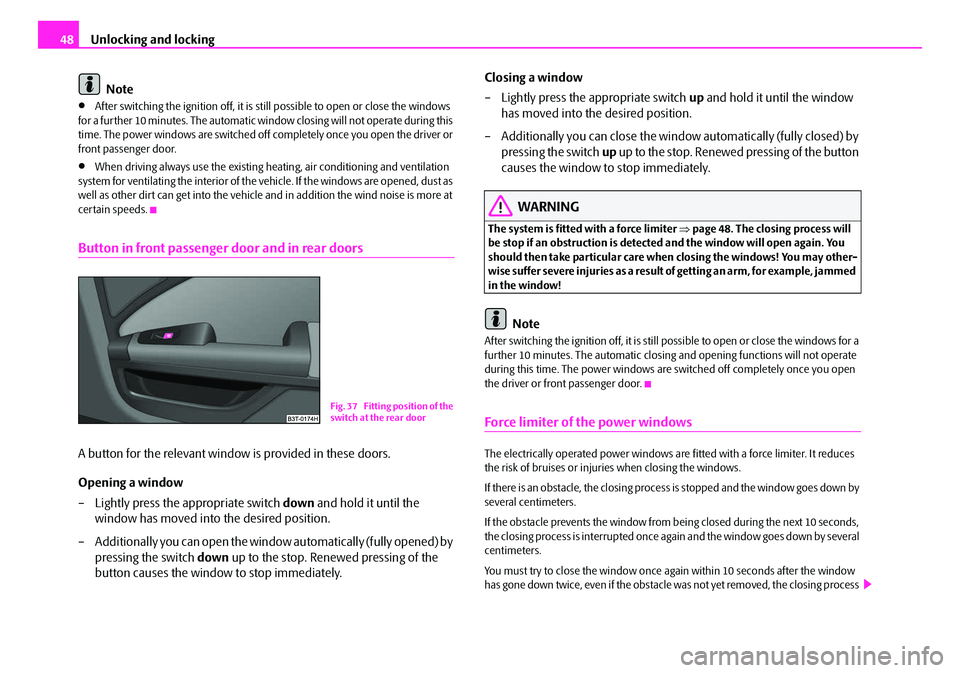
Button in front passenger door and in rear doors
A button for the relevant window is provided in these doors.
Opening a window
– Lightly press the appropriate switch down and hold it until the
window has moved into the desired position.
– Additionally you can open the window automatically (fully opened) by pressing the switch down up to the stop. Renewed pressing of the
button causes the window to stop immediately. Closing a window
– Lightly press the appropriate switch
up and hold it until the window
has moved into the desired position.
– Additionally you can close the window automatically (fully closed) by pressing the switch up up to the stop. Renewed pressing of the button
causes the window to stop immediately.
WARNING
The system is fitted with a force limiter ⇒page 48. The closin g process will
be stop if an obstruction is detected and the window will open again. You
should then take particular care when closing the windows! You may other-
wise suffer severe injuries as a result of getting an arm, for example, jammed
in the window!
Note
After switching the ignition off, it is still possible to open or close the windows for a
further 10 minutes. The automatic closing and opening functions will not operate
during this time. The power windows are switched off completely once you open
the driver or front passenger door.
Force limiter of the power windows
The electrically operated power windows are fitted with a force limiter. It reduces
the risk of bruises or injuri es when closing the windows.
If there is an obstacle, the closing process is stopped and the window goes down by
several centimeters.
If the obstacle prevents the window from being closed during the next 10 seconds,
the closing process is interrupted once again and the window goes down by several
centimeters.
You must try to close the window once ag ain within 10 seconds after the window
has gone down twice, even if the obstacle was not yet removed, the closing process
Fig. 37 Fitting position of the
switch at the rear door
NKO B6 20.book Page 48 Wednesday, March 26, 2008 3:15 PM
Page 50 of 272

Unlocking and locking49
Using the systemSafetyDriving TipsGeneral MaintenanceBreakdown assistanceTechnical Data
is stopped. During this time it is not possible to automatically close the window. The
force limiter is still switched on.
The force limiter is only switched off, if you attempt to close the window within the
next 10 seconds -
the window closes now with full strength!
If you wait longer than 10 seconds, the force limiter is switched on again.
WARNING
You should take particular care when closing the windows! You may other-
wi se s uffe r s e ve re i njur ie s a s a re sul t of getting an arm, for example, jammed
in the window!
Window convenience operation
You can open and close the electrically powered windows as follows when
unlocking and locking the vehicle (j ust closing of the sliding roof).
Opening a window
•by holding the pressed unlock button on the remote control,
•by holding the pressed top part of the button for the central locking system in
the driver door,
•by holding the key in the driver's lock in the unlock position ⇒page 40, “Emer-
gency unlocking and lockin g of the driver's door”.
Closing a window
•by holding the pressed lock button on the remote control,
•by holding the pressed bottom part of th e button for the central locking system
in the driver door,
•by holding the key in the driver's lock in the lock position ⇒page 40.
You can interrupt the opening or closing operation of the windows immediately by
releasing the key or the closing button.
WARNING
The system is fitted with a force limiter ⇒page 48. The closing process will
be stop if an obstruction is detected and the window will open again. You
should then take particular care when closing the windows! You may other-
wis e suf fe r se v e re inj uri es a s a re s ult of g e tt ing a n ar m , for e xa m ple , ja m m e d
in the window!
Note
•The convenience opening of the windows with the aid of the key in the driver's
lock is only possible 45 seconds after deactivating or activating the alarm system.
Operational faults
Electrically operated power windows do not operate
If the battery has been disconnected and then reconnected while the window was
opened, the electrically operated power windows do not operate. The system must
be activated. Proceed as follows in order to re-establish the function:
•you can close the window by pull ing the switch on the top edge.
•release the switch
•you must pull the switch again for approx. 3 seconds
Operation in winter
Ice accumulating on the surface of the wi ndows during the winter may result in a
greater resistance when closing the windows and the window may stop and move
back several centimetres
Proceed as follows to close the window fully:
•Turn the key in the lock of the driver d oor into the closing position and hold it
there until all of the windows are closed.
•If the window closing is interrupted, it is necessary to put the force limiter out of
operation ⇒page 48.
NKO B6 20.book Page 49 Wednesday, March 26, 2008 3:15 PM
Page 51 of 272

Unlocking and locking
50
WARNING
The system is fitted with a force limiter ⇒page 48. The closing process will
be stop if an obstruction is detected and the window will open again. You
should then take particular care when closing the windows! You may other-
wis e su ffe r s ev e re inj uri e s a s a re sul t o f g e t tin g an a rm , fo r e xa m pl e, j am m e d
in the window!
Electric sliding/tilting roof*
Description
The sliding/tilting roof is operated by means of the control dial ⇒fig. 38 and only
functions when the ignition is switched on . The control dial has a number of fixed
positions.
After switching the ignition off, it is still possible to open or close the sliding/tilting
roof for a further 10 minutes. It is no long er possible to operate the sliding/tilting
roof after opening or closing one of the front doors, however.
Note
•If the battery has been disconnected and reconnected, it is possible that the
sliding/tilting roof does not close fully. Here you have to set the control dial to the
switch position and press it forward for about 10 seconds.
•It is necessary after each emergency oper ation (using crank handle) to move the
sliding/tilting roof into the basic position. Here you have to set the control dial to
the switch position and press it forward for about 10 seconds.
Opening and tilting
Comfort position
– Turn the switch to position ⇒fig. 38 .
Opening roof fully
– Turn the switch to position and hold it in this position (spring- tensioned position).
Tilting roof
– Turn the switch to position .
The wind noise in the comfort position is less than when the roof is fully opened.
The sun screen is also opened automatically when the roof slides open.
Caution
It may be necessary during winter to remove any ice and snow in the area of the
sliding/tilting roof before opening it in order to prevent damaging the opening
mechanism.
Fig. 38 Control dial for the
power sliding/tilting roof
AA
AA
AC
AB
AD
NKO B6 20.book Page 50 Wednesday, March 26, 2008 3:15 PM
Page 52 of 272

Unlocking and locking51
Using the systemSafetyDriving TipsGeneral MaintenanceBreakdown assistanceTechnical Data
Closing
Sliding closed/closing the sliding/tilting roof
– Turn the switch to position ⇒page 50, fig. 38 .
Safety closing
The sliding/tilting roof is equipped with an overload protection system. If an
obstacle (e.g. ice) prevents closing, the sliding/tilting roof stops and opens
completely. You can close the sliding/tilting roof completely without overload
protection by pressing the switch to the position ⇒page 50, fig. 38 at the front
for as long as it takes for the sliding/tilting roof to shut completely ⇒.
WARNING
Close the sliding/tilting roof carefully - risk of injury!
Convenience operation
You can also close an open sliding/tilting roof from the outside.
– Keep pressed the lock button on th e remote control or hold down the
key in the driver's door in the lock position until the sliding/tilting roof
is closed ⇒.
The closing process stops when one releases the key or the closing button.
WARNING
Close the sliding/tilting roof carefully - risk of injury! The overload protec-
tion system does not function with the convenience closing.
Emergency operation
You can close and/or open the sliding/tilting roof by hand if the system is
defect.
– Position the flat blade of a screwdriver carefully against the rear edge
of the cover of th e electrical drive ⇒fig. 39 .
– Pull the cover down.
– Take the crank out of the holder on the safety cover at the side of the
dash panel. Insert the crank up to the stop into the opening ⇒fig. 40
and close and/or open the sliding/tilting roof ⇒fig. 40 .
AA
AAFig. 39 Detail of the head-
liner: point for positioning
screwdriver
Fig. 40 Detail of the head-
liner: Emergency operation
NKO B6 20.book Page 51 Wednesday, March 26, 2008 3:15 PM
Page 56 of 272
Lights and Visibility55
Using the systemSafetyDriving TipsGeneral MaintenanceBreakdown assistanceTechnical Data
If the vehicle speed is below 65 km/h for at least 2 minutes, the lights are switched
off.
Rain lights
If you move the windshield
wiper lever in the position slow wipe for more than 5
seconds, the side lights and low beam ar e automatically switched on. The light is
switched off when the windsh ield wiper lever is no longer than 4 minutes in the
position for slow or intermittent wipe.
If you switch on the windscreen wipe in the operation rain sensor* for longer than
10 seconds or in the operation permanent wipe (position 2 or 3) ⇒page 65
switching on for longer than 15 seconds, th e side lights and low beam are switched
on automatically. The light switches off if the windscreen wipe is in operation rain
sensor* for more than 4 minutes or is no t switched on in the operation permanent
wipe.
WARNING
The automatic light control only operates as a support. The driver is not
released from his responsibility to inspect the light and if necessary to switch
on the light depending on the light conditions. The light sensor cannot
detect for example rain or snow. For these conditions we recommend to
switch on the low beam
!
Note
•Do not affix any stickers in front of the light sensor, so that you do not impair its
function or put it out of operation.
•The same principles as fo r using the automatic light control also apply to the
light which is switched on manually ⇒page 53.
Coming Home Function
The function makes it possible to switch on the lights in the darkness for
a short time after leaving the vehicle. Switching on Coming Home Function
– The light switch is in the position automatic driving lamp control
and the low beam illuminates.
– Switch off the ignition.
– After opening the driver's door , the function Coming Home is
switched on.
– Close all the doors and the boot lid and lock the vehicle. After a short time, switch all lights off.
Depending on equipment fitted the function Coming Home switches on the
following lights:
•Parking lights,
•Low beam,
•Entry lighting in the exterior mirrors,
•Licence plate light.
Coming Home Function
The lights go out 10 seconds after cl osing all the doors and the boot lid.
If a door or the boot lid remains open, th e lights go out 60 seconds after switching
off the ignition.
On vehicles fitted with automatic driving la mp control you can also switch the light
switch in the position
. The function Coming Home is controlled with the light
sensor in the mount of the interior rear mirror. If the light intensity is higher than the
set value of the light sensor, the Coming Home Function is not switched on after
switching off the ignition.
Note
•If the Coming Home Functi on is switched on constantly, the battery will be
heavily discharged particularly in short-haul traffic.
•The switching on of the described lights should only be undertaken in accord-
ance with the legal requirements.
NKO B6 20.book Page 55 Wednesday, March 26, 2008 3:15 PM
Page 57 of 272

Lights and Visibility
56
•You can change the illumination period for the Coming Home Function by
means of the information display*.
Leaving Home Function
This function makes it possible to switch on the lights when approaching
the vehicle.
Switching on Leaving Home Function
– Unlock the vehicle with the radio remote control - the lights come on.
Depending on equipment fitted the function Leaving Home switches on the
following lights:
•Parking lights,
•Low beam,
•Entry lighting in the exterior mirrors,
•Licence plate light.
Leaving Home Function
The function Leaving Home is controlled wi th the light sensor in the mount of the
interior rear mirror. If the light intensity is higher than the set value of the light
sensor, the Leaving Home Func tion is not switched on after unlocking the vehicle
with the radio remote control.
After unlocking the vehicle with the radio re mote control, the lights come on for 30
seconds. The Leaving Home Function is al so switched off after the ignition is
switched on and after locking the vehicle.
If no door is opened within 30 seconds, the lights go out and the vehicle is locked
automatically.
Note
•If the Leaving Home Function is switched on constantly, the battery will be
heavily discharged particularly in short-haul traffic.
•The switching on of the described lights should only be undertaken in accord-
ance with the legal requirements.
•You can change the illumination period for the Leaving Home Function by
means of the information display*.
Adaptive head lights (AHL)*
Switch on Adaptive headlights (AHL)*
– Turn the light switch ⇒page 54, fig. 42 into position
.
The outer illumination switches on if:
•the light sensor recognizes the low light intensity,
•no reverse gear is engaged,
•the operation “tourist light” is not switched on.
The light sensor switches on the full ou ter illumination at low light intensity,
System AHL* makes it possible to change the length and width of illumination of
the headlight. The length and width of illumination changes automatically in rela-
tion to the vehicle speed and the use of the windscreen wiper.
System AHL* operates in the following modes.
Mode out of town
The mode “out of town” is a basic mode. The dispersion of the cone of light in front
of the vehicle is similar to the low beam. Th e mode is active if none of the following
modes are active.
Mode rain
In the mode “rain” the dispersion of the cone of light in front of the vehicle is wider
and the width of illumination is shorter, so that during bad weather (rain) the
dazzling of the oncoming drivers can be re duced. The mode is activated at speeds
of 15 - 70 km/h and if the windscreen wi pers continuously operate for a period of
time longer than 2 minutes. The mode is deactivated when dropping below or
exceeding the set speed limit or if the windscreen wipers have been switched off for
a period of time longer than 8 minutes.
NKO B6 20.book Page 56 Wednesday, March 26, 2008 3:15 PM