change wheel SKODA SUPERB 2008 2.G / (B6/3T) Owner's Manual
[x] Cancel search | Manufacturer: SKODA, Model Year: 2008, Model line: SUPERB, Model: SKODA SUPERB 2008 2.G / (B6/3T)Pages: 272, PDF Size: 18.25 MB
Page 4 of 272
Contents3
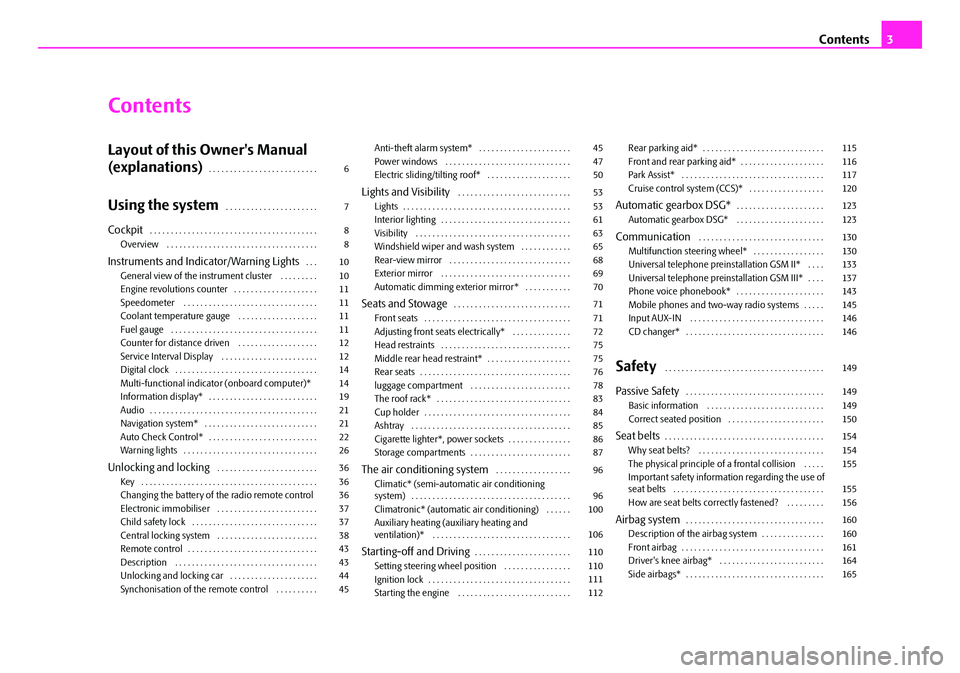
Contents
Layout of this Owner's Manual
(explanations)
. . . . . . . . . . . . . . . . . . . . . . . . . .
Using the system. . . . . . . . . . . . . . . . . . . . . .
Cockpit. . . . . . . . . . . . . . . . . . . . . . . . . . . . . . . . . . . . . . . .
Overview . . . . . . . . . . . . . . . . . . . . . . . . . . . . . . . . . . . .
Instruments and Indicator/Warning Lights. . .
General view of the instrument cluster . . . . . . . . .
Engine revolutions counter . . . . . . . . . . . . . . . . . . . .
Speedometer . . . . . . . . . . . . . . . . . . . . . . . . . . . . . . . .
Coolant temperature gauge . . . . . . . . . . . . . . . . . . .
Fuel gauge . . . . . . . . . . . . . . . . . . . . . . . . . . . . . . . . . . .
Counter for distance driven . . . . . . . . . . . . . . . . . . .
Service Interval Display . . . . . . . . . . . . . . . . . . . . . . .
Digital clock . . . . . . . . . . . . . . . . . . . . . . . . . . . . . . . . . .
Multi-functional indicato r (onboard computer)*
Information display* . . . . . . . . . . . . . . . . . . . . . . . . . .
Audio . . . . . . . . . . . . . . . . . . . . . . . . . . . . . . . . . . . . . . . .
Navigation system* . . . . . . . . . . . . . . . . . . . . . . . . . . .
Auto Check Control* . . . . . . . . . . . . . . . . . . . . . . . . . .
Warning lights . . . . . . . . . . . . . . . . . . . . . . . . . . . . . . . .
Unlocking and locking . . . . . . . . . . . . . . . . . . . . . . . .
Key . . . . . . . . . . . . . . . . . . . . . . . . . . . . . . . . . . . . . . . . . .
Changing the battery of the radio remote control
Electronic immobiliser . . . . . . . . . . . . . . . . . . . . . . . .
Child safety lock . . . . . . . . . . . . . . . . . . . . . . . . . . . . . .
Central locking system . . . . . . . . . . . . . . . . . . . . . . . .
Remote control . . . . . . . . . . . . . . . . . . . . . . . . . . . . . . .
Description . . . . . . . . . . . . . . . . . . . . . . . . . . . . . . . . . .
Unlocking and locking car . . . . . . . . . . . . . . . . . . . . .
Synchonisation of the remote control . . . . . . . . . . Anti-theft alarm system* . . . . . . . . . . . . . . . . . . . . . .
Power windows . . . . . . . . . . . . . . . . . . . . . . . . . . . . . .
Electric sliding/tilting roof* . . . . . . . . . . . . . . . . . . . .
Lights and Visibility . . . . . . . . . . . . . . . . . . . . . . . . . . .
Lights . . . . . . . . . . . . . . . . . . . . . . . . . . . . . . . . . . . . . . . .
Interior lighting . . . . . . . . . . . . . . . . . . . . . . . . . . . . . . .
Visibility . . . . . . . . . . . . . . . . . . . . . . . . . . . . . . . . . . . . .
Windshield wiper and wash system . . . . . . . . . . . .
Rear-view mirror . . . . . . . . . . . . . . . . . . . . . . . . . . . . .
Exterior mirror . . . . . . . . . . . . . . . . . . . . . . . . . . . . . . .
Automatic dimming exterior mirror* . . . . . . . . . . .
Seats and Stowage. . . . . . . . . . . . . . . . . . . . . . . . . . . .
Front seats . . . . . . . . . . . . . . . . . . . . . . . . . . . . . . . . . . .
Adjusting front seats electrically* . . . . . . . . . . . . . .
Head restraints . . . . . . . . . . . . . . . . . . . . . . . . . . . . . . .
Middle rear head restraint* . . . . . . . . . . . . . . . . . . . .
Rear seats . . . . . . . . . . . . . . . . . . . . . . . . . . . . . . . . . . . .
luggage compartment . . . . . . . . . . . . . . . . . . . . . . . .
The roof rack* . . . . . . . . . . . . . . . . . . . . . . . . . . . . . . . .
Cup holder . . . . . . . . . . . . . . . . . . . . . . . . . . . . . . . . . . .
Ashtray . . . . . . . . . . . . . . . . . . . . . . . . . . . . . . . . . . . . . .
Cigarette lighter*, power sockets . . . . . . . . . . . . . . .
Storage compartments . . . . . . . . . . . . . . . . . . . . . . . .
The air conditioning system . . . . . . . . . . . . . . . . . .
Climatic* (semi-automat ic air conditioning
system) . . . . . . . . . . . . . . . . . . . . . . . . . . . . . . . . . . . . . .
Climatronic* (automatic air conditioning) . . . . . .
Auxiliary heating (auxiliary heating and
ventilation)* . . . . . . . . . . . . . . . . . . . . . . . . . . . . . . . . .
Starting-off and Driving. . . . . . . . . . . . . . . . . . . . . . .
Setting steering wheel position . . . . . . . . . . . . . . . .
Ignition lock . . . . . . . . . . . . . . . . . . . . . . . . . . . . . . . . . .
Starting the engine . . . . . . . . . . . . . . . . . . . . . . . . . . . Rear parking aid* . . . . . . . . . . . . . . . . . . . . . . . . . . . . .
Front and rear parking aid* . . . . . . . . . . . . . . . . . . . .
Park Assist* . . . . . . . . . . . . . . . . . . . . . . . . . . . . . . . . . .
Cruise control system (CCS)* . . . . . . . . . . . . . . . . . .
Automatic gearbox DSG*. . . . . . . . . . . . . . . . . . . . .
Automatic gearbox DSG* . . . . . . . . . . . . . . . . . . . . .
Communication . . . . . . . . . . . . . . . . . . . . . . . . . . . . . .
Multifunction steering wheel* . . . . . . . . . . . . . . . . .
Universal telephone preinstallation GSM II* . . . .
Universal telephone preinstallation GSM III* . . . .
Phone voice phonebook* . . . . . . . . . . . . . . . . . . . . .
Mobile phones and two-way radio systems . . . . .
Input AUX-IN . . . . . . . . . . . . . . . . . . . . . . . . . . . . . . . .
CD changer* . . . . . . . . . . . . . . . . . . . . . . . . . . . . . . . . .
Safety . . . . . . . . . . . . . . . . . . . . . . . . . . . . . . . . . . . . . .
Passive Safety . . . . . . . . . . . . . . . . . . . . . . . . . . . . . . . . .
Basic information . . . . . . . . . . . . . . . . . . . . . . . . . . . .
Correct seated position . . . . . . . . . . . . . . . . . . . . . . .
Seat belts. . . . . . . . . . . . . . . . . . . . . . . . . . . . . . . . . . . . . .
Why seat belts? . . . . . . . . . . . . . . . . . . . . . . . . . . . . . .
The physical principle of a frontal collision . . . . .
Important safety information regarding the use of
seat belts . . . . . . . . . . . . . . . . . . . . . . . . . . . . . . . . . . . .
How are seat belts correctly fastened? . . . . . . . . .
Airbag system. . . . . . . . . . . . . . . . . . . . . . . . . . . . . . . . .
Description of the airbag system . . . . . . . . . . . . . . .
Front airbag . . . . . . . . . . . . . . . . . . . . . . . . . . . . . . . . . .
Driver's knee airbag* . . . . . . . . . . . . . . . . . . . . . . . . .
Side airbags* . . . . . . . . . . . . . . . . . . . . . . . . . . . . . . . . .
6
7
8
8
10
10
11
11
11
11
12
12
14
14
19
21
21
22
26
36
36
36
37
37
38
43
43
44
45 45
47
50
53
53
61
63
65
68
69
70
71
71
72
75
75
76
78
83
84
85
86
87
96
96
100
106
110
110
111
112 115
116
117
120
123
123
130
130
133
137
143
145
146
146
149
149
149
150
154
154
155
155
156
160
160
161
164
165
NKO B6 20.book Page 3 Wednesday, March 26, 2008 3:15 PM
Page 5 of 272
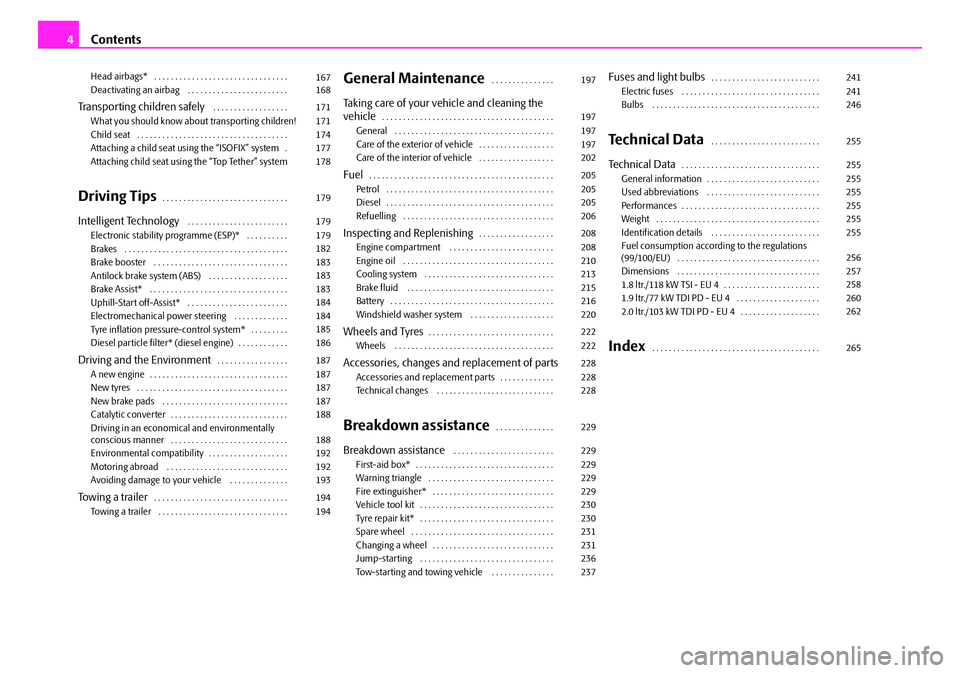
Contents
4
Head airbags* . . . . . . . . . . . . . . . . . . . . . . . . . . . . . . . .
Deactivating an airbag . . . . . . . . . . . . . . . . . . . . . . . .
Transporting children safely . . . . . . . . . . . . . . . . . .
What you should know about transporting children!
Child seat . . . . . . . . . . . . . . . . . . . . . . . . . . . . . . . . . . . .
Attaching a child seat using the “ISOFIX” system .
Attaching child seat using the “Top Tether” system
Driving Tips. . . . . . . . . . . . . . . . . . . . . . . . . . . . . .
Intelligent Technology . . . . . . . . . . . . . . . . . . . . . . . .
Electronic stability programme (ESP)* . . . . . . . . . .
Brakes . . . . . . . . . . . . . . . . . . . . . . . . . . . . . . . . . . . . . . .
Brake booster . . . . . . . . . . . . . . . . . . . . . . . . . . . . . . . .
Antilock brake system (ABS) . . . . . . . . . . . . . . . . . . .
Brake Assist* . . . . . . . . . . . . . . . . . . . . . . . . . . . . . . . . .
Uphill-Start off-Assist* . . . . . . . . . . . . . . . . . . . . . . . .
Electromechanical power steering . . . . . . . . . . . . .
Tyre inflation pressure-control system* . . . . . . . . .
Diesel particle filter* (diesel engine) . . . . . . . . . . . .
Driving and the Environment. . . . . . . . . . . . . . . . .
A new engine . . . . . . . . . . . . . . . . . . . . . . . . . . . . . . . . .
New tyres . . . . . . . . . . . . . . . . . . . . . . . . . . . . . . . . . . . .
New brake pads . . . . . . . . . . . . . . . . . . . . . . . . . . . . . .
Catalytic converter . . . . . . . . . . . . . . . . . . . . . . . . . . . .
Driving in an economical and environmentally
conscious manner . . . . . . . . . . . . . . . . . . . . . . . . . . . .
Environmental compatibility . . . . . . . . . . . . . . . . . . .
Motoring abroad . . . . . . . . . . . . . . . . . . . . . . . . . . . . .
Avoiding damage to your vehicle . . . . . . . . . . . . . .
To w i n g a t r a i l e r. . . . . . . . . . . . . . . . . . . . . . . . . . . . . . . .
Towing a trailer . . . . . . . . . . . . . . . . . . . . . . . . . . . . . . .
General Maintenance. . . . . . . . . . . . . . .
Taking care of your vehicle and cleaning the
vehicle. . . . . . . . . . . . . . . . . . . . . . . . . . . . . . . . . . . . . . . . .
General . . . . . . . . . . . . . . . . . . . . . . . . . . . . . . . . . . . . . .
Care of the exterior of vehicle . . . . . . . . . . . . . . . . . .
Care of the interior of vehicle . . . . . . . . . . . . . . . . . .
Fuel. . . . . . . . . . . . . . . . . . . . . . . . . . . . . . . . . . . . . . . . . . . .
Petrol . . . . . . . . . . . . . . . . . . . . . . . . . . . . . . . . . . . . . . . .
Diesel . . . . . . . . . . . . . . . . . . . . . . . . . . . . . . . . . . . . . . . .
Refuelling . . . . . . . . . . . . . . . . . . . . . . . . . . . . . . . . . . . .
Inspecting and Replenishing. . . . . . . . . . . . . . . . . .
Engine compartment . . . . . . . . . . . . . . . . . . . . . . . . .
Engine oil . . . . . . . . . . . . . . . . . . . . . . . . . . . . . . . . . . . .
Cooling system . . . . . . . . . . . . . . . . . . . . . . . . . . . . . . .
Brake fluid . . . . . . . . . . . . . . . . . . . . . . . . . . . . . . . . . . .
Battery . . . . . . . . . . . . . . . . . . . . . . . . . . . . . . . . . . . . . . .
Windshield washer system . . . . . . . . . . . . . . . . . . . .
Wheels and Tyres. . . . . . . . . . . . . . . . . . . . . . . . . . . . . .
Wheels . . . . . . . . . . . . . . . . . . . . . . . . . . . . . . . . . . . . . .
Accessories, changes and replacement of partsAccessories and replacement parts . . . . . . . . . . . . .
Technical changes . . . . . . . . . . . . . . . . . . . . . . . . . . . .
Breakdown assistance. . . . . . . . . . . . . .
Breakdown assistance . . . . . . . . . . . . . . . . . . . . . . . .
First-aid box* . . . . . . . . . . . . . . . . . . . . . . . . . . . . . . . . .
Warning triangle . . . . . . . . . . . . . . . . . . . . . . . . . . . . . .
Fire extinguisher* . . . . . . . . . . . . . . . . . . . . . . . . . . . . .
Vehicle tool kit . . . . . . . . . . . . . . . . . . . . . . . . . . . . . . . .
Tyre repair kit* . . . . . . . . . . . . . . . . . . . . . . . . . . . . . . . .
Spare wheel . . . . . . . . . . . . . . . . . . . . . . . . . . . . . . . . . .
Changing a wheel . . . . . . . . . . . . . . . . . . . . . . . . . . . . .
Jump-starting . . . . . . . . . . . . . . . . . . . . . . . . . . . . . . . .
Tow-starting and towing vehicle . . . . . . . . . . . . . . .
Fuses and light bulbs. . . . . . . . . . . . . . . . . . . . . . . . . .
Electric fuses . . . . . . . . . . . . . . . . . . . . . . . . . . . . . . . . .
Bulbs . . . . . . . . . . . . . . . . . . . . . . . . . . . . . . . . . . . . . . . .
Technical Data . . . . . . . . . . . . . . . . . . . . . . . . . .
Technical Data. . . . . . . . . . . . . . . . . . . . . . . . . . . . . . . . .
General information . . . . . . . . . . . . . . . . . . . . . . . . . . .
Used abbreviations . . . . . . . . . . . . . . . . . . . . . . . . . . .
Performances . . . . . . . . . . . . . . . . . . . . . . . . . . . . . . . . .
Weight . . . . . . . . . . . . . . . . . . . . . . . . . . . . . . . . . . . . . . .
Identification details . . . . . . . . . . . . . . . . . . . . . . . . . .
Fuel consumption according to the regulations
(99/100/EU) . . . . . . . . . . . . . . . . . . . . . . . . . . . . . . . . . .
Dimensions . . . . . . . . . . . . . . . . . . . . . . . . . . . . . . . . . .
1.8 ltr./118 kW TSI - EU 4 . . . . . . . . . . . . . . . . . . . . . . .
1.9 ltr./77 kW TDI PD - EU 4 . . . . . . . . . . . . . . . . . . . .
2.0 ltr./103 kW TDI PD - EU 4 . . . . . . . . . . . . . . . . . . .
Index . . . . . . . . . . . . . . . . . . . . . . . . . . . . . . . . . . . . . . . .
167
168
171
171
174
177
178
179
179
179
182
183
183
183
184
184
185
186
187
187
187
187
188
188
192
192
193
194
194 197
197
197
197
202
205
205
205
206
208
208
210
213
215
216
220
222
222
228
228
228
229
229
229
229
229
230
230
231
231
236
237241
241
246
255
255
255
255
255
255
255
256
257
258
260
262
265
NKO B6 20.book Page 4 Wednesday, March 26, 2008 3:15 PM
Page 67 of 272

Lights and Visibility
66
Fast wipe
– Position the lever up into position .
Automatic wipe/wash for windscreen
– Pull the lever towards the steering wheel into sprung position , the wash system sprays immediately, the windscreen wiper starts wiping
a little later. The wash system and the windscreen wiper operate
simultaneously at a speed of more than 120 km/h.
– Release the lever. The windscreen wash system stops and the wiper continues for another 3 - 4 wiper stro kes (depending on the period of
spraying of the windscreen). At a speed of more than 2 km/h, the wiper
wipes once again* 5 seconds after the last wiper stroke in order to
wipe the last drops from the windsc reen. This function can be acti-
vated/deactivated by a specialist garage.
Rain sensor*
– Move the lever into position .
– You can set the sensitivity of the sensor individually with switch .
Switching windscreen wipers off
– Move the lever back into its home position .
After the windscreen wiper switches off each time or the ignition switches off for
the third time, the position of the windscreen wiper changes, this counteracts an
early fatigue of the wiper rubbers.
The windscreen wipers and the wash system only operate if the ignition is switched
on and the bonnet is closed.
If the intermittent wipe is switched on, the intervals are also controlled depending
on speed.
The rain sensor* automatically regulates the break between the individual wiper
strokes depending on the intensity of the rain.
The windscreen washer nozzles are heated* when the ignition is switched on. Top up with wash liquid
⇒page 220.
Winter position
If the windscreen wipers are in rest posi tion, they cannot be folded out from the
windscreen. For this reason we recommend adjusting the windscreen wipers in
winter so that they can be folded out fr om the windscreen easily. You can set this
rest position as follows:
•Switch on the windscreen wipers.
•Switch off the ignition. The windscreen wipers remain in the position in which
they were when switching off the ignition.
You can also use the service position as a winter position.
WARNING
•Properly maintained windscreen wiper blades are essential for clear visi-
bility and safe driving ⇒page 67.
•Do not use the windscreen washer system at low temperatures, without
heating the windscreen beforehand. Otherwise the window cleaner could
freeze on the windscreen and re strict the view to the front.
•The rain sensor only operates as a support. The driver is not released
from the responsibility to set the function of the windscreen wipers manu-
ally depending on the visibility conditions.
Caution
In frosty weather, please first of all check whether the windscreen wiper blades are
not frozen to the windscreen before switching them on. Switching on windscreen
wipers when the blades are frozen to the windscreen may result in damage both to
the blades and the motor of the windscreen wipers!
Note
•If the slower or the faster wiper setting is switched on ⇒page 65, fig. 58
and the vehicle speed decreases to below 4 km/h, the lower wiper step is switched
on automatically. At a speed increase of more than 8 km/h the previous wiper
setting is established again.
A3
A5
A1
AA
A0
A2A3
NKO B6 20.book Page 66 Wednesday, March 26, 2008 3:15 PM
Page 127 of 272

Automatic gearbox DSG*
126
Kickdown function
The kickdown function provides you with maximum acceleration
power.
Depressing the accelerator pedal allows th e kickdown function to be activated in
the desired driving program. This function has precedence over the driving
programme and serves for maximum accelera tion of the vehicle when exploiting
the maximum power potential of the engi ne without taking into account the
current selector lever position ( D, S or Tiptronic ). The gearbox shifts down to one
or several gears in line with the driving state and the vehicle accelerates. The
gearbox does not shift up into the highes t gear until the engine has reached its
maximum revolutions for this gear range.
WARNING
Please note that using the kickdown fu nction can result in the driven wheels
spinning on a smooth or slippery road surface - risk of skidding!
Dynamic shift programme
The automatic gearbox of your vehicle is controlled electronically. Shifting up and
down through the gears is performed auto matically on the basis of pre-defined
driving programmes.
Adopting a moderate style of driving will cause the gearbox to select the most
economical driving programme. Shifting up into a higher gear as soon as possible
and shifting down as late as possible will have a favourable effect on your fuel
consumption.
Adopting a sporty style of driving with rapid movements of the accelerator pedal
combined with sharp acceleration and frequent changes in speed, exploiting the
top speed of the car or depressing the a ccelerator pedal (kickdown function), will
cause the gearbox to switch over to this style of driving and shift down earlier with
frequent changes in gears in comparison to the moderate style of driving.
Selecting the most appropriate driving programme for the particular style of driving
is a continuous process. Irrespective of this it is, however, possible to switch or shift down into a dynamic shift programme by
depressing the accelerator rapidly. The
gearbox shifts down into a lower gear matching the speed of the car and this allows
you to accelerate rapidly (e.g. when overtaking) without having to depress the
accelerator pedal fully into the kickdown range. The original programme will be
reactivated to match your particular style of driving once the gearbox has shifted up
again.
When driving in hilly regions, the gears are selected to match uphill and downhill
sections. This avoids the gearbox frequently shifting up and down when negotiating
an uphill stretch. When driving downhill, it is possible to shift down into the
Tiptronic position, in order to exploit the engine brake torque.
Tiptronic
The Tiptronic allows the driver to also shift gears manually.
Fig. 134 Selector lever:
Manual shifting of gears
NKO B6 20.book Page 126 Wednesday, March 26, 2008 3:15 PM
Page 137 of 272

Communication
136
Universal telephone preinstallation GSM III*
Introduction
This enables you to make full use of the ad vantages of a normal carphone (“hands-
free system” using a microphone integrated in the vehicle, optimal transmission of
signals using an external aerial etc.). The equipment includes also the voice control.
The telephone is connected using the rSAP profile - Remote SIM access profile
(telecommunication of the SIM data) by means of Bluetooth
® technology, if your
telephone supports this profile. The equi pment includes the following functions:
•Display of the SMS text in the information display.
•Free talking in the vehicle interior.
•MUTE signal to the radio.
•Voice control (with the set-up possibility for “short and long dialogue”,
depending on the user's knowledge of the operating structure).
•Convenience mode with the multifunction steering wheel and the display in the
information display.
•Handsfree-system.
The voice control of the telephone is acti vated by pressing the button PTT on the
multifunction steering wheel ⇒page 139, fig. 142 .
A phone phonebook is part of the univers al telephone preinstallation GSM III with
voice control. In the phone phonebook there are 1 000 free memory locations
available. This phone phonebook is inde pendent of the appliance used for the
mobile phone.
Furthermore the volume can be changed indi vidually at any time with the button
for setting the radio or on vehicles fitted with multifunction steering wheel* with
function buttons on the steering wheel.
Dialogue
The period, in which the telephone system is ready to receive voice commands and
carry out the voice commands, is called DIALOGUE. The system gives audible feed-
back and guides you if nece ssary through the relevant functions. You can start or
end the dialogue at any time by pressing the PTT button. The dialogue is always automatically ended after carrying out an operation, e.g.
after erasing the name from the phonebook.
The dialogue of the incoming call is i
mmediately interrupted and you can accept
the call by pressing the button
.
If a voice command is not detected, the system answers with “ Sorry?” and a new
entry can be performed. After the 2nd error the system repeats the aid. After the 3rd
error the answer “ Cancel” is given and the dialogue is ended.
Optimum understanding of the voice commands depends on the following
factors:
•Speak with a normal tone of voice wi thout intonation and excessive voice
pauses.
•Avoid insufficient articulation.
•Close the doors, windows and sliding roof, in order to reduce or stop disturbing
exterior noise.
•It is recommended to speak louder at higher speeds, so that the tone of your
voice is louder than the increased surrounding noise.
•During the dialogue avoid additional nois e in the vehicle, e.g. simultaneously
talking occupants.
•Do not speak, if the system makes an announcement.
•The microphone for voice control is in serted in the moulded headliner and
directed to the driver and front passen ger. Therefore the driver and the front
passenger can operate the equipment.
WARNING
Pay attention primarily to the traffic si tuation! As the driver you are fully
responsible for road safety. Use the telephone system only to such an extent,
so that you are in full control of your vehicle at any time.
Note
•Please contact your Škoda Service Partne r if there are any points which are not
clear.
•Please also refer to the additional instructions ⇒page 145.
NKO B6 20.book Page 136 Wednesday, March 26, 2008 3:15 PM
Page 141 of 272

Communication
140
Operate telephone in the information display*
If you select the menu point Te l e p h o n e in the information display with the aid of
the handwheel , you can select the following menu points:
„Phone book
„Dial number
„Call register
„Voice mailbox
„Messages
„Bluetooth
„Settings
„Back
Phone book
In the menu point Phone book is the list of the loaded contacts from the telephone
memory and the SIM card of the mobile phone. In the phone phonebook there are
1 000 free memory locations available.
Dial number
In the menu point Dial number, you can write any telephone number. Select in
sequence the desired digits with the aid of the handwheel and confirm it by
pressing the handwheel. Yo u can select the numbers 0 - 9, the symbols *, # and the
functions Delete, Call, Cancel . Call register
In the menu point
Call register, you can select the following menu points:
„Missed calls
„Received calls
„Last calls
„Delete lists
Voice mailbox
In the menu point Voice mailbox there is a list of messages from the missed calls.
Messages
In the menu point Messages there is a list of received text messages.
Bluetooth
In the menu Bluetooth you can select the following menu points:
„User - the overview of the stored users
„New user - Search for users who are in the reception range
„Visibility - Switching on the visi bility of the telephone unit for other devices
„Extras
„Headset
„Modem
„Phone name - the possibility to change the name of the telephone unit (pre-
set SKODA-rSAP)
Settings
In the menu Settings you can select the following menu points:
„Phone book
„Update
„Select memory
„SIM & phone (SIM & Mobile phone)
„SIM card
„Mobile phone
Fig. 143 Information
display: Menu telephone
A4
NKO B6 20.book Page 140 Wednesday, March 26, 2008 3:15 PM
Page 162 of 272

Airbag system163
Using the systemSafetyDriving TipsGeneral MaintenanceBreakdown assistanceTechnical Data
Important safety information regarding the front airbag system
Correct use of the airbag system considerably reduces the risk of
injury!
WARNING
•Never transport children on the front seat of a vehicle without using a
proper restraint system. If airbags are deployed in the event of an accident,
the child might suffer severe or even fatal injuries!
•For the driver and front passenger it is important to maintain a distance
of at least 25 cm from the steering wheel or dash panel ⇒fig. 157 . Not main-
taining this minimum distance will mean that the airbag system will not be
able to properly protect you - hazard! The front seats and the head restraints
must always also be correctly adjusted to match the body size of the occu-
pant.
•It is essential to always switch off ⇒page 168, “Deactivating an airbag”
the front passenger airbag when attach ing a child safety seat on the front
passenger seat where the child is seated with its back facing in direction of
travel (in some countries also when the ch ild is facing the direction of travel).
If this is not done, there is a risk of the child suffering severe or even fatal
injuries if the front passenger airbag is deployed. In certain countries
national legal provisions also requir e that the side or head passenger
airbags be deactivated. When transporting a child on the front passenger seat, please comply with the appropriate national regulations regarding the
use of child safety seats.
•There must not by any further persons, animals or objects positioned
between the front seated occupants and the deployment area of the airbag.
•The steering wheel and the surface of the airbag module in the dash
panel on the passenger side must not be stuck onto, covered or modified in
any other way. These parts should only be cleaned with a dry cloth or a cloth
moistened with water. No objects such as cup holders, mobile phone
mounts, etc. may be attached to the covers of the airbag modules or be
located within the immediate area.
•No modifications of any kind may be made to parts of the airbag system.
Any work on the airbag system includ ing installing and removing system
components because of other repair work (e.g. removing the steering
wheel) must only be carried out by a specialist garage.
•Never carry out changes on the front bumper or on the body.
•Never place any objects on the surface of the front passenger airbag in
the dash panel.
Fig. 157 Safe distance to
steering wheel
WARNING (continued)
NKO B6 20.book Page 163 Wednesday, March 26, 2008 3:15 PM
Page 163 of 272

Airbag system
164
Driver's knee airbag*
Description of the driver's knee airbags,
The knee airbag reduces the ri sk of injury to the legs.
The driver's knee airbag is located in th e lower part of the dash panel below the
steering column ⇒page 164, fig. 158 . The installation position is marked with the
“AIRBAG” logo.
The driver's knee airbag is complementary to the three-point seat belt and offers
adequate protection to the knees of the driver. Please note that an airbag can
only offer you optimal protection in combination with a seat belt which is
fastened .
Apart from their normal protective function, a further task of the seat belt is to also
hold the driver in a correct seated position in the event of a frontal collision so as to
enable the knee airbag to offer the maximum protection.
You should therefore always fasten the seat belts, not only because this is required
by law, but also for safety reasons and for your own protection ⇒page 154, “Why
seat belts?”.
Function of the driver's knee airbags
The airbag system is designed in such a way that the driver's knee airbag is
deployed together with the belt tensioner in the event of a frontal collision of major
severity.
If an airbag is deployed, th e airbag is filled with propellant gas. The airbags inflate
in fractions of a second and at a high spee d in order to be able to offer that addi-
tional protection in the event of an accident.
A grey white, non harmful gas is released when airbag is inflated. This is perfectly
normal and is not an indicati on of a fire in the vehicle.
The forward movement of the body is cush ioned when it makes contact with the
fully inflated airbag and the risk of injury to the legs of the driver is thus reduced.
Important safety information on the driver's knee airbag
WARNING
•The surface of the airbag module in the lower part of the dash panel
below the steering column must not be stuck onto, covered or modified in
any other way. These parts should only be cleaned with a dry cloth or a cloth
moistened with water. No objects must be attached to the cover of the
airbag module or be located within the immediate area.
•No modifications of any kind may be made to parts of the airbag system.
Any work on the airbag system including installing and removing system
components because of other repair work (e.g. removing the steering
wheel) must only be carried out by a specialist garage.
•Never carry out changes on the front bumper or on the body.
Fig. 158 Driver's knee airbag
below the steering column
NKO B6 20.book Page 164 Wednesday, March 26, 2008 3:15 PM
Page 179 of 272

Intelligent Technology
180
•when driving with snow chains
•when driving in deep snow or on a loose surface
•when it is necessary to rock a ca r free when it has become stuck.
then you should switch on the ESP again.
WARNING
It is also not possible for the ESP to overcome the physical limits of the
vehicle. Even if a vehicle fitted with ESP you should still always adapt your
style of driving to the condition of the road surface and the traffic situation.
This particularly applies when driving on slippery and wet roads. The
increased safety offered must not tempt you to take greater risks than other-
wise - risk of an accident!
Note
•All four wheels must be fitted with the same tyres in order to achieve problem-
free operation of the ESP. Differing rolling circumferences of the tyres can lead to an
undesirable reduction in the engine output.
•Changes to vehicle (e.g. on engine, on the brakes, on chassis or other assign-
ment of tyres and wheels) can influence the function of the ESP ⇒page 228,
“Accessories, changes and replacement of parts”.
Electronic Differential Lock (EDS)*
The electronic differential lock pr events an individual wheel from
slipping.
Models fitted with ESP are equipped with electronic differential lock (EDL).
General
The EDL makes it much easier, and sometimes at all possible, to start off, accelerate
and climb a steep hill when the conditio ns of the road surface are unfavourable. Operating principle
The EDL is activated automatically, that is without any action on the part of the
driver. It monitors the speeds of the driven wheels with the aid of the ABS sensors.
Should only
one drive wheel begin spinning on a slippery surface there will be an
appreciable difference in the speed of the driven wheels. The EDL function brakes
the slipping wheel and the differential transmits a greater driving force to the other
driven wheel. This control proces s is also accompanied by noises.
Overheating of the brakes
The EDL switches off automatically if unusually severe stresses exist in order to
avoid excessive heat generation in the disc brake on the wheel which is being
braked. The vehicle can continue to be driven and has the same characteristics as a
vehicle not fitted with EDL.
The EDL switches on again automatically as soon as the brake has cooled down.
WARNING
•Depress the accelerator carefully when accelerating on uniformly slip-
pery road surfaces, such as ice and sn ow. The driven wheels might still spin
despite the EDL and affect the stability of the vehicle - risk of an accident!
•You should always adapt your style of driving to the condition of road
surface and to the traffic situation even when your vehicle is fitted with EDL.
The increased safety offered must not tempt you to take greater risks than
otherwise - risk of an accident!
Note
•If the ABS or ESP warning light comes on, this may also indicate a fault in the
EDL. Please have the car inspected as s oon as possible by a specialist garage.
•Changes to vehicle (e.g. on engine, on the brakes, on chassis or other assign-
ment of tyres and wheels) can in fluence the function of the EDL ⇒page 228,
“Accessories, changes and replacement of parts”.
NKO B6 20.book Page 180 Wednesday, March 26, 2008 3:15 PM
Page 180 of 272

Intelligent Technology181
Using the systemSafetyDriving TipsGeneral MaintenanceBreakdown assistanceTechnical Data
Traction control system (TCS)
The traction control system prevents the driven wheels from spinning
when accelerating.
General
The TCS makes it much easier, and sometimes at all possible, to start off, accelerate
and climb a steep hill when the conditio ns of the road surface are unfavourable.
Operating principle
The TCS switches on automatically when th e engine is started and then conducts a
self-test. The system monitors the speeds of the driven wheels with the aid of the
ABS sensors. If the wheels are spinning, the force transmitted to the road surface is
automatically adapted by redu cing the engine speed. This occurs at all speeds.
The TCS operates in combination with the ABS ⇒page 183. The TCS will not func-
tion if a fault exists in the ABS system.
The TCS warning light ⇒page 31 lights up in the instrument cluster when there is a
fault on the TCS.
Switching off
You can switch the TCS off and on again as you wish by pressing the button
⇒ fig. 176 . The TCS warning light ⇒page 31 lights up in the instrument cluster
when the TCS is switched off. The TCS should normally always be switched on. It may be good practice in certain
exceptional cases, such as when you wish
to have wheel slip, to switch off the
system.
Examples:
•when driving with snow chains
•when driving in deep snow or on a loose surface
•when it is necessary to rock a car free when it has become stuck.
then you should switch on the TCS again.
WARNING
You should always adjust your style of driving to the conditions of the road
surface and the traffic situation. The increased safety offered must not tempt
you to take greater risks than otherwise - risk of an accident!
Note
•All four wheels must be fitted with the same tyres in order to achieve problem-
free operation of the TCS. Differing rolling circumferences of the tyres can lead to
an undesirable reduction in the engine output.
•Changes to vehicle (e.g. on engine, on the brakes, on chassis or other assign-
ment of tyres and wheels) can in fluence the function of the TCS ⇒page 228,
“Accessories, changes and replacement of parts”.
Driver-steering recommendation*
The driver-steering recommendation is an additional function of the electronic
stability programme (ESP). This function indicates to the driver in critical situations
by means of slight steering wheel impulses the direction evaluated by the system,
in which the vehicle must be steered, so that it stabilizes. The driver-steering
recommendation is active when braking shar ply on different road surfaces and on
the right and left vehicle side.
Fig. 176 TCS switch
NKO B6 20.book Page 181 Wednesday, March 26, 2008 3:15 PM