light SKODA SUPERB 2009 Owner´s Manual
[x] Cancel search | Manufacturer: SKODA, Model Year: 2009, Model line: SUPERB, Model: SKODA SUPERB 2009Pages: 252, PDF Size: 16.33 MB
Page 43 of 252
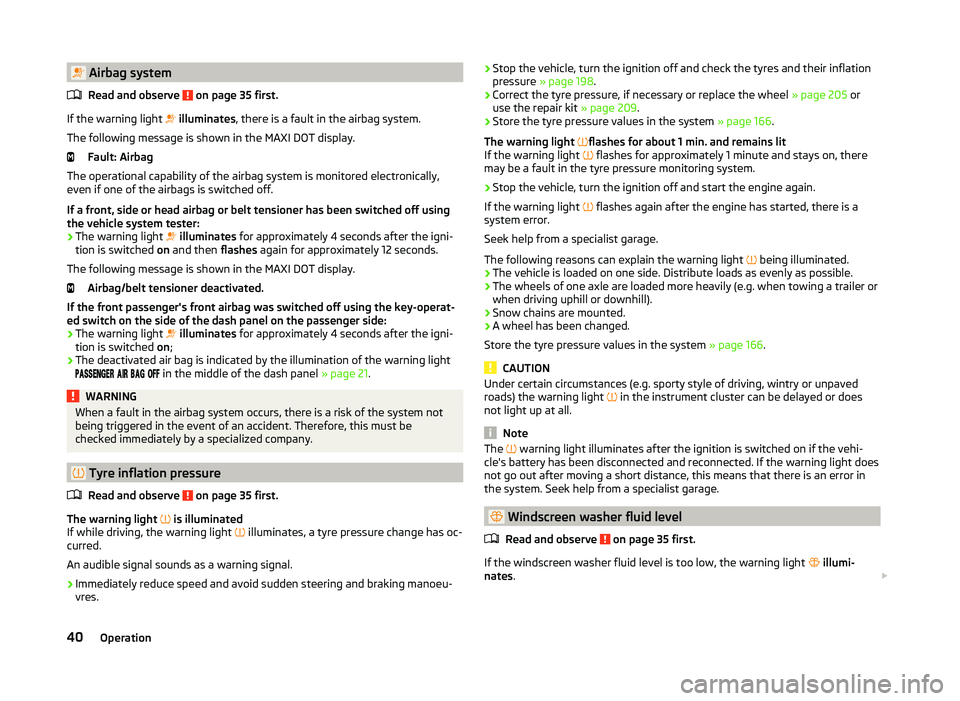
Airbag systemRead and observe
on page 35 first.
If the warning light
illuminates , there is a fault in the airbag system.
The following message is shown in the MAXI DOT display. Fault: Airbag
The operational capability of the airbag system is monitored electronically,
even if one of the airbags is switched off.
If a front, side or head airbag or belt tensioner has been switched off using
the vehicle system tester:
› The warning light
illuminates for approximately 4 seconds after the igni-
tion is switched on and then flashes again for approximately 12 seconds.
The following message is shown in the MAXI DOT display. Airbag/belt tensioner deactivated.
If the front passenger's front airbag was switched off using the key-operat-
ed switch on the side of the dash panel on the passenger side:
› The warning light
illuminates for approximately 4 seconds after the igni-
tion is switched on;
› The deactivated air bag is indicated by the illumination of the warning light
in the middle of the dash panel
» page 21.
WARNINGWhen a fault in the airbag system occurs, there is a risk of the system not
being triggered in the event of an accident. Therefore, this must be
checked immediately by a specialized company.
Tyre inflation pressure
Read and observe
on page 35 first.
The warning light is illuminated
If while driving, the warning light illuminates, a tyre pressure change has oc-
curred.
An audible signal sounds as a warning signal.
›
Immediately reduce speed and avoid sudden steering and braking manoeu-
vres.
› Stop the vehicle, turn the ignition off and check the tyres and their inflation
pressure » page 198 .›
Correct the tyre pressure, if necessary or replace the wheel » page 205 or
use the repair kit » page 209.
›
Store the tyre pressure values in the system » page 166.
The warning light
flashes for about 1 min. and remains lit
If the warning light
flashes for approximately 1 minute and stays on, there
may be a fault in the tyre pressure monitoring system.
›
Stop the vehicle, turn the ignition off and start the engine again.
If the warning light
flashes again after the engine has started, there is a
system error.
Seek help from a specialist garage.
The following reasons can explain the warning light being illuminated.
› The vehicle is loaded on one side. Distribute loads as evenly as possible.
› The wheels of one axle are loaded more heavily (e.g. when towing a trailer or
when driving uphill or downhill).
› Snow chains are mounted.
› A wheel has been changed.
Store the tyre pressure values in the system » page 166.
CAUTION
Under certain circumstances (e.g. sporty style of driving, wintry or unpaved
roads) the warning light in the instrument cluster can be delayed or does
not light up at all.
Note
The warning light illuminates after the ignition is switched on if the vehi-
cle's battery has been disconnected and reconnected. If the warning light does
not go out after moving a short distance, this means that there is an error in
the system. Seek help from a specialist garage.
Windscreen washer fluid level
Read and observe
on page 35 first.
If the windscreen washer fluid level is too low, the warning light
illumi-
nates .
40Operation
Page 44 of 252
The following message is shown in the MAXI DOT display.Top up wash fluid!
Top up with liquid » page 188, Windscreen washer system .
Brake linings
Read and observe
on page 35 first.
If the warning light
is illuminated , the brake pads are worn.
The following message is shown in the MAXI DOT display. Check brake wear!
Seek assistance from a specialist garage immediately.
Turn signal system
Read and observe
on page 35 first.
Either the left or the right
warning light
flashes depending on the position
of the turn signal lever.
If there is a fault in the turn signal system, the warning light flashes at twice
its normal rate.
Switching off the hazard warning light system is switched on will cause all of
the turn signal lights as well as both warning lights to flash.
Low beam
Read and observe
on page 35 first.
The warning light
illuminates when low beam is selected.
Fog lights
Read and observe
on page 35 first.
The warning light
illuminates when the fog lamps are operating.
Cruise control system
Read and observe
on page 35 first.
The warning light
illuminates when the cruise control is active.
Selector lever lock / starter (system KESSY)
Read and observe
on page 35 first.
If the warning light
illuminates , operate the brake pedal. This is necessary
to move the selector lever from position P and N » page 146 or to start the en-
gine in vehicles with the KESSY system » page 142.
Main beam
Read and observe
on page 35 first.
The warning light
illuminates when the main beam or the headlight flasher
is being operated.
41Instruments and Indicator Lights
Page 45 of 252
Information system
Driver information system
Introduction
This chapter contains information on the following subjects:
Using the information system
42
Display a low temperature
43
Gear recommendation
43
Door, boot or engine compartment warning
44
The information system provides the driver with alerts and messages about in-
dividual vehicle systems.
This information and advice is shown in the instrument cluster display or indi-
cated by the illumination of the corresponding warning light in the instrument
cluster.
The information system provides the following information and instructions
(depending on vehicle equipment).
› Data relating to the multi function display (MFD)
» page 44.
› Data relating to the MAXI DOT display
» page 46.
› Service interval display
» page 48.
› Auto Check Control
» page 33.
› Selector lever positions for an automatic transmission
» page 145.
WARNINGConcentrate fully at all times on your driving! As the driver, you are fully re-
sponsible for the operation of your vehicle.Using the information systemFig. 27
Buttons / wheel: on the operating lever / on the multifunction
steering wheel
Read and observe
on page 42 first.
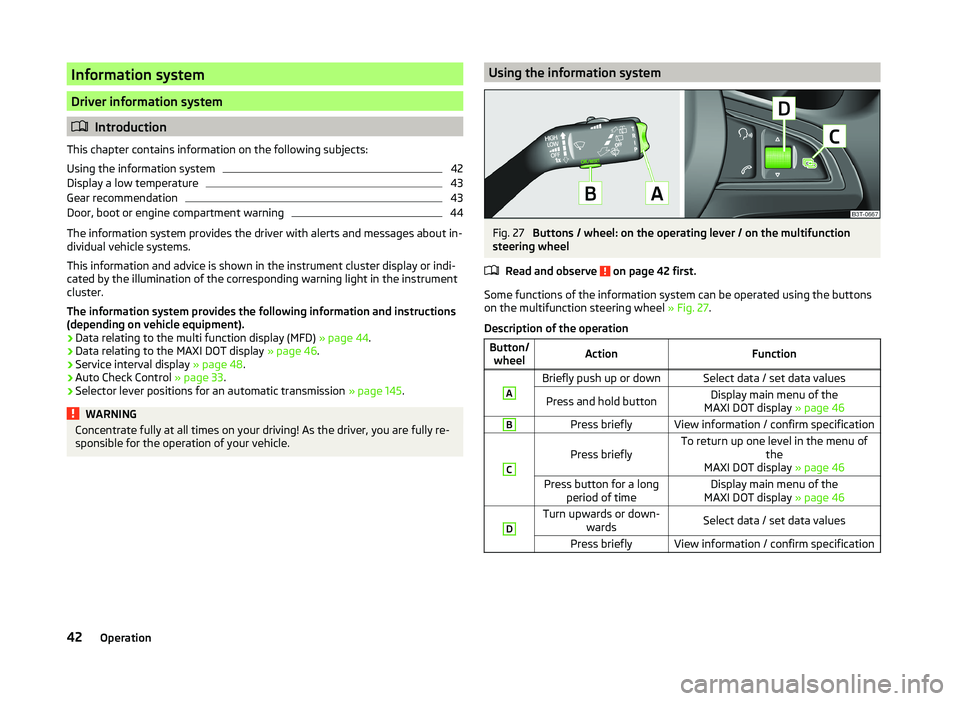
Some functions of the information system can be operated using the buttons
on the multifunction steering wheel » Fig. 27.
Description of the operation
Button/ wheelActionFunctionABriefly push up or downSelect data / set data valuesPress and hold buttonDisplay main menu of the
MAXI DOT display » page 46BPress brieflyView information / confirm specificationC
Press brieflyTo return up one level in the menu of
the
MAXI DOT display » page 46Press button for a long
period of timeDisplay main menu of the
MAXI DOT display » page 46DTurn upwards or down-
wardsSelect data / set data valuesPress brieflyView information / confirm specification42Operation
Page 47 of 252
Door, boot or engine compartment warningRead and observe
on page 42 first.
Vehicles with a MAXI DOT display
If at least one door, the boot or bonnet is open, the display indicates the rele-
vant open door, boot or bonnet vehicle icon.
Vehicles with a segment display
If at least one door or the boot or bonnet is open, the warning lights
or
and
come on in the instrument cluster » page 34, Warning lights .
An acoustic signal will also sound if you drive the vehicle above 6 km/h when a
door is open.
Multifunction display (MFD)
Introduction
This chapter contains information on the following subjects:
Memory
44
Information overview
45
Warning at excessive speeds
46
The driving data is displayed on the multifunction display.
The multifunction display only operates when the ignition is switched on. After the ignition is switched on, the function that was last selected before switch-
ing off the ignition is displayed.
For vehicles with a MAXI DOT display, the menu item MFD must be selected
and confirmed in the main menu » page 46, MAXI DOT display .
On vehicles with a MAXI DOT display, there is an option to fade out some of
the information » page 47, Settings .
WARNING■
Concentrate fully at all times on your driving! As the driver, you are fully
responsible for the operation of your vehicle.■
Even at temperatures of around +4 °C, there may still be black ice on the
road surface. You should therefore not rely solely on the outside tempera-
ture display for accurate information as to whether there is ice on the road.
Note■ In certain national versions the displays appear in the Imperial system of
measures.■
If the display of the second speed is activated in mph, the current speed is
not indicated in km/h on the display.
■
The amount of fuel consumed will not be indicated.
Memory
Fig. 29
Multi function display - memory display
Read and observe on page 44 first.
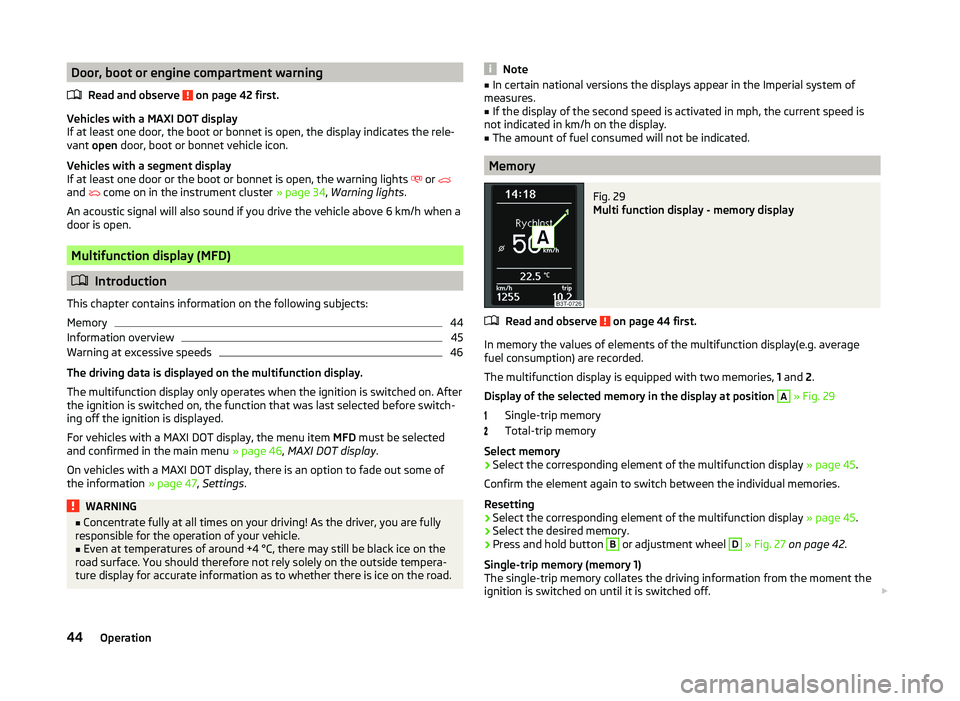
In memory the values of elements of the multifunction display(e.g. average
fuel consumption) are recorded.
The multifunction display is equipped with two memories, 1 and 2.
Display of the selected memory in the display at position
A
» Fig. 29
Single-trip memory
Total-trip memory
Select memory
›
Select the corresponding element of the multifunction display » page 45.
Confirm the element again to switch between the individual memories.
Resetting
›
Select the corresponding element of the multifunction display » page 45.
›
Select the desired memory.
›
Press and hold button
B
or adjustment wheel
D
» Fig. 27 on page 42 .
Single-trip memory (memory 1)
The single-trip memory collates the driving information from the moment the
ignition is switched on until it is switched off.
44Operation
Page 51 of 252
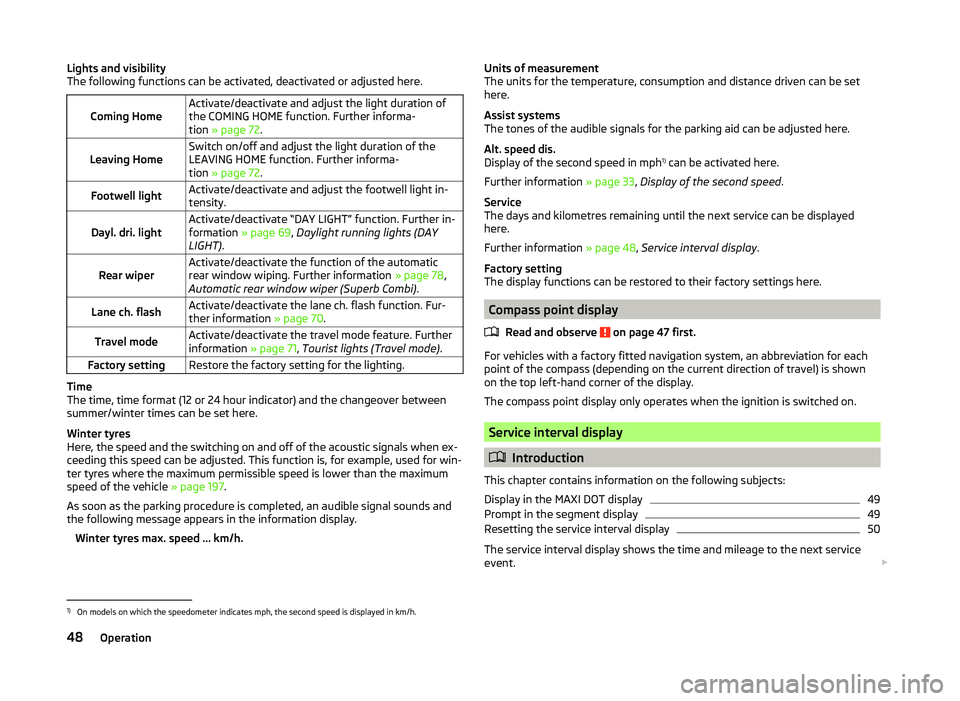
Lights and visibility
The following functions can be activated, deactivated or adjusted here.
Coming HomeActivate/deactivate and adjust the light duration of
the COMING HOME function. Further informa-
tion » page 72 .Leaving HomeSwitch on/off and adjust the light duration of the
LEAVING HOME function. Further informa-
tion » page 72 .Footwell lightActivate/deactivate and adjust the footwell light in-
tensity.Dayl. dri. lightActivate/deactivate “DAY LIGHT” function. Further in-
formation » page 69, Daylight running lights (DAY
LIGHT) .Rear wiperActivate/deactivate the function of the automatic
rear window wiping. Further information » page 78,
Automatic rear window wiper (Superb Combi) .Lane ch. flashActivate/deactivate the lane ch. flash function. Fur-
ther information » page 70.Travel modeActivate/deactivate the travel mode feature. Further
information » page 71, Tourist lights (Travel mode) .Factory settingRestore the factory setting for the lighting.
Time
The time, time format (12 or 24 hour indicator) and the changeover between
summer/winter times can be set here.
Winter tyres
Here, the speed and the switching on and off of the acoustic signals when ex-
ceeding this speed can be adjusted. This function is, for example, used for win-
ter tyres where the maximum permissible speed is lower than the maximum
speed of the vehicle » page 197.
As soon as the parking procedure is completed, an audible signal sounds and
the following message appears in the information display.
Winter tyres max. speed ... km/h.
Units of measurement
The units for the temperature, consumption and distance driven can be set
here.
Assist systems
The tones of the audible signals for the parking aid can be adjusted here.
Alt. speed dis.
Display of the second speed in mph 1)
can be activated here.
Further information » page 33, Display of the second speed .
Service
The days and kilometres remaining until the next service can be displayed
here.
Further information » page 48, Service interval display .
Factory setting
The display functions can be restored to their factory settings here.
Compass point display
Read and observe
on page 47 first.
For vehicles with a factory fitted navigation system, an abbreviation for each
point of the compass (depending on the current direction of travel) is shown
on the top left-hand corner of the display.
The compass point display only operates when the ignition is switched on.
Service interval display
Introduction
This chapter contains information on the following subjects:
Display in the MAXI DOT display
49
Prompt in the segment display
49
Resetting the service interval display
50
The service interval display shows the time and mileage to the next service
event.
1)
On models on which the speedometer indicates mph, the second speed is displayed in km/h.
48Operation
Page 53 of 252
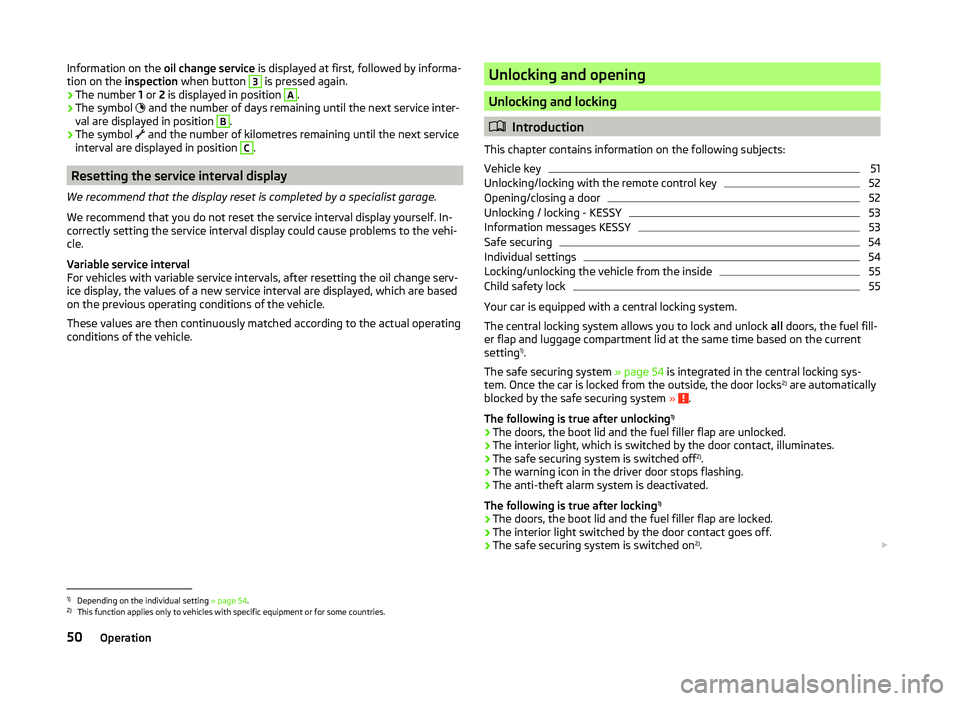
Information on the oil change service is displayed at first, followed by informa-
tion on the inspection when button 3 is pressed again.
› The number
1 or 2 is displayed in position A
.
› The symbol
and the number of days remaining until the next service inter-
val are displayed in position
B
.
› The symbol
and the number of kilometres remaining until the next service
interval are displayed in position
C
.
Resetting the service interval display
We recommend that the display reset is completed by a specialist garage.
We recommend that you do not reset the service interval display yourself. In-
correctly setting the service interval display could cause problems to the vehi-
cle.
Variable service interval
For vehicles with variable service intervals, after resetting the oil change serv-
ice display, the values of a new service interval are displayed, which are based
on the previous operating conditions of the vehicle.
These values are then continuously matched according to the actual operating
conditions of the vehicle.
Unlocking and opening
Unlocking and locking
Introduction
This chapter contains information on the following subjects:
Vehicle key
51
Unlocking/locking with the remote control key
52
Opening/closing a door
52
Unlocking / locking - KESSY
53
Information messages KESSY
53
Safe securing
54
Individual settings
54
Locking/unlocking the vehicle from the inside
55
Child safety lock
55
Your car is equipped with a central locking system.
The central locking system allows you to lock and unlock all doors, the fuel fill-
er flap and luggage compartment lid at the same time based on the current
setting 1)
.
The safe securing system » page 54 is integrated in the central locking sys-
tem. Once the car is locked from the outside, the door locks 2)
are automatically
blocked by the safe securing system »
.
The following is true after unlocking 1)
› The doors, the boot lid and the fuel filler flap are unlocked.
› The interior light, which is switched by the door contact, illuminates.
› The safe securing system is switched off 2)
.
› The warning icon in the driver door stops flashing.
› The anti-theft alarm system is deactivated.
The following is true after locking 1)
› The doors, the boot lid and the fuel filler flap are locked.
› The interior light switched by the door contact goes off.
› The safe securing system is switched on 2)
.
1)
Depending on the individual setting
» page 54.
2)
This function applies only to vehicles with specific equipment or for some countries.
50Operation
Page 54 of 252
›The warning light in the driver door begins flashing.
› The anti-theft alarm system is activated.
Displaying an error If the warning icon in the driver's door initially flashes quickly for around 2 sec-
onds, and then illuminates for 30 seconds without interruption before flashing
again slowly, you will need to seek the assistance of a specialist garage.WARNING■ Never leave the key in the vehicle when you exit the vehicle. Unauthor-
ized persons, such as children, for example, could lock the car, turn on the
ignition or start the engine - there is a danger of injury and accidents!■
When leaving the vehicle, never leave people who are not completely in-
dependent, such as children, unattended in the vehicle. The children might,
for example, release the handbrake or take the vehicle out of gear. The ve-
hicle could then start to move – risk of injury and accidents! These individu-
als might also not be able to leave the vehicle on their own or to help
themselves. Can be fatal at very high or very low temperatures!
■
If the car is locked from the outside and the safe lock system is switched
on, no one must be in the car, as it is then not possible to open either a
door or a window from the inside. The locked doors make it more difficult
for rescuers to get into the vehicle in an emergency – risk to life.
Note
■ When leaving the vehicle, always check if it is locked.■In the event of an accident in which the airbags are deployed, the locked
doors are automatically unlocked in order to enable rescuers to gain access to
the vehicle.■
Upon failure of the central locking system the key can only be used to unlock
and lock the driver's door. The other doors and the boot lid can be emergency
opened or emergency released. ■ Emergency locking of the door » page 216.
■ Emergency unlocking of the boot lid » page 217.
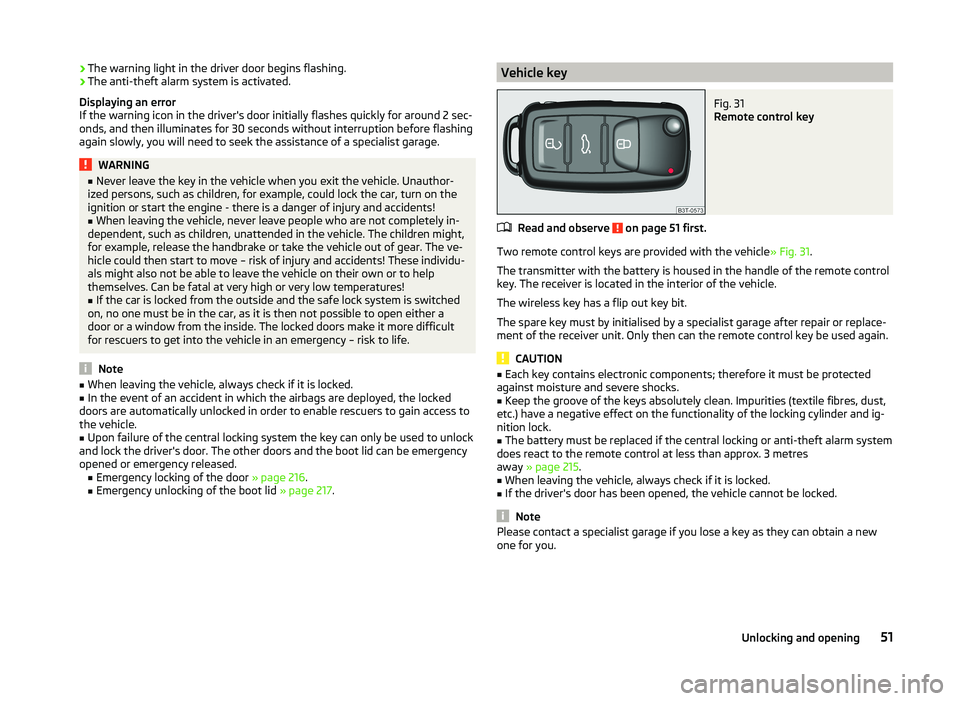
Vehicle keyFig. 31
Remote control key
Read and observe on page 51 first.
Two remote control keys are provided with the vehicle » Fig. 31.
The transmitter with the battery is housed in the handle of the remote control
key. The receiver is located in the interior of the vehicle.
The wireless key has a flip out key bit.
The spare key must by initialised by a specialist garage after repair or replace- ment of the receiver unit. Only then can the remote control key be used again.
CAUTION
■ Each key contains electronic components; therefore it must be protected
against moisture and severe shocks.■
Keep the groove of the keys absolutely clean. Impurities (textile fibres, dust,
etc.) have a negative effect on the functionality of the locking cylinder and ig-
nition lock.
■
The battery must be replaced if the central locking or anti-theft alarm system
does react to the remote control at less than approx. 3 metres
away » page 215 .
■
When leaving the vehicle, always check if it is locked.
■
If the driver's door has been opened, the vehicle cannot be locked.
Note
Please contact a specialist garage if you lose a key as they can obtain a new
one for you.51Unlocking and opening
Page 55 of 252
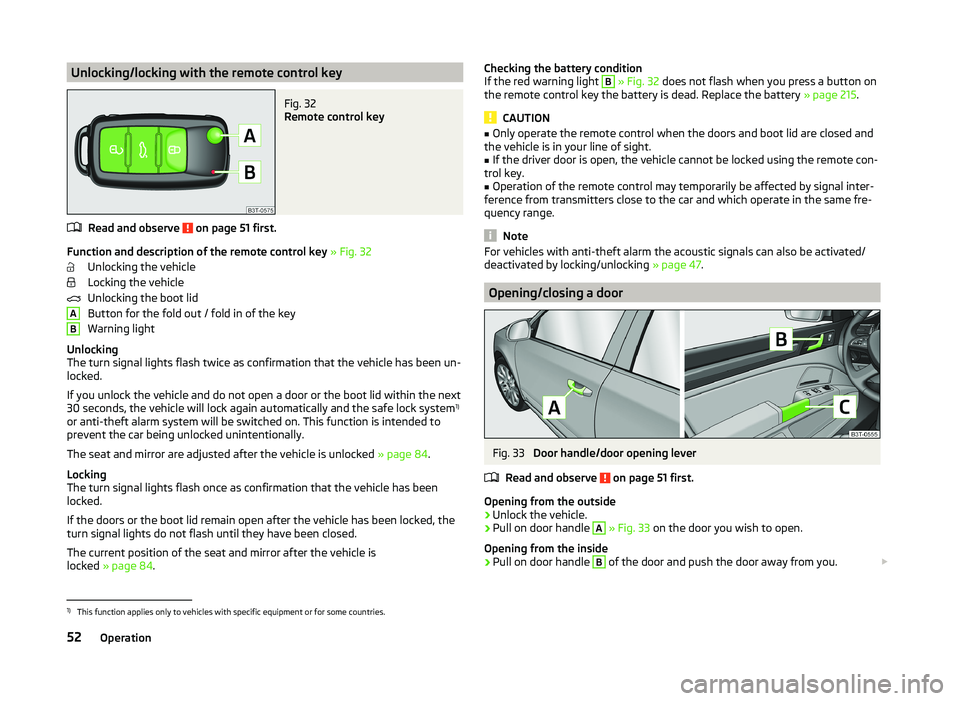
Unlocking/locking with the remote control keyFig. 32
Remote control key
Read and observe on page 51 first.
Function and description of the remote control key » Fig. 32
Unlocking the vehicle
Locking the vehicle
Unlocking the boot lid
Button for the fold out / fold in of the key
Warning light
Unlocking
The turn signal lights flash twice as confirmation that the vehicle has been un-
locked.
If you unlock the vehicle and do not open a door or the boot lid within the next
30 seconds, the vehicle will lock again automatically and the safe lock system 1)
or anti-theft alarm system will be switched on. This function is intended to prevent the car being unlocked unintentionally.
The seat and mirror are adjusted after the vehicle is unlocked » page 84.
Locking
The turn signal lights flash once as confirmation that the vehicle has been
locked.
If the doors or the boot lid remain open after the vehicle has been locked, the
turn signal lights do not flash until they have been closed.
The current position of the seat and mirror after the vehicle is
locked » page 84 .
ABChecking the battery condition
If the red warning light B » Fig. 32 does not flash when you press a button on
the remote control key the battery is dead. Replace the battery » page 215.
CAUTION
■
Only operate the remote control when the doors and boot lid are closed and
the vehicle is in your line of sight.■
If the driver door is open, the vehicle cannot be locked using the remote con-
trol key.
■
Operation of the remote control may temporarily be affected by signal inter-
ference from transmitters close to the car and which operate in the same fre-
quency range.
Note
For vehicles with anti-theft alarm the acoustic signals can also be activated/
deactivated by locking/unlocking » page 47.
Opening/closing a door
Fig. 33
Door handle/door opening lever
Read and observe
on page 51 first.
Opening from the outside
›
Unlock the vehicle.
›
Pull on door handle
A
» Fig. 33 on the door you wish to open.
Opening from the inside
›
Pull on door handle
B
of the door and push the door away from you.
1)
This function applies only to vehicles with specific equipment or for some countries.
52Operation
Page 56 of 252
Closing from the inside›Grasp pull handle C and close the door.WARNING■Make sure that the door has closed correctly as it can open suddenly
while the vehicle is being driven – there is a risk of death.■
Only open and close the door when there is no one in the opening/closing
sweep – there is a risk of injury.
■
An opened door can close spontaneously if there is a strong wind or the
vehicle is on a slope – there is a risk of injury.
■
Never drive with the doors open - there is a risk of death!
Unlocking / locking - KESSY
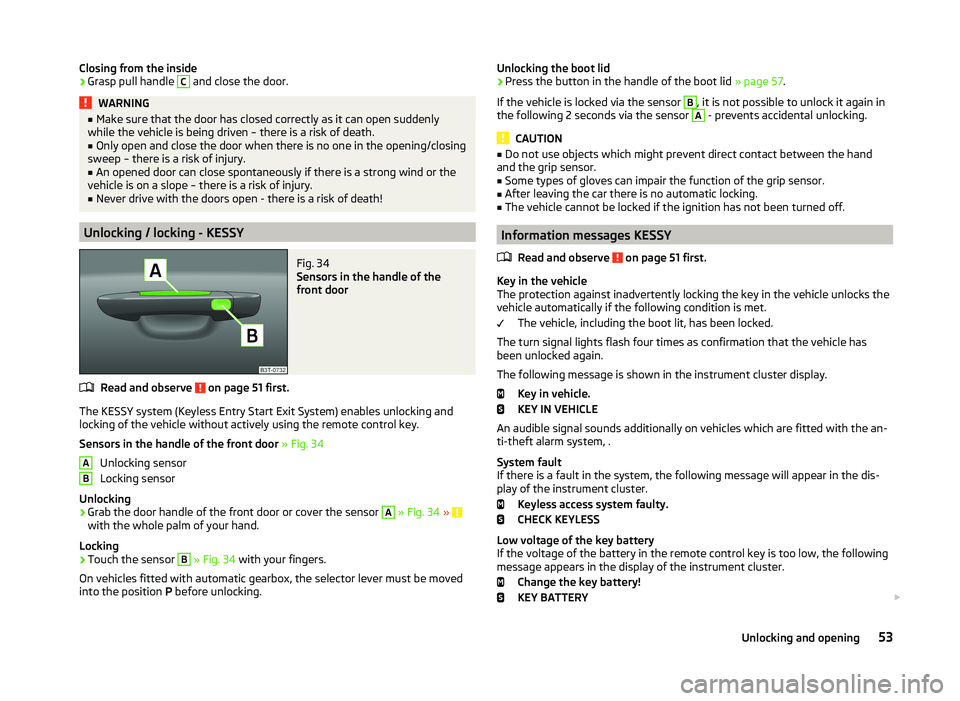
Fig. 34
Sensors in the handle of the
front door
Read and observe on page 51 first.
The KESSY system (Keyless Entry Start Exit System) enables unlocking and
locking of the vehicle without actively using the remote control key.
Sensors in the handle of the front door » Fig. 34
Unlocking sensor
Locking sensor
Unlocking
›
Grab the door handle of the front door or cover the sensor
A
» Fig. 34 » with the whole palm of your hand.
Locking
›
Touch the sensor
B
» Fig. 34 with your fingers.
On vehicles fitted with automatic gearbox, the selector lever must be moved
into the position P before unlocking.
ABUnlocking the boot lid›Press the button in the handle of the boot lid » page 57.
If the vehicle is locked via the sensor B
, it is not possible to unlock it again in
the following 2 seconds via the sensor
A
- prevents accidental unlocking.
CAUTION
■ Do not use objects which might prevent direct contact between the hand
and the grip sensor.■
Some types of gloves can impair the function of the grip sensor.
■
After leaving the car there is no automatic locking.
■
The vehicle cannot be locked if the ignition has not been turned off.
Information messages KESSY
Read and observe
on page 51 first.
Key in the vehicle
The protection against inadvertently locking the key in the vehicle unlocks the
vehicle automatically if the following condition is met.
The vehicle, including the boot lit, has been locked.
The turn signal lights flash four times as confirmation that the vehicle has
been unlocked again.
The following message is shown in the instrument cluster display. Key in vehicle.
KEY IN VEHICLE
An audible signal sounds additionally on vehicles which are fitted with the an-
ti-theft alarm system, .
System fault
If there is a fault in the system, the following message will appear in the dis-
play of the instrument cluster.
Keyless access system faulty.
CHECK KEYLESS
Low voltage of the key battery
If the voltage of the battery in the remote control key is too low, the following
message appears in the display of the instrument cluster.
Change the key battery!
KEY BATTERY
53Unlocking and opening
Page 57 of 252
Change the key battery » page 215!
Safe securing
Read and observe
on page 51 first.
The door locks are blocked automatically if the vehicle is locked from the out-side. The vehicle cannot now be opened from the inside.
This fact is pointed out by the following message on the display of the instru- ment cluster after switching off the ignition.
Check SAFELOCK! Owner's manual!
CHECK DEADLOCK
Switching off
The safe lock can be switched off in one of the following ways.
›
By locking twice within 2 seconds.
›
By disabling the interior monitoring » page 56, Interior monitor and towing
protection .
If the vehicle is locked and the SafeLock system is switched off, the door can be opened separately from the inside by a single pull on the opening lever.
Switching on
The safelock switches on automatically the next time the vehicle is locked and
unlocked.
Switch on display
The warning light flashes for around 2 seconds in quick succession, afterwards
it begins to flash evenly at longer intervals.
Switch off display
The warning light in the driver door flashes fast for about 2 seconds, goes out
and starts to flash regularly at longer intervals after about 30 seconds.
WARNINGIf the car is locked and the SafeLock system activated, no one may remain
in the car as it will then not be possible to either unlock a door or open a
window from the inside. The locked doors make it more difficult for rescu-
ers to get into the vehicle in an emergency – risk to life!NoteThis function applies only to vehicles with specific equipment or for some
countries.
Individual settings
Read and observe
on page 51 first.
The following central locking functions can be set via the MAXI DOT dis-
play » page 47 , Settings .
Opening a single door
This function makes it possible to only unlock the driver's door. The other
doors and the boot lid remain locked and are only unlocked after being opened
again.
Unlocking a vehicle side door
This function enables you to unlock both doors on the driver's side. The other
doors and the boot lid remain locked and are only unlocked after being opened
again.
Automatic locking/unlocking
All doors are locked from a speed of around 15 km/h. The button in the handle
of the boot lid is deactivated.
If the ignition key is withdrawn, the car is then automatically unlocked again.
In addition, it is possible for the driver or front passenger to unlock the car by
pressing the central locking button .
Locked doors prevent unwanted entry into the vehicle.
The vehicle doors can be unlocked and opened at any time by pulling once on
the door opening lever.
54Operation