door lock SKODA SUPERB 2011 Owner´s Manual
[x] Cancel search | Manufacturer: SKODA, Model Year: 2011, Model line: SUPERB, Model: SKODA SUPERB 2011Pages: 252, PDF Size: 16.33 MB
Page 70 of 252
WARNINGWhen operating the sunshade, proceed with caution to avoid causing
crushing injuries – risk of injury!
Convenience operation of sliding / tilting roof
Read and observe
on page 65 first.
The sliding / tilting roof can be operated by locking or unlocking using the keyor using the KESSY system with the aid of the sensor
A
or
B
» Fig. 34 on
page 53 .
Closing
›
Press and hold the symbol button on the key or hold the key in the locking
cylinder of the driver's door in the lock position, or for the KESSY system,
keep your finger on the sensor
B
» Fig. 34 on page 53 » .
By releasing the lock or lifting your finger off the sensor
B
when using the
KESSY system, the closing process is immediately interrupted.
Tilting roof
›
Press and hold the symbol button on the remote control key.
WARNINGClose the sliding/tilting roof carefully – risk of injury. The force limiter does
not operate with the convenience closing.Lights and visibility
Lights
Introduction
This chapter contains information on the following subjects:
Operating the lights and the instrument illumination
68
Daylight running lights (DAY LIGHT)
69
Turn signal and main beam
69
Automatic driving lamp control
70
Adaptive headlights (AHL)
70
Fog lights
71
Fog lights with the CORNER function
71
Rear fog light
71
COMING HOME / LEAVING HOME
72
Hazard warning light system
72
Parking lights
73
Unless otherwise stated, the lights only work when the ignition is on.
The arrangement of the controls right-hand drive models may differ from the layout shown in » Fig. 49 on page 68 . The symbols which mark the positions
of the controls are identical.
Keep the headlights lenses clean. The following guidelines must be ob-
served » page 179 , Headlight lenses .
WARNING■
The activation of the lights should only be undertaken in accordance with
national legal requirements.■
The driver is always responsible for the correct settings and use of the
lights.
67Lights and visibility
Page 75 of 252
Only the rear fog light on the trailer illuminates if the vehicle has a factory fit-
ted towing device or a towing device from ŠKODA original accessories and it is
driven with a trailer.
COMING HOME / LEAVING HOME
Read and observe
on page 67 first.
COMING HOME (hereinafter referred to only as function) switches the light au-
tomatically for a short time after leaving the vehicle.
LEAVING HOME (hereinafter referred to only as function) switches the light au-
tomatically for a short time when approaching the vehicle.
The lights are switched on automatically if the following conditions are met. The light switch is in position
» Fig. 51 on page 70 .
The visibility in the vehicle environment is reduced.
The ignition is switched off.
The parking aid is activated.
The function is switched on (the driver's door is opened / the car is un-
locked with the remote control).
The function switches on the following light, depending on the equipment
fitted.
› Parking lights
› Low beam
› Entry lighting in the exterior mirrors
› Licence plate light
Poorer visibility is evaluated by sensor mounted in the holder of the interior
mirror.
COMING HOME
The light turns on automatically when you open the driver's door on (within 60
seconds of turning off the ignition).
The light turns off 10 seconds after closing all the doors and the boot lid or af-
ter the pre-set time has expired.
If a door or the boot lid remains open, the light goes out after 60 seconds.
LEAVING HOME
The light turns on automatically after the vehicle is unlocked with the remote
control.
The light turns off after 10 seconds or after a pre-set time or after the vehicle
is locked.
Activate/deactivate the function
The functions and settings of the illumination time can be activated/deactiva-
ted via the MAXI DOT display in the menu items Coming Home or Leaving
Home » page 47 .
CAUTION
■
Do not attach any stickers or similar objects in front of the light sensor on
the windscreen. This can impair its function or reliability.■
If this function is activated constantly, the battery will be heavily discharged
particularly in short-haul travel.
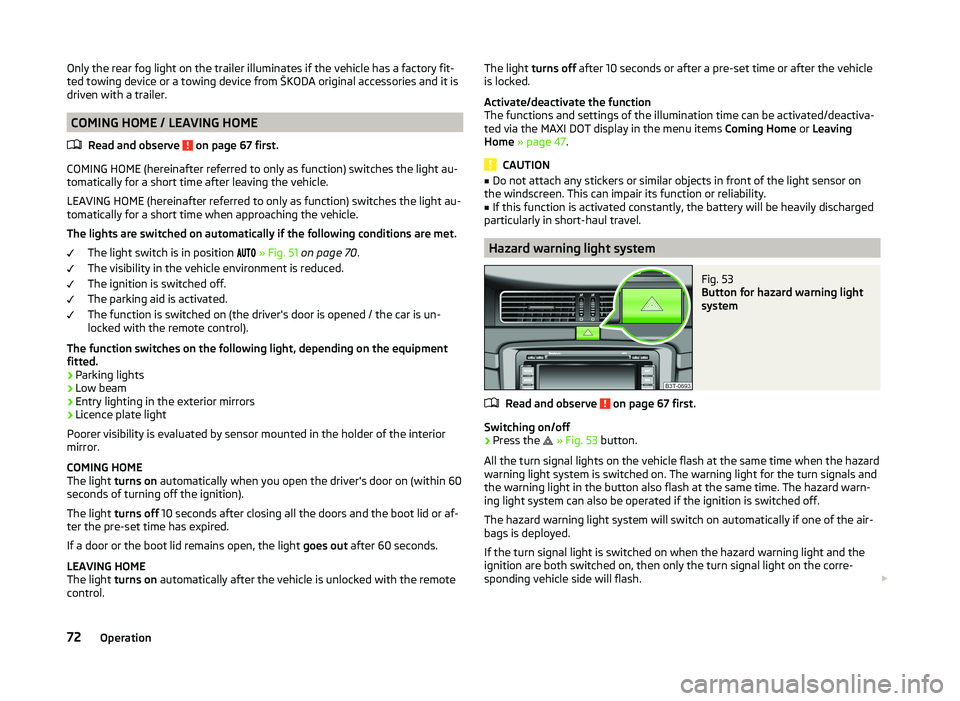
Hazard warning light system
Fig. 53
Button for hazard warning light
system
Read and observe on page 67 first.
Switching on/off
›
Press the
» Fig. 53 button.
All the turn signal lights on the vehicle flash at the same time when the hazard
warning light system is switched on. The warning light for the turn signals and
the warning light in the button also flash at the same time. The hazard warn-
ing light system can also be operated if the ignition is switched off.
The hazard warning light system will switch on automatically if one of the air-
bags is deployed.
If the turn signal light is switched on when the hazard warning light and the
ignition are both switched on, then only the turn signal light on the corre-
sponding vehicle side will flash.
72Operation
Page 76 of 252
WARNINGSwitch on the hazard warning light system if, for example, the following oc-
curs.■
You encounter a traffic jam.
■
The vehicle has broken down.
Parking lights
Read and observe
on page 67 first.
The parking light is designed for temporary lighting of the parked vehicle.
Switching on the parking light
›
Switch off the ignition.
›
Place the control lever into position
A
or
B
as far as it can go » Fig. 50 on
page 69 - the parking light on the right/left-hand side of the vehicle is
switched on.
If the right or left turn signal light has been switched on and the ignition is
switched off, the parking light is not automatically switched on.
Switching on the side lights on both sides
›
Switch off the ignition.
›
Turn the light switch
A
to position
» Fig. 49 on page 68 and lock the ve-
hicle.
After pulling out the ignition key and opening the driver's door, an audible
warning sounds. After a few seconds or after closing the driver's door, the au-
dible alarm is turned off, but the parking lights will remain switched on.
CAUTION
Turning on the parking light means the battery is heavily loaded, especially
over short distances.
Interior lights
Introduction
This chapter contains information on the following subjects:
Front interior light
73
Rear interior light - Variant 1
74
Rear interior light - Variant 2
74Front door warning light74Entry lighting75
Note
With the ignition off, the light turns off automatically after about 10 minutes.
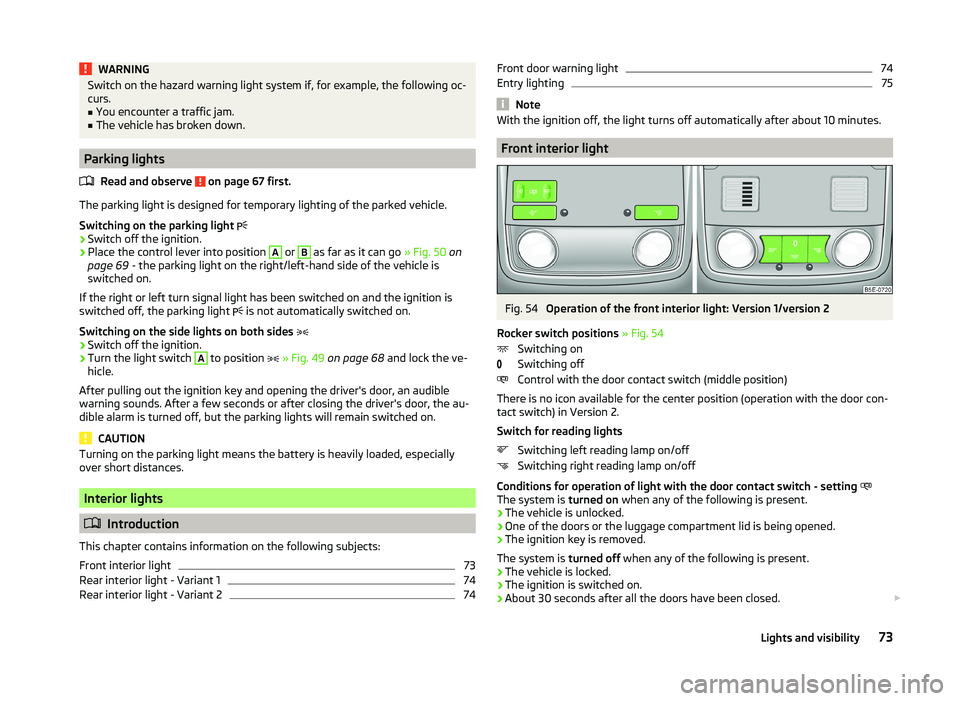
Front interior light
Fig. 54
Operation of the front interior light: Version 1/version 2
Rocker switch positions » Fig. 54
Switching on
Switching off
Control with the door contact switch (middle position)
There is no icon available for the center position (operation with the door con-
tact switch) in Version 2.
Switch for reading lights Switching left reading lamp on/off
Switching right reading lamp on/off
Conditions for operation of light with the door contact switch - setting
The system is turned on when any of the following is present.
› The vehicle is unlocked.
› One of the doors or the luggage compartment lid is being opened.
› The ignition key is removed.
The system is turned off when any of the following is present.
› The vehicle is locked.
› The ignition is switched on.
› About 30 seconds after all the doors have been closed.
73Lights and visibility
Page 78 of 252
NoteIf the door is open and the ignition switched off, the light extinguishes auto-
matically after around 20 minutes.
Entry lighting
The lighting is positioned on the bottom edge of the exterior mirror and illumi-
nates the entry area of the front door.
The light illuminates after the vehicle has been unlocked or on opening the
front door. The lighting goes out about 30 seconds after the doors are closed
or if the ignition is switched on.
WARNINGIf the entry light is on, do not touch its cover – risk of burns!
Note
If the door is open and the ignition switched off, the light will extinguish auto-
matically after around 1 minute.
Visibility
Introduction
This chapter contains information on the following subjects:
Windscreen and rear window heater
75
Sun visors
76
Sun screen
76
Sun screen in the rear doors
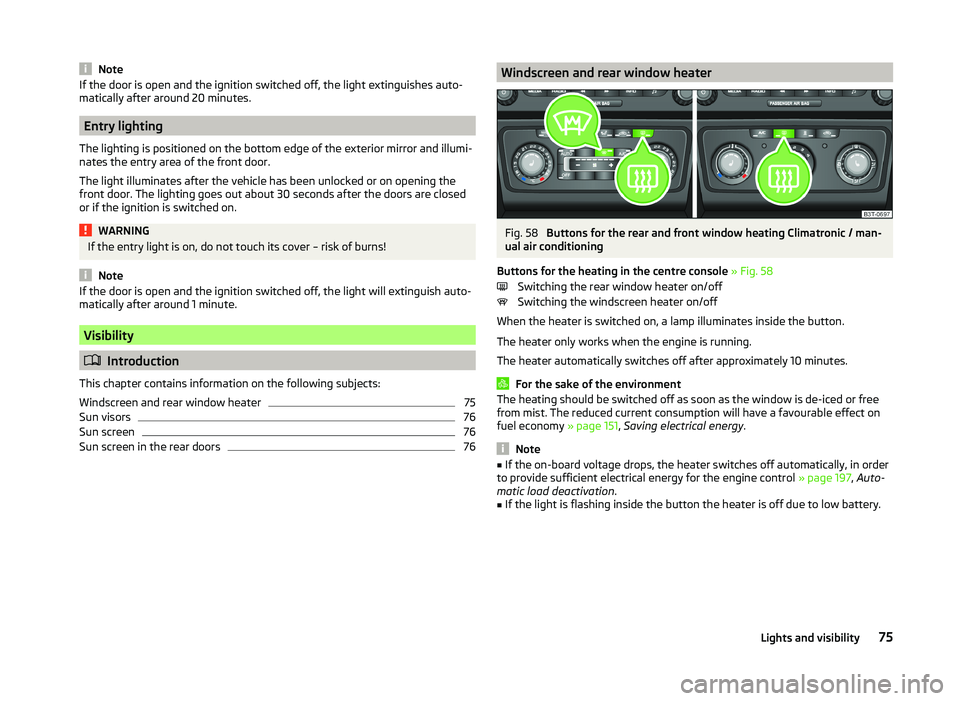
76Windscreen and rear window heaterFig. 58
Buttons for the rear and front window heating Climatronic / man-
ual air conditioning
Buttons for the heating in the centre console » Fig. 58
Switching the rear window heater on/off
Switching the windscreen heater on/off
When the heater is switched on, a lamp illuminates inside the button.
The heater only works when the engine is running.
The heater automatically switches off after approximately 10 minutes.
For the sake of the environment
The heating should be switched off as soon as the window is de-iced or free
from mist. The reduced current consumption will have a favourable effect on
fuel economy » page 151, Saving electrical energy .
Note
■
If the on-board voltage drops, the heater switches off automatically, in order
to provide sufficient electrical energy for the engine control » page 197, Auto-
matic load deactivation .■
If the light is flashing inside the button the heater is off due to low battery.
75Lights and visibility
Page 91 of 252
If the front seats are too far back, we recommend taking out the rear head re-
straints before the seat backrests are folded forward, to achieve a loading
space that is as horizontal as possible »
.
Fold down split seat backrest
›
Press the release knob
A
» Fig. 77 .
›
Fold the seat backrest completely forwards.
Fold down undivided seat backrest
›
Push the release handles
A
» Fig. 77 on both sides of the seat backrest at
the same time.
›
Fold the seat backrest completely forwards.
Fold back split seat backrest
›
If you removed the head restraint, you need to reinsert it with the backrest
tilted slightly forwards » page 83.
›
Hold the rear outer seat belt
C
» Fig. 77 against the side trim panel.
›
Then push the seat backrest back into the upright position until the securing
knob
A
clicks into place – check by pulling on the seat backrest » .
›
Make sure that the red pin
B
is hidden.
Fold back undivided seat backrest
›
If you removed the head restraints, you need to reinsert them with the back-
rest tilted slightly forwards » page 83.
›
Hold the rear outer seat belts
C
» Fig. 77 against the side trim panel.
›
Then push the seat backrest back into the upright position until the release
levers
A
on either side of the seat back click into place – check by pulling on
the seat backrest » .
›
Make sure that the red pins
B
on both sides of the seat back are not visible.
WARNING■
The seat belts and the belt locks must be in their original position after
folding back the seat backrests – they must be ready to use.■
The seat backrests must be securely latched in position so that no ob-
jects from the luggage compartment can slip into the passenger compart-
ment under sudden braking – risk of injury.
■
In occupied rear seats make sure that the respective seat backrests are
properly engaged.
CAUTION■ Ensure that the seat belts are not damaged when operating the seat backr-
ests. Under no circumstances must the rear seat belts be jammed by the fol-
ded back seat backrests.■
Store the head restraints that were removed in such a way that they are not
damaged or soiled.
Rear seat folded forward (Superb Combi)
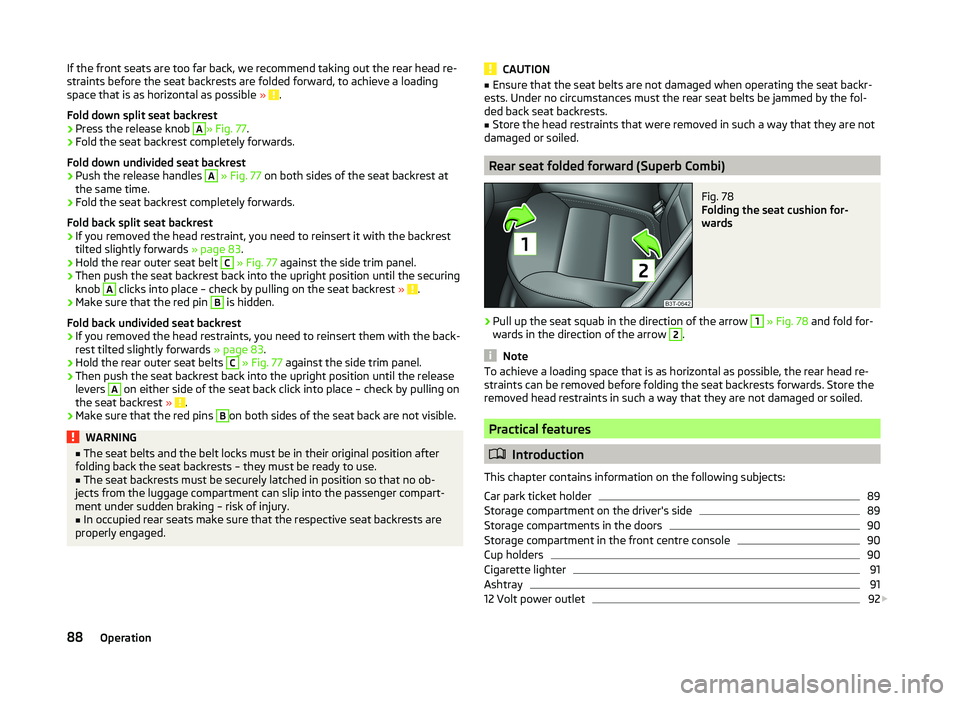
Fig. 78
Folding the seat cushion for-
wards
›
Pull up the seat squab in the direction of the arrow
1
» Fig. 78 and fold for-
wards in the direction of the arrow
2
.
Note
To achieve a loading space that is as horizontal as possible, the rear head re-
straints can be removed before folding the seat backrests forwards. Store the
removed head restraints in such a way that they are not damaged or soiled.
Practical features
Introduction
This chapter contains information on the following subjects:
Car park ticket holder
89
Storage compartment on the driver's side
89
Storage compartments in the doors
90
Storage compartment in the front centre console
90
Cup holders
90
Cigarette lighter
91
Ashtray
91
12 Volt power outlet
92
88Operation
Page 135 of 252
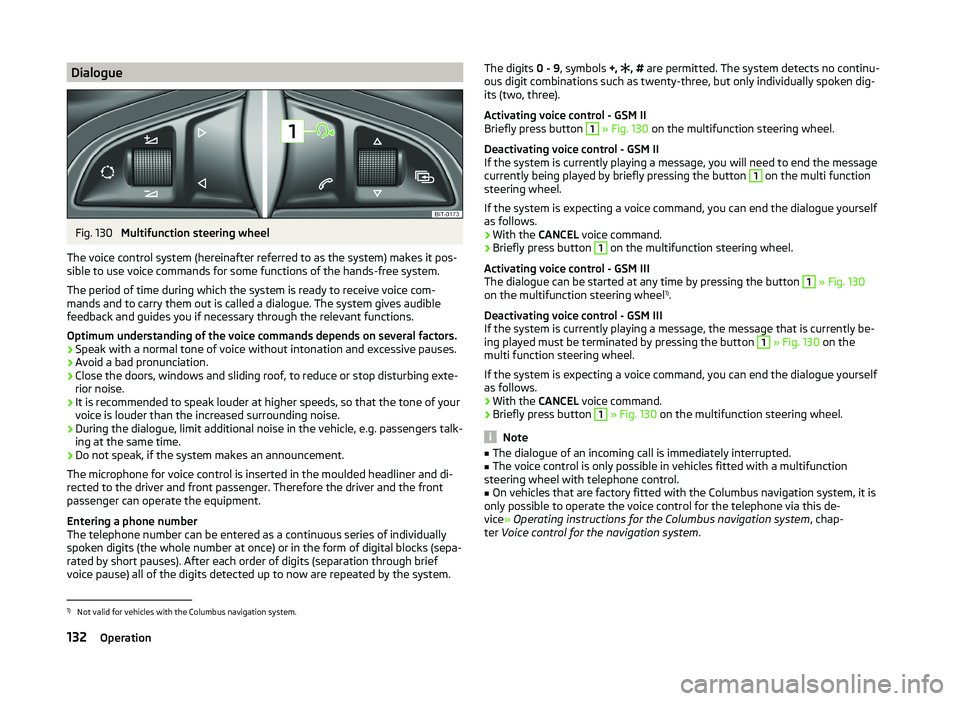
DialogueFig. 130
Multifunction steering wheel
The voice control system (hereinafter referred to as the system) makes it pos-
sible to use voice commands for some functions of the hands-free system.
The period of time during which the system is ready to receive voice com-
mands and to carry them out is called a dialogue. The system gives audible
feedback and guides you if necessary through the relevant functions.
Optimum understanding of the voice commands depends on several factors. › Speak with a normal tone of voice without intonation and excessive pauses.
› Avoid a bad pronunciation.
› Close the doors, windows and sliding roof, to reduce or stop disturbing exte-
rior noise.
› It is recommended to speak louder at higher speeds, so that the tone of your
voice is louder than the increased surrounding noise.
› During the dialogue, limit additional noise in the vehicle, e.g. passengers talk-
ing at the same time.
› Do not speak, if the system makes an announcement.
The microphone for voice control is inserted in the moulded headliner and di- rected to the driver and front passenger. Therefore the driver and the front
passenger can operate the equipment.
Entering a phone number
The telephone number can be entered as a continuous series of individually
spoken digits (the whole number at once) or in the form of digital blocks (sepa-
rated by short pauses). After each order of digits (separation through brief
voice pause) all of the digits detected up to now are repeated by the system.
The digits 0 - 9, symbols +, , # are permitted. The system detects no continu-
ous digit combinations such as twenty-three, but only individually spoken dig-
its (two, three).
Activating voice control - GSM II
Briefly press button 1
» Fig. 130 on the multifunction steering wheel.
Deactivating voice control - GSM II
If the system is currently playing a message, you will need to end the message
currently being played by briefly pressing the button
1
on the multi function
steering wheel.
If the system is expecting a voice command, you can end the dialogue yourself
as follows.
› With the
CANCEL voice command.
› Briefly press button
1
on the multifunction steering wheel.
Activating voice control - GSM III
The dialogue can be started at any time by pressing the button
1
» Fig. 130
on the multifunction steering wheel 1)
.
Deactivating voice control - GSM III
If the system is currently playing a message, the message that is currently be-
ing played must be terminated by pressing the button
1
» Fig. 130 on the
multi function steering wheel.
If the system is expecting a voice command, you can end the dialogue yourself
as follows.
› With the
CANCEL voice command.
› Briefly press button
1
» Fig. 130 on the multifunction steering wheel.
Note
■
The dialogue of an incoming call is immediately interrupted.■The voice control is only possible in vehicles fitted with a multifunction
steering wheel with telephone control.■
On vehicles that are factory fitted with the Columbus navigation system, it is
only possible to operate the voice control for the telephone via this de-
vice » Operating instructions for the Columbus navigation system , chap-
ter Voice control for the navigation system .
1)
Not valid for vehicles with the Columbus navigation system.
132Operation
Page 144 of 252
CAUTION■Avoid high engine revolutions, full throttle and high engine loads before the
engine has reached its operating temperature – risk of damaging the engine!■
Do not switch the engine off immediately at the end of your journey after the
engine has been operated over a prolonged period at high loads but leave it to
run at an idling speed for about 1 minute. This prevents any possible accumula-
tion of heat when the engine is switched off.
For the sake of the environment
Do not warm up the engine while the vehicle is stationary. If possible, start
your journey as soon as the engine has started. Through this the engine rea-
ches its operating temperature more rapidly and the pollutant emissions are
lower.
Note
■ The system is protected against inadvertently switching off the engine while
driving, this means that the engine can only be switched off in an emergen-
cy » page 143 .■
After switching off the ignition, the radiator fan can intermittently continue
to operate for approx. 10 minutes.
■
Under certain circumstances (e.g. after switching off the ignition and opening
the driver's door), the steering is enabled only when the ignition is switched on
or the engine is started.
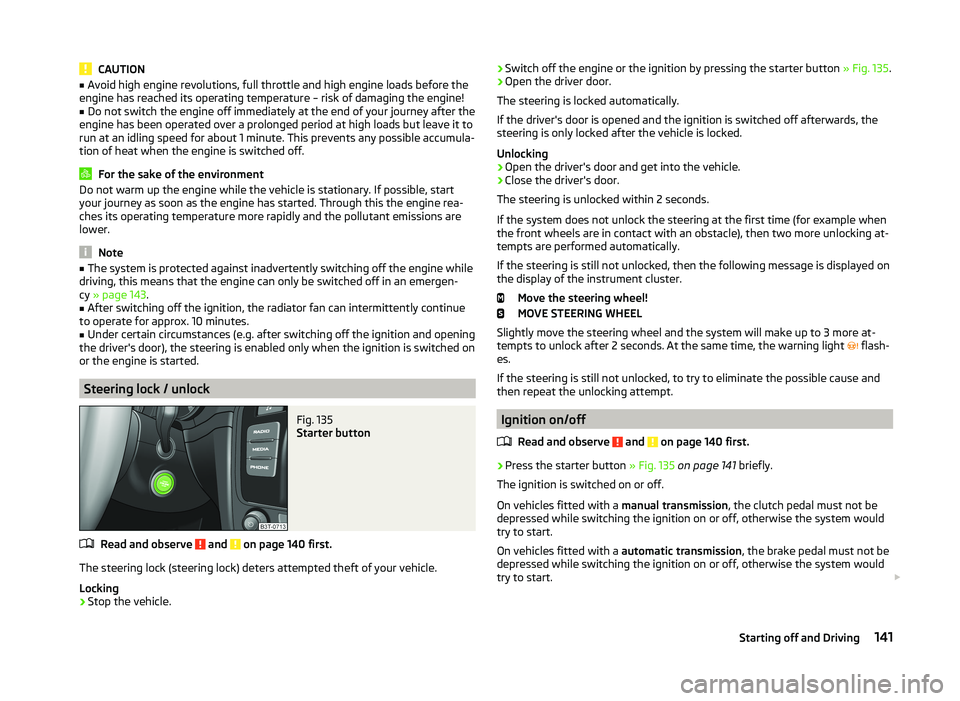
Steering lock / unlock
Fig. 135
Starter button
Read and observe and on page 140 first.
The steering lock (steering lock) deters attempted theft of your vehicle.
Locking
›
Stop the vehicle.
› Switch off the engine or the ignition by pressing the starter button
» Fig. 135.›Open the driver door.
The steering is locked automatically.
If the driver's door is opened and the ignition is switched off afterwards, the
steering is only locked after the vehicle is locked.
Unlocking›
Open the driver's door and get into the vehicle.
›
Close the driver's door.
The steering is unlocked within 2 seconds.
If the system does not unlock the steering at the first time (for example when
the front wheels are in contact with an obstacle), then two more unlocking at-
tempts are performed automatically.
If the steering is still not unlocked, then the following message is displayed on the display of the instrument cluster.
Move the steering wheel!
MOVE STEERING WHEEL
Slightly move the steering wheel and the system will make up to 3 more at-
tempts to unlock after 2 seconds. At the same time, the warning light flash-
es.
If the steering is still not unlocked, to try to eliminate the possible cause and
then repeat the unlocking attempt.
Ignition on/off
Read and observe
and on page 140 first.
›
Press the starter button » Fig. 135 on page 141 briefly.
The ignition is switched on or off.
On vehicles fitted with a manual transmission, the clutch pedal must not be
depressed while switching the ignition on or off, otherwise the system would
try to start.
On vehicles fitted with a automatic transmission, the brake pedal must not be
depressed while switching the ignition on or off, otherwise the system would
try to start.
141Starting off and Driving
Page 180 of 252
Automatic car wash systemsRead and observe
and on page 176 first.
The usual precautionary measures must be taken before washing the vehicle
in an automatic car wash system (e.g. closing the windows and the sliding/tilt-
ing roof etc.).
If your vehicle is fitted with any particular attached parts, such as a spoiler,
roof rack system, two-way radio aerial etc., it is best to consult the operator of
the car wash system beforehand.
After an automatic wash with wax treatment, the lips of the wipers should be
cleaned with cleaning agents specially designed for the purpose, and then de-
greased.
WARNINGFold in the exterior mirrors to prevent damage before washing the vehicle
in an automatic car wash system. Never manually fold in electric exterior
mirrors - always use the electric controls.
Washing with a high-pressure cleaner
Read and observe
and on page 176 first.
When washing the vehicle with a high-pressure cleaner, the instructions for
use of the equipment must be observed. This applies in particular to the pres-
sure used and to the spraying distance .
Maintain a sufficiently large distance to the parking aid sensors and soft mate-
rials such as rubber hoses or insulation material.
WARNINGNever use circular spray nozzles or dirt cutters!
CAUTION
■ If washing the vehicle in the winter using a hose or high-pressure cleaner,
ensure that the jet of water is not aimed directly at the locking cylinders or the
door/panel joints – risk of freezing!■
To avoid damaging the parking aid sensors while cleaning with high-pressure
cleaners or steam jets, the sensors must only be directly sprayed for short pe-
riods while a minimum distance of 10 cm must be observed.
■ The temperature of the water used for cleaning must not exceed 60 °C – risk
of damaging the vehicle.■
See also Washing cars with decorative films using a high-pressure clean-
er » page 179 .
Taking care of your vehicle exterior
Introduction
This chapter contains information on the following subjects:
Taking care of your vehicle's paintwork
178
Plastic parts
178
Rubber seals
178
Chrome parts
178
Decorative films
179
Windows and exterior mirrors
179
Headlight lenses
179
Door lock cylinders
179
Cavity protection
180
Jack
180
Wheels
180
Towing device and mounting recess
180
Underbody protection
180
We recommend using vehicle care products from ŠKODA Original Accessories.
These are available from ŠKODA Partners. The usage instructions on the pack-
age must be observed.
WARNING■ Vehicle care products may be harmful to your health if not used according
to the instructions.■
Always keep the vehicle care products safe from people who are not com-
pletely independent, e.g. children - there is a danger of poisoning!
■
Protect your hands and arms from sharp-edged metal parts when clean-
ing the underfloor, the inside of the wheel housings or the wheel trims –
risk of cuts!
177Car care
Page 182 of 252
CAUTIONDo not polish the chrome parts in a dusty environment - risk of surface
scratches.
Decorative films
Read and observe
and on page 177 first.
Wash the films with a mild soap solution and clean, warm water. Never use
harsh cleaning products or chemical solvents, as this could damage the films.
The following instructions must be followed when washing the vehicle with a
high-pressure cleaner:
› The minimum distance between the nozzle and the vehicle body should be
50 cm.
› Keep jet perpendicular to the film surface.
› The maximum water temperature is 50 °C.
› The maximum water pressure is 80 bar.
CAUTION
In the winter months, do not use an ice scraper to remove ice and snow from
the areas with films. Do not use any other objects to remove frozen layers of
snow or ice – risk of film damage.
Windows and exterior mirrors
Read and observe
and on page 177 first.
Use a plastic ice scraper for removing snow and ice from the windows and mir-
rors.
Regularly clean windows from the inside with clean water.
Dry the glass surfaces with a clean chamois leather or a cloth intended for this
purpose.
When drying the windows after washing the vehicle, do not use window leath-
ers that have been used to polish the bodywork. Residues of preservatives in
the window leather can make the window dirty and reduce visibility.
CAUTION■ The ice scraper should not be moved forward and backward but in one direc-
tion to avoid any damage to the surface of the glass.■
Snow or ice that is contaminated with coarse dirt such as fine gravel, sand or
salt must not be removed from the windows and mirrors – there is a risk of
damage to the surface of the windows and mirrors.
■
Do not remove snow or ice from glass parts using warm or hot water – risk of
cracks forming in the glass.
■
When removing snow or ice from windows and mirror lenses ensure that the
paintwork of the vehicle is not to damage.
■
Do not clean the inside of the windows with sharp-edged objects or corro-
sive and acidic cleaning agents – there is a risk of damaging the heating ele-
ments or window aerial.
Headlight lenses
Read and observe
and on page 177 first.
Clean plastic front headlight lenses using clean, warm water and soap.
CAUTION
■Never wipe headlights to dry.■Do not use any sharp objects to clean the plastic lenses, as this may damage
the protective paintwork and consequently cause cracks to form on the head-
light lenses.■
Do not use any harsh cleaning products or chemical solvents to clean the
headlights, as this could damage the headlight lenses.
Door lock cylinders
Read and observe
and on page 177 first.
Specific products must be used for de-icing door lock cylinders.
CAUTION
When washing your vehicle, ensure as little water as possible gets into the
locking cylinders.179Car care
Page 185 of 252
■Sharp-edged objects on items of clothing such as zip fasteners, rivets, sharp-
edged belts, jewellery and pendants may leave permanent scratches or signs
of rubbing on the surface. Such damage cannot be subsequently recognised as
a justified complaint.■
The use of an additional mechanical steering wheel lock may damage the
leather surface of the steering wheel.
■
Use a care cream with light blocker and impregnation effect on a regular ba-
sis and each time after cleaning. The cream nourishes the leather, allows it to
breathe and keeps it supple and also provides moisture. It also creates surface
protection.
■
Some clothing materials, e.g. dark denim, do not have sufficient colour fast-
ness. This can cause damage or clearly visible discolouration to seat covers,
even when used correctly. This applies particularly to light-coloured seat cov-
ers. This does not relate to a fault in the seat cover, but rather to poor colour
fastness of the clothing textiles.
Note
When using the vehicle, minor visible changes may occur to the leather parts
of the covers (e.g. wrinkles or creases) as a result of the stress applied to the
covers.
Synthetic leather, fabrics and Alcantara ®
Read and observe
and on page 181 first.
Artificial leather
Clean artificial leather with a damp cloth.
If this method does not completely clean the artificial leather, use a mild soap
solution or cleaning products specially designed for this purpose.
Fabric
Clean upholstery cover materials and cloth trims on doors, boot cover, etc. us-
ing specific cleaning agents, e.g., dry foam.
Use a soft sponge, brush, or commercially available microfibre cloth.
Use a cloth and special detergent to clean the headlining.
Remove any lumps on the cover fabric and any fabric residue using a brush.
Remove stubborn hair using a “cleaning glove”.
Alcantara ®
Dust and fine dirt particles in pores, creases and seams may chafe and damage
the surface.
If you leave your vehicle parked in the open for lengthy periods, protect the Al-
cantara ®
seat upholstery from direct sunlight to prevent fading.
Minor changes in colour caused by use are normal.
CAUTION
■ Do not use leather cleaners on Alcantara ®
seat upholstery.■Do not use solvents, floor wax, shoe cream, stain remover or similar agents
on Alcantara ®
seat upholstery.■
Avoid leaving the vehicle in bright sunlight for long periods of time in order
to stop the fabric from bleaching. If the vehicle is parked outside for long peri-
ods of time, cover the fabric to protect it from direct sunlight.
■
Some clothing materials, e.g. dark denim, do not have sufficient colour fast-
ness. This can cause damage or clearly visible discolouration to seat covers,
even when used correctly. This applies particularly to light-coloured seat cov-
ers. This does not relate to a fault in the seat cover, but rather to poor colour
fastness of the clothing textiles.
Seat covers
Read and observe
and on page 181 first.
Electrically heated seats
Do not clean the covers by moistening, as this can damage the seat heating
system.
Use a specific cleaning agent such as dry foam or similar to clean the covers.
Seats without seat heating
Thoroughly vacuum the seat covers with a vacuum cleaner before cleaning.
Clean the seat covers with a damp cloth or cleaning products specially de-
signed for this purpose.
Indented points arising on the fabrics by everyday use, can be removed by
brushing against the direction of hair with a damp brush.
Always clean all parts of the covers, so that there are no visible edges. Then
allow the seat to dry completely.
CAUTION
■ Regularly remove dust from the seat covers using a vacuum cleaner.■Electrically heated seats must not be dried after cleaning by switching on the
heater. 182General Maintenance