back SKODA SUPERB 2021 Owner´s Manual
[x] Cancel search | Manufacturer: SKODA, Model Year: 2021, Model line: SUPERB, Model: SKODA SUPERB 2021Pages: 253, PDF Size: 34.15 MB
Page 38 of 253
Front seat - with electrical operation
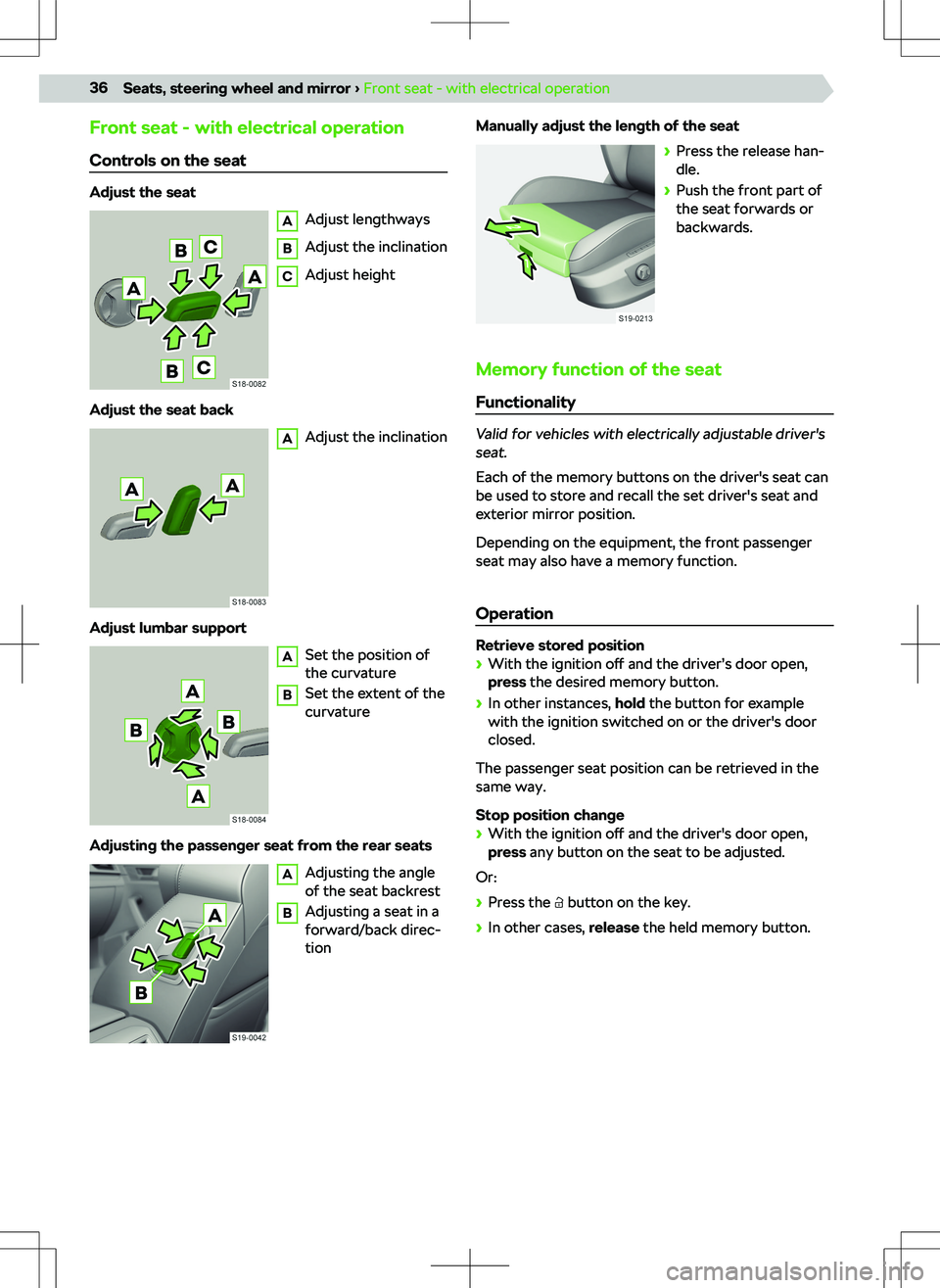
Controls on the seat
Adjust the seat
A
Adjust lengthways
B
Adjust the inclination
C
Adjust height
Adjust the seat back
A
Adjust the inclination
Adjust lumbar support
A
Set the position of
the curvature
B
Set the extent of the
curvature
Adjusting the passenger seat from the rear seats
A
Adjusting the angle
of the seat backrest
B
Adjusting a seat in a
forward/back direc-
tion
Manually adjust the length of the seat
Page 47 of 253

i-SizePassenger seat with acti-vated front airbagPassenger seat with deac-tivated front airbagRear seats outsideMiddle back seatXXi-UX
i-U The seat is for the forward and backward facing i-Size-Child seats in the category “Universal” suitable.
X The seat is for that i-Size-Child seats in the category “Universal” not suitable.
Child seats fastened with a seat belt
groupPassenger seat with activated front air- bagPassenger seat with
deactivated front air- bagRear seats outsideMiddle back seat a)0
up to 10 kgXU b)UU0+
up to 13 kgXU b)UU1
9-18 kgUFUUU2
15-25 kgUFUUU3
22-36 kgUFUUUa) It is forbidden to install a child seat with a support foot in the middle rear seat.b)Adjust the height-adjustable front passenger seat as much as possible.
U The seat is not suitable for the child seat of the category Universal. “Universal” suitable that are approved
for use in this weight group.
UF The seat is for the forward facing child seats of the category “Universal” suitable that are approved for use
in this weight group.
X The seat is not suitable for children in this weight group.
Overview
ISOFIX
WARNING
Page 60 of 253
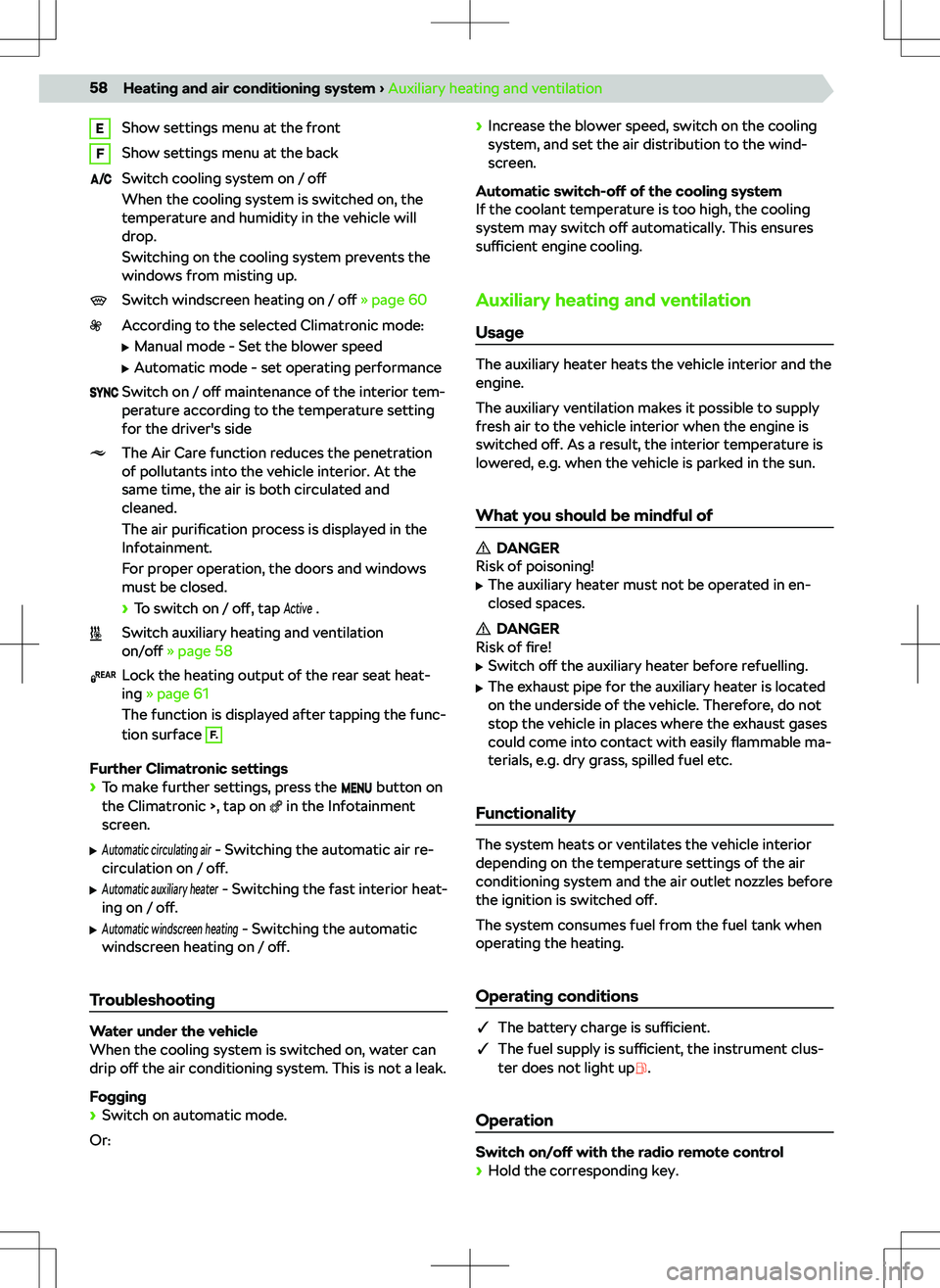
EShow settings menu at the frontFShow settings menu at the backSwitch cooling system on / o
Page 75 of 253

ASelect sourceManage files / multimedia databaseSettings
Operation
Operation - Basics
AAlbum image / symbol of the connected source
Tap: display available albumsTap: start playbackTap: pauseWithin 3 seconds of starting playback, tap: play
the previous songAfter 3 seconds from the start of playback, tap
to play the current title from the beginningHold: fast rewind within the titleTap: play the next songHold: fast forward within the title
Movement within the title is also possible by drag-
ging the finger over the timeline.
Extended operation Turn repeat playback of the current track on/o
Page 89 of 253
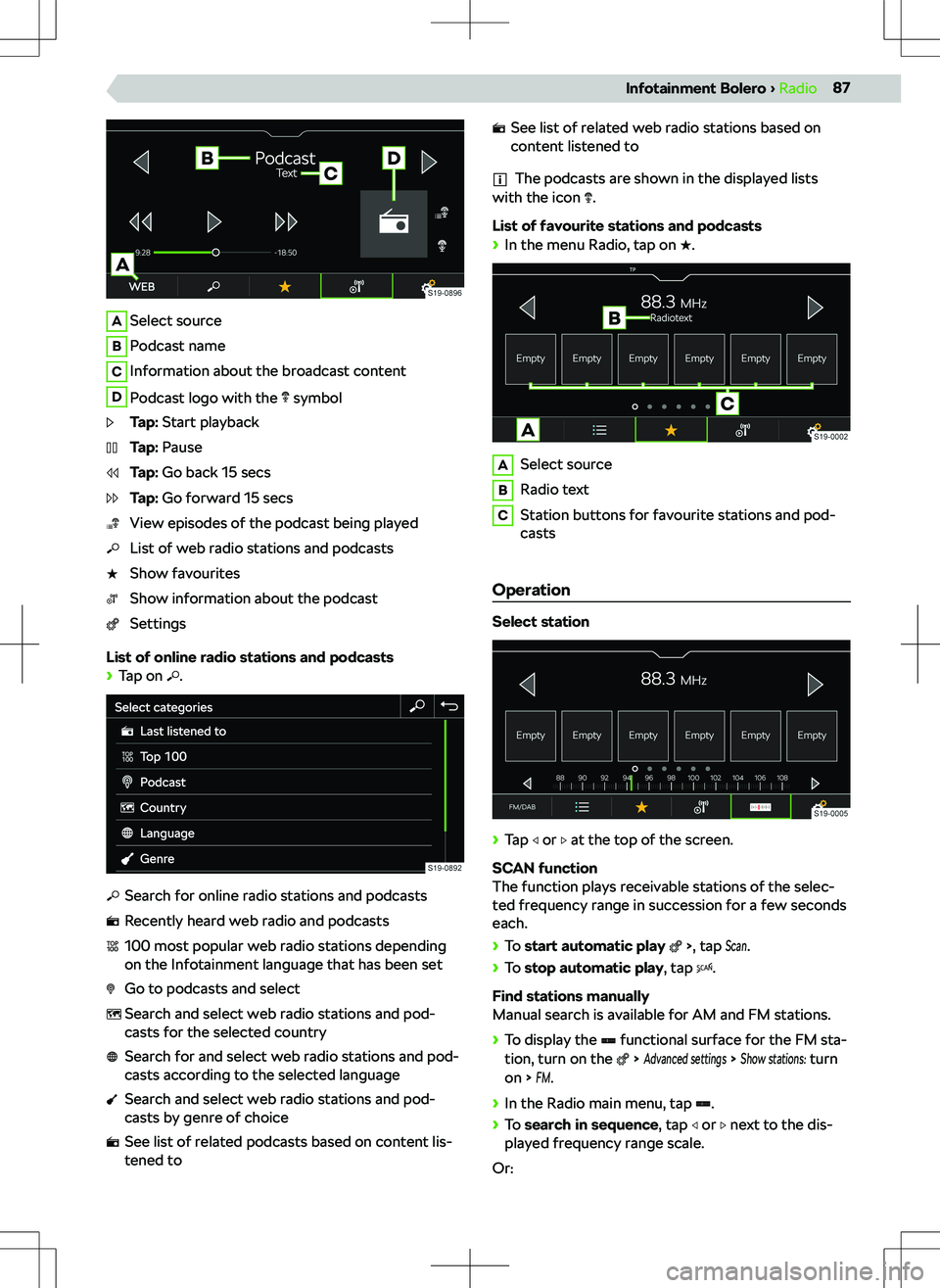
ASelect sourceBPodcast nameCInformation about the broadcast contentDPodcast logo with the symbolTap: Start playbackTap: PauseTap: Go back 15 secsTap: Go forward 15 secsView episodes of the podcast being playedList of web radio stations and podcastsShow favouritesShow information about the podcastSettings
List of online radio stations and podcasts
Page 99 of 253
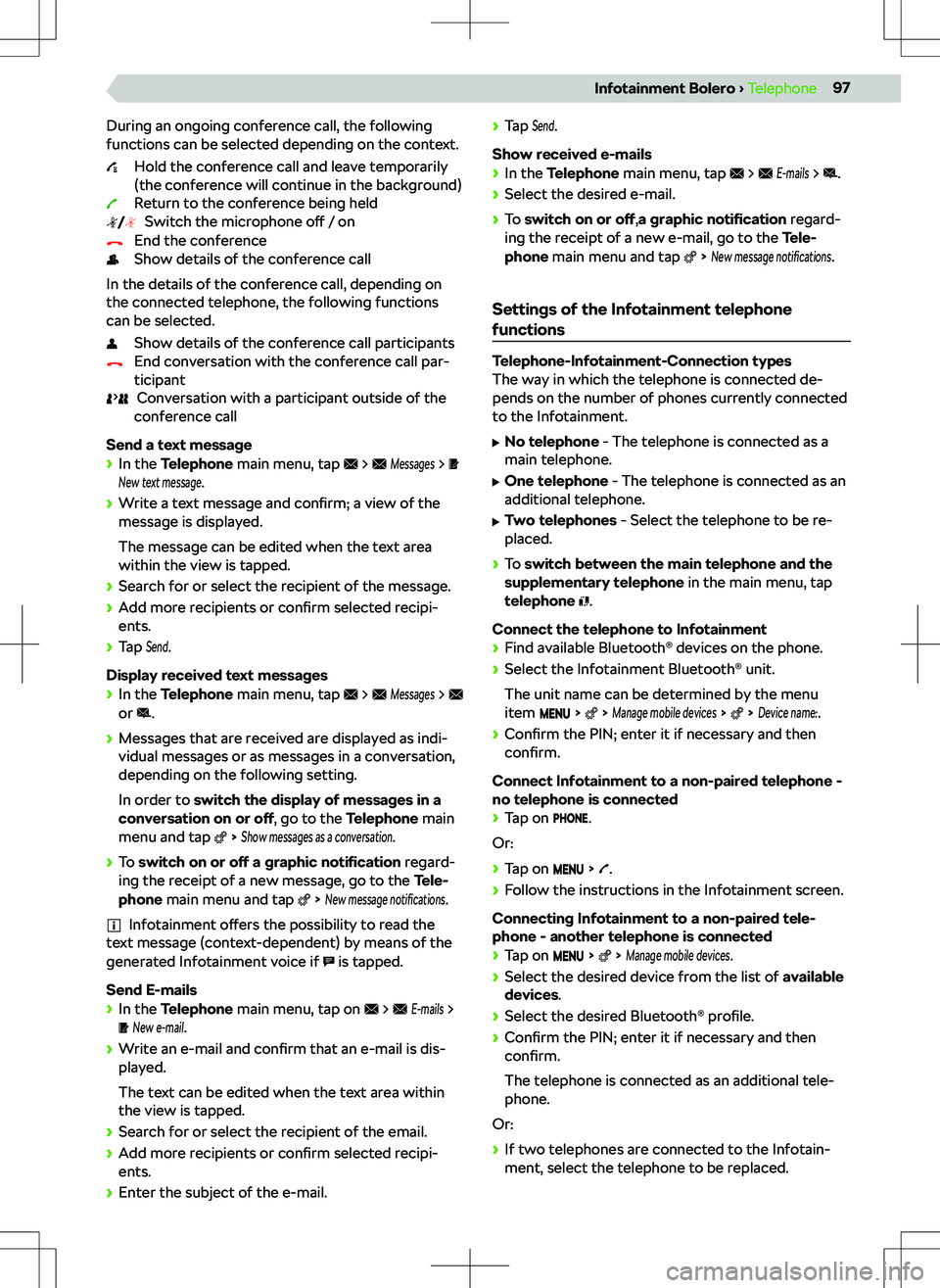
During an ongoing conference call, the following
functions can be selected depending on the context.
Hold the conference call and leave temporarily
(the conference will continue in the background)
Return to the conference being held Switch the microphone o
Page 110 of 253
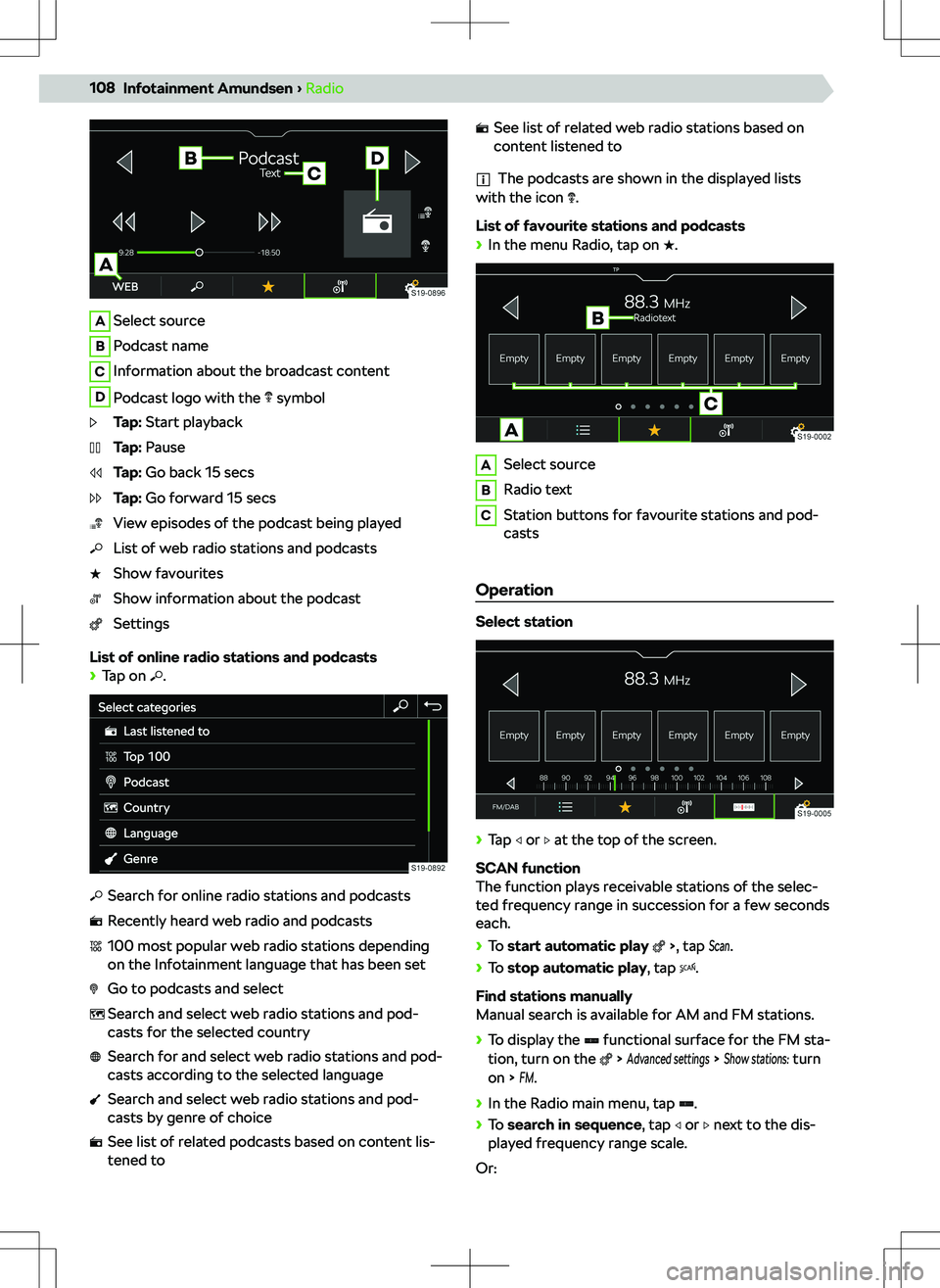
ASelect sourceBPodcast nameCInformation about the broadcast contentDPodcast logo with the symbolTap: Start playbackTap: PauseTap: Go back 15 secsTap: Go forward 15 secsView episodes of the podcast being playedList of web radio stations and podcastsShow favouritesShow information about the podcastSettings
List of online radio stations and podcasts
Page 120 of 253
During an ongoing conference call, the following
functions can be selected depending on the context.
Hold the conference call and leave temporarily
(the conference will continue in the background)
Return to the conference being held Switch the microphone o
Page 135 of 253
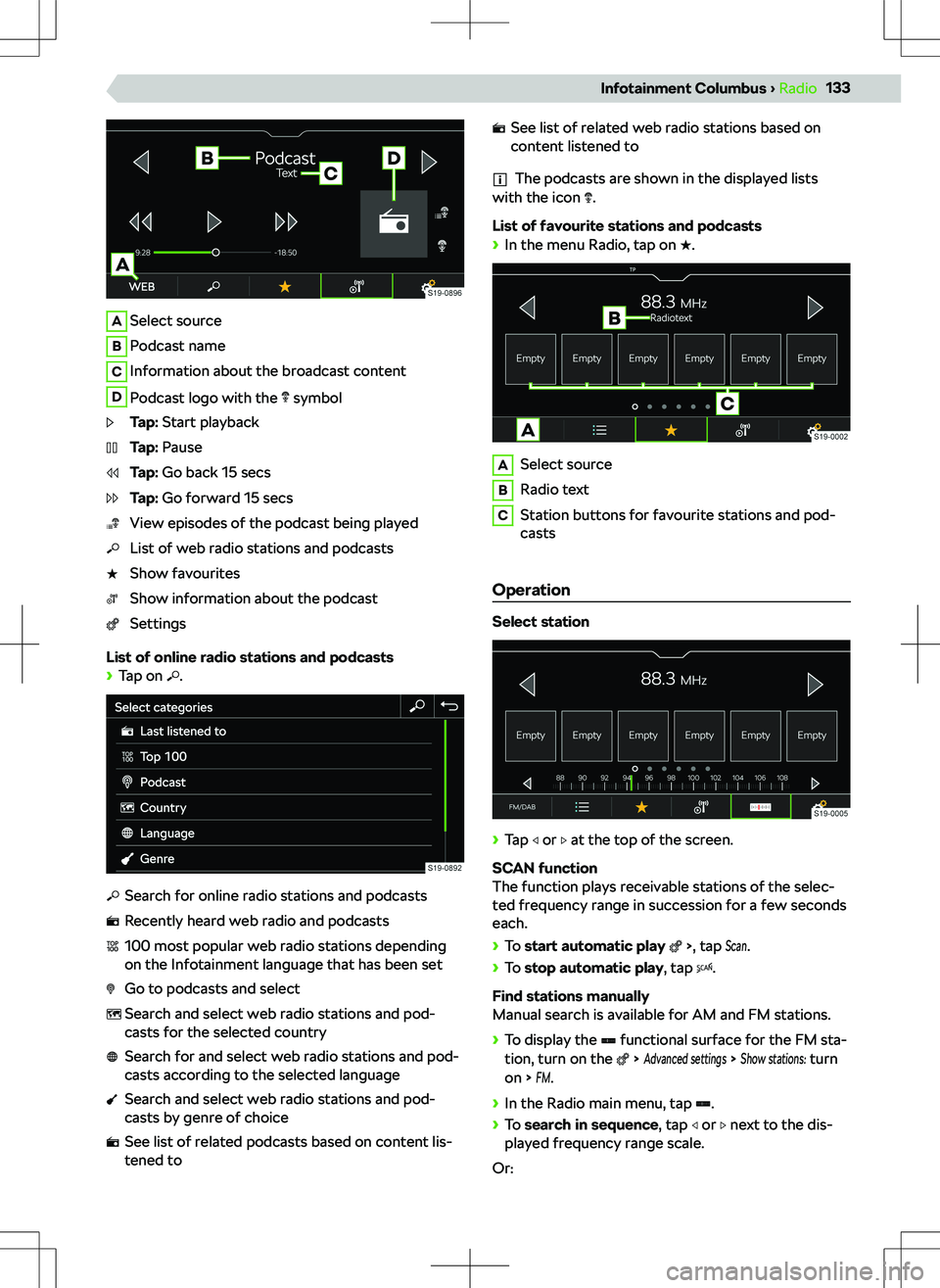
ASelect sourceBPodcast nameCInformation about the broadcast contentDPodcast logo with the symbolTap: Start playbackTap: PauseTap: Go back 15 secsTap: Go forward 15 secsView episodes of the podcast being playedList of web radio stations and podcastsShow favouritesShow information about the podcastSettings
List of online radio stations and podcasts
Page 246 of 253
Cargo elements212
Central locking25
SAFE function25
Central locking button26
Centre console10
Changing gear with a manual gearbox
165
Charging your phone wirelessly223
Check the vehicle before your journey19
Child lock29
Child seat42
Attachment45
Attachment with a strap45
Grouping43
i-Size45
in the passenger seat43
ISOFIX44, 45
Keyword child seat42
Recommended child seats44
Safety instructions42
Securing children properly20
TOP TETHER45
Choose Tyre control display A.209
cigarette lighter224
Cleaning the vehicle Outside
231
Climatronic56
Display in the centre console at the back57
COMING HOME50
attitude50
Functional conditions50
Compartments219
Control Centre Infotainment Amundsen
106
Infotainment Bolero85
Infotainment Columbus131
Infotainment Swing70
Coolant192
Checking193
Indicator light193
Refilling193
Safety19
Specification193
Temperature display192
Troubleshooting193
Cooling system56, 57
Crew Protect Assist see Proactive occupant protection
182
Cruise control176
Cup holder223
Cybernetic Security Infotainment Amundsen
115
Infotainment Bolero94
Infotainment Columbus140
D Data Connection
159
Daylight running lights48
DCC167
Diesel197
Misfuel protection197
Prescribed fuel198
Refill197
Requirements for refuelling197
Standards197
Tank capacity198
Troubleshooting198
Digital instrument cluster
63
Digital Assistant Laura Columbus Infotainment
130
Infotainment Amundsen105
Digital instrument cluster63
dimmed headlights48, 49
Distribution of the cargo168
Door Open / close
29
Downhill assistant183
Activation / deactivation184
Functionality183
Drive assistant see Travel Assist
180
Drive in neutral165
DriveGreen168
Driver Alert183
fatigue detection assistant183
Driver