fuel consumption SKODA YETI 2012 1.G / 5L Owner's Manual
[x] Cancel search | Manufacturer: SKODA, Model Year: 2012, Model line: YETI, Model: SKODA YETI 2012 1.G / 5LPages: 225, PDF Size: 5.47 MB
Page 11 of 225
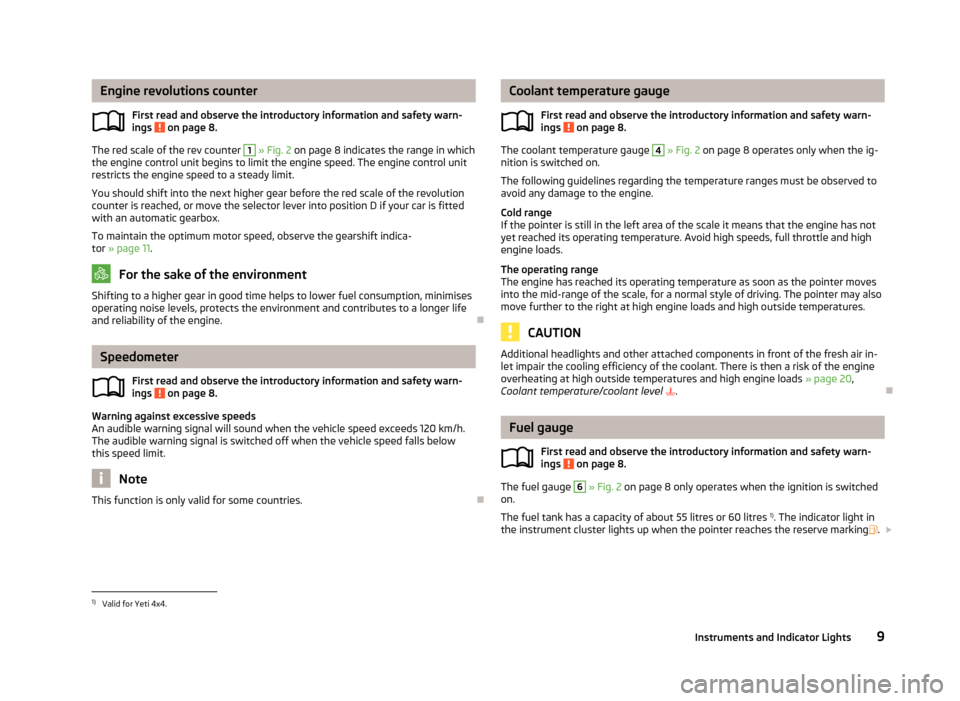
Engine revolutions counter
First read and observe the introductory information and safety warn-
ings on page 8.
The red scale of the rev counter 1
» Fig. 2 on page 8 indicates the range in which
the engine control unit begins to limit the engine speed. The engine control unit
restricts the engine speed to a steady limit.
You should shift into the next higher gear before the red scale of the revolution
counter is reached, or move the selector lever into position D if your car is fitted
with an automatic gearbox.
To maintain the optimum motor speed, observe the gearshift indica-
tor » page 11. For the sake of the environment
Shifting to a higher gear in good time helps to lower fuel consumption, minimises
operating noise levels, protects the environment and contributes to a longer life
and reliability of the engine. ÐSpeedometer
First read and observe the introductory information and safety warn-
ings on page 8.
Warning against excessive speeds
An audible warning signal will sound when the vehicle speed exceeds 120 km/h.
The audible warning signal is switched off when the vehicle speed falls below
this speed limit.
Note
This function is only valid for some countries. Ð
ä
ä Coolant temperature gauge
First read and observe the introductory information and safety warn-
ings on page 8.
The coolant temperature gauge 4
» Fig. 2 on page 8 operates only when the ig-
nition is switched on.
The following guidelines regarding the temperature ranges must be observed to
avoid any damage to the engine.
Cold range
If the pointer is still in the left area of the scale it means that the engine has not
yet reached its operating temperature. Avoid high speeds, full throttle and high
engine loads.
The operating range
The engine has reached its operating temperature as soon as the pointer moves
into the mid-range of the scale, for a normal style of driving. The pointer may also
move further to the right at high engine loads and high outside temperatures. CAUTION
Additional headlights and other attached components in front of the fresh air in-
let impair the cooling efficiency of the coolant. There is then a risk of the engine
overheating at high outside temperatures and high engine loads »
page 20,
Coolant temperature/coolant level . Ð Fuel gauge
First read and observe the introductory information and safety warn-
ings on page 8.
The fuel gauge 6
» Fig. 2 on page 8 only operates when the ignition is switched
on.
The fuel tank has a capacity of about 55 litres or 60 litres 1)
. The indicator light in
the instrument cluster lights up when the pointer reaches the reserve marking .£
ä
ä
1)
Valid for Yeti 4x4.
9
Instruments and Indicator Lights
Page 13 of 225
The following will be displayed in the information display for 10
seconds:
Service in ... km or ... days.
Resetting Service Interval Display
It is only possible to reset the Service Interval Display, if a service message or at
least a pre-warning is shown in the instrument cluster display.
We recommend that this reset is completed by a
ŠKODA specialist garage.
The ŠKODA specialist garage: › Resets the memory of the display after the appropriate inspection
› Adds an entry to the Service Schedule
› Affixes the sticker with the entry of the following service interval to the side of
the dashboard on the driver's side
Reset the service interval display by using the reset button 7
»
Fig. 2 on page 8.
On vehicles which are equipped with the information display, you can reset the
Service Interval Display in the menu Settings » page 16.CAUTION
We recommend that you do not reset the Service Interval Display yourself as this
can result in the incorrect setting of the Service Interval Display, which can also
cause possible problems with the operation of your vehicle. Note
■ Never reset the display between service intervals, as this will result in the incor-
rect display. ■ Information is retained in the Service Interval Display even after the vehicle bat-
tery is disconnected.
■ If the instrument cluster is exchanged after a repair, the correct values must be
entered in the counter for the Service Interval Display. This work is carried out by
a ŠKODA specialist garage. ■ After resetting the display with flexible service intervals, the displayed data is
the same as that for a vehicle with fixed service intervals. We therefore recom-
mend that the Service Interval Display is only reset by a
ŠKODA Service Partner,
who will reset the display with a vehicle system tester. ■ For more information on the service intervals » Service Plan. Ð Digital clock
First read and observe the introductory information and safety warn-
ings on page 8.
The clock is set with the buttons 3
and 7
» Fig. 2 on page 8.
Select the display that you wish to change with the button 3
and carry out the
change with the button 7
.
On vehicles that are fitted with the information display, it is also possible to set
the clock in the menu Time » page 16. Ð Recommended gear
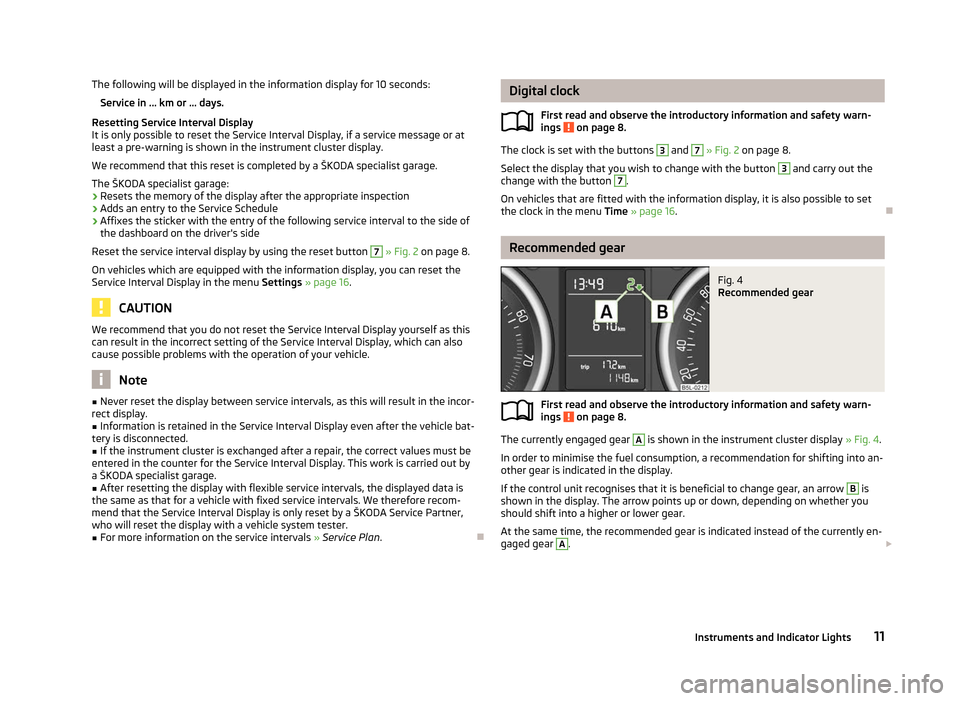
Fig. 4
Recommended gear
First read and observe the introductory information and safety warn-
ings on page 8.
The currently engaged gear A
is shown in the instrument cluster display
» Fig. 4.
In order to minimise the fuel consumption, a recommendation for shifting into an-
other gear is indicated in the display.
If the control unit recognises that it is beneficial to change gear, an arrow B
is
shown in the display. The arrow points up or down, depending on whether you
should shift into a higher or lower gear.
At the same time, the recommended gear is indicated instead of the currently en-
gaged gear A
.
£
ä
ä
11
Instruments and Indicator Lights
Page 15 of 225
Total-trip memory (memory 2)
The total-trip memory gathers data from any number of individual journeys up to
a total of 19
hours and 59 minutes driving or 1 999 kilometres driven, and on vehi-
cles which are fitted with an information display up to a total of 99 hours and
59 minutes driving or 9 999 kilometres driven. The memory is deleted when ei-
ther of these limits is reached and the calculation starts all over again.
Unlike the single-trip memory, the total-trip memory is not deleted after a period
of interruption of driving of 2 hours. Note
All information in the memory 1 and 2 is erased if the battery of the vehicle is dis-
connected. ÐOperation
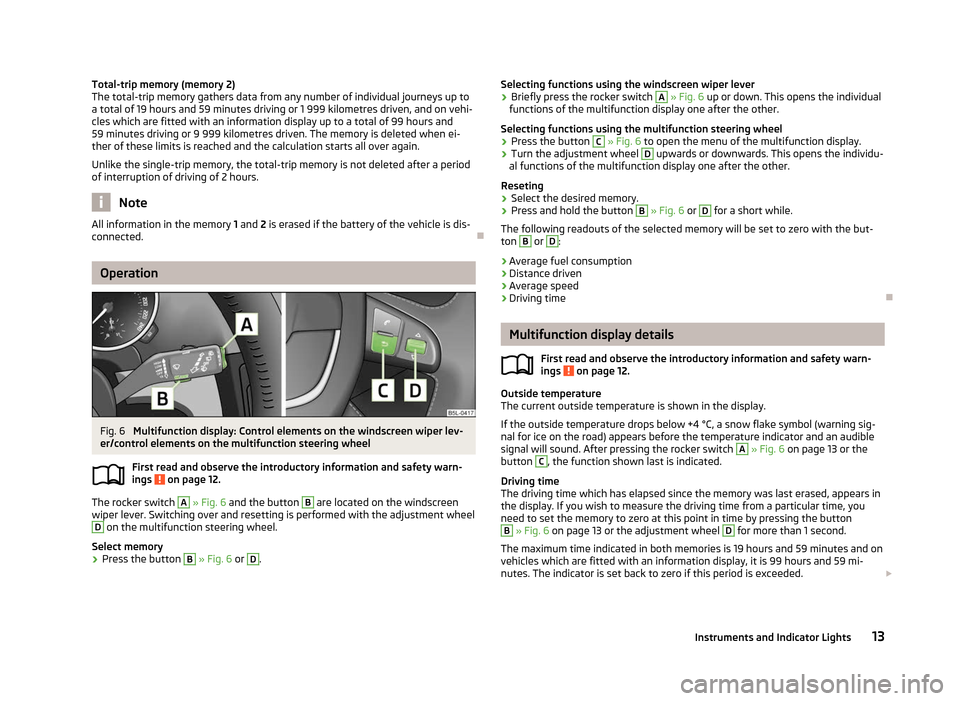
Fig. 6
Multifunction display: Control elements on the windscreen wiper lev-
er/control elements on the multifunction steering wheel
First read and observe the introductory information and safety warn-
ings on page 12.
The rocker switch A
» Fig. 6
and the button B
are located on the windscreen
wiper lever. Switching over and resetting is performed with the adjustment wheel D
on the multifunction steering wheel.
Select memory
› Press the button B
» Fig. 6 or D
.
ä Selecting functions using the windscreen wiper lever
› Briefly press the rocker switch A
» Fig. 6
up or down. This opens the individual
functions of the multifunction display one after the other.
Selecting functions using the multifunction steering wheel
› Press the button C
» Fig. 6 to open the menu of the multifunction display.
› Turn the adjustment wheel D
upwards or downwards. This opens the individu-
al functions of the multifunction display one after the other.
Reseting
› Select the desired memory.
› Press and hold the button B
» Fig. 6 or D
for a short while.
The following readouts of the selected memory will be set to zero with the but-
ton B
or D
:
› Average fuel consumption
› Distance driven
› Average speed
› Driving time Ð Multifunction display details
First read and observe the introductory information and safety warn-
ings on page 12.
Outside temperature
The current outside temperature is shown in the display.
If the outside temperature drops below +4
°C, a snow flake symbol (warning sig-
nal for ice on the road) appears before the temperature indicator and an audible
signal will sound. After pressing the rocker switch A
» Fig. 6 on page 13 or the
button C
, the function shown last is indicated.
Driving time
The driving time which has elapsed since the memory was last erased, appears in
the display. If you wish to measure the driving time from a particular time, you
need to set the memory to zero at this point in time by pressing the button B
» Fig. 6 on page 13 or the adjustment wheel D
for more than 1 second.
The maximum time indicated in both memories is 19 hours and 59
minutes and on
vehicles which are fitted with an information display, it is 99 hours and 59 mi-
nutes. The indicator is set back to zero if this period is exceeded. £
ä
13
Instruments and Indicator Lights
Page 16 of 225
Current fuel consumption
The current fuel consumption level is shown in the display in litres/100 km
1)
. You
can use this information to adapt your driving style to the desired fuel consump-
tion.
The display appears in litres/hour if the vehicle is stationary or driving at a low
speed 2)
.
Average fuel consumption
The average fuel consumption since the memory was last erased is shown in the
display in litres/100
km1 )
» page 12.
To determine the average fuel consumption over a certain period of time, set the
memory at the start of the new measurement to zero using button B
»
Fig. 6
on
page 13 or with the adjustment wheel D
. Dashes appears in the display for the
first 100 m you drive after erasing the memory.
The display is updated regularly while you are driving.
Range
The estimated range in kilometres is shown on the display. It indicates the dis-
tance you can still drive with your vehicle based on the level of fuel in the tank
and the same style of driving.
The display is shown in steps of 10
km. Once the fuel gauge pointer reaches the
reserve marking, the range is displayed in 5 km.
The fuel consumption over the last 50 km is used to calculate the range. The
range will increase if you drive in a more economical manner.
If the memory is set to zero (after disconnecting the battery), the fuel consump-
tion of 10 ltr./100 km is calculated for the range; afterwards the value is adapted
accordingly to the style of driving.
Distance travelled
The distance driven since the memory was last erased appears in the dis-
play » page 12. If you wish to measure the distance travelled from a particular
point in time, you need to set the memory to zero at this point in time by pressing
the button B
» Fig. 6 on page 13 or the adjustment wheel D
.
The maximum distance indicated in both memories is 1
999 km or 9 999 km on
vehicles with an information display. The indicator is set back to zero if this period
is exceeded. Average speed
The average speed since the memory was last erased is shown in the display in
km/hour
» page 12 . If you wish to determine the average speed over a certain pe-
riod of time, you need to set the memory to zero at the start of the measurement
using the button B
» Fig. 6 on page 13 or the adjustment wheel D
.
A zero appears in the display for the first approx. 300 m you drive after erasing
the memory.
The display is updated regularly while you are driving.
Current speed
The current speed which is identical to the display of the speedometer 2
»
Fig. 2
on page 8 is indicated on the display.
Oil temperature
If the oil temperature is lower than 50 °C or if a fault in the system for checking
the oil temperature is present, only - -.- is displayed instead of the oil tempera-
ture. Ð Warning against excessive speeds
First read and observe the introductory information and safety warn-
ings on page 12.
Adjust the speed limit while the vehicle is stationary
›
With the button A
» Fig. 6
on page
13 or the adjustment wheel D
, select the
menu item Warning against excessive speeds .
› Press the button B
» Fig. 6 on page 13 or the adjustment wheel D
to activate
the ability to set the speed limit (value flashes).
› Set the desired speed limit, e.g. 50 km/h, with the button A
or the adjustment
wheel D
.
› Use the button B
or the adjustment wheel D
to confirm the set speed limit, or
wait approx. 5 seconds and the setting is saved automatically (the value stops
flashing).
This allows you to set the speed in 5 km/h intervals. £
ä
1)
On some models in certain countries, the display appears in kilometres/litre.
2) On some models in certain countries, the display appears in --,- kilometres/litres if the vehicle is sta-
tionary.
14 Using the system
Page 26 of 225
WARNING
■ The diesel particle filter achieves very high temperatures. Therefore do not
park in areas where the hot filter can come into direct contact with dry grass
or other combustible materials - risk of fire!
■ Always adjust your speed to suit weather, road, region and traffic condi-
tions. The recommendations indicated by the indicator light must not tempt
you to disregard the national regulations for road traffic. CAUTION
As long as the indicator light lights up, one must take into account an in-
creased fuel consumption and in certain circumstances a power reduction of the
engine. Note
■ To assist the combustion process of the soot particles, we recommend that reg-
ularly driving over short distances should be avoided. ■ Using diesel fuel with an increased sulphur content can considerably reduce the
life of the diesel particle filter. A ŠKODA specialist garage will be able to tell you
which countries use only diesel fuel with high sulphur content. ÐFuel reserve
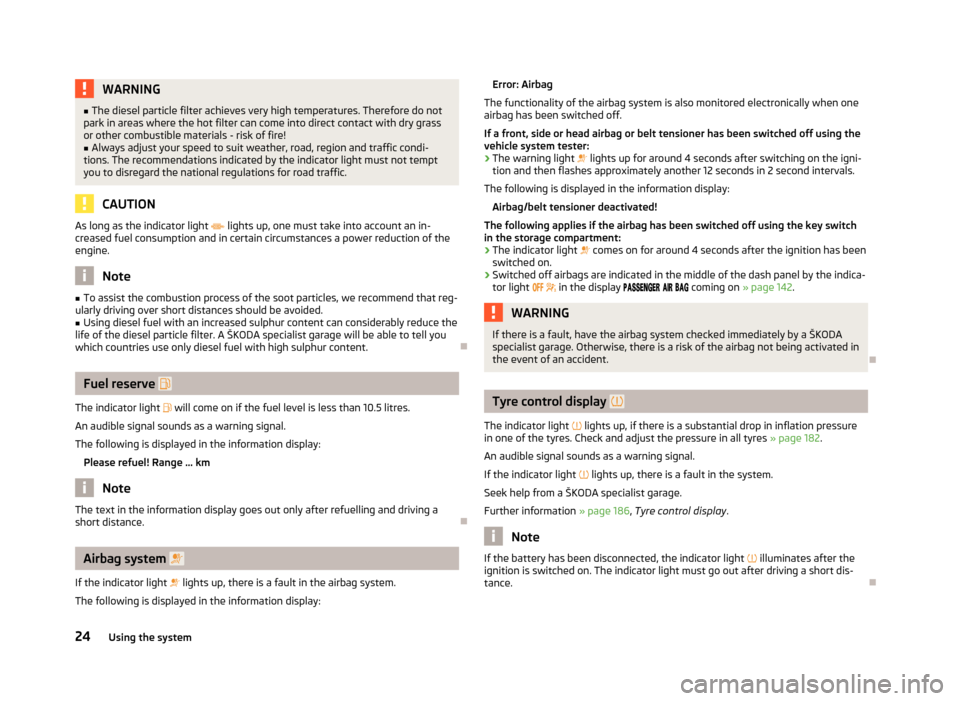
The indicator light will come on if the fuel level is less than 10.5 litres.
An audible signal sounds as a warning signal.
The following is displayed in the information display: Please refuel! Range ... km Note
The text in the information display goes out only after refuelling and driving a
short distance. ÐAirbag system
If the indicator light lights up, there is a fault in the airbag system.
The following is displayed in the information display: Error: Airbag
The functionality of the airbag system is also monitored electronically when one
airbag has been switched off.
If a front, side or head airbag or belt tensioner has been switched off using the
vehicle system tester:
› The warning light
lights up for around 4
seconds after switching on the igni-
tion and then flashes approximately another 12 seconds in 2 second intervals.
The following is displayed in the information display: Airbag/belt tensioner deactivated!
The following applies if the airbag has been switched off using the key switch
in the storage compartment: › The indicator light
comes on for around 4 seconds after the ignition has been
switched on.
› Switched off airbags are indicated in the middle of the dash panel by the indica-
tor light
in the display coming on » page 142. WARNING
If there is a fault, have the airbag system checked immediately by a ŠKODA
specialist garage. Otherwise, there is a risk of the airbag not being activated in
the event of an accident. Ð Tyre control display
The indicator light lights up, if there is a substantial drop in inflation pressure
in one of the tyres. Check and adjust the pressure in all tyres » page 182.
An audible signal sounds as a warning signal.
If the indicator light
lights up, there is a fault in the system.
Seek help from a ŠKODA specialist garage.
Further information » page 186, Tyre control display. Note
If the battery has been disconnected, the indicator light illuminates after the
ignition is switched on. The indicator light must go out after driving a short dis-
tance. Ð
24 Using the system
Page 36 of 225
There is a risk of unwanted entry into the vehicle before the boot lid is locked au-
tomatically. Always lock the vehicle using the button on the remote control or
with the key if no remote control is available » page 29 .ÐEmergency unlocking
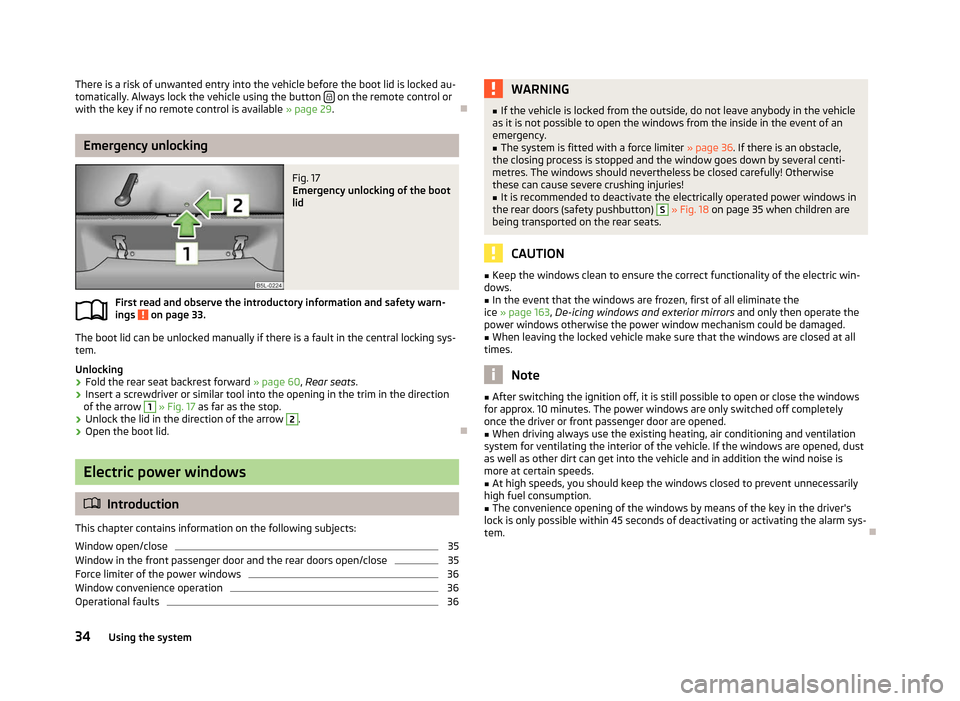
Fig. 17
Emergency unlocking of the boot
lid
First read and observe the introductory information and safety warn-
ings on page 33.
The boot lid can be unlocked manually if there is a fault in the central locking sys-
tem.
Unlocking
›
Fold the rear seat backrest forward
» page 60, Rear seats.
› Insert a screwdriver or similar tool into the opening in the trim in the direction
of the arrow 1
» Fig. 17
as far as the stop.
› Unlock the lid in the direction of the arrow 2
.
› Open the boot lid. ÐElectric power windows
ä
Introduction
This chapter contains information on the following subjects:
Window open/close 35
Window in the front passenger door and the rear doors open/close 35
Force limiter of the power windows 36
Window convenience operation 36
Operational faults 36
ä WARNING
■ If the vehicle is locked from the outside, do not leave anybody in the vehicle
as it is not possible to open the windows from the inside in the event of an
emergency.
■ The system is fitted with a force limiter » page 36. If there is an obstacle,
the closing process is stopped and the window goes down by several centi-
metres. The windows should nevertheless be closed carefully! Otherwise
these can cause severe crushing injuries!
■ It is recommended to deactivate the electrically operated power windows in
the rear doors (safety pushbutton) S
» Fig. 18 on page 35 when children are
being transported on the rear seats. CAUTION
■ Keep the windows clean to ensure the correct functionality of the electric win-
dows. ■ In the event that the windows are frozen, first of all eliminate the
ice » page 163, De-icing windows and exterior mirrors and only then operate the
power windows otherwise the power window mechanism could be damaged. ■ When leaving the locked vehicle make sure that the windows are closed at all
times. Note
■ After switching the ignition off, it is still possible to open or close the windows
for approx. 10
minutes. The power windows are only switched off completely
once the driver or front passenger door are opened. ■ When driving always use the existing heating, air conditioning and ventilation
system for ventilating the interior of the vehicle. If the windows are opened, dust
as well as other dirt can get into the vehicle and in addition the wind noise is
more at certain speeds.
■ At high speeds, you should keep the windows closed to prevent unnecessarily
high fuel consumption.
■ The convenience opening of the windows by means of the key in the driver's
lock is only possible within 45
seconds of deactivating or activating the alarm sys-
tem. Ð
34 Using the system
Page 49 of 225
Switching off
›
Press the cover glass
» Fig. 32 in the area of the symbol O.
Operating with the door contact switch
› Place the cover glass
» Fig. 32 in the middle position .ÐFront door warning light
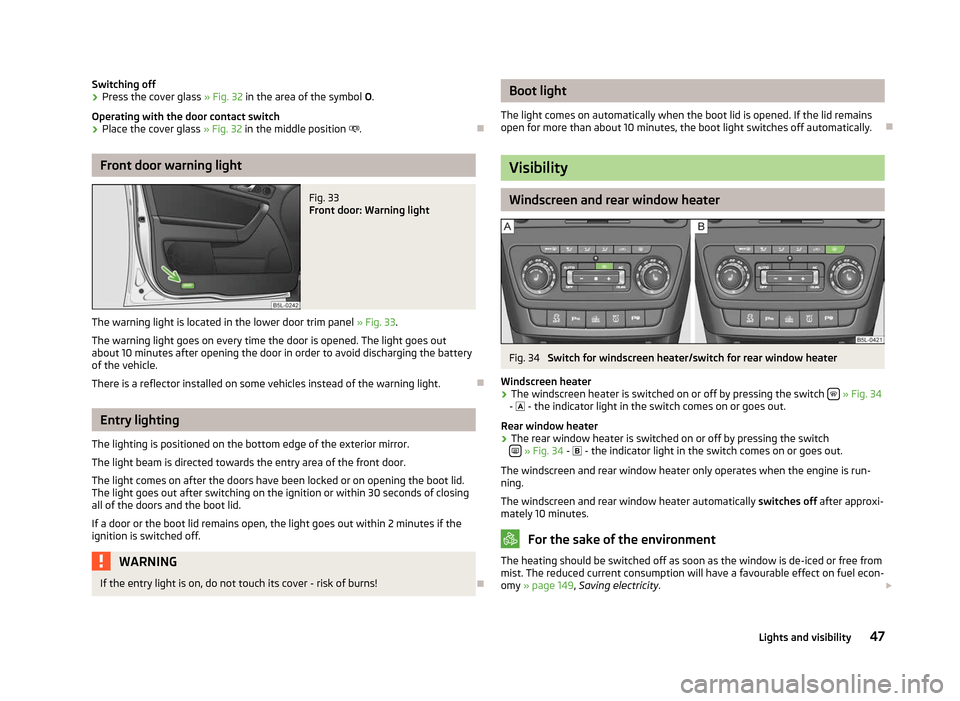
Fig. 33
Front door: Warning light
The warning light is located in the lower door trim panel » Fig. 33.
The warning light goes on every time the door is opened. The light goes out
about 10 minutes after opening the door in order to avoid discharging the battery
of the vehicle.
There is a reflector installed on some vehicles instead of the warning light. ÐEntry lighting
The lighting is positioned on the bottom edge of the exterior mirror.
The light beam is directed towards the entry area of the front door.
The light comes on after the doors have been locked or on opening the boot lid.
The light goes out after switching on the ignition or within 30
seconds of closing
all of the doors and the boot lid.
If a door or the boot lid remains open, the light goes out within 2 minutes if the
ignition is switched off. WARNING
If the entry light is on, do not touch its cover - risk of burns! Ð Boot light
The light comes on automatically when the boot lid is opened. If the lid remains
open for more than about 10
minutes, the boot light switches off automatically. Ð Visibility
Windscreen and rear window heater
Fig. 34
Switch for windscreen heater/switch for rear window heater
Windscreen heater › The windscreen heater is switched on or off by pressing the switch
» Fig. 34
- - the indicator light in the switch comes on or goes out.
Rear window heater
› The rear window heater is switched on or off by pressing the switch
»
Fig. 34 -
- the indicator light in the switch comes on or goes out.
The windscreen and rear window heater only operates when the engine is run-
ning.
The windscreen and rear window heater automatically switches off after approxi-
mately 10 minutes. For the sake of the environment
The heating should be switched off as soon as the window is de-iced or free from
mist. The reduced current consumption will have a favourable effect on fuel econ-
omy »
page 149 , Saving electricity . £
47
Lights and visibility
Page 71 of 225
CAUTION
■ Only use roof rack systems approved by ŠKODA.
■ If other roof rack systems are used or if the roof bars are not fitted correctly,
any resulting damage to the vehicle is not covered by the warranty. It is therefore
essential that the supplied fitting instructions for the roof rack system are ob-
served.
■ On vehicles with a panoramic sunroof, make sure that the tilted panorama roof
does not strike any items which are transported. ■ Ensure that the boot lid does not hit the roof load when opened. For the sake of the environment
The increased aerodynamic drag results in a higher fuel consumption. ÐRoof load
First read and observe the introductory information and safety warn-
ings on page 68.
The maximum permissible roof load (including roof rack system) of
100 kg and the
maximum permissible total weight of the vehicle should not be exceeded.
The full permissible roof load cannot be used if a roof rack system with a lower
load carrying capacity is used. In this case, the roof rack system must only be loa-
ded up to the maximum weight limit specified in the fitting instructions. ÐCup holder
ä
Introduction
This chapter contains information on the following subjects:
Cup holder in front centre console 69
Cup holder in rear centre console 70
ä WARNING
■ Never put hot beverage containers in the cup holder. If the vehicle moves,
they may spill - risk of scalding!
■ Do not use any cups or beakers which are made of brittle material (e.g. glass,
porcelain). This could lead to injuries in the event of an accident. CAUTION
■ Do not leave open beverage containers in the cup holder during the journey.
There is a risk of spilling e.g. when braking which may cause damage to the elec-
trical components or seat upholstery.
■ The cup holder in the rear part of the centre console must be closed (otherwise
it could get damaged) before folding forward the rear middle seat. Ð Cup holder in front centre console
Fig. 65
Front centre console: Cup holder
First read and observe the introductory information and safety warn-
ings on page 69.
Two beverage containers can be placed into the recesses
» Fig. 65.Ð
ä
69
Seats and Stowage
Page 82 of 225
Heating and air conditioning system
Heating and air conditioning system
Introductory information
The heating effect is dependent upon the coolant temperature, thus full heat
output only occurs when the engine has reached its operating temperature.
If the cooling system is switched on, the temperature and air humidity drops in
the vehicle. The well-being of the occupants of the car is enhanced as a result of
this particularly at high outside temperatures and a high air humidity. The system
prevents the windows misting up during the cold season of the year.
It is possible to briefly activate recirculated air mode to enhance the cooling ef-
fect.
Please refer to the information regarding recirculated air mode for the air-condi-
tioning system » page 85 or for Climatronic »
page 87.
The air inlet in front of the windscreen must be free of ice, snow or leaves to en-
sure that the heating and cooling system operates properly.
After switching on the cooling Condensation from the evaporator of the air condi-
tioning may drip down and form a puddle below the vehicle. This is quite normal
and not an indication of a leak! WARNING
■ For your own safety and that of other road users, ensure that all the win-
dows are free of ice, snow and misting. Please familiarize yourself about how
to correctly operate the heating and ventilation systems, how to demist and
defrost the windows, as well as with the cooling mode.
■ Do not leave recirculated air mode on over a longer period of time, as “stale”
air can cause fatigue of the driver and passengers, reduce attention levels and
also cause the windows to mist up. The risk of having an accident increases.
Switch off recirculated air mode as soon as the windows start to mist up. Note
■ The used air streams out through the vents in the boot.
■ We recommend that you do not smoke in the vehicle when the recirculating air
mode is operating since the smoke which is drawn at the evaporator from the in-
terior of the vehicle forms deposits in the evaporator of the air conditioning sys-
tem. This produces a permanent odour when the air conditioning system is oper-
ating which can only be eliminated through considerable effort and expense (re-
placement of compressor). ■ To ensure that the heating and air conditioning systems work properly, do not
block up the air outlet vents with any objects. Ð Using the air conditioning system economically
The compressor on the air conditioning system uses power from the engine when
in cooling mode which will effect the fuel consumption.
It recommended to open the windows or the doors of a vehicle for which the inte-
rior has been strongly heated through the effect of direct sunlight in order to al-
low the heated air to escape.
The cooling system should not be switched on while travelling when the window
is open.
If the desired interior temperature can also be achieved without activating the
cooling system, fresh air mode should be selected. For the sake of the environment
Pollutant emissions are also reduced when fuel is saved. Ð Operational problems
If the cooling system does not operate at outside temperatures higher than +5 °C,
there is a problem in the system. The reasons for this may be.
› One of the fuses has blown. Check the fuse and replace if necessa-
ry »
page 201 .
› The cooling system has switched off automatically for a short time because the
coolant temperature of the engine is too hot
» page 9.
If you cannot rectify the functional fault yourself, or the cooling capacity decrea-
ses, the cooling system must be switched off. Visit a ŠKODA specialist garage. Ð
80 Using the system
Page 91 of 225

The engine is also preheated, if the auxiliary heating is switched on when the ve-
hicle is stationary and the engine is switched off.
The auxiliary heating (parking heating) warms up the coolant by combusting fuel
from the vehicle tank. The coolant warms up the air, which (if the blower speed is
not set to zero) flows into the passenger compartment.
Auxiliary ventilation
The auxiliary ventilation enables fresh air to flow into the vehicle interior by
switching off the engine, whereby the interior temperature is effectively de-
creased (e.g. with the vehicle parked in the sun). WARNING
■ The auxiliary heating must never be operated in closed rooms - risk of poi-
soning! ■ The auxiliary heating must not be running during refuelling - risk of fire.
■ The exhaust pipe of the auxiliary heating is located on the underside of the
vehicle. Therefore, if you wish to operate the auxiliary heating, do not park the
vehicle in such a way that the exhaust gases from the auxiliary heating can
come into contact with highly flammable materials (e.g. dry grass) or easily in-
flammable substances (e.g. spilt fuel). Note
■ If the auxiliary heating runs, the fuel consumption comes from the vehicle tank.
The auxiliary heating automatically controls the filling level in the fuel tank. If only
a low quantity of fuel is present in the fuel tank, the function of the auxiliary
heating is blocked. ■ The exhaust pipe of the auxiliary heating, which is located on the underside of
the vehicle, must not be clogged and the exhaust flow must not be blocked.
■ If the auxiliary heating and ventilation is running, the vehicle battery discharges.
If the auxiliary heating and ventilation has been operated several times over a
longer period, the vehicle must be driven a few kilometres in order to recharge
the vehicle battery.
■ The auxiliary heating only switches the blower on, if it has achieved a coolant
temperature of approx. 50 °C.
■ At low outside temperatures, this can result in a formation of water vapour in
the area of the engine compartment. This is quite normal and is not an operating
problem.
■ After switching off the auxiliary heating, the coolant pump runs for a short peri-
od. ■
The auxiliary heating and ventilation does not switch on or comes on, if the ve-
hicle battery indicates a low loading state » page 180, Automatic load deactiva-
tion .
■ The auxiliary heating (parking heating) does not switch on, if the following was
shown in the information display or before switching off the ignition: Please re-
fuel! ■ The air inlet in front of the windscreen must be free of ice, snow or leaves in
order to ensure that the auxiliary heating operates properly.
■ So that warm air can flow into the vehicle interior after switching on the auxili-
ary heating, you must maintain the comfort temperature normally selected by
you, leave the fan switched on and leave the air outlet vents in an open position.
It is recommended to put the air flow in the position or .Ð Direct switching on/off
Fig. 92
Button for direct switching on/
off of the auxiliary heating (aux-
iliary heating and ventilation) on
the operating part of the air con-
ditioning system
First read and observe the introductory information and safety warn-
ings on page 88.
The auxiliary heating (auxiliary heating and ventilation) can be
directly switched
on or off at any time using the button » Fig. 92 on the operating part of the air-
conditioning system, on the operating part of the Climatronic system or via the ra-
dio remote control » page 90.
If the auxiliary heating and ventilation is not switched off earlier, it switches off
automatically after the set operating period, in the menu Running time has ex-
pired. Ð
ä
89
Heating and air conditioning system