lock SKODA YETI 2017 Owner´s Manual
[x] Cancel search | Manufacturer: SKODA, Model Year: 2017, Model line: YETI, Model: SKODA YETI 2017Pages: 200, PDF Size: 28.93 MB
Page 29 of 200
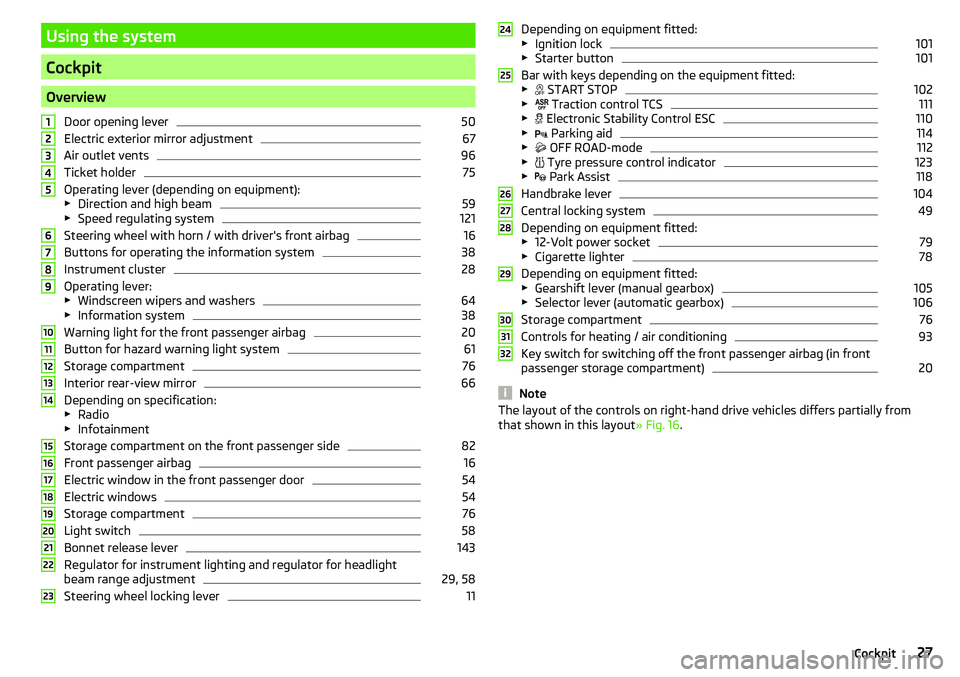
Using the system
Cockpit
OverviewDoor opening lever
50
Electric exterior mirror adjustment
67
Air outlet vents
96
Ticket holder
75
Operating lever (depending on equipment):
▶ Direction and high beam
59
▶Speed regulating system
121
Steering wheel with horn / with driver's front airbag
16
Buttons for operating the information system
38
Instrument cluster
28
Operating lever:
▶ Windscreen wipers and washers
64
▶Information system
38
Warning light for the front passenger airbag
20
Button for hazard warning light system
61
Storage compartment
76
Interior rear-view mirror
66
Depending on specification:
▶ Radio
▶ Infotainment
Storage compartment on the front passenger side
82
Front passenger airbag
16
Electric window in the front passenger door
54
Electric windows
54
Storage compartment
76
Light switch
58
Bonnet release lever
143
Regulator for instrument lighting and regulator for headlight
beam range adjustment
29, 58
Steering wheel locking lever
111234567891011121314151617181920212223Depending on equipment fitted:
▶ Ignition lock101
▶Starter button
101
Bar with keys depending on the equipment fitted:
▶ START STOP
102
▶
Traction control TCS
111
▶
Electronic Stability Control ESC
110
▶
Parking aid
114
▶
OFF ROAD-mode
112
▶
Tyre pressure control indicator
123
▶
Park Assist
118
Handbrake lever
104
Central locking system
49
Depending on equipment fitted:
▶ 12-Volt power socket
79
▶Cigarette lighter
78
Depending on equipment fitted:
▶ Gearshift lever (manual gearbox)
105
▶Selector lever (automatic gearbox)
106
Storage compartment
76
Controls for heating / air conditioning
93
Key switch for switching off the front passenger airbag (in front
passenger storage compartment)
20
Note
The layout of the controls on right-hand drive vehicles differs partially from
that shown in this layout » Fig. 16.24252627282930313227Cockpit
Page 33 of 200
WARNINGIf you have to stop for technical reasons, then park the vehicle at a safe
distance from the traffic, switch off the engine and switch on the hazard
warning light system » page 61. Place the warning triangle at the prescri-
bed distance.
Note
■ If the MAXI DOT display shows warning messages, these messages must be
confirmed in order to access the main menu » page 40 .■
As long as the operational faults are not rectified, the warning lights are al-
ways indicated again. After they are displayed for the first time, the warning
lights continue to be indicated without any extra messages for the driver.
Warning lights
Introduction
This chapter contains information on the following subjects:
Handbrake
32
Braking system
32
Front seat belt indicator light
32
Alternator
32
Door open
32
Coolant
32
Boot lid
32
Power steering / steering lock (KESSY system)
33
Engine oil
33
Stability control (ESC) / Traction control (TCS)
34
Traction control (TCS) deactivated
34
Anti-lock braking system (ABS)
34
Rear fog light
34
Lamp failure
34
Xenon headlights (AFS)
34
Emission control system
35
Preheating unit (diesel)
35
Control of the engine electronics (petrol engine)
35
Diesel particle filter (diesel)
35
Fuel reserve
36 Airbag system36 Tyre pressure36
Windscreen washer fluid level
37
Turn signal system
37
Fog lights
37
Cruise control system
37
Brake pedal (automatic transmission)
37
OFF ROADmode
37
Main beam
37
Display of a low temperature
37
The warning lights in the instrument cluster indicate certain functions or
faults.
Some warning lights can be accompanied by acoustic signals and messages in
the display of the instrument cluster.
After switching on the ignition, some warning lights light up briefly as a func-
tion test. If the tested systems are OK, the corresponding warning lights go
out a few seconds after switching on the ignition or after starting the engine.
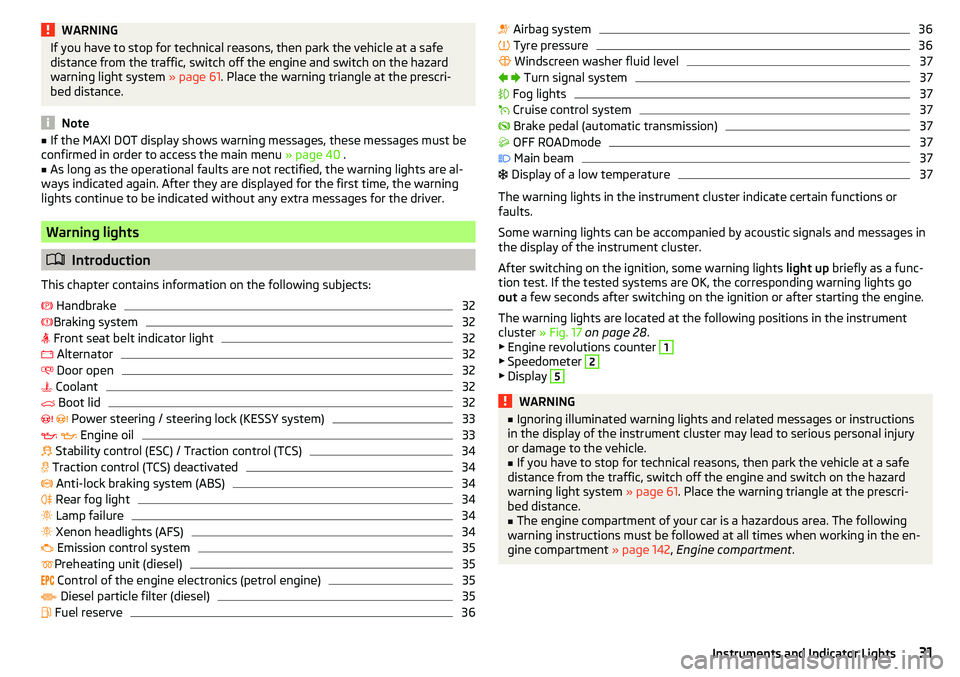
The warning lights are located at the following positions in the instrument
cluster » Fig. 17 on page 28 .
▶ Engine revolutions counter
1
▶Speedometer
2
▶Display
5WARNING■ Ignoring illuminated warning lights and related messages or instructions
in the display of the instrument cluster may lead to serious personal injury
or damage to the vehicle.■
If you have to stop for technical reasons, then park the vehicle at a safe
distance from the traffic, switch off the engine and switch on the hazard
warning light system » page 61. Place the warning triangle at the prescri-
bed distance.
■
The engine compartment of your car is a hazardous area. The following
warning instructions must be followed at all times when working in the en-
gine compartment » page 142, Engine compartment .
31Instruments and Indicator Lights
Page 35 of 200
Power steering / steering lock (KESSY system)
Read and observe
on page 31 first.
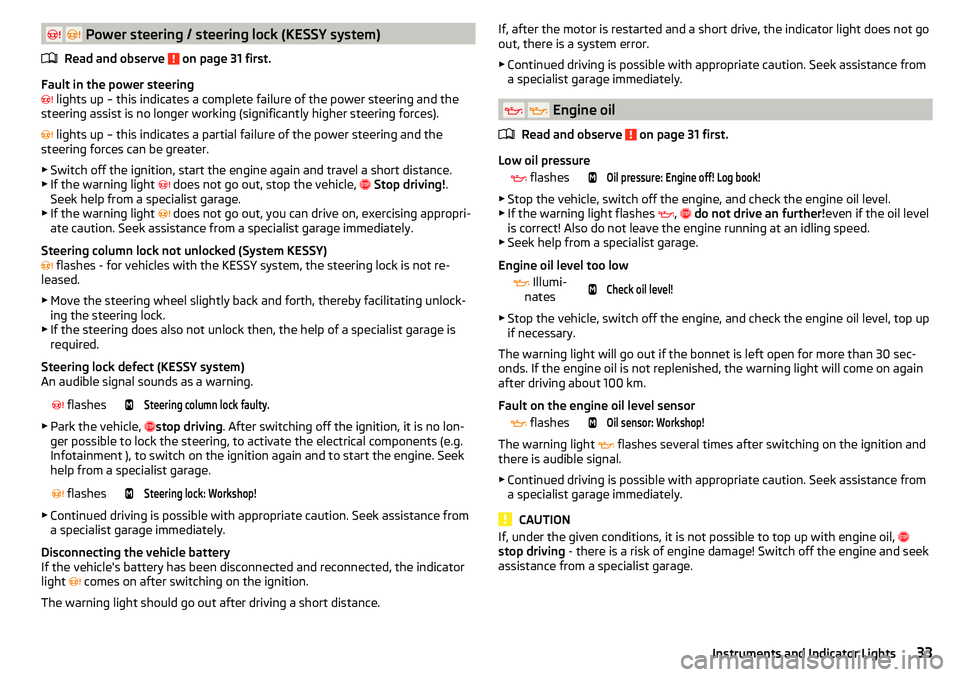
Fault in the power steering
lights up – this indicates a complete failure of the power steering and the
steering assist is no longer working (significantly higher steering forces).
lights up – this indicates a partial failure of the power steering and the
steering forces can be greater.
▶ Switch off the ignition, start the engine again and travel a short distance.
▶ If the warning light
does not go out, stop the vehicle,
Stop driving! .
Seek help from a specialist garage.
▶ If the warning light does not go out, you can drive on, exercising appropri-
ate caution. Seek assistance from a specialist garage immediately.
Steering column lock not unlocked (System KESSY)
flashes - for vehicles with the KESSY system, the steering lock is not re-
leased.
▶ Move the steering wheel slightly back and forth, thereby facilitating unlock-
ing the steering lock.
▶ If the steering does also not unlock then, the help of a specialist garage is
required.
Steering lock defect (KESSY system)
An audible signal sounds as a warning.
flashesSteering column lock faulty.
▶
Park the vehicle, stop driving
. After switching off the ignition, it is no lon-
ger possible to lock the steering, to activate the electrical components (e.g.
Infotainment ), to switch on the ignition again and to start the engine. Seek
help from a specialist garage.
flashesSteering lock: Workshop!
▶
Continued driving is possible with appropriate caution. Seek assistance from
a specialist garage immediately.
Disconnecting the vehicle battery
If the vehicle's battery has been disconnected and reconnected, the indicator
light comes on after switching on the ignition.
The warning light should go out after driving a short distance.
If, after the motor is restarted and a short drive, the indicator light does not go
out, there is a system error.
▶ Continued driving is possible with appropriate caution. Seek assistance from
a specialist garage immediately.
Engine oil
Read and observe
on page 31 first.
Low oil pressure
flashesOil pressure: Engine off! Log book!
▶
Stop the vehicle, switch off the engine, and check the engine oil level.
▶ If the warning light flashes ,
do not drive an further! even if the oil level
is correct! Also do not leave the engine running at an idling speed.
▶ Seek help from a specialist garage.
Engine oil level too low
Illumi-
nates
Check oil level!
▶ Stop the vehicle, switch off the engine, and check the engine oil level, top up
if necessary.
The warning light will go out if the bonnet is left open for more than 30 sec-
onds. If the engine oil is not replenished, the warning light will come on again
after driving about 100 km.
Fault on the engine oil level sensor
flashesOil sensor: Workshop!
The warning light
flashes several times after switching on the ignition and
there is audible signal.
▶ Continued driving is possible with appropriate caution. Seek assistance from
a specialist garage immediately.
CAUTION
If, under the given conditions, it is not possible to top up with engine oil,
stop driving - there is a risk of engine damage! Switch off the engine and seek
assistance from a specialist garage.33Instruments and Indicator Lights
Page 36 of 200
Stability control (ESC) / Traction control (TCS)Read and observe
on page 31 first.
If your vehicle is equipped with the ESC system, the TCS is part of the ESC sys-
tem.
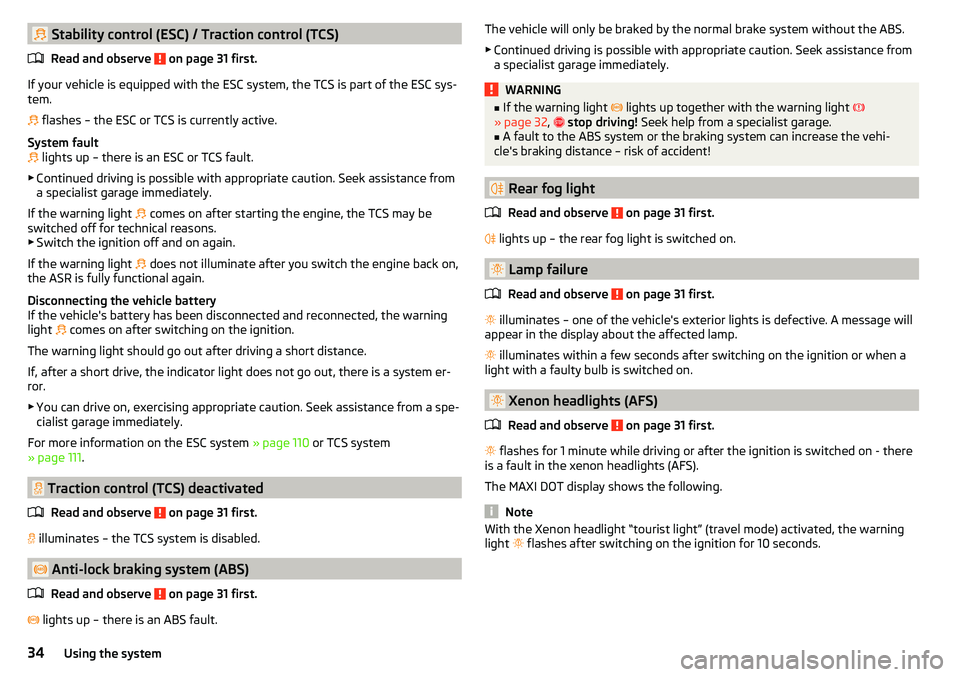
flashes – the ESC or TCS is currently active.
System fault
lights up – there is an ESC or TCS fault.
▶ Continued driving is possible with appropriate caution. Seek assistance from
a specialist garage immediately.
If the warning light comes on after starting the engine, the TCS may be
switched off for technical reasons. ▶ Switch the ignition off and on again.
If the warning light does not illuminate after you switch the engine back on,
the ASR is fully functional again.
Disconnecting the vehicle battery
If the vehicle's battery has been disconnected and reconnected, the warning light comes on after switching on the ignition.
The warning light should go out after driving a short distance.
If, after a short drive, the indicator light does not go out, there is a system er- ror.
▶ You can drive on, exercising appropriate caution. Seek assistance from a spe-
cialist garage immediately.
For more information on the ESC system » page 110 or TCS system
» page 111 .
Traction control (TCS) deactivated
Read and observe
on page 31 first.
illuminates – the TCS system is disabled.
Anti-lock braking system (ABS)
Read and observe
on page 31 first.
lights up – there is an ABS fault.
The vehicle will only be braked by the normal brake system without the ABS.
▶ Continued driving is possible with appropriate caution. Seek assistance from
a specialist garage immediately.WARNING■ If the warning light lights up together with the warning light
» page 32 , stop driving! Seek help from a specialist garage.■
A fault to the ABS system or the braking system can increase the vehi-
cle's braking distance – risk of accident!
Rear fog light
Read and observe
on page 31 first.
lights up – the rear fog light is switched on.
Lamp failure
Read and observe
on page 31 first.
illuminates – one of the vehicle's exterior lights is defective. A message will
appear in the display about the affected lamp.
illuminates within a few seconds after switching on the ignition or when a
light with a faulty bulb is switched on.
Xenon headlights (AFS)
Read and observe
on page 31 first.
flashes for 1 minute while driving or after the ignition is switched on - there
is a fault in the xenon headlights (AFS).
The MAXI DOT display shows the following.
Note
With the Xenon headlight “tourist light” (travel mode) activated, the warning
light flashes after switching on the ignition for 10 seconds.34Using the system
Page 45 of 200

Menu itemAudio
The following information is displayed in the
Audio
menu item.
Radio
▶ Currently playing station (name/frequency).
▶ The selected frequency range (e.g. FM) optionally with the number of the sta-
tion button (e.g. FM 3), if the station is stored in the memory list.
▶ List of available stations (if more than 5 stations can be received).
▶ TP traffic announcements.
Media
▶ Name of the track being played, if necessary, further information regarding
title (e.g. artist, album name), if this information is stored as a so called ID3
tag on the audio source.
Menu item
Phone
The call list with the following symbols is displayed in the
Telephone
menu item.
Incoming call
Outgoing call
Missed call
Symbols in the display Charge status of the telephone battery 1)
Signal strength 1)
A telephone is connected to the unit
Missed calls (if there are several missed calls, the number of calls is shown
next to the symbol)
Menu item
Assistants
In the
Assistants
menu item, the fatigue detection can be enabled/disabled
» page 122 .
Menu item
Settings
There is an option to change certain settings using the display. The following
information can be selected (depending on the equipment installed in the ve-
hicle).
Language Setting the language for the texts shown on the display.MFD data
Switching on/off certain information of the multifunction display.
Comfort
-Turn on / off or adjust the following functions.
ATA confirmSwitch on/off the audible signal indicating activation
of the anti-theft alarm system » page 51, Anti-theft
alarm system .Central lockingSwitch on/off the central locking and automatic lock-
ing function » page 50, Individual settings .Window op.Setting the comfort controls for the driver window or
for all windows » page 55, Window convenience op-
eration .Mirror downActivate/deactivate the function for lowering the mir-
ror on the front passenger side when in reverse
gear » page 67 , Tilting the mirror area of the front
passenger mirror (vehicles with electrically adjustable
driver's seat) .Mirror adjust.Activation / deactivation of the synchronous exterior
mirror function settings » page 67, Setting the mir-
ror surfaces synchronously .Factory setting.Resetting the Comfort menu to the factory setting.Lights & Vision
- Turn on / off or adjust the following functions.
Coming HomeActivate/deactivate and adjust the light duration of
the COMING HOME function » page 61.Leaving HomeSwitch on/off and adjust the light duration of the
LEAVING HOME function » page 61.Dayt. r. lightActivate/deactivate the daylight driving
light » page 59 , Daylight running lights (DAY LIGHT) .Rear wiperActivate/deactivate the function of the automatic
rear window wiping » page 65, Automatic rear wip-
er .Lane ch. flashActivate/deactivate the Comfort Indicating func-
tion » page 59 , Comfort signalling . 1)
This function is only supported by some mobile phones.
43Information system
Page 49 of 200
SmartGate web interface
SmartGate parameters can be set in the SmartGate web interface.
The following address must be entered in the web browser of the external de-
vice that is connected with SmartGate.
HTTP://192.168.123.1
The setting changes are only effective after tapping the buttons “Save” →
“Reboot”.
Password/PIN code
The password for the Wi-Fi connection preset by the factory is the complete
vehicle identification number (entered in upper case); the PIN code for the Wi-
Fi direct connection is the last 6 digits of the vehicle identification number.
After changing the password/PIN, the connection to SmartGate must be re-es-
tablished on the external device to be connected using the new password or
new PIN code.
Changing the password for the Wi-Fi connection
›
Open the SmartGate web interface » page 47, SmartGate web interface .
›
In the “WPA / WPA2 key”menu item: Enter the new password (8 to 63 alpha-
numeric characters and special characters, small and capital letters).
›
Confirm the password change by tapping on the “Save” interface.
›
Restart SmartGate by tapping on the “Reboot” 1)
interface.
Changing the PIN code for the Wi-Fi Direct connection
›
Open the SmartGate web interface » page 47, SmartGate web interface .
›
In the “WiFi Direct PIN”menu item: Enter the new PIN code (6 digits).
›
Confirm the PIN code change by tapping on the “Save” interface.
›
Restart SmartGate by tapping on the “Reboot” 1)
interface.
Note
If you have forgotten your password for the connection to SmartGate,
SmartGate must be reset to factory settings in a specialised workshop.Unlocking and opening
Unlocking and locking
Introduction
This chapter contains information on the following subjects:
Unlock / lock using key and lock
48
Unlocking/locking with the remote control key
48
Unlocking/locking - KESSY
49
Vehicle locking / unlocking with the central locking button
49
SafeLock
50
Individual settings
50
Opening/closing a door
50
Child safety lock
51
Malfunctions
51
The vehicle is equipped with a central locking system which makes it possible
to unlock / lock all the doors, the fuel filler flap and boot lid simultaneously.
The door unlocking can be adjusted individually » page 50.
The unlocking of the vehicle is displayed by the turn signal lights flashing
twice.
If you unlock the vehicle and do not open a door or the boot lid within the next
30 seconds, the vehicle will lock again automatically.
The locking of the vehicle is displayed by the turn signal lights flashing once.
If the driver's door has been opened, the vehicle cannot be locked.
If the doors or the boot lid remain open after the vehicle has been locked, the turn signal lights do not flash until they have been closed.
1)
If the “Reboot” interface is not displayed, you must manually restore the web browser display.
47Unlocking and opening
Page 50 of 200
WARNING■Never leave the key in the vehicle when you exit the vehicle. Unauthor-
ised persons (e.g. children) could lock the car, turn on the ignition or start
the engine - There is risk of injury and accidents!■
When leaving the vehicle, never leave people who are not completely in-
dependent, such as children, unattended in the vehicle. These individuals
might not be able to exit the vehicle by themselves or to help themselves.
Can be fatal at very high or very low temperatures!
CAUTION
■ Each key contains electronic components; therefore it must be protected
against moisture and severe shocks.■
Keep the key grooves clean. Impurities (textile fibres, dust etc.) have a nega-
tive effect on the functionality of the locking cylinder and ignition lock.
Unlock / lock using key and lock
Fig. 29
Left side of the vehicle: Turning
the key for unlocking and locking
the vehicle
Read and observe and on page 48 first.
Unlocking/locking the vehicle with the key » Fig. 29
Unlocking the vehicle
Locking the vehicle
CAUTION
If the locking cylinder is provided with a cap, the cap must be removed before-
hand to unlock/lock the vehicle. » page 165.Unlocking/locking with the remote control keyFig. 30
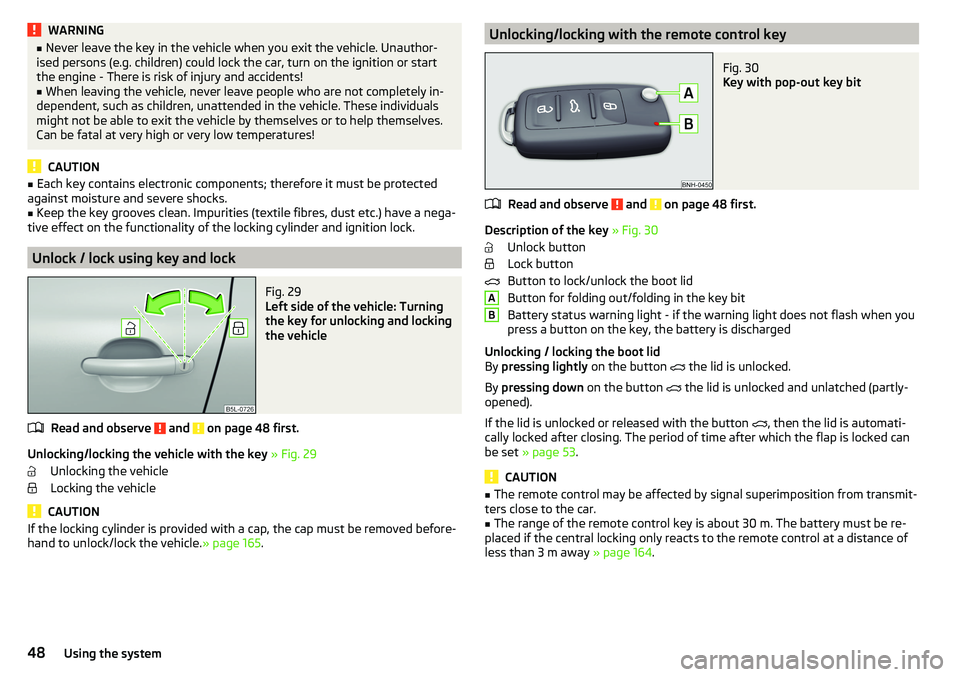
Key with pop-out key bit
Read and observe and on page 48 first.
Description of the key » Fig. 30
Unlock button
Lock button
Button to lock/unlock the boot lid
Button for folding out/folding in the key bit
Battery status warning light - if the warning light does not flash when you
press a button on the key, the battery is discharged
Unlocking / locking the boot lid
By pressing lightly on the button
the lid is unlocked.
By pressing down on the button
the lid is unlocked and unlatched (partly-
opened).
If the lid is unlocked or released with the button , then the lid is automati-
cally locked after closing. The period of time after which the flap is locked can
be set » page 53 .
CAUTION
■
The remote control may be affected by signal superimposition from transmit-
ters close to the car.■
The range of the remote control key is about 30 m. The battery must be re-
placed if the central locking only reacts to the remote control at a distance of
less than 3 m away » page 164.
AB48Using the system
Page 51 of 200

Unlocking/locking - KESSYFig. 31
Vehicle unlocking / vehicle locking
Read and observe
and on page 48 first.
The KESSY system (Keyless Entry Start Exit System) enables unlocking and
locking of the vehicle without actively using the remote control key.
›
Grip the door handle to unlock » Fig. 31 -
the vehicle.
›
Touch the sensor on the door handle with your finger to
lock » Fig. 31 -
the
vehicle.
When unlocking/locking the vehicle, the key must be at a maximum distance
of approximately 1.5 m from the front door handle.
Information on locking
On vehicles fitted with automatic gearbox, the selector lever must be moved
into the position P before unlocking.
The vehicle cannot be locked from the outside if the ignition has not been
turned off.
After locking the vehicle, it is not possible to unlock it within the next 2 sec-
onds by touching the door handle. This can be used to check whether the vehi-
cle is locked.
Protection against inadvertently locking the key in the vehicle
If one of the doors is closed after locking the vehicle and the key with which
the vehicle was locked remains in the passenger compartment, the vehicle is
automatically unlocked. After automatically unlocking, the turn signal lights
will flash four times. If no door is opened within 45 seconds, the vehicle is au-
tomatically locked again.
If the boot lid is closed after locking the vehicle and the key with which the vehicle was locked remains in the luggage compartment, the lid is automatical-
ly unlatched (partially opened). After automatically unlocking, the turn signal
lights will flash four times. The boot lid remains unlatched (partially opened);
the other doors remain locked.
CAUTION
Some types of gloves can affect the unlocking or locking device via the sen-
sors in the door handle.
Vehicle locking / unlocking with the central locking button
Fig. 32
Central locking button
Read and observe and on page 48 first.
Conditions for the locking/unlocking using the central locking button.
The vehicle is not locked from the outside.
None of the doors are open.
›
To lock , press the
button in the area » Fig. 32.
Locking is displayed in the button by the illumination of the
symbol.
›
To unlock , press the button in the area
.
The following applies after locking. ▶ Opening the doors and the boot lid from the outside is not possible.
▶ The doors can be unlocked and opened from the inside by a single pull on the
opening lever of the respective door.
WARNINGDoors locked from the inside make it difficult for rescuers to get into the
vehicle in an emergency – risk to life!49Unlocking and opening
Page 52 of 200

SafeLockRead and observe
and on page 48 first.
SafeLock prevents opening the doors from inside as well as window operation.
This makes an attempted break-in to the vehicle more difficult.
Activating
SafeLock is activated when the vehicle is locked from the outside.
This function is pointed out by the following message on the display of the in-
strument cluster after the ignition is switched off.
Check SAFELOCK! Log book!CHECK DEADLOCK
Activation display
When SafeLock is activated, the warning light in the driver's door flashes for 2
seconds in rapid succession, then starts to flash at longer intervals.
Deactivating
▶ By locking twice within 2 seconds.
▶ or: by deactivating the interior monitor and the towing protection
» page 52 .
The warning light in the driver door flashes rapidly for about 2 seconds, then
goes out and starts to flash at longer intervals after about 30 seconds.
If the vehicle is locked and the safe securing system is switched off, the door
can be opened separately from the inside by a single pull on opening lever.
The Safelock system switches back on when the vehicle is locked.
WARNINGIf the car is locked and the safe securing system activated, no people must
remain in the car as it will then not be possible to either unlock a door or
open a window from the inside. The locked doors make it more difficult for
rescuers to get into the vehicle in an emergency – risk to life!
Individual settings
Read and observe
and on page 48 first.
The following central locking functions can be individually set via the MAXI
DOT display » page 43, Menu item
Settings
.
All doors
The function allows you to unlock all doors, the boot lid and the fuel filler flap.
Single door
The function allows you to unlock only the driver's door and the fuel filler flap
with the radio remote control. KESSY allows the unlocking of a single door
which is in the vicinity of the key, as well as the fuel filler flap. The other doors
and the boot lid are only unlocked once the door handle is unlocked or
touched.
Doors on a vehicle side
This function enables you to unlock both doors on the driver's side and the
fuel filler flap with the radio remote control unit. KESSY allows the unlocking of
both doors which are in the vicinity of the key, as well as the fuel filler flap. The
other doors and the boot lid are only unlocked once the door handle is un-
locked or touched.
Automatic locking/unlocking
This function enables the locking of all doors and the boot lid from a speed of
15 km / h. Opening the doors and the boot lid from the outside is not possible.
The renewed unlocking of the doors and the boot lid is carried out when the
ignition key is removed or when the door is opened from inside (depending on
the individual setting for the central locking system).
Opening/closing a door
Fig. 33
Door handle/door opening lever:
Read and observe
and on page 48 first.
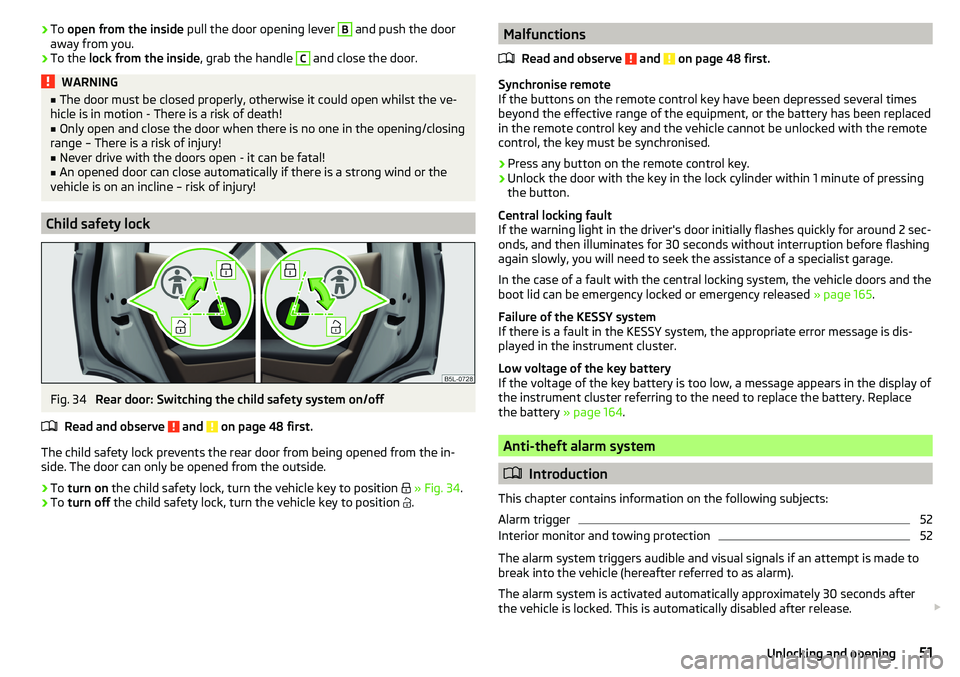
›
To open from the outside , unlock the vehicle and pull the door handle
A
in
the direction of arrow » Fig. 33.
50Using the system
Page 53 of 200
›To
open from the inside pull the door opening lever B and push the door
away from you.›
To the lock from the inside , grab the handle
C
and close the door.
WARNING■
The door must be closed properly, otherwise it could open whilst the ve-
hicle is in motion - There is a risk of death!■
Only open and close the door when there is no one in the opening/closing
range – There is a risk of injury!
■
Never drive with the doors open - it can be fatal!
■
An opened door can close automatically if there is a strong wind or the
vehicle is on an incline – risk of injury!
Child safety lock
Fig. 34
Rear door: Switching the child safety system on/off
Read and observe
and on page 48 first.
The child safety lock prevents the rear door from being opened from the in-
side. The door can only be opened from the outside.
›
To turn on the child safety lock, turn the vehicle key to position
» Fig. 34 .
›
To turn off the child safety lock, turn the vehicle key to position
.
Malfunctions
Read and observe
and on page 48 first.
Synchronise remote
If the buttons on the remote control key have been depressed several times
beyond the effective range of the equipment, or the battery has been replaced
in the remote control key and the vehicle cannot be unlocked with the remote
control, the key must be synchronised.
›
Press any button on the remote control key.
›
Unlock the door with the key in the lock cylinder within 1 minute of pressing the button.
Central locking fault
If the warning light in the driver's door initially flashes quickly for around 2 sec-
onds, and then illuminates for 30 seconds without interruption before flashing
again slowly, you will need to seek the assistance of a specialist garage.
In the case of a fault with the central locking system, the vehicle doors and the
boot lid can be emergency locked or emergency released » page 165.
Failure of the KESSY system
If there is a fault in the KESSY system, the appropriate error message is dis-
played in the instrument cluster.
Low voltage of the key battery
If the voltage of the key battery is too low, a message appears in the display of
the instrument cluster referring to the need to replace the battery. Replace
the battery » page 164.
Anti-theft alarm system
Introduction
This chapter contains information on the following subjects:
Alarm trigger
52
Interior monitor and towing protection
52
The alarm system triggers audible and visual signals if an attempt is made to
break into the vehicle (hereafter referred to as alarm).
The alarm system is activated automatically approximately 30 seconds after the vehicle is locked. This is automatically disabled after release.
51Unlocking and opening