manual transmission SMART FORTWO 2016 User Guide
[x] Cancel search | Manufacturer: SMART, Model Year: 2016, Model line: FORTWO, Model: SMART FORTWO 2016Pages: 214, PDF Size: 4.93 MB
Page 90 of 214
or parts of the engine that heat up. There is
a risk of fire.
Carry out regular checks to make sure that
there are no flammable foreign materials
in the engine compartment or in the exhaust
system.
!Do not depress the accelerator when
starting the engine.
iDuring a cold start, the engine runs at
higher speeds to enable the catalytic con-
verter to reach its operating temperature.
The sound of the engine may change during
this time.
Manual transmission
XDepress the brake pedal and keep it
depressed.
XDepress the clutch pedal fully.
XShift to neutral.
Automatic transmission
XShift the transmission to position P
(Ypage 92).
The transmission position display in the
multifunction display shows P
(
Ypage 92).
iYou can start the engine in transmission
positions Pand N.
In order to start the engine in transmission
position Nyou must depress the brake pedal
and keep it depressed.
Starting procedure
XTurn the key to position 3in the ignition
lock (Ypage 87) and release it as soon as the
engine is running.
Pulling away
General notes
GWARNING
Vehicles with automatic transmission:
If the engine speed is above the idling
speed and you engage transmission posi-
tion Dor R, the vehicle could pull away
suddenly. There is a risk of an accident.
When engaging transmission position Dor
R, always firmly depress the brake pedal
and do not simultaneously accelerate.
!Vehicles with manual transmission:
change gear in good time and avoid spin-
ning the wheels. You could otherwise dam-
age the vehicle.
!Release the parking brake before driving
off. The parking brake can otherwise over-
heat, malfunction and wear out quickly.
Accelerate gently when pulling away.
The vehicle locks centrally once you have
pulled away.
You can open the doors from the inside at any
time.
You can also deactivate the automatic locking
feature (
Ypage 55).
Vehicles with automatic transmission: you
can only shift the transmission from position
P to the desired transmission position if:
Rthe ignition is switched on
Ryou depress the brake pedal and keep it
depressed and
Ryou press release button on the selector
lever (Ypage 92).
Only then is the shift lock released.
iVehicles with automatic transmission:
transmission shifts take place at higher
engine speeds after a cold start. This helps
the catalytic converter to reach its oper-
ating temperature more quickly.
Hill start assist
Hill start assist helps you when pulling away forwards or in reverse on an uphill gradient.
It holds the vehicle for a short time after you have removed your foot from the brake pedal.
This gives you enough time to move your foot
from the brake pedal to the accelerator pedal
and to depress it before the vehicle begins to
roll.
GWARNING
After a short time, hill start assist will no
longer brake your vehicle and it could roll
88Driving
>> Driving and parking.
Page 93 of 214
Manual transmission
Gear lever
!
Only engage gear when the clutch pedal is
depressed.
!When shifting into 5thgear, you should
always push the gear lever all the way to the
right. You could otherwise shift uninten-
tionally into 3rdgear and damage the
transmission.
If you shift down at too high a speed (trans-
mission braking), this can cause the engine
to overrev, leading to engine damage.
Never hold the vehicle stopped on a hill by
using the clutch pedal. There is otherwise
a risk of damaging the clutch.
!On long and steep downhill gradients,
especially if the vehicle is laden, you must
shift into gear 1,2or 3in good time. By
doing so, you will make use of the braking
effect of the engine. This relieves the load
on the brake system and prevents the brakes
from overheating and wearing too quickly.
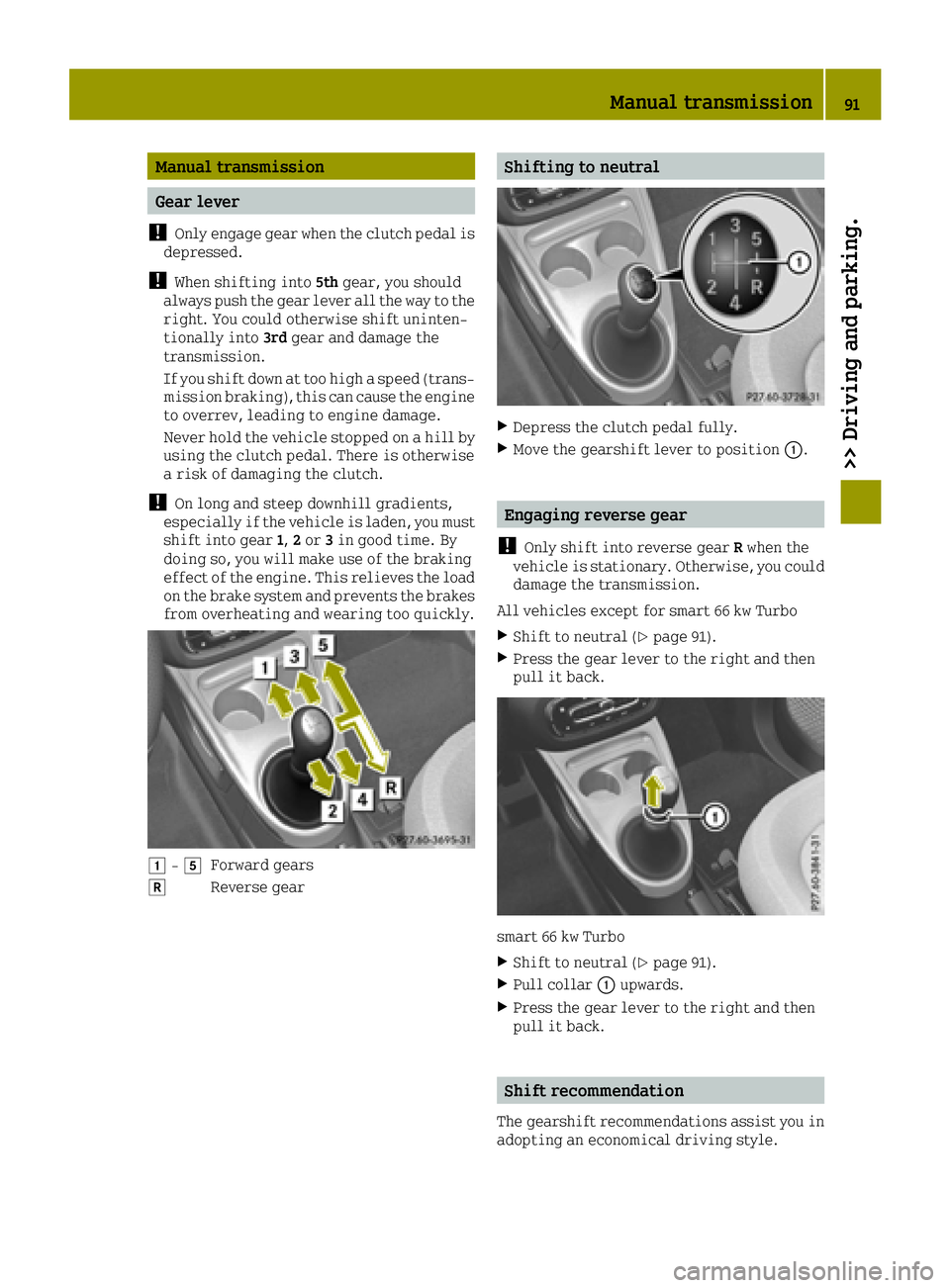
0047 -004BForward gears
005EReverse gear
Shifting to neutral
XDepress the clutch pedal fully.
XMove the gearshift lever to position 0043.
Engaging reverse gear
!
Only shift into reverse gear Rwhen the
vehicle is stationary. Otherwise, you could
damage the transmission.
All vehicles except for smart 66 kw Turbo
XShift to neutral (Ypage 91).
XPress the gear lever to the right and then
pull it back.
smart 66 kw Turbo
XShift to neutral (Ypage 91).
XPull collar 0043upwards.
XPress the gear lever to the right and then
pull it back.
Shift recommendation
The gearshift recommendations assist you in
adopting an economical driving style.
Manual transmission91
>> Driving and parking.
Z
Page 95 of 214
Transmission positions
0045Park position
This prevents the vehicle from
rolling away when stopped.
Only shift the transmission into
positionP(
Ypage 92) when the
vehicle is stationary. The parking
lock should not be used as a brake
when parking. Always apply the
parking brake in addition to the
parking lock in order to secure the
vehicle.
The key can only be removed if the
transmission is in position P. If
the SmartKey is removed from the
ignition lock, the selector lever is
locked.
In the event of a malfunction of the
vehicle's electronics, the trans-
mission may lock. Information on
manually disconnecting the selec-
tor lever lock (
Ypage 97).
Have the vehicle electronics
checked immediately at a quali-
fied specialist workshop.
0046Reverse gear
Only shift the transmission into
position Rwhen the vehicle is sta-
tionary.
0044Neutral
Do not shift the transmission to N
while driving. Otherwise, the
automatic transmission could be
damaged.
No power is transmitted from the
engine to the drive wheels.
Releasing the parking brake and
brake pedal will allow you to move
the vehicle freely, e.g. to push it or
tow it away.
If esp
®is deactivated or faulty:
shift the transmission to position
N if the vehicle is in danger of
skidding, e.g. on icy roads.
!Rolling in neutral Ncan dam-
age the drive train.
003ADrive
The automatic transmission
changes gear automatically. All
forward gears are available.
Driving tips
Changing gear
The automatic transmission shifts to the
individual gears automatically when it is in
transmission position D. This automatic
gearshifting behavior is determined by:
Rthe selected drive program:
Rthe position of the accelerator pedal
Rthe road speed
Accelerator pedal position
Your style of driving influences how the auto-
matic transmission shifts gear:
Rlittle throttle: early upshifts
Rmore throttle: late upshifts
Automatic transmission93
>> Driving and parking.
Z
Page 96 of 214
Kickdown
If you want maximum acceleration, use kick-
down:
XDepress the accelerator pedal beyond the
pressure point.
The automatic transmission shifts to a
lower gear depending on the engine speed.
XEase off the accelerator pedal once the
desired speed is reached.
The automatic transmission shifts back up.
Rocking the vehicle free
Shifting the transmission repeatedly
between gearsDand Rmay help to free the
vehicle if it has become stuck in slush or
snow.
XShift the selector lever alternately
between positions Dand R.
The vehicle's engine management system lim-
its the speed to a maximum of 5 mph (9 km/h)
when shifting back and forth.
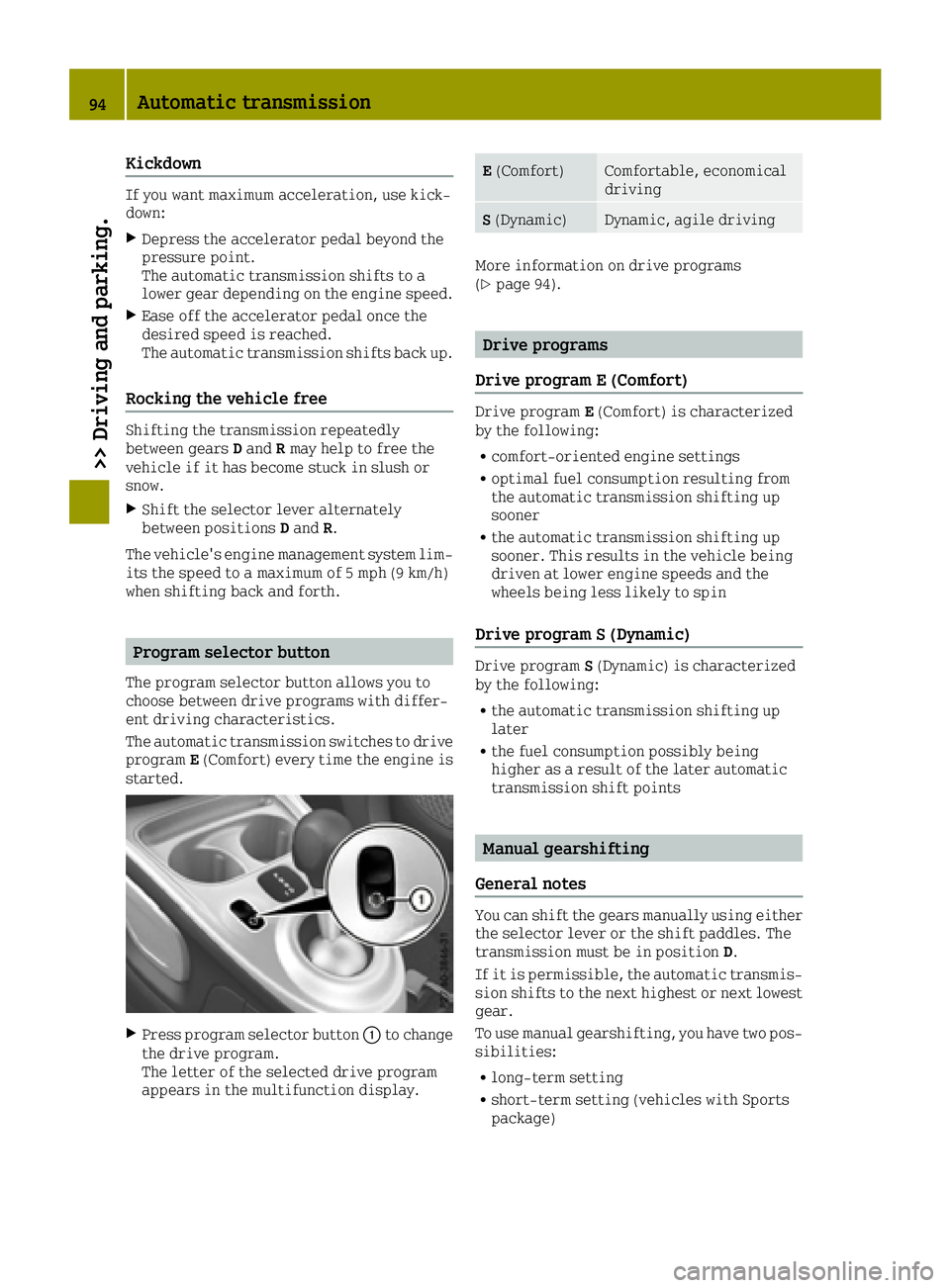
Program selector button
The program selector button allows you to
choose between drive programs with differ-
ent driving characteristics.
The automatic transmission switches to drive
program E(Comfort) every time the engine is
started.
XPress program selector button 0043to change
the drive program.
The letter of the selected drive program
appears in the multifunction display.
E (Comfort)Comfortable, economical
driving
S(Dynamic)Dynamic, agile driving
More information on drive programs
(Ypage 94).
Drive programs
Drive program E (Comfort)
Drive program E(Comfort) is characterized
by the following:
Rcomfort-oriented engine settings
Roptimal fuel consumption resulting from
the automatic transmission shifting up
sooner
Rthe automatic transmission shifting up
sooner. This results in the vehicle being
driven at lower engine speeds and the
wheels being less likely to spin
Drive program S (Dynamic)
Drive program S(Dynamic) is characterized
by the following:
Rthe automatic transmission shifting up
later
Rthe fuel consumption possibly being
higher as a result of the later automatic
transmission shift points
Manual gearshifting
General notes
You can shift the gears manually using either
the selector lever or the shift paddles. The
transmission must be in position D.
If it is permissible, the automatic transmis-
sion shifts to the next highest or next lowest
gear.
To use manual gearshifting, you have two pos-
sibilities:
Rlong-term setting
Rshort-term setting (vehicles with Sports
package)
94Automatic transmission
>> Driving and parking.
Page 97 of 214
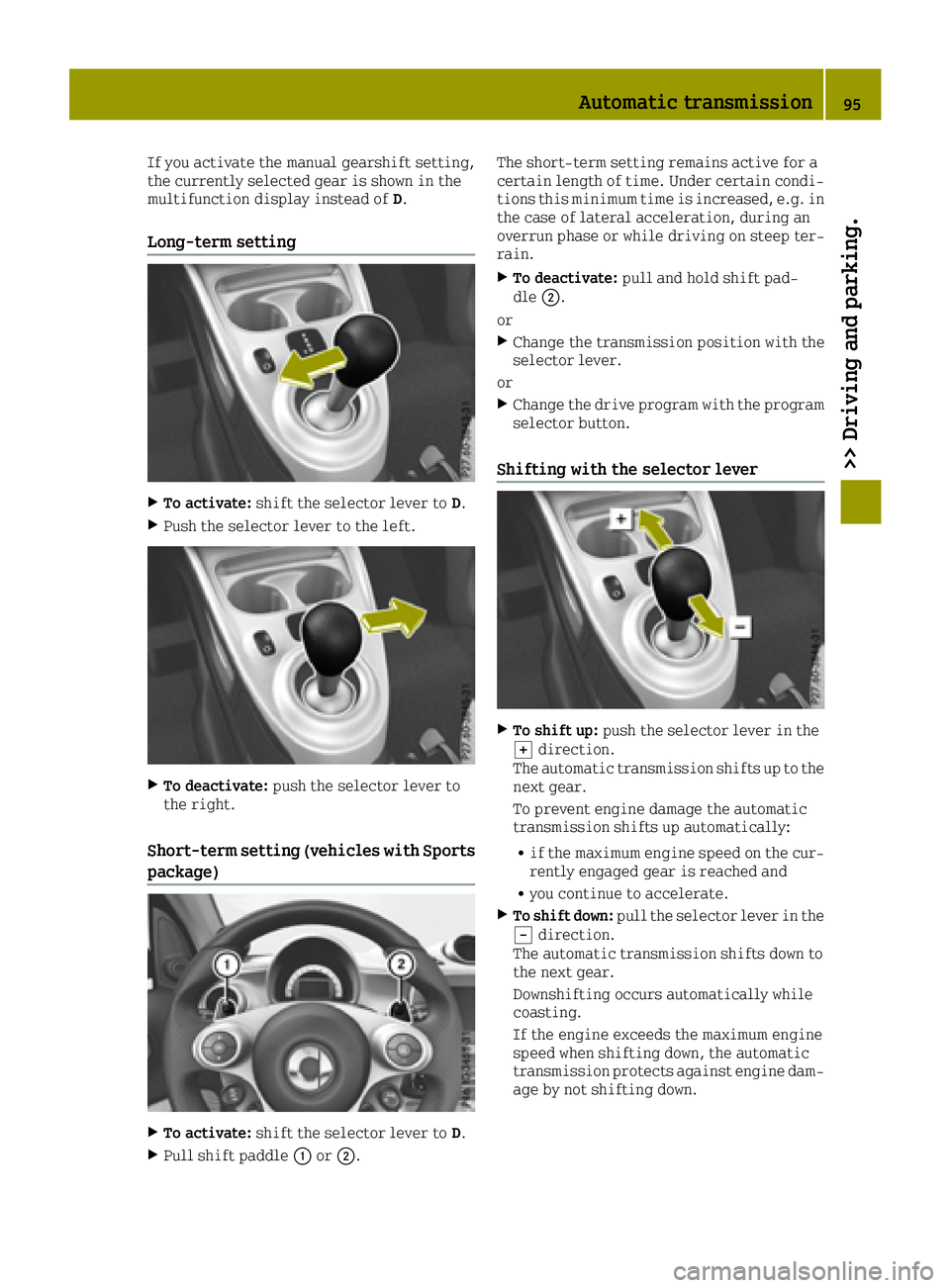
If you activate the manual gearshift setting,
the currently selected gear is shown in the
multifunction display instead ofD.
Long-term setting
XTo activate:shift the selector lever to D.
XPush the selector lever to the left.
XTo deactivate:push the selector lever to
the right.
Short-term setting (vehicles with Sports
package)
XTo activate: shift the selector lever to D.
XPull shift paddle0043or0044. The short-term setting remains active for a
certain length of time. Under certain condi-
tions this minimum time is increased, e.g. in
the case of lateral acceleration, during an
overrun phase or while driving on steep ter-
rain.
XTo deactivate:
pull and hold shift pad-
dle 0044.
or
XChange the transmission position with the
selector lever.
or
XChange the drive program with the program
selector button.
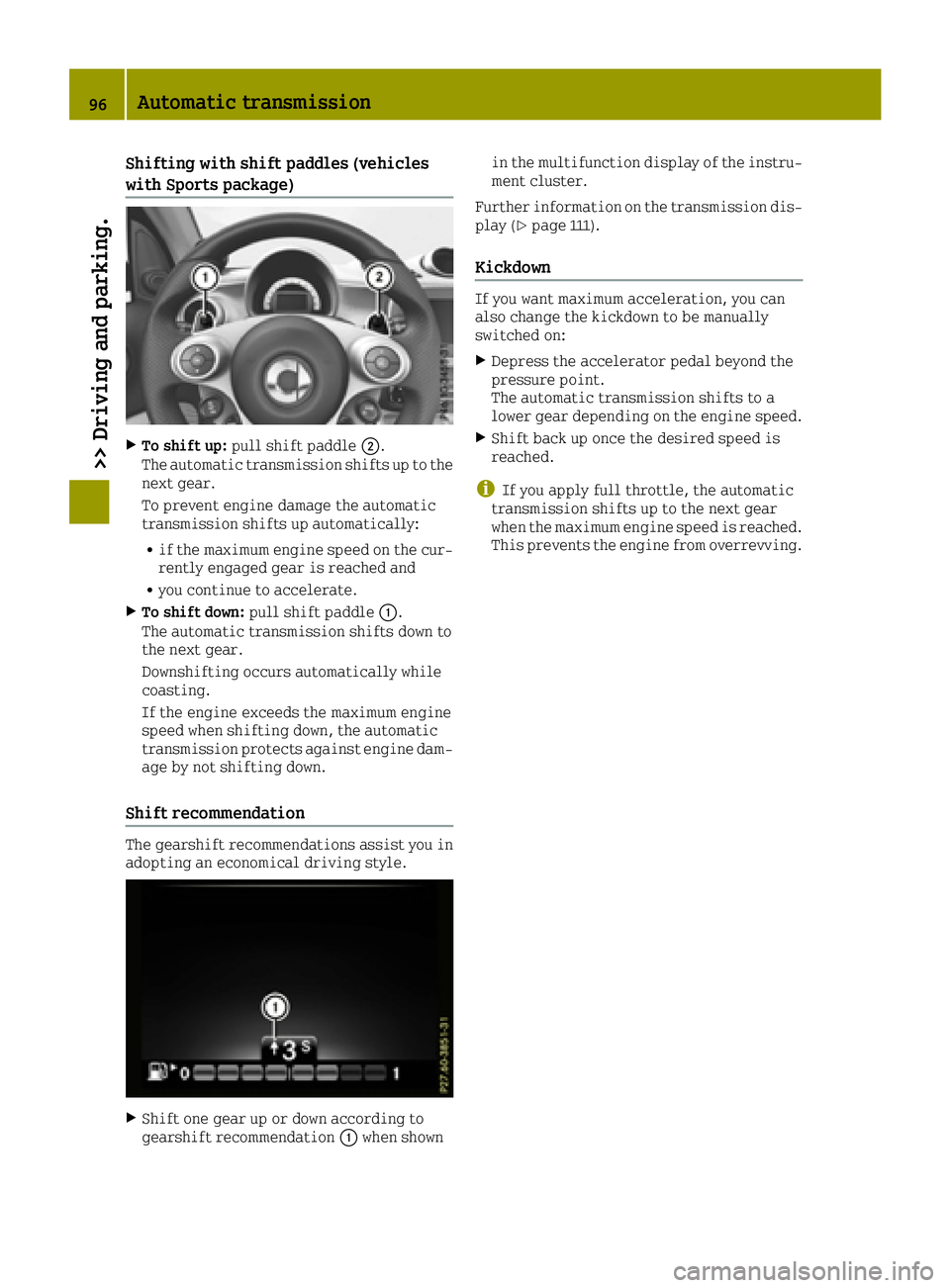
Shifting with the selector lever
XTo shift up: push the selector lever in the
0064 direction.
The automatic transmission shifts up to the
next gear.
To prevent engine damage the automatic
transmission shifts up automatically:
Rif the maximum engine speed on the cur-
rently engaged gear is reached and
Ryou continue to accelerate.
XTo shift down: pull the selector lever in the
0058 direction.
The automatic transmission shifts down to
the next gear.
Downshifting occurs automatically while
coasting.
If the engine exceeds the maximum engine
speed when shifting down, the automatic
transmission protects against engine dam-
age by not shifting down.
Automatic transmission95
>> Driving and parking.
Z
Page 98 of 214
Shifting with shift paddles (vehicles
with Sports package)
XTo shift up:pull shift paddle 0044.
The automatic transmission shifts up to the
next gear.
To prevent engine damage the automatic
transmission shifts up automatically:
Rif the maximum engine speed on the cur-
rently engaged gear is reached and
Ryou continue to accelerate.
XTo shift down: pull shift paddle 0043.
The automatic transmission shifts down to
the next gear.
Downshifting occurs automatically while
coasting.
If the engine exceeds the maximum engine
speed when shifting down, the automatic
transmission protects against engine dam-
age by not shifting down.
Shift recommendation
The gearshift recommendations assist you in
adopting an economical driving style.
XShift one gear up or down according to
gearshift recommendation 0043when shown in the multifunction display of the instru-
ment cluster.
Further information on the transmission dis-
play (
Ypage 111).
Kickdown
If you want maximum acceleration, you can
also change the kickdown to be manually
switched on:
XDepress the accelerator pedal beyond the
pressure point.
The automatic transmission shifts to a
lower gear depending on the engine speed.
XShift back up once the desired speed is
reached.
iIf you apply full throttle, the automatic
transmission shifts up to the next gear
when the maximum engine speed is reached.
This prevents the engine from overrevving.
96Automatic transmission
>> Driving and parking.
Page 99 of 214
Problems with the transmission
ProblemPossible causes/consequences and0050Solutions
The transmission has
problems shifting
gear.The transmission is losing oil.
XHave the transmission checked at a qualified specialist work-
shop immediately.
The acceleration abil-
ity is deteriorating.
The transmission no
longer shifts into all of
the gears.
Reverse gear can no
longer be engaged.The transmission is in emergency mode.
XStop the vehicle.
XShift the transmission to position P.
XSwitch off the engine.
XWait at least ten seconds before restarting the engine.
XShift the transmission to positionD.
XHave the transmission checked at a qualified specialist work-
shop immediately.
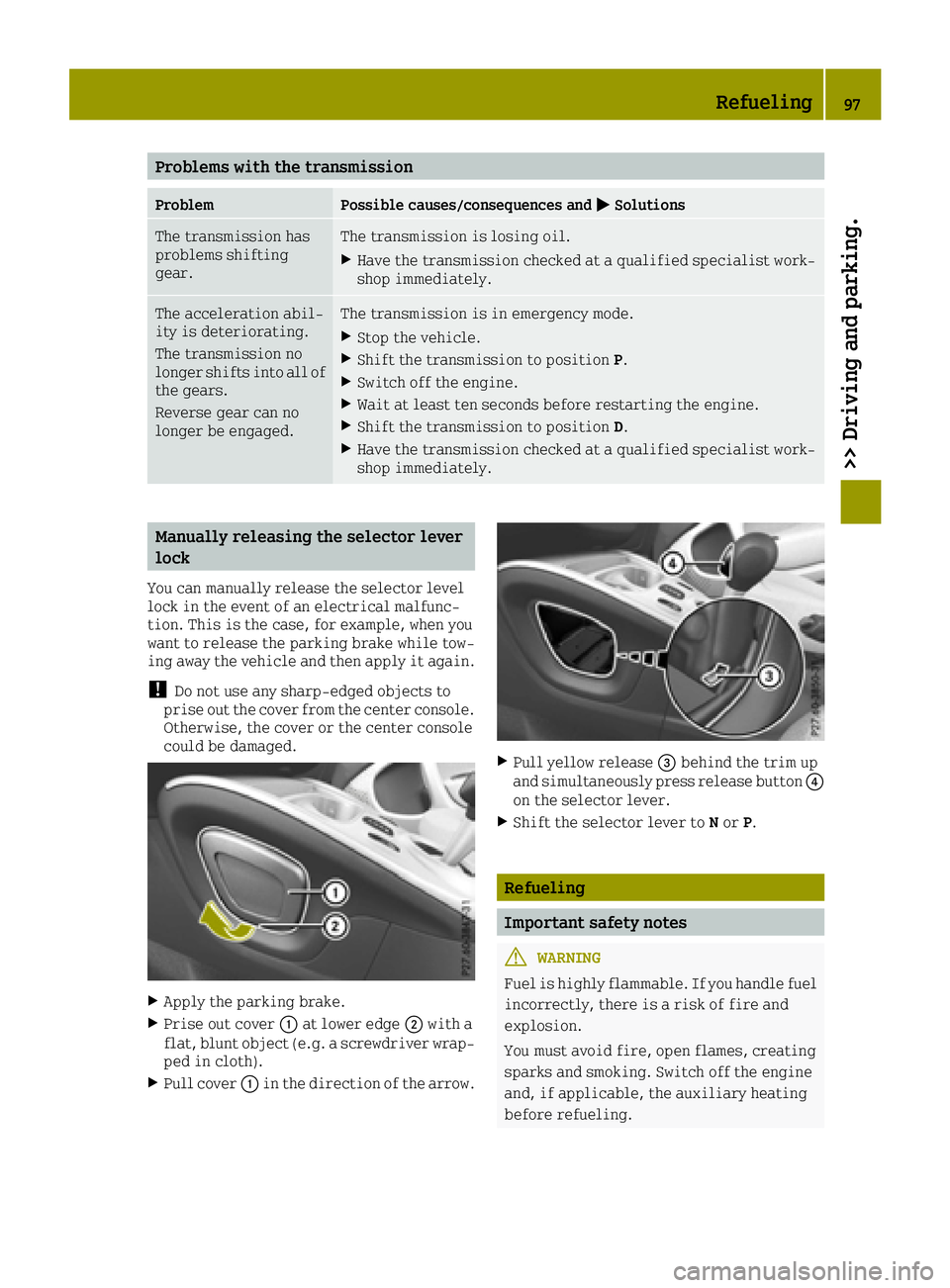
Manually releasing the selector lever
lock
You can manually release the selector level
lock in the event of an electrical malfunc-
tion. This is the case, for example, when you
want to release the parking brake while tow-
ing away the vehicle and then apply it again.
!Do not use any sharp-edged objects to
prise out the cover from the center console.
Otherwise, the cover or the center console
could be damaged.
XApply the parking brake.
XPrise out cover 0043at lower edge 0044with a
flat, blunt object (e.g. a screwdriver wrap-
ped in cloth).
XPull cover 0043in the direction of the arrow.
XPull yellow release 0087behind the trim up
and simultaneously press release button 0085
on the selector lever.
XShift the selector lever to Nor P.
Refueling
Important safety notes
GWARNING
Fuel is highly flammable. If you handle fuel
incorrectly, there is a risk of fire and
explosion.
You must avoid fire, open flames, creating
sparks and smoking. Switch off the engine
and, if applicable, the auxiliary heating
before refueling.
Refueling97
>> Driving and parking.
Z
Page 102 of 214
Problems with fuel and fuel tank
ProblemPossible causes/consequences and0050Solutions
Fuel is leaking from the
vehicle.The fuel line or the fuel tank is faulty.
GWARNING
Risk of explosion or fire.
XTurn the key to position 0in the ignition lock and remove it
immediately (Ypage 87).
XDo not restart the engine under any circumstances.
XConsult a qualified specialist workshop.
The fuel filler flap
cannot be opened.The fuel filler flap is not unlocked.
XUnlock the vehicle (Ypage 51).
The SmartKey battery is discharged or nearly discharged.
XUnlock the vehicle using the key element in the emergency lock
(Ypage 55).
The fuel filler flap is unlocked, but the opening mechanism is
jammed.
XConsult a qualified specialist workshop.
Parking
Important safety notes
GWARNING
Flammable material such as leaves, grass or
twigs may ignite if they come into contact
with hot parts of the exhaust system or
exhaust gas flow. There is a risk of fire.
Park the vehicle so that no flammable mate- rials come into contact with parts of the
vehicle which are hot. Take particular care
not to park on dry grassland or harvested
grain fields.
GWARNING
If you leave children unsupervised in the
vehicle, they could set it in motion by, for example:
Rrelease the parking brake.
Rshift the automatic transmission out of
park position Por shift manual trans-
mission into neutral.
Rstart the engine.
In addition, they may operate vehicle
equipment and become trapped. There is a
risk of an accident and injury.
When leaving the vehicle, always take the
SmartKey with you and lock the vehicle.
Never leave children unsupervised in the
vehicle.
!Always secure the vehicle correctly
against rolling away. Otherwise, the vehi-
cle or its drivetrain could be damaged.
100Parking
>> Driving and parking.
Page 103 of 214
To ensure that the vehicle is secured against
rolling away unintentionally:
Rthe parking brake must be applied.
Ra gear must be engaged on vehicles with
manual transmission.
Rthe selector lever must be in positionPon
vehicles with automatic transmission.
Rthe SmartKey must be removed from the
ignition lock.
Ron uphill or downhill gradients, the front
wheels must be turned towards the curb.
Switching off the engine
Important safety notes
GWARNING
The automatic transmission switches to
neutral position Nwhen you switch off the
engine. The vehicle may roll away. There is a risk of an accident.
After switching off the engine, always
switch to parking position P. Prevent the
parked vehicle from rolling away by apply-
ing the parking brake.
Vehicles with manual transmission
XSelect a gear.
XTurn the key to position 0in the ignition
lock and remove it.
The immobilizer is activated.
XApply the parking brake.
Vehicles with automatic transmission
XApply the parking brake.
XShift the transmission to position P.
XTurn the key to position0in the ignition
lock and remove it.
The immobilizer is activated.
The key can only be removed if the trans-
mission is in position P.
Parking brake
General notes
GWARNING
If you must brake the vehicle with the park-
ing brake, the braking distance is consid-
erably longer and the wheels could lock.
There is an increased danger of skidding
and accidents.
Only use the parking brake to brake the
vehicle when the service brake is faulty. Do
not apply the parking brake too firmly. If
the wheels lock, release the parking brake
until the wheels begin turning again.
GWARNING
If you leave children unsupervised in the
vehicle, they could set it in motion by, for example:
Rrelease the parking brake.
Rshift the automatic transmission out of
park position Por shift manual trans-
mission into neutral.
Rstart the engine.
In addition, they may operate vehicle
equipment and become trapped. There is a
risk of an accident and injury.
When leaving the vehicle, always take the
SmartKey with you and lock the vehicle.
Never leave children unsupervised in the
vehicle.
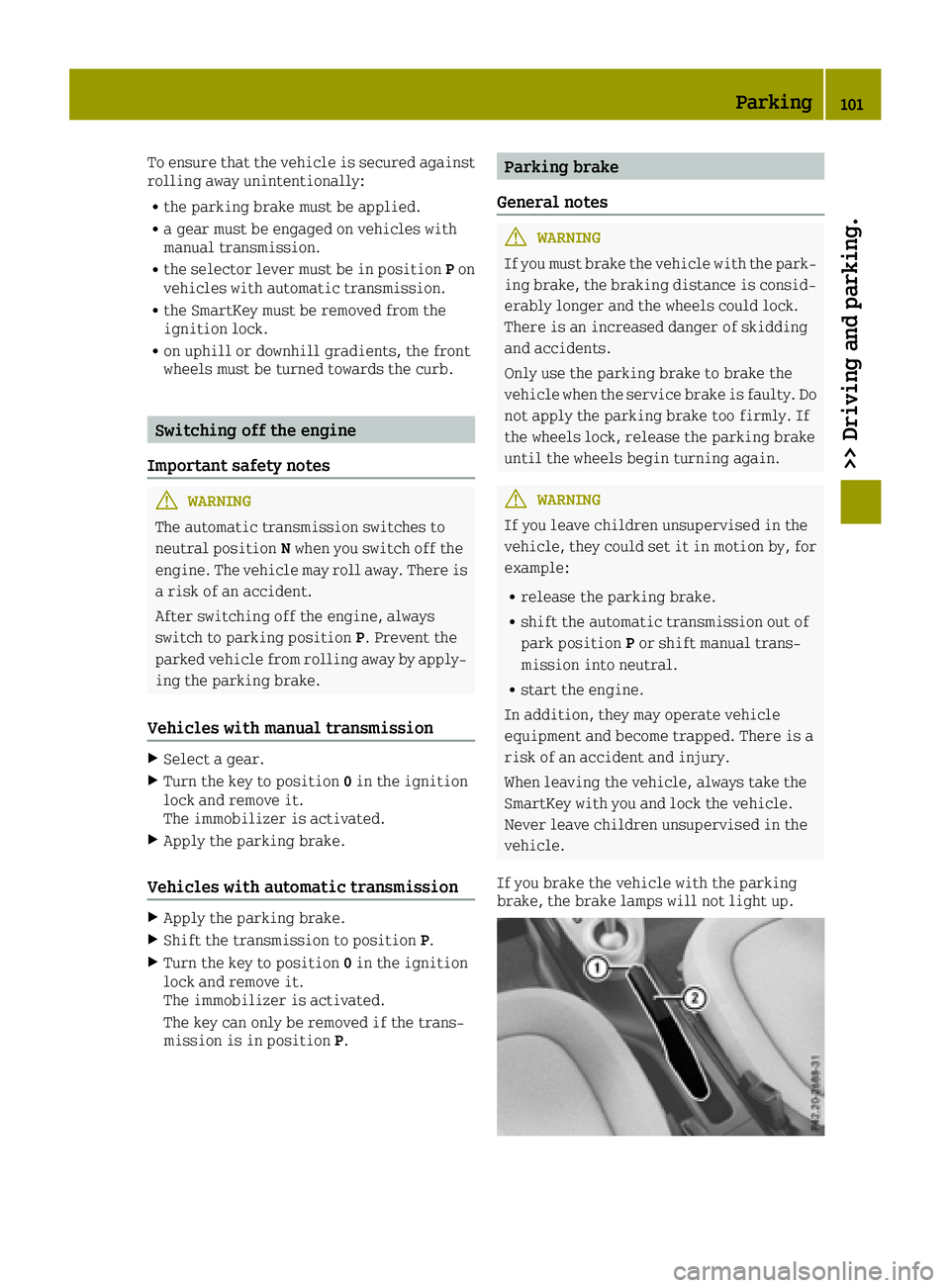
If you brake the vehicle with the parking
brake, the brake lamps will not light up.
Parking101
>> Driving and parking.
Z
Page 113 of 214
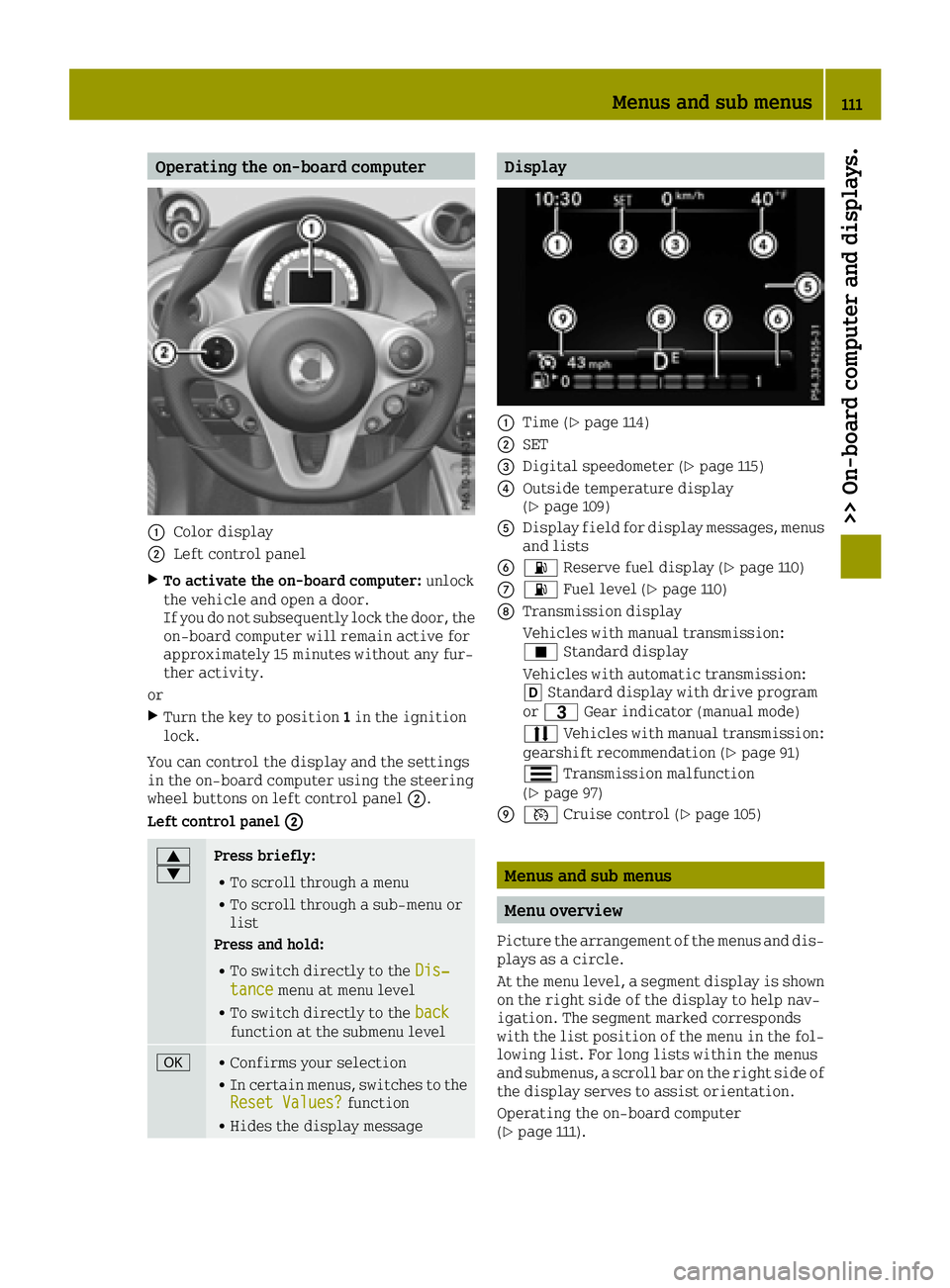
Operating the on-board computer
0043Color display
0044Left control panel
XTo activate the on-board computer:unlock
the vehicle and open a door.
If you do not subsequently lock the door, the
on-board computer will remain active for
approximately 15 minutes without any fur-
ther activity.
or
XTurn the key to position 1in the ignition
lock.
You can control the display and the settings
in the on-board computer using the steering
wheel buttons on left control panel 0044.
Left control panel 0044
0063
0064Press briefly:
RTo scroll through a menu
RTo scroll through a sub-menu or
list
Press and hold:
RTo switch directly to the Dis‐tancemenu at menu level
RTo switch directly to the backfunction at the submenu level
0076RConfirms your selection
RIn certain menus, switches to the
Reset Values?function
RHides the display message
Display
0043Time (Ypage 114)
0044SET
0087Digital speedometer (Ypage 115)
0085Outside temperature display
(Ypage 109)
0083Display field for display messages, menus
and lists
008400B4 Reserve fuel display (Ypage 110)
006B00B4Fuel level (Ypage 110)
006CTransmission display
Vehicles with manual transmission:
¿Standard display
Vehicles with automatic transmission:
005B Standard display with drive program
or 0040 Gear indicator (manual mode)
0078 Vehicles with manual transmission:
gearshift recommendation (
Ypage 91)
0079 Transmission malfunction
(
Ypage 97)
006D0085 Cruise control (Ypage 105)
Menus and sub menus
Menu overview
Picture the arrangement of the menus and dis-
plays as a circle.
At the menu level, a segment display is shown
on the right side of the display to help nav-
igation. The segment marked corresponds
with the list position of the menu in the fol-
lowing list. For long lists within the menus
and submenus, a scroll bar on the right side of
the display serves to assist orientation.
Operating the on-board computer
(
Ypage 111).
Menus and sub menus111
>> On-board computer and displays.
Z