fuel cap SMART FORTWO 2016 Owners Manual
[x] Cancel search | Manufacturer: SMART, Model Year: 2016, Model line: FORTWO, Model: SMART FORTWO 2016Pages: 214, PDF Size: 4.93 MB
Page 9 of 214
Emergency releaseDriver's door ........................... .55
Vehicle ................................... 55
Emergency Tensioning Devices
Activation ............................... 40
Emissions control
Service and warranty informa-
tion ........................................ 17
Engine
Check Engine warning lamp ........1 36
Display message ...................... 124
Engine number ......................... 206
Irregular running ...................... 90
Jump-starting ......................... 168
Starting problems ..................... 90
Starting the engine with the
SmartKey ................................. 88
Switching off ........................... 101
Tow-starting (vehicle) .............. 172
Engine compartment cover .............. 149
Engine electronics
Problem (malfunction) ................ 90
Engine oil
Adding ................................... 150
Additives ............................... 209
Checking the oil level ............... 150
Display message ...................... 124
Filling capacity ...................... 209
Notes about oil grades .............. 209
Notes on oil level/consumption ... 149
Viscosity ............................... 210
Warning lamp .......................... 138
Engine oil additives
see Additives (engine oil)
ESP
®(Electronic Stability Program)
Characteristics ........................4 9
Crosswind Assist ....................... 50
Display message ....................... 121
ETS .........................................4 9
Function/notes ......................... 49
General notes ........................... 49
Important safety information ....... 49
Warning and indicator lamps ...... 134
ETS (Electronic Traction System) ...... 49
Exhaust check .............................. 103
Exhaust pipe (cleaning instruc-
tions) ......................................... 158 Exterior lighting
Cleaning ................................ 158
Setting options ......................... 67
Exterior mirrors
Adjusting (electrically) ............. 66
Adjusting (manually) .................. 66
Out of position (troubleshoot-
ing) ........................................ 66
F
Filler capsee Refueling
Filling capacities (Technical data) .. 207
Flat tire
Preparing the vehicle ............... 161
TIREFIT kit ............................. 161
Floormats .................................... 148
Fog lamps
Switching on/off ....................... 68
Frequencies
Mobile phone .......................... 204
Two-way radio ......................... 204
Front cover
see Service cover
Front fog lamps
Changing bulbs ......................... 72
Switching on/off ....................... 68
Front-passenger seat
Folding down ............................ 63
Frontal area cover
see Service cover
Fuel
Additives ............................... 208
Consumption information .......... 209
Displaying the current con-
sumption ................................ 112
Driving tips ........................... 102
Fuel gauge .............................. 110
Grade (gasoline) ...................... 208
Important safety notes .............. 207
Problem (malfunction) ............... 100
Refueling ................................ 97
Tank content/reserve fuel .......... 207
Fuel filler flap
Opening .................................. 98
Fuel tank
Capacity ................................ 207
Index7
Page 14 of 214
Engine oil .............................. 209
Fuel ...................................... 207
Important safety notes .............. 207
Refrigerant (air-conditioning
system) ................................... 211
Washer fluid ............................ 211
Setting a speed
see Cruise control
Setting the air distribution ............. 81
Setting the airflow ......................... 82
Shifting to neutral (manual trans-
mission) ....................................... 91
Side turn signal lamps
Replacing bulbs ........................ 73
Side windows
Cleaning ................................ 157
Important safety information ....... 57
Opening/closing ....................... 58
Problem (malfunction) ................ 60
Resetting ................................ 59
smart center
see Qualified specialist workshop
SmartKey
Changing the battery .................. 52
Door central locking/unlocking .... 51
Important safety notes ................ 51
Loss ........................................ 53
Positions (ignition lock) ............ 87
Problem (malfunction) ................ 53
Starting the engine ................... 88
SmartKey positions (ignition lock) .... 87
Snow chains ................................. 179
Sockets
Center console ......................... 147
General notes .......................... 147
Speakers
see Subwoofer
Special seat belt retractor .............. 43
Specialist workshop ....................... 20
Speedometer
Digital .................................. 109
In the Instrument cluster ........... 109
SRS (Supplemental Restraint Sys-
tem)
see Restraint system
Starting (engine) ........................... 87 Starting the engine
see Starting (engine)
Steering
Display message (color display) .. 128
Warning lamps ......................... 141
Steering wheel
Adjusting (manually) .................. 65
Button overview ........................ 25
Cleaning ................................ 159
Important safety notes ................ 65
Paddle shifters ......................... 96
Stowage areas .............................. 142
Stowage compartment
Door stowage compartment .......... 143
Stowage compartment in the tail-
gate ........................................... 143
Stowage compartments
Center console ......................... 143
Cup holders ............................. 146
Glove box ............................... 143
Important safety information ...... 142
Stowage space
Stowage compartment in the
tailgate ................................. 143
Submenu
Ambient lighting ..................... 116
Subwoofer
Fitting/removing ..................... 145
Summer tires
In winter ................................ 179
Sun visor ..................................... 147
Switching air-recirculation mode
on/off .......................................... 84
T
Tachometer .................................. 110
Tailgate
Important safety notes ................ 56
Opening dimensions ................. 212
Opening/closing ....................... 57
Warning lamp ........................... 141
Tank
see Fuel tank
Tank content
Fuel gauge .............................. 110
Technical data
Capacities ............................. 207
12Index
Page 22 of 214
requirements of the next emissions test dur-
ing the main inspection.
Qualified specialist workshop
A smart center is a qualified specialist
workshop. It has the necessary specialist
knowledge, tools and qualifications to cor-
rectly carry out the work required on your
vehicle. This is especially the case for work
relevant to safety.
Observe the notes in the Maintenance Book-
let.
Always have the following work carried out at
a smart center:
Rwork relevant to safety
Rservice and maintenance work
Rrepair work
Ralterations, installation work and modifi-
cations
Rwork on electronic components
Correct use
If you remove any warning stickers, you or
others could fail to recognize certain dan-
gers. Leave warning stickers in position.
Observe the following information when
driving your vehicle:
Rthe safety notes in this manual
Rthe Technical Data section in this manual
Rtraffic rules and regulations
Rlaws and safety standards pertaining to
motor vehicles
Problems with your vehicle
If you should experience a problem with your
vehicle, particularly one that you believe
may affect its safe operation, we urge you to
immediately contact an authorized smart
center to have the problem diagnosed and
corrected if required. Do not drive the vehi-
cle if you believe it may not be safely oper-
ated. If the matter is not handled to your sat-
isfaction, please discuss the problem with
the smart center management, or if necessarycontact us at one of the following addresses:
In the USA Mercedes-Benz USA, LLC
One Mercedes Drive
Montvale, NJ 07645
In Canada
Customer Relations Department
98 Vanderhoof Avenue
Mercedes-Benz Canada, Inc.
Toronto, Ontario M4G 4C9
QR codes for rescue card
The QR codes are secured in the fuel filler
flap and on the opposite side on the B-pillar.
In the event of an accident, rescue services
can use the QR code to quickly find the appro-
priate rescue card for your vehicle. The cur-
rent rescue card contains the most important
information about your vehicle in a compact
form, e.g. the routing of the electric cables.
You can find more information under http://
portal.aftersales.i.daimler.com/public/
content/asportal/en/communication/
informationen_fuer/QRCode.html.
Data stored in the vehicle
Data recording
This vehicle is capable of recording diag-
nostic information relating to vehicle oper-
ation, malfunctions, and user settings. This
may include information about the perform-
ance or status of various systems, including
but not limited to, engine, throttle, steering
or brake systems, that is stored and can be
read out with suitable devices, particularly
when the vehicle is serviced. The data
obtained is used to properly diagnose and
service your vehicle or to further optimize
and develop vehicle functions.
Event data recorders
This vehicle is equipped with an event data
recorder (EDR). The main purpose of an EDR is
to record data that will assist in understand-
ing how a vehicle’s systems performed in cer-
tain crash or near crash-like situations, such
as during air bag deployment or when hitting
a road obstacle. The EDR is designed to record
20>> Introduction.
Page 100 of 214
GWARNING
Fuel is poisonous and hazardous to health.
There is a risk of injury.
You must make sure that fuel does not come
into contact with your skin, eyes or cloth-
ing and that it is not swallowed. Do not
inhale fuel vapors. Keep fuel away from
children.
If you or others come into contact with fuel,
observe the following:
RWash away fuel from skin immediately
using soap and water.
RIf fuel comes into contact with your eyes,
immediately rinse them thoroughly with
clean water. Seek medical assistance
without delay.
RIf fuel is swallowed, seek medical assis-
tance without delay. Do not induce vom-
iting.
RImmediately change out of clothing
which has come into contact with fuel.
GWARNING
Electrostatic buildup can create sparks
and ignite fuel vapors. There is a risk of
fire and explosion.
Always touch the vehicle body before open-
ing the fuel filler flap or touching the fuel
pump nozzle. Any existing electrostatic
buildup is thereby discharged.
Do not get into the vehicle again during the
refueling process. Otherwise, electrostatic
charge could build up again.
!Do not use diesel to refuel vehicles with a
gasoline engine. Do not switch on the igni-
tion if you accidentally refuel with the
wrong fuel. Otherwise, the fuel will enter
the fuel system. Even small amounts of the
wrong fuel could result in damage to the
fuel system and the engine. Notify a quali- fied specialist workshop and have the fuel
tank and fuel lines drained completely.
!Overfilling the fuel tank could damage
the fuel system.
!Take care not to spill any fuel on painted
surfaces. You could otherwise damage the
paintwork.
!Use a filter when refueling from a fuel
can. Otherwise, the fuel lines and/or
injection system could be blocked by par-
ticles from the fuel can.
If you overfill the fuel tank, fuel could spray
out when the fuel pump nozzle is removed.
For further information on fuel and fuel qual-
ity (
Ypage 207).
Refueling
General information
The fuel filler flap is unlocked or locked
automatically when you lock or unlock the
vehicle with the key.
The position of the fuel filler cap is dis-
played 00B6in the instrument cluster. The
arrow next to the filling pump indicates the
side of the vehicle.
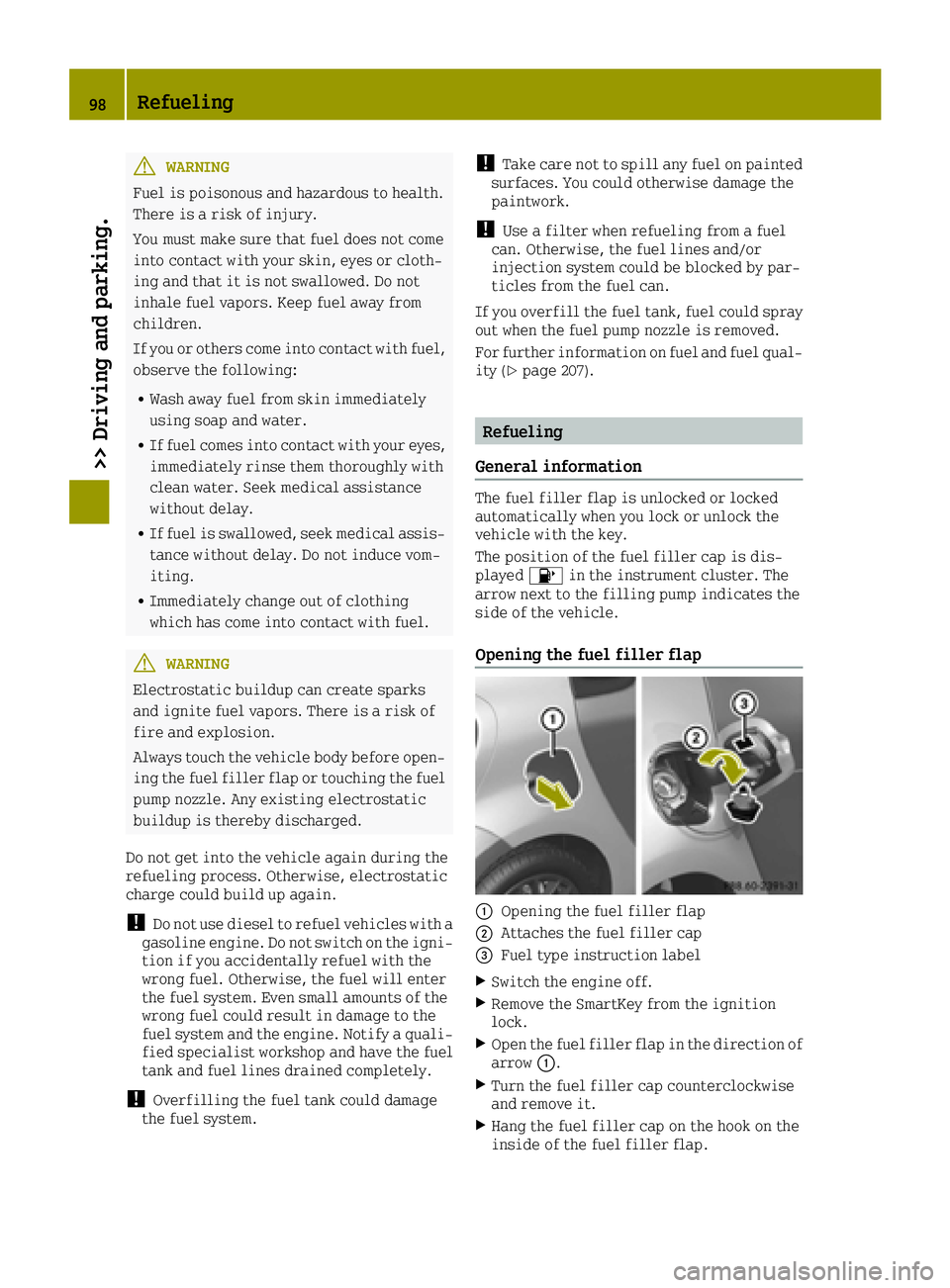
Opening the fuel filler flap
0043Opening the fuel filler flap
0044Attaches the fuel filler cap
0087Fuel type instruction label
XSwitch the engine off.
XRemove the SmartKey from the ignition
lock.
XOpen the fuel filler flap in the direction of
arrow 0043.
XTurn the fuel filler cap counterclockwise
and remove it.
XHang the fuel filler cap on the hook on the
inside of the fuel filler flap.
98Refueling
>> Driving and parking.
Page 101 of 214
XCompletely insert the filler neck of the
fuel pump nozzle into the tank, hook in
place and refuel.
XOnly fill the tank until the pump nozzle
switches off.
iDo not add any more fuel after the pump
stops filling for the first time. Otherwise,
fuel may leak out.
Closing the fuel filler flap
XReplace the cap on the filler neck and turn
clockwise until it engages audibly.
XClose the fuel filler flap.
iClose the fuel filler flap before locking
the vehicle.
iIf you are driving with the fuel filler cap
open, the 00B6reserve fuel warning lamp
flashes. A message appears in the multi-
function display (
Ypage 125).
In addition, the 00B9Check Engine warning
lamp may light up (
Ypage 136).
For further information on warning and
indicator lamps in the instrument cluster,
see (
Ypage 136).
Refueling99
>> Driving and parking.
Z
Page 112 of 214
Changes in the outside temperature are dis-
played after a short delay.
You can set the temperature unit of the out-
door temperature display (
Ypage 116).
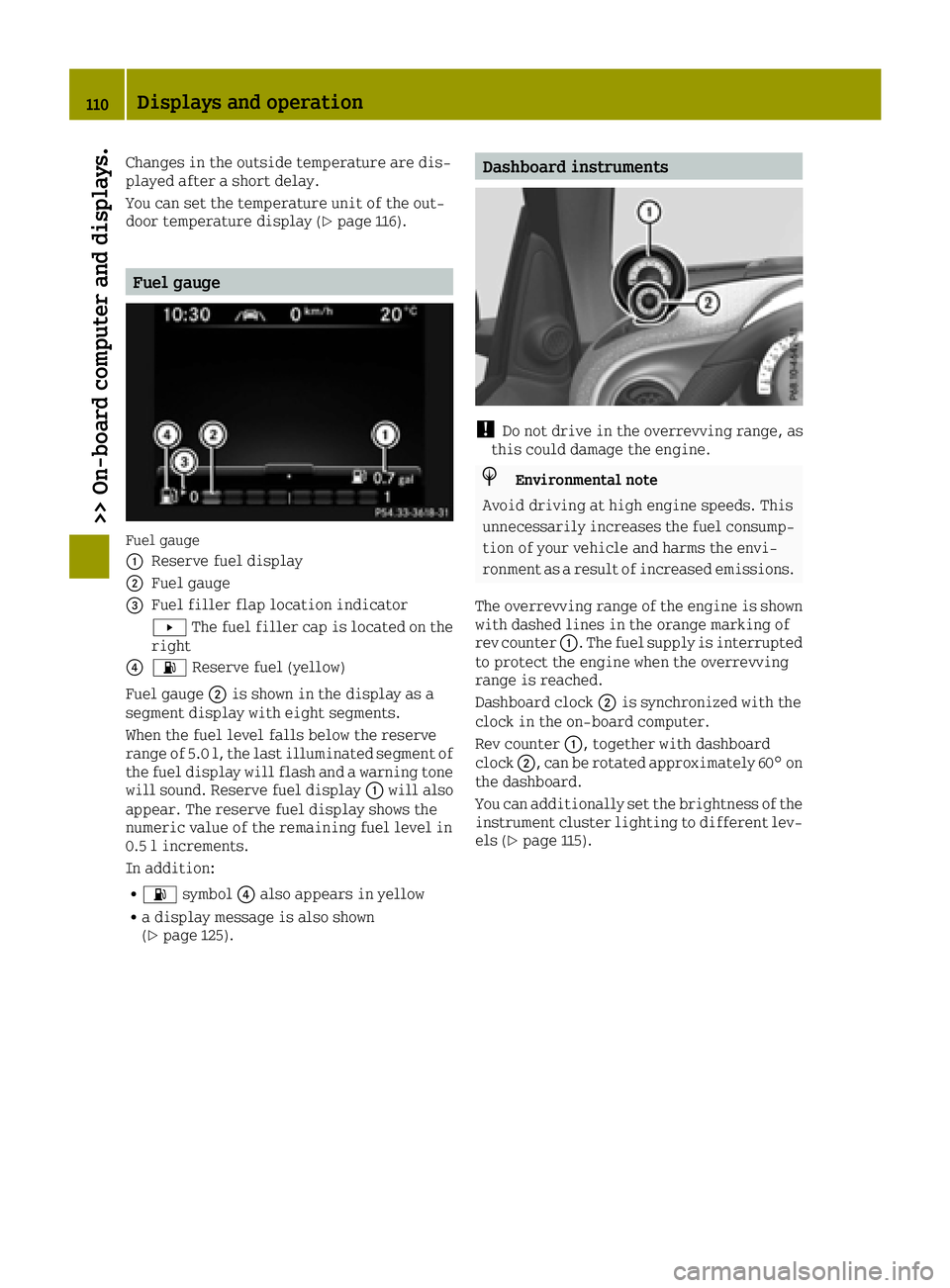
Fuel gauge
Fuel gauge
0043
Reserve fuel display
0044Fuel gauge
0087Fuel filler flap location indicator
0080The fuel filler cap is located on the
right
008500B4 Reserve fuel (yellow)
Fuel gauge 0044is shown in the display as a
segment display with eight segments.
When the fuel level falls below the reserve
range of 5.0 l, the last illuminated segment of
the fuel display will flash and a warning tone
will sound. Reserve fuel display 0043will also
appear. The reserve fuel display shows the
numeric value of the remaining fuel level in
0.5 l increments.
In addition:
R00B4 symbol 0085also appears in yellow
Ra display message is also shown
(Ypage 125).
Dashboard instruments
!Do not drive in the overrevving range, as
this could damage the engine.
HEnvironmental note
Avoid driving at high engine speeds. This
unnecessarily increases the fuel consump-
tion of your vehicle and harms the envi-
ronment as a result of increased emissions.
The overrevving range of the engine is shown with dashed lines in the orange marking of
rev counter 0043. The fuel supply is interrupted
to protect the engine when the overrevving
range is reached.
Dashboard clock 0044is synchronized with the
clock in the on-board computer.
Rev counter 0043, together with dashboard
clock 0044, can be rotated approximately 60° on
the dashboard.
You can additionally set the brightness of the
instrument cluster lighting to different lev-
els (
Ypage 115).
110Displays and operation
>> On-board computer and displays.
Page 127 of 214
Display messagesPossible causes/consequences and0050Solutions
00AC
Stop Switch OffEngine
The coolant temperature has exceeded 230 ‡(110 †). The airflow to
the engine radiator may be blocked or the coolant level may be too
low.
GWARNING
The engine is not being cooled sufficiently and may be damaged.
Do not drive when your engine is overheated. This can cause some
fluids which may have leaked into the engine compartment to catch
fire.
Steam from an overheated engine can cause serious burns, which
can occur just by opening the engine compartment cover.
There is a risk of injury.
XPull over and stop the vehicle safely and switch off the engine,
paying attention to road and traffic conditions.
XSecure the vehicle against rolling away (Ypage 100).
XLeave the vehicle and keep a safe distance from the vehicle until
the engine has cooled down.
XCheck the coolant level and top up the coolant. Observe the notes
as you do so (Ypage 210).
XIf you need to add coolant more often than usual, have the engine coolant system checked.
XMake sure that the air supply to the engine radiator is not
blocked, e.g. by snow, slush or ice.
XDo not start the engine again until the coolant temperature is
below 230 ‡(110 †). Otherwise, the engine could be damaged.
Avoid subjecting the engine to heavy loads, e.g. driving in
mountainous terrain, and stop-and-go traffic.
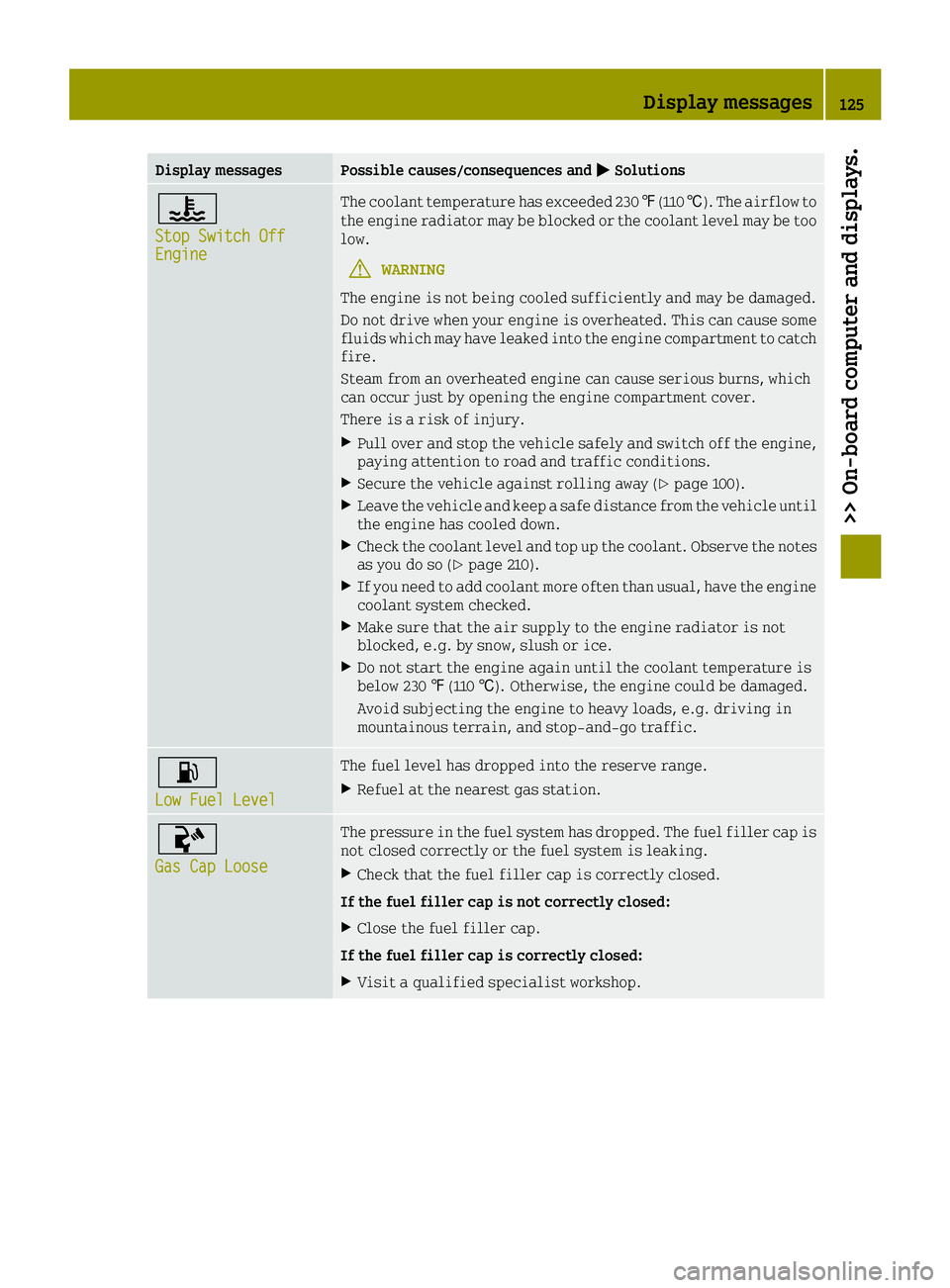
00B4
Low Fuel Level
The fuel level has dropped into the reserve range.
XRefuel at the nearest gas station.
00AC
Gas Cap Loose
The pressure in the fuel system has dropped. The fuel filler cap is
not closed correctly or the fuel system is leaking.
XCheck that the fuel filler cap is correctly closed.
If the fuel filler cap is not correctly closed:
XClose the fuel filler cap.
If the fuel filler cap is correctly closed:
XVisit a qualified specialist workshop.
Display messages125
>> On-board computer and displays.
Z
Page 170 of 214
Jump-starting
GWARNING
Battery acid is caustic. There is a risk of injury.
Avoid contact with skin, eyes or clothing. Do not inhale any battery gases. Do not lean over
the battery. Keep children away from batteries. Wash away battery acid immediately with
plenty of clean water and seek medical attention.
GWARNING
During charging and jump-starting, explosive gases can escape from the battery. There is a
risk of an explosion.
Particularly avoid fire, open flames, creating sparks and smoking. Ensure there is suffi-
cient ventilation while charging and jump-starting. Do not lean over a battery.
GWARNING
During the charging process, a battery produces hydrogen gas. If a short circuit occurs or
sparks are created, the hydrogen gas can ignite. There is a risk of an explosion.
RMake sure that the positive terminal of a connected battery does not come into contact with
vehicle parts.
RNever place metal objects or tools on a battery.
RIt is important that you observe the described order of the battery terminals when con-
necting and disconnecting a battery.
RWhen jump-starting, make sure that the battery poles with identical polarity are con-
nected.
RIt is particularly important to observe the described order when connecting and dis-
connecting the jumper cables.
RNever connect or disconnect the battery terminals while the engine is running.
GWARNING
A discharged battery can freeze at temperatures below freezing point. When jump-starting
the vehicle or charging the battery, gases can escape from the battery. There is a risk of an
explosion.
Allow the frozen battery to thaw out before charging it or jump-starting.
!Avoid repeated and lengthy starting attempts. Otherwise, the catalytic converter could be
damaged by the non-combusted fuel.
If, at low temperatures, the indicator lamps/warning lamps in the instrument cluster do not
light up, it is highly likely that the discharged battery has frozen. In this case you may neither
jump-start the vehicle nor charge the battery. The service life of a thawed-out battery may be
shorter. The starting characteristics can be impaired, particularly at low temperatures. Have
the thawed-out battery checked at a qualified specialist workshop.
168Jump-starting
>> Breakdown assistance.
Page 182 of 214
!Vehicles with steel wheels:if you mount
snow chains on steel wheels, you may dam-
age the hub caps. Remove the hub caps from
the relevant wheels before mounting the
snow chains.
smart recommends that you only use snow
chains that have been specially approved for
smart. For more information, please contact
the smart center or a qualified specialist
workshop.
Bear in mind that snow chains are designed
for a certain wheel size. If you mount tires
that are larger or smaller than the original
tires, you will require new snow chains of the
correct size.
If you intend to mount snow chains, please
bear the following points in mind:
RSnow chains may not be mounted on all
wheel/tire combinations. Permissible
wheel-tire combinations (
Ypage 200).
ROnly use snow chains when driving on roads
completely covered by snow. Remove the
snow chains as soon as possible when you
come to a road that is not snow-covered.
RLocal regulations may restrict the use of
snow chains. Observe the appropriate reg-
ulations if you wish to mount snow chains.
Rdo not exceed the maximum permissible
speed of 30 mph (50 km/h).
Tire pressure
Tire pressure specifications
GWARNING
Underinflated or overinflated tires pose
the following risks:
Rthe tires may burst, especially as the
load and vehicle speed increase.
Rthe tires may wear excessively and/or
unevenly, which may greatly impair tire
traction.
Rthe driving characteristics, as well as
steering and braking, may be greatly
impaired.
There is a risk of an accident.
Follow recommended tire inflation pres-
sures and check the pressure of all the tires including the spare wheel:
Rmonthly, at least
Rif the load changes
Rbefore beginning a long journey
Runder different operating conditions,
e.g. off-road driving
If necessary, correct the tire pressure.
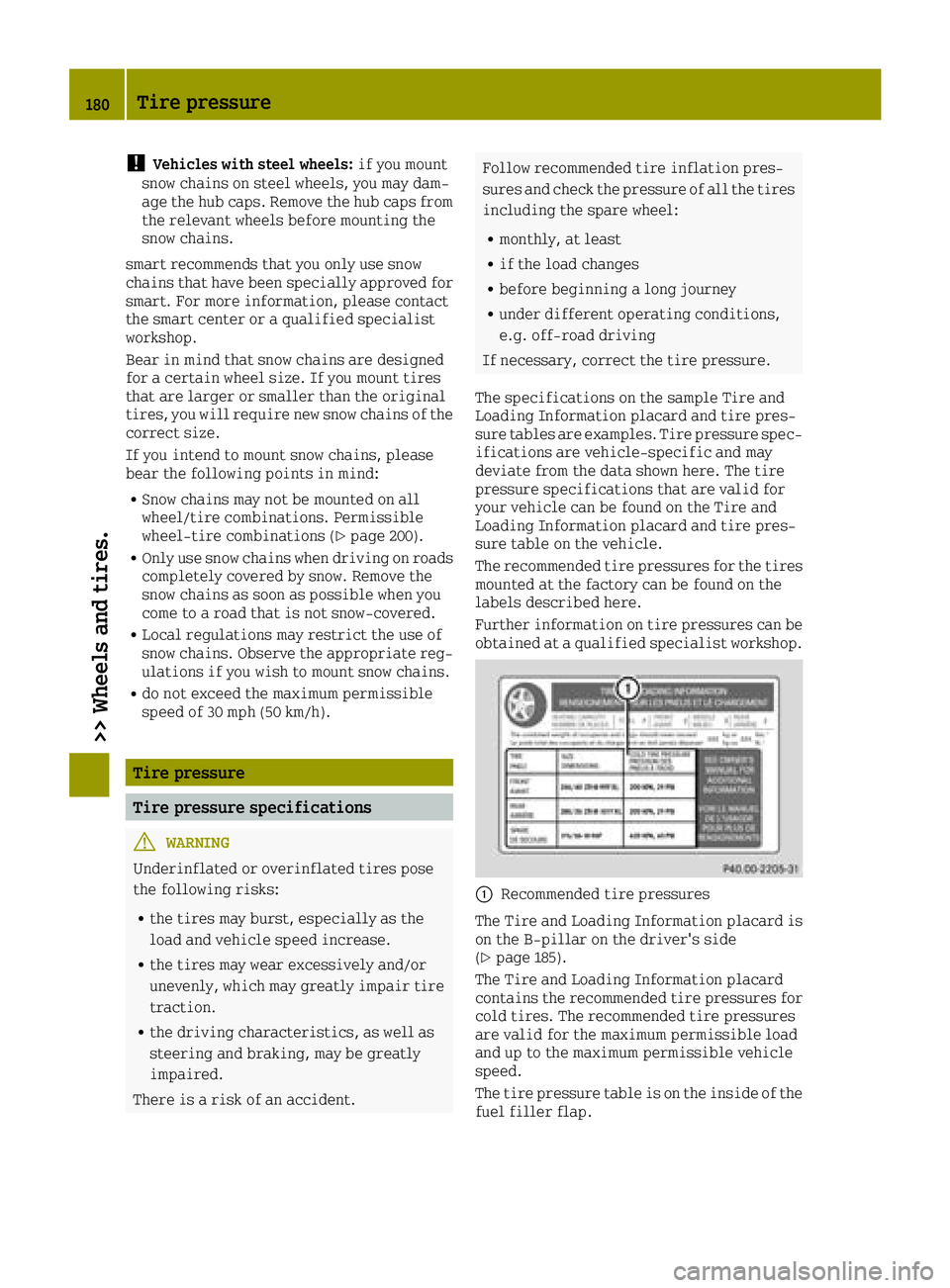
The specifications on the sample Tire and
Loading Information placard and tire pres-
sure tables are examples. Tire pressure spec-
ifications are vehicle-specific and may
deviate from the data shown here. The tire
pressure specifications that are valid for
your vehicle can be found on the Tire and
Loading Information placard and tire pres-
sure table on the vehicle.
The recommended tire pressures for the tires
mounted at the factory can be found on the
labels described here.
Further information on tire pressures can be
obtained at a qualified specialist workshop.
0043Recommended tire pressures
The Tire and Loading Information placard is
on the B-pillar on the driver's side
(
Ypage 185).
The Tire and Loading Information placard
contains the recommended tire pressures for
cold tires. The recommended tire pressures
are valid for the maximum permissible load
and up to the maximum permissible vehicle
speed.
The tire pressure table is on the inside of the
fuel filler flap.
180Tire pressure
>> Wheels and tires.
Page 185 of 214
iThe actual values for tires are vehicle-
specific and may deviate from the values in
the illustration.
Checking the tire pressures
Important safety notes
Observe the notes on tire pressure
(Ypage 180).
Information on air pressure for the tires on
your vehicle can be found:
Ron the vehicle's Tire and Loading Informa- tion placard on the B-pillar
Rin the tire pressure table in the fuel filler
flap (Ypage 98)
Rin the "Tire pressure" section
Checking tire pressures manually
To determine and set the correct tire pres-
sure, proceed as follows:
XRemove the valve cap of the tire that is to bechecked.
XPress the tire pressure gauge securely onto
the valve.
XRead the tire pressure and compare it with
the recommended value on the Tire and
Loading Information placard (
Ypage 180).
XIf the tire pressure is too low increase the
tire pressure to the recommended value.
XIf the tire pressure is too high, release
air. To do this, press down the metal pin in
the valve using the tip of a pen, for exam-
ple. Then check the tire pressure again
using the tire pressure checker.
XScrew the valve cap onto the valve.
XRepeat these steps for the other tires.
Tire pressure monitor
General notes
iThis function is only available in the
USA.
If a tire pressure monitor is installed, the
vehicle's wheels have sensors that monitor
the tire pressures in all four tires. The tire
pressure monitor warns you if the pressure
drops in one or more of the tires. The tire pressure monitor only functions if the cor-
responding sensors are fitted to all wheels.
Important safety notes
GWARNING
Each tire, including the spare (if provi-
ded), should be checked at least once every
two weeks when cold and inflated to the
pressure recommended by the vehicle man- ufacturer on the Tire and Loading Informa-
tion placard on the driver's door B-pillar
or the tire pressure label on the inside of
the fuel filler flap. If your vehicle has
tires of a different size than the size indi-
cated on the Tire and Loading Information
placard or, if available, the tire pressure
label, you should determine the proper tire
pressure for those tires.
As an added safety feature, your vehicle has been equipped with a tire pressure moni-
toring system (TPMS) that illuminates a low
tire pressure telltale when one or more of
your tires are significantly underinflated.
Accordingly, when the low tire pressure
telltale lights up, you should stop and
check your tires as soon as possible, and
inflate them to the proper pressure. Driv-
ing on a significantly underinflated tire
causes the tire to overheat and can lead to
tire failure.
Underinflation also reduces fuel effi-
ciency and tire tread life, and may affect
the vehicle's handling and stopping abil-
ity. Please note that the TPMS is not a sub-
stitute for proper tire maintenance, and it
is the driver's responsibility to maintain
correct tire pressure, even if underinfla-
tion has not reached the level to trigger
illumination of the TPMS low tire pressure
telltale.
Your vehicle has also been equipped with a
TPMS malfunction indicator to indicate
when the system is not operating properly.
The TPMS malfunction indicator is com-
bined with the low tire pressure telltale.
When the system detects a malfunction, the
Tire pressure183
>> Wheels and tires.
Z