Setting the SMART FORTWO COUPE 2013 User Guide
[x] Cancel search | Manufacturer: SMART, Model Year: 2013, Model line: FORTWO COUPE, Model: SMART FORTWO COUPE 2013Pages: 218, PDF Size: 2.69 MB
Page 88 of 218
Odometer menu appears in the
multifunction display.
X To switch between submenus: Press the OK
button on the control lever briefly.
X To reset the trip odometer: Select the
trip odometer display.
X Press button 0029on the instrument cluster
until the trip odometer is reset to 0
(Y page 21).
If the remaining cruise range of the charge
level of the high-voltage battery has
dropped below 10 %, Low Battery is
displayed on position 002B.Start menu
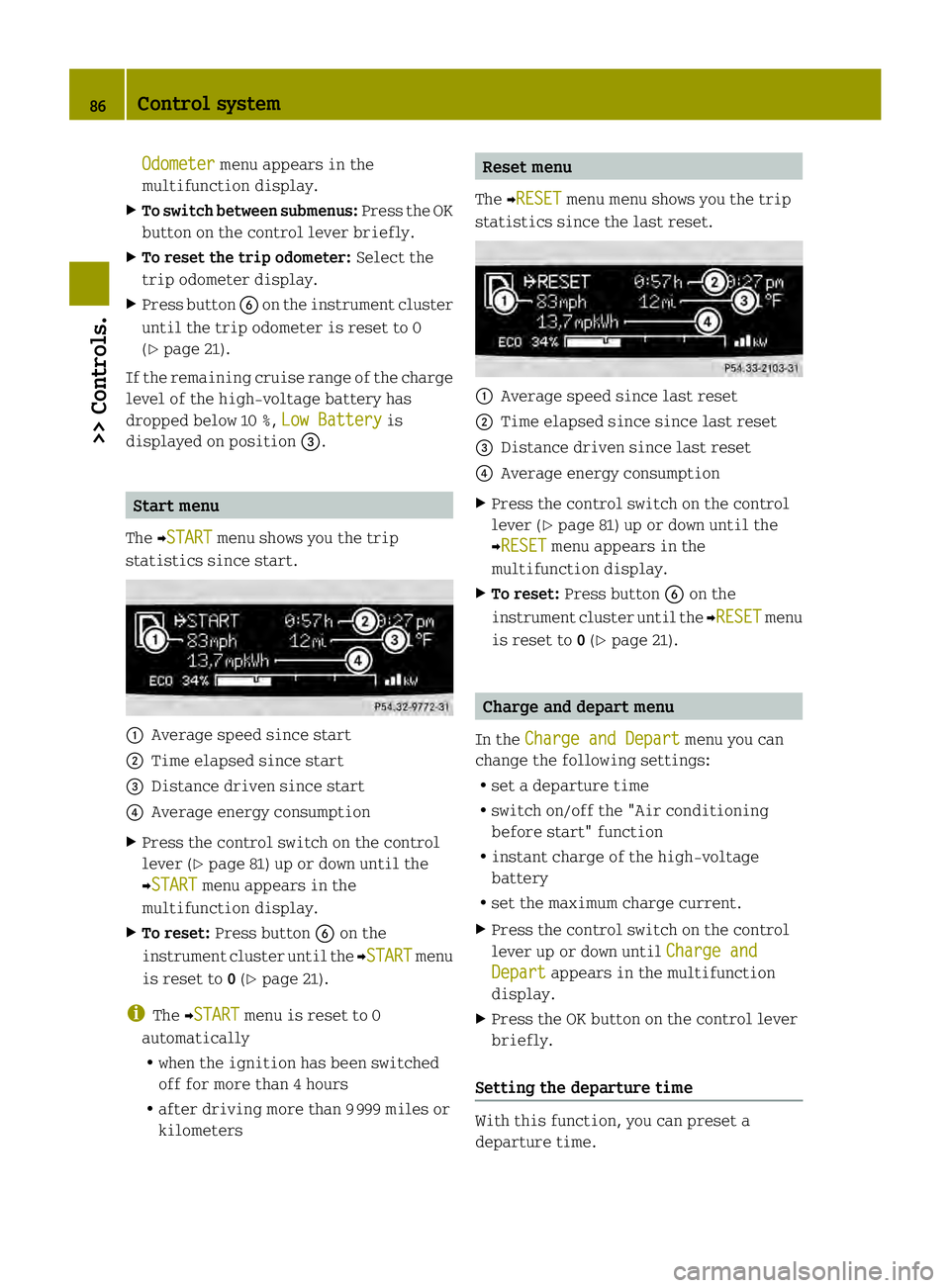
The 0001START menu shows you the trip
statistics since start. 0002
Average speed since start
0003 Time elapsed since start
002B Distance driven since start
002A Average energy consumption
X Press the control switch on the control
lever (Y page 81) up or down until the
0001START menu appears in the
multifunction display.
X To reset: Press button 0029on the
instrument cluster until the 0001START menu
is reset to 0(Y page 21).
i The 0001START menu is reset to 0
automatically
R when the ignition has been switched
off for more than 4 hours
R after driving more than 9999 miles or
kilometers Reset menu
The 0001RESET menu menu shows you the trip
statistics since the last reset. 0002
Average speed since last reset
0003 Time elapsed since since last reset
002B Distance driven since last reset
002A Average energy consumption
X Press the control switch on the control
lever (Y page 81) up or down until the
0001RESET menu appears in the
multifunction display.
X To reset: Press button 0029on the
instrument cluster until the 0001RESET menu
is reset to 0(Y page 21). Charge and depart menu
In the Charge and Depart menu you can
change the following settings:
R set a departure time
R switch on/off the "Air conditioning
before start" function
R instant charge of the high‑voltage
battery
R set the maximum charge current.
X Press the control switch on the control
lever up or down until Charge and Depart appears in the multifunction
display.
X Press the OK button on the control lever
briefly.
Setting the departure time With this function, you can preset a
departure time.86
Control system>> Controls.
Page 89 of 218

This is useful:
R
if you wish to cool the interior of the
vehicle before driving
R if you wish to charge the vehicle at a
charging station/wallbox at the most
inexpensive electricity rate
With the "Air conditioning before start"
function, the vehicle interior is cooled
prior to a desired departure time.
Prerequisites:
R The doors and tailgate are closed.
R The charging cable for the high‑voltage
battery is connected to a power source
and inserted into the vehicle's power
socket.
R The high‑voltage battery has a
sufficient charge.
The maximum duration of "Air
conditioning before start" is 30 minutes.
Set the air distribution of your vehicle as
follows so that the "Air conditioning
before start" function has the greatest
effect:
R in summer, to the center and side vents
R in winter, onto the windshield and side
windows
Information on air distribution can be
found on (Y page 98).
The setting of the airflow regulator has no
influence on the "Air conditioning before
start" function.
i If the programmed time is too short, the
high‑voltage battery cannot be
completely charged. After setting the
departure time, the maximum charge
level which can be reached is then shown.
i If the high‑voltage battery is not
sufficiently charged and the "Air
conditioning before start" function is
activated, the high‑voltage battery is
charged first. When acharge level of at
least 20 % has been reached, the "Air
conditioning before start" function is
activated. This function then has priority over the charging of the
high‑voltage battery.
Activating the set departure time X
Press and hold the control switch on the
control lever up or down until the display
of the last set departure time 0002appears
in the multifunction display. X
Briefl ypress the OK button on the control
lever.
The departure time is activated 0003. The
setting for the "Air conditioning before
start" function 002Bis stored.
Changing the set departure time
X Press and hold the control switch on the
control lever up or down until the
Overwrite menu appears in the
multifunction display.
X Briefly press the OK button on the control
lever.
X If the 12-hour mode is set:
press and hold the control switch on the
control lever up or down until the
desired mode (am oder
pm ) is selected.
X Briefly press the OK button on the control
lever.
X Press and hold the control switch on the
control lever up or down until the
desired hour is selected. Control system
87>> Controls. Z
Page 90 of 218

X
Briefly press the OK button on the control
lever.
X Press and hold the control switch on the
control lever up or down until the "Air
conditioning before start" function is
activated or deactivated.
X Briefly press the OK button on the control
lever.
X Press and hold the control switch on the
control lever up or down until the "Air
conditioning before start" function is
activated or deactivated.
X Briefly press the OK button on the control
lever.
The new departure time is stored and
activated.
The "Air conditioning before start"
function is activated or deactivated.
Starting the charging process of the
high‑voltage battery immediately This function allows you to start the
charging process immediately. The
charging process begins as soon as the
charging cable is connected.
i The charging process also begins when
you insert the charging cable into the
vehicle's power socket. However, this is
only the case if you have not made any
departure time settings.
Information on the chargin gprocess can
be found on (Y page 112).
X Press and hold the control switch on the
control lever up or down until the
Instant Charge menu appears in the
multifunction display.
X Briefly press the OK button on the control
lever.
The charging process is started as soon
as the charging cable is connected.
i When you call up the Instant Chargemenu, the "Air conditioning before
start" function is not available. Setting the maximum charge current G
WARNING
When connected to a power supply socket, a
high electrical load during the charging
process can lead to overheating of the
external power supply. There is a risk of
fire.
Find out about the maximum permissible
current load of the external power supply
socket for the respective country at an
authorized electric drive smart center.
Check the maximum permissible charge
current on site before you begin the
charging process. Contact an authorized
electric drive smart center should you
require assistance. If necessary, adjust
the settings of your vehicle.
You can limit the charge current of the
high‑voltage battery. This can protect the
power supply from overloading. You can set
the limit either on the control unit of the
charging cable or via the control system.
The preset standard value is "Max". This
corresponds to the maximum available
charge current of the power supply.
Check the maximum permissible charge
current for the respective power supply
socket before charging the high‑voltage
battery.
The following values are available for
selection: 8 A, 10 A, 12 A, Max. The last value
set remains stored until a chang eis made.
X Press and hold the control switch on the
control lever up or down until the
Charge Current menu appears in the
multifunction display.
X Briefly press the OK button on the control
lever.
X Press and hold the control switch on the
control lever up or down until the
desired amperage is selected.
X Briefly press the OK button on the control
lever.
The selected amperage is set. 88
Control system>> Controls.
Page 91 of 218

i
You can also set the maximum charge
current via the control element on the
charging cable (Y page 113).
If differing values are set on the
charging cable and the control system,
the high‑voltage battery is charged
using the lowest value.
i If the vehicle needs more time to charge
the high‑voltage battery than usual,
check the settings of the maximum
permissible charge current. Messages menu
The Messages menu stores messages that
you can call up.
i When no messages have been stored, the
Messages menu is not displayed.
X
Press the control switch on the control
lever (Y page 81) up or down until the
Messages menu appears in the
multifunction display.
The number of stored messages is 0002
displayed
X Press the OK button on the control lever
briefly.
The first stored message appears.
X To scroll through messages: Press the OK
button on the control lever briefly.
For more information on display messages,
see (Y page 155).
Maintenance service interval display The maintenance service interval display
will notify you when the next maintenance
service is due and what type of maintenance
service is required. Example:
R
0004 Main Service in XXX mi R
0004 Main Service in XX Days X
To confirm: Press the OK button on the
control lever briefly.
The mesage is stored.
When the due date for the maintenance
service has been has been passed, the
number of miles (kilometers) or days since
are preceeded by a minus sign.
! Failure to have the maintenance
service performed at the designated
times/mileage, may result in vehicle
damage that is not covered by the smart
Limited Warranty. Settings menu
In the Settings menu, you can select
individual settings for your vehicle.
The following functions are available:
R Setting the language
R Setting the temperature unit
R Setting the distance and speed unit
X Press the control switch on the control
lever (Y page 81) up or down until the
Settings menu appears in the
multifunction display.
X Press the OK button on the control lever
briefly.
Setting the language The following languages are available:
R
German
R US English
R UK English
R French
R Italian
R Spanish Control system
89>> Controls. Z
Page 92 of 218
X
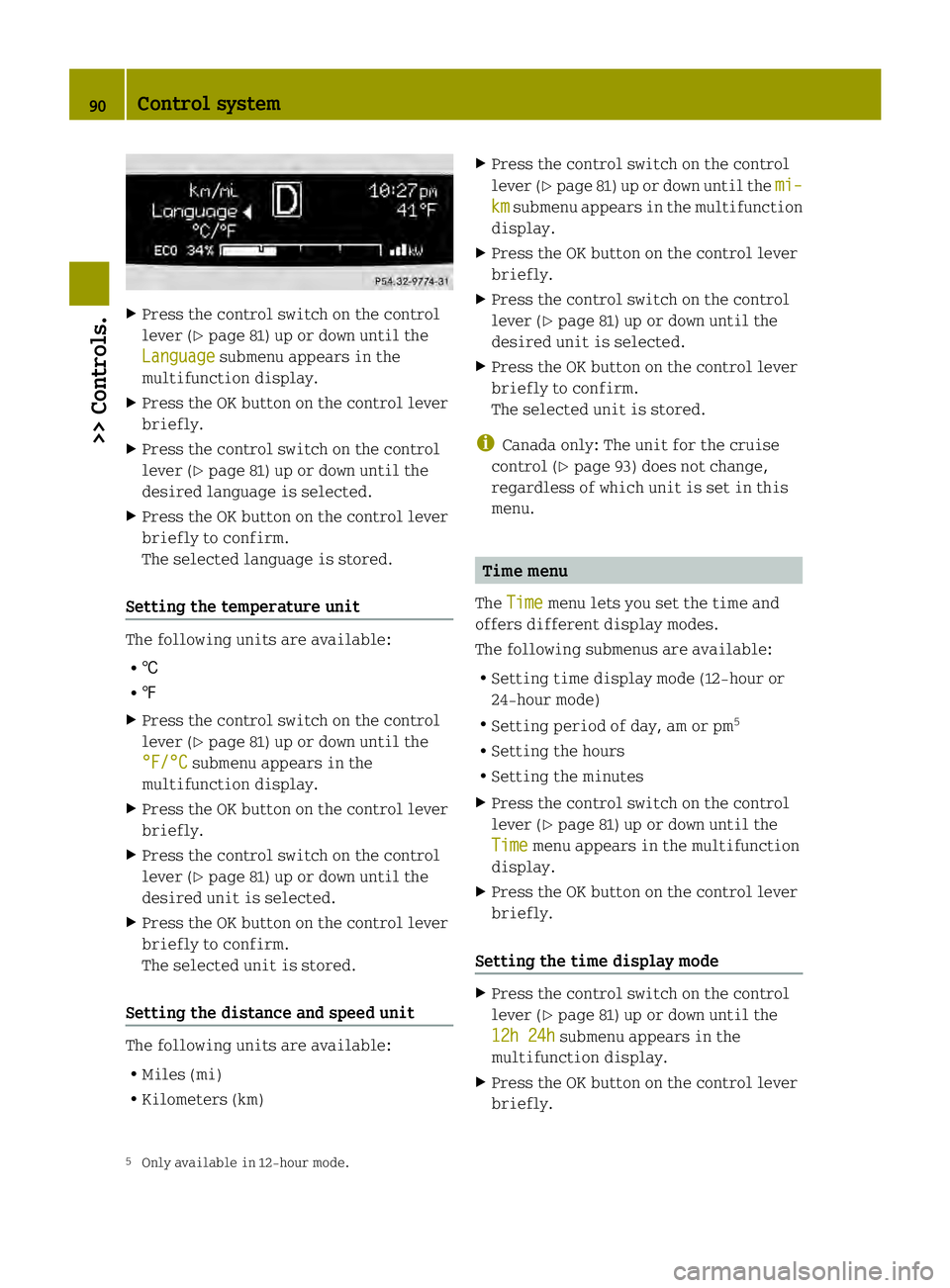
Press the control switch on the control
leve r(Ypage 81) up or down until the
Language submenu appears in the
multifunction display.
X Press the OK button on the control lever
briefly.
X Press the control switch on the control
lever (Y page 81) up or down until the
desired language is selected.
X Press the OK button on the control lever
briefly to confirm.
The selected language is stored.
Setting the temperature unit The following units are available:
R †
R ‡
X Press the control switch on the control
lever (Y page 81) up or down until the
°F/°C submenu appears in the
multifunction display.
X Press the OK button on the control lever
briefly.
X Press the control switch on the control
lever (Y page 81) up or down until the
desired unit is selected.
X Press the OK button on the control lever
briefly to confirm.
The selected unit is stored.
Setting the distance and speed unit The following units are available:
R Miles (mi)
R Kilometers (km) X
Press the control switch on the control
lever (Y page 81) up or down until the mi– km submenu appears in the multifunction
display.
X Press the OK button on the control lever
briefly.
X Press the control switch on the control
lever (Y page 81) up or down until the
desired unit is selected.
X Press the OK button on the control lever
briefly to confirm.
The selected unit is stored.
i Canada only: The unit for the cruise
control (Y page 93) does not change,
regardless of which unit is set in this
menu. Time menu
The Time menu lets you set the time and
offers different display modes.
The following submenus are available:
R Setting time display mode (12-hour or
24-hour mode)
R Setting period of day, am or pm 5
R Setting the hours
R Setting the minutes
X Press the control switch on the control
lever (Y page 81) up or down until the
Time menu appears in the multifunction
display.
X Press the OK button on the control lever
briefly.
Setting the time display mode X
Press the control switch on the control
lever (Y page 81) up or down until the
12h 24h submenu appears in the
multifunction display.
X Press the OK button on the control lever
briefly.
5 Only available in 12-hour mode. 90
Control system>> Controls.
Page 93 of 218

X
Press the control switch on the control
leve r(Ypage 81) up or down until the
desired setting is selected.
X Press the OK button on the control lever
briefly to confirm.
The selected mode is stored.
Setting the period of day X
Press the control switch on the control
lever (Y page 81) up or down until the
am pm submenu appears in the
multifunction display.
X Press the OK button on the control lever
briefly.
X Press the control switch on the control
lever (Y page 81) up or down until the
desired setting is selected.
X Press the OK button on the control lever
briefly to confirm.
The selected mode is stored.
Setting the hours X
Press the control switch on the control
lever (Y page 81) up or down until the
Hour submenu appears in the
multifunction display.
X Press the OK button on the control lever
briefly.
X Press the control switch on the control
lever (Y page 81) up or down until the
desired setting is selected.
X Press the OK button on the control lever
briefly to confirm.
The selected hours are stored.
Setting the minutes X
Press the control switch on the control
lever (Y page 81) up or down until the
Minute submenu appears in the
multifunction display.
X Press the OK button on the control lever
briefly. X
Press the control switch on the control
lever (Y page 81) up or down until the
desired setting is selected.
X Press the OK button on the control lever
briefly to confirm.
The selected minutes are stored. Audio system*
G
WARNING
In order to avoid distraction which could
lead to an accident, the driver should enter
system settings with the vehicle at a
standstill and operate the system only when
road and traffic conditions permit. Always
pay full attention to traffic conditions
first before operating system controls
while driving.
Bear in mind that at a speed of just 30 mph
(approximately 50 km/h), your vehicle is
covering adistance of 44 feet
(approximately 14 m) every second. G
WARNING
Always select a volume that allows you to
still hear ambient sound in your immediate
vicinity (e.g. horns, emergency rescue
vehicles, police vehicles, etc.). You could
otherwise cause an accident. G
WARNING
If you wish to have an audio system other
than an original smart audio system fitted
in your vehicle, please always have the
necessary work performed at an authorized
smart center.
This is particularly important if your
vehicle is fitted with a radio
preinstallation. Improper connection can
result in the failure of important vehicle
functions, thereby endangering the
operating safety of your vehicle and thus
your own safety and that of other people. Audio system*
91>> Controls.
* optional Z
Page 94 of 218

The following pages contain a brief
description of the audio systems available
for the coupé and cabriolet.
The devices are described with their full
complement of equipment. The description
for your individual equipment
specification applies.
Please refer to the separate operating
instructions for detailed functions.
Audio system basic
The audio system basic contains the
following functions:
R Radio (FM/AM)
R Radio Broadcast Data System (RBDS) and
radio text
R AUX and USB socket (Y page 93)
! Please be sure to read the operating
instructions for the audio system basic
before using the unit. Familiarize
yourself with the various functions of the
unit so that you are able to operate it
easily, reliably and correctly at any
time. 0002
On/off and volume switch
0003 Display
002B Skip/Scroll/Frequency search switches
002A Tone settings/Mute/Back control panel
0028 Stored station buttons
0029 Radio/Media/System control panel Audio system navigation/multimedia*
The audio system navigation/multimedia
contains the following functions:
R Radio (FM/AM)
R Radio Broadcast Data System (RBDS)
R AUX and USB-socket
R Bluetooth ®
hands-free device
R Navigation
R Audio operation from CD/DVD or SD Card,
via AUX/USB/iPod ®
, or Bluetooth ®
Audio
R Video operation from CD/DVD or SD Card,
via AUX/USB/iPod ®
R Image display from CD/DVD or SD Card,
via USB/iPod ®
! Please be sure to read the operating
instructions for the audio system
navigation/multimedia before using the
unit. Familiarize yourself with the
various functions of the unit so that you
are able to operate it easily, reliably
and correctly at any time. 0002
Bluetooth ®
connection indicator lamp
0003 Display
002B Microphone
002A Light sensor
0028 Eject button
0029 Rotary/Push button
0018 Menu button 92
Audio system*>> Controls.
* optional
Page 96 of 218

The cruise control is operated via buttons
on the steering wheel.
0002
Activating or deactivating the cruise
control
0003 Resuming at last set speed or
increasing speed
002B Setting current or lower speed, or
decreasing speed
002A Canceling the cruise control
Activating/deactivating The cruise control must be activated before
you can set
aspeed. When you switch off the
drive system, the cruise control is
deactivated automatically.
X Press ON/OFF button 0002briefly.
The cruise control is activated.
CRUISE (USA only) or
0003(Canada only)
appears in the multifunction display.
Setting current speed You can set any speed above 20 mph
(30 km/h).
X
Accelerate the vehicle to the desired
speed.
X With the cruise control activated, press
SET/− button 002Bbriefly.
X Remove your foot from the accelerator
pedal.
The current speed is set and the vehicle
maintains that speed. USA only:
set appears in the
multifunction display to indicate that
the speed has been set.
Canada only: The set speed appears in the
multifunction display next to cruise
control symbol 0003.
i On uphill grades, the cruise control
may not be able to maintain the set speed.
Once the grade eases, the set speed will
be resumed.
On downhill grades, the cruise control
can only maintain the set speed using the
drive systems braking power. You must
apply the brakes yourself when the
vehicle does not slow down sufficiently.
This will cancel the cruise control.
Canceling cruise control When the cruise control is activated, you
can cancel it at any time and resume the set
speed later.
X Press CANCEL button 002Abriefly.
or
X Depress the brake pedal.
The cruise control is canceled.
The cruise control deactivates
automatically, when
R you depress the brake pedal
R the vehicle speed is below 20 mphh
(30 km/h)
R ESP ®
is in operation.
Resuming last set speed G
WARNING
The “Resume” function should only be
operated if the driver is fully aware of the
previously set speed and wishes to resume
this particular preset speed.
The set speed stored in memory should only
be set again if prevailing road conditions
and legal speed limits permit. Possible
acceleration or deceleration differences
arising from returning to the preset speed 94
Driving systems>> Controls.
Page 97 of 218

could cause an accident and/or serious
injury to you and others.
X Press RES/+ button 0003briefly.
The cruise control resumes the
previously set speed.
i The last set speed stored in memory is
deleted when the drive system is
switched off.
Changing the set speed You must have set a speed prior to
increasing or decreasing the current
speed.
i
Depressing the accelerator pedal does
not deactivate the cruise control. After
a brief acceleration (e.g. for passing),
the cruise control will resume the last
set speed.
Continuous adjustment
X Press and hold RES/+ button 0003to
increase the speed.
or
X Press and hold SET/− 002Bto decrease the
speed.
X Press and hold the respective button
until the desired speed is reached.
X Release the respective button.
The new speed is stored.
Adjustment in 1 mph (Canada 1 km/h)
increments
X Press RES/+ button 0003briefly to increase
the speed.
or
X Press SET/− 002Bbriefly to decrease the
speed.
The new speed is stored after releasing the
respective button. Air conditioning with climatec
ontrol Notes
G
WARNING
Follow the recommended settings for
heating and cooling given on the following
pages .Otherwise the windows could fog up,
impairing visibility and endangering you
and others.
The air conditionin gimproves the leve lof
comfort when driving at high outside
temperatures by cooling and
dehumidifying the air.
Nearly all dust particles, pollutants, are
filtered out by an integrated particle
filter before outside air enters the
passenger compartment through the air
distribution system .It also operates when
the air conditioning is switched off and
you have switched on the blower.
The dehumidification of the air by the air
conditioner prevents the windows from
misting up when the outside air humidity
is high.
This effect can also be used to defrost the
windows. For this, make sure, in addition
to the air conditioner, that the heater is
on the maximum setting.
The air conditioner only works when:
R the ignition is switched on
R the blower is switched on
R the driver's door is closed
Maximum effectiveness is achieved if you
drive with the windows closed.
If the operating temperature of the
high‑voltage battery is too high, the
high‑voltage battery is cooled by the air
conditioner. When the air conditioner
switches on, the cooling output in the
vehicle's interior is reduced as a result.
The temperature in the vehicle's interior
may rise briefly.
If the air conditioner is not switched on,
the compressor of the air conditioner and Air conditioning with climate control
95>> Controls. Z
Page 99 of 218

Control panel
0002
Air volume control
0003 Air conditioning switch
002B Rear window defroster switch
002A Air recirculation switch
0028 Temperature control
0029 Air distribution control Switching on/off
Control panel (Y page 97).
X Make sure the ignition is switched on.
X Switching on: Push air volume
control 0002to level 1or higher.
X Press air conditioning switch 0003.
The indicator lamp in air conditioning
switch 0003comes on.
X Switching off: Press air conditioning
switch 0003once more.
The indicator lamp in air conditioning
switch 0003goes out.
i The stored status is restored, if you
switch on the ignition again. Setting the temperature
Control panel (Y page 97).
i You should raise or lower the
temperature setting in small
increments, preferably starting at
70¦ (21¥). X
Increasing or decreasing: Push
temperature control 0028up or down. Adjusting air vents
G
WARNING
When operating the heating or air
conditioning with climat econtrol, the air
that enters the passenger compartment
through the air vents can be very hot or very
cold (depending on the set temperature).
This may cause burns or frostbite on
unprotected skin in the immediate area of
the air vents. Always keep sufficient
distance between unprotected parts of the
body and the air vents. If necessary, use the
air distribution control to direct the air
to air vents in the vehicle interior that are
not in the immediate area of unprotected
skin. Air conditioning with climate control
97>> Controls. Z