lock SUBARU BAJA 2003 1.G Repair Manual
[x] Cancel search | Manufacturer: SUBARU, Model Year: 2003, Model line: BAJA, Model: SUBARU BAJA 2003 1.GPages: 400, PDF Size: 3.97 MB
Page 143 of 400
Instruments and controls3-33
–
CONTINUED –
HB4002BA
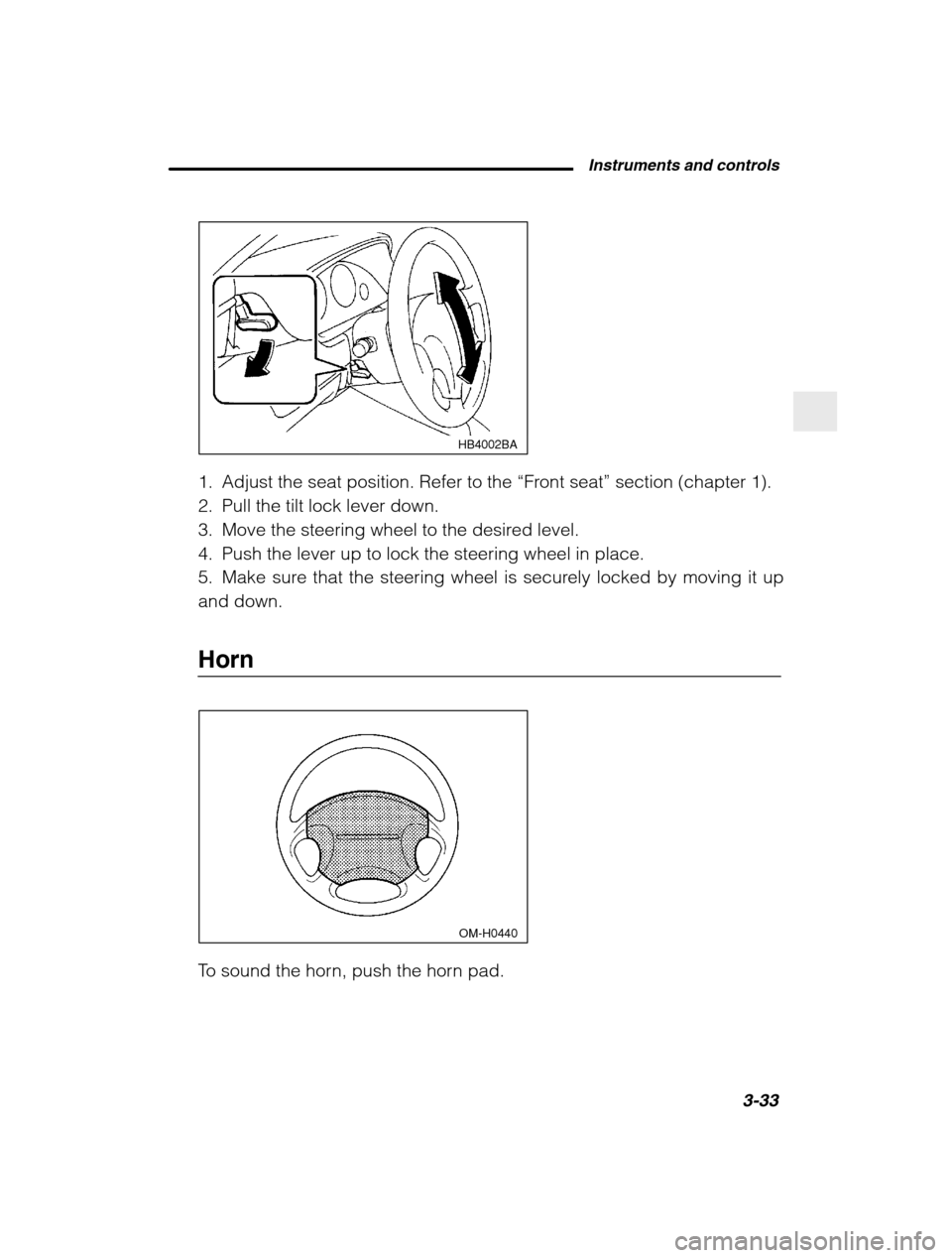
1. Adjust the seat position. Refer to the “Front seat ” section (chapter 1).
2. Pull the tilt lock lever down.
3. Move the steering wheel to the desired level.
4. Push the lever up to lock the steering wheel in place.
5. Make sure that the steering wheel is securely locked by moving it upand down.
Horn
OM-H0440
To sound the horn, push the horn pad.
Page 163 of 400
Audio5-5
–
CONTINUED –
Choose desired volume level for each mode by turning the volume
control dial. The control function returns to volume control mode after
about 5 seconds.
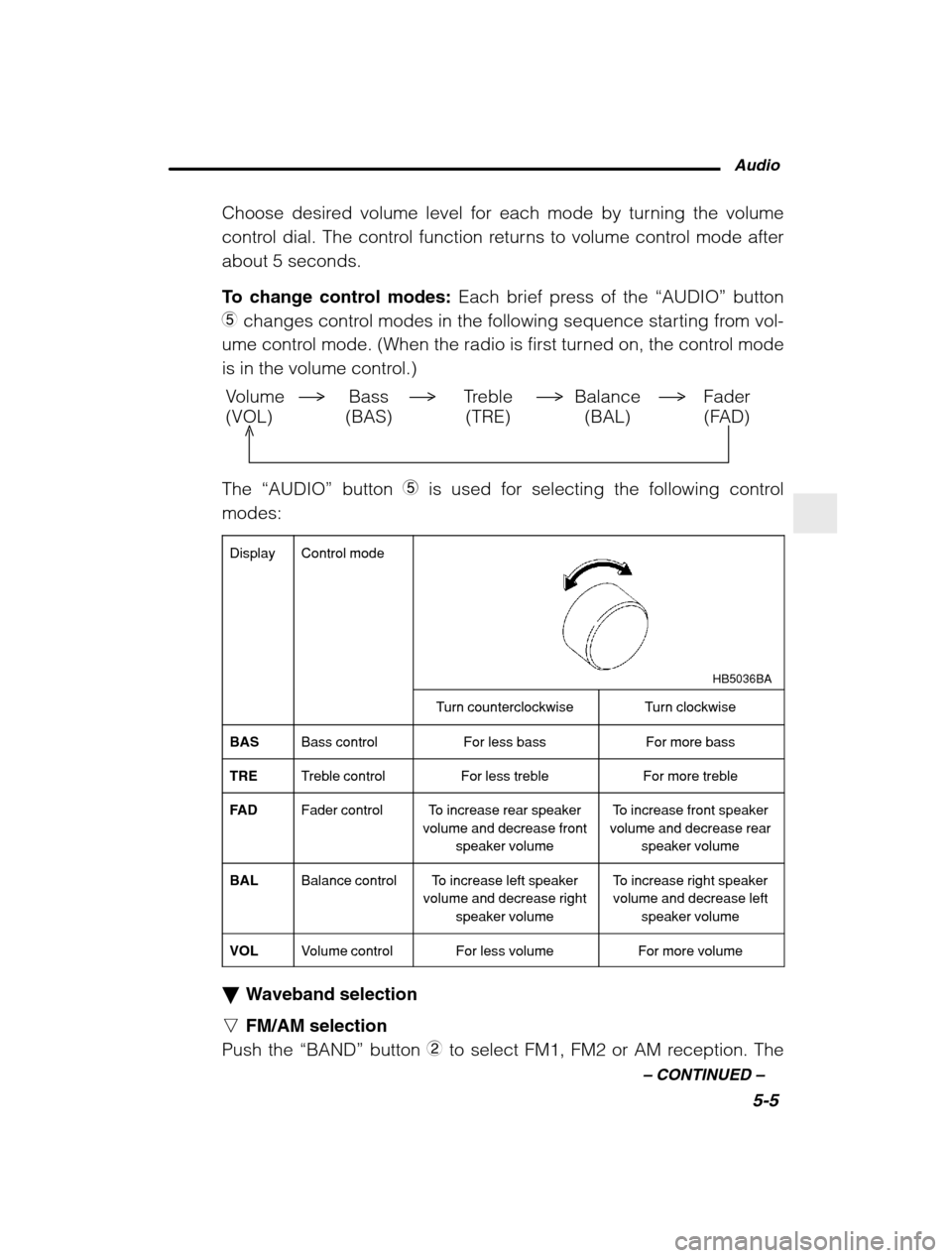
To change control modes: Each brief press of the “AUDIO” button
5 changes control modes in the following sequence starting from vol-
ume control mode. (When the radio is first turned on, the control mode
is in the volume control.)
Volume Bass Treble Balance Fader
(VOL) (BAS) (TRE) (BAL) (FAD)
The “AUDIO” button 5 is used for selecting the following control
modes:
Display
Control mode
HB5036BA
Turn counterclockwiseTurn clockwise
BASBass controlFor less bassFor more bass
TRETreble controlFor less trebleFor more treble
FA DFader controlTo increase rear speaker
volume and decrease front
speaker volumeTo increase front speaker
volume and decrease rear
speaker volume
BALBalance controlTo increase left speaker
volume and decrease right
speaker volumeTo increase right speakervolume and decrease left
speaker volume
VOLVolume controlFor less volumeFor more volume
Waveband selection
n FM/AM selection
Push the “BAND” button 2 to select FM1, FM2 or AM reception. The
Page 167 of 400
Audio5-9
–
CONTINUED –
Fast forwarding and fast reverse
n Fast forward
Press the “ ” button Q continuously for more than 0.5 second to fast
forward the disc.
Release the button to stop fast forwarding. n Fast reverse
Press the “ ” button W continuously for more than 0.5 second to fast
reverse the disc.
Release the button to stop fast reverse. Repeat playback
Use this to play a certain track repeatedly. During playback, press the
“RPT” button
R and release it in less than 2 seconds. The “RPT” indi-
cator will come on and the song will be played continuously. To can-
cel the repeat mode, press the button again. Then the “RPT” indicator
goes out, and normal playback mode is restored. Random playback
Use this to play the tracks on the disc in random order. During play-
back, press the “RDM” button
E and hold it in for more than 2 se-
conds. The “RDM” indicator will come on and all songs on the disc
will be played in a random order.
To cancel the random mode, press the button again. Then the “RDM”
indicator goes out, and normal playback mode is restored. Scan
Press the “SCAN” button
T and release it in less than 2 seconds, and
you can hear the first 10 seconds of each track to search for the
desired program. To continue listening to the program, press the
“SCAN” button again. After all tracks on the disc has been scanned,
normal playback mode is restored. To eject a disc from the player
When a disc is being played back or when a disc is in the player,
press the eject button “
” 9 . The disc will be ejected.
The disc may be removed even when the ignition switch is in the
“LOCK” position.
Page 172 of 400

5-14
To insert a disc
1. Press one of the “Disc select ” buttons 3 (numbered from 1 to 6)
for which the disc indicator light 2 is “OFF”.
The Disc indicator lights are located directly above the corresponding “ Disc select ” buttons.
2. The indicator will begin blinking. The blinking will last for 15 se-conds.
During this period, insert a desired disc, and the disc will begin to
play. (If any disc is not inserted during this period, the “Disc slot ”
1
door will close. Repeat step 1.)
Be sure to hold a disc with the label side (the side where titles areprinted) up.
3. To insert another disc, repeat step 1 and 2 choosing a differentdisc select button. To insert six discs at a time
1. Press and hold the “Disc select ” button number 1 until all disc indi-
cators begin blinking (about 1.5 seconds).
2. The indicators will blink for 15 seconds. During this period, insert
desired six discs.
3. When all discs are loaded, the first disc will begin to play. (If no
disc is inserted within this 15 seconds, the entire disc load sequencewill be canceled.) To remove a disc
1. Press the desired one of the “Disc select ” buttons
3 (numbered
from 1 to 6) for which the disc indicator light is on.
2. Press the “Eject button ”
4 . The selected disc will be ejected and
the indicator light will begin blinking.
3. To remove another disc, repeat step 1 and 2 choosing a different“ Disc select ” button.
(To remove discs when the ignition switch is in the “Lock” position,
press the “Eject” button, and the first disc will be ejected. Press the
“Eject” button again, and the next disc will be ejected and so on. At
this time, the “Disc select ” buttons are disabled.)
Page 173 of 400
Audio5-15
–
CONTINUED –
To remove all discs at one time
1. Press and hold the “Eject” button 4 until all “Disc” indicators begin
blinking (about 1.5 seconds), and the first disc will be ejected.
2. When the disc is removed, the next one will be ejected, and so on. To replace a playing disc with another
Simply press the desired one of “Disc select ” buttons
3 (numbered
from 1 to 6) or press the “DISC UP ” or “DISC DOWN ” button on the
radio unit to select the desired disc, and the disc will begin to play. Disc indicators
Lit: when the corresponding storage tray is occupied by a disc. Blinking: Disc player is either in loading, eject or changing mode.OFF: No disc is loaded or the ignition switch is in the “LOCK” position.
Function control
Refer to CD player control operating instructions described in the“ AM/FM radio with CD player ” section.
Page 179 of 400
Interior and exterior equipments6-3
–
CONTINUED –
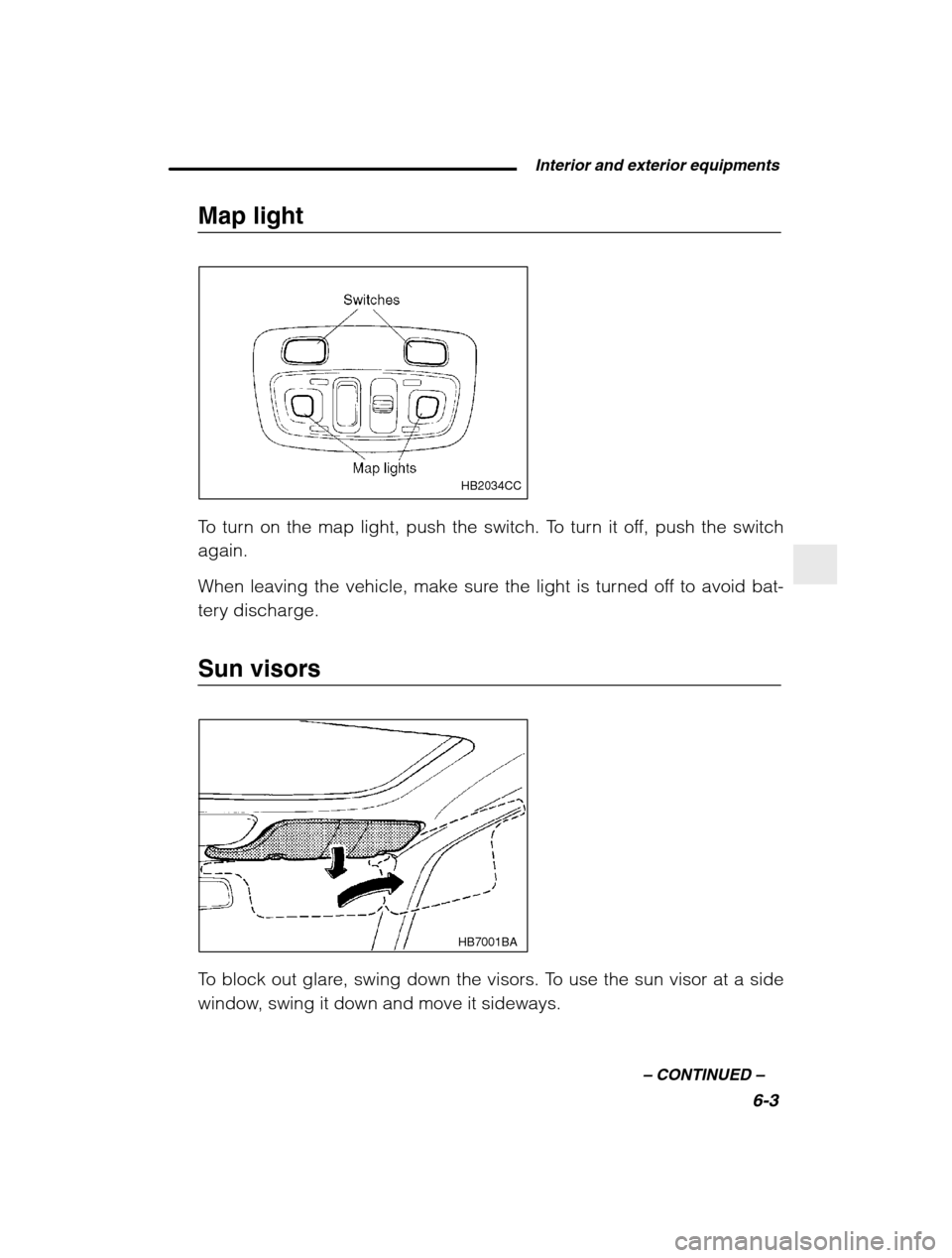
Map light
HB2034CC
To turn on the map light, push the switch. To turn it off, push the switch again.
When leaving the vehicle, make sure the light is turned off to avoid bat-
tery discharge.
Sun visors
HB7001BA
To block out glare, swing down the visors. To use the sun visor at a side
window, swing it down and move it sideways.
Page 181 of 400
Interior and exterior equipments6-5
–
CONTINUED –
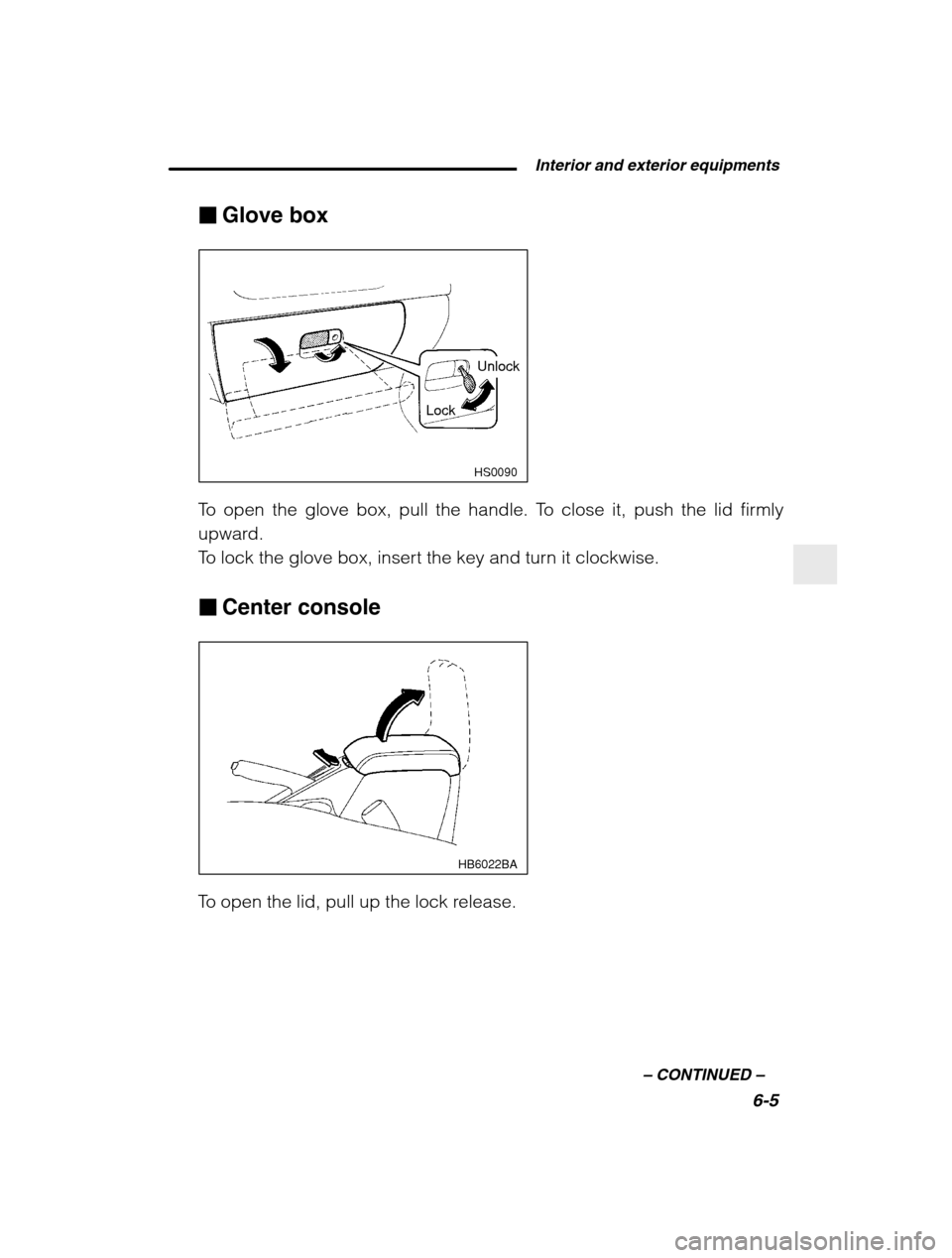
Glove box
HS0090
Unlock
Lock
To open the glove box, pull the handle. To close it, push the lid firmly
upward.
To lock the glove box, insert the key and turn it clockwise. Center console
HB6022BA
To open the lid, pull up the lock release.
Page 183 of 400
Interior and exterior equipments6-7
–
CONTINUED –
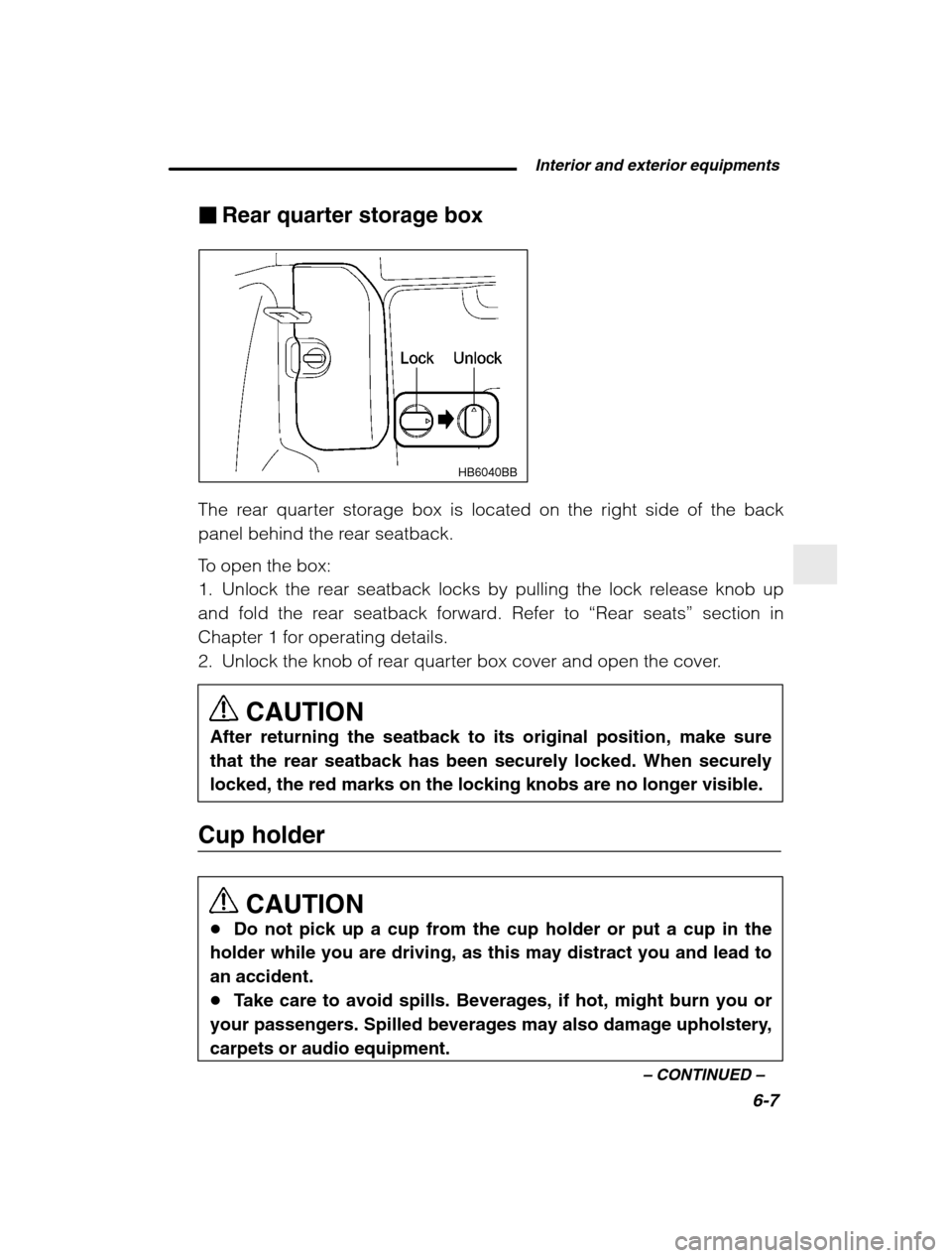
Rear quarter storage box
HB6040BB
The rear quarter storage box is located on the right side of the back
panel behind the rear seatback.
To open the box:
1. Unlock the rear seatback locks by pulling the lock release knob up
and fold the rear seatback forward. Refer to “Rear seats ” section in
Chapter 1 for operating details.
2. Unlock the knob of rear quarter box cover and open the cover.
CAUTION
After returning the seatback to its original position, make sure
that the rear seatback has been securely locked. When securely
locked, the red marks on the locking knobs are no longer visible.
Cup holder
CAUTION
Do not pick up a cup from the cup holder or put a cup in the
holder while you are driving, as this may distract you and lead toan accident. Take care to avoid spills. Beverages, if hot, might burn you or
your passengers. Spilled beverages may also damage upholstery,carpets or audio equipment.
Page 190 of 400

6-14
CAUTION
After returning the seatback to its original position, make sure
that the rear seatback has been securely locked. When securely
locked, the red marks on the locking knobs are no longer visible.
Floor mat (if equipped)
CAUTION
Make sure the driver ’s floor mat is placed back in its proper loca-
tion and correctly secured on its retaining pin. If the floor matslips forward and interferes with the movement of the pedals dur-ing driving, it could cause an accident.
HB6016BA
HB6015BA
A retaining pin is located on the driver ’s side of the vehicle next to the
fuel filler door release. The floor mat is secured using the built-in grom-
met, by placing the grommet over the pin and pushing downward.
Page 193 of 400
Interior and exterior equipments6-17
–
CONTINUED –
Bed extender (if equipped)
The bed extender is designed to increase the usable cargo area of the bed.
CAUTION
When the tailgate and bed extender are in the “open/outward”
position, the license plate bracket must be lowered and lockedinto position before the vehicle is driven (see section “License
plate bracket ” under the heading of “Tailgate” in Chapter 2 for
more information on the function of the license plate bracket). In
order to avoid damaging the license plate bracket or the bumper,
make certain that the license plate bracket is in its fully lowered/open position before the tailgate is lowered. Do not exceed the cargo load rating of your vehicle. Refer to
“ Loading your vehicle ” section in Chapter 8.
Locking buckles must be engaged into the tailgate latch while
the vehicle is in motion. When the bed extender is not in use, the tailgate should be
closed. Do not use the bed extender or tailgate to secure cargo.
Remove the bed extender for vehicle “Off Road ” use.
To avoid creating a dangerous road hazard or causing per-
sonal injury, cargo must not stick out beyond the bed extender. To avoid damage, the tailgate and bed extender must remain in
the closed/inward position when towing with a trailer hitch. To avoid damage, clean the bed extender only with soap, water
and a soft brush.