light SUBARU BAJA 2006 1.G Repair Manual
[x] Cancel search | Manufacturer: SUBARU, Model Year: 2006, Model line: BAJA, Model: SUBARU BAJA 2006 1.GPages: 487, PDF Size: 5.55 MB
Page 169 of 487
4-6
Climate control
NOTE
When the dial is placed in the “ ” or “ ” po-
sition, the air conditioner compressor operates
automatically regardless of the position of the air
conditioner button to defog the windshield quick-
ly. At the same time, the air inlet selection is auto-
matically set to “Outside air” mode.
In this state, you cannot select “recirculation”
mode by manually pressing the air inlet selectionbutton. T
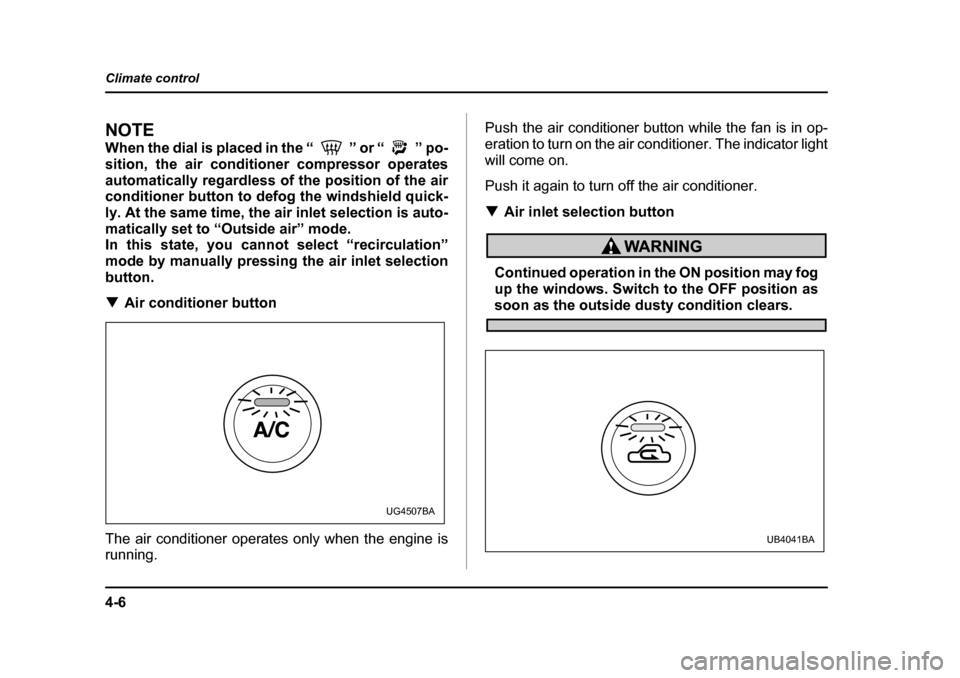
Air conditioner button
The air conditioner operates only when the engine is
running. Push the air conditioner button while the fan is in op-
eration to turn on the air conditioner. The indicator light
will come on.
Push it again to turn off the air conditioner. T
Air inlet selection button
Continued operation in the ON position may fog
up the windows. Switch to the OFF position as
soon as the outside dusty condition clears.
UG4507BA
UB4041BA
Page 170 of 487
4-7
Climate control
– CONTINUED –
ON position (Recirculation): Interior air is recirculat-
ed inside the vehicle. Push the air inlet selection but-
ton to the ON position. The indicator light will come on.
Push the air inlet selectio n button to the ON position
for fast cooling with the air conditioner or when driving
on a dusty road.
OFF position (Outside Air): Outside air is drawn into
the passenger compartment. Push the air inlet selec-
tion button again to the OFF position. The indicator
light will go off.
Push the air inlet selection button to the OFF position
when the interior has cooled to a comfortable temper-
ature and the road is no longer dusty. „
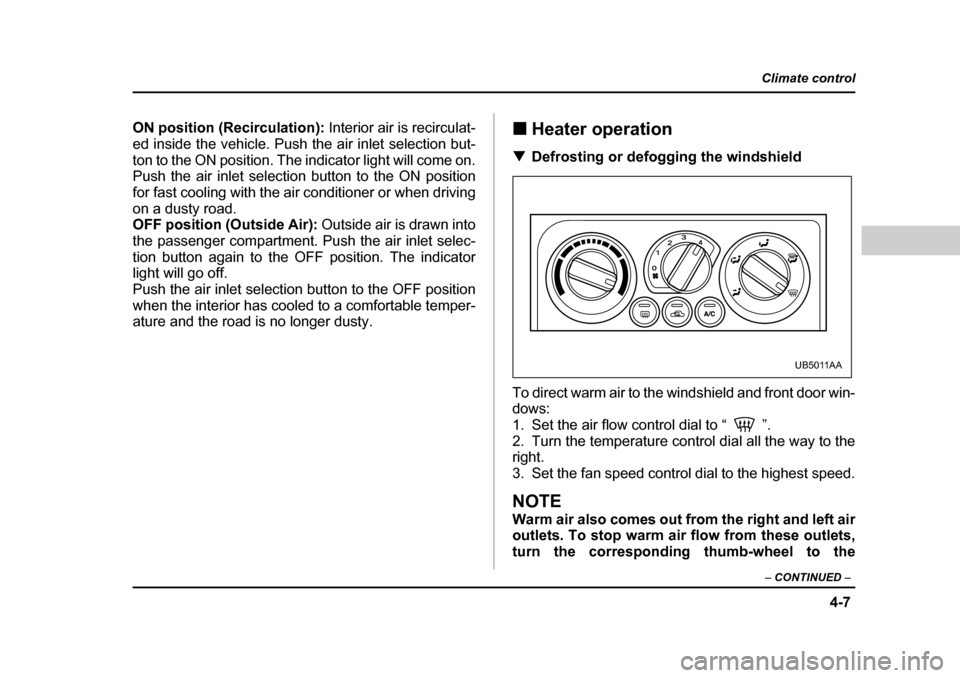
Heater operation
T Defrosting or defogging the windshield
To direct warm air to the windshield and front door win-
dows:
1. Set the air flow control dial to “ ”.
2. Turn the temperature control dial all the way to the right.
3. Set the fan speed control dial to the highest speed.
NOTE
Warm air also comes out from the right and left air
outlets. To stop warm ai r flow from these outlets,
turn the corresponding thumb-wheel to the
UB5011AA
Page 172 of 487
4-9
Climate control
– CONTINUED –
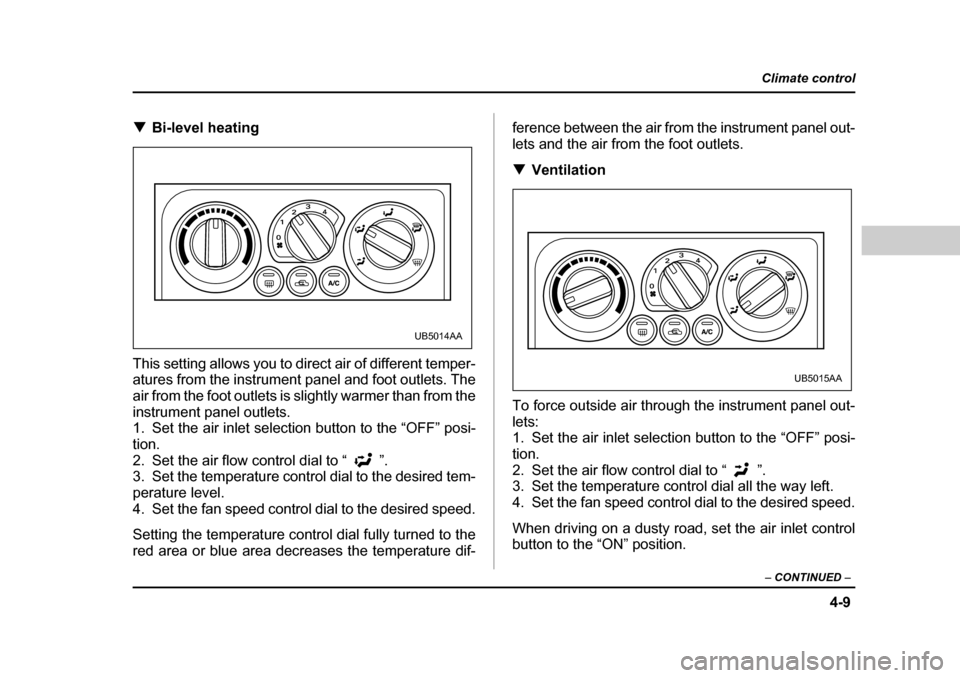
TBi-level heating
This setting allows you to direct air of different temper-
atures from the instrument panel and foot outlets. The
air from the foot outlets is slightly warmer than from the
instrument panel outlets.
1. Set the air inlet selection button to the “OFF” posi- tion.
2. Set the air flow control dial to “ ”.
3. Set the temperature control dial to the desired tem- perature level.
4. Set the fan speed control dial to the desired speed.
Setting the temperat ure control dial fully turned to the
red area or blue area decr eases the temperature dif- ference between the air from the instrument panel out- lets and the air from
the foot outlets.
T Ventilation
To force outside air through the instrument panel out-lets:
1. Set the air inlet selection button to the “OFF” posi-
tion.
2. Set the air flow control dial to “ ”.
3. Set the temperature control dial all the way left.
4. Set the fan speed control dial to the desired speed.
When driving on a dusty road, set the air inlet control
button to the “ON” position.
UB5014AA
UB5015AA
Page 174 of 487
4-11
Climate control
– CONTINUED –
2. Set the temperature control dial to the red area.
3. Set the fan speed control dial at the highest speed. Operating tips for heater and air con-
ditioner T
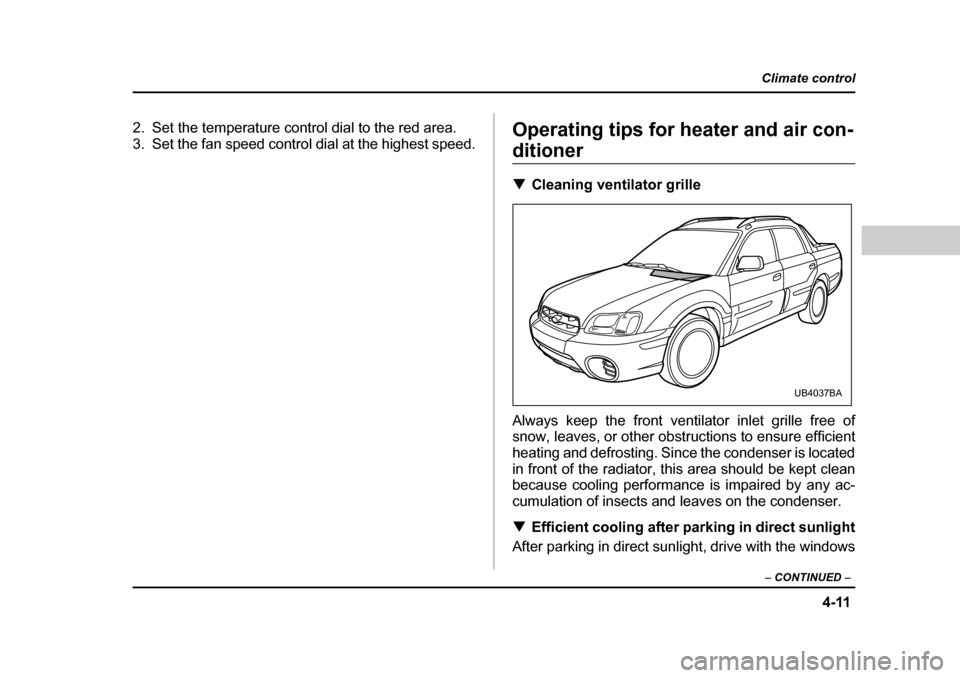
Cleaning ventilator grille
Always keep the front ventilator inlet grille free of
snow, leaves, or other obstructions to ensure efficient
heating and defrosting. Since the condenser is located
in front of the radiator, th is area should be kept clean
because cooling performance is impaired by any ac-
cumulation of insects and leaves on the condenser. T Efficient cooling after parking in direct sunlight
After parking in direct sunlight, drive with the windows
UB4037BA
Page 197 of 487
5-20
Audio
V
Tone control
The volume control dial (1) normally function as vol-
ume control. The dial become a control for Bass,
Midrange or Treble when you select the appropriate
tone control mode. Choose desired volume level for each mode by turning
the volume control dial. The control function returns to
volume control mode after approximately 5 seconds.
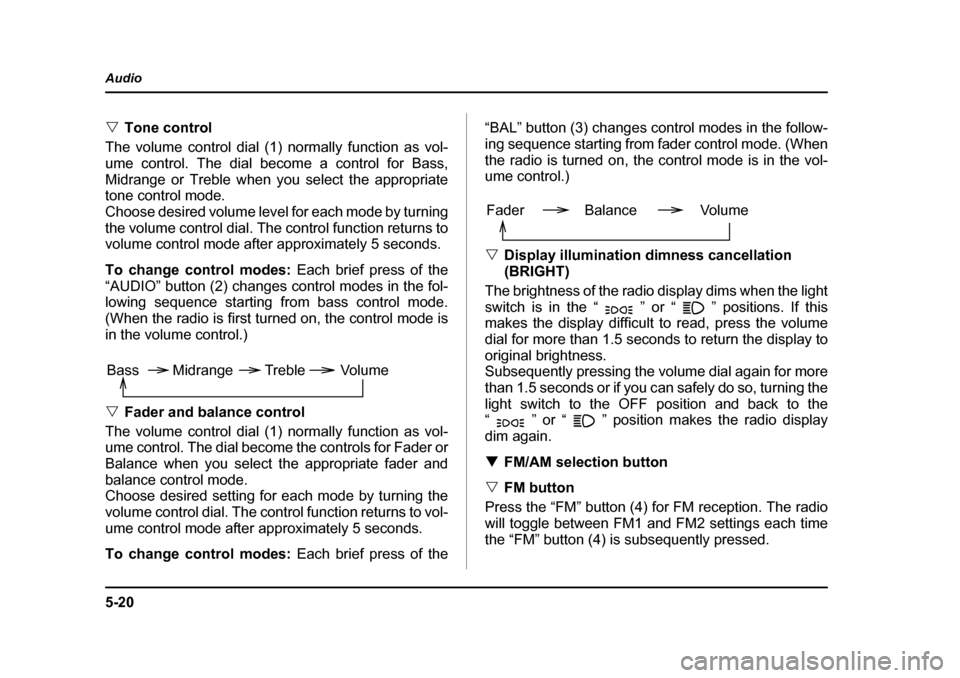
To change control modes: Each brief press of the
“AUDIO” button (2) changes control modes in the fol-
lowing sequence starting from bass control mode.
(When the radio is first turned on, the control mode is
in the volume control.) V Fader and balance control
The volume control dial (1) normally function as vol-
ume control. The dial become the controls for Fader or
Balance when you select the appropriate fader and
balance control mode.
Choose desired setting for each mode by turning the
volume control dial. The control function returns to vol-
ume control mode after approximately 5 seconds.
To change control modes: Each brief press of the “BAL” button (3) changes control modes in the follow-
ing sequence starting from
fader control mode. (When
the radio is turned on, the control mode is in the vol-
ume control.) V Display illumination dimness cancellation (BRIGHT)
The brightness of the radio display dims when the light
switch is in the “ ” or “ ” positions. If this
makes the display difficult to read, press the volume
dial for more than 1.5 seconds to return the display to
original brightness.
Subsequently pressing the volume dial again for more
than 1.5 seconds or if you c an safely do so, turning the
light switch to the OFF position and back to the
“ ” or “ ” position makes the radio display
dim again. T FM/AM selection button
V FM button
Press the “FM” button (4) for FM reception. The radio
will toggle between FM1 and FM2 settings each time
the “FM” button (4) is subsequently pressed.
Volume
Bass Midrange Treble
Volume
Fader Balance
Page 201 of 487
5-24
Audio
NOTE
Make sure to always insert a disc with the label
side up. If a disc is inserted with the label side
down, it might be ejected or the player might shut off. T
How to insert a CD(s)
V Inserting a CD
1. Press “LOAD” button (14). If the magazine in the
player has an idle position where you can insert a disc,
the “DISC” indicator associated with the idle position
will blink.
If no indicator blinks, it means that there is no idle po- sition in the magazine.
2. As soon as the “DISC” indicator begins to blink, the
“IN” will appear on display for a period of 15 seconds.
Insert a disc during the period. The disc will be then
automatically drawn in, and the player will begin to
play back the first track of the disc. y To insert more discs in succession, repeat Steps 1
and 2. The magazine will be loaded with discs in the
ascending order of position number.
If you do not insert any disc in 15 seconds after you
have pressed the “LOAD” button, the player will begin
to play back the first track of the last disc you have in-
serted. y
The disc indicator steadily lights up if a disc is al-
ready inserted in the corresponding position of the magazine. y While the player is in the loading mode, if you press
the “FM” button (4) or “AM” button (5), the player will
enter the standby mode. Press the “CD” button (11) to
start playback. V Inserting a disc in a desired position
1. Press the “LOAD” button. If the magazine in the
player has an idle position where you can insert a disc,
the “DISC” indicator associ ated with the idle position
will blink.
The positions in the magazine the indicator of which
steadily lights up are already loaded with discs.
2. Press the “Disc select” bu tton (15) at the position
where you want to insert a disc. The associated
“DISC” indicator will blink, and the “IN” will be dis-
played.
3. If you insert a disc during the 15-second period
while the “IN” is on display, the disc will be automati-
cally drawn in, and the player will start playback of the
disc, beginning with the first track. y To insert more discs in succession, repeat Steps 1
and 2. y While the player is in the loading mode, if you press
the “FM” button (4) or “AM” button (5), the player will
Page 202 of 487

5-25
Audio
– CONTINUED –
enter standby mode. Press t he “CD” button to start
playback. V Loading all the magazine (Full disc loading
mode)
1. If you continue to press the “LOAD” button for more
than 1.5 seconds, the player will produce beep sound
and will enter the full disc loading mode.
2. A “DISC” indicator will blink, and the “IN” will be on
display for a period of 15 se conds. If a disc is success-
fully loaded during this period, the “DISC” indicator will
stop blinking and will steadily light.
3. When the loading of a disc is complete, the next
“DISC” indicator will blink. Then repeat Step 2.
4. When the magazine is filled with discs by repeating
Steps 2 and 3, the player will start playback of thediscs, beginning with the one inserted first.
If you fail to insert any disc during each 15 seconds in-
terval, the full disc loading mode will be canceled, and
the player will start playback of the disc inserted first. T How to play back a CD or make a pause
V When there is no CD inserted:
Insert a CD by referring to “How to insert a CD(s)”.
When a CD is loaded, the player will start playback of
the CD, beginning with the first track. V
When there are CDs loaded:
Press a desired one of the “Disc select” buttons (15)
the “DISC” indicator of which steadily lights up. The
player will then start playback of the selected CD, be-
ginning with the first track. T To select a song from its beginning
V Forward direction
Briefly press the “ ” side of the button (16) to skip to
the beginning of the next track. Each time the button is
pressed, the indicated track number will increase. V Backward direction
Briefly press the “ ” side of the button (16) to skip to
the beginning of the current track. Each time the but-
ton is pressed, the indicated track number will de- crease. T Fast-forwarding and fast-reversing
V Fast-forwarding
Press the “ ” side of the bu tton (16) continuously to
fast-forward the disc.
Release the button to stop fast-forwarding. V Fast-reversing
Press the “ ” side of the bu tton (16) continuously to
fast-reverse the disc.
Page 205 of 487
5-28
Audio
y
Do not attempt to in sert two or more discs
into the slot at a time. Doing so can cause me-
chanical damage to the CD changer. y Use only music CDs identified by
am ark .
y Do not use CDs listed in the following which
could cause damage to the CD player. y3 inch (8 cm) compact disc.
y Any disc with a peel-off or seal on it.
y Any disc with scratches and/or dust.
y Bent disc.
y Cleaning disc.
y CD accessory. (E.g., 3 inch (8 cm) disc
adapter)
y Do not insert or remove any disc when the
automatic transmission selector lever is in the
park position; the selector lever in that position
can interfere with disc insertion or removal,
causing scratches on the disc surface (for AT
vehicles).
T To insert a disc
1. Press one of the “Disc select” buttons (3) (num-
bered from 1 to 6) for which the disc indicator light (2) is “OFF”.
The Disc indicator lights are located directly above the
corresponding “Disc select” buttons.
2. The indicator will begin blinking. The blinking will last for 15 seconds.
During this period, insert a desired disc, and the disc
will begin to play. (If any disc is not inserted during this
period, the “Disc slot” (1) door will close. Repeat Step
1.)
Be sure to hold a disc with the label side (the side
where titles are printed) up.
3. To insert another disc, repeat Steps 1 and 2 choos-
ing a different disc select button. T
To insert six discs at a time
1. Press and hold the “Disc select” button number 1
until all disc indicators begin blinking (approximately
1.5 seconds).
2. The indicators will blink for 15 seconds. During this
period, insert desired six discs.
3. When all discs are loaded, the first disc will begin to
play. (If no disc is inserted within this 15 seconds, the
entire disc load sequence will be canceled.) T To remove a disc
1. Press the desired one of the “Disc select” buttons
(3) (numbered from 1 to 6) for which the disc indicator
light is on.
Page 206 of 487

5-29
Audio
– CONTINUED –
2. Press the “Eject” button (4). The selected disc will
be ejected and the indicator light will begin blinking.
3. To remove another disc, repeat Steps 1 and 2
choosing a different “Disc select” button.
(To remove discs when the ig nition switch is in the
“Lock” position, press the “Eject” button, and the first
disc will be ejected. Press the “Eject” button again,
and the next disc will be ejected and so on. At this
time, the “Disc select” buttons are disabled.) T To remove all discs at one time
1. Press and hold the “Eject” button (4) until all “Disc”
indicators begin blinking (approximately 1.5 seconds),
and the first disc will be ejected.
2. When the disc is removed, the next one will be
ejected, and so on. T To replace a playing disc with another
Simply press the desired one of “Disc select” buttons
(3) (numbered from 1 to 6) or press the “DISC UP” or
“DISC DOWN” button on the ra dio unit to select the
desired disc, and the disc will begin to play. T Disc indicators
Lit: when the corresponding storage tray is occupied
by a disc.
Blinking: Disc player is either in loading, eject or
changing mode. OFF: No disc is loaded or the ignition switch is in the
“LOCK” position. T
Function control
Refer to CD player control operating instructions de-
scribed in the “AM/FM radio with CD player” section.
Page 208 of 487
5-31
Audio
– CONTINUED –
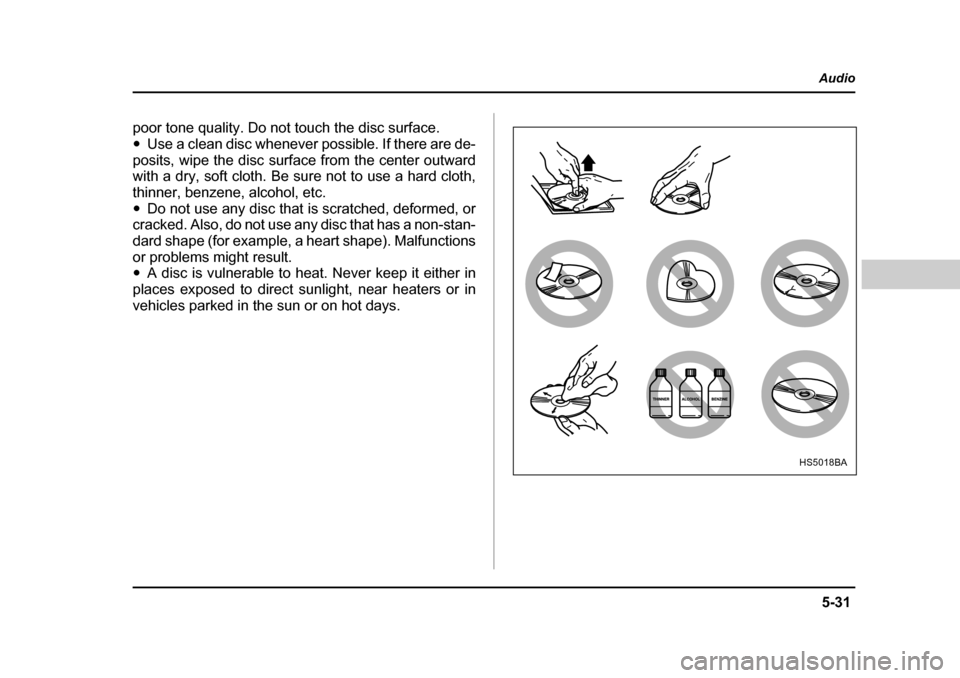
poor tone quality. Do not touch the disc surface.
y Use a clean disc whenever possible. If there are de-
posits, wipe the disc surface from the center outward with a dry, soft cloth. Be sure not to use a hard cloth,
thinner, benzene, alcohol, etc. y Do not use any disc that is scratched, deformed, or
cracked. Also, do not use any disc that has a non-stan-
dard shape (for example, a heart shape). Malfunctions
or problems might result. y A disc is vulnerable to heat. Never keep it either in
places exposed to direct sunlight, near heaters or in
vehicles parked in the sun or on hot days.
HS5018BA