interior SUBARU BRZ 2015 1.G Owner's Manual
[x] Cancel search | Manufacturer: SUBARU, Model Year: 2015, Model line: BRZ, Model: SUBARU BRZ 2015 1.GPages: 492, PDF Size: 6.53 MB
Page 255 of 492
255
3-1. Using the air conditioning system and defogger
3
Interior features
■The defoggers can be operated when
Vehicles without a keyless access with push button start system
The engine switch is in the “ON” position.
Vehicles with a keyless access with push button start system
The push-button ignition switch is in “ON” mode.
■The outside rear view mirror defoggers (vehicles with outside rear view
mirror defoggers)
Turning the rear window defogger on will turn the outside rear view mirror
defoggers on.
■When continuous operation is set (vehicles with an automatic air con-
ditioning system)
During continuous operation, the defogger stops operating for 2 minutes
after every 15 minutes of continual operation. Even during the 2 minutes that
operation stops, the operating light remains illuminated. The rear window
defogger will continue to operate in this cycle until it is turned off.
■Customization that can be configured at SUBARU dealer (vehicles with
an automatic air conditioning system)
The rear window defogger can be set to 15-minute operation or continuous
operation. (Customizable features →P. 445)
WARNING
■When the outside rear view mirror defoggers are on (vehicles with out-
side rear view mirror defoggers)
Do not touch the outside surface of the rear view mirrors, as they can
become very hot and burn you.
CAUTION
■To prevent battery discharge
Do not leave the rear window defogger on longer than necessary when the
engine is stopped.
Page 257 of 492
257
3-2. Using the audio system
3
Interior features
Using the microphone
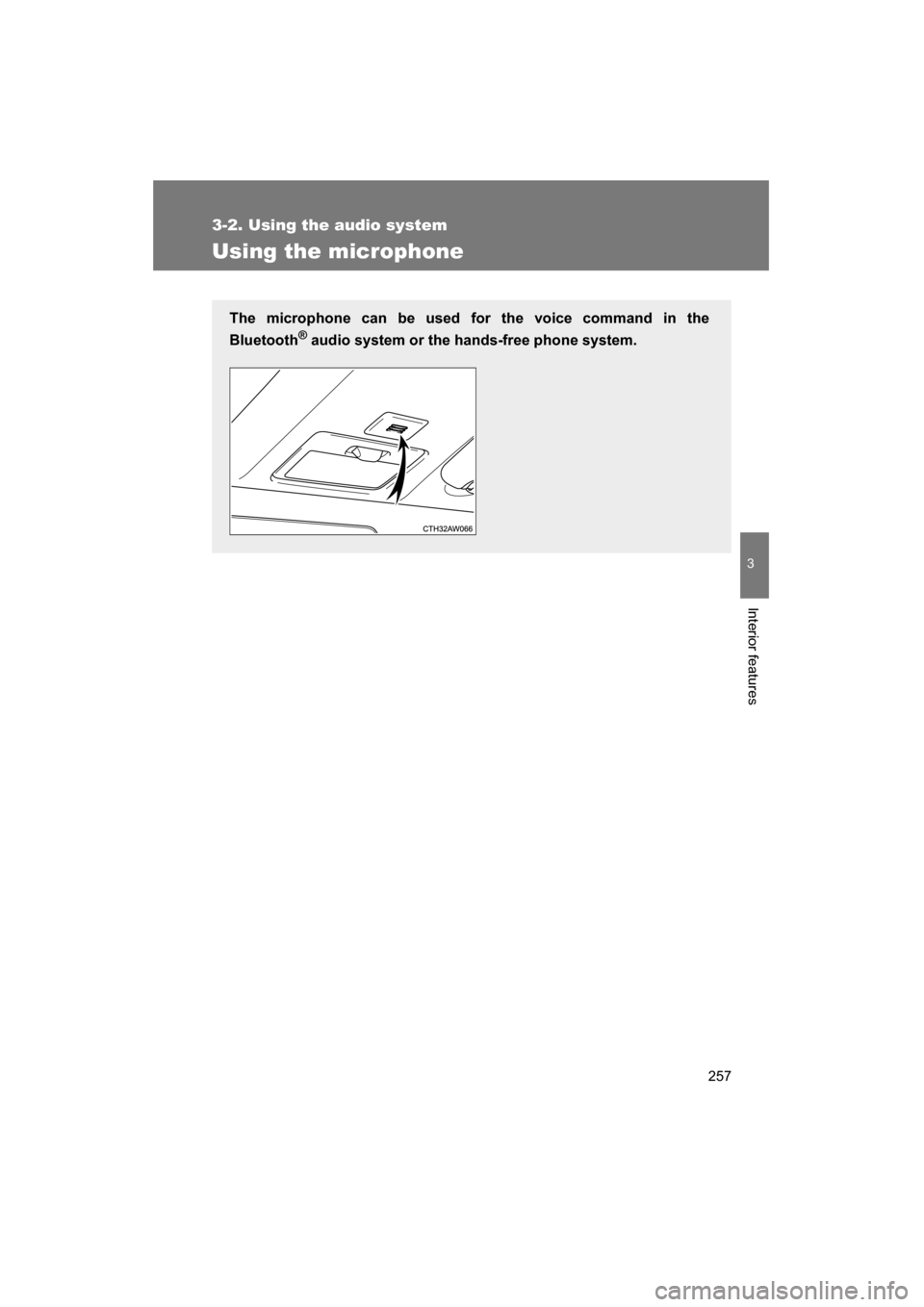
The microphone can be used for the voice command in the
Bluetooth®
audio system or the hands-free phone system.
Page 258 of 492
258
3-3. Using the interior lights
Interior lights list
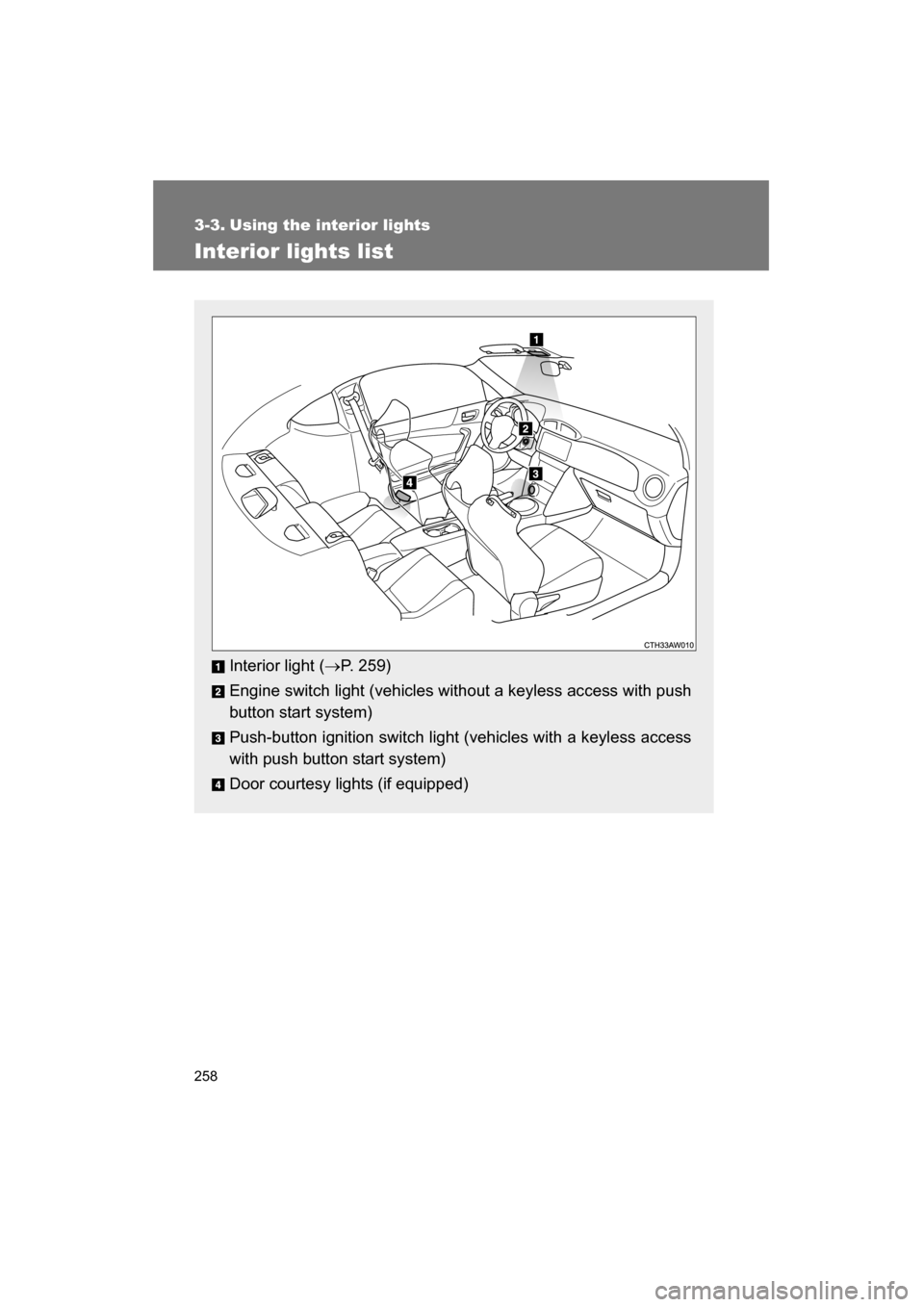
Interior light (→P. 259)
Engine switch light (vehicles without a keyless access with push
button start system)
Push-button ignition switch light (vehicles with a keyless access
with push button start system)
Door courtesy lights (if equipped)
Page 259 of 492
259
3-3. Using the interior lights
3
Interior features
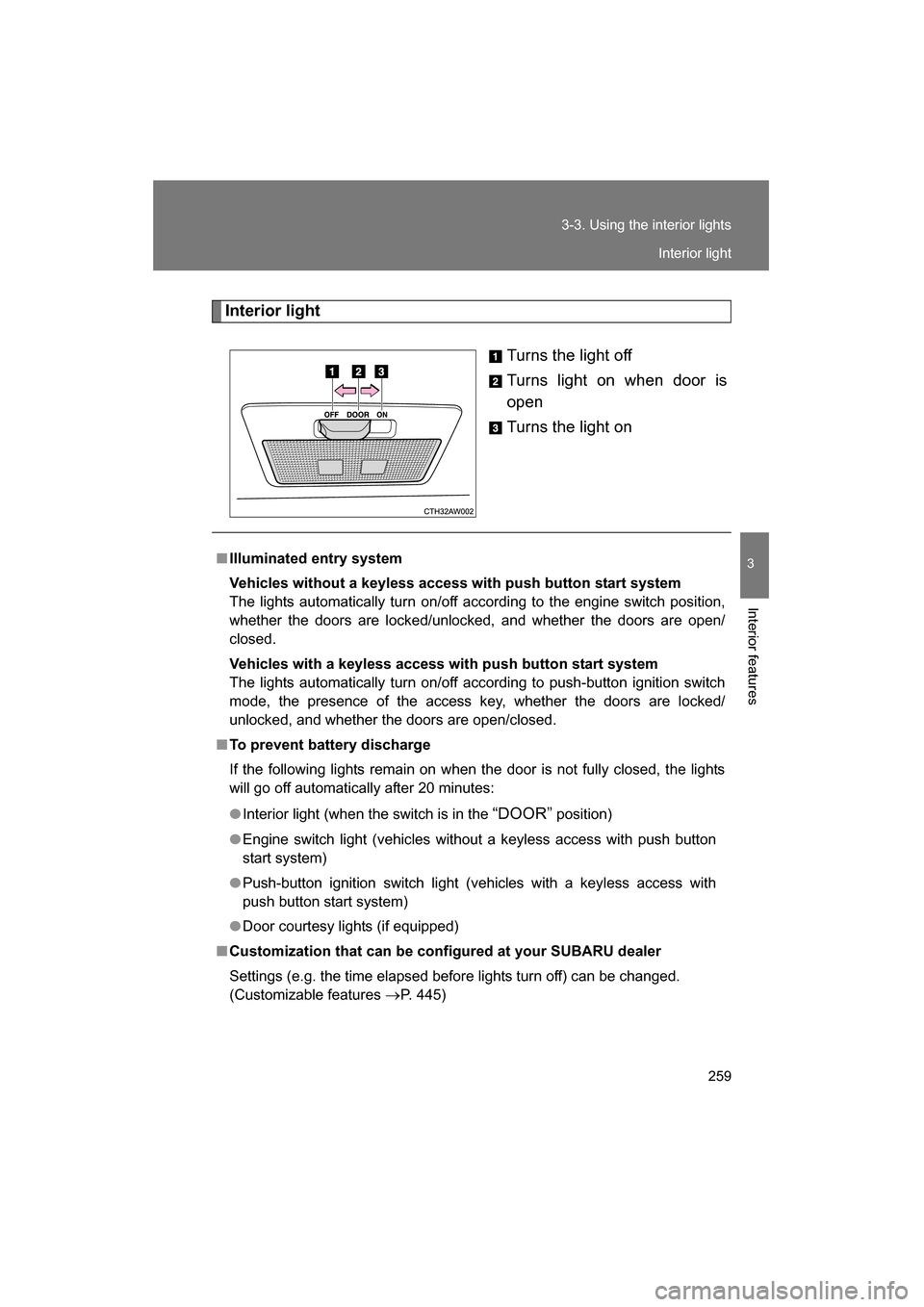
Interior lightTurns the light off
Turns light on when door is
open
Turns the light on
■Illuminated entry system
Vehicles without a keyless access with push button start system
The lights automatically turn on/off according to the engine switch position,
whether the doors are locked/unlocked, and whether the doors are open/
closed.
Vehicles with a keyless access with push button start system
The lights automatically turn on/off according to push-button ignition switch
mode, the presence of the access key, whether the doors are locked/
unlocked, and whether the doors are open/closed.
■To prevent battery discharge
If the following lights remain on when the door is not fully closed, the lights
will go off automatically after 20 minutes:
●Interior light (when the switch is in the “DOOR” position)
●Engine switch light (vehicles without a keyless access with push button
start system)
●Push-button ignition switch light (vehicles with a keyless access with
push button start system)
●Door courtesy lights (if equipped)
■Customization that can be configured at your SUBARU dealer
Settings (e.g. the time elapsed before lights turn off) can be changed.
(Customizable features
→P. 445)
Interior light
Page 261 of 492
261
3-4. Using the storage features
3
Interior features
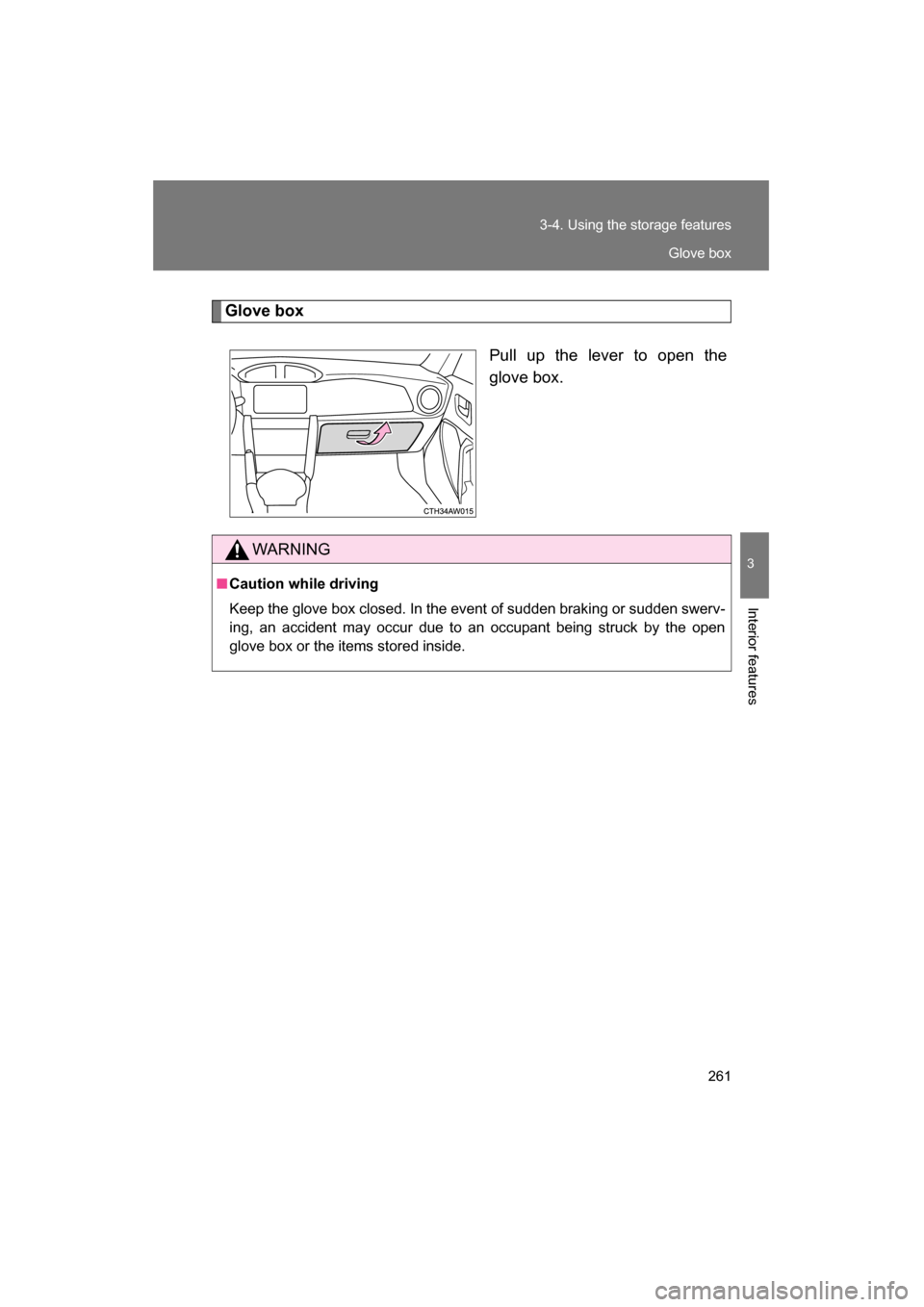
Glove boxPull up the lever to open the
glove box.
WARNING
■Caution while driving
Keep the glove box closed. In the event of sudden braking or sudden swerv-
ing, an accident may occur due to an occupant being struck by the open
glove box or the items stored inside.
Glove box
Page 263 of 492
263
3-4. Using the storage features
3
Interior features
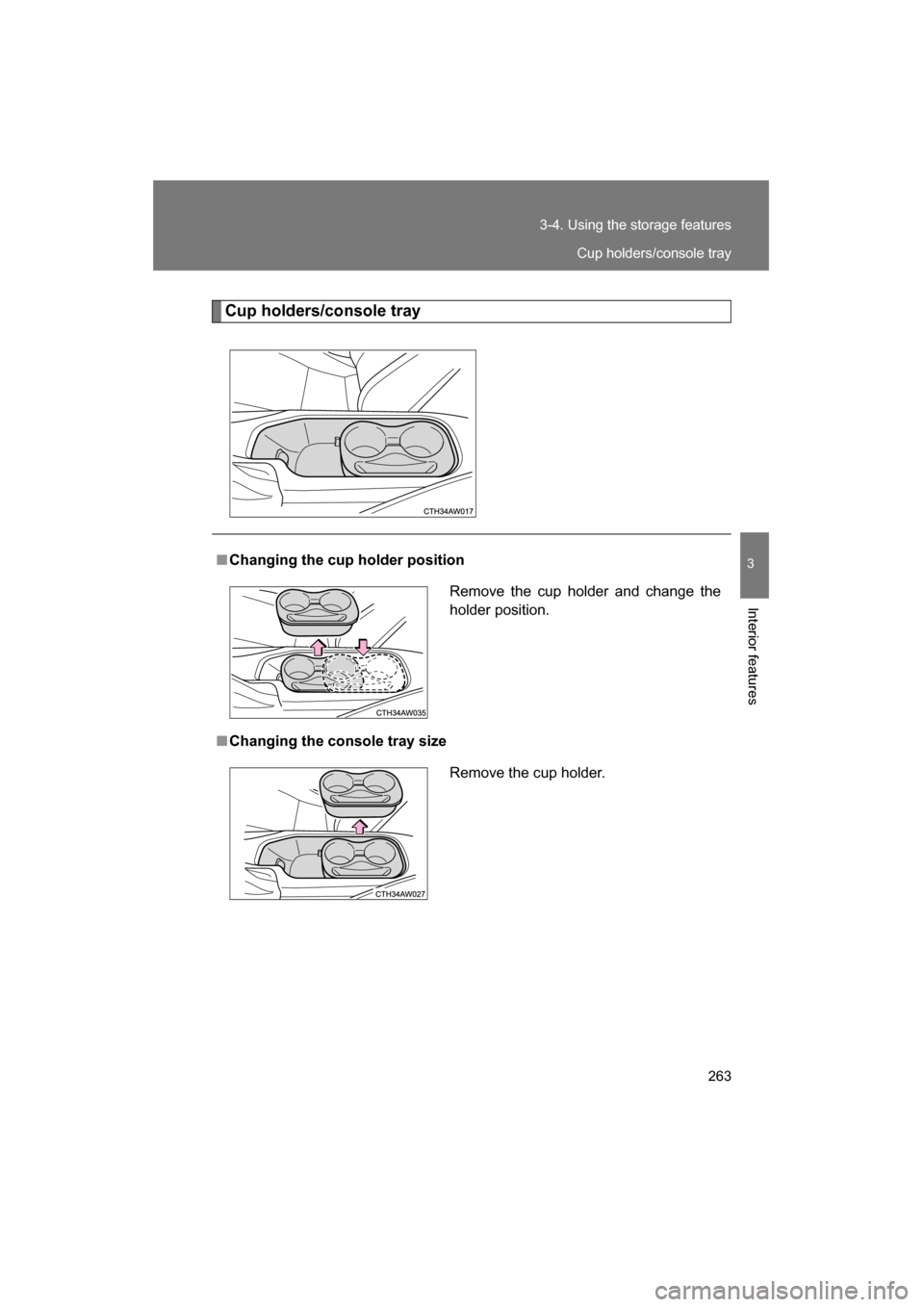
Cup holders/console tray
■Changing the cup holder position
■Changing the console tray sizeRemove the cup holder and change the
holder position.
Remove the cup holder.
Cup holders/console tray
Page 265 of 492
265
3
Interior features
3-5. Other interior features
Sun visors
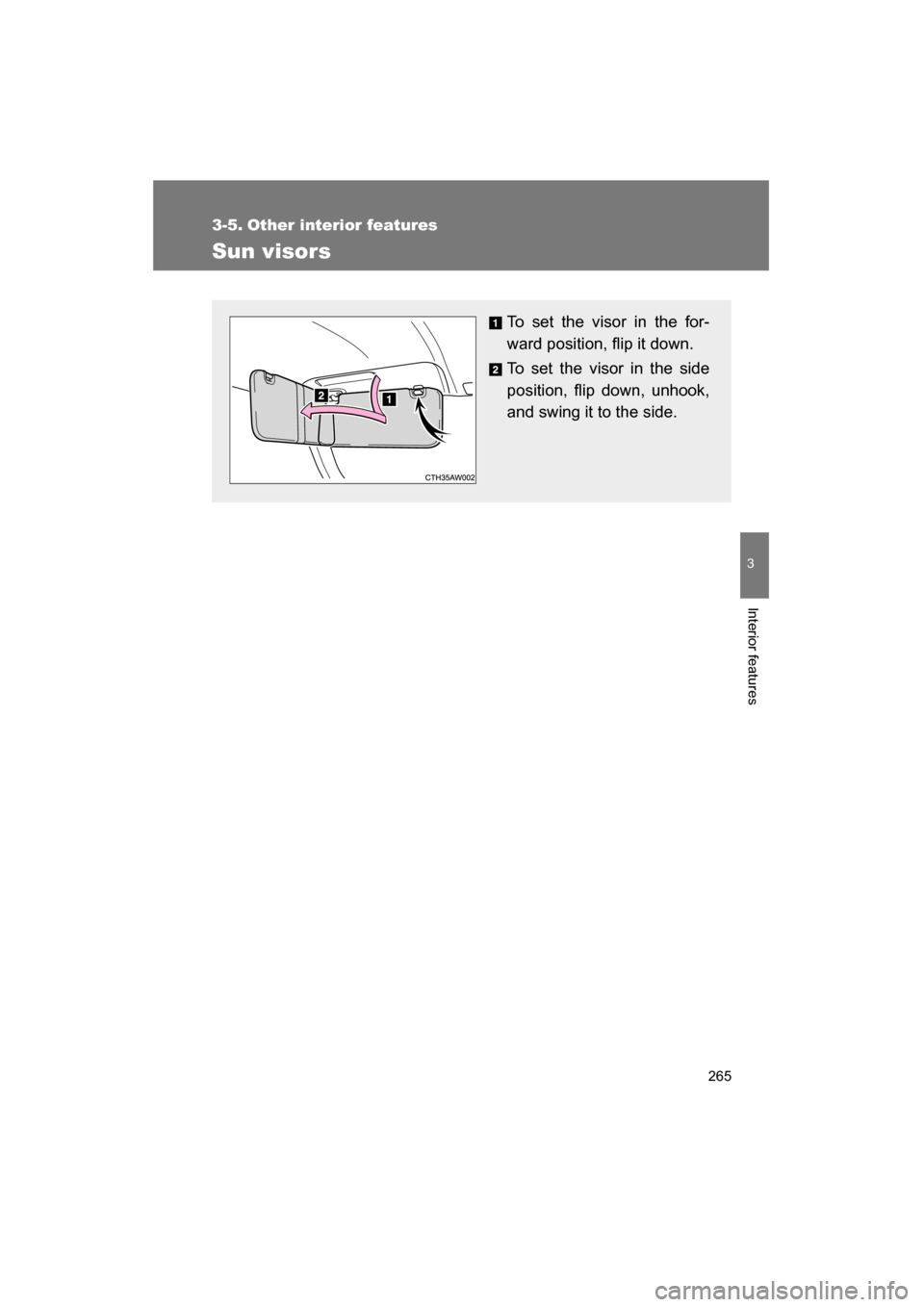
To set the visor in the for-
ward position, flip it down.
To set the visor in the side
position, flip down, unhook,
and swing it to the side.
Page 266 of 492
266
3-5. Other interior features
Vanity mirrors
CAUTION
■To prevent battery discharge (vehicles with vanity lights)
Do not leave the vanity lights on for extended periods while the engine is off.
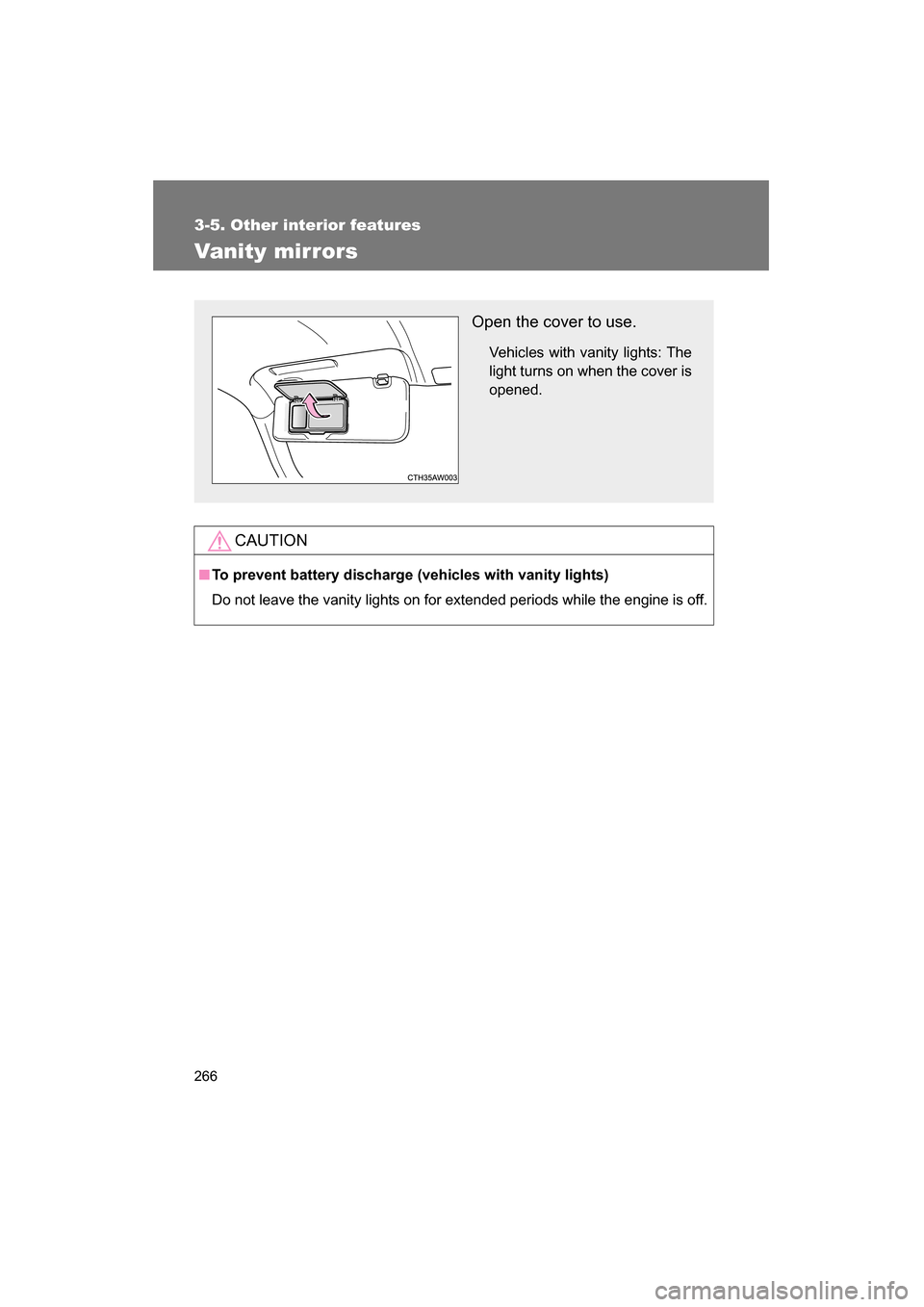
Open the cover to use.Vehicles with vanity lights: The
light turns on when the cover isopened.
Page 267 of 492
267
3-5. Other interior features
3
Interior features
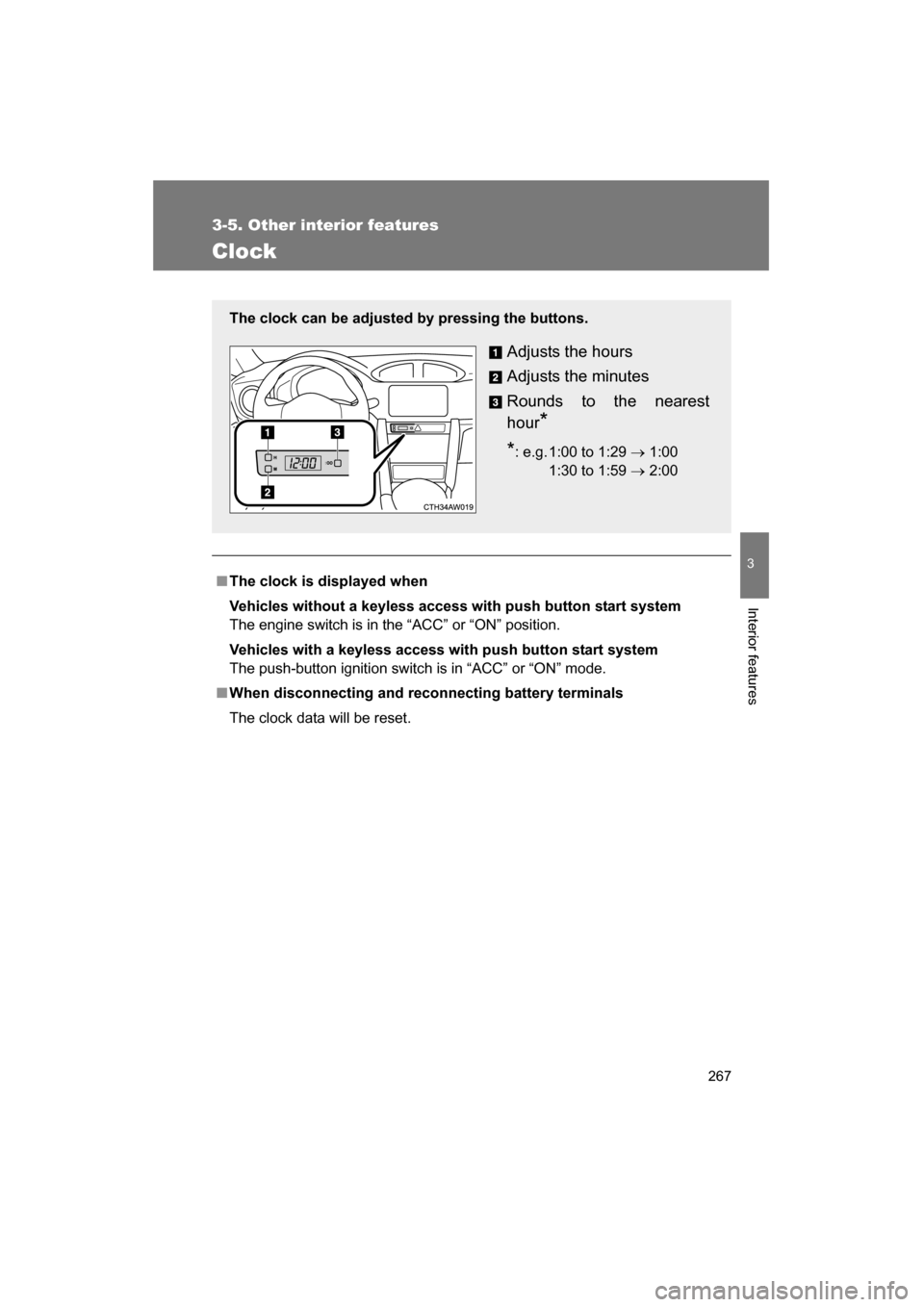
Clock
■The clock is displayed when
Vehicles without a keyless access with push button start system
The engine switch is in the “ACC” or “ON” position.
Vehicles with a keyless access with push button start system
The push-button ignition switch is in “ACC” or “ON” mode.
■When disconnecting and reconnecting battery terminals
The clock data will be reset.
The clock can be adjusted by pressing the buttons.
Adjusts the hours
Adjusts the minutes
Rounds to the nearest
hour*
* : e.g. 1:00 to 1:29 → 1:00
1:30 to 1:59 → 2:00
00
Page 268 of 492
268
3-5. Other interior features
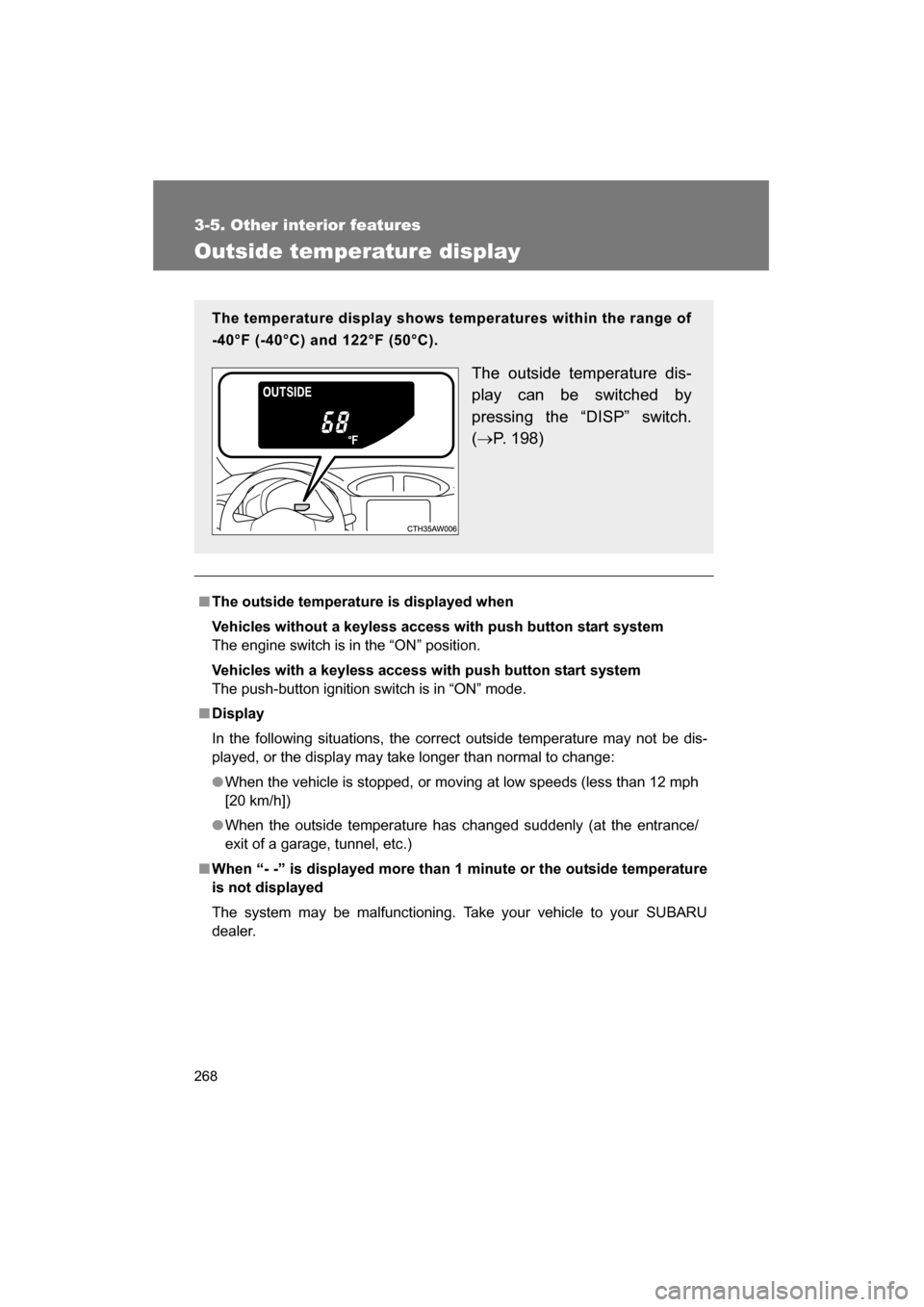
Outside temperature display
■The outside temperature is displayed when
Vehicles without a keyless access with push button start system
The engine switch is in the “ON” position.
Vehicles with a keyless access with push button start system
The push-button ignition switch is in “ON” mode.
■Display
In the following situations, the correct outside temperature may not be dis-
played, or the display may take longer than normal to change:
●When the vehicle is stopped, or moving at low speeds (less than 12 mph
[20 km/h])
●When the outside temperature has changed suddenly (at the entrance/
exit of a garage, tunnel, etc.)
■When “- -” is displayed more than 1 minute or the outside temperature
is not displayed
The system may be malfunctioning. Take your vehicle to your SUBARU
dealer.
The temperature display shows temperatures within the range of
-40°F (-40°C) and 122°F (50°C).
The outside temperature dis-
play can be switched by
pressing the “DISP” switch. (→ P. 198)