fuel SUBARU BRZ 2017 1.G User Guide
[x] Cancel search | Manufacturer: SUBARU, Model Year: 2017, Model line: BRZ, Model: SUBARU BRZ 2017 1.GPages: 540, PDF Size: 6.88 MB
Page 80 of 540
78 1-5. Refueling
WARNING
■Refueling the vehicle
Observe the following precautions while refueling the vehicle.
Failure to do so may result in death or serious injury.
●Do not handle fuel indoors.
●After exiting the vehicle and before opening the fuel door, touch an
unpainted metal surface to discharge any static electricity. It is important to
discharge static electricity before refueling because sparks resulting from
static electricity can cause fuel vapors to ignite while refueling.
●Always hold the grips on the fuel tank cap and turn it slowly to remove it.
A whooshing sound may be heard when the fuel tank cap is loosened.
Wait until the sound cannot be heard before fully removing the cap.
In hot weather, pressurized fuel may spray out of the filler neck and cause
injury.
●Do not allow anyone that has not discharged static electricity from their
body to come close to an open fuel tank.
●Do not allow anyone to approach the area of the vehicle near the fuel filler
pipe while refueling is in progress.
●Do not inhale vaporized fuel.
Fuel contains substances that are harmful if inhaled.
●Do not smoke while refueling the vehicle.
Doing so may cause the fuel to ignite and cause a fire.
●Do not return to the vehicle or touch any person or object that is statically
charged.
This may cause static electricity to build up, resulting in a possible ignition
hazard.
Page 81 of 540
79 1-5. Refueling
1
Before driving
WARNING
■When refueling
Observe the following precautions to prevent fuel overflowing from the fuel
tank:
●Securely insert the fuel nozzle into the fuel filler neck
●Stop filling the tank after the fuel nozzle automatically clicks off
●Do not top off the fuel tank
●Observe other precautions that are posted at the service station.
●Turn the cap to the right until it clicks to ensure that it is fully tightened. If
the cap is not securely tightened, fuel spillage could occur in the event of
an accident, creating a fire hazard.
■When replacing the fuel cap
Do not use anything but a genuine fuel tank cap designed for your vehicle.
Doing so may cause a fire or other incident which may result in death or seri-
ous injury.
CAUTION
■Refueling
●Do not spill fuel during refueling.
Doing so may damage the vehicle, such as causing the emission control
system to operate abnormally or damaging fuel system components or the
vehicle's painted surface.
●Never add any cleaning agents to the fuel tank. The addition of a cleaning
agent may cause damage to the fuel system.
●Immediately put fuel in the tank whenever the low fuel warning light illumi-
nates. Engine misfires as a result of an empty tank could cause damage to
the engine. Continuing to operate your vehicle at an extremely low fuel
level may result in a reduction of engine performance.
Page 161 of 540
159 2-1. Driving procedures
2
When driving
■After the engine starts
In order to secure a rich exhaust sound when starting the vehicle and envi-
ronmental performance, air intake and exhaust sounds become loud and
vibrations may increase for a little while after the engine starts. This is not a
malfunction.
■Operating your vehicle in a foreign country
Comply with the relevant vehicle registration laws and confirm the availability
of the correct fuel. (oP. 467)
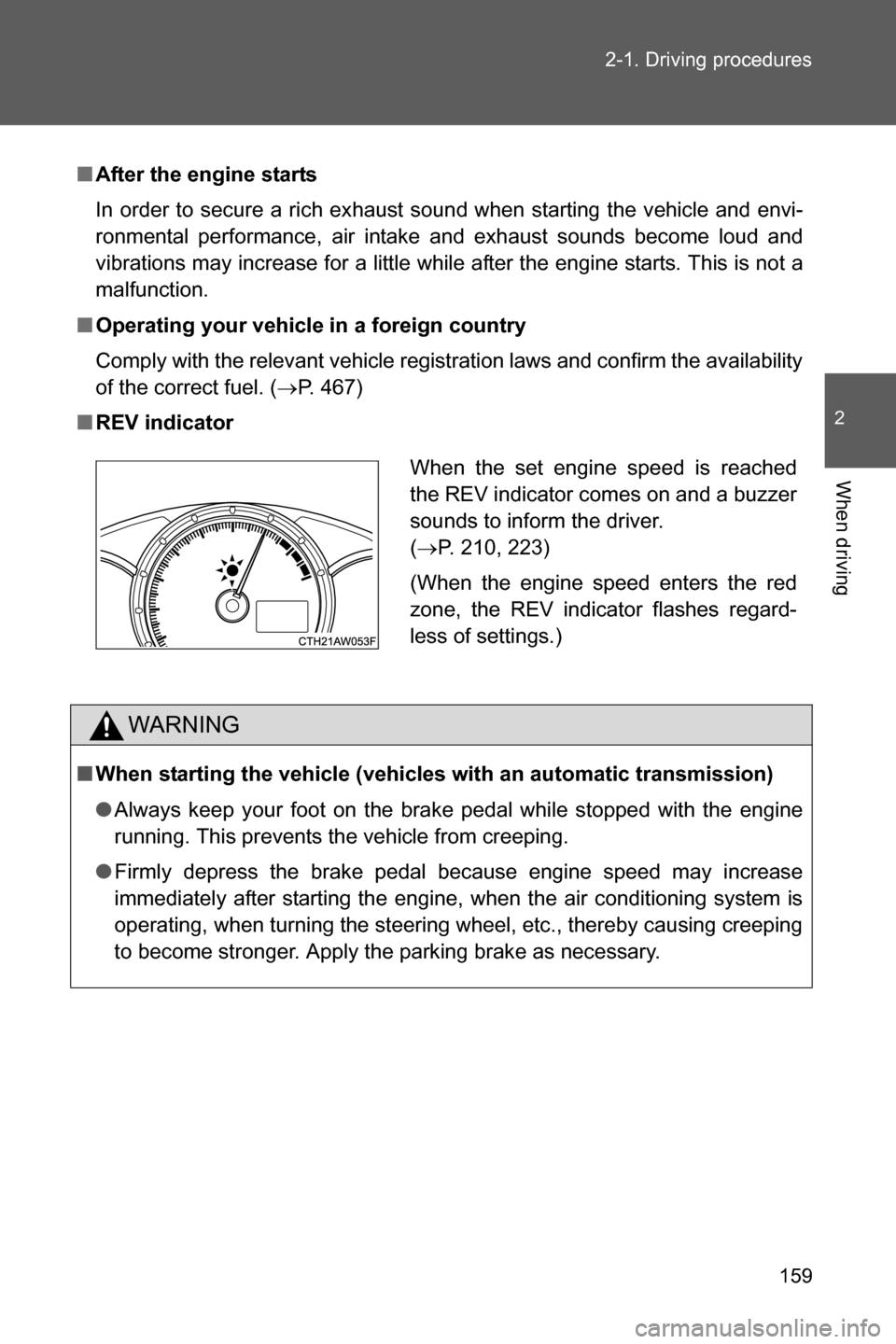
■REV indicator
WARNING
■When starting the vehicle (vehicles with an automatic transmission)
●Always keep your foot on the brake pedal while stopped with the engine
running. This prevents the vehicle from creeping.
●Firmly depress the brake pedal because engine speed may increase
immediately after starting the engine, when the air conditioning system is
operating, when turning the steering wheel, etc., thereby causing creeping
to become stronger. Apply the parking brake as necessary.
When the set engine speed is reached
the REV indicator comes on and a buzzer
sounds to inform the driver.
(oP. 210, 223)
(When the engine speed enters the red
zone, the REV indicator flashes regard-
less of settings.)
Page 191 of 540
189 2-1. Driving procedures
2
When driving
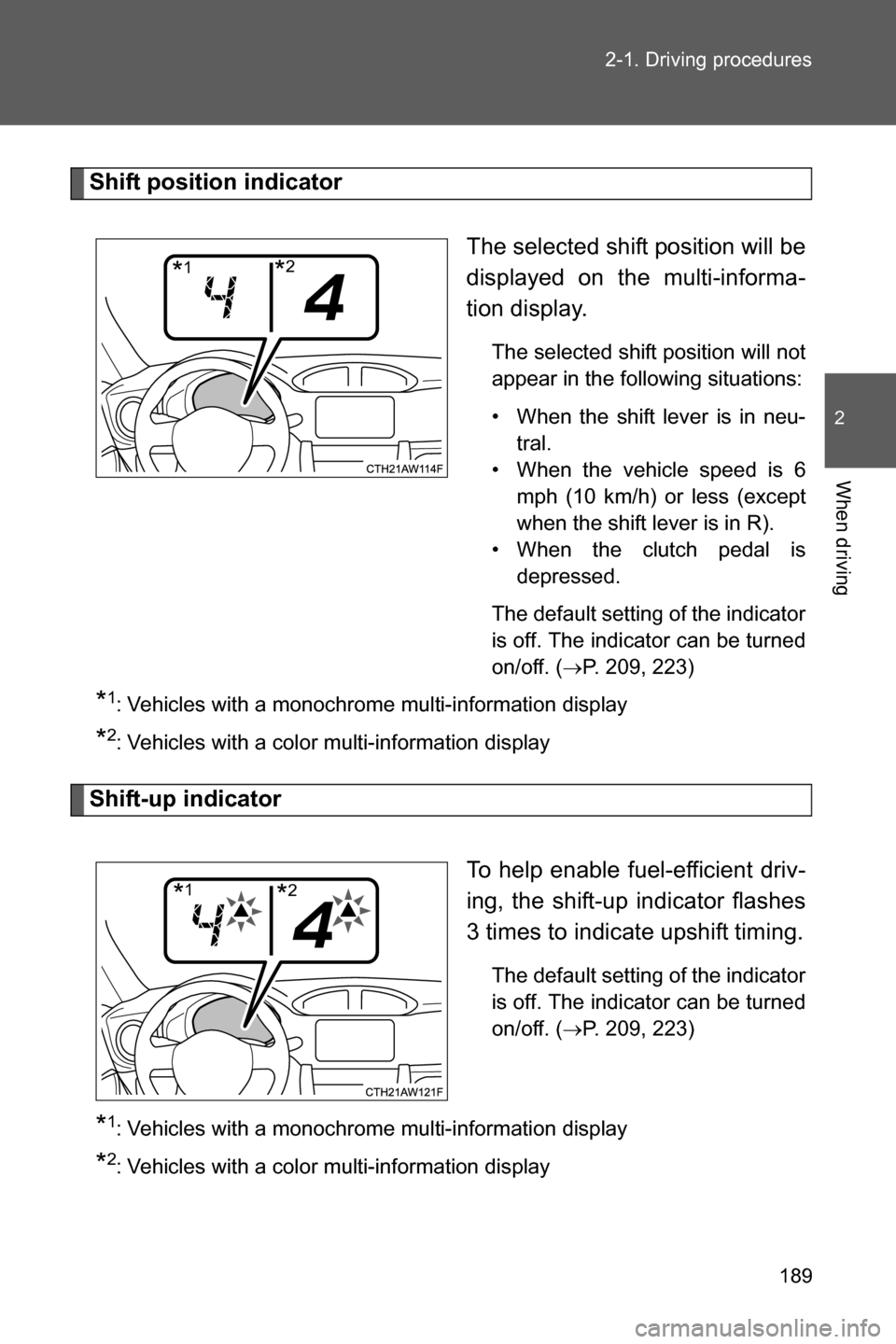
Shift position indicator
The selected shift position will be
displayed on the multi-informa-
tion display.
The selected shift position will not
appear in the following situations:
• When the shift lever is in neu-
tral.
• When the vehicle speed is 6
mph (10 km/h) or less (except
when the shift lever is in R).
• When the clutch pedal is
depressed.
The default setting of the indicator
is off. The indicator can be turned
on/off. (
oP. 209, 223)
*1: Vehicles with a monochrome multi-information display
*2: Vehicles with a color multi-information display
Shift-up indicator
To help enable fuel-efficient driv-
ing, the shift-up indicator flashes
3 times to indicate upshift timing.
The default setting of the indicator
is off. The indicator can be turned
on/off. (
oP. 209, 223)
*1: Vehicles with a monochrome multi-information display
*2: Vehicles with a color multi-information display
*1*2
*1*2
Page 197 of 540
195 2-2. Instrument cluster
2
When driving
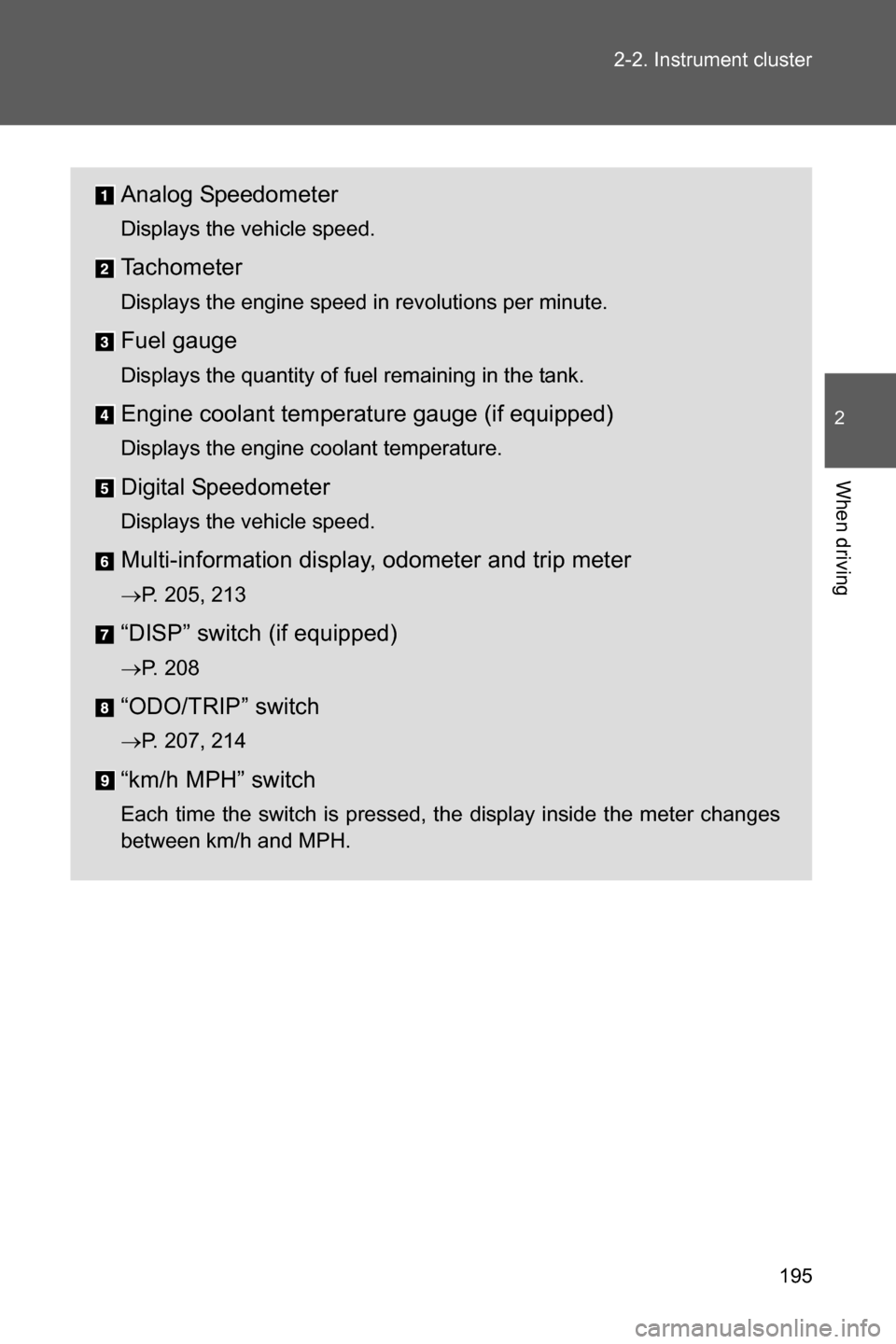
Analog Speedometer
Displays the vehicle speed.
Tachometer
Displays the engine speed in revolutions per minute.
Fuel gauge
Displays the quantity of fuel remaining in the tank.
Engine coolant temperature gauge (if equipped)
Displays the engine coolant temperature.
Digital Speedometer
Displays the vehicle speed.
Multi-information display, odometer and trip meter
oP. 205, 213
“DISP” switch (if equipped)
oP. 208
“ODO/TRIP” switch
oP. 207, 214
“km/h MPH” switch
Each time the switch is pressed, the display inside the meter changes
between km/h and MPH.
Page 198 of 540
196 2-2. Instrument cluster
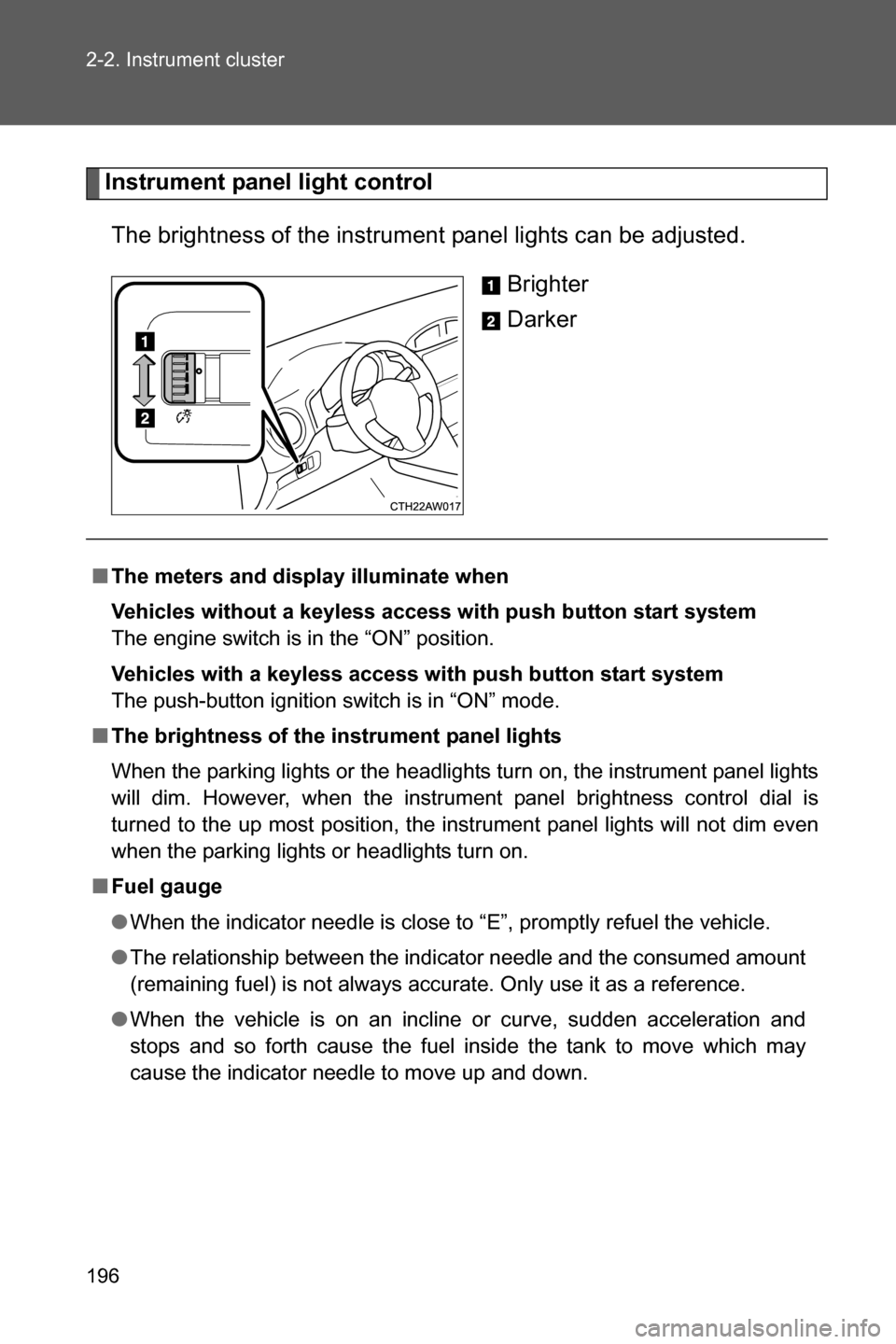
Instrument panel light control
The brightness of the instrument panel lights can be adjusted.
Brighter
Darker
■The meters and display illuminate when
Vehicles without a keyless access with push button start system
The engine switch is in the “ON” position.
Vehicles with a keyless access with push button start system
The push-button ignition switch is in “ON” mode.
■The brightness of the instrument panel lights
When the parking lights or the headlights turn on, the instrument panel lights
will dim. However, when the instrument panel brightness control dial is
turned to the up most position, the instrument panel lights will not dim even
when the parking lights or headlights turn on.
■Fuel gauge
●When the indicator needle is close to “E”, promptly refuel the vehicle.
●The relationship between the indicator needle and the consumed amount
(remaining fuel) is not always accurate. Only use it as a reference.
●When the vehicle is on an incline or curve, sudden acceleration and
stops and so forth cause the fuel inside the tank to move which may
cause the indicator needle to move up and down.
Page 207 of 540
205
2-2. Instrument cluster
2
When driving
Multi-infor mation display (monochrome display)
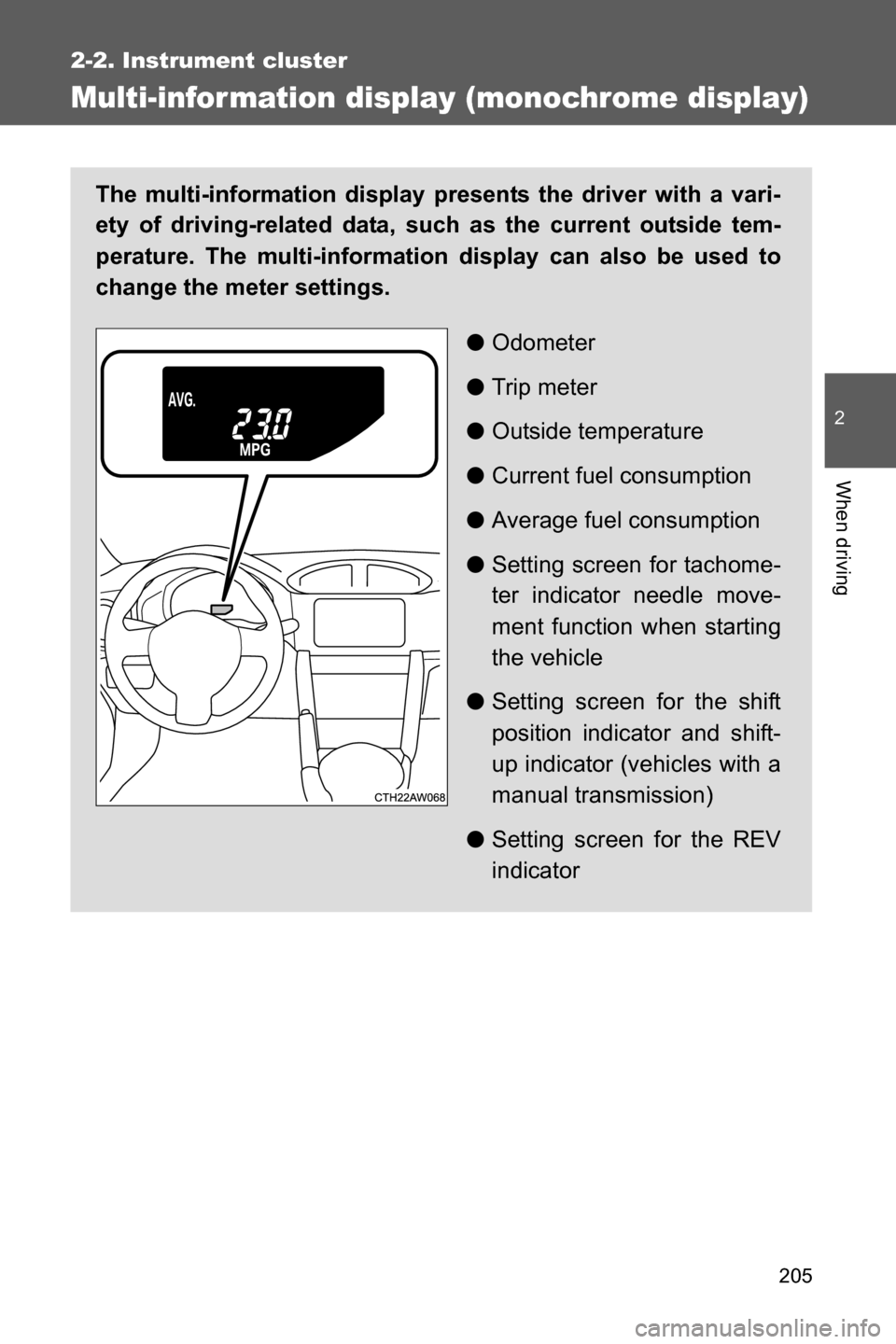
The multi-information display presents the driver with a vari-
ety of driving-related data, such as the current outside tem-
perature. The multi-information display can also be used to
change the meter settings.
●Odometer
●Trip meter
●Outside temperature
●Current fuel consumption
●Average fuel consumption
●Setting screen for tachome-
ter indicator needle move-
ment function when starting
the vehicle
●Setting screen for the shift
position indicator and shift-
up indicator (vehicles with a
manual transmission)
●Setting screen for the REV
indicator
Page 208 of 540
206 2-2. Instrument cluster
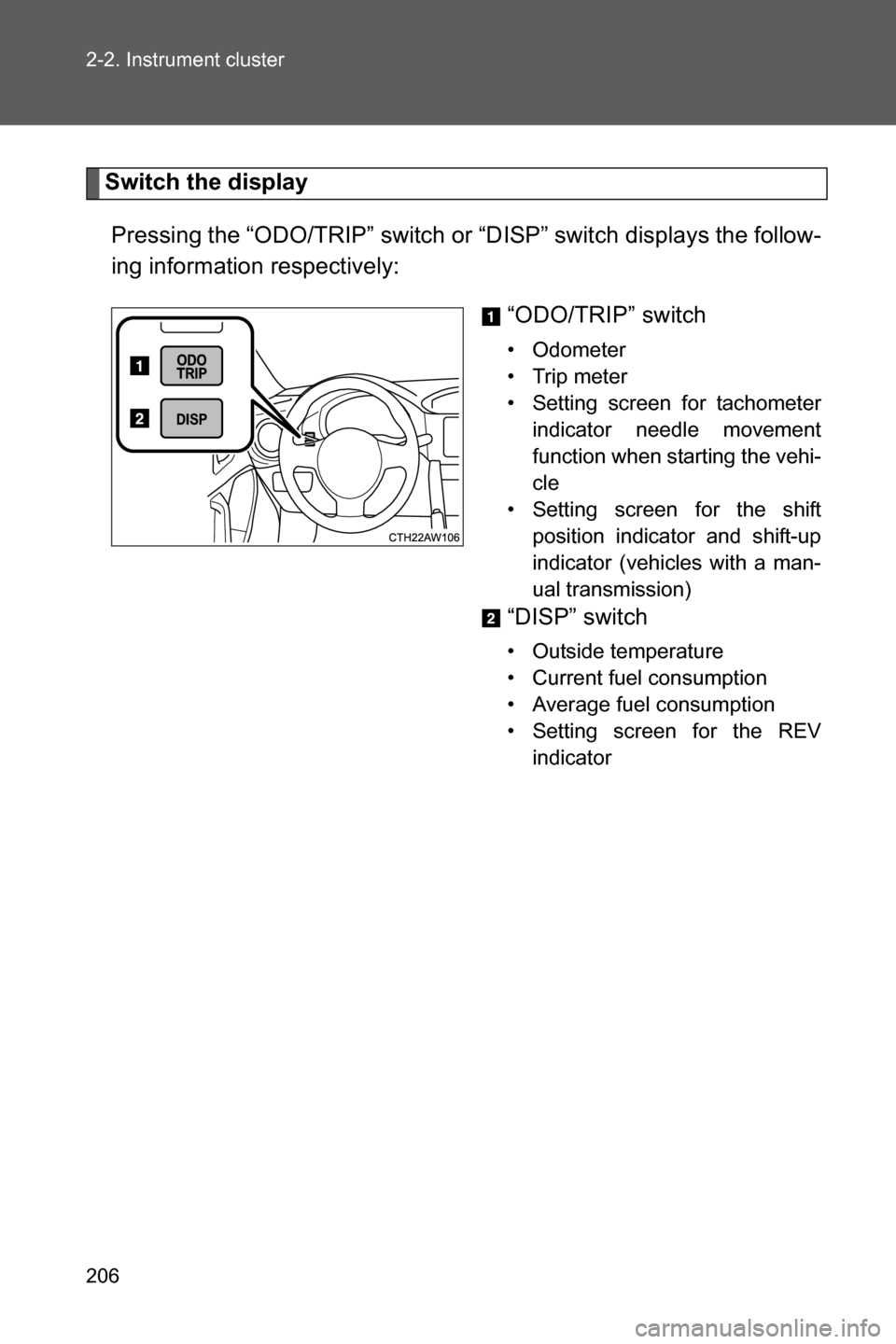
Switch the display
Pressing the “ODO/TRIP” switch or “DISP” switch displays the follow-
ing information respectively:
“ODO/TRIP” switch
• Odometer
• Trip meter
• Setting screen for tachometer
indicator needle movement
function when starting the vehi-
cle
• Setting screen for the shift
position indicator and shift-up
indicator (vehicles with a man-
ual transmission)
“DISP” switch
• Outside temperature
• Current fuel consumption
• Average fuel consumption
• Setting screen for the REV
indicator
Page 210 of 540
208 2-2. Instrument cluster
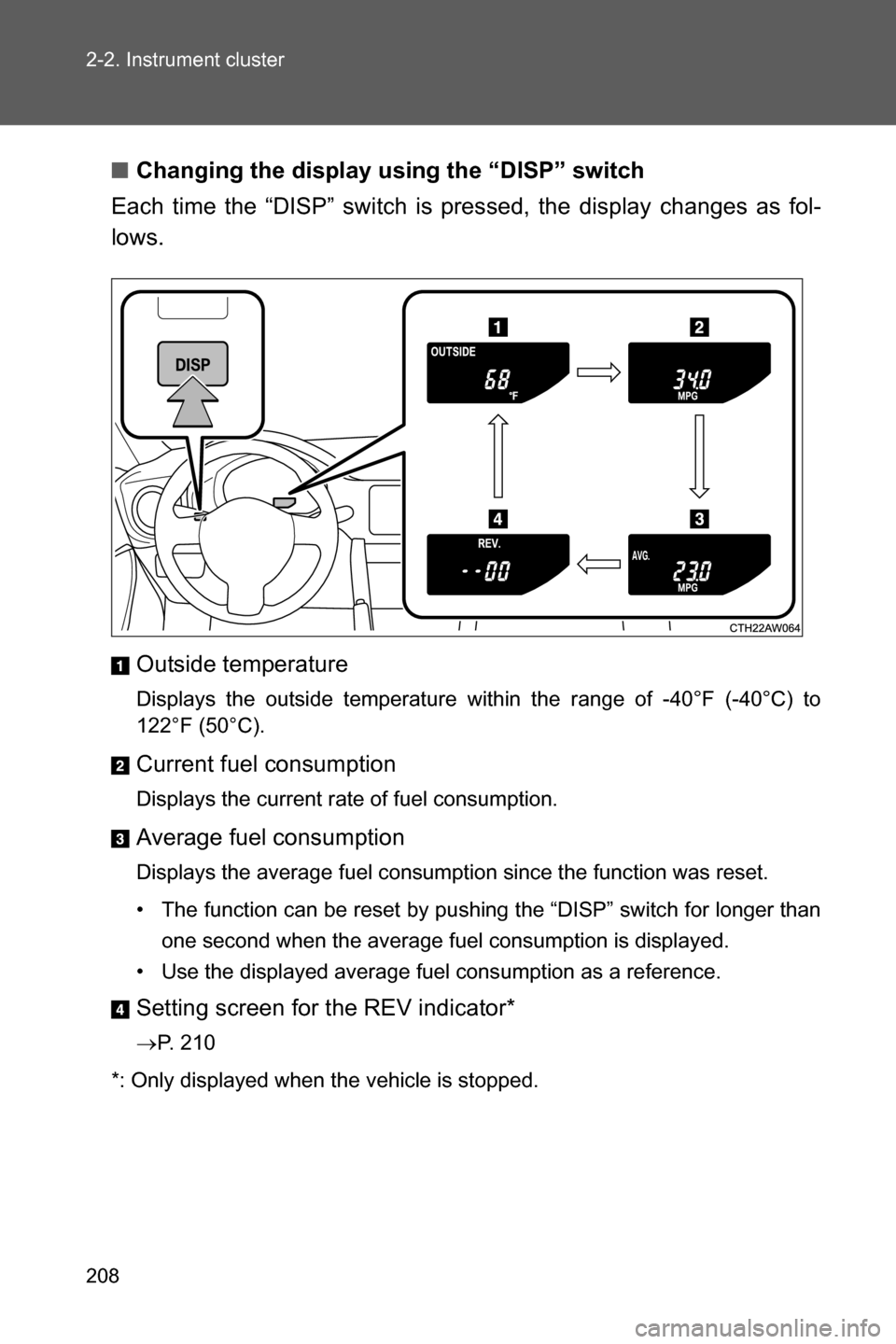
■Changing the display using the “DISP” switch
Each time the “DISP” switch is pressed, the display changes as fol-
lows.
Outside temperature
Displays the outside temperature within the range of -40°F (-40°C) to
122°F (50°C).
Current fuel consumption
Displays the current rate of fuel consumption.
Average fuel consumption
Displays the average fuel consumption since the function was reset.
• The function can be reset by pushing the “DISP” switch for longer than
one second when the average fuel consumption is displayed.
• Use the displayed average fuel consumption as a reference.
Setting screen for the REV indicator*
oP. 210
*: Only displayed when the vehicle is stopped.
Page 218 of 540
216 2-2. Instrument cluster
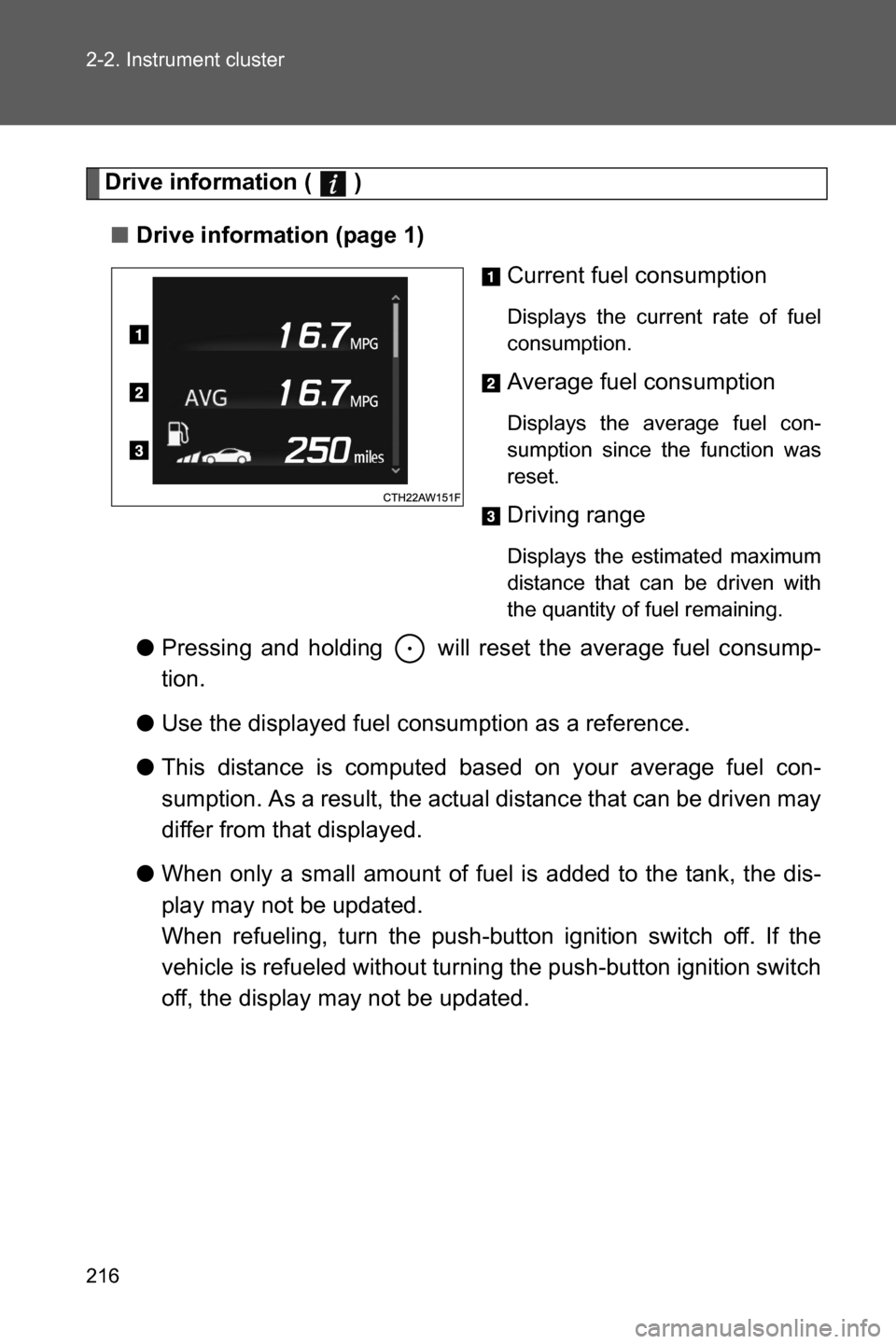
Drive information ( )
■Drive information (page 1)
Current fuel consumption
Displays the current rate of fuel
consumption.
Average fuel consumption
Displays the average fuel con-
sumption since the function was
reset.
Driving range
Displays the estimated maximum
distance that can be driven with
the quantity of fuel remaining.
●Pressing and holding will reset the average fuel consump-
tion.
●Use the displayed fuel consumption as a reference.
●This distance is computed based on your average fuel con-
sumption. As a result, the actual distance that can be driven may
differ from that displayed.
●When only a small amount of fuel is added to the tank, the dis-
play may not be updated.
When refueling, turn the push-button ignition switch off. If the
vehicle is refueled without turning the push-button ignition switch
off, the display may not be updated.