odometer SUBARU BRZ 2017 1.G Owners Manual
[x] Cancel search | Manufacturer: SUBARU, Model Year: 2017, Model line: BRZ, Model: SUBARU BRZ 2017 1.GPages: 540, PDF Size: 6.88 MB
Page 197 of 540
195 2-2. Instrument cluster
2
When driving
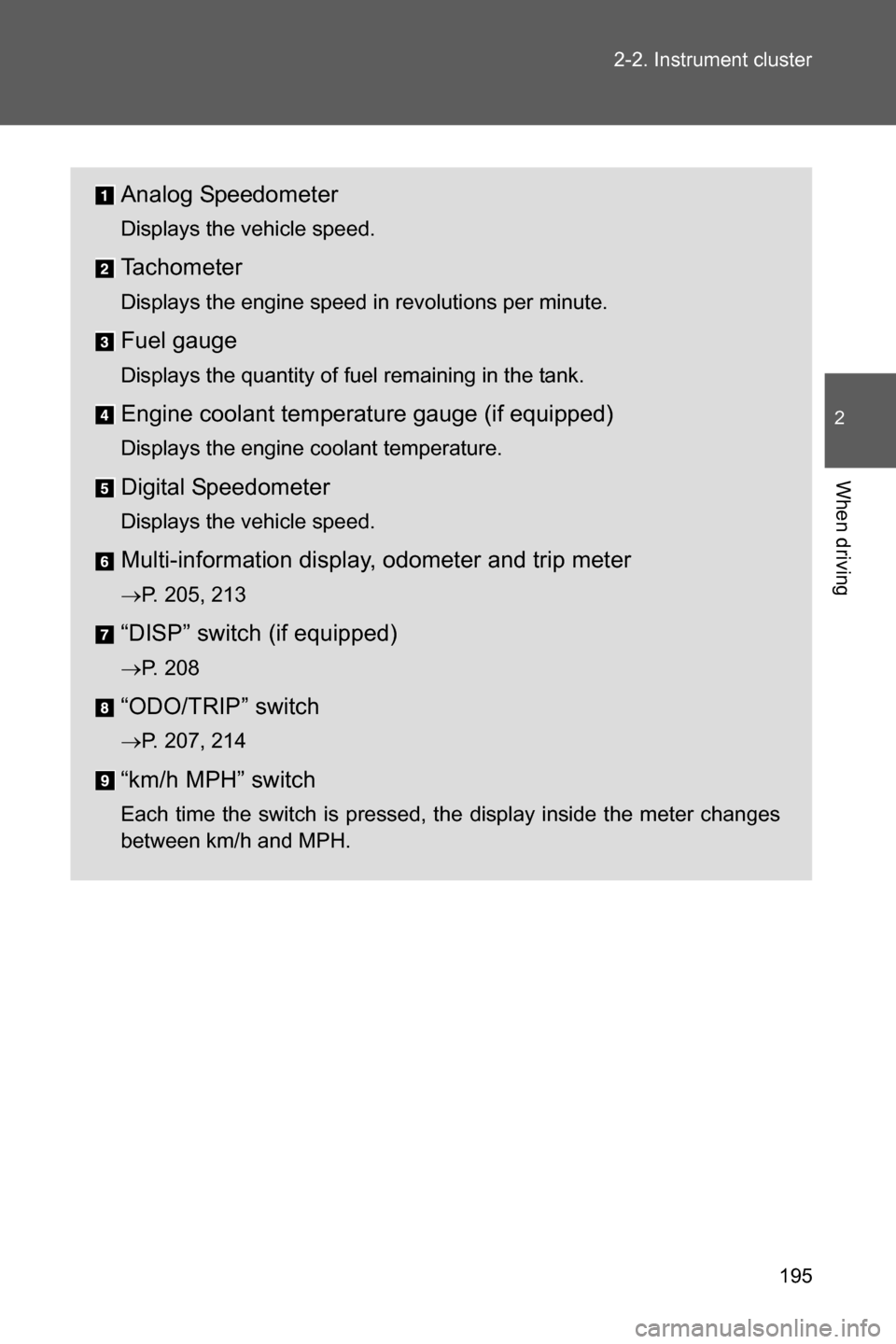
Analog Speedometer
Displays the vehicle speed.
Tachometer
Displays the engine speed in revolutions per minute.
Fuel gauge
Displays the quantity of fuel remaining in the tank.
Engine coolant temperature gauge (if equipped)
Displays the engine coolant temperature.
Digital Speedometer
Displays the vehicle speed.
Multi-information display, odometer and trip meter
oP. 205, 213
“DISP” switch (if equipped)
oP. 208
“ODO/TRIP” switch
oP. 207, 214
“km/h MPH” switch
Each time the switch is pressed, the display inside the meter changes
between km/h and MPH.
Page 207 of 540
205
2-2. Instrument cluster
2
When driving
Multi-infor mation display (monochrome display)
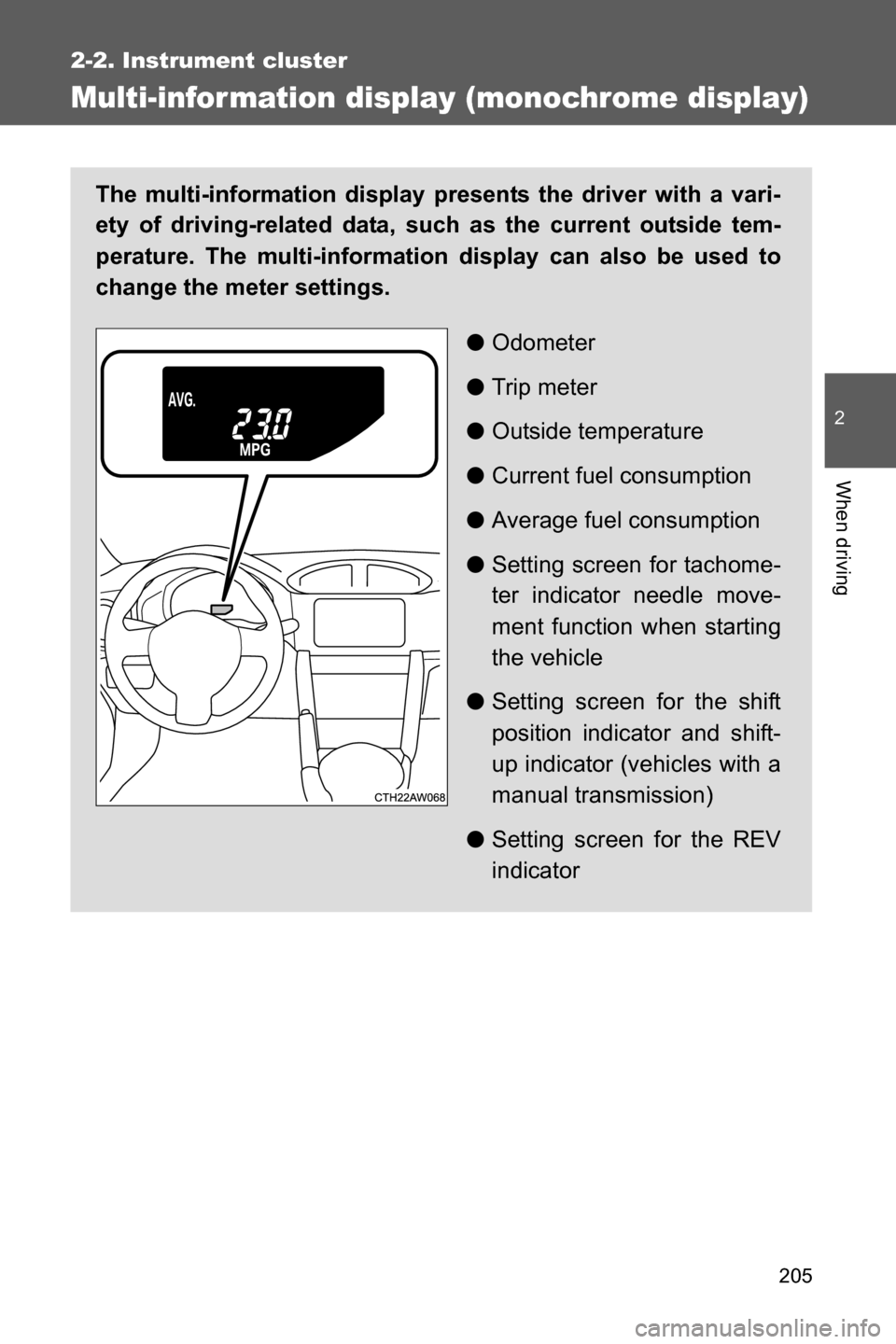
The multi-information display presents the driver with a vari-
ety of driving-related data, such as the current outside tem-
perature. The multi-information display can also be used to
change the meter settings.
●Odometer
●Trip meter
●Outside temperature
●Current fuel consumption
●Average fuel consumption
●Setting screen for tachome-
ter indicator needle move-
ment function when starting
the vehicle
●Setting screen for the shift
position indicator and shift-
up indicator (vehicles with a
manual transmission)
●Setting screen for the REV
indicator
Page 208 of 540
206 2-2. Instrument cluster
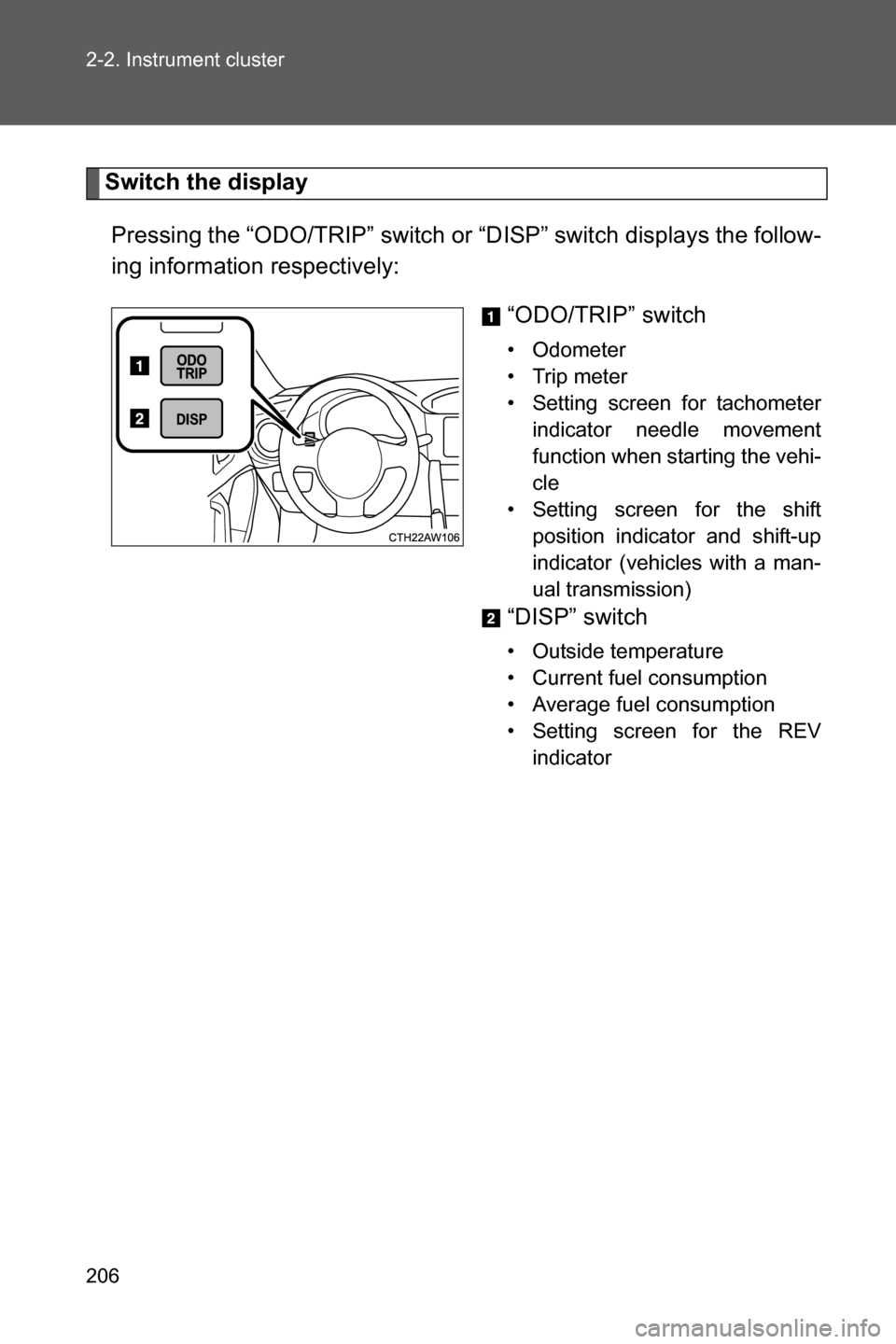
Switch the display
Pressing the “ODO/TRIP” switch or “DISP” switch displays the follow-
ing information respectively:
“ODO/TRIP” switch
• Odometer
• Trip meter
• Setting screen for tachometer
indicator needle movement
function when starting the vehi-
cle
• Setting screen for the shift
position indicator and shift-up
indicator (vehicles with a man-
ual transmission)
“DISP” switch
• Outside temperature
• Current fuel consumption
• Average fuel consumption
• Setting screen for the REV
indicator
Page 209 of 540
207 2-2. Instrument cluster
2
When driving
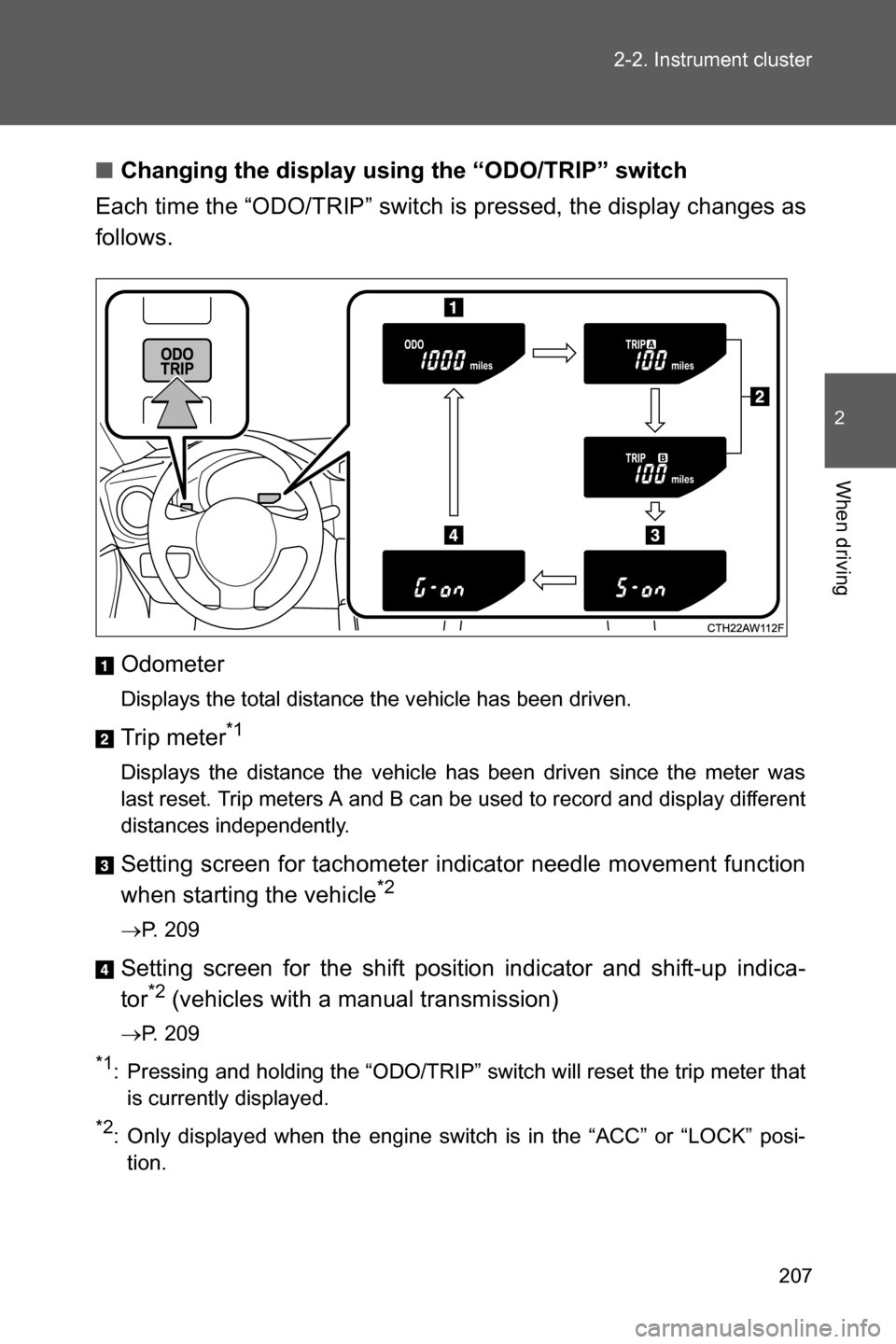
■Changing the display using the “ODO/TRIP” switch
Each time the “ODO/TRIP” switch is pressed, the display changes as
follows.
Odometer
Displays the total distance the vehicle has been driven.
Trip meter*1
Displays the distance the vehicle has been driven since the meter was
last reset. Trip meters A and B can be used to record and display different
distances independently.
Setting screen for tachometer indicator needle movement function
when starting the vehicle*2
oP. 209
Setting screen for the shift position indicator and shift-up indica-
tor*2 (vehicles with a manual transmission)
oP. 209
*1: Pressing and holding the “ODO/TRIP” switch will reset the trip meter that
is currently displayed.
*2: Only displayed when the engine switch is in the “ACC” or “LOCK” posi-
tion.
Page 215 of 540
213
2-2. Instrument cluster
2
When driving
Multi-infor mation display (color display)
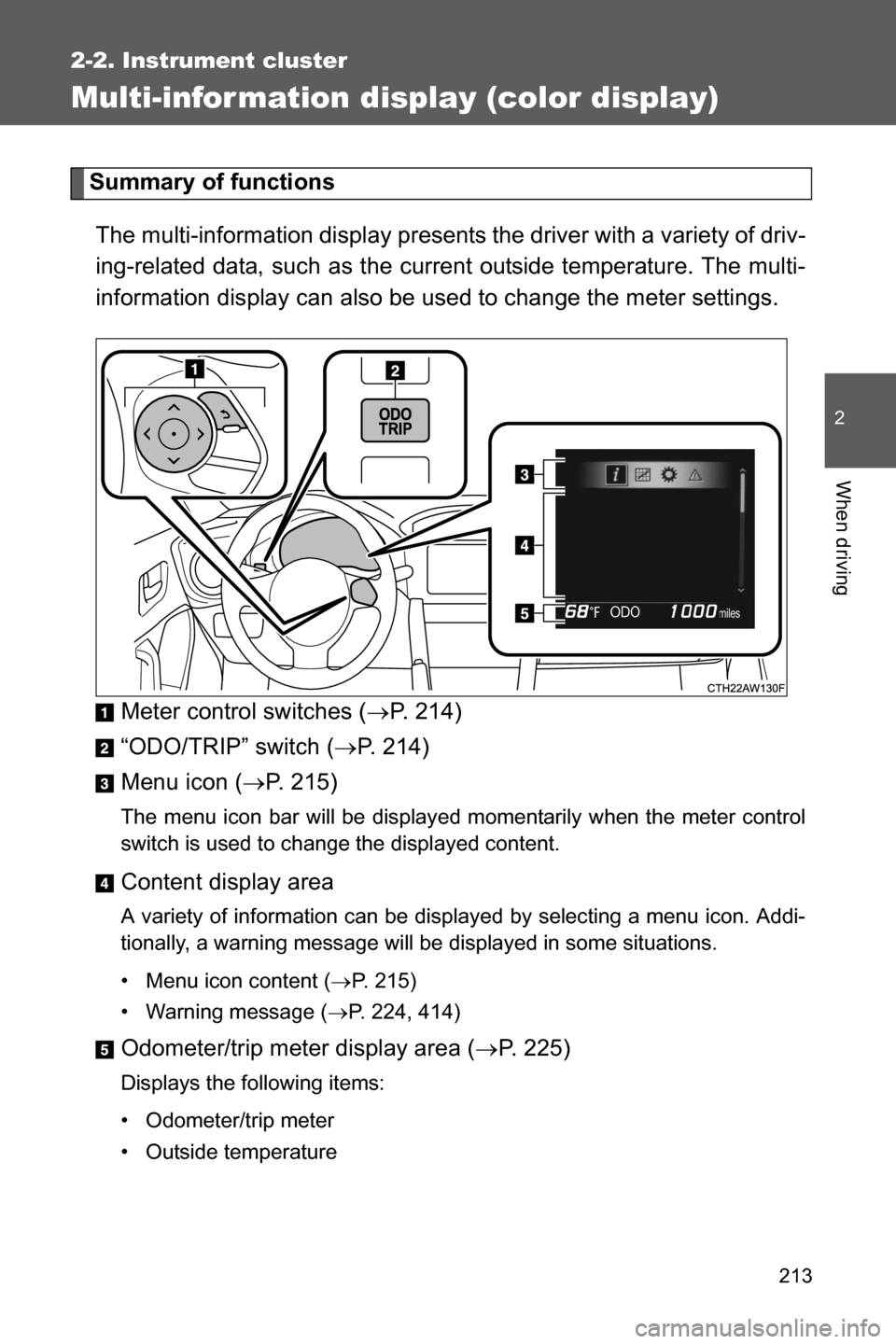
Summary of functions
The multi-information display presents the driver with a variety of driv-
ing-related data, such as the current outside temperature. The multi-
information display can also be used to change the meter settings.
Meter control switches (oP. 214)
“ODO/TRIP” switch (oP. 214)
Menu icon (oP. 215)
The menu icon bar will be displayed momentarily when the meter control
switch is used to change the displayed content.
Content display area
A variety of information can be displayed by selecting a menu icon. Addi-
tionally, a warning message will be displayed in some situations.
• Menu icon content (oP. 215)
• Warning message (oP. 224, 414)
Odometer/trip meter display area (oP. 225)
Displays the following items:
• Odometer/trip meter
• Outside temperature
Page 216 of 540
214 2-2. Instrument cluster
Using the multi-information display
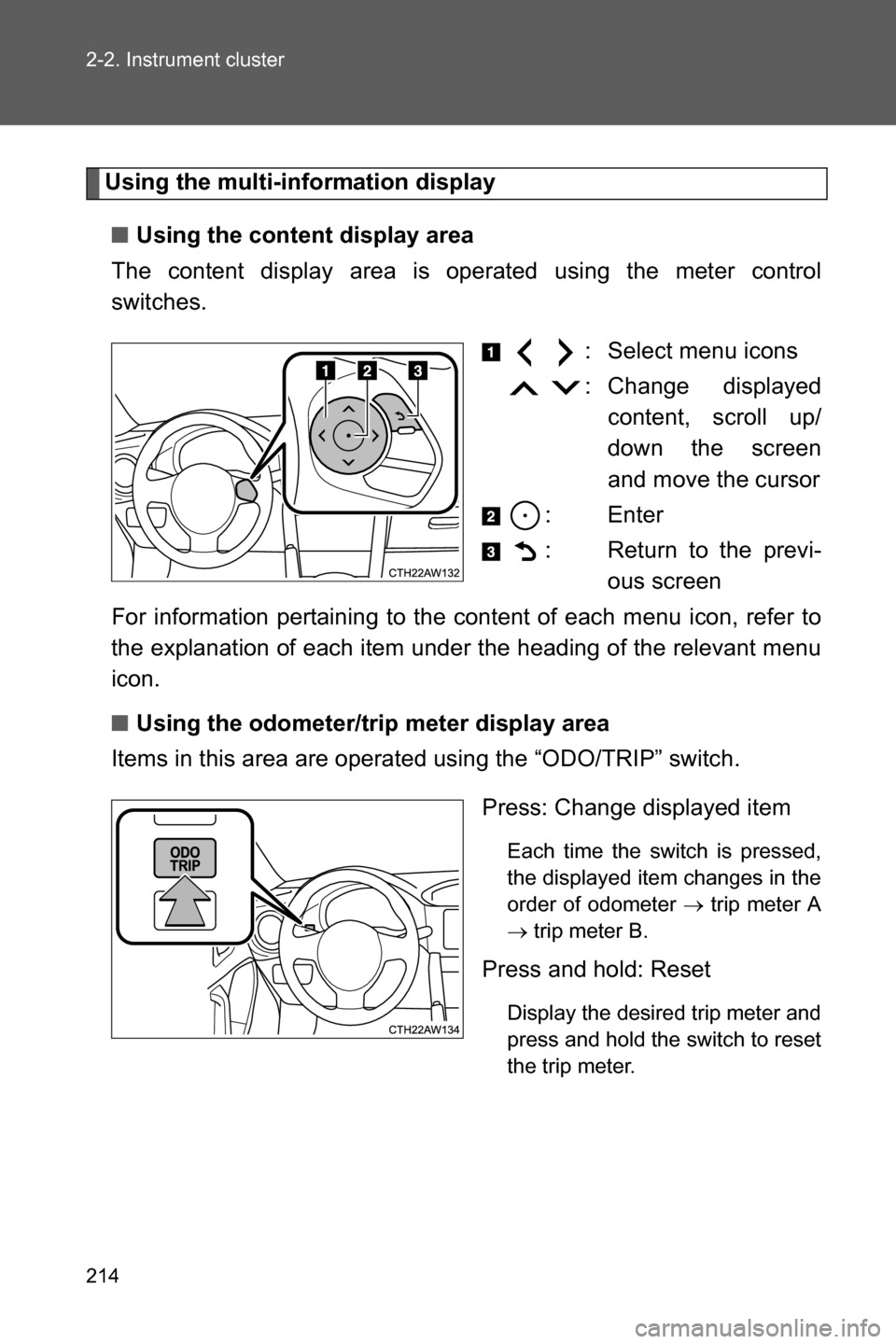
■Using the content display area
The content display area is operated using the meter control
switches.
: Select menu icons
: Change displayed
content, scroll up/
down the screen
and move the cursor
:Enter
: Return to the previ-
ous screen
For information pertaining to the content of each menu icon, refer to
the explanation of each item under the heading of the relevant menu
icon.
■Using the odometer/trip meter display area
Items in this area are operated using the “ODO/TRIP” switch.
Press: Change displayed item
Each time the switch is pressed,
the displayed item changes in the
order of odometer o trip meter A
o trip meter B.
Press and hold: Reset
Display the desired trip meter and
press and hold the switch to reset
the trip meter.
Page 227 of 540

225 2-2. Instrument cluster
2
When driving
Odometer/trip meter display area
■Odometer
Displays the total distance the vehicle has been driven.
■Trip meter A/trip meter B
Displays the distance the vehicle has been driven since the meter
was last reset. Trip meters A and B can be used to record and display
different distances independently.
To reset, display the desired trip meter and press and hold the “ODO/
TRIP” switch.
■Outside temperature
Displays the outside temperature within the range of -40°F (-40°C) to
122°F (50°C). Low outside temperature indicator comes on when the
ambient temperature is 37°F (3°C) or lower.
Page 357 of 540
355 4-3. Do-it-yourself maintenance
4
Maintenance and care
WARNING
■Tire pressure monitoring system operation (if equipped)
The tire pressure monitoring system may not provide warning immedi-
ately if a tire bursts or if sudden air leakage occurs.
■When inspecting or replacing tires
Observe the following precautions to prevent accidents.
Failure to do so may cause damage to parts of the drive train, as well as
dangerous handling characteristics, which may lead to an accident
resulting in death or serious injury.
●Make sure to install 4 tires that are of the specified size, and that all 4
tires are the same for the following items:
•Size
• Circumference
• Speed symbol
• Load index
• Construction
• Manufacturer
• Brand (tread pattern)
• Degrees of wear
You must obey the specification printed on the tire placard. The tire plac-
ard is located on the driver's door pillar.
If all four tires are not the same in items listed above, there is a possibil-
ity that it may lead to serious mechanical damage to the drive train of
your car and affect the following.
•Ride
• Handling
•Braking
• Speedometer/Odometer calibration
• Clearance between the body and the tires
It also may be dangerous and lead to loss of vehicle control as well as an
accident.
●Only use radial tires.
●Do not mix summer, all season and snow tires.
●Do not use tires that have been used on another vehicle.
Do not use tires if you do not know how they were used previously.
Page 531 of 540
529 Alphabetical index
Language (multi-information
display) .................................. 223
License plate lights
Replacing light bulbs ............ 380
Wattage ................................ 475
Light bulbs
Replacing ............................. 380
Wattage ................................ 475
Lights
Door courtesy lights.............. 296
Engine switch light................ 296
Fog light switch..................... 233
Hazard light switch ............... 392
Hazard warning flasher
switch ................................. 392
Headlights switch ................. 228
Interior light switch................ 297
Replacing light bulbs ............ 380
Trunk light............................... 48
Turn signal lever ................... 191
Vanity lights .......................... 304
Wattage ................................ 475
Load capacity .......................... 267
Maintenance
Do-it-yourself
maintenance ...................... 331
General maintenance ........... 327
Maintenance data................. 464
Maintenance requirements ... 324
Manual air conditioning
system ................................... 276
Manual transmission .............. 188
Meter
Indicators.............................. 198
Instrument panel
light control......................... 196
Meters .................................. 194
Multi-information
display ........................ 205, 213
Settings ........................ 205, 223
Warning lights....................... 402
Warning messages............... 414Microphone...............................295
Mirrors
Inside rear view mirror.............68
Side mirror heater .................292
Side mirrors .............................69
Vanity mirrors ........................304
Multi-information display
Drive information ...................216
G-force display ......................219
Language ..............................223
Multi-information
display.........................205, 213
Settings .................................223
Trip information .....................206
Warning messages ...............414
Noise from under vehicle ..........16
Odometer ..........................205, 225
Oil
Engine oil ..............................337
Opener
Engine hood ..........................334
Fuel filler lid .............................76
Trunk lid ..................................46
Outside rear view mirrors
Adjusting and folding ...............69
Outside temperature
display ............................205, 225
Overheating, Engine ................458
Paddle shift levers ...................184
Parking brake ...........................192
Parking lights
Switch....................................228
Power outlets ...........................306
Power windows ..........................72
Radiator ....................................342
Rear seats...................................56
Rear side marker lights
Switch....................................228L
M
N
O
P
R