brake light SUBARU BRZ 2019 User Guide
[x] Cancel search | Manufacturer: SUBARU, Model Year: 2019, Model line: BRZ, Model: SUBARU BRZ 2019Pages: 560, PDF Size: 8.9 MB
Page 174 of 560
174 2-1. Driving procedures
BRZ_U
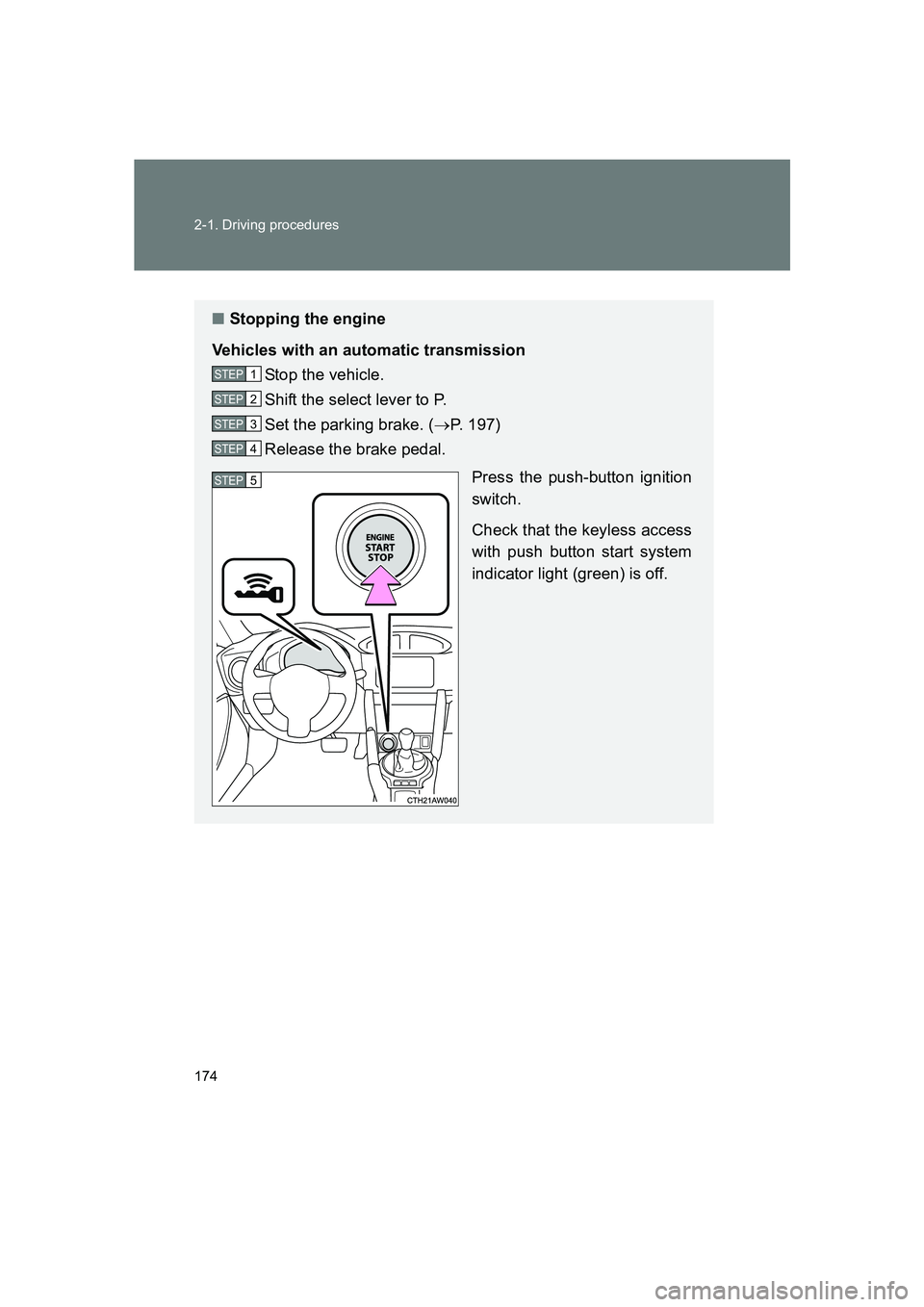
■Stopping the engine
Vehicles with an automatic transmission Stop the vehicle.
Shift the select lever to P.
Set the parking brake. ( →P. 197)
Release the brake pedal.
Press the push-button ignition
switch.
Check that the keyless access
with push button start system
indicator light (green) is off.
STEP 1
STEP 2
STEP 3
STEP 4
STEP 5
Page 175 of 560
175
2-1. Driving procedures
2
When driving
BRZ_U
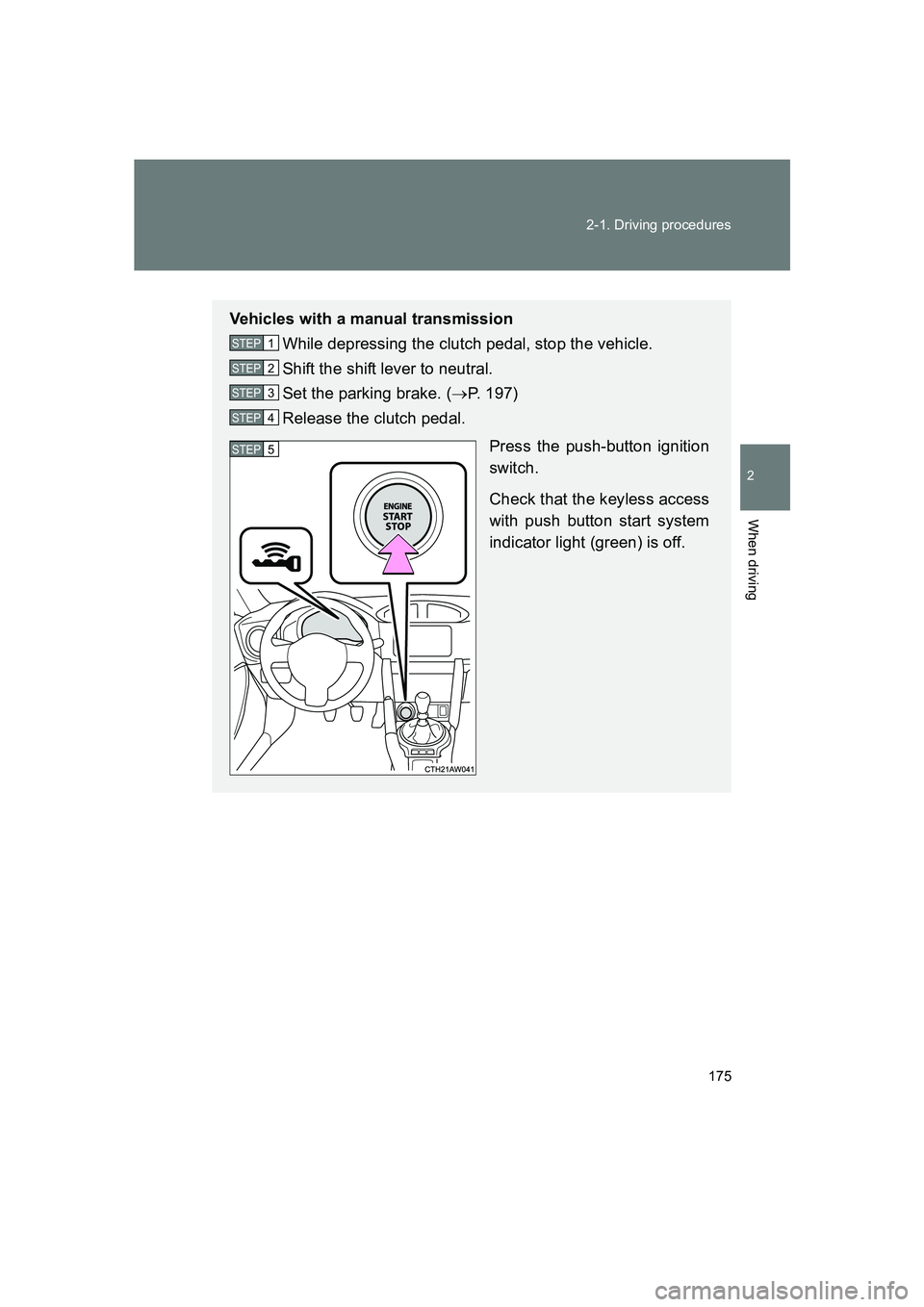
Vehicles with a manual transmission
While depressing the clutch pedal, stop the vehicle.
Shift the shift lever to neutral.
Set the parking brake. ( →P. 197)
Release the clutch pedal.
Press the push-button ignition
switch.
Check that the keyless access
with push button start system
indicator light (green) is off.
STEP 1
STEP 2
STEP 3
STEP 4
STEP 5
Page 176 of 560
176 2-1. Driving procedures
BRZ_U
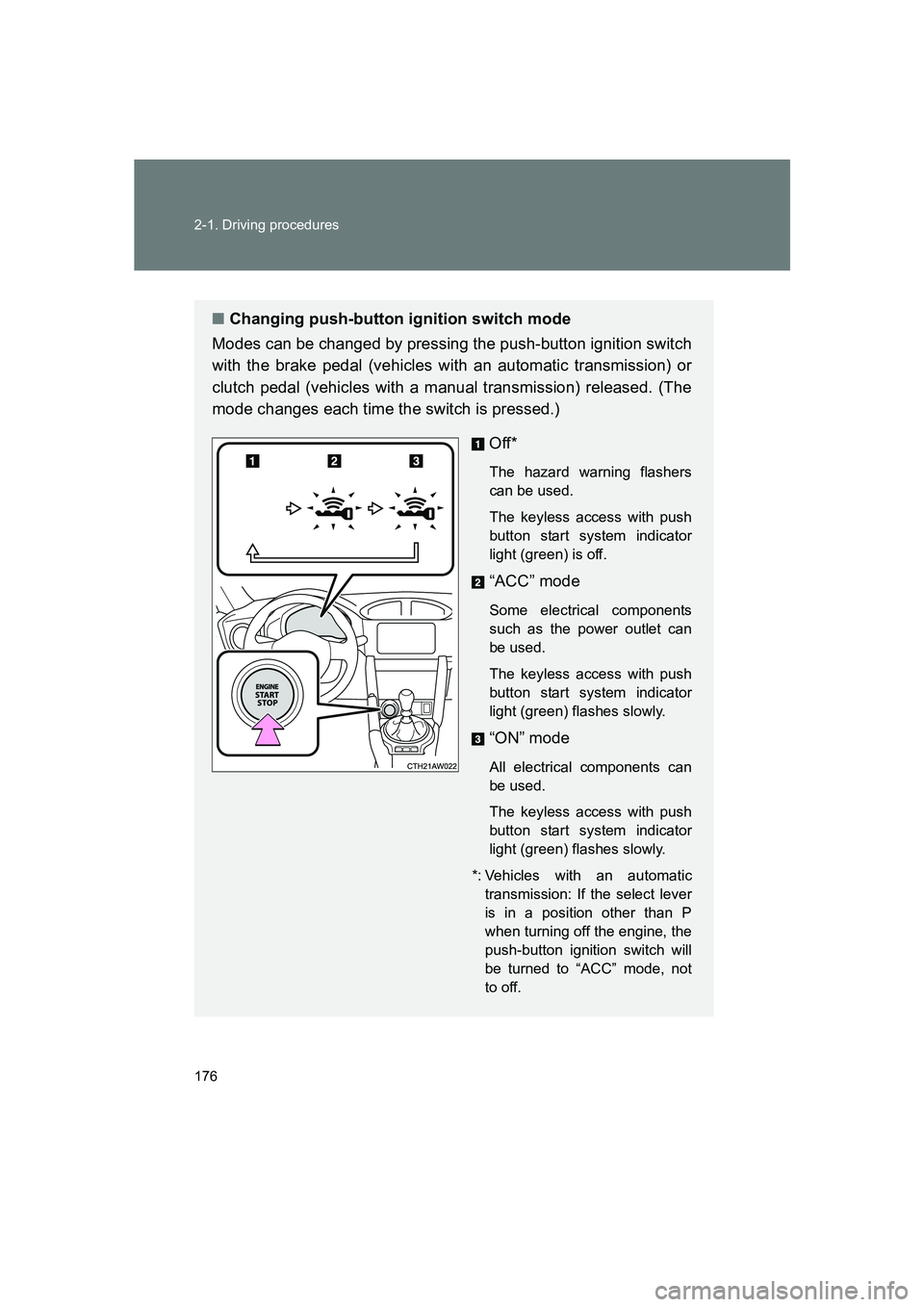
■Changing push-button ignition switch mode
Modes can be changed by pressing the push-button ignition switch
with the brake pedal (vehicles with an automatic transmission) or
clutch pedal (vehicles with a manual transmission) released. (The
mode changes each time the switch is pressed.)
Off*
The hazard warning flashers
can be used.
The keyless access with push
button start system indicator
light (green) is off.
“ACC” mode
Some electrical components
such as the power outlet can
be used.
The keyless access with push
button start system indicator
light (green) flashes slowly.
“ON” mode
All electrical components can
be used.
The keyless access with push
button start system indicator
light (green) flashes slowly.
*: Vehicles with an automatic transmission: If the select lever
is in a position other than P
when turning off the engine, the
push-button ignition switch will
be turned to “ACC” mode, not
to off.
Page 177 of 560
177
2-1. Driving procedures
2
When driving
BRZ_U
When stopping the engine with the select lever in a position
other than P (vehicles with an automatic transmission)
If the engine is stopped with the select lever in a position other than P,
the push-button ignition switch will not be turned off but instead be
turned to “ACC” mode. Perform the following procedure to turn the
switch off: Check that the parking brake is set.
Shift the select lever to P.
Check that the keyless access with push button start system
indicator light (green) flashes slowly and then press the push-
button ignition switch once.
Check that the keyless access with push button start system
indicator light (green) is off.
■Auto power off function
Vehicles with an automatic transmission
If the vehicle is left in “ACC” mode for more than 20 minutes or “ON” mode
(the engine is not running) for more than an hour with the select lever in P,
the push-button ignition switch will automatically turn off. However, this func-
tion cannot entirely prevent battery discharge. Do not leave the vehicle with
the push-button ignition switch in “ACC” or “ON” mode for long periods of
time when the engine is not running.
Vehicles with a manual transmission
If the vehicle is left in “ACC” mode for more than 20 minutes or “ON” mode
(the engine is not running) for more than an hour, the push-button ignition
switch will automatically turn off. However, this function cannot entirely pre-
vent battery discharge. Do not leave t he vehicle with the push-button ignition
switch in “ACC” or “ON” mode for long periods of time when the engine is not
running.
STEP 1
STEP 2
STEP 3
STEP 4
Page 180 of 560
180 2-1. Driving procedures
BRZ_U
■Immediately after reconnecting the battery terminals due to replacing
the battery and so forth
The engine may not start. If this occurs, turn the push-button ignition switch
to “ON” mode, and start the engine after waiting at least 10 seconds. Idling
may be unstable immediately after the engine starts, however, this is not a
malfunction.
WARNING
■ When starting the engine
●Always start the engine while sitting in the driver’s seat. Do not depress
the accelerator pedal while starting the engine under any circumstances.
Doing so may cause an accident resulting in death or serious injury.
● If the keyless access with push button start system indicator light flashes
in green after the engine has started, nev er drive the vehicle. The steering
wheel is still locked, and it may result in an accident.
■ Caution while driving
If engine failure occurs while the vehicle is moving, do not lock or open the
doors until the vehicle reaches a safe and complete stop. Activation of the
steering lock in this circumstance may lead to an accident, resulting in death
or serious injury.
■ Stopping the engine
Do not touch the push-button ignition switch during driving.
When the push-button ignition switch is pressed for 2 seconds or longer or
pressed 3 times successively, the engine will stop. When the engine stops,
the brake booster will not function. A greater foot pressure will be required
on the brake pedal.
The power steering system will not operate either. A greater force will be
required to steer, and it may result in an accident.
Page 197 of 560
197
2-1. Driving procedures
2
When driving
BRZ_U
Parking brake
■Usage in winter time
→ P. 274
CAUTION
■Before driving
Fully release the parking brake.
Driving the vehicle with the parking brake set will lead to brake components
overheating, which may affect braking performance and increase brake
wear.
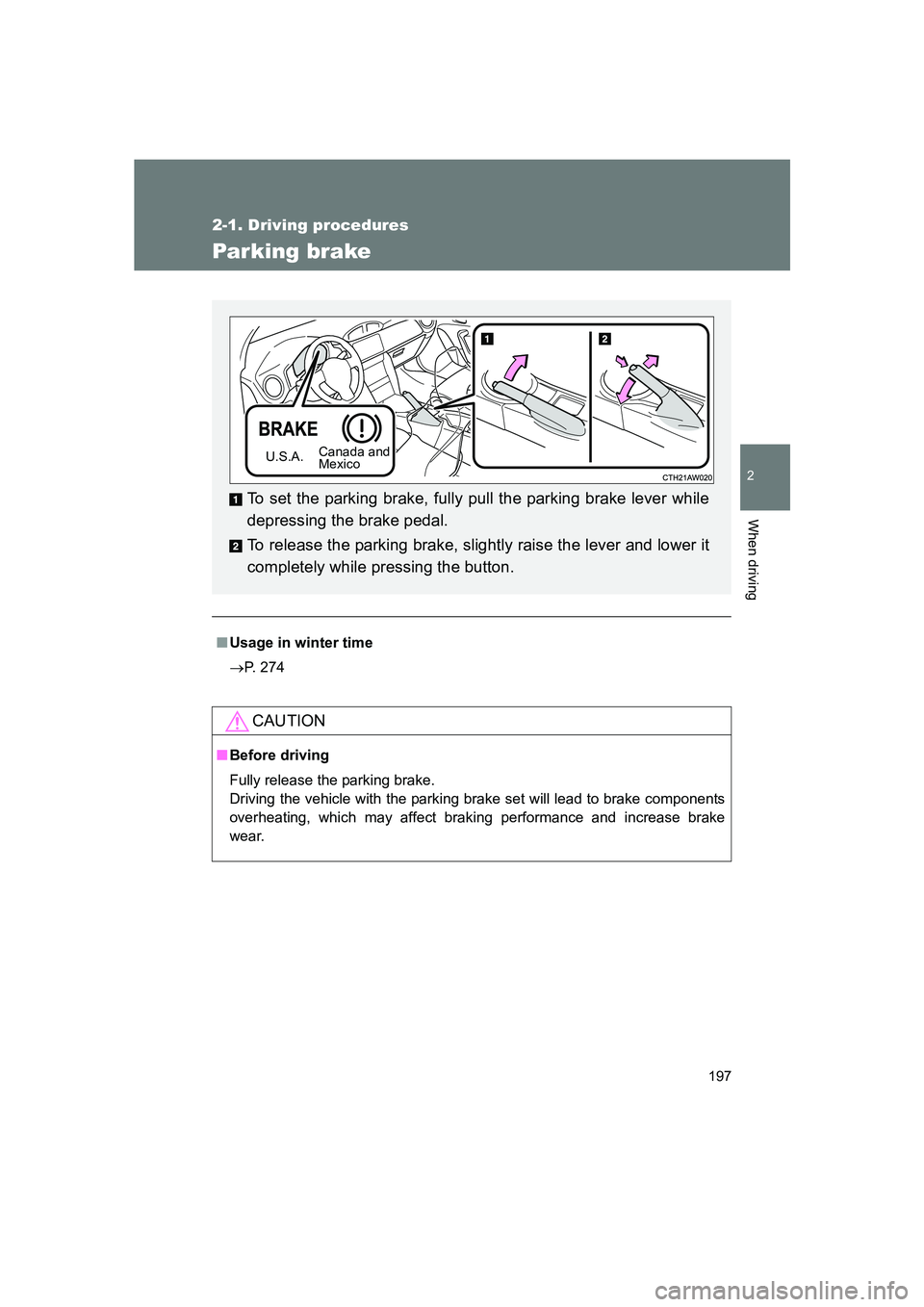
To set the parking brake, fully pull the parking brake lever while
depressing the brake pedal.
To release the parking brake, slightly raise the lever and lower it
completely while pressing the button.
U.S.A. Canada and
Mexico
Page 231 of 560
231
2-2. Instrument cluster
2
When driving
BRZ_U
■
G-force display
● Depending on the vehicle usage conditions , the brake fluid pressure dis-
play may not reach its maximum reading even though the brake pedal is
fully depressed.
● If a battery terminal is disconnected and reconnected, the steering
amount display may be disabled temporarily. After driving the vehicle for
a while, the display will be enabled.
■ Suspension of the settings display
● The settings cannot be changed while driving. When changing settings,
park the vehicle in a safe place.
● If a warning message is displayed, operation of the settings display will
be suspended.
■ Using the stopwatch
If the engine is stopped while the stopwatch is operating, the stopwatch will
stop and the time up to that point will be recorded.
■ Outside temperature display
● In the following situations, the correct outside temperature may not be
displayed.
• When the vehicle is very hot, such as when under the sun.
• When the vehicle is idling or being driven at low speeds such as in a
traffic jam or when the engine is stopped and then restarted immedi-
ately afterward.
• When the actual outside temperature is outside of the indicator range.
● If “ − − ” is displayed for approximately 1 minute or more or if the outside
temperature is not displayed, the system may be malfunctioning. Have
the vehicle inspected by your SUBARU dealer.
■ Liquid crystal display
Small spots or light spots may appear on the display. This phenomenon is
characteristic of liquid crystal displays, and there is no problem continuing to
use the display.
Page 235 of 560
235
2-3. Operating the lights and windshield wipers
2
When driving
BRZ_U
■
Daytime running light system
● The daytime running lights illuminate using the same lights as the parking
lights and illuminate brighter than the parking lights.
● To make your vehicle more visible to other drivers during daytime driving,
the daytime running lights turn on automatically when all of the following
conditions are met. (The daytime running lights are not designed for use
at night.)
• The engine is running
• The select lever is shifted out of P (Vehicles with an automatic trans-
mission)
• The parking brake is released
• The headlight switch is off or in the “AUTO”
* position
*: When the surroundings are bright
The daytime running lights remain on after they illuminate even if the parking
brake is set again.
● When the turn signal indicators are flashing, the daytime running light on
the side that the turn signals are flashing will turn off.
● When the hazard warning flashers ar e flashing, both daytime running
lights will turn off.
● Compared to turning on the headlights, the daytime running light system
offers greater durability and consumes less electricity, so it can help
improve fuel economy.
■ Headlight control sensor
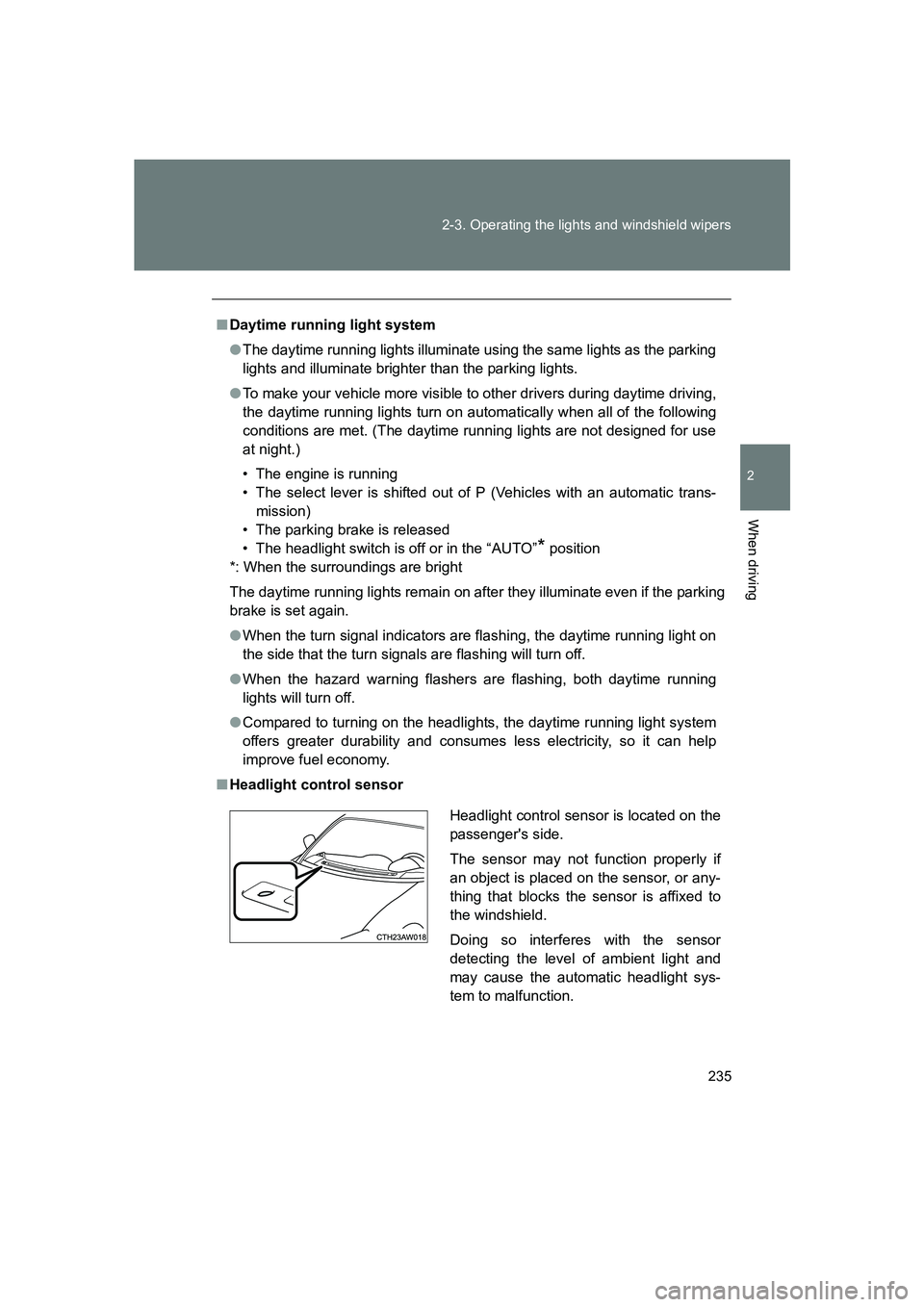
Headlight control sensor is located on the
passenger's side.
The sensor may not function properly if
an object is placed on the sensor, or any-
thing that blocks the sensor is affixed to
the windshield.
Doing so interferes with the sensor
detecting the level of ambient light and
may cause the automatic headlight sys-
tem to malfunction.
Page 258 of 560
258 2-4. Using other driving systems
BRZ_U
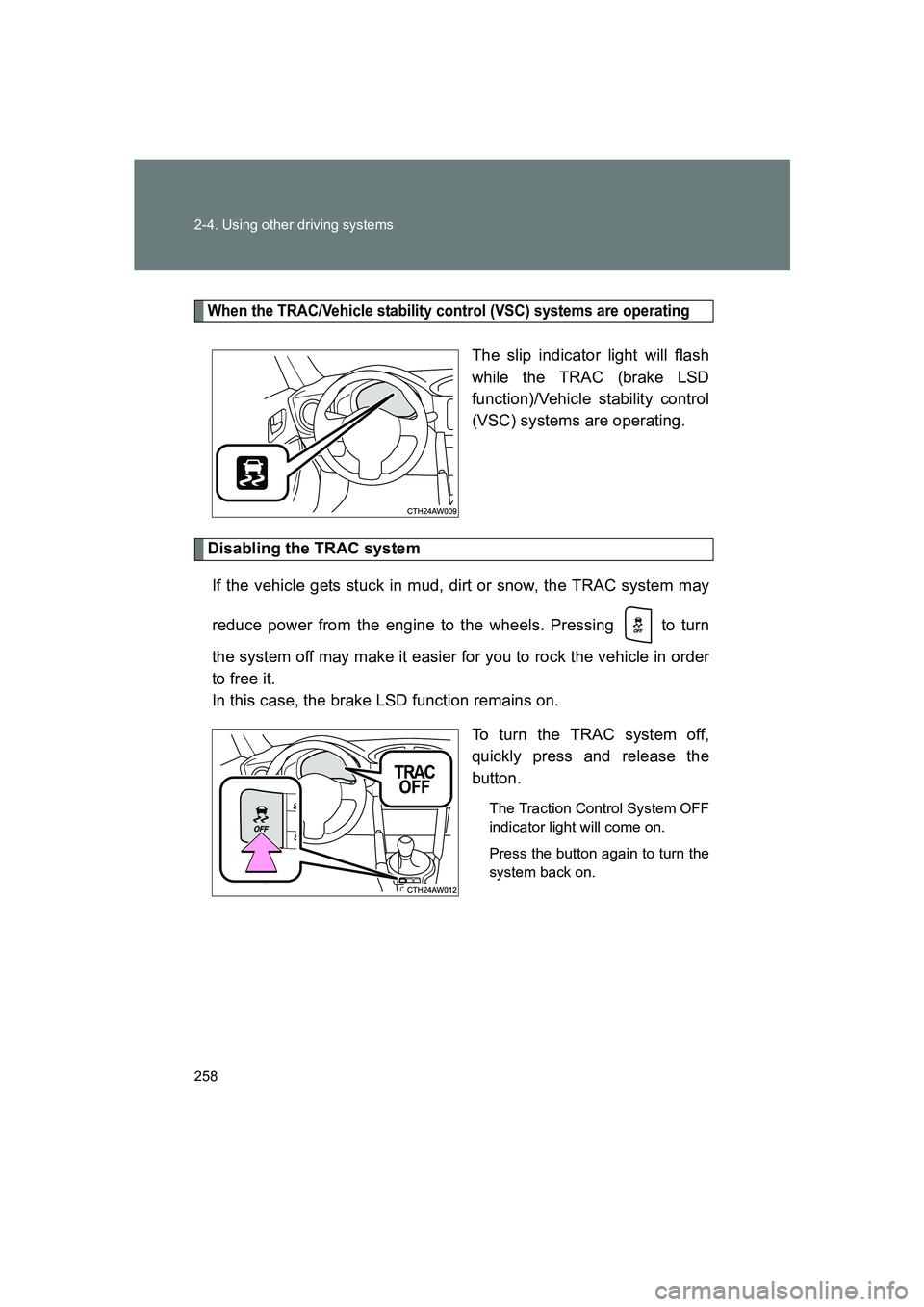
When the TRAC/Vehicle stability control (VSC) systems are operating
The slip indicator light will flash
while the TRAC (brake LSD
function)/Vehicle stability control
(VSC) systems are operating.
Disabling the TRAC system
If the vehicle gets stuck in mud, dirt or snow, the TRAC system may
reduce power from the engine to the wheels. Pressing to turn
the system off may make it easier for you to rock the vehicle in order
to free it.
In this case, the brake LSD function remains on. To turn the TRAC system off,
quickly press and release the
button.
The Traction Control System OFF
indicator light will come on.
Press the button again to turn the
system back on.
Page 259 of 560
259
2-4. Using other driving systems
2
When driving
BRZ_U
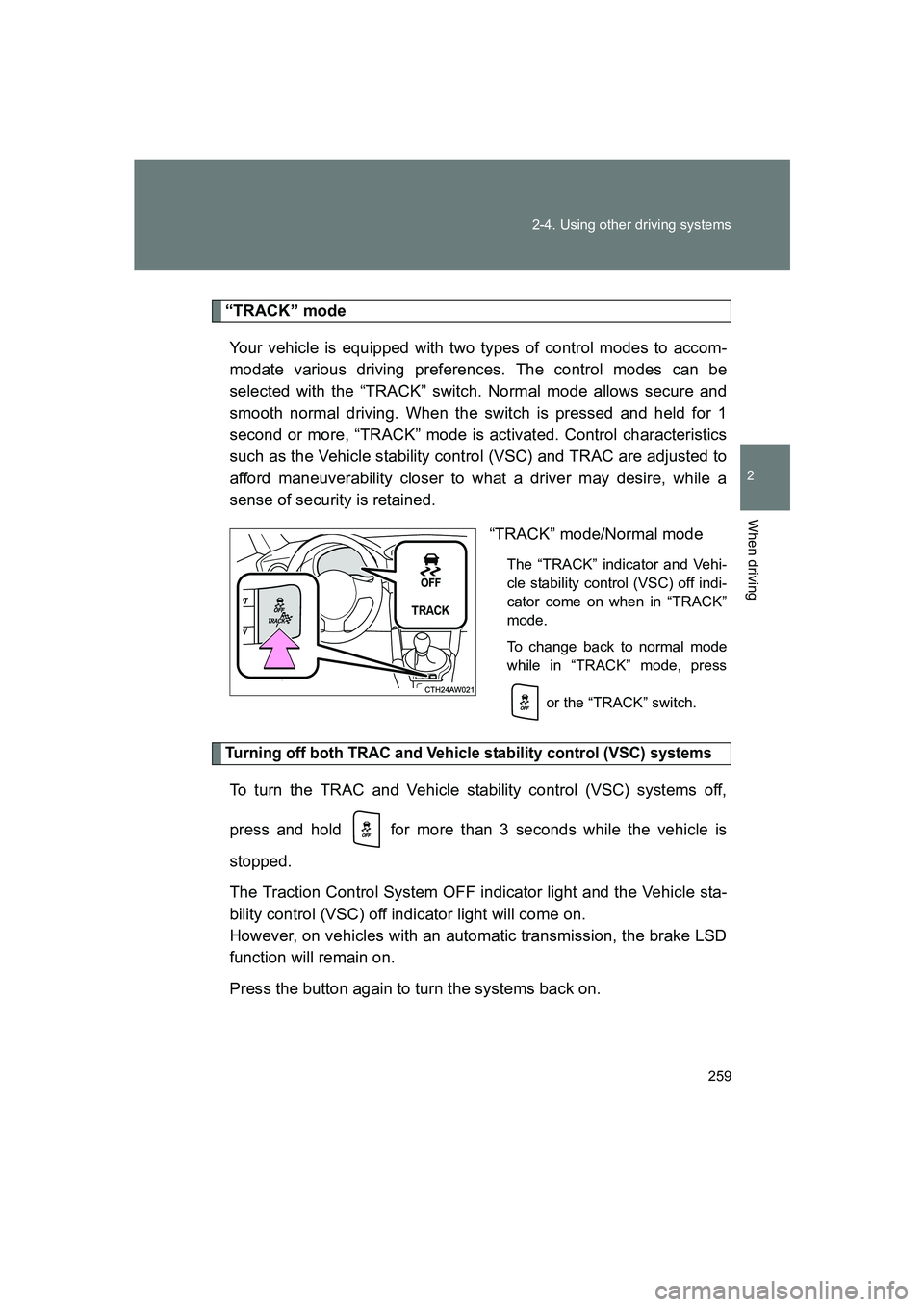
“TRACK” mode
Your vehicle is equipped with two types of control modes to accom-
modate various driving preferences. The control modes can be
selected with the “TRACK” switch. Normal mode allows secure and
smooth normal driving. When the switch is pressed and held for 1
second or more, “TRACK” mode is activated. Control characteristics
such as the Vehicle stability control (VSC) and TRAC are adjusted to
afford maneuverability closer to what a driver may desire, while a
sense of security is retained. “TRACK” mode/Normal mode
The “TRACK” indicator and Vehi-
cle stability control (VSC) off indi-
cator come on when in “TRACK”
mode.
To change back to normal mode
while in “TRACK” mode, press
or the “TRACK” switch.
Turning off both TRAC and Vehicle stability control (VSC) systems
To turn the TRAC and Vehicle stability control (VSC) systems off,
press and hold for more than 3 seconds while the vehicle is
stopped.
The Traction Control System OFF indicator light and the Vehicle sta-
bility control (VSC) off indicator light will come on.
However, on vehicles with an automatic transmission, the brake LSD
function will remain on.
Press the button again to turn the systems back on.