change time SUBARU BRZ 2020 Owner's Manual
[x] Cancel search | Manufacturer: SUBARU, Model Year: 2020, Model line: BRZ, Model: SUBARU BRZ 2020Pages: 560, PDF Size: 9.54 MB
Page 473 of 560
5
When trouble arises
473
5-2. Steps to take in an emergency
BRZ_U
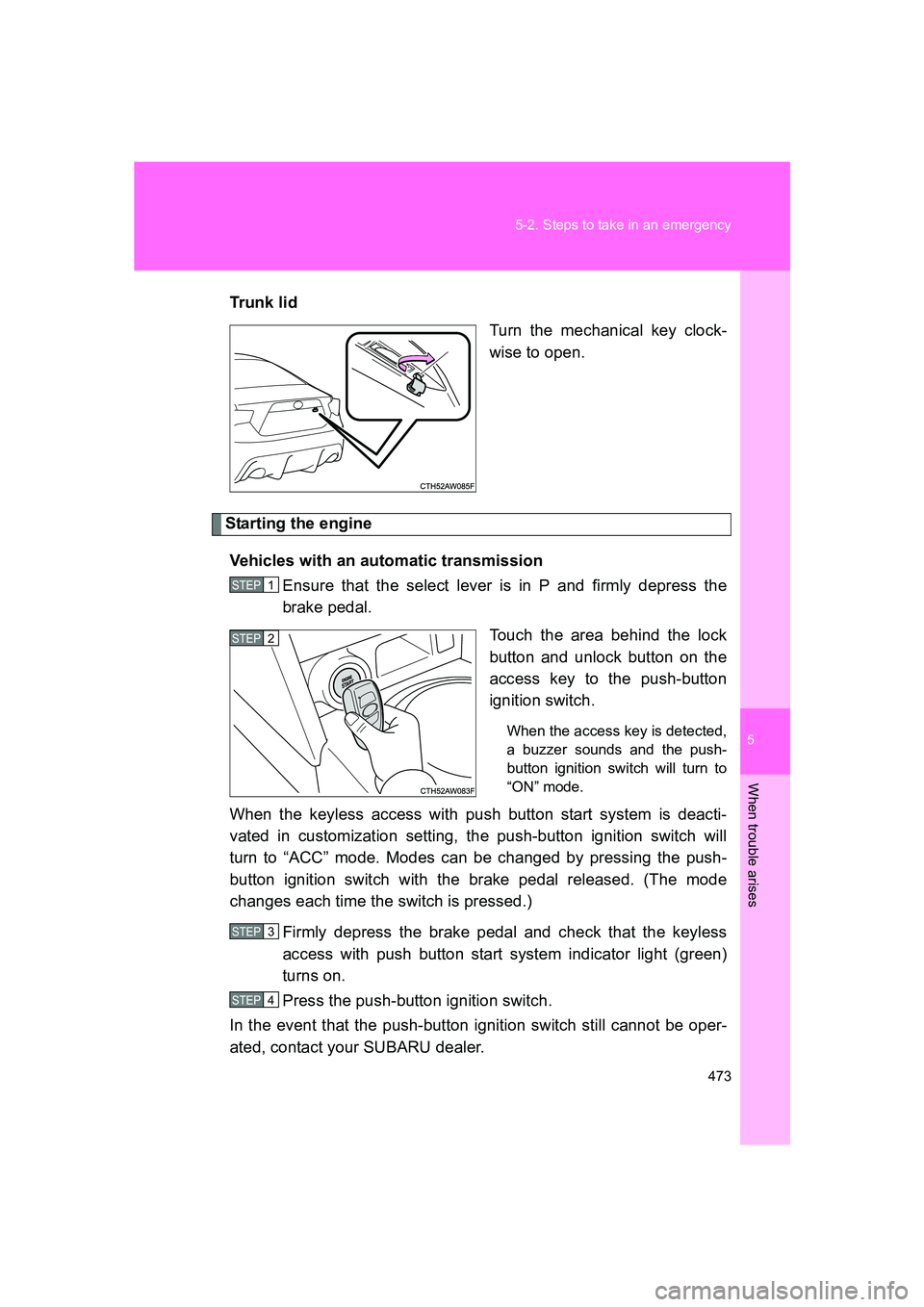
Trun k li d
Turn the mechanical key clock-
wise to open.
Starting the engine
Vehicles with an automatic transmission Ensure that the select lever is in P and firmly depress the
brake pedal.
Touch the area behind the lock
button and unlock button on the
access key to the push-button
ignition switch.
When the access key is detected,
a buzzer sounds and the push-
button ignition switch will turn to
“ON” mode.
When the keyless access with push button start system is deacti-
vated in customization setting, the push-button ignition switch will
turn to “ACC” mode. Modes can be changed by pressing the push-
button ignition switch with the brake pedal released. (The mode
changes each time the switch is pressed.)
Firmly depress the brake pedal and check that the keyless
access with push button start system indicator light (green)
turns on.
Press the push-button ignition switch.
In the event that the push-button ignition switch still cannot be oper-
ated, contact your SUBARU dealer.
STEP 1
STEP 2
STEP 3
STEP 4
Page 474 of 560
474 5-2. Steps to take in an emergency
BRZ_UVehicles with a manual transmission
Ensure that the shift lever is in neutral and depress the clutch
pedal.
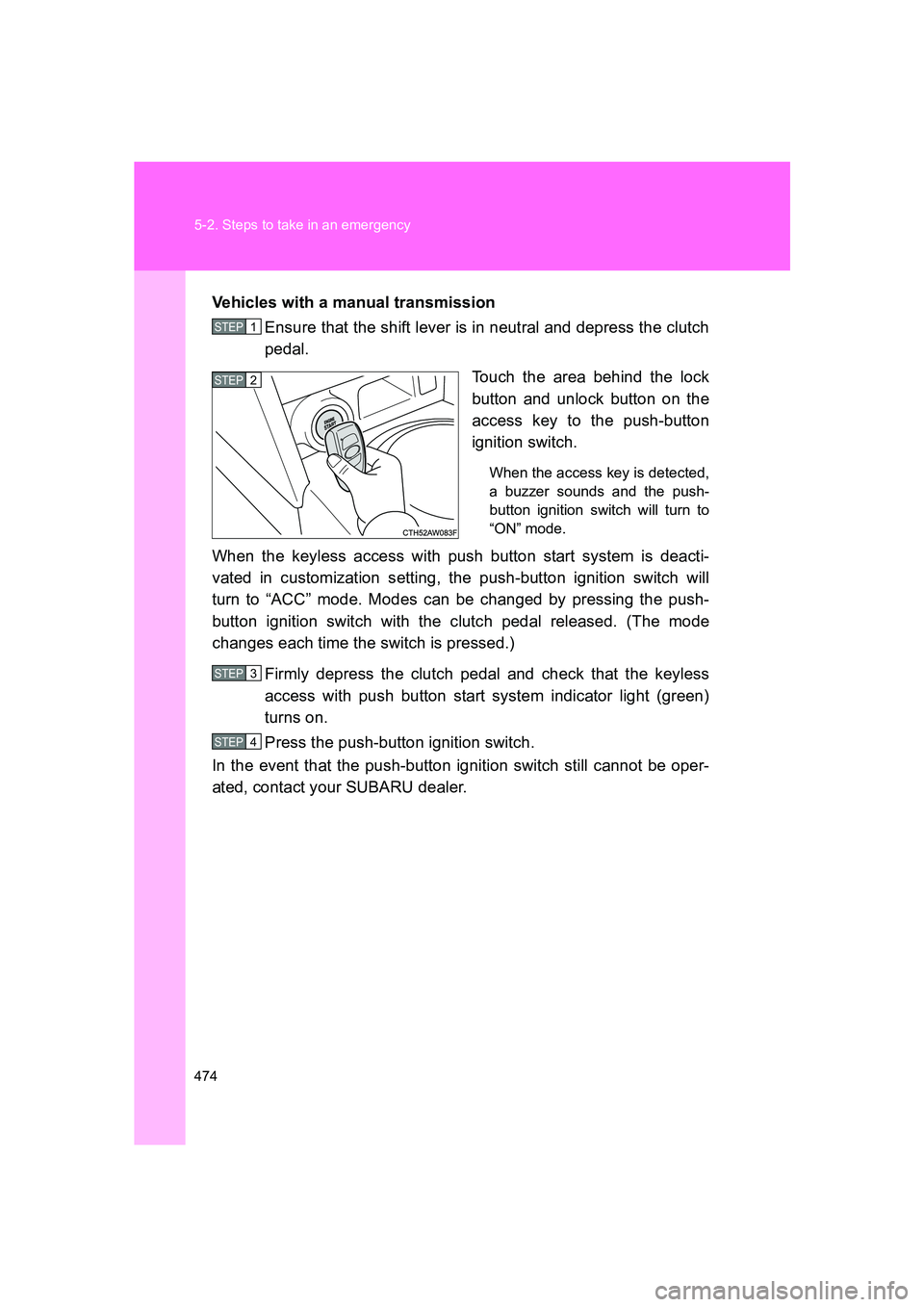
Touch the area behind the lock
button and unlock button on the
access key to the push-button
ignition switch.
When the access key is detected,
a buzzer sounds and the push-
button ignition switch will turn to
“ON” mode.
When the keyless access with push button start system is deacti-
vated in customization setting, the push-button ignition switch will
turn to “ACC” mode. Modes can be changed by pressing the push-
button ignition switch with the clutch pedal released. (The mode
changes each time the switch is pressed.)
Firmly depress the clutch pedal and check that the keyless
access with push button start system indicator light (green)
turns on.
Press the push-button ignition switch.
In the event that the push-button ignition switch still cannot be oper-
ated, contact your SUBARU dealer.
STEP 1
STEP 2
STEP 3
STEP 4
Page 518 of 560
518
BRZ_U
6-2. Customization
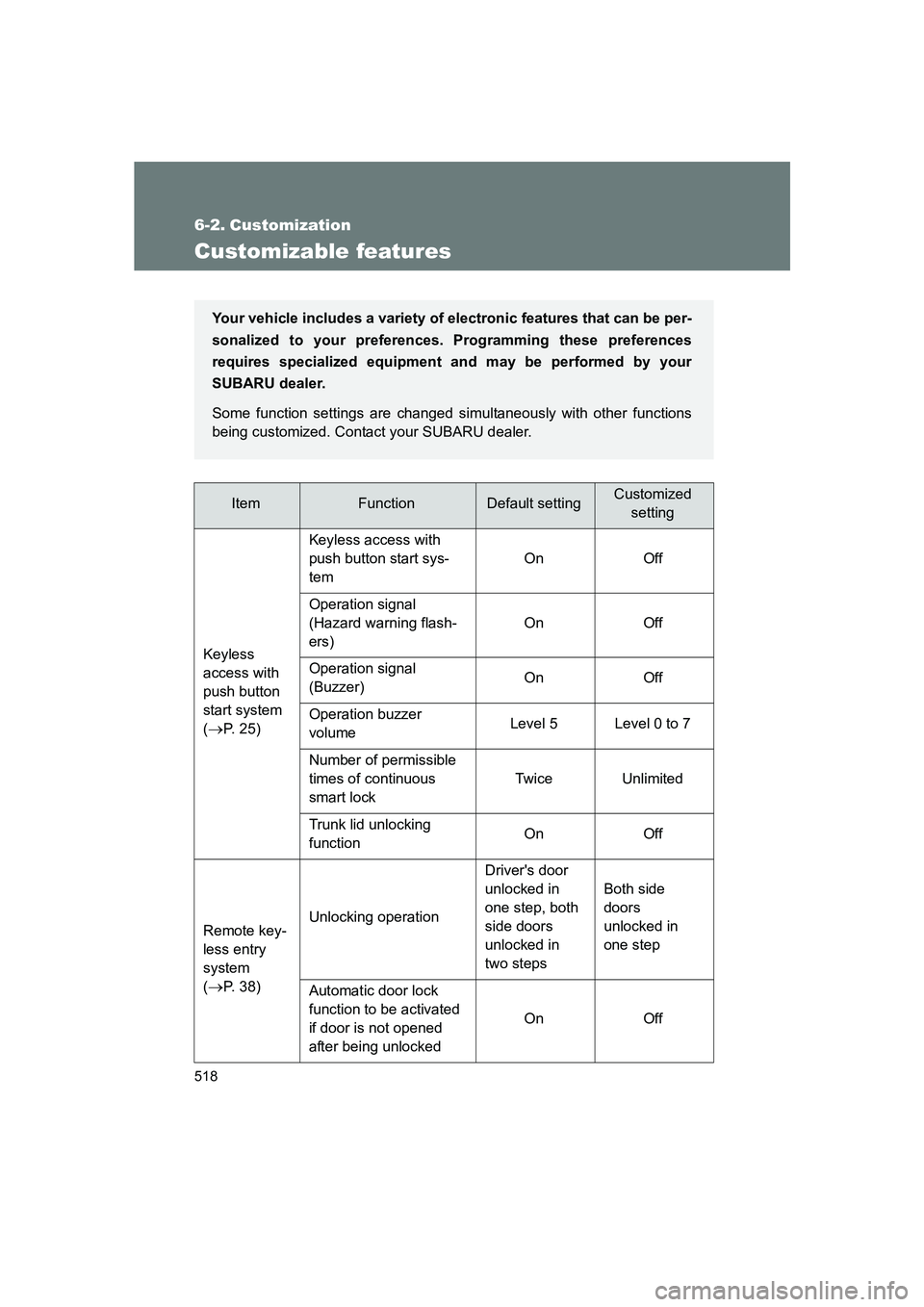
Customizable features
ItemFunctionDefault settingCustomizedsetting
Keyless
access with
push button
start system
(
→P. 25) Keyless access with
push button start sys-
tem
On Off
Operation signal
(Hazard warning flash-
ers) On Off
Operation signal
(Buzzer) On Off
Operation buzzer
volume Level 5 Level 0 to 7
Number of permissible
times of continuous
smart lock Twice Unlimited
Trunk lid unlocking
function On Off
Remote key-
less entry
system
(
→P. 38) Unlocking operation
Driver's door
unlocked in
one step, both
side doors
unlocked in
two stepsBoth side
doors
unlocked in
one step
Automatic door lock
function to be activated
if door is not opened
after being unlocked On Off
Your vehicle includes a variety of
electronic features that can be per-
sonalized to your preferences. Programming these preferences
requires specialized equipment and may be performed by your
SUBARU dealer.
Some function settings are changed simultaneously with other functions
being customized. Contact your SUBARU dealer.
Page 519 of 560
519
6-2. Customization
6
Vehicle specifications
BRZ_U
Remote key-
less entry
system
(
→P. 38)
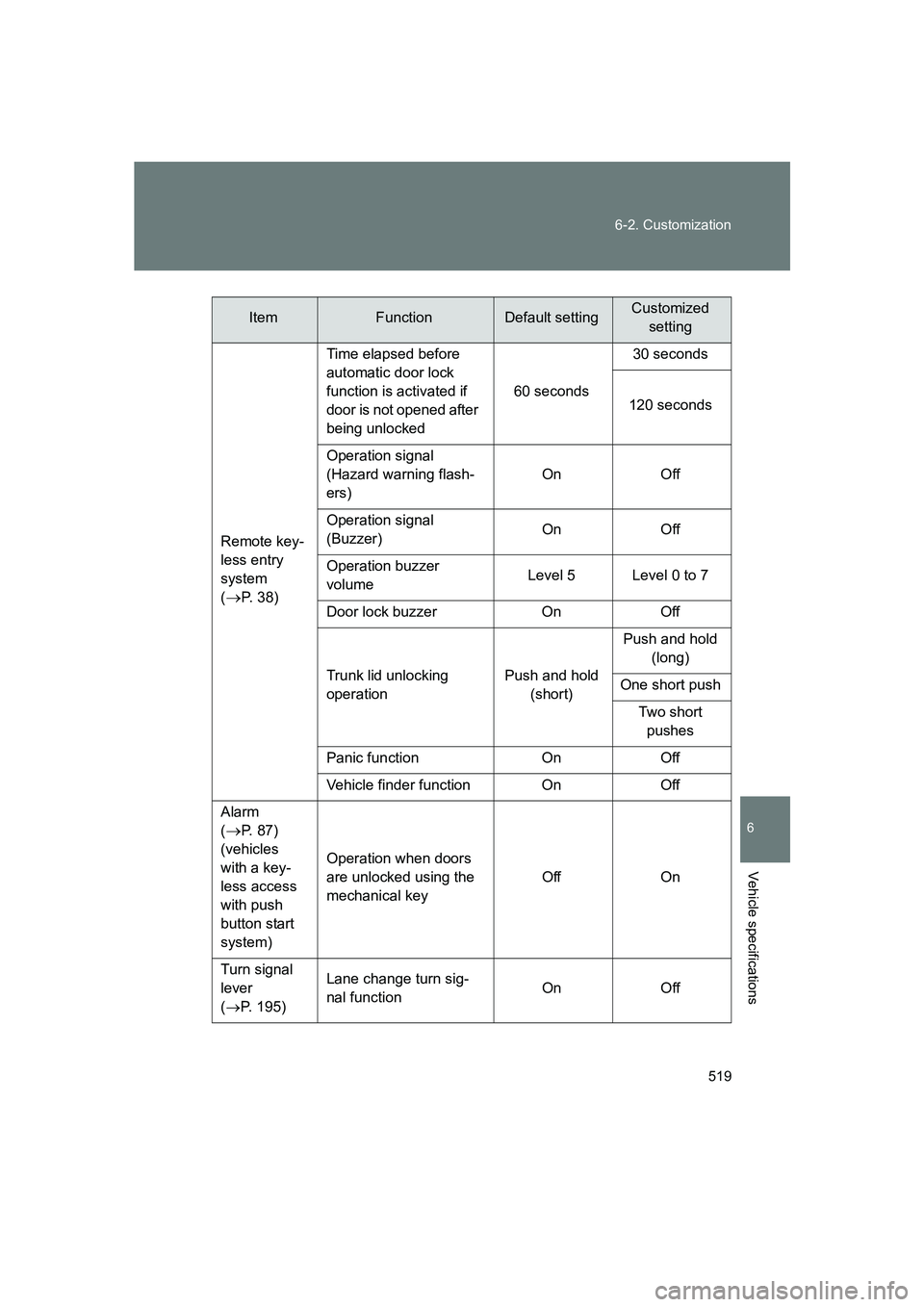
Time elapsed before
automatic door lock
function is activated if
door is not opened after
being unlocked
60 seconds30 seconds
120 seconds
Operation signal
(Hazard warning flash-
ers) On Off
Operation signal
(Buzzer) On Off
Operation buzzer
volume Level 5 Level 0 to 7
Door lock buzzer On Off
Trunk lid unlocking
operation Push and hold
(short) Push and hold
(long)
One short push Two short pushes
Panic function On Off
Vehicle finder function On Off
Alarm
(
→P. 87)
(vehicles
with a key-
less access
with push
button start
system) Operation when doors
are unlocked using the
mechanical key
Off On
Turn signal
lever
( → P. 195) Lane change turn sig-
nal function
On Off
ItemFunctionDefault settingCustomized
setting