keyless entry SUBARU CROSSTREK 2018 User Guide
[x] Cancel search | Manufacturer: SUBARU, Model Year: 2018, Model line: CROSSTREK, Model: SUBARU CROSSTREK 2018Pages: 474, PDF Size: 20.76 MB
Page 111 of 474
(114,1)
北米Model "A1320BE-C" EDITED: 2017/ 10/ 10
the remote keyless entry system
–Lock or unlock the doors by using
the power door locking switch
–Open either of the front doors
&Power saving function of ac-
cess key fobThis function stops the access key fob
from receiving signals and helps minimize
the battery consumption of the access key
fob.
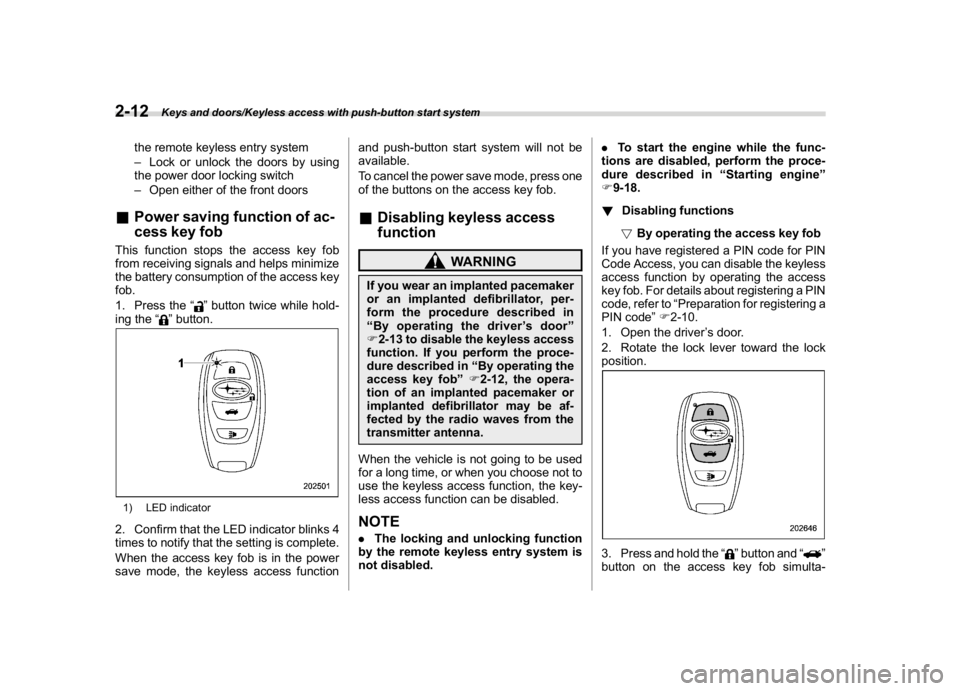
1. Press the“
”button twice while hold-
ing the“
”button.
1) LED indicator2. Confirm that the LED indicator blinks 4
times to notify that the setting is complete.
When the access key fob is in the power
save mode, the keyless access functionand push-button start system will not be
available.
To cancel the power save mode, press one
of the buttons on the access key fob.
&Disabling keyless access
function
WARNING
If you wear an implanted pacemaker
or an implanted defibrillator, per-
form the procedure described in
“By operating the driver’s door”
F2-13 to disable the keyless access
function. If you perform the proce-
dure described in“By operating the
access key fob”F2-12, the opera-
tion of an implanted pacemaker or
implanted defibrillator may be af-
fected by the radio waves from the
transmitter antenna.
When the vehicle is not going to be used
for a long time, or when you choose not to
use the keyless access function, the key-
less access function can be disabled.NOTE.The locking and unlocking function
by the remote keyless entry system is
not disabled..To start the engine while the func-
tions are disabled, perform the proce-
dure described in“Starting engine”
F9-18.
!Disabling functions
!By operating the access key fob
If you have registered a PIN code for PIN
Code Access, you can disable the keyless
access function by operating the access
key fob. For details about registering a PIN
code, refer to“Preparation for registering a
PIN code”F2-10.
1. Open the driver’s door.
2. Rotate the lock lever toward the lock
position.
3. Press and hold the“
”button and“
”
button on the access key fob simulta-
Keys and doors/Keyless access with push-button start system
2-12
Page 116 of 474
(119,1)
北米Model "A1320BE-C" EDITED: 2017/ 10/ 10
–Mexico-spec. models
Remote keyless entry system
CAUTION
.Do not expose the remote trans-
mitter to severe shocks, such as
those experienced as a result of
dropping or throwing.
.Do not take the remote transmit-
ter apart except when replacing
the battery.
.Do not get the remote transmitter
wet. If it gets wet, wipe it dry with
a cloth immediately.
.When you carry the remote trans-
mitter on an airplane, do not
press the button of the remote
transmitter while in the airplane.
When any button of the remote
transmitter is pressed, radio
waves are sent and may affect
the operation of the airplane.
When you carry the remote trans-
mitter in a bag on an airplane,
take measures to prevent the
buttons of the remote transmitter
from being pressed.
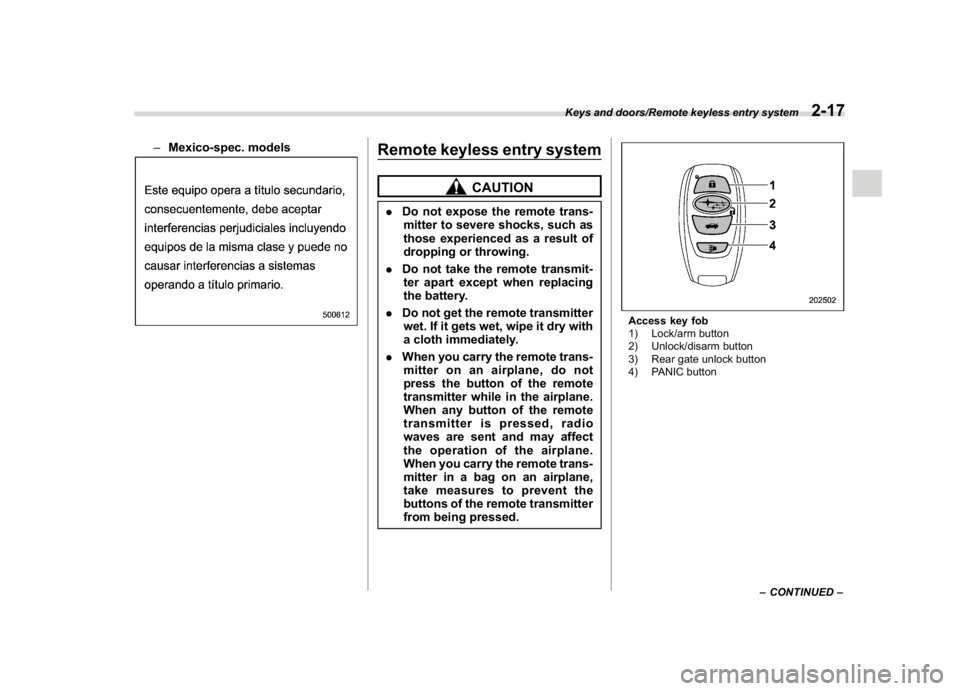
Access key fob
1) Lock/arm button
2) Unlock/disarm button
3) Rear gate unlock button
4) PANIC button
–CONTINUED–
Keys and doors/Remote keyless entry system
2-17
2
Page 117 of 474
(120,1)
北米Model "A1320BE-C" EDITED: 2017/ 10/ 10
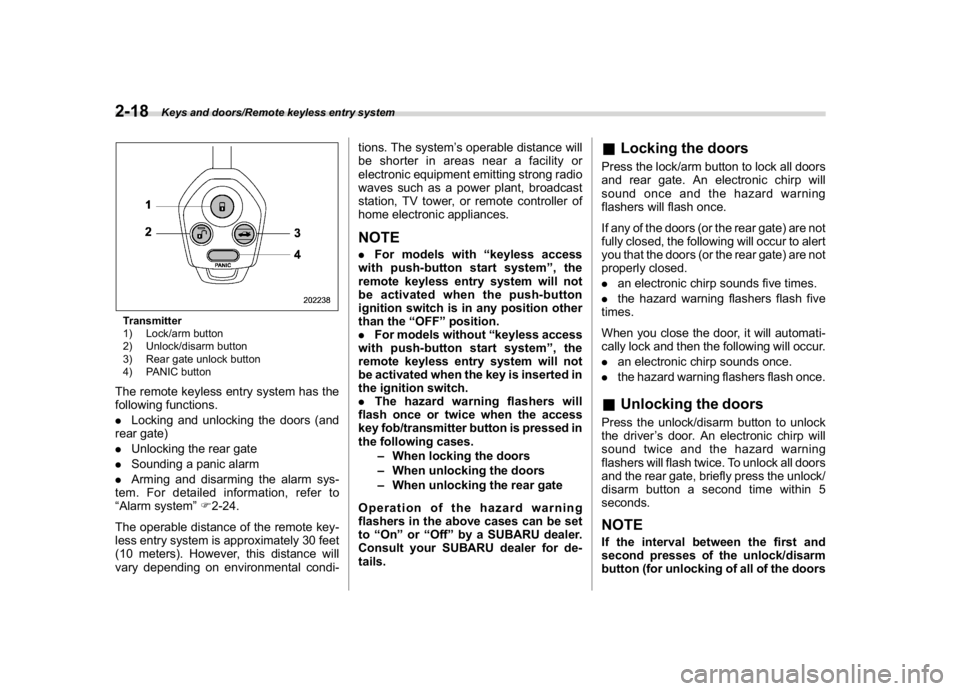
Transmitter
1) Lock/arm button
2) Unlock/disarm button
3) Rear gate unlock button
4) PANIC buttonThe remote keyless entry system has the
following functions.
.Locking and unlocking the doors (and
rear gate)
.Unlocking the rear gate
.Sounding a panic alarm
.Arming and disarming the alarm sys-
tem. For detailed information, refer to
“Alarm system”F2-24.
The operable distance of the remote key-
less entry system is approximately 30 feet
(10 meters). However, this distance will
vary depending on environmental condi-tions. The system’s operable distance will
be shorter in areas near a facility or
electronic equipment emitting strong radio
waves such as a power plant, broadcast
station, TV tower, or remote controller of
home electronic appliances.
NOTE.For models with“keyless access
with push-button start system”,the
remote keyless entry system will not
be activated when the push-button
ignition switch is in any position other
than the“OFF”position.
.For models without“keyless access
with push-button start system”,the
remote keyless entry system will not
be activated when the key is inserted in
the ignition switch.
.The hazard warning flashers will
flash once or twice when the access
key fob/transmitter button is pressed in
the following cases.
–When locking the doors
–When unlocking the doors
–When unlocking the rear gate
Operation of the hazard warning
flashers in the above cases can be set
to“On”or“Off”by a SUBARU dealer.
Consult your SUBARU dealer for de-
tails.
&Locking the doorsPress the lock/arm button to lock all doors
and rear gate. An electronic chirp will
sound once and the hazard warning
flashers will flash once.
If any of the doors (or the rear gate) are not
fully closed, the following will occur to alert
you that the doors (or the rear gate) are not
properly closed.
.an electronic chirp sounds five times.
.the hazard warning flashers flash five
times.
When you close the door, it will automati-
cally lock and then the following will occur.
.an electronic chirp sounds once.
.the hazard warning flashers flash once.&Unlocking the doorsPress the unlock/disarm button to unlock
the driver’s door. An electronic chirp will
sound twice and the hazard warning
flashers will flash twice. To unlock all doors
and the rear gate, briefly press the unlock/
disarm button a second time within 5
seconds.NOTEIf the interval between the first and
second presses of the unlock/disarm
button (for unlocking of all of the doors
Keys and doors/Remote keyless entry system
2-18
Page 118 of 474
(121,1)
北米Model "A1320BE-C" EDITED: 2017/ 10/ 10
and the rear gate) is extremely short,
the system may not respond.&Unlocking the rear gatePress the rear gate unlock button to unlock
the rear gate.
An electronic chirp will sound twice and the
hazard warning flashers will flash twice.&Vehicle finder functionUse this function to find your vehicle
parked among many vehicles in a large
parking lot. Provided you are within 30 feet
(10 meters) of the vehicle, pressing the
lock/arm button three times in a 5-second
period will cause your vehicle’s horn to
sound once and its hazard warning
flashers to flash three times.NOTEIf the interval between presses is too
short when you press the lock/arm
button three times, the system may
not respond to the signals from the
remote transmitter.
&Sounding a panic alarmTo activate the alarm, press the“PANIC”
button once.
The horn will sound and the hazard
warning flashers will flash.
To deactivate the panic alarm, press any
button on the remote transmitter. Unless a
button on the remote transmitter is
pressed, the alarm will be deactivated
after approximately 30 seconds.&Setting audible signal opera-
tion (models without“keyless
access with push-button start
system”)Using an electronic chirp, the system will
give you an audible signal when the doors
lock and unlock. If desired, you may turn
the audible signal off.
Perform the following steps to deactivate
the audible signal. You can also use the
same steps to restore the function.
1. Sit in the driver’s seat and shut all
doors and the rear gate.
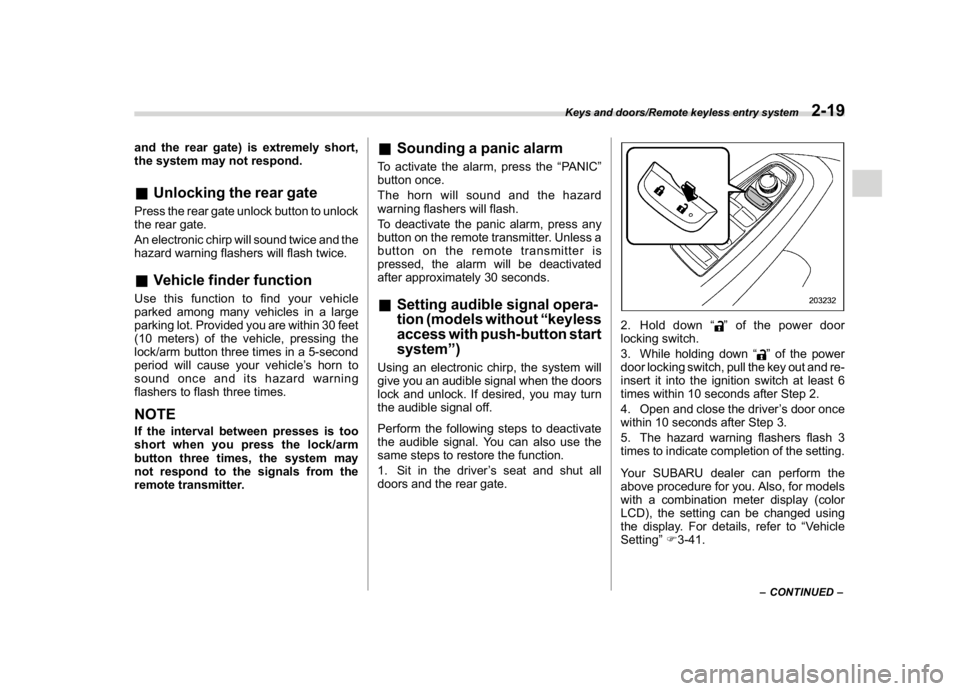
2. Hold down“
”of the power door
locking switch.
3. While holding down“
”of the power
door locking switch, pull the key out and re-
insert it into the ignition switch at least 6
times within 10 seconds after Step 2.
4. Open and close the driver’s door once
within 10 seconds after Step 3.
5. The hazard warning flashers flash 3
times to indicate completion of the setting.
Your SUBARU dealer can perform the
above procedure for you. Also, for models
with a combination meter display (color
LCD), the setting can be changed using
the display. For details, refer to“Vehicle
Setting”F3-41.–CONTINUED–
Keys and doors/Remote keyless entry system
2-19
2
Page 119 of 474
(122,1)
北米Model "A1320BE-C" EDITED: 2017/ 10/ 10
&Replacing the batteryRefer to“Replacing key battery”F11-42.&Replacing lost transmittersIf you lose a transmitter or want to
purchase additional transmitters (up to
four can be programmed), your transmit-
ters should be reprogrammed for security
reasons. For details, contact your
SUBARU dealer and have the transmitters
programmed into the remote keyless entry
system.&Certification for remote key-
less entry system!U.S.-spec. models
FCC ID: CWTB1G077
FCC ID: CWTD1G049
CAUTION
FCC WARNING
Changes or modifications not ex-
pressly approved by the party re-
sponsible for compliance could void
the user’s authority to operate the
equipment.
NOTEThis device complies with part 15 of the
FCC Rules. Operation is subject to the
following two conditions: (1) This de-
vice may not cause harmful interfer-
ence, and (2) this device must accept
any interference received, including
interference that may cause undesired
operation.!Canada-spec. models
Keys and doors/Remote keyless entry system
2-20
Page 124 of 474
(127,1)
北米Model "A1320BE-C" EDITED: 2017/ 10/ 10
&Alarm system operationWhen the alarm system is armed, it is
triggered by the opening any of the doors
or the rear gate.
The alarm system will activate the follow-
ing alarms when triggered.
.The vehicle’s horn will sound for 30
seconds.
.The hazard warning flashers will flash
for 30 seconds.
If any of the doors or the rear gate remains
open after the 30-second period, the horn
will continue to sound for a maximum of 3
minutes. If the door or the rear gate is
closed while the horn is sounding, the horn
will stop sounding with a delay of up to 30
seconds.NOTEThe alarm system can be set to trigger
the illumination of the following interior
lights.
.Map lights (illuminates only when
the door interlock switch is in the
“DOOR”position)
.Dome light (illuminates only when
the dome light switch is in the“DOOR”
position)
.Cargo area light (illuminates only
when the cargo area light switch is in
the“DOOR”position)The notifications regarding the map
lights, dome light and cargo area light
are deactivated as the factory setting. A
SUBARU dealer can activate the sys-
tem. Contact your SUBARU dealer for
details.
&Arming the systemThe alarm system becomes armed when
the following operation is performed.
1. Close all windows and the moonroof (if
equipped) and turn the ignition switch to
the“OFF”position.
2. Carry the key and get out of the
vehicle.
3. Lock the doors using any of the
following methods.
.Locking using the remote keyless
entry system. For details, refer to
“Remote keyless entry system”F2-17.
.Locking using the keyless access
function (if equipped). For details, refer
to“Locking with the door lock sensor”
F2-8.
.Locking using the power door lock-
ing switch. For details, refer to“Locking
using power door locking switch”F2-
22.
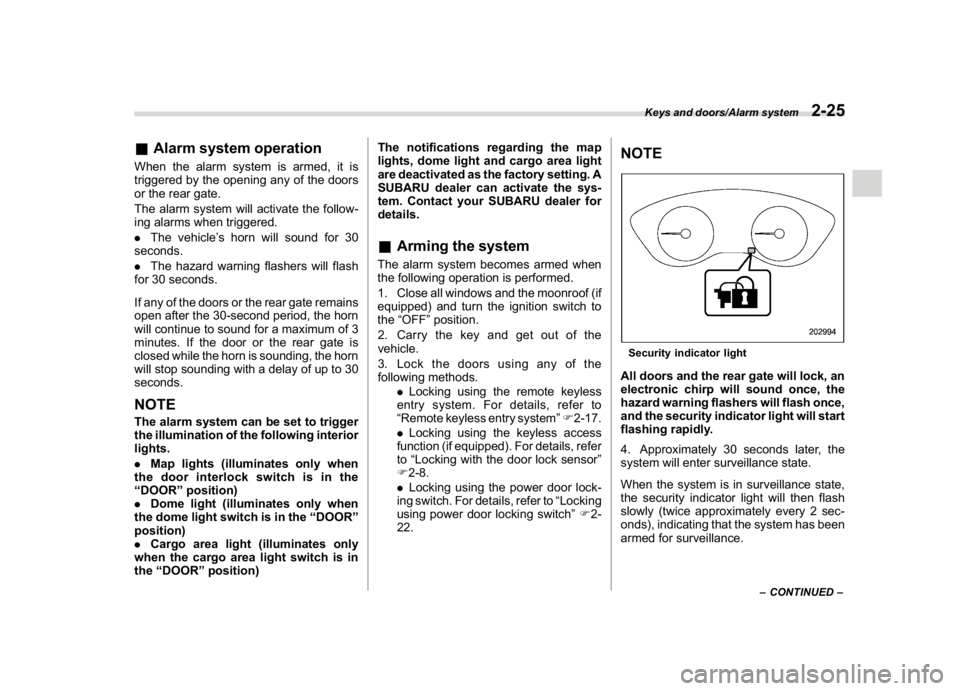
NOTESecurity indicator lightAll doors and the rear gate will lock, an
electronic chirp will sound once, the
hazard warning flashers will flash once,
and the security indicator light will start
flashing rapidly.
4. Approximately 30 seconds later, the
system will enter surveillance state.
When the system is in surveillance state,
the security indicator light will then flash
slowly (twice approximately every 2 sec-
onds), indicating that the system has been
armed for surveillance.
–CONTINUED–
Keys and doors/Alarm system
2-25
2
Page 130 of 474
(133,1)
北米Model "A1320BE-C" EDITED: 2017/ 10/ 10
Rear gate
WARNING
.To prevent dangerous exhaust
gas from entering the vehicle,
always keep the rear gate closed
while the engine is running.
.Do not attempt to shut the rear
gate while holding the recessed
grip. Also avoid closing the rear
gate by pulling on the recessed
grip from inside the cargo space.
There is a danger of your hand
being caught and injured.NOTEIf the rear gate cannot be unlocked due
to a discharged vehicle battery, a mal-
function in the door locking/unlocking
system or other causes, you can unlock
it by manually operating the rear gate
lock release lever.
For the procedure, refer to“Rear gate–
if the rear gate cannot be opened”F9-
19.
&Lock/unlockThe rear gate can be locked and unlocked
using any of the following systems.
.Power door locking switch: Refer to
“How to operate the power door locking
switches”F2-23.
.Keyless access with the push-button
start system (if equipped): Refer to“Key-
less access with push-button start system”
F2-2.
.Remote keyless entry system: Refer to
“Remote keyless entry system”F2-17.
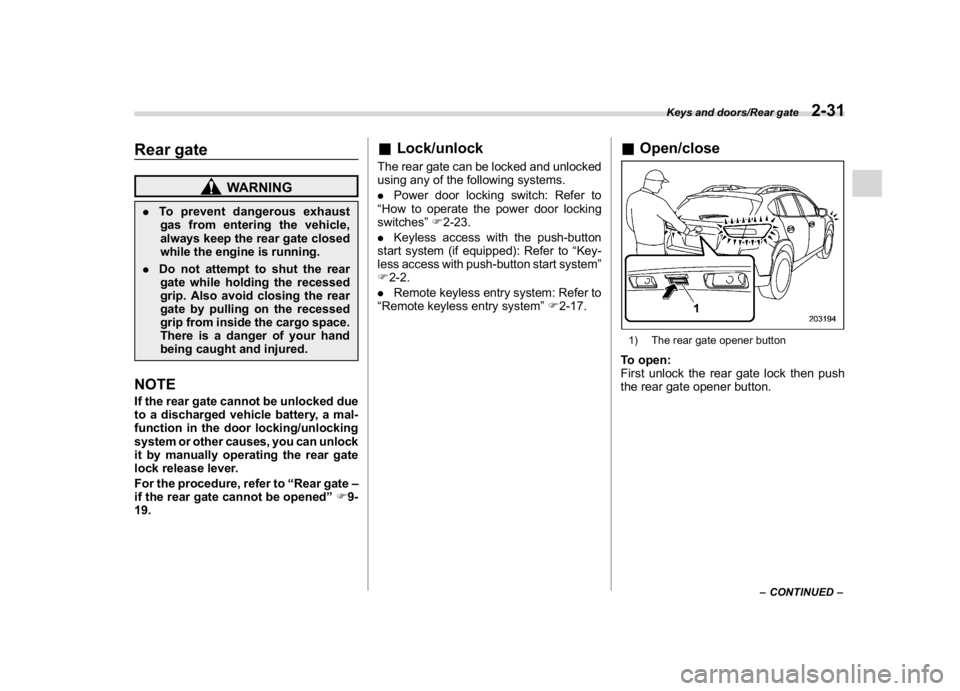
&Open/close1) The rear gate opener buttonTo open:
First unlock the rear gate lock then push
the rear gate opener button.
–CONTINUED–
Keys and doors/Rear gate
2-31
2
Page 138 of 474
(143,1)
北米Model "A1320BE-C" EDITED: 2017/ 10/ 10
CAUTION
Do not turn the ignition switch to the
“START”position while the engine
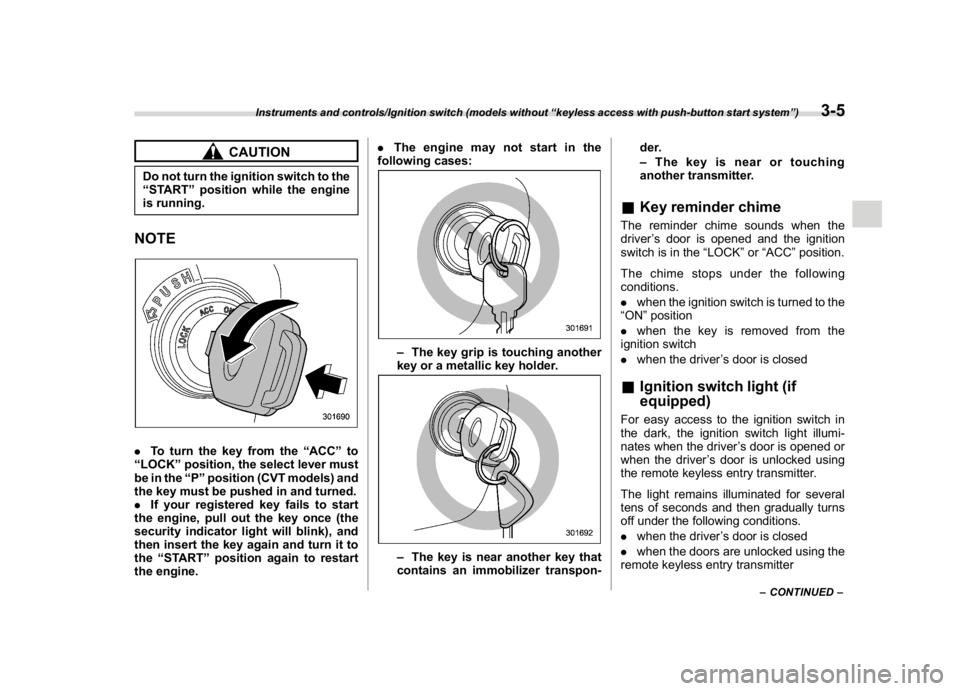
is running.NOTE.To turn the key from the“ACC”to
“LOCK”position, the select lever must
be in the“P”position (CVT models) and
the key must be pushed in and turned.
.If your registered key fails to start
the engine, pull out the key once (the
security indicator light will blink), and
then insert the key again and turn it to
the“START”position again to restart
the engine..The engine may not start in the
following cases:
–The key grip is touching another
key or a metallic key holder.–The key is near another key that
contains an immobilizer transpon-der.
–The key is near or touching
another transmitter.
&Key reminder chimeThe reminder chime sounds when the
driver’s door is opened and the ignition
switch is in the“LOCK”or“ACC”position.
The chime stops under the following
conditions.
.when the ignition switch is turned to the
“ON”position
.when the key is removed from the
ignition switch
.when the driver’s door is closed&Ignition switch light (if
equipped)For easy access to the ignition switch in
the dark, the ignition switch light illumi-
nates when the driver’s door is opened or
when the driver’s door is unlocked using
the remote keyless entry transmitter.
The light remains illuminated for several
tens of seconds and then gradually turns
off under the following conditions.
.when the driver’s door is closed
.when the doors are unlocked using the
remote keyless entry transmitter
–CONTINUED–
Instruments and controls/Ignition switch (models without“keyless access with push-button start system”)
3-5
3
Page 139 of 474
(144,1)
北米Model "A1320BE-C" EDITED: 2017/ 10/ 10
The light turns off immediately under the
following conditions.
.when the ignition switch is turned to the
“ON”position
.when all doors and the rear gate are
locked using the remote keyless entry
transmitter
Push-button ignition switch
(models with“keyless access
with push-button start sys-
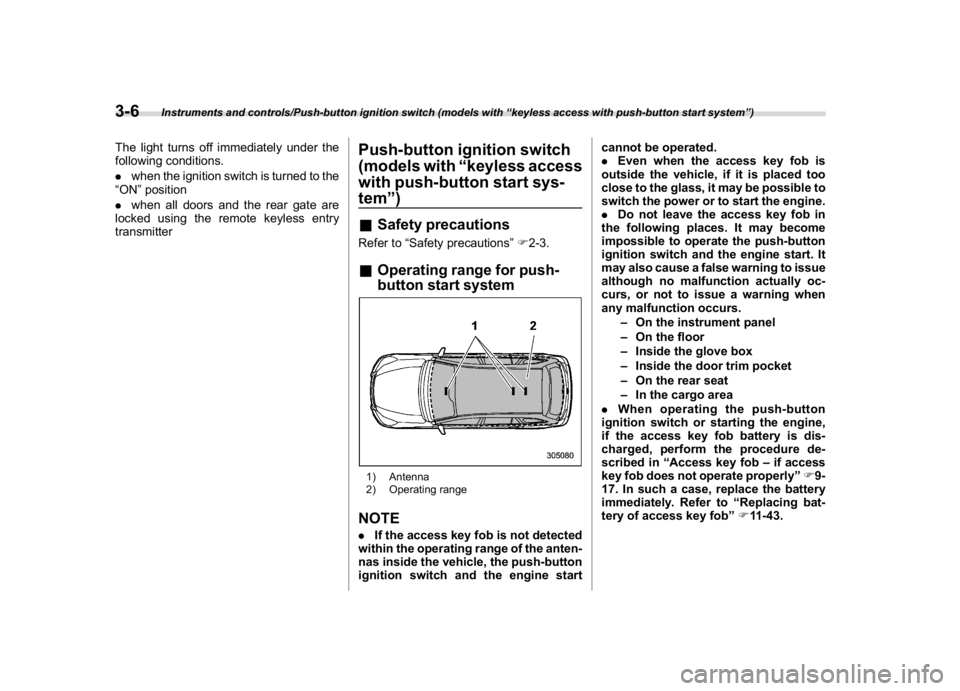
tem”)&Safety precautionsRefer to“Safety precautions”F2-3.&Operating range for push-
button start system1) Antenna
2) Operating rangeNOTE.If the access key fob is not detected
within the operating range of the anten-
nas inside the vehicle, the push-button
ignition switch and the engine startcannot be operated.
.Even when the access key fob is
outside the vehicle, if it is placed too
close to the glass, it may be possible to
switch the power or to start the engine.
.Do not leave the access key fob in
the following places. It may become
impossible to operate the push-button
ignition switch and the engine start. It
may also cause a false warning to issue
although no malfunction actually oc-
curs, or not to issue a warning when
any malfunction occurs.
–On the instrument panel
–On the floor
–Inside the glove box
–Inside the door trim pocket
–On the rear seat
–In the cargo area
.When operating the push-button
ignition switch or starting the engine,
if the access key fob battery is dis-
charged, perform the procedure de-
scribed in“Access key fob–if access
key fob does not operate properly”F9-
17. In such a case, replace the battery
immediately. Refer to“Replacing bat-
tery of access key fob”F11-43.
Instruments and controls/Push-button ignition switch (models with“keyless access with push-button start system”)
3-6
Page 167 of 474
(172,1)
北米Model "A1320BE-C" EDITED: 2017/ 10/ 10
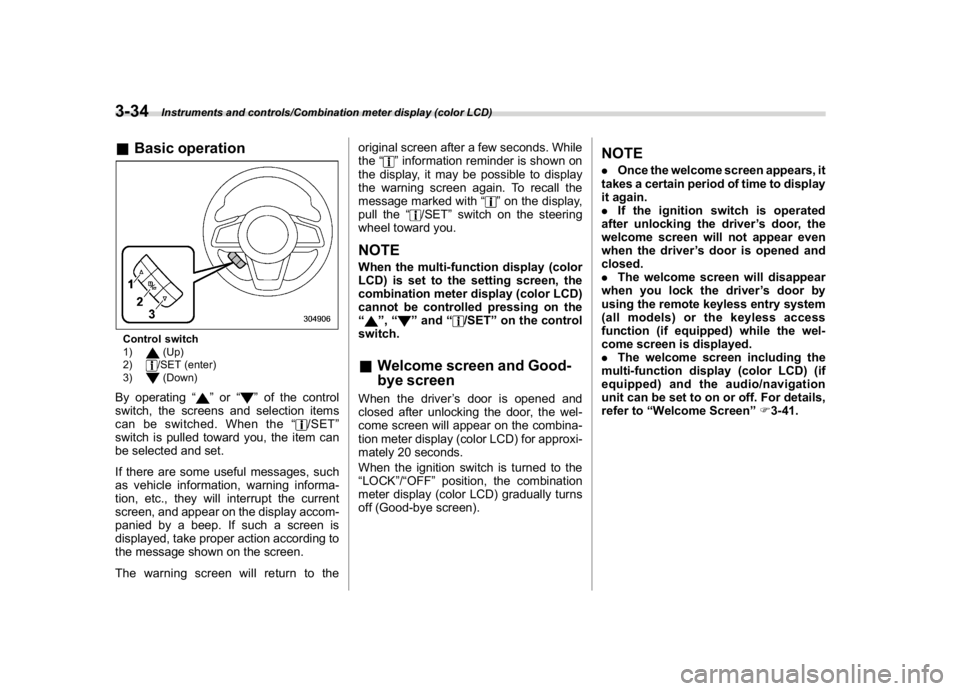
&Basic operationControl switch
1)
(Up)
2)/SET (enter)
3)(Down)
By operating“
”or“
”of the control
switch, the screens and selection items
can be switched. When the“
/SET”
switch is pulled toward you, the item can
be selected and set.
If there are some useful messages, such
as vehicle information, warning informa-
tion, etc., they will interrupt the current
screen, and appear on the display accom-
panied by a beep. If such a screen is
displayed, take proper action according to
the message shown on the screen.
The warning screen will return to theoriginal screen after a few seconds. While
the“
”information reminder is shown on
the display, it may be possible to display
the warning screen again. To recall the
message marked with“
”on the display,
pull the“
/SET”switch on the steering
wheel toward you.
NOTEWhen the multi-function display (color
LCD) is set to the setting screen, the
combination meter display (color LCD)
cannot be controlled pressing on the
“
”,“
”and“
/SET”on the control
switch.
&Welcome screen and Good-
bye screenWhen the driver’s door is opened and
closed after unlocking the door, the wel-
come screen will appear on the combina-
tion meter display (color LCD) for approxi-
mately 20 seconds.
When the ignition switch is turned to the
“LOCK”/“OFF”position, the combination
meter display (color LCD) gradually turns
off (Good-bye screen).
NOTE.Once the welcome screen appears, it
takes a certain period of time to display
it again.
.If the ignition switch is operated
after unlocking the driver’s door, the
welcome screen will not appear even
when the driver’s door is opened and
closed.
.The welcome screen will disappear
when you lock the driver’s door by
using the remote keyless entry system
(all models) or the keyless access
function (if equipped) while the wel-
come screen is displayed.
.The welcome screen including the
multi-function display (color LCD) (if
equipped) and the audio/navigation
unit can be set to on or off. For details,
refer to“Welcome Screen”F3-41.
Instruments and controls/Combination meter display (color LCD)
3-34