climate control SUBARU FORESTER 2005 SG / 2.G User Guide
[x] Cancel search | Manufacturer: SUBARU, Model Year: 2005, Model line: FORESTER, Model: SUBARU FORESTER 2005 SG / 2.GPages: 477, PDF Size: 5.34 MB
Page 187 of 477
4-6
Climate control
light will go off.
Place the air inlet selection button to the OFF position
when the interior has cooled to a comfortable temper-
ature and the road is no longer dusty.
Continued operation with the air inlet selection
button in the ON position may fog up the win-
dows. Switch to the OFF position as soon as
the outside dusty condition clears.
„
Heater operation
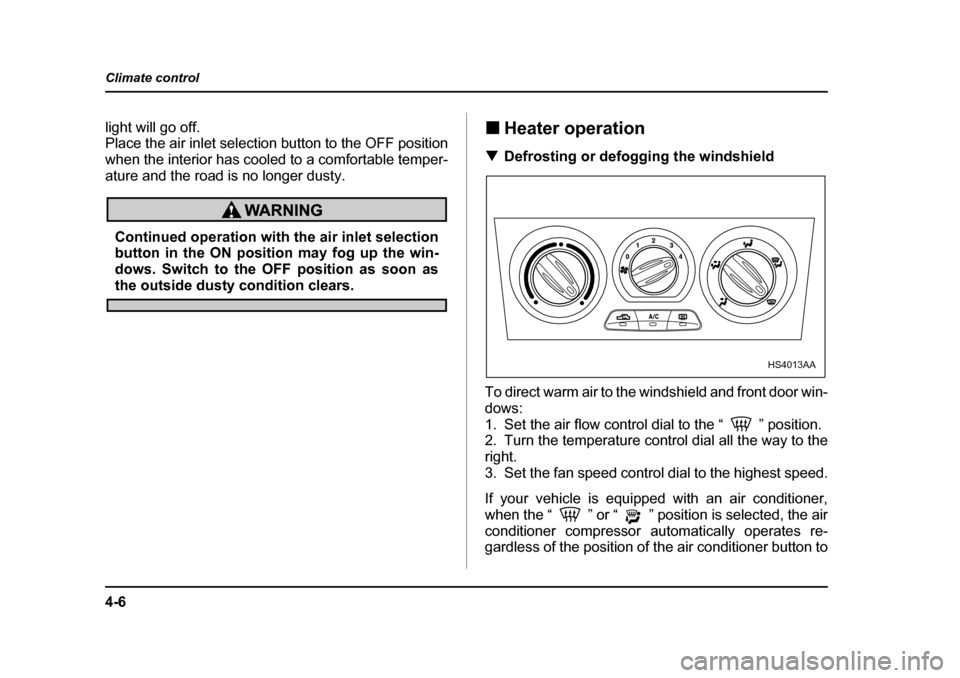
T Defrosting or defogging the windshield
To direct warm air to the windshield and front door win-
dows:
1. Set the air flow control dial to the “ ” position.
2. Turn the temperature control dial all the way to the
right.
3. Set the fan speed control dial to the highest speed.
If your vehicle is equipped with an air conditioner,
when the “ ” or “ ” position is selected, the air
conditioner compressor automatically operates re-
gardless of the position of the air conditioner button to
HS4013AA
Page 188 of 477
4-7
Climate control
– CONTINUED –
defog the windshield quickly.
However, the air conditioner indicator light does not
come on at this time.
NOTE
Warm air also comes out from the right and left air
outlets. To stop warm air flow from these outlets,
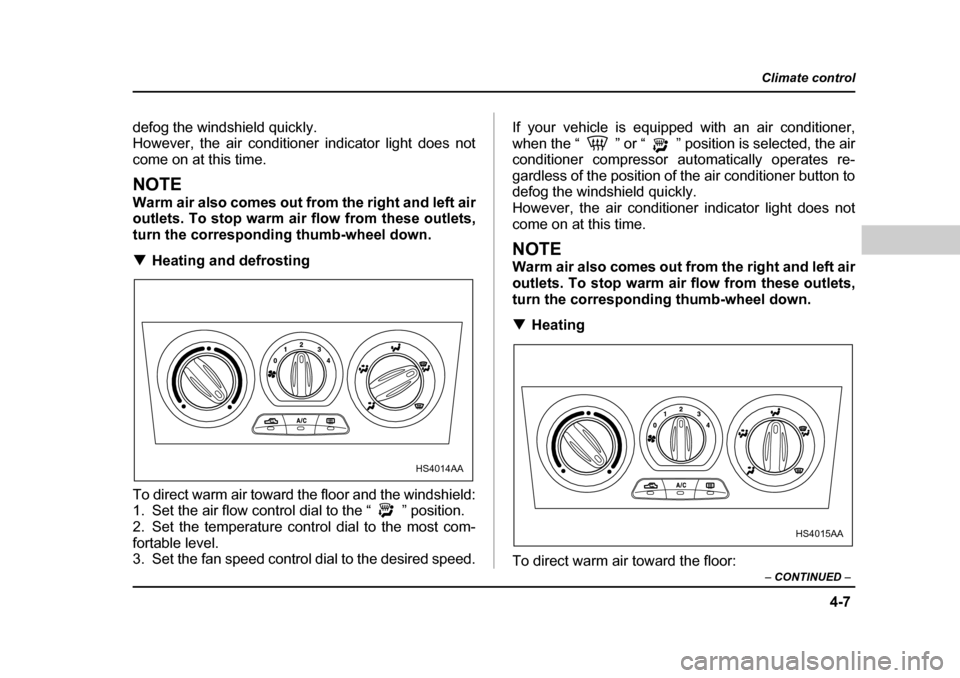
turn the corresponding thumb-wheel down. THeating and defrosting
To direct warm air toward the floor and the windshield:
1. Set the air flow control dial to the “ ” position.
2. Set the temperature control dial to the most com-
fortable level.
3. Set the fan speed control dial to the desired speed. If your vehicle is equipped with an air conditioner,
when the “ ” or “ ” position is selected, the air
conditioner compressor automatically operates re-
gardless of the position of the air conditioner button to
defog the windshield quickly.
However, the air conditioner indicator light does not
come on at this time.
NOTE
Warm air also comes out from the right and left air
outlets. To stop warm air flow from these outlets,
turn the corresponding thumb-wheel down. T
Heating
To direct warm air toward the floor:
HS4014AA
HS4015AA
Page 189 of 477
4-8
Climate control
1. Set the air inlet selection button to the OFF posi- tion.
2. Set the air flow control dial to the “ ” position.
3. Set the temperature control dial to the most com-
fortable level.
4. Set the fan speed control dial to the desired speed.
NOTE
Warm air also comes out from the right and left air
outlets. To stop warm air flow from these outlets,
turn the corresponding thumb-wheel down. T
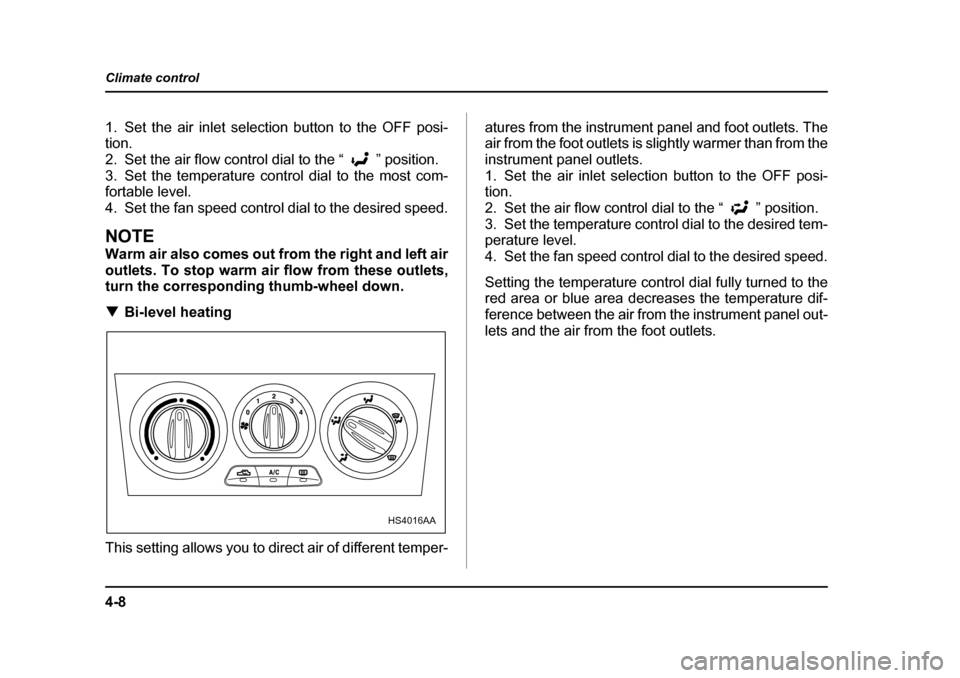
Bi-level heating
This setting allows you to direct air of different temper- atures from the instrument panel and foot outlets. The
air from the foot outlets is slightly warmer than from the
instrument panel outlets.
1. Set the air inlet selection button to the OFF posi- tion.
2. Set the air flow control dial to the “ ” position.
3. Set the temperature control dial to the desired tem- perature level.
4. Set the fan speed control dial to the desired speed.
Setting the temperature control dial fully turned to the
red area or blue area decreases the temperature dif-
ference between the air from the instrument panel out-
lets and the air from the foot outlets.
HS4016AA
Page 190 of 477
4-9
Climate control
– CONTINUED –
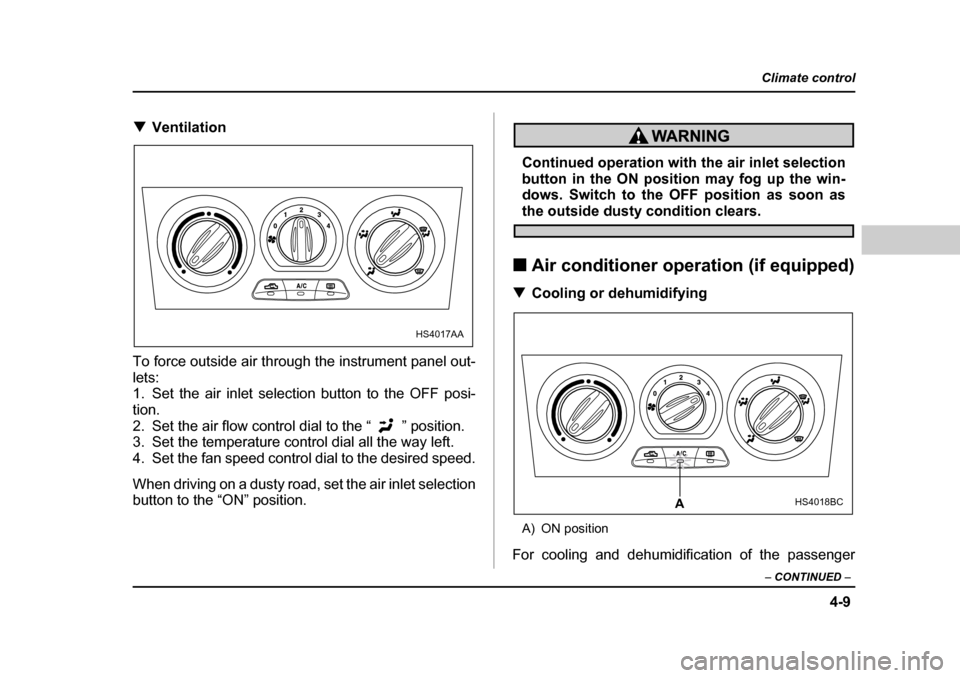
TVentilation
To force outside air through the instrument panel out-
lets:
1. Set the air inlet selection button to the OFF posi- tion.
2. Set the air flow control dial to the “ ” position.
3. Set the temperature control dial all the way left.
4. Set the fan speed control dial to the desired speed.
When driving on a dusty road, set the air inlet selection
button to the “ON” position.
Continued operation with the air inlet selection
button in the ON position may fog up the win-
dows. Switch to the OFF position as soon as
the outside dusty condition clears.
„ Air conditioner operation (if equipped)
T Cooling or dehumidifying
A) ON position
For cooling and dehumidification of the passenger
HS4017AA
HS4018BCA
Page 191 of 477
4-10
Climate control
compartment, performing the following steps will allow
air to flow through the instrument panel outlets:
1. Set the air inlet selection button to the OFF posi- tion.
2. Set the air flow control dial to the “ ” position.
3. Set the air conditioner button to the “ON” position.
4. Set the temperature control dial to the blue side.
5. Set the fan speed control dial at the highest speed. T
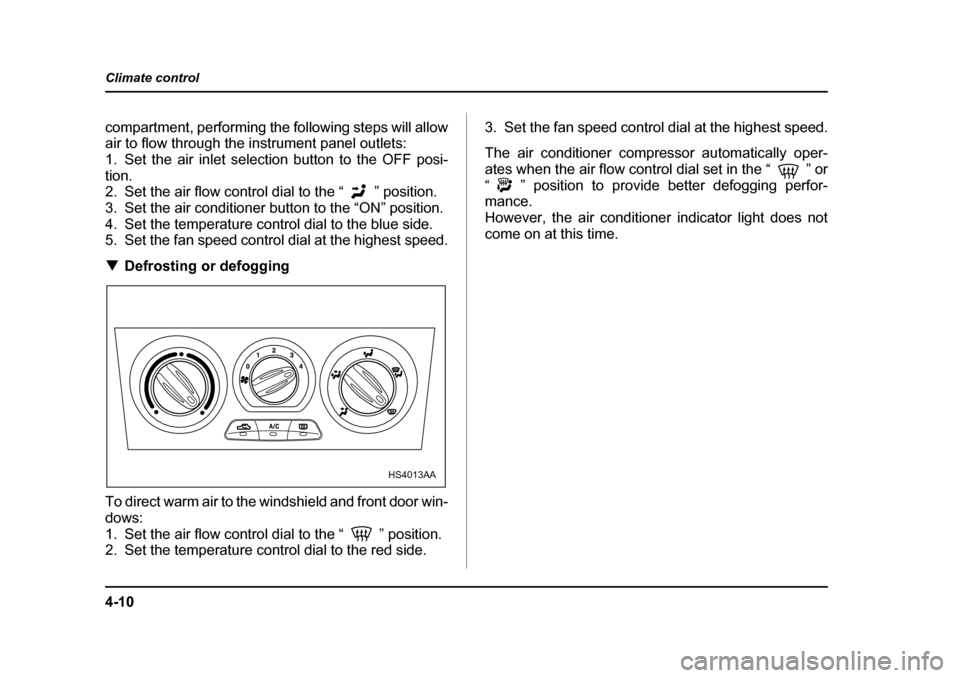
Defrosting or defogging
To direct warm air to the windshield and front door win-
dows:
1. Set the air flow control dial to the “ ” position.
2. Set the temperature control dial to the red side. 3. Set the fan speed control dial at the highest speed.
The air conditioner compressor automatically oper-
ates when the air flow control dial set in the “ ” or
“ ” position to provide better defogging perfor- mance.
However, the air conditioner indicator light does not
come on at this time.
HS4013AA
Page 192 of 477
4-11
Climate control
– CONTINUED –
Automatic climate control system (if
equipped)
Although this climate control system can be used as a
full-automatic climate control system, it can also, if de-
sired, be used as a semi-automatic climate control system.
When it is used as a full-automatic climate control sys-
tem, the outlet air temperature, fan speed, air flow dis-
tribution, air inlet control, and air conditioner compres-
sor operation are all automatically controlled to main-
tain a constant, comfortable temperature inside the vehicle.
NOTE yOperate the automatic climate control system
when the engine is running. y When the engine coolant is cold, the blower
does not run.y In the “AUTO” mode, when the air temperature
in the passenger compartment is sufficiently cool,
the air conditioner compressor does not operate.
For efficient defogging or dehumidifying in cold
weather, press the “A/C” button to operate the air
conditioner compressor. y Even when cooling is not necessary, setting the
temperature much lower than the current outlet air temperature turns on the air conditioner compres-
sor automatically and the “A/C” indicator light on
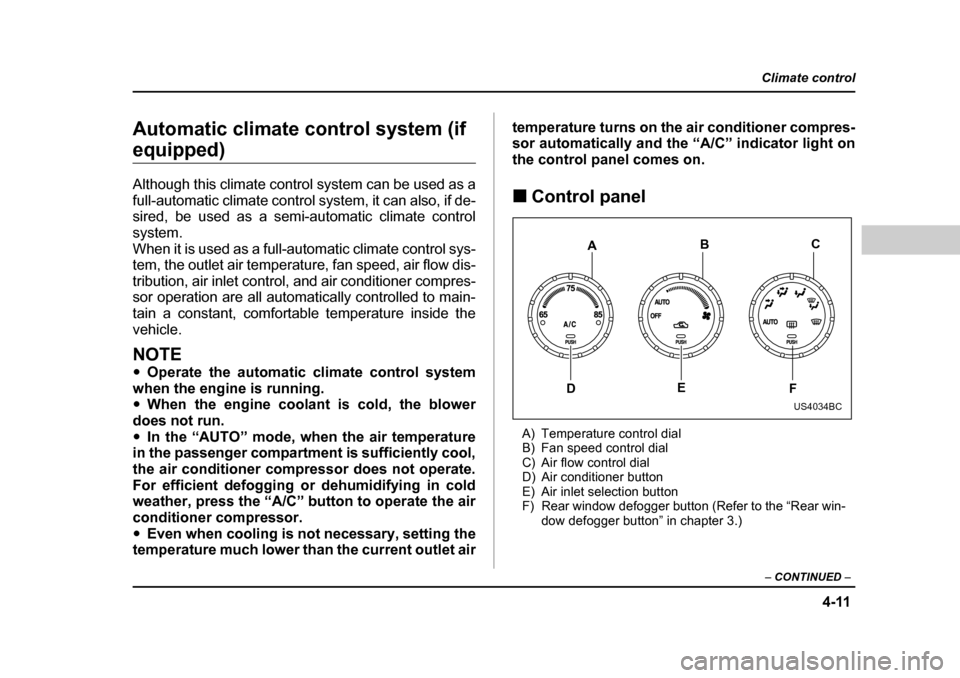
the control panel comes on. „
Control panel
A) Temperature control dial
B) Fan speed control dial
C) Air flow control dial
D) Air conditioner button
E) Air inlet selection button
F) Rear window defogger button (Refer to the “Rear win- dow defogger button” in chapter 3.)
C
E F
D B
A
US4034BC
Page 193 of 477
4-12
Climate control
„
To use as full-automatic climate con-
trol system
Place the temperature control dial in the position for
your desired temperature, then set the other dials and
buttons as described below. The system’s functions
will then switch to AUTO mode and be controlled au-
tomatically. y Air flow control dial: AUTO position
y Fan speed control dial: AUTO position
y Air inlet selection button: Press for at least 1 sec-
ond. (Indicator will flash twice.)y Air conditioner button: Press for at least 1 second.
(Indicator will flash twice.) „ To use as semi-automatic climate con-
trol system
Each function can be individually set to AUTO mode
independently of the others. Any function set to AUTO
mode is controlled automatically. Any function not set
to AUTO mode can be manually adjusted as desired.
The temperature can be set within a range of 65 to85 °F (20 to 30 °C). „
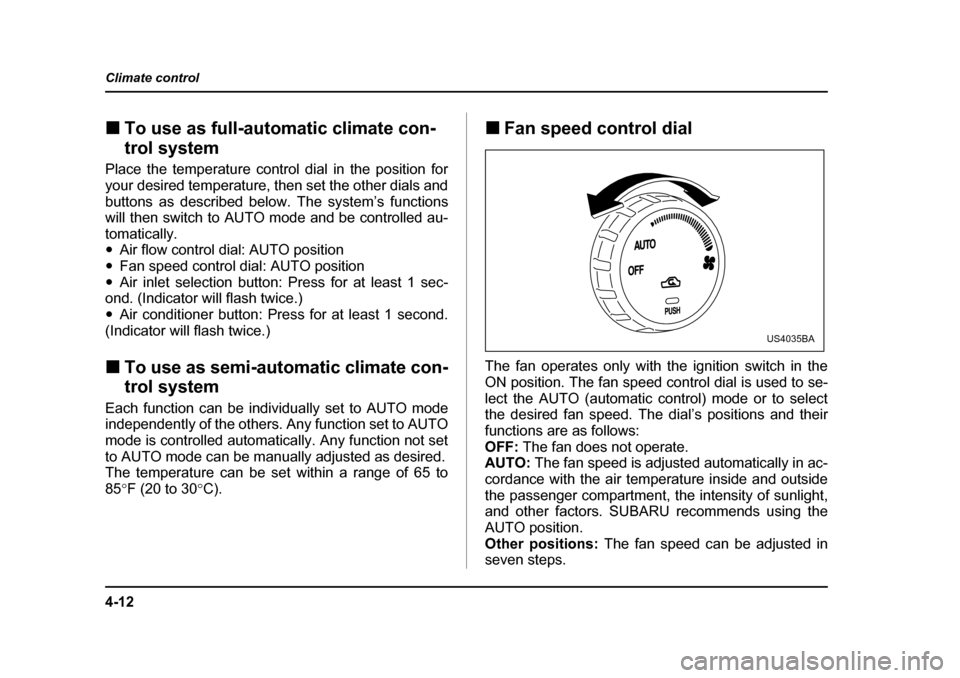
Fan speed control dial
The fan operates only with the ignition switch in the
ON position. The fan speed control dial is used to se-
lect the AUTO (automatic control) mode or to select
the desired fan speed. The dial’s positions and their
functions are as follows:
OFF: The fan does not operate.
AUTO: The fan speed is adjusted automatically in ac-
cordance with the air temperature inside and outside
the passenger compartment, the intensity of sunlight,
and other factors. SUBARU recommends using the
AUTO position.
Other positions: The fan speed can be adjusted in
seven steps.
US4035BA
Page 194 of 477
4-13
Climate control
– CONTINUED –
NOTE
With the fan speed control dial in the AUTO posi-
tion and the air flow control dial in the “ ”,
“ ”, or “ ” position, the fan does not oper-
ate during engine warmup until the engine coolant
temperature exceeds approx. 122 °F (50 °C).
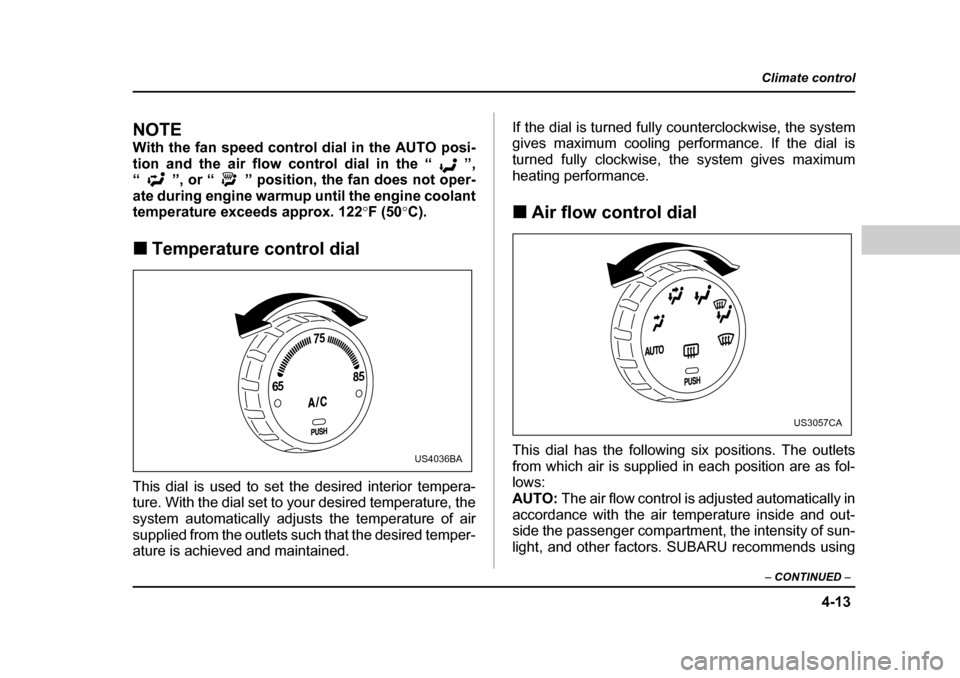
„ Temperature control dial
This dial is used to set the desired interior tempera-
ture. With the dial set to your desired temperature, the
system automatically adjusts the temperature of air
supplied from the outlets such that the desired temper-
ature is achieved and maintained. If the dial is turned fully counterclockwise, the system
gives maximum cooling performance. If the dial is
turned fully clockwise, the system gives maximum
heating performance. „
Air flow control dial
This dial has the following six positions. The outlets
from which air is supplied in each position are as fol-
lows:AUTO: The air flow control is adjusted automatically in
accordance with the air temperature inside and out-
side the passenger compartment, the intensity of sun-
light, and other factors. SUBARU recommends using
65 75
85
US4036BA
US3057CA
Page 195 of 477
4-14
Climate control
the AUTO position.
: Instrument panel outlets: Instrument panel outlets and foot outlets
: Foot outlets and windshield defroster outlets (rel-
atively little air from windshield defroster outlets)
: Windshield defroster outlets and foot outlets
: Windshield defroster outlets
NOTE
When the dial is placed in the “ ” or “ ” po-
sition, the air conditioner compressor operates
automatically to defog the windshield quickly. At
the same time, the air inlet selection is automati-
cally set to “outside air” mode. „
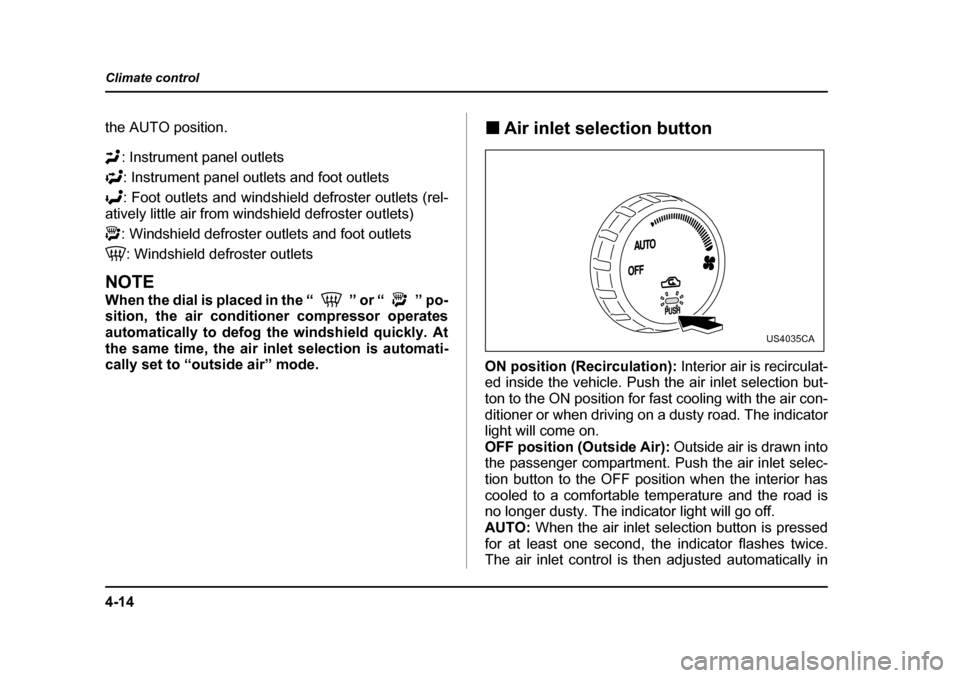
Air inlet selection button
ON position (Recirculation): Interior air is recirculat-
ed inside the vehicle. Push the air inlet selection but-
ton to the ON position for fast cooling with the air con-
ditioner or when driving on a dusty road. The indicator
light will come on.
OFF position (Outside Air): Outside air is drawn into
the passenger compartment. Push the air inlet selec-
tion button to the OFF position when the interior has
cooled to a comfortable temperature and the road is
no longer dusty. The indicator light will go off.
AUTO: When the air inlet selection button is pressed
for at least one second, the indicator flashes twice.
The air inlet control is then adjusted automatically in
US4035CA
Page 196 of 477
4-15
Climate control
– CONTINUED –
accordance with the air temperature inside and out-
side the passenger compartment, the intensity of sun-
light, and other factors. Pressing the air inlet selection
button cancels the “AUTO” mode. SUBARU recom-
mends using the AUTO position.
Continued operation in the ON position may fog
up the windows. Switch to the OFF position as
soon as the outside dusty condition clears.
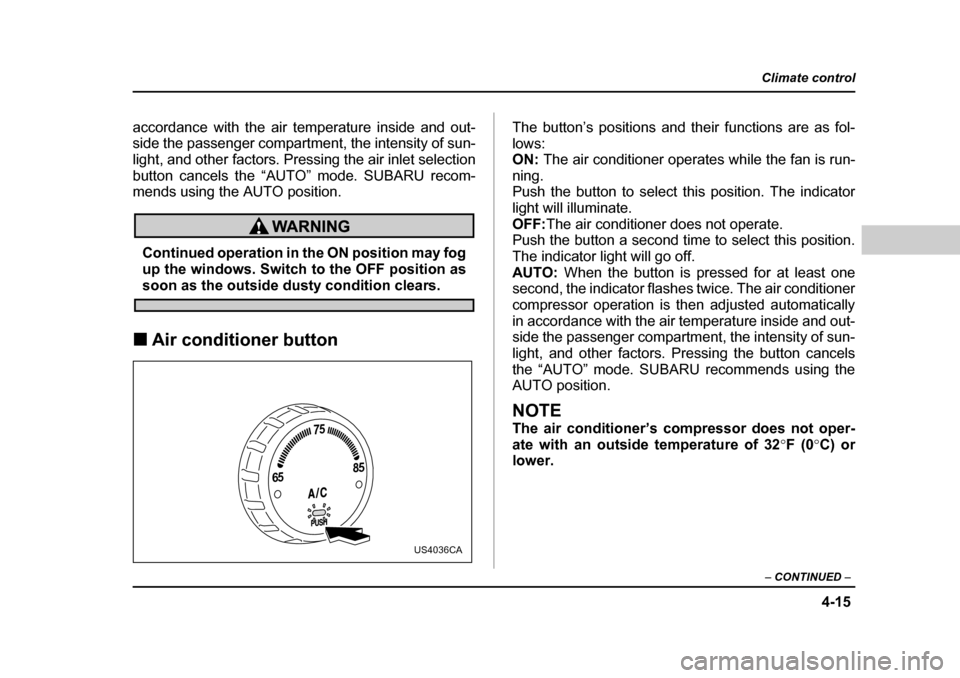
„ Air conditioner button The button’s positions and their functions are as fol-
lows:
ON:
The air conditioner operates while the fan is run-
ning.
Push the button to select this position. The indicator
light will illuminate.
OFF: The air conditioner does not operate.
Push the button a second time to select this position.
The indicator light will go off. AUTO: When the button is pressed for at least one
second, the indicator flashes twice. The air conditioner
compressor operation is then adjusted automatically
in accordance with the air temperature inside and out-
side the passenger compartment, the intensity of sun-
light, and other factors. Pressing the button cancels
the “AUTO” mode. SUBARU recommends using the
AUTO position.
NOTE
The air conditioner’s compressor does not oper-
ate with an outside temperature of 32 °F (0 °C) or
lower.
65 75
85
US4036CA