radio SUBARU FORESTER 2005 SG / 2.G User Guide
[x] Cancel search | Manufacturer: SUBARU, Model Year: 2005, Model line: FORESTER, Model: SUBARU FORESTER 2005 SG / 2.GPages: 477, PDF Size: 5.34 MB
Page 212 of 477
5-9
Audio
– CONTINUED –
Automatic tuning may not function properly if the sta-
tion reception is weakened by distance from the sta-
tion or proximity to tall buildings and hills. TSelecting preset stations
Presetting a station with a preset button (4) allows you
to select that station in a single operation. Up to six
WB, AM, FM1 and FM2 stations each may be preset. T How to preset stations
1. Press the “BAND” selection button to select AM,
FM1, FM2 or WB reception.
2. Press the “SCAN” button (6) or tune the radio man-
ually until the desired station frequency is displayed.
3. Press one of the preset buttons (4) for at least 2
seconds to store the frequency. At this time, there will
momentarily be no sound from the radio. If the button
is pressed for less than 2 seconds, the preceding se-
lection will remain in memory.
NOTE y If the connection between the radio and battery
is broken for any reason such as vehicle mainte-
nance or radio removal, all stations stored in the
preset buttons are cleared. If this occurs, it is nec-
essary to reset the preset buttons.y If a cell phone is placed near the radio, it may
cause the radio to emit noise when it receives calls. This noise does not indicate a radio fault.
Page 218 of 477

5-15
Audio
– CONTINUED –
the CD changer will automatically stop fast-forwarding
and start playback beginning with the first track on the
current disc. VFast-reversing
Press the “ ” side of the button (17) continuously
for more than 1 second to fast-reverse the disc.
Release the button to stop fast-reversing.
If you continue fast-reversing to the beginning of the
disc, the CD changer will automatically stop fast-re-
versing and start playback beginning with the first track on the current disc. T Repeat playback
Press the “RPT” button (19) while a song is playing to
play the song repeatedly. The “RPT” indicator will
come on and the song will be played continuously. To
cancel the repeat mode, press the button again. Then
the “RPT” indicator goes out, and normal playback
mode is restored. T Random playback
Press the “RAND” button (18) while a disc is being
played back to play all songs on the disc in a random
order. The “RAND” indicator will come on and all
songs on the disc will be played in a random order.
To cancel the random mode, press the button again.
Then the “RAND” indicator goes out, and normal play- back mode is restored. T
Scan (a convenient way to become familiar with
a disc)
1. Press the “SCAN” button (20). – The display shows “SCAN” and the track number
being scanned.
– You hear the first 10 seconds of each track.
– The operation is automatically cleared after play-
ing all programs. Then, normal playback starts.
2. Press the “SCAN” button again when you hear a
track you like. – Normal playback resumes.
T To stop playback
To stop playback and switch over to the radio mode,
press the “BAND” button.
Page 219 of 477
5-16
Audio
Type B audio set (if equipped)
The radio will operate only when the ignition switch is in the “ACC” or “ON”
position. „
Radio operation
(1) (2) (3) (4) (5) (6)
(7)
(8)
US5021BB
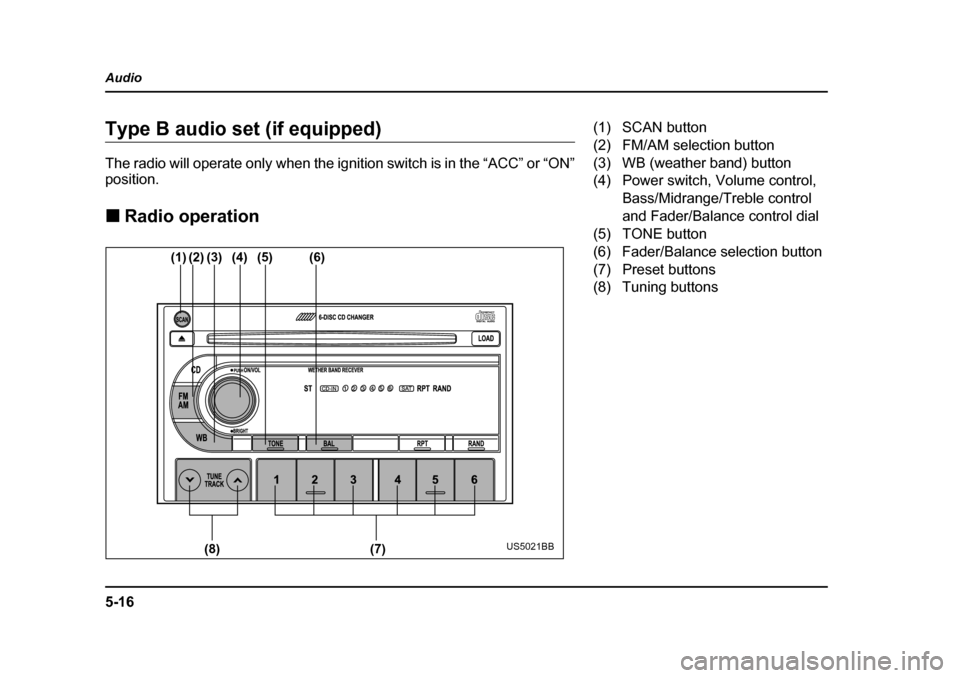
(1) SCAN button
(2) FM/AM selection button
(3) WB (weather band) button
(4) Power switch, Volume control,
Bass/Midrange/Treble control
and Fader/Balance control dial
(5) TONE button
(6) Fader/Balance selection button
(7) Preset buttons
(8) Tuning buttons
Page 220 of 477

5-17
Audio
– CONTINUED –
TPower switch and volume/bass/treble/fader/
balance control (PWR/VOL)
The dial (4) is used for both power (ON/OFF) and vol-
ume control. The radio is turned ON and OFF by push-
ing the dial and the volume is controlled by turning the
dial.
This dial is used for bass/midrange/treble controls
when the “TONE” button (5) is in the depressed posi-
tion. It is also used for fader/balance controls when the
“BAL” button (6) is in the depressed position.
Page 222 of 477
5-19
Audio
– CONTINUED –
VTone control
The volume control dial (4) normally function as vol-
ume control. The dial become a control for Bass,
Midrange or Treble when you select the appropriate
tone control mode.
Choose desired volume level for each mode by turning
the volume control dial. The control function returns to
volume control mode after about 5 seconds.
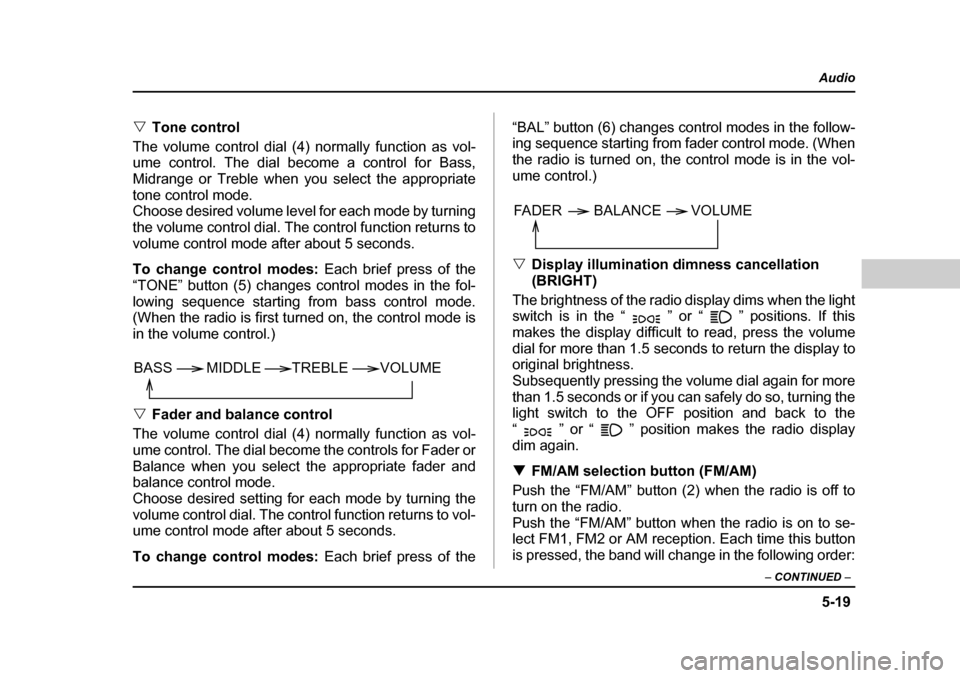
To change control modes: Each brief press of the
“TONE” button (5) changes control modes in the fol-
lowing sequence starting from bass control mode.
(When the radio is first turned on, the control mode is
in the volume control.) V Fader and balance control
The volume control dial (4) normally function as vol-
ume control. The dial become the controls for Fader or
Balance when you select the appropriate fader and
balance control mode.
Choose desired setting for each mode by turning the
volume control dial. The control function returns to vol-
ume control mode after about 5 seconds.
To change control modes: Each brief press of the “BAL” button (6) changes control modes in the follow-
ing sequence starting from fader control mode. (When
the radio is turned on, the control mode is in the vol- ume control.) V
Display illumination dimness cancellation (BRIGHT)
The brightness of the radio display dims when the light
switch is in the “ ” or “ ” positions. If this
makes the display difficult to read, press the volume
dial for more than 1.5 seconds to return the display to
original brightness.
Subsequently pressing the volume dial again for more
than 1.5 seconds or if you can safely do so, turning the
light switch to the OFF position and back to the
“ ” or “ ” position makes the radio display
dim again. T FM/AM selection button (FM/AM)
Push the “FM/AM” button (2) when the radio is off to
turn on the radio.
Push the “FM/AM” button when the radio is on to se-
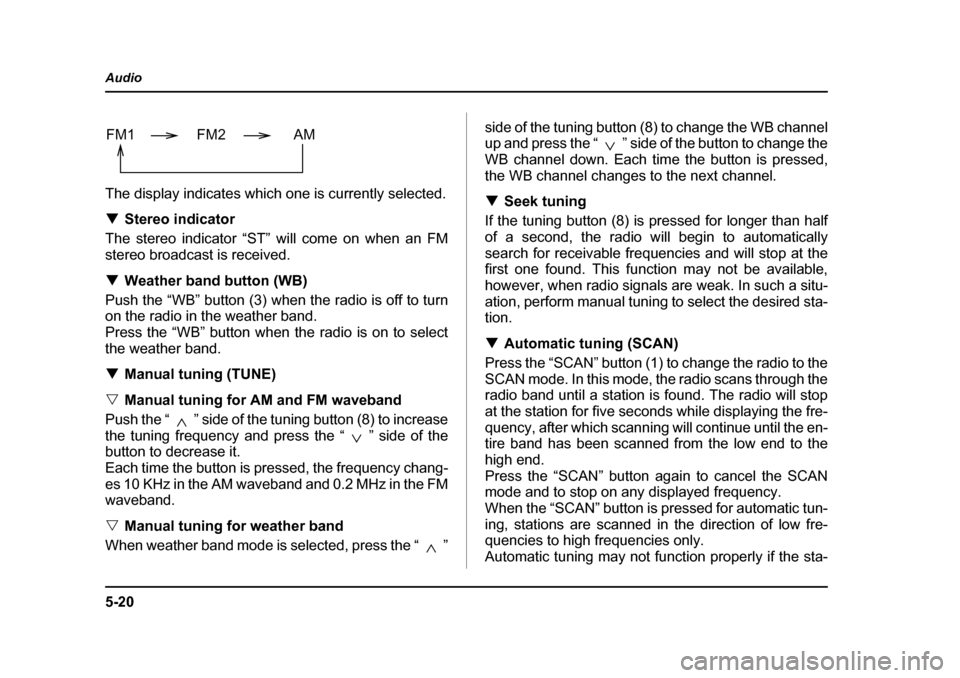
lect FM1, FM2 or AM reception. Each time this button
is pressed, the band will change in the following order:
VOLUME
BASS TREBLE MIDDLE
FADER BALANCE VOLUME
Page 223 of 477
5-20
Audio
The display indicates which one is currently selected. T
Stereo indicator
The stereo indicator “ST” will come on when an FM
stereo broadcast is received. T Weather band button (WB)
Push the “WB” button (3) when the radio is off to turn
on the radio in the weather band.
Press the “WB” button when the radio is on to select
the weather band. T Manual tuning (TUNE)
V Manual tuning for AM and FM waveband
Push the “ ” side of the tuning button (8) to increase
the tuning frequency and press the “ ” side of the
button to decrease it.
Each time the button is pressed, the frequency chang-
es 10 KHz in the AM waveband and 0.2 MHz in the FM
waveband. V Manual tuning for weather band
When weather band mode is selected, press the “ ” side of the tuning button (8) to change the WB channel
up and press the “ ” side of the button to change the
WB channel down. Each time the button is pressed,
the WB channel changes to the next channel. T
Seek tuning
If the tuning button (8) is pressed for longer than half
of a second, the radio will begin to automatically
search for receivable frequencies and will stop at the
first one found. This function may not be available,
however, when radio signals are weak. In such a situ-
ation, perform manual tuning to select the desired sta- tion. T Automatic tuning (SCAN)
Press the “SCAN” button (1) to change the radio to the
SCAN mode. In this mode, the radio scans through the
radio band until a station is found. The radio will stop
at the station for five seconds while displaying the fre-
quency, after which scanning will continue until the en-
tire band has been scanned from the low end to the
high end.
Press the “SCAN” button again to cancel the SCAN
mode and to stop on any displayed frequency.
When the “SCAN” button is pressed for automatic tun-
ing, stations are scanned in the direction of low fre-
quencies to high frequencies only.
Automatic tuning may not function properly if the sta-
FM1 FM2 AM
Page 224 of 477
5-21
Audio
– CONTINUED –
tion reception is weakened by distance from the sta-
tion or proximity to tall buildings and hills. TSelecting preset stations
Presetting a station with a preset button (7) allows you
to select that station in a single operation. Up to six
AM, FM1, FM2 and WB stations each may be preset. T How to preset stations
1. Press the “FM/AM” selection button to select AM,
FM1 or FM2 reception.
OR
Press the “WB” button (3) to select the weather band.
2. Press the “SCAN” button (1) or tune the radio man-
ually until the desired station frequency is displayed.
3. Press one of the preset buttons (7) for at least 1.5
seconds to store the frequency. The frequency of the
station will flash once on the display at this time. If the
button is pressed for less than 1.5 seconds, the pre-
ceding selection will remain in memory.
NOTE y If the connection between the radio and battery
is broken for any reason such as vehicle mainte-
nance or radio removal, all stations stored in the
preset buttons are cleared. If this occurs, it is nec-
essary to reset the preset buttons. y
If a cell phone is placed near the radio, it may
cause the radio to emit noise when it receives
calls. This noise does not indicate a radio fault.
Page 226 of 477
5-23
Audio
– CONTINUED –
NOTE yMake sure to always insert a disc with the label
side up. If a disc is inserted with the label side
down, it might be ejected or the player might shut off. y Single CDs (i.e., 8 cm/3 inch CDs) are not sup-
ported, and if inserted, they will be immediately
ejected. y If a disc is inserted during a radio broadcast, the
disc will interrupt the broadcast. T How to insert a CD(s)
V Inserting a CD
1. Press “LOAD” button (16). If the magazine in the
player has an idle position where you can insert a disc,
the “DISC” indicator (13) associated with the idle posi-
tion will blink.
If no indicator blinks, it means that there is no idle po-
sition in the magazine.
2. As soon as the “DISC” indicator (13) begins to
blink, the “LOAD” will appear on display for a period of
15 seconds. Insert a disc during the period. The disc
will be then automatically drawn in, and the player will
begin to play back the first track of the disc. y To insert more discs in succession, repeat Steps 1
and 2. The magazine will be loaded with discs in the ascending order of position number.
If you do not insert any disc in 15 seconds after you
have pressed the “LOAD” button, the player will begin
to play back the first track of the last disc you have in- serted.y
The disc indicator steadily lights up if a disc is al-
ready inserted in the corresponding position of the
magazine.y While the player is in the loading mode, if you press
the “FM/AM” selection button (2), the player will enter
the standby mode. Press the “CD” button (11) to start
playback. V Inserting a disc in a desired position
1. Press the “LOAD” button (16). If the magazine in
the player has an idle position where you can insert a
disc, the “DISC” indicator (13) associated with the idle
position will blink.
The positions in the magazine the indicator of which
steadily lights up are already loaded with discs.
2. Press the disc select button (17) at the position
where you want to insert a disc. The associated
“DISC” indicator will blink, and the “LOAD” will be dis-
played.
3. If you insert a disc during the 15-second period
while the “LOAD” is on display, the disc will be auto-
matically drawn in, and the player will start playback of
the disc, beginning with the first track.
Page 232 of 477

5-29
Audio
– CONTINUED –
2. Press the eject button (4). The selected disc will be
ejected and the indicator light will begin blinking.
3. To remove another disc, repeat Steps 1 and 2
choosing a different “Disc select” button.
(To remove discs when the ignition switch is in the
“Lock” position, press the eject button, and the first
disc will be ejected. Press the eject button again, and
the next disc will be ejected and so on. At this time, the
disc select buttons are disabled.) TTo remove all discs at one time
1. Press and hold the eject button (4) until all “Disc” in-
dicators begin blinking (about 1.5 seconds), and the
first disc will be ejected.
2. When the disc is removed, the next one will be
ejected, and so on. T To replace a playing disc with another
Simply press the desired one of disc select buttons (3)
(numbered from 1 to 6) or press the disc select button
on the radio unit to select the desired disc, and the disc
will begin to play. T Disc indicators
Lit: when the corresponding storage tray is occupied
by a disc.
Blinking: Disc player is either in loading, eject or
changing mode. OFF: No disc is loaded or the ignition switch is in the
“LOCK” position. V
Open/Closed disc slot indicator
When the disc slot is open, the disc indicators on both
sides of the slot illuminate. T Function control
Refer to CD changer control operating instructions de-
scribed in the “Type A audio set (if equipped)” section.
Page 309 of 477

8-8
Driving tips
Off road driving
Because of the AWD feature and higher ground clear-
ance, your SUBARU can be driven on ordinary roads
or off-road. But please keep in mind that an AWD
SUBARU is a passenger car and is neither a conven-
tional off-road vehicle nor an all-terrain vehicle. If you
do take your SUBARU off-road, certain common
sense precautions such as the following should be taken: y
Make certain that you and all of your passengers
are wearing seatbelts. y Carry some emergency equipment, such as a tow-
ing rope or chain, a shovel, wheel blocks, first aid kit
and cell phone or citizens band radio. y Drive carefully. Do not take unnecessary risks by
driving in dangerous areas or over rough terrain.y Slow down and employ extra caution at all times.
When driving off-road, you will not have the benefit of
marked traffic lanes, banked curves, traffic signs and
the like. y Do not drive across steep slopes. Instead, drive ei-
ther straight up or straight down the slopes. A vehicle
can much more easily tip over sideways than it can
end over end. Avoid driving straight up or down slopes
that are too steep.y Avoid sharp turning maneuvers, especially at higher speeds. y
Do not grip the inside or spokes of the steering
wheel. A bad bump could jerk the wheel and injure
your hands. Instead drive with your fingers and
thumbs on the outside of the rim.y If driving through water, such as when crossing
shallow streams, first check the depth of the water and
the bottom of the stream bed for firmness and ensure
that the bed of the stream is flat. Drive slowly and com-
pletely through the stream. The water should be shal-
low enough that it does not reach the vehicle’s under-
carriage. Water entering the engine air intake or the
exhaust pipe or water splashing onto electrical parts
may damage your vehicle and may cause it to stall.
Never attempt to drive through rushing water; regard-
less of its depth, it can wash away the ground from un-
der your tires, resulting in possible loss of traction and
even vehicle rollover. y Always check your brakes for effectiveness immedi-
ately after driving in sand, mud or water. Do this by
driving slowly and stepping on the brake pedal. Re-
peat that process several times to dry out the brake
discs and brake pads.y Do not drive or park over or near flammable materi-
als such as dry grass or fallen leaves, as they may
burn easily. The exhaust system is very hot while the
engine is running and right after the engine stops. This