ignition SUBARU FORESTER 2009 SH / 3.G Manual PDF
[x] Cancel search | Manufacturer: SUBARU, Model Year: 2009, Model line: FORESTER, Model: SUBARU FORESTER 2009 SH / 3.GPages: 384, PDF Size: 13.91 MB
Page 225 of 384
7-16Starting and operating
The selector lever has four positions, “P ”,
“ R ”, “N ”, “D ”and also has manual gate for
using “SPORT ”mode or manual mode.
! P (Park)
This position is for parking the vehicle and
starting the engine.
In this position, the transmission is me-
chanically locked to prevent the vehicle
from rolling freely.
When you park the vehicle, first set the
parking brake fully, then shift into the “P ”
position. Do not hold the vehicle with only
the transmission.
To shift the selector lever from the “P ” to
any other position, you should depress the
brake pedal fully then move the selector
lever. This prevents the vehicle from
lurching when it is started. ! R (Reverse)
This position is for backing the vehicle.
To shift from the “N ”to “R ”position, stop
the vehicle completely then move the
lever to the “R ”position.
When the ignition switch has been turned
to the “LOCK ”position, movement of the
selector lever from the “N ”position to the
“ R ” position is possible for a limited time
period by depressing the brake pedal, and
then it becomes impossible. For details, refer to
“Selector lever reverse inhibiting
function ”in this section.
! N (Neutral)
This position is for restarting a stalledengine.
In this position the wheels and transmis-
sion are not locked. In this position, the
transmission is neutral; the vehicle will roll
freely, even on the slightest incline unless
the parking brake or foot brake is on.
Avoid coasting with the transmission in neutral.
During coasting, there is no engine brak-
ing effect.
NOTE
If the selector lever is in the “N ”
position when you stop the engine for
parking, you may not subsequently be
able to move it to the “R ” and “P ”
positions. If this happens, turn the
ignition switch to the “ON ”position.
You will then be able to move the
selector lever to the “P ” position.
WARNING
Do not drive the vehicle with the
selector lever in the “N ” (neutral)
position. Engine braking has no
effect in this condition and the risk
of an accident is consequently in- creased.
! D (Drive)
This position is for normal driving.
The transmission automatically shifts into
a suitable gear from 1st to 4th according to
the vehicle speed and the acceleration
you require.
When more acceleration is required in this
position, press the accelerator pedal fully
to the floor and hold that position. The
transmission will automatically downshift
to 3rd, 2nd or 1st gear. When you release
the pedal, the transmission will return to
the original gear position.
To use the “SPORT ”mode, move the lever
from this position into the manual gate. To
use the manual mode, move the lever
from this position into the manual gate
then move it toward the “+ ” and “ ” ends.
! While climbing a grade
When driving up a hill, undesired upshift to
4th gear is prevented from taking place
when the accelerator is released. This
minimizes the chance of subsequent
downshifting to a lower gear when accel-
erating again. This prevents repeated
upshifting and downshifting resulting in a
smoother operation of the vehicle.
Page 226 of 384

NOTE
The transmission may downshift to 2nd
or 1st gear, depending on the way the
accelerator pedal is pressed to accel-
erate the vehicle again. !While going down a hill
When you are descending a hill or any
other slope while braking with the“ SPORT ”mode selected, the transmission
may downshift to 3rd or 2nd gear depend-
ing on how hard you depress the brake
pedal, causing engine braking to work.
Reacceleration for a short time will cause
the transmission to upshift normally.
NOTE . A 4th-to-3rd automatic downshift
will not occur at speeds above 50
mph (80 km/h) and a 3rd-to-2nd auto-
matic downshift will not occur at
speeds above 24 mph (38 km/h).. Automatic downshifts to 3rd or 2nd
may occur even when driving on a level
road depending on conditions, such as
how hard you depress the brake pedal. & Selector lever reverse inhi-
biting function
This function prevents accidental move-
ment of the selector lever to the “R ”
position while the vehicle is moving. The function becomes operational when
the vehicle reaches a speed of approxi-
mately 5 mph (8 km/h). Once operational,
it prevents the selector lever from being
moved from the
“N ” position to the “R ”
position. When the vehicle speed drops
below 5 mph (8 km/h), the function is
canceled. The selector lever can then be
moved to the “R ”and “P ”positions.
When the ignition switch has been turned
to the “LOCK ”position, movement of the
selector lever from the “N ”position to the
“ R ” position is possible for a limited time
period by depressing the brake pedal and
then becomes impossible. Also, the se-
lector lever cannot be moved to the “R ”
position after it has been placed in the “P ”
position and then placed again in the “N ”
position.
When the movement of the selector lever
from the “N ” position to the “R ” position
has become impossible, turn the ignition
switch back to the “ON ”position then
move the selector lever to the “P ”position.
Pressing the selector lever release button
also makes it possible to move the
selector lever to the “P ” position at this
time. !
Selector lever release button
If you inadvertently have turned the igni-
tion switch to the “LOCK ”position with the
selector lever in the “N ”position, proceed
as follows. To remove the shift lock
release cover, refer to the “Shift lock
release ”section in this chapter. Then, with
a screwdriver inserted into the hole, move
the selector lever to the “P ”position. If the
selector lever reverse inhibiting function
fails, have the vehicle inspected by the
nearest SUBARU dealer. Starting and operating
7-17
– CONTINUED –
Page 229 of 384
7-20Starting and operating
position on an uphill grade by using the “ D ”position. Use the brake instead.
. The engine may, on rare occasions,
knock when the vehicle rapidly acceler-
ates or rapidly pulls away from a standstill.
This phenomenon does not indicate aproblem.
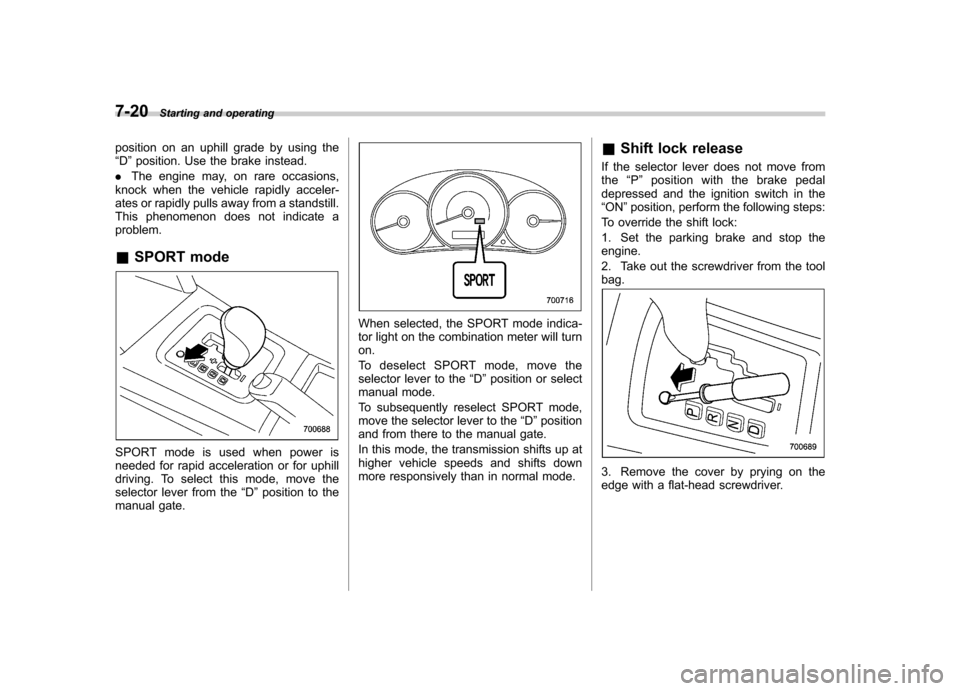
& SPORT mode
SPORT mode is used when power is
needed for rapid acceleration or for uphill
driving. To select this mode, move the
selector lever from the “D ”position to the
manual gate.
When selected, the SPORT mode indica-
tor light on the combination meter will turnon.
To deselect SPORT mode, move the
selector lever to the “D ”position or select
manual mode.
To subsequently reselect SPORT mode,
move the selector lever to the “D ”position
and from there to the manual gate.
In this mode, the transmission shifts up at
higher vehicle speeds and shifts down
more responsively than in normal mode. &
Shift lock release
If the selector lever does not move fromthe “P ” position with the brake pedal
depressed and the ignition switch in the“ ON ”position, perform the following steps:
To override the shift lock:
1. Set the parking brake and stop the engine.
2. Take out the screwdriver from the tool bag.
3. Remove the cover by prying on the
edge with a flat-head screwdriver.
Page 232 of 384
ABS (Anti-lock Brake Sys- tem)
The ABS system prevents the lock-up of
wheels which may occur during sudden
braking or braking on slippery road sur-
faces. This helps prevent the loss of
steering control and directional stability
caused by wheel lock-up.
When the ABS system is operating, you
may hear a chattering noise or feel a slight
vibration in the brake pedal. This is normal
when the ABS operates.
The ABS system will not operate when the
vehicle speed is below approximately 6
mph (10 km/h).
WARNING
Always use the utmost care in driving –overconfidence because
youaredrivingwithanABS
equipped vehicle could easily lead
to a serious accident.
CAUTION
. The ABS system does not always
decrease stopping distance. You
should always maintain a safe
following distance from other vehicles.
. When driving on badly surfaced
roads, gravel roads, icy roads, or
over deep newly fallen snow,
stopping distances may be long-
er for a vehicle with the ABS
system than one without. When
driving under these conditions,
therefore, reduce your speed and
leave ample distance from othervehicles.
. When you feel the ABS system
operating, you should maintain
constant brake pedal pressure.
Do not pump the brake pedal
since doing so may defeat the
operation of the ABS system.
& ABS system self-check
Just after the vehicle is started, you may
feel on the brake pedal a vibration similar
to when the ABS operates, and you may
also hear the sound of the ABS working
from the engine compartment. This is
caused by an automatic functional test of
the ABS system being carried out and
does not indicate any abnormal condition. &
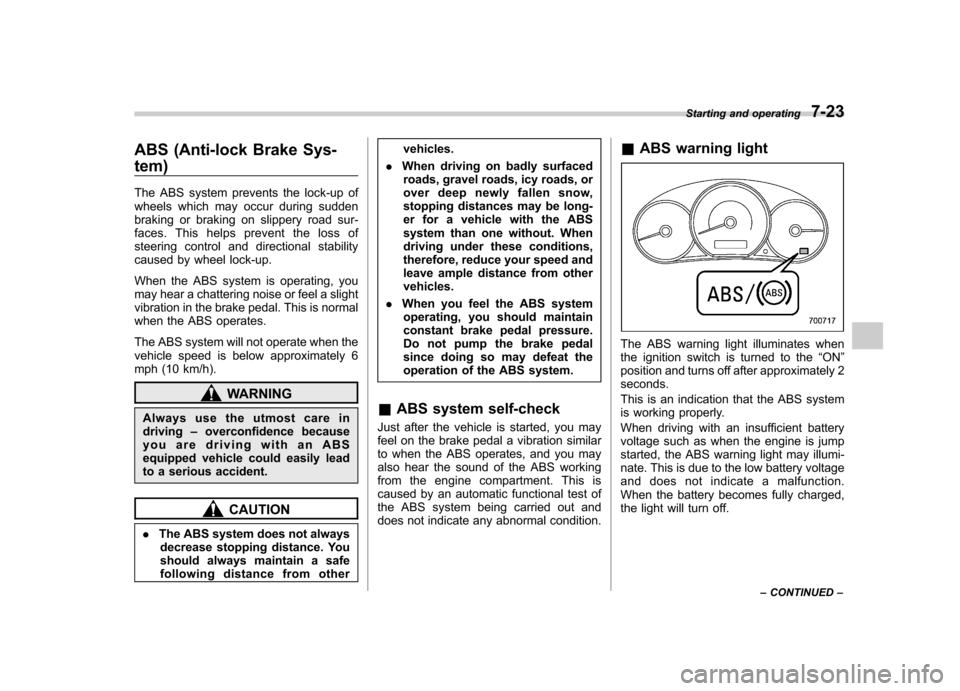
ABS warning light
The ABS warning light illuminates when
the ignition switch is turned to the “ON ”
position and turns off after approximately 2seconds.
This is an indication that the ABS system
is working properly.
When driving with an insufficient battery
voltage such as when the engine is jump
started, the ABS warning light may illumi-
nate. This is due to the low battery voltage
and does not indicate a malfunction.
When the battery becomes fully charged,
the light will turn off. Starting and operating
7-23
– CONTINUED –
Page 233 of 384

7-24Starting and operating
CAUTION
If the warning light behaves as
described below, the ABS system
may not be working properly.
When the warning light is on, the
ABS function shuts down; however,
the conventional brake system con-
tinues to operate normally. . The warning light does not illu-
minate when the ignition switch
is turned to the “ON ”position.
. The warning light illuminates
when the ignition switch is
turned to the “ON ”position, but
it does not turn off even when the
vehicle speed exceeds approxi-
mately 8 mph (12 km/h).
. The warning light illuminates dur-
ing driving.
If these occur, have the ABS system
repaired at the first available oppor-
tunity by your SUBARU dealer. NOTE
If the warning light behavior is as
described below, the ABS system may
be considered normal. .
The warning light illuminates right
after the engine is started but turns off
immediately, remaining off.. The warning light remains on after
the engine has been started, but it
turns off when the vehicle speed
reaches approximately 8 mph (12km/h).. The warning light illuminates during
driving, but it turns off immediately and
remains off. Electronic Brake Force Dis-
tribution (EBD) system
The EBD system maximizes the effective-
ness of the brakes by allowing the rear
brakes to supply a greater proportion of
the braking force. It functions by adjusting
the distribution of braking force to the rear
wheels in accordance with the vehicle
’s
loading condition and speed.
The EBD system is an integral part of the
ABS system and uses some of the ABSsystem ’s components to perform its func-
tion of optimizing the distribution of brak-
ing force. If any of the ABS components
used by the EBD function fail, the EBD
system also stops working.
When the EBD system is operating, you
may hear a chattering noise or feel a slight
vibration in the brake pedal. This is normal
and does not indicate a malfunction.
Page 236 of 384
NOTE .Slight twitching of the brake pedal
may be felt when the Vehicle Dynamics
Control system operates; a small de-
gree of vehicle or steering wheel shak-
ing may also be noticed in this situa-
tion. These are normal characteristics
of Vehicle Dynamics Control operation
and are no cause for alarm.. When driving off immediately after
starting the engine, a short-lived opera-
tion noise may be noticed coming from
the engine compartment. This noise is
generated as a result of a check being
performed on the Vehicle Dynamics
Control system and is normal.. Depending on the timing of activa-
tion of the brakes, the brake pedal may
seem to jolt when you drive off after
starting the engine. This is a conse-
quence of the Vehicle Dynamics Con-
trol operational check and is normal.. In the circumstances listed in the
following, the vehicle may be more
unstable than it feels to the driver.
The Vehicle Dynamics Control System
may therefore operate. Such operation
does not indicate a system fault.
–on gravel-covered or rutted
roads – on unfinished roads
– when the vehicle is fitted with snow tires or winter tires
. Activation of the Vehicle Dynamics
Control system will cause operation of
the steering wheel to feel slightly
different compared to that for normalconditions. . Even if the vehicle is equipped with
a Vehicle Dynamics Control system, it
is important that winter tires be used
when driving on snow-covered or icy
roads. (All four wheels should be fitted
with tires of the same size and brand.)
Furthermore, if snow chains are to be
used, they should be fitted on the front
wheels. When a vehicle is fitted with
snow chains, however, the effective-
ness of the Vehicle Dynamics Control
system is reduced and this should be
taken into account when driving the
vehicle in such a condition. . It is always important to reduce
speed when appro aching a corner,
even if the vehicle is equipped with
Vehicle Dynamics Control. . All four wheels should be fitted with
tires of the same size, type, and brand;
furthermore, the amount of wear
should be the same for all four tires. If
these precautions are not observed
and non-matching tires are used, it is
quite possible that the Vehicle Dy-
namics Control system will be unable to operate correctly as intended. .
Always turn off the engine before
replacing a tire as failure to do so may
render the Vehicle Dynamics Control
system unable to operate correctly. & Vehicle Dynamics Control
system monitor
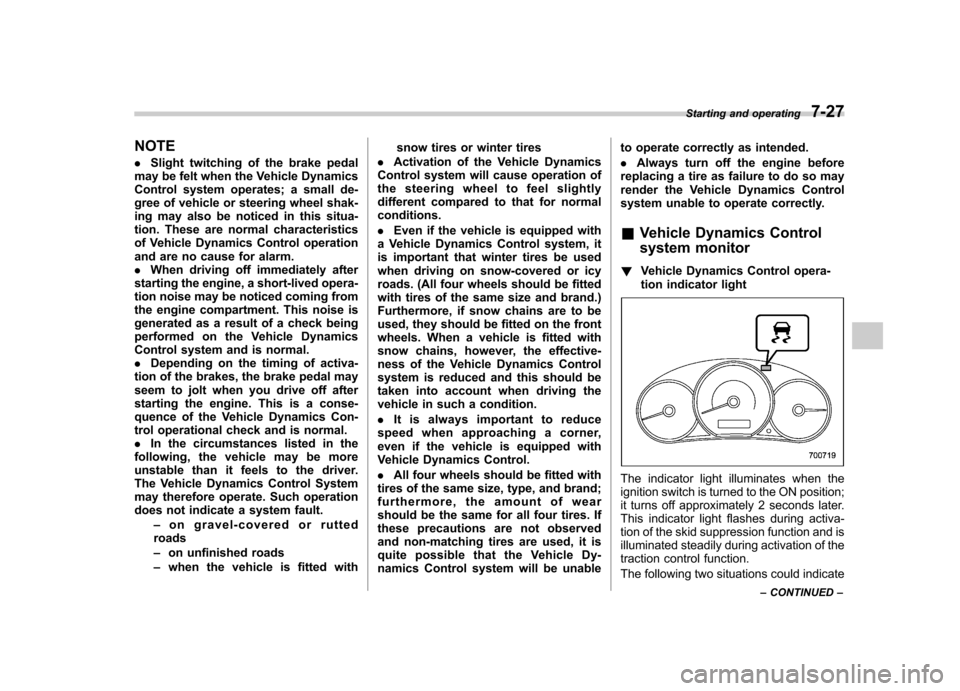
! Vehicle Dynamics Control opera-
tion indicator light
The indicator light illuminates when the
ignition switch is turned to the ON position;
it turns off approximately 2 seconds later.
This indicator light flashes during activa-
tion of the skid suppression function and is
illuminated steadily during activation of the
traction control function.
The following two situations could indicate Starting and operating
7-27
– CONTINUED –
Page 237 of 384
7-28Starting and operating
a malfunction of the Vehicle Dynamics
Control system; if either should occur,
have an authorized SUBARU dealer carry
out an inspection of that system at the first
available opportunity. . The indicator light does not illuminate
when the ignition switch is turned to the
ON position. . The indicator light does not turn off
approximately 2 seconds after the ignition
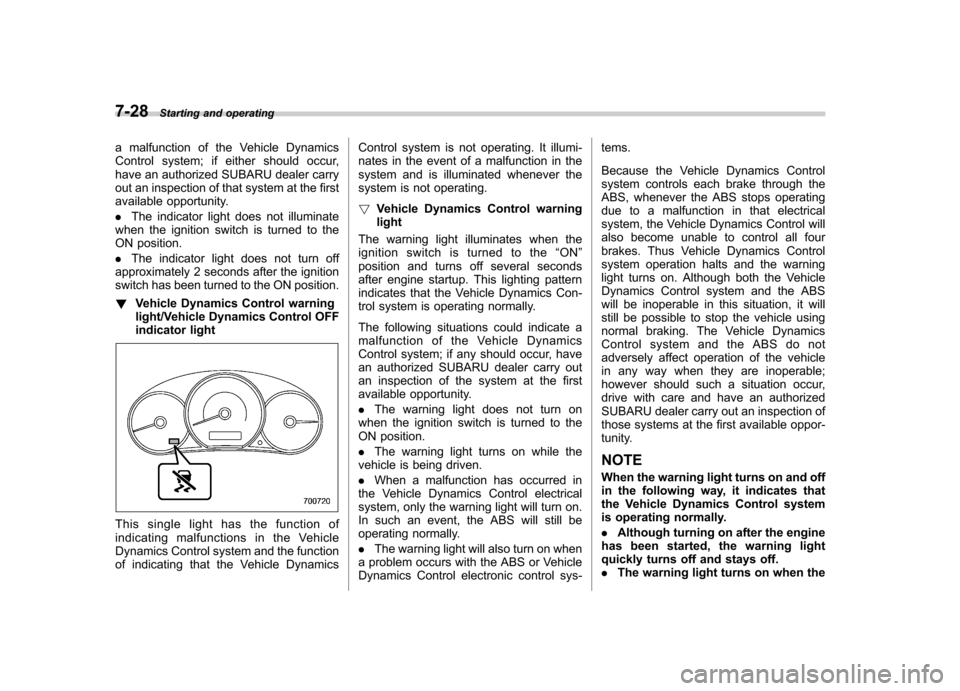
switch has been turned to the ON position. ! Vehicle Dynamics Control warning
light/Vehicle Dynamics Control OFF
indicator light
This single light has the function of
indicating malfunctions in the Vehicle
Dynamics Control system and the function
of indicating that the Vehicle Dynamics Control system is not operating. It illumi-
nates in the event of a malfunction in the
system and is illuminated whenever the
system is not operating. !
Vehicle Dynamics Control warning light
The warning light illuminates when the
ignition switch is turned to the “ON ”
position and turns off several seconds
after engine startup. This lighting pattern
indicates that the Vehicle Dynamics Con-
trol system is operating normally.
The following situations could indicate a
malfunction of the Vehicle Dynamics
Control system; if any should occur, have
an authorized SUBARU dealer carry out
an inspection of the system at the first
available opportunity. . The warning light does not turn on
when the ignition switch is turned to the
ON position. . The warning light turns on while the
vehicle is being driven.. When a malfunction has occurred in
the Vehicle Dynamics Control electrical
system, only the warning light will turn on.
In such an event, the ABS will still be
operating normally. . The warning light will also turn on when
a problem occurs with the ABS or Vehicle
Dynamics Control electronic control sys- tems.
Because the Vehicle Dynamics Control
system controls each brake through the
ABS, whenever the ABS stops operating
due to a malfunction in that electrical
system, the Vehicle Dynamics Control will
also become unable to control all four
brakes. Thus Vehicle Dynamics Control
system operation halts and the warning
light turns on. Although both the Vehicle
Dynamics Control system and the ABS
will be inoperable in this situation, it will
still be possible to stop the vehicle using
normal braking. The Vehicle Dynamics
Control system and the ABS do not
adversely affect operation of the vehicle
in any way when they are inoperable;
however should such a situation occur,
drive with care and have an authorized
SUBARU dealer carry out an inspection of
those systems at the first available oppor-
tunity.
NOTE
When the warning light turns on and off
in the following way, it indicates that
the Vehicle Dynamics Control system
is operating normally. . Although turning on after the engine
has been started, the warning light
quickly turns off and stays off.. The warning light turns on when the
Page 238 of 384
vehicle is being driven; it then turns off
and stays off. !Vehicle Dynamics Control OFF in-
dicator light
This light illuminates to indicate that the
Vehicle Dynamics Control system is in
non-operation mode. This does not con-
stitute failure of the Vehicle Dynamics
Control system. NOTE . The indicator light may stay on for a
while after the engine has been started,
especially in cold weather. This occurs
because the engine has not yet
warmed up and is completely normal.
The light will turn off when the engine
has reached a suitable operating tem-perature.. When an engine problem occurs
and the CHECK ENGINE warning light/
malfunction indicator lamp turns on,
the indicator light will also illuminate.
The following two situations could indicate
malfunction of the Vehicle Dynamics
Control system; if either should occur,
have an authorized SUBARU dealer carry
out an inspection of that system at the first
available opportunity. . The indicator light does not turn on
when the ignition switch is turned to the ON position..
The indicator light fails to turn off after
the engine is started, even when several
minutes have passed to allow the engine
to heat up sufficiently.
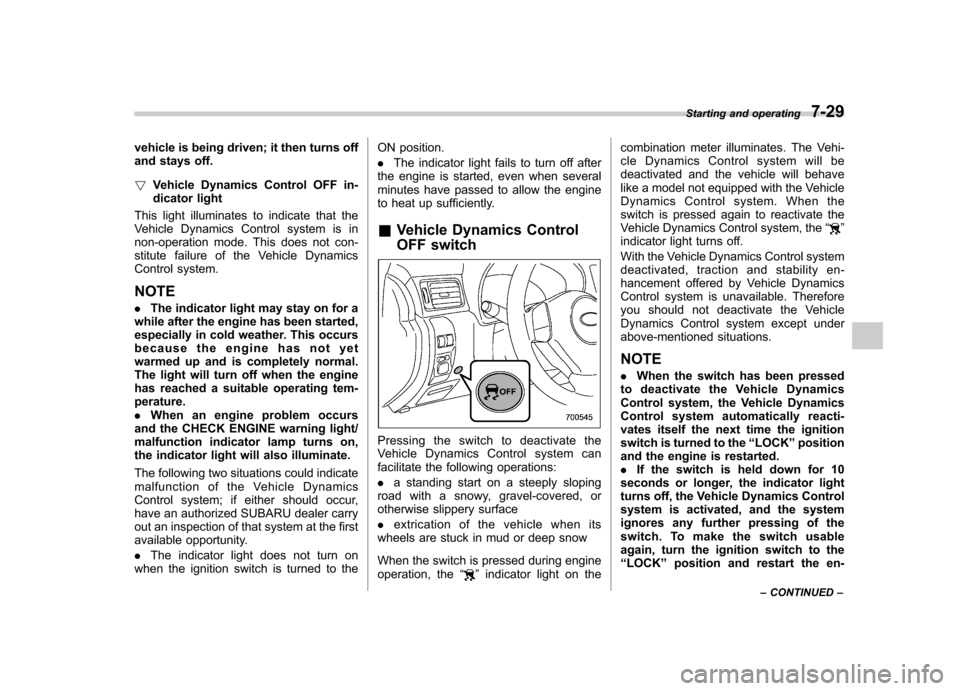
& Vehicle Dynamics Control
OFF switch
Pressing the switch to deactivate the
Vehicle Dynamics Control system can
facilitate the following operations: .a standing start on a steeply sloping
road with a snowy, gravel-covered, or
otherwise slippery surface . extrication of the vehicle when its
wheels are stuck in mud or deep snow
When the switch is pressed during engine
operation, the “
”indicator light on the combination meter illuminates. The Vehi-
cle Dynamics Control system will be
deactivated and the vehicle will behave
like a model not equipped with the Vehicle
Dynamics Control system. When the
switch is pressed again to reactivate the
Vehicle Dynamics Control system, the
“
”
indicator light turns off.
With the Vehicle Dynamics Control system
deactivated, traction and stability en-
hancement offered by Vehicle Dynamics
Control system is unavailable. Therefore
you should not deactivate the Vehicle
Dynamics Control system except under
above-mentioned situations.
NOTE . When the switch has been pressed
to deactivate the Vehicle Dynamics
Control system, the Vehicle Dynamics
Control system automatically reacti-
vates itself the next time the ignition
switch is turned to the “LOCK ”position
and the engine is restarted.. If the switch is held down for 10
seconds or longer, the indicator light
turns off, the Vehicle Dynamics Control
system is activated, and the system
ignores any further pressing of the
switch. To make the switch usable
again, turn the ignition switch to the“ LOCK ”position and restart the en-Starting and operating
7-29
– CONTINUED –
Page 243 of 384
7-34Starting and operating
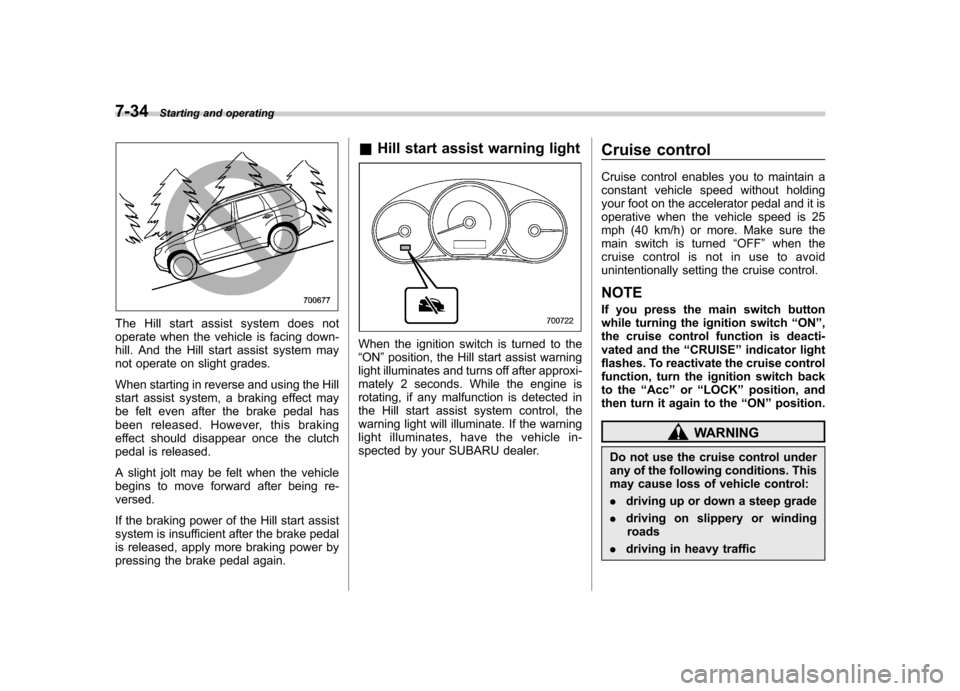
The Hill start assist system does not
operate when the vehicle is facing down-
hill. And the Hill start assist system may
not operate on slight grades.
When starting in reverse and using the Hill
start assist system, a braking effect may
be felt even after the brake pedal has
been released. However, this braking
effect should disappear once the clutch
pedal is released.
A slight jolt may be felt when the vehicle
begins to move forward after being re-versed.
If the braking power of the Hill start assist
system is insufficient after the brake pedal
is released, apply more braking power by
pressing the brake pedal again. &
Hill start assist warning light
When the ignition switch is turned to the “ON ”position, the Hill start assist warning
light illuminates and turns off after approxi-
mately 2 seconds. While the engine is
rotating, if any malfunction is detected in
the Hill start assist system control, the
warning light will illuminate. If the warning
light illuminates, have the vehicle in-
spected by your SUBARU dealer. Cruise control
Cruise control enables you to maintain a
constant vehicle speed without holding
your foot on the accelerator pedal and it is
operative when the vehicle speed is 25
mph (40 km/h) or more. Make sure the
main switch is turned
“OFF ”when the
cruise control is not in use to avoid
unintentionally setting the cruise control.
NOTE
If you press the main switch button
while turning the ignition switch “ON ”,
the cruise control function is deacti-
vated and the “CRUISE ”indicator light
flashes. To reactivate the cruise control
function, turn the ignition switch back
to the “Acc ”or “LOCK ”position, and
then turn it again to the “ON ”position.
WARNING
Do not use the cruise control under
any of the following conditions. This
may cause loss of vehicle control: . driving up or down a steep grade
. driving on slippery or winding
roads
. driving in heavy traffic
Page 245 of 384
7-36Starting and operating
only). . Shift the selector lever into the “N ”
position (AT vehicles only).. Shift the shift lever into neutral position
(MT vehicles only).The “
”indicator light on the combina-
tion meter turns off when the cruise control
is canceled.
To resume the cruise control after it has
been temporarily canceled and with vehi-
cle speed of approximately 20 mph (32
km/h) or more, push the “RES/ACC ”
button to return to the original cruising
speed automatically. The “
”indicator light on the combina-
tion meter will automatically illuminate at
this time. &
To turn off the cruise control
There are two ways to turn off the cruisecontrol: . Push the “CRUISE ”main switch button
again.. Turn the ignition switch to the “Acc ”or
“ LOCK ”position (but only when the
vehicle is completely stopped). & To change the cruising speed
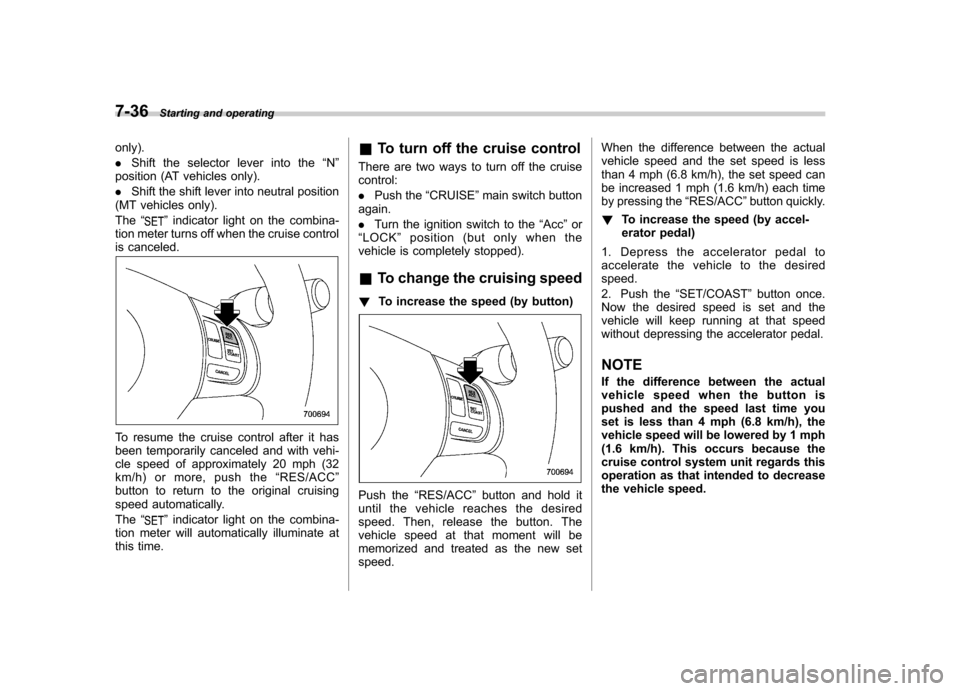
! To increase the speed (by button)
Push the “RES/ACC ”button and hold it
until the vehicle reaches the desired
speed. Then, release the button. The
vehicle speed at that moment will be
memorized and treated as the new setspeed. When the difference between the actual
vehicle speed and the set speed is less
than 4 mph (6.8 km/h), the set speed can
be increased 1 mph (1.6 km/h) each time
by pressing the
“RES/ACC ”button quickly.
! To increase the speed (by accel-
erator pedal)
1. Depress the accelerator pedal to
accelerate the vehicle to the desiredspeed.
2. Push the “SET/COAST ”button once.
Now the desired speed is set and the
vehicle will keep running at that speed
without depressing the accelerator pedal. NOTE
If the difference between the actual
vehicle speed when the button is
pushed and the speed last time you
set is less than 4 mph (6.8 km/h), the
vehicle speed will be lowered by 1 mph
(1.6 km/h). This occurs because the
cruise control system unit regards this
operation as that intended to decrease
the vehicle speed.