cruise control SUBARU FORESTER 2011 SH / 3.G Owners Manual
[x] Cancel search | Manufacturer: SUBARU, Model Year: 2011, Model line: FORESTER, Model: SUBARU FORESTER 2011 SH / 3.GPages: 446, PDF Size: 15.93 MB
Page 19 of 446

16 &Instrument panel
1) Door locks (page 2-4)
2) Outside mirror switch (page 3-44)
3) Illumination brightness control
(page 3-32)
4) Light control lever (page 3-29)
5) Combination meter (page 3-6)
6) Wiper control lever (page 3-33)
7) Hazard warning flasher switch (page 3-5)
8) Audio (page 5-1)
9) Shift lever (MT) (page 7-13)/ Select lever (AT) (page 7-15)
10) Climate control (page 4-1)
11) Cruise control (page 7-32)
12) Horn (page 3-47)
13) SRS airbag (page 1-33)
14) Tilt/telescopic steering (page 3-47)
15) Hands-free switches (page 5-43)
16) Audio control buttons (page 5-38)
17) Fuse box (page 11-45)
18) Vehicle Dynamics Control OFF switch (page 7-27)
19) Hood lock release knob (page 11-5)
20) Power windows (page 2-20)
Page 24 of 446

&Warning and indicator lights
Mark Name Page
Seatbelt warning light 3-13
Front passenger ’s seat-
belt warning light 3-13
SRS airbag system
warning light3-15
/Front passenger
’s fron-
tal airbag ON indicator 3-15
/Front passenger
’s fron-
tal airbag OFF indicator 3-15
CHECK ENGINE
warning light/Malfunction
indicator lamp3-16
Coolant temperature low
indicator light (if
equipped)/Coolant tem-
perature high warning
light (if equipped)3-16
Charge warning light 3-17
Oil pressure warning light
3-17
AT OIL TEMP warning
light (AT models)3-18Mark Name Page
/ABS warning light 3-19
/Brake system warning light
3-20
Door open warning light 3-21
AWD warning light
(AT models)
3-21
Hill start assist warning
light (MT models)
3-21
Vehicle Dynamics Con-
trol warning light/Vehicle
Dynamics Control op-
eration indicator light3-22
Vehicle Dynamics Con-
trol OFF indicator light
3-23
Turn signal indicator lights
3-25
High beam indicator light 3-25
Automatic headlight
beam leveler warning
light (models with HID headlights)3-22Mark Name Page
Front fog light indicator
light (if equipped)
3-25
Security indicator light 3-23
Headlight indicator light 3-25
Cruise control indicator light3-25
Cruise control set indi-
cator light
3-25
Low fuel warning light 3-21
Low tire pressure warn-
ing light
(U.S.-spec. models)3-18
SPORT mode indicator
light (AT models)
3-2421
Page 112 of 446
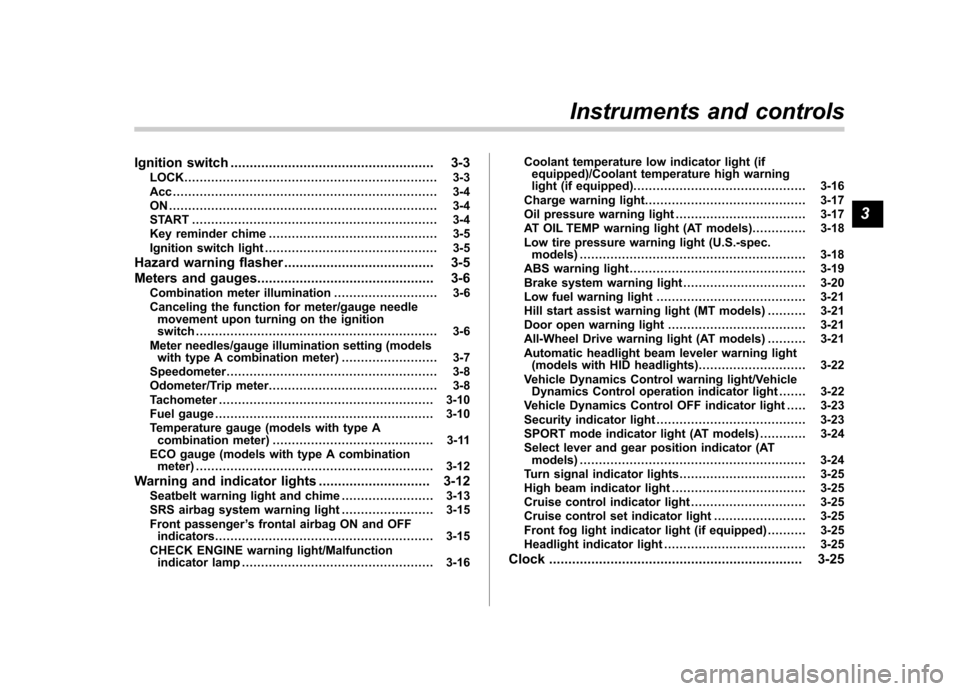
Ignition switch..................................................... 3-3
LOCK .................................................................. 3-3
Acc..................................................................... 3-4
ON...................................................................... 3-4
START ................................................................ 3-4
Key reminder chime ............................................ 3-5
Ignition switch light ............................................. 3-5
Hazard warning flasher ....................................... 3-5
Meters and gauges. ............................................. 3-6
Combination meter illumination ........................... 3-6
Canceling the function for meter/gauge needle movement upon turning on the ignition switch ............................................................... 3-6
Meter needles/gauge illumination setting (models with type A combination meter) ......................... 3-7
Speedometer ....................................................... 3-8
Odometer/Trip meter ............................................ 3-8
Tachometer ........................................................ 3-10
Fuel gauge ......................................................... 3-10
Temperature gauge (models with type A combination meter) .......................................... 3-11
ECO gauge (models with type A combination meter) .............................................................. 3-12
Warning and indicator lights ............................. 3-12
Seatbelt warning light and chime ........................ 3-13
SRS airbag system warning light ........................ 3-15
Front passenger ’s frontal airbag ON and OFF
indicators ......................................................... 3-15
CHECK ENGINE warning light/Malfunction indicator lamp .................................................. 3-16 Coolant temperature low indicator light (if
equipped)/Coolant temperature high warning
light (if equipped). ............................................ 3-16
Charge warning light .......................................... 3-17
Oil pressure warning light .................................. 3-17
AT OIL TEMP warning light (AT models) .............. 3-18
Low tire pressure warning light (U.S.-spec. models) ........................................................... 3-18
ABS warning light .............................................. 3-19
Brake system warning light ................................ 3-20
Low fuel warning light ....................................... 3-21
Hill start assist warning light (MT models) ..... ..... 3-21
Door open warning light .................................... 3-21
All-Wheel Drive warning light (AT models) ..... ..... 3-21
Automatic headlight beam leveler warning light (models with HID headlights).. .......................... 3-22
Vehicle Dynamics Control warning light/Vehicle Dynamics Control operation indicator light .. ..... 3-22
Vehicle Dynamics Control OFF indicator light ..... 3-23
Security indicator light ....................................... 3-23
SPORT mode indicator light (AT models) ............ 3-24
Select lever and gear position indicator (AT models) ........................................................... 3-24
Turn signal indicator lights ................................. 3-25
High beam indicator light ................................... 3-25
Cruise control indicator light .............................. 3-25
Cruise control set indicator light ........................ 3-25
Front fog light indicator light (if equipped) ..... ..... 3-25
Headlight indicator light ..................................... 3-25
Clock .................................................................. 3-25Instruments and controls
3
Page 124 of 446
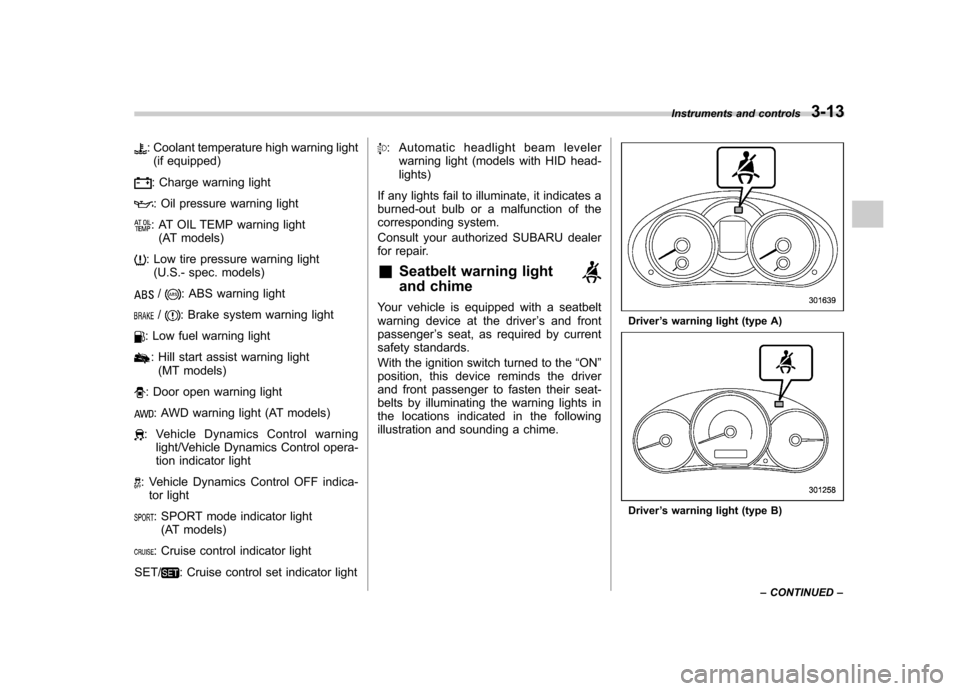
: Coolant temperature high warning light(if equipped)
: Charge warning light
: Oil pressure warning light
: AT OIL TEMP warning light (AT models)
: Low tire pressure warning light(U.S.- spec. models)
/: ABS warning light
/: Brake system warning light
: Low fuel warning light
: Hill start assist warning light(MT models)
: Door open warning light
: AWD warning light (AT models)
: Vehicle Dynamics Control warning light/Vehicle Dynamics Control opera-
tion indicator light
: Vehicle Dynamics Control OFF indica-tor light
: SPORT mode indicator light(AT models)
: Cruise control indicator light
SET/
: Cruise control set indicator light
: Automatic headlight beam leveler warning light (models with HID head- lights)
If any lights fail to illuminate, it indicates a
burned-out bulb or a malfunction of the
corresponding system.
Consult your authorized SUBARU dealer
for repair. & Seatbelt warning light
and chime
Your vehicle is equipped with a seatbelt
warning device at the driver ’s and front
passenger ’s seat, as required by current
safety standards.
With the ignition switch turned to the “ON ”
position, this device reminds the driver
and front passenger to fasten their seat-
belts by illuminating the warning lights in
the locations indicated in the following
illustration and sounding a chime.Driver ’s warning light (type A)
Driver ’s warning light (type B) Instruments and controls
3-13
– CONTINUED –
Page 136 of 446
When the manual mode is selected, the
gear position indicator (which shows the
current gear selection) and the upshift/
downshift indicator light up. Refer to“Automatic transmission ”F 7-15.
& Turn signal indicator lights
These lights show the operation of the turn
signal or lane change signal.
If the indicator lights do not blink or blink
rapidly, the turn signal bulb may be burned
out. Replace the bulb as soon as possible.
Refer to “Replacing bulbs ”F 11-47.
& High beam indicator light
This light shows that the headlights are in
the high beam mode.
This indicator light also illuminates when
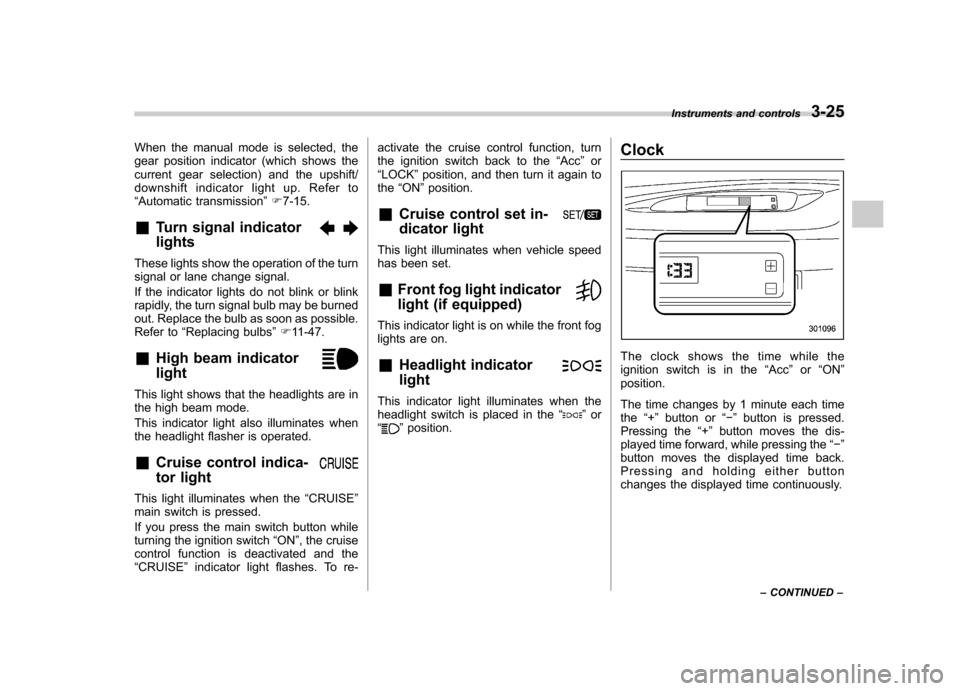
the headlight flasher is operated. &Cruise control indica-
tor light
This light illuminates when the “CRUISE ”
main switch is pressed.
If you press the main switch button while
turning the ignition switch “ON ”, the cruise
control function is deactivated and the“ CRUISE ”indicator light flashes. To re- activate the cruise control function, turn
the ignition switch back to the
“Acc ”or
“ LOCK ”position, and then turn it again to
the “ON ”position.
& Cruise control set in-
dicator light
This light illuminates when vehicle speed
has been set. &Front fog light indicator
light (if equipped)
This indicator light is on while the front fog
lights are on. & Headlight indicator light
This indicator light illuminates when the
headlight switch is placed in the “”or
“” position. Clock
The clock shows the time while the
ignition switch is in the
“Acc ”or “ON ”
position.
The time changes by 1 minute each time the “+ ” button or “ ” button is pressed.
Pressing the “+ ” button moves the dis-
played time forward, while pressing the “ ”
button moves the displayed time back.
Pressing and holding either button
changes the displayed time continuously. Instruments and controls
3-25
– CONTINUED –
Page 260 of 446
Fuel...................................................................... 7-2
Fuel requirements ............................................... 7-2
Fuel filler lid and cap ........................................... 7-3
State emission testing (U.S. only) ...................... 7-6
Preparing to drive ............................................... 7-7
Starting the engine .............................................. 7-7
MT models .......................................................... 7-7
AT models ........................................................... 7-8
Stopping the engine ............................................ 7-9
Remote engine start system (dealer option) ..... 7-9
Starting your vehicle .......................................... 7-10
Remote start safety features ............................... 7-10
Entering the vehicle while it is running via remote start ................................................................. 7-10
Entering the vehicle following remote engine start shutdown ......................................................... 7-10
Pre-heating or pre-cooling the interior of the vehicle ............................................................. 7-11
Service mode ..................................................... 7-11
Remote transmitter programming and programmable feature option ............................ 7-11
System maintenance .......................................... 7-12
Manual transmission .......................................... 7-13
Shifting speeds .................................................. 7-14
Driving tips ........................................................ 7-14
Automatic transmission ..................................... 7-15
Select lever ........................................................ 7-16
Shift lock function .............................................. 7-17
Selection of manual mode .................................. 7-19
Driving tips ........................................................ 7-20 SPORT mode
..................................................... 7-20
Power steering ................................................... 7-21
Braking ............................................................... 7-22
Braking tips ....................................................... 7-22
Brake system .................................................... 7-22
Disc brake pad wear warning indicators ............. 7-23
ABS (Anti-lock Brake System) .......................... 7-23
ABS system self-check ...................................... 7-23
ABS warning light .............................................. 7-23
Electronic Brake Force Distribution (EBD) system ............................................................. 7-24
Steps to take if EBD system malfunctions ..... ..... 7-24
Vehicle Dynamics Control system .................... 7-25
Vehicle Dynamics Control system monitor..... ..... 7-26
Vehicle Dynamics Control OFF switch ................ 7-27
Tire pressure monitoring system (TPMS) (U.S.-spec. models). ........................................ 7-28
Parking your vehicle ......................................... 7-29
Parking brake .................................................... 7-29
Parking tips ....................................................... 7-30
Hill start assist system (MT models) ................ 7-31
Hill start assist warning light .............................. 7-32
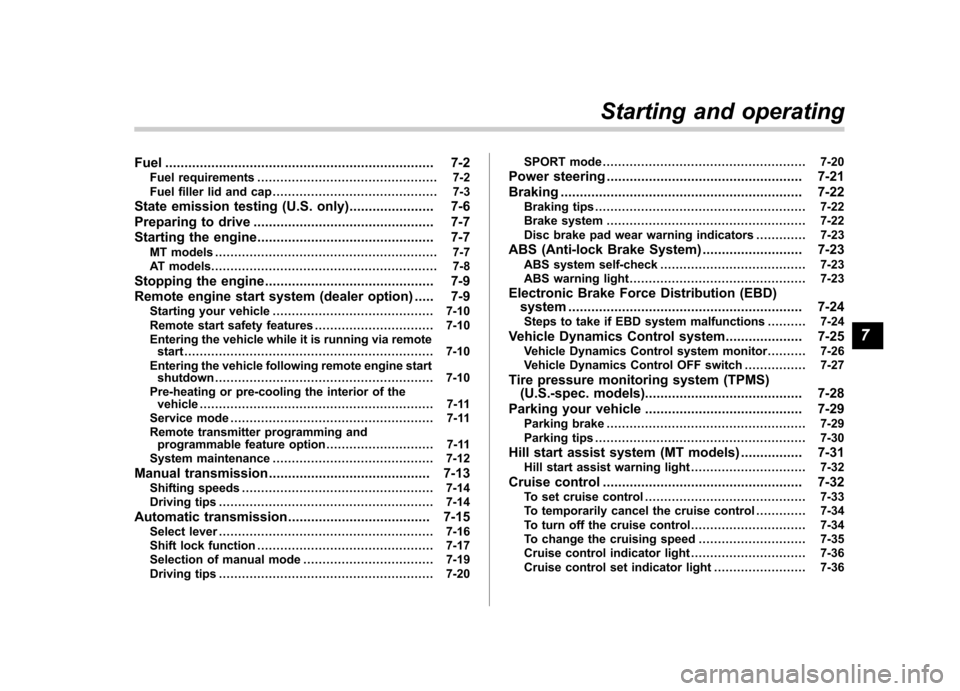
Cruise control .................................................... 7-32
To set cruise control .......................................... 7-33
To temporarily cancel the cruise control ............. 7-34
To turn off the cruise control .............................. 7-34
To change the cruising speed .. .......................... 7-35
Cruise control indicator light .............................. 7-36
Cruise control set indicator light ........................ 7-36
Starting and operating
7
Page 291 of 446
7-32Starting and operating
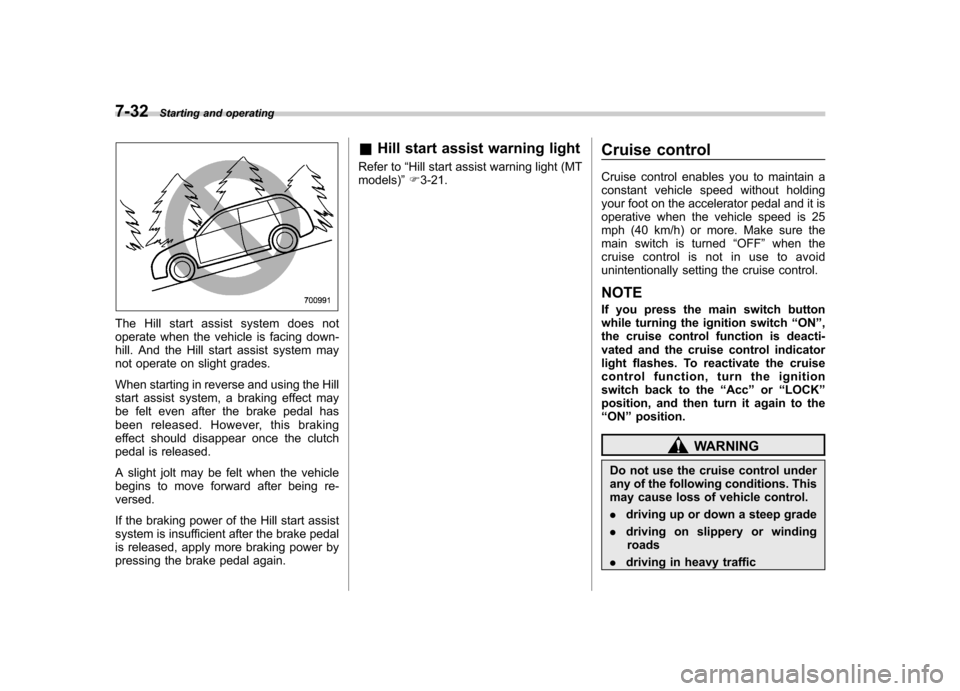
The Hill start assist system does not
operate when the vehicle is facing down-
hill. And the Hill start assist system may
not operate on slight grades.
When starting in reverse and using the Hill
start assist system, a braking effect may
be felt even after the brake pedal has
been released. However, this braking
effect should disappear once the clutch
pedal is released.
A slight jolt may be felt when the vehicle
begins to move forward after being re-versed.
If the braking power of the Hill start assist
system is insufficient after the brake pedal
is released, apply more braking power by
pressing the brake pedal again. &
Hill start assist warning light
Refer to “Hill start assist warning light (MT
models) ”F 3-21. Cruise control
Cruise control enables you to maintain a
constant vehicle speed without holding
your foot on the accelerator pedal and it is
operative when the vehicle speed is 25
mph (40 km/h) or more. Make sure the
main switch is turned
“OFF ”when the
cruise control is not in use to avoid
unintentionally setting the cruise control.
NOTE
If you press the main switch button
while turning the ignition switch “ON ”,
the cruise control function is deacti-
vated and the cruise control indicator
light flashes. To reactivate the cruise
control function, turn the ignition
switch back to the “Acc ”or “LOCK ”
position, and then turn it again to the“ ON ”position.
WARNING
Do not use the cruise control under
any of the following conditions. This
may cause loss of vehicle control. . driving up or down a steep grade
. driving on slippery or winding
roads
. driving in heavy traffic
Page 292 of 446
.towing a trailer
& To set cruise control
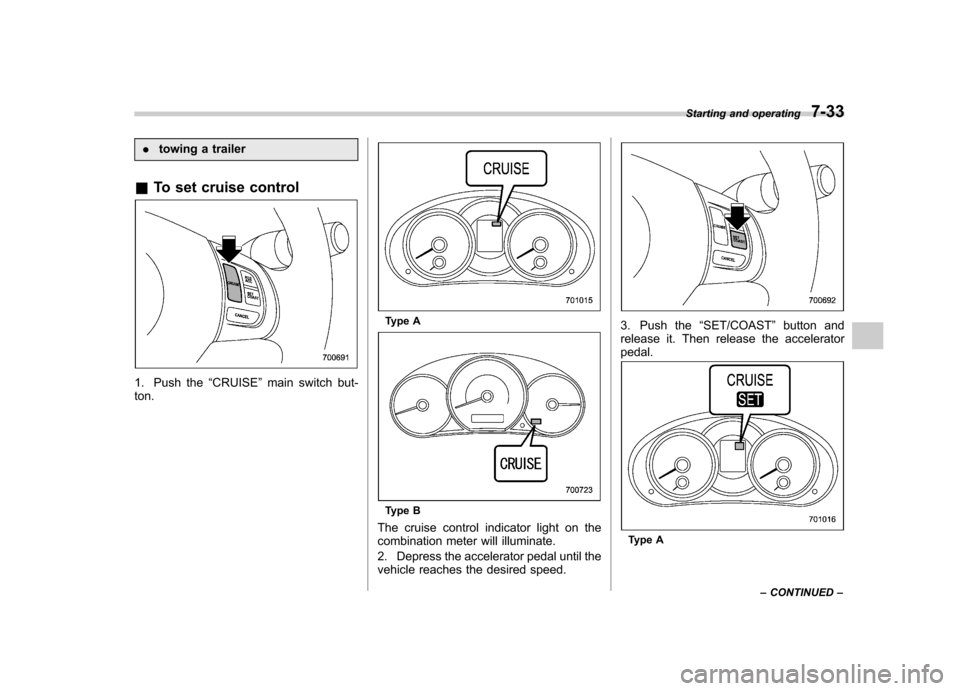
1. Push the “CRUISE ”main switch but-
ton.
Type A
Type B
The cruise control indicator light on the
combination meter will illuminate.
2. Depress the accelerator pedal until the
vehicle reaches the desired speed.
3. Push the “SET/COAST ”button and
release it. Then release the accelerator pedal.
Type A Starting and operating
7-33
– CONTINUED –
Page 293 of 446
7-34Starting and operating
Type B
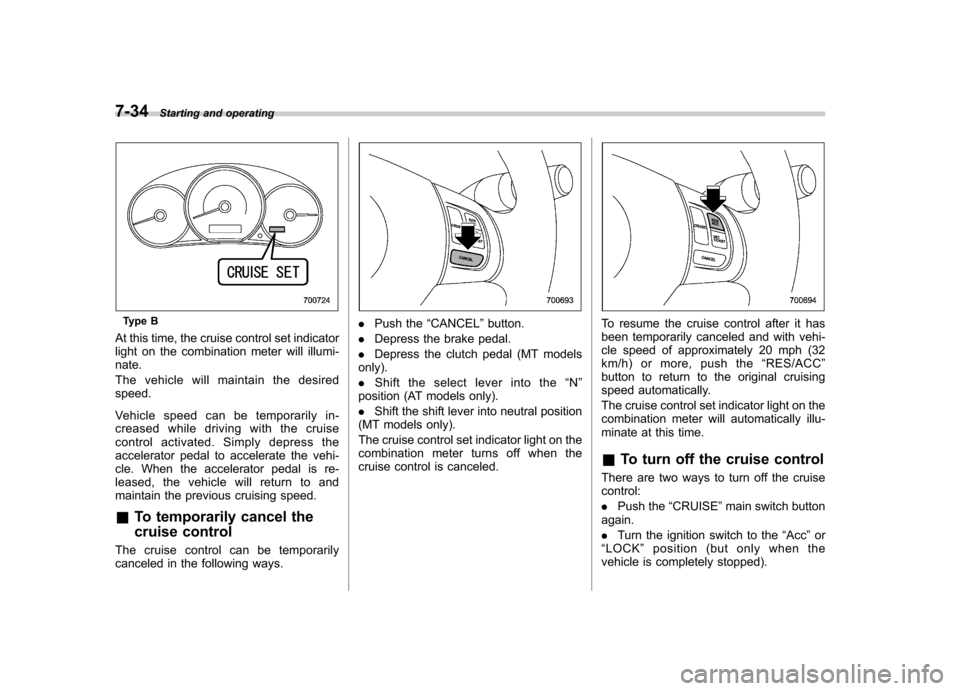
At this time, the cruise control set indicator
light on the combination meter will illumi-nate.
The vehicle will maintain the desired speed.
Vehicle speed can be temporarily in-
creased while driving with the cruise
control activated. Simply depress the
accelerator pedal to accelerate the vehi-
cle. When the accelerator pedal is re-
leased, the vehicle will return to and
maintain the previous cruising speed. & To temporarily cancel the
cruise control
The cruise control can be temporarily
canceled in the following ways.. Push the “CANCEL ”button.
. Depress the brake pedal.
. Depress the clutch pedal (MT models
only). . Shift the select lever into the “N ”
position (AT models only).. Shift the shift lever into neutral position
(MT models only).
The cruise control set indicator light on the
combination meter turns off when the
cruise control is canceled.To resume the cruise control after it has
been temporarily canceled and with vehi-
cle speed of approximately 20 mph (32
km/h) or more, push the “RES/ACC ”
button to return to the original cruising
speed automatically.
The cruise control set indicator light on the
combination meter will automatically illu-
minate at this time. & To turn off the cruise control
There are two ways to turn off the cruise control: . Push the “CRUISE ”main switch button
again.. Turn the ignition switch to the “Acc ”or
“ LOCK ”position (but only when the
vehicle is completely stopped).
Page 294 of 446
&To change the cruising speed
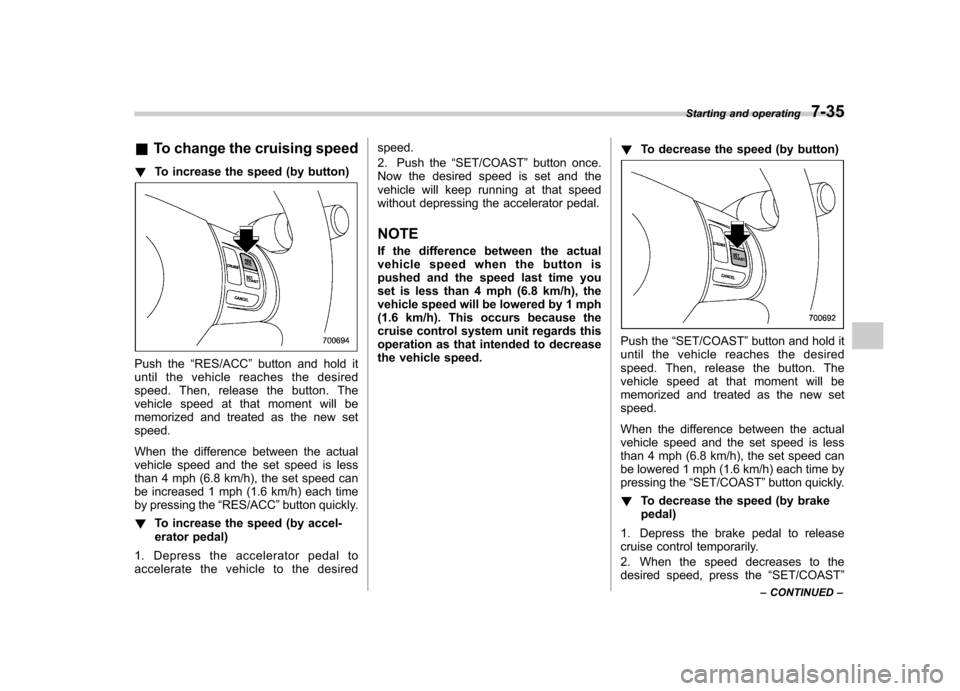
! To increase the speed (by button)
Push the “RES/ACC ”button and hold it
until the vehicle reaches the desired
speed. Then, release the button. The
vehicle speed at that moment will be
memorized and treated as the new setspeed.
When the difference between the actual
vehicle speed and the set speed is less
than 4 mph (6.8 km/h), the set speed can
be increased 1 mph (1.6 km/h) each time
by pressing the “RES/ACC ”button quickly.
! To increase the speed (by accel-
erator pedal)
1. Depress the accelerator pedal to
accelerate the vehicle to the desired speed.
2. Push the
“SET/COAST ”button once.
Now the desired speed is set and the
vehicle will keep running at that speed
without depressing the accelerator pedal.
NOTE
If the difference between the actual
vehiclespeedwhenthebuttonis
pushed and the speed last time you
set is less than 4 mph (6.8 km/h), the
vehicle speed will be lowered by 1 mph
(1.6 km/h). This occurs because the
cruise control system unit regards this
operation as that intended to decrease
the vehicle speed. !
To decrease the speed (by button)
Push the “SET/COAST ”button and hold it
until the vehicle reaches the desired
speed. Then, release the button. The
vehicle speed at that moment will be
memorized and treated as the new setspeed.
When the difference between the actual
vehicle speed and the set speed is less
than 4 mph (6.8 km/h), the set speed can
be lowered 1 mph (1.6 km/h) each time by
pressing the “SET/COAST ”button quickly.
! To decrease the speed (by brakepedal)
1. Depress the brake pedal to release
cruise control temporarily.
2. When the speed decreases to the
desired speed, press the “SET/COAST ”
Starting and operating
7-35
– CONTINUED –