key SUBARU FORESTER 2012 SH / 3.G Owner's Guide
[x] Cancel search | Manufacturer: SUBARU, Model Year: 2012, Model line: FORESTER, Model: SUBARU FORESTER 2012 SH / 3.GPages: 438, PDF Size: 15.31 MB
Page 111 of 438

2-26Keys and doors
. If the moonroof cannot be closed
through switch operation because of
system failure, it can be closed manu-
ally using a hex-head wrench. For the
procedure, refer to “Moonroof –if the
moonroof cannot be closed ”F 9-19. &
Sun shade
The sun shade can be slid forward or
backward by hand while the moonroof isclosed.
If the moonroof is opened, the sun shade
also moves back.
Page 112 of 438

Ignition switch..................................................... 3-3
LOCK .................................................................. 3-3
Acc..................................................................... 3-4
ON...................................................................... 3-4
START ................................................................ 3-4
Key reminder chime ............................................ 3-5
Ignition switch light ............................................. 3-5
Hazard warning flasher ....................................... 3-5
Meters and gauges. ............................................. 3-6
Combination meter illumination ........................... 3-6
Canceling the function for meter/gauge needle movement upon turning on the ignition switch ............................................................... 3-6
Meter needles/gauge illumination setting (models with type A combination meter) ......................... 3-7
Speedometer ....................................................... 3-8
Odometer/Trip meter ............................................ 3-8
Tachometer ........................................................ 3-10
Fuel gauge ......................................................... 3-10
Temperature gauge (models with type A combination meter) .......................................... 3-11
ECO gauge (models with type A combination meter) .............................................................. 3-12
Warning and indicator lights ............................. 3-12
Seatbelt warning light and chime ........................ 3-13
SRS airbag system warning light ........................ 3-15
Front passenger ’s frontal airbag ON and OFF
indicators ......................................................... 3-15
CHECK ENGINE warning light/Malfunction indicator light ................................................... 3-16 Coolant temperature low indicator light (if
equipped)/Coolant temperature high warning
light (if equipped). ............................................ 3-16
Charge warning light .......................................... 3-17
Oil pressure warning light .................................. 3-17
AT OIL TEMP warning light (AT models) .............. 3-18
Low tire pressure warning light (U.S.-spec. models) ........................................................... 3-18
ABS warning light .............................................. 3-19
Brake system warning light ................................ 3-20
Low fuel warning light ....................................... 3-21
Hill start assist warning light (MT models) ..... ..... 3-21
Door open warning light .................................... 3-21
All-Wheel Drive warning light (AT models) ..... ..... 3-21
Automatic headlight beam leveler warning light (models with HID headlights).. .......................... 3-22
Vehicle Dynamics Control warning light/Vehicle Dynamics Control operation indicator light .. ..... 3-22
Vehicle Dynamics Control OFF indicator light ..... 3-23
Security indicator light ....................................... 3-23
SPORT mode indicator light (AT models) ............ 3-24
Select lever and gear position indicator (AT models) ........................................................... 3-24
Turn signal indicator lights ................................. 3-24
High beam indicator light ................................... 3-25
Cruise control indicator light .............................. 3-25
Cruise control set indicator light ........................ 3-25
Front fog light indicator light (if equipped) ..... ..... 3-25
Headlight indicator light ..................................... 3-25
Clock .................................................................. 3-25Instruments and controls
3
Page 114 of 438
Ignition switch
WARNING
. Never turn the ignition switch to
“ LOCK ”while the vehicle is
being driven or towed because
that will lock the steering wheel,
preventing steering control. In
addition, when the engine is
turned off, it takes a much great-
er effort than usual to steer.
. Before leaving the vehicle, al-
ways remove the key from the
ignition switch for safety and
never allow an unattended child
to remain in the vehicle. Failure
to follow this procedure could
result in injury to a child or
others. Children could operate
the power windows, the moon-
roof or other controls or even
make the vehicle move.
CAUTION
Do not attach a large key holder or
key case to either key. If it bangs
against your knees or hands while
you are driving, it could turn the
ignition switch from the “ON ”posi- tion to the
“Acc ”or “LOCK ”posi-
tion, thereby stopping the engine.
Also, if the key is attached to a
keyholder or to a large bunch of
other keys, centrifugal force may act
on it as the vehicle moves, resulting
in unwanted turning of the ignitionswitch.
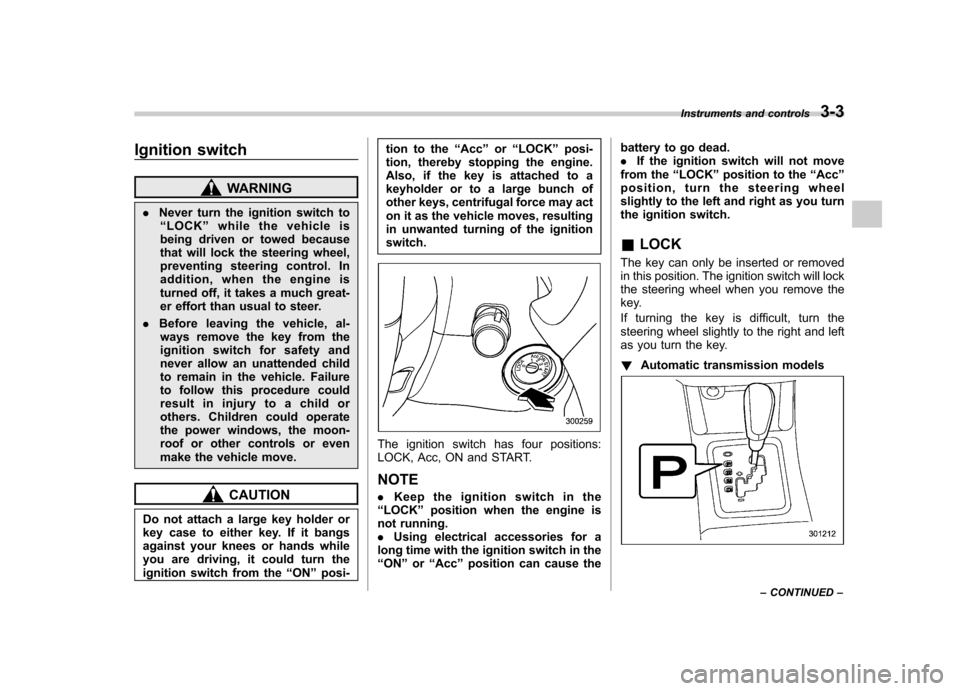
The ignition switch has four positions:
LOCK, Acc, ON and START. NOTE . Keep the ignition switch in the
“ LOCK ”position when the engine is
not running. . Using electrical accessories for a
long time with the ignition switch in the“ ON ”or “Acc ”position can cause the battery to go dead..
If the ignition switch will not move
from the “LOCK ”position to the “Acc ”
position, turn the steering wheel
slightly to the left and right as you turn
the ignition switch. & LOCK
The key can only be inserted or removed
in this position. The ignition switch will lock
the steering wheel when you remove the
key.
If turning the key is difficult, turn the
steering wheel slightly to the right and left
as you turn the key. ! Automatic transmission models
Instruments and controls 3-3
– CONTINUED –
Page 115 of 438
3-4Instruments and controls
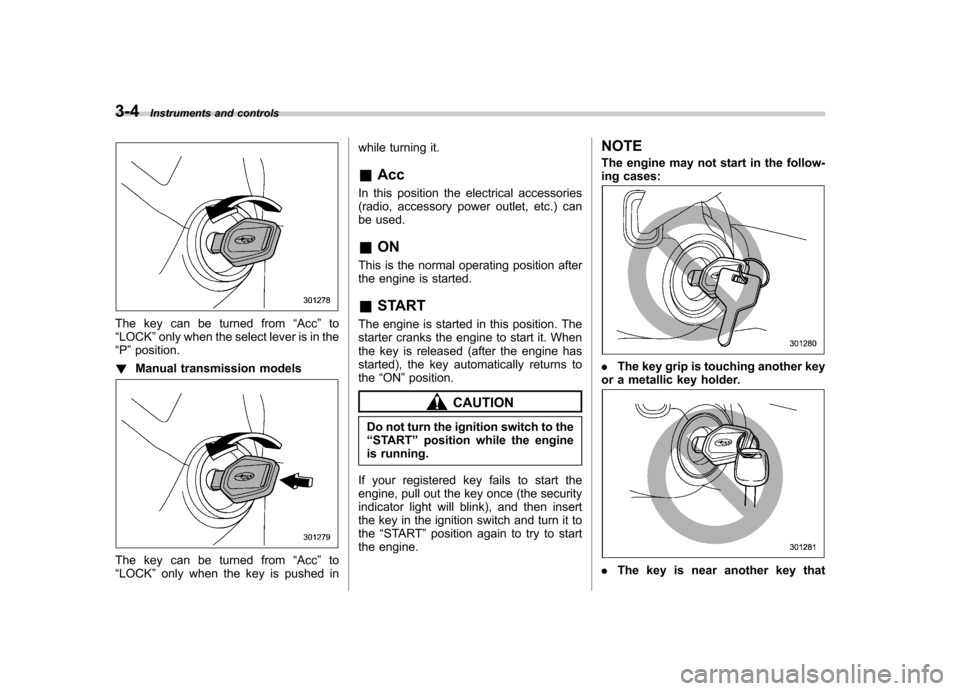
The key can be turned from “Acc ”to
“ LOCK ”only when the select lever is in the
“ P ”position.
! Manual transmission models
The key can be turned from “Acc ”to
“ LOCK ”only when the key is pushed in while turning it. &
Acc
In this position the electrical accessories
(radio, accessory power outlet, etc.) can
be used. & ON
This is the normal operating position after
the engine is started. & START
The engine is started in this position. The
starter cranks the engine to start it. When
the key is released (after the engine has
started), the key automatically returns tothe “ON ”position.
CAUTION
Do not turn the ignition switch to the “ START ”position while the engine
is running.
If your registered key fails to start the
engine, pull out the key once (the security
indicator light will blink), and then insert
the key in the ignition switch and turn it tothe “START ”position again to try to start
the engine. NOTE
The engine may not start in the follow-
ing cases:
.
The key grip is touching another key
or a metallic key holder.
. The key is near another key that
Page 116 of 438
contains an immobilizer transponder. .The key is near or touching another
transmitter. & Key reminder chime
The reminder chime sounds when the driver ’s door is opened with the ignition
key still in the key cylinder, in the “LOCK ”
or “Acc ”position.
The chime stops under the followingconditions. . When the ignition switch is turned to
the “ON ”position
. When the key is removed from the
ignition switch. When the driver ’s door is closed
& Ignition switch light
For easy access to the ignition switch in
the dark, the ignition switch light illumi-
nates when the driver ’s door is opened or
when the driver ’s door is unlocked using
the remote keyless entry transmitter.
The light remains illuminated for several
tens of seconds and then gradually turns
off under the following conditions. . When the driver ’s door is closed
. When the doors are unlocked using the
remote keyless entry transmitter The light turns off immediately under the
following conditions. .
When the ignition switch is turned to
the “ON ”position
. When all doors and the rear gate are
locked using the remote keyless entry transmitter Hazard warning flasher
The hazard warning flasher is used to
warn other drivers when you have to park
your vehicle under emergency conditions.
The hazard warning flasher works regard-
less of the ignition switch position.
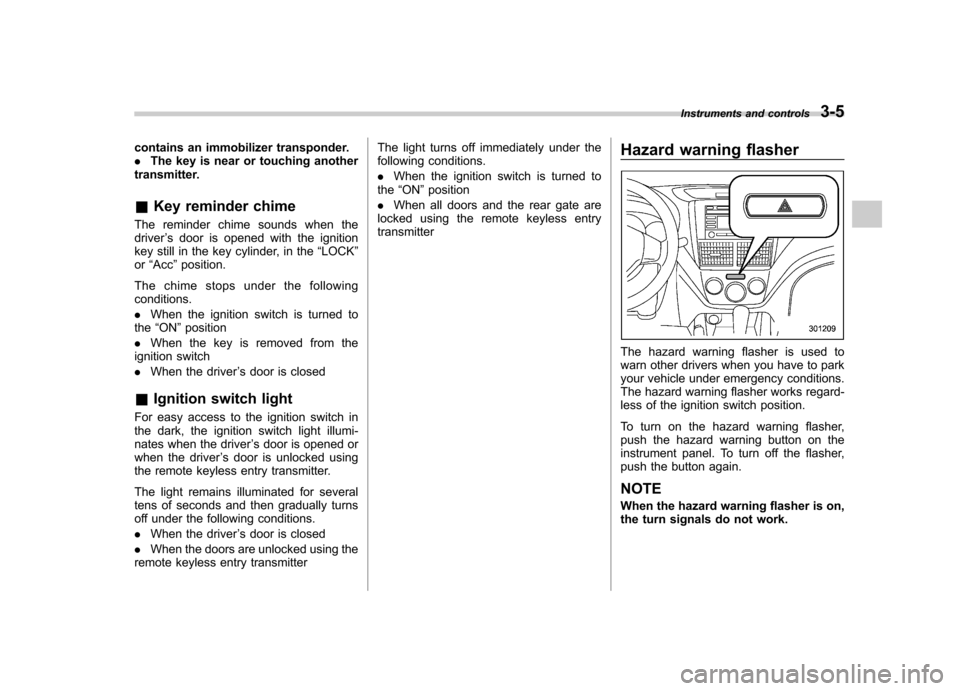
To turn on the hazard warning flasher,
push the hazard warning button on the
instrument panel. To turn off the flasher,
push the button again. NOTE
When the hazard warning flasher is on,
the turn signals do not work.Instruments and controls
3-5
Page 118 of 438

Type A:
*:“”or “”, and “”or “”cannot
be displayed when the ignition switch is
in the “ON ”position.
Type B:
*: “”or “”cannot be displayed when
the ignition switch is in the “ON ”posi-
tion.
3. To change the current setting, press
the trip knob for at least 2 seconds.
/: Activated
/: Deactivated
NOTE
Your vehicle ’s initial movement setting
of the meter/gauge needles has been
set for activation “
”/“” at the time
of shipment from the factory.
& Meter needles/gauge illumi-
nation setting (models with
type A combination meter)
When the setting is activated or deacti-
vated, the meter needles and gauge
illuminate and turn off as follows. Activated:
When the driver ’s door is opened while
the ignition switch is in the “LOCK ”
position, the needles and gauge illuminate
and turn off after approximately 20 sec-onds.
When the ignition switch is turned from the“ ON ”position to the “LOCK ”position, the
illumination turns off gradually. Deactivated:
The needles and gauge do not illuminate
when the driver
’s door is opened while the
ignition switch is in the “LOCK ”position.
The illumination turns off immediately
when the ignition switch is turned fromthe “ON ”position to the “LOCK ”position.
NOTE . Even during the illumination after
the driver ’s door is opened, if the
ignition switch is turned to the “ON ”
position, the combination meter will
illuminate as usual.. If the doors are locked by the remote
keyless entry system during the illumi-
nation after the driver ’s door is opened,
the illumination will be turned off.. Even while the illumination gradu-
ally turns off after the ignition switch is
turned to the “LOCK ”position, if the
ignition switch is turned to the “ON ”
position, the combination meter illumi-
nates as usual.
To change the setting:
1. Turn the ignition switch to the “LOCK ”
or “Acc ”position. Instruments and controls
3-7
– CONTINUED –
Page 135 of 438
3-24Instruments and controls
equipped with the security alarm system
and the immobilizer system.
This indicator light shows the status of the
alarm system. It also indicates operation
of the immobilizer system. ! Alarm system
It blinks to show the driver the operational
status of the alarm system. For detailed
information, refer to “Alarm system ”F 2-
14. ! Immobilizer system
This light blinks approximately 60 seconds
after the ignition switch is turned from“ ON ”position to the “Acc ”or “LOCK ”
position or immediately after the key is
pulled out. Refer to “Immobilizer ”F 2-3.
If the indicator light does not flash, it may
indicate that immobilizer system may be
malfunctioning. Contact your nearest
SUBARU dealer immediately.
In the event that an unauthorized key (for
example, an unauthorized duplicate) is
used, the security indicator light illumi-nates.
NOTE
Even if the security indicator light
flashes irregularly or its fuse blows
(the light does not flash if its fuse is
blown), the immobilizer system will function normally.
& SPORT mode indicator
light (AT models)
When the select lever is moved to the
manual gate, the SPORT mode is se-
lected and the indicator light illuminates.
Refer to “SPORT mode ”F 7-20.
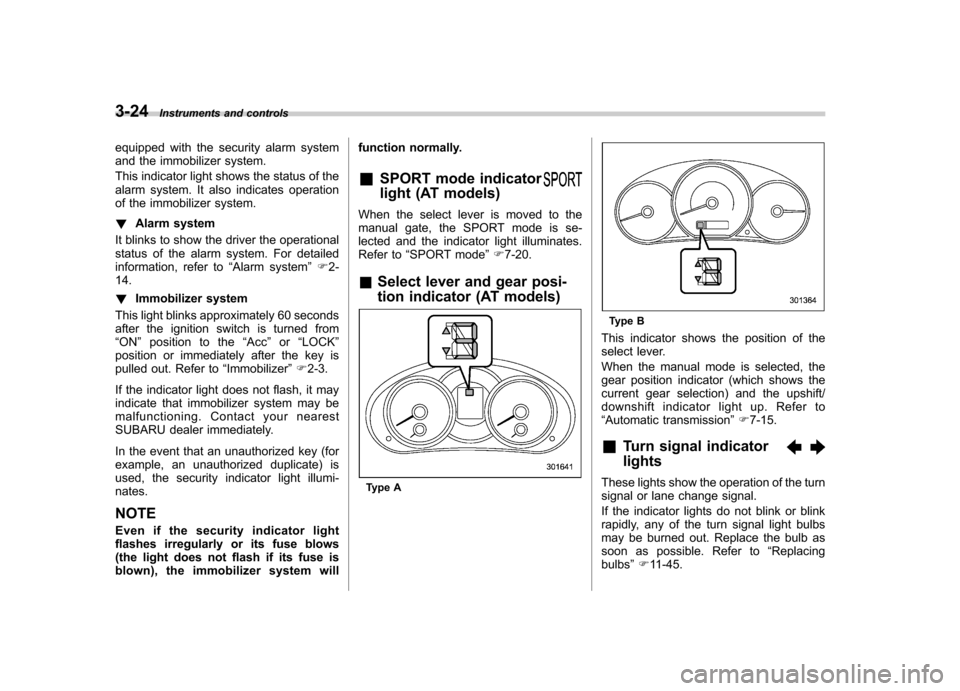
& Select lever and gear posi-
tion indicator (AT models)
Type A
Type B
This indicator shows the position of the
select lever.
When the manual mode is selected, the
gear position indicator (which shows the
current gear selection) and the upshift/
downshift indicator light up. Refer to“ Automatic transmission ”F 7-15.
& Turn signal indicator lights
These lights show the operation of the turn
signal or lane change signal.
If the indicator lights do not blink or blink
rapidly, any of the turn signal light bulbs
may be burned out. Replace the bulb as
soon as possible. Refer to “Replacing
bulbs ”F 11-45.
Page 140 of 438

has been set to operational at the time
of shipment from the factory..The average fuel consumption is
calculated even while the indicator is
not displayed.. Even if you turn off the fuel con-
sumption indicator, the fuel consump-
tion indicator will automatically turn on
when the battery voltage is stopped
and then reapplied due to battery
replacement or fuse replacement. Light control switch
The light control switch operates when the
ignition key is inserted into the ignitionswitch.
Regardless of the position of the light
control switch, the illuminated lights are
turned off when the ignition key is
removed from the ignition switch. NOTE
Even if the key is removed from the
ignition switch, the lights can be illu-
minated by once setting the light con-
trol switch to the
“OFF ”position and
then to the “
”or “”position. In
this case, if the driver ’s door is opened,
the chirp sound will inform the driver
that the lights are illuminated.
CAUTION
. Use of any lights for a long period
of time while the engine is not
running can cause the battery todischarge.
. Before leaving the vehicle, make
sure that the light control switch
is turned to the “OFF ”position. If
the vehicle is left unattended for
a long time with the light control
switch set to a position other than
“OFF ”, the battery may be
discharged. Instruments and controls
3-29
– CONTINUED –
Page 184 of 438

First menu Second menu Third menu Screen OFF——
Sound Tone Bass Mid
Treble
Balance BalanceFader
SVC —
SRS Sound —
Screen Brightness —
Contrast —
Screen Size —
Screen Saver Picture Select
Picture Down- load
Picture Erase
BT Audio Setup Pair Audio Player
—
Select AudioPlayer —
Set Passkey —
Delete AudioPlayer —
Others HD ON/OFF —
Initialize —3. Operate the
“TUNE/TRACK/CH ”dial
to select the preferred setting for each mode.
NOTE Only “Screen OFF ”can be displayed
while driving. Audio
5-11
– CONTINUED –
Page 213 of 438
5-40Audio
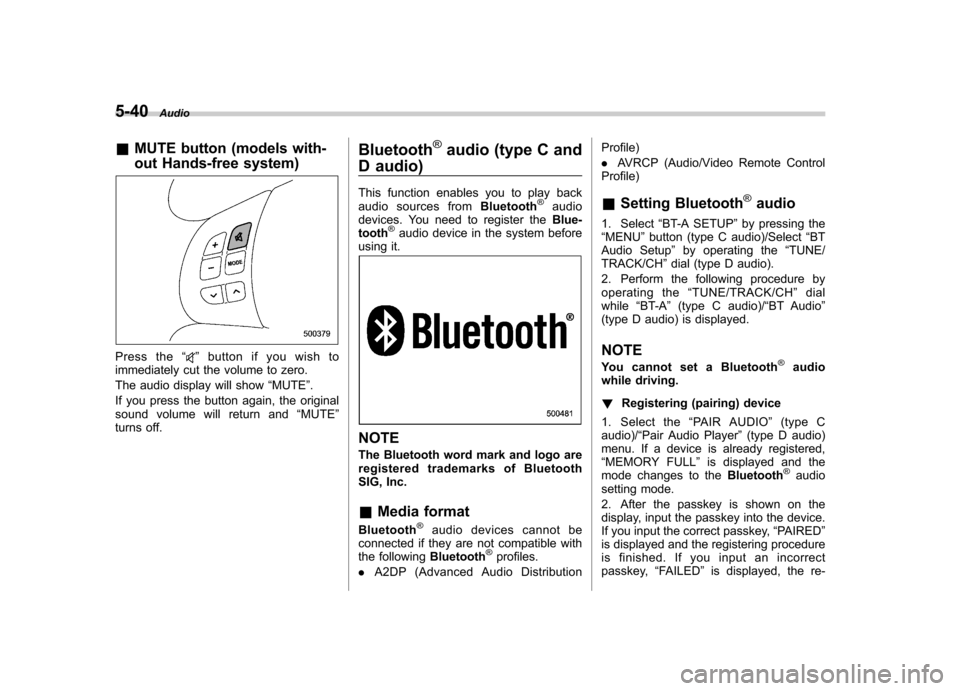
&MUTE button (models with-
out Hands-free system)
Press the “”button if you wish to
immediately cut the volume to zero.
The audio display will show “MUTE ”.
If you press the button again, the original
sound volume will return and “MUTE ”
turns off. Bluetooth
®audio (type C and
D audio)
This function enables you to play back
audio sources from Bluetooth
®audio
devices. You need to register the Blue-
tooth
®audio device in the system before
using it.
NOTE
The Bluetooth word mark and logo are
registered tradem arks of Bluetooth
SIG, Inc. & Media format
Bluetooth
®audio devices cannot be
connected if they are not compatible with
the following Bluetooth
®profiles.
. A2DP (Advanced Audio Distribution Profile) .
AVRCP (Audio/Video Remote Control
Profile)
& Setting Bluetooth
®audio
1. Select “BT-A SETUP ”by pressing the
“ MENU ”button (type C audio)/Select “BT
Audio Setup ”by operating the “TUNE/
TRACK/CH ”dial (type D audio).
2. Perform the following procedure by
operating the “TUNE/TRACK/CH ”dial
while “BT-A ”(type C audio)/ “BT Audio ”
(type D audio) is displayed.
NOTE
You cannot set a Bluetooth
®audio
while driving. ! Registering (pairing) device
1. Select the “PAIR AUDIO ”(type C
audio)/ “Pair Audio Player ”(type D audio)
menu. If a device is already registered, “ MEMORY FULL ”is displayed and the
mode changes to the Bluetooth
®audio
setting mode.
2. After the passkey is shown on the
display, input the passkey into the device.
If you input the correct passkey, “PAIRED ”
is displayed and the registering procedure
is finished. If you input an incorrect
passkey, “FAILED ”is displayed, the re-