ignition SUBARU FORESTER 2012 SH / 3.G Manual Online
[x] Cancel search | Manufacturer: SUBARU, Model Year: 2012, Model line: FORESTER, Model: SUBARU FORESTER 2012 SH / 3.GPages: 438, PDF Size: 15.31 MB
Page 263 of 438

7-12Starting and operating
Pressing the brake pedal repeatedly will
toggle the feature ON or OFF each time.
7. To exit the remote transmitter and
feature programming mode, turn the igni-
tion switch to the “LOCK ”position, remove
the key from the ignition switch and test
operation of the remote transmitter(s) and
horn confirmation feature. & System maintenance
! Changing the remote control bat- teries
CAUTION
. Do not let dust, oil or water get on
or in the remote engine start
transmitter when replacing the
battery.
. Be careful not to damage the
printed circuit board in the re-
mote engine start transmitter
when replacing the battery.
. Be careful not to allow children to
touch the battery and any re-
moved parts; children could
swallow them.
. There is a danger of explosion if
an incorrect replacement battery
is used. Replace only with the
same or equivalent type of bat- tery.
. Batteries should not be exposed
to excessive heat such as sun-
shine, fire or the like.
The two 3-volt lithium batteries (modelCR-1220 ) supplied in your remote control
should last approximately 3 years, de-
pending on usage. When the batteries
begin to weaken, you will notice a
decrease in range (distance from the
vehicle that your remote control operates).
Follow the instructions below to change
the remote control batteries.1. Carefully pry the remote control halves
apart using a small flat-head screwdriver.
Page 267 of 438
7-16Starting and operating
allow the transmission to shift at the
most appropriate timings for the cur-
rent condition of your vehicle. Opti-
mized shifting will be restored as the
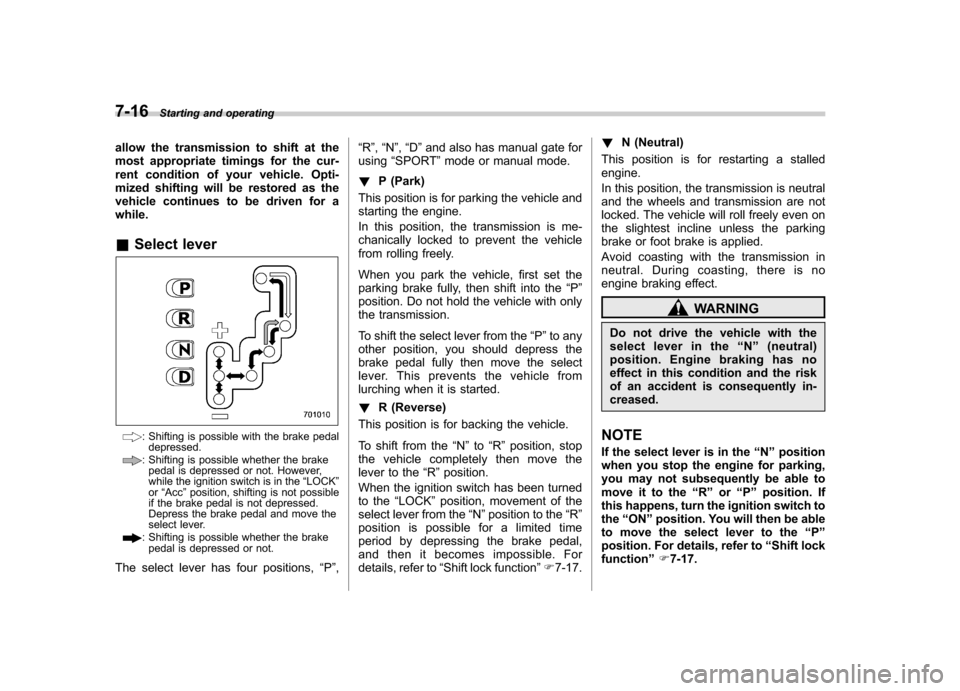
vehicle continues to be driven for awhile. &Select lever
: Shifting is possible with the brake pedal
depressed.
: Shifting is possible whether the brakepedal is depressed or not. However,
while the ignition switch is in the “LOCK ”
or “Acc ”position, shifting is not possible
if the brake pedal is not depressed.
Depress the brake pedal and move the
select lever.
: Shifting is possible whether the brake
pedal is depressed or not.
The select lever has four positions, “P ”, “
R ”, “N ”, “D ”and also has manual gate for
using “SPORT ”mode or manual mode.
! P (Park)
This position is for parking the vehicle and
starting the engine.
In this position, the transmission is me-
chanically locked to prevent the vehicle
from rolling freely.
When you park the vehicle, first set the
parking brake fully, then shift into the “P ”
position. Do not hold the vehicle with only
the transmission.
To shift the select lever from the “P ”to any
other position, you should depress the
brake pedal fully then move the select
lever. This prevents the vehicle from
lurching when it is started. ! R (Reverse)
This position is for backing the vehicle.
To shift from the “N ”to “R ” position, stop
the vehicle completely then move the
lever to the “R ”position.
When the ignition switch has been turned
to the “LOCK ”position, movement of the
select lever from the “N ”position to the “R ”
position is possible for a limited time
period by depressing the brake pedal,
and then it becomes impossible. For
details, refer to “Shift lock function ”F 7-17. !
N (Neutral)
This position is for restarting a stalledengine.
In this position, the transmission is neutral
and the wheels and transmission are not
locked. The vehicle will roll freely even on
the slightest incline unless the parking
brake or foot brake is applied.
Avoid coasting with the transmission in
neutral. During coasting, there is no
engine braking effect.
WARNING
Do not drive the vehicle with the
select lever in the “N ” (neutral)
position. Engine braking has no
effect in this condition and the risk
of an accident is consequently in-creased.
NOTE
If the select lever is in the “N ” position
when you stop the engine for parking,
you may not subsequently be able to
move it to the “R ” or “P ” position. If
this happens, turn the ignition switch tothe “ON ”position. You will then be able
to move the select lever to the “P ”
position. For details, refer to “Shift lock
function ”F 7-17.
Page 268 of 438

!D (Drive)
This position is for normal driving.
The transmission automatically shifts into
a suitable gear according to the vehicle
speed and the acceleration you require.
When more acceleration is required in this
position, depress the accelerator pedal
fully to the floor and hold that position. The
transmission will automatically downshift.
When you release the pedal, the transmis-
sion will return to the original gear posi-tion.
To use the “SPORT ”mode, move the lever
from this position into the manual gate.
To use the manual mode, move the lever
from this position into the manual gate
then move it toward the “+ ” or “ ” end.
! While climbing a grade
When driving up a hill, undesired upshift to
4th gear is prevented from taking place
when the accelerator pedal is released.
This minimizes the chance of subsequent
downshifting to a lower gear when accel-
erating again. This prevents repeated
upshifting and downshifting, resulting in
smoother operation of the vehicle.
NOTE
The transmission may downshift to 2nd
or 1st gear, depending on the way the
accelerator pedal is pressed to accel- erate the vehicle again. !
While going down a hill
When you are descending a hill or any
other slope in the “SPORT ”mode and you
apply the brakes, the transmission may
downshift to 3rd or 2nd gear depending on
how hard you depress the brake pedal,
causing engine braking to work. Reacce-
leration for a short time will cause the
transmission to upshift normally.
NOTE . A 4th-to-3rd automatic downshift
will not occur at speeds above 50
mph (80 km/h) and a 3rd-to-2nd auto-
matic downshift will not occur at
speeds above 24 mph (38 km/h).. Automatic downshifts may occur
even when driving on a level road
depending on conditions, such as
how hard you depress the brake pedal. & Shift lock function
The shift lock function helps prevent the
improper operation of the select lever. . The select lever cannot be operated
unless the ignition switch is turned to the “ ON ”position and the brake pedal is
depressed. . The select lever cannot be moved from
the “P ” position to any other position before the brake pedal is depressed.
Depress the brake pedal first, and then
operate the select lever. .
Only the “P ”position allows you to turn
the key from the “Acc ”position to the
“ LOCK ”position and remove the key from
the ignition key cylinder.. If the ignition switch is turned to the
“ LOCK ”position while the select lever is in
the “N ”position, the select lever may not
be moved to the “P ”position after a period
of time. Therefore, move the select lever
to the “P ” position with the brake pedal
depressed soon after the ignition switch is
turned to the “LOCK ”position.
! Shift lock release
If the select lever cannot be operated, turn
the ignition switch back to the “ON ”
position then move the select lever to the“ P ” position with the brake pedal de-
pressed.
If the select lever does not move after
performing the above procedure, perform
the following steps. Starting and operating
7-17
– CONTINUED –
Page 278 of 438
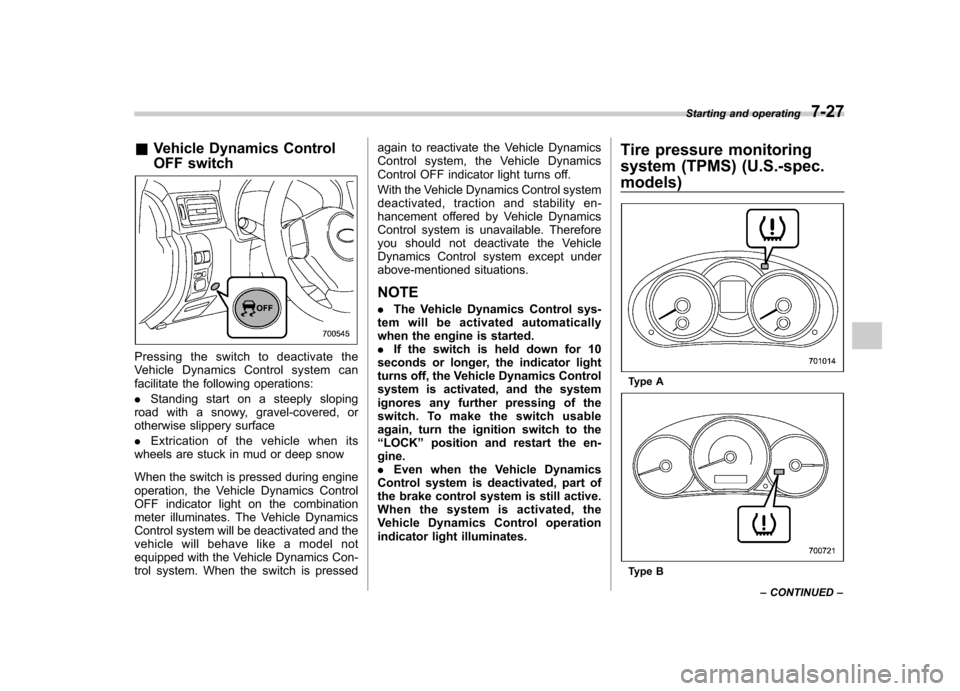
&Vehicle Dynamics Control
OFF switch
Pressingtheswitchtodeactivatethe
Vehicle Dynamics Control system can
facilitate the following operations: .Standing start on a steeply sloping
road with a snowy, gravel-covered, or
otherwise slippery surface . Extrication of the vehicle when its
wheels are stuck in mud or deep snow
When the switch is pressed during engine
operation, the Vehicle Dynamics Control
OFF indicator light on the combination
meter illuminates. The Vehicle Dynamics
Control system will be deactivated and the
vehicle will behave like a model not
equipped with the Vehicle Dynamics Con-
trol system. When the switch is pressed again to reactivate the Vehicle Dynamics
Control system, the Vehicle Dynamics
Control OFF indicator light turns off.
With the Vehicle Dynamics Control system
deactivated, traction and stability en-
hancement offered by Vehicle Dynamics
Control system is unavailable. Therefore
you should not deactivate the Vehicle
Dynamics Control system except under
above-mentioned situations.
NOTE . The Vehicle Dynamics Control sys-
tem will be activated automatically
when the engine is started.. If the switch is held down for 10
seconds or longer, the indicator light
turns off, the Vehicle Dynamics Control
system is activated, and the system
ignores any further pressing of the
switch. To make the switch usable
again, turn the ignition switch to the“ LOCK ”position and restart the en-
gine.. Even when the Vehicle Dynamics
Control system is deactivated, part of
the brake control system is still active.
When the system is activated, the
Vehicle Dynamics Control operation
indicator light illuminates. Tire pressure monitoring
system (TPMS) (U.S.-spec.
models)
Type A
Type BStarting and operating
7-27
– CONTINUED –
Page 283 of 438
7-32Starting and operating
&Hill start assist warning light
Refer to “Hill start assist warning light (MT
models) ”F 3-21. Cruise control
Cruise control enables you to maintain a
constant vehicle speed without holding
your foot on the accelerator pedal. It is
operative when the vehicle speed is 25
mph (40 km/h) or more.
WARNING
Do not use the cruise control under
any of the following conditions. This
may cause loss of vehicle control. . Driving up or down a steep grade
. Driving on slippery or winding
roads
. Driving in heavy traffic
. Towing a trailer
NOTE . If you press the “CRUISE ”main
switch button while turning the ignition switch “ON ”, the cruise control func-
tion is deactivated and the cruise
control indicator light flashes. To re-
activate the cruise control function,
turn the ignition switch back to the“ Acc ”or “LOCK ”position, and then
turn it again to the “ON ”position.
. Make sure the “CRUISE ”main
switch is turned off when the cruise control is not in use to avoid uninten-
tionally setting the cruise control.
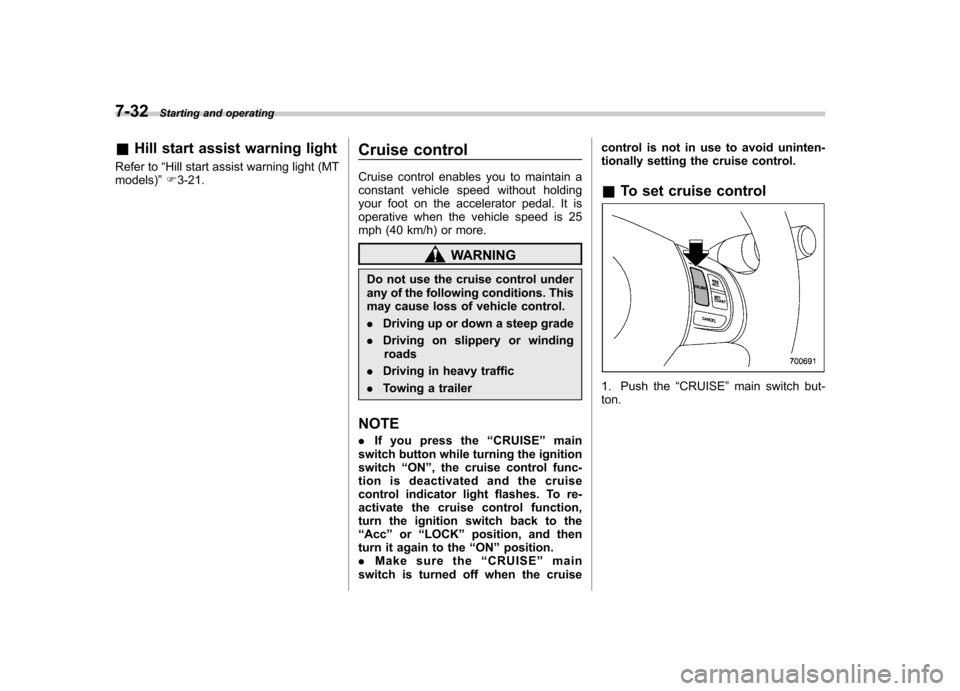
& To set cruise control
1. Push the “CRUISE ”main switch but-
ton.
Page 285 of 438
7-34Starting and operating
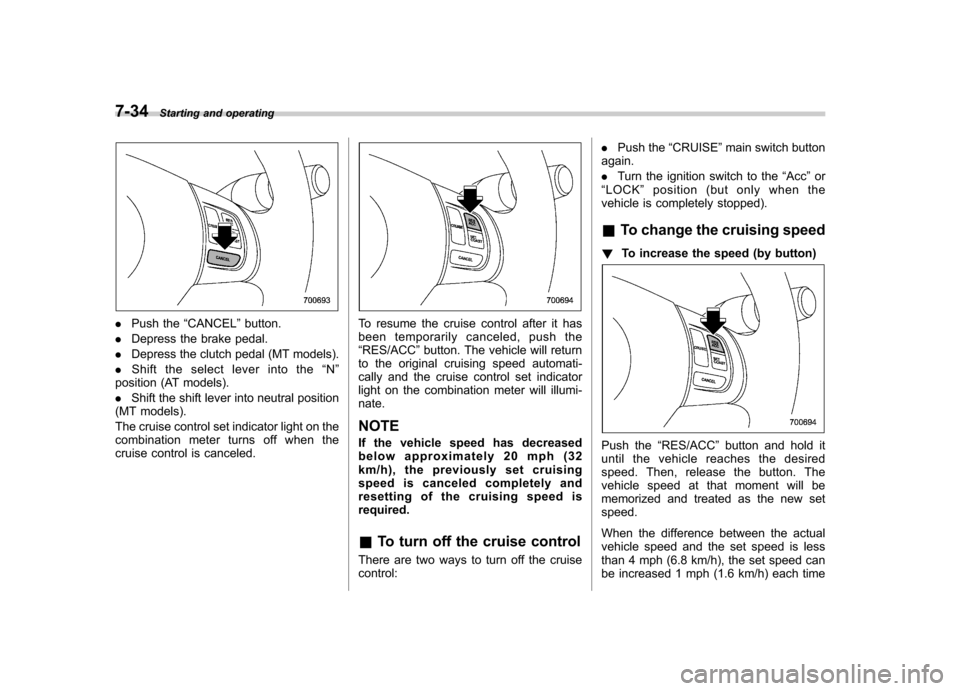
.Push the “CANCEL ”button.
. Depress the brake pedal.
. Depress the clutch pedal (MT models).
. Shift the select lever into the “N ”
position (AT models). . Shift the shift lever into neutral position
(MT models).
The cruise control set indicator light on the
combination meter turns off when the
cruise control is canceled.To resume the cruise control after it has
been temporarily canceled, push the“ RES/ACC ”button. The vehicle will return
to the original cruising speed automati-
cally and the cruise control set indicator
light on the combination meter will illumi-nate. NOTE
If the vehicle speed has decreased
below approximately 20 mph (32
km/h), the previously set cruising
speed is canceled completely and
resetting of the cruising speed isrequired. & To turn off the cruise control
There are two ways to turn off the cruise control: .
Push the “CRUISE ”main switch button
again. . Turn the ignition switch to the “Acc ”or
“ LOCK ”position (but only when the
vehicle is completely stopped). & To change the cruising speed
! To increase the speed (by button)
Push the “RES/ACC ”button and hold it
until the vehicle reaches the desired
speed. Then, release the button. The
vehicle speed at that moment will be
memorized and treated as the new setspeed.
When the difference between the actual
vehicle speed and the set speed is less
than 4 mph (6.8 km/h), the set speed can
be increased 1 mph (1.6 km/h) each time
Page 290 of 438
exhaust fumes are entering the
vehicle, have the problem
checked and corrected as soon
as possible. If you must drive
under these conditions, drive
only with all windows fully open.
. Keep the rear gate closed while
driving to prevent exhaust gas
from entering the vehicle.
NOTE
Due to the expansion and contraction
of the metals used in the exhaust
system, you may hear a crackling
sound coming from the exhaust sys-
tem for a short time after the engine
has been shut off. This sound isnormal. Catalytic converter
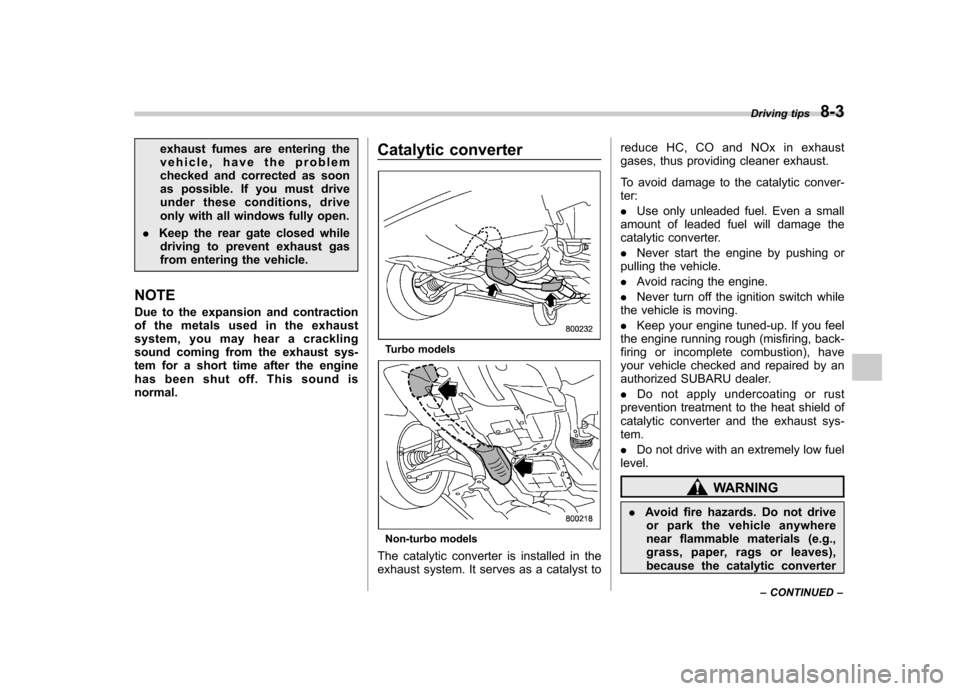
Turbo models
Non-turbo models
The catalytic converter is installed in the
exhaust system. It serves as a catalyst to reduce HC, CO and NOx in exhaust
gases, thus providing cleaner exhaust.
To avoid damage to the catalytic conver- ter: .
Use only unleaded fuel. Even a small
amount of leaded fuel will damage the
catalytic converter. . Never start the engine by pushing or
pulling the vehicle.. Avoid racing the engine.
. Never turn off the ignition switch while
the vehicle is moving.. Keep your engine tuned-up. If you feel
the engine running rough (misfiring, back-
firing or incomplete combustion), have
your vehicle checked and repaired by an
authorized SUBARU dealer. . Do not apply undercoating or rust
prevention treatment to the heat shield of
catalytic converter and the exhaust sys-tem. . Do not drive with an extremely low fuel
level.
WARNING
. Avoid fire hazards. Do not drive
or park the vehicle anywhere
near flammable materials (e.g.,
grass, paper, rags or leaves),
because the catalytic converter Driving tips
8-3
– CONTINUED –
Page 315 of 438
9-2In case of emergency
If you park your vehicle in
case of an emergency
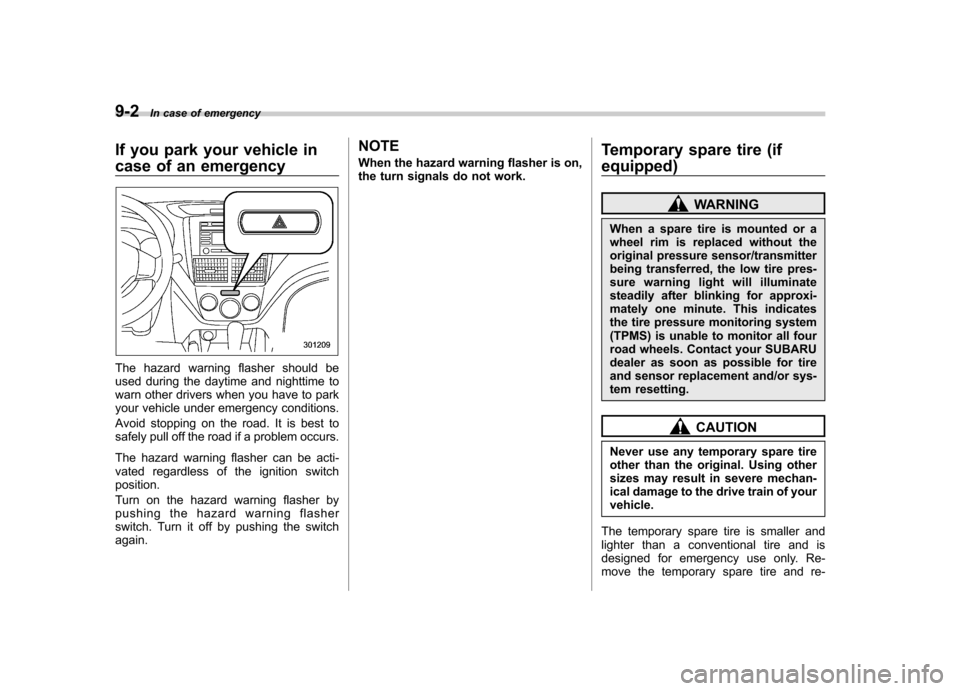
The hazard warning flasher should be
used during the daytime and nighttime to
warn other drivers when you have to park
your vehicle under emergency conditions.
Avoid stopping on the road. It is best to
safely pull off the road if a problem occurs.
The hazard warning flasher can be acti-
vated regardless of the ignition switchposition.
Turn on the hazard warning flasher by
pushing the hazard warning flasher
switch. Turn it off by pushing the switch again. NOTE
When the hazard warning flasher is on,
the turn signals do not work.
Temporary spare tire (if
equipped)
WARNING
When a spare tire is mounted or a
wheel rim is replaced without the
original pressure sensor/transmitter
being transferred, the low tire pres-
sure warning light will illuminate
steadily after blinking for approxi-
mately one minute. This indicates
the tire pressure monitoring system
(TPMS) is unable to monitor all four
road wheels. Contact your SUBARU
dealer as soon as possible for tire
and sensor replacement and/or sys-
tem resetting.
CAUTION
Never use any temporary spare tire
other than the original. Using other
sizes may result in severe mechan-
ical damage to the drive train of yourvehicle.
The temporary spare tire is smaller and
lighter than a conventional tire and is
designed for emergency use only. Re-
move the temporary spare tire and re-
Page 316 of 438
install the conventional tire as soon as possible.
Check the inflation pressure of the tem-
porary spare tire periodically to keep the
tire ready for use. The correct pressure is
60 psi (420 kPa, 4.2 kg/cm
2).
When using the temporary spare tire, note
the following. . Do not exceed 50 mph (80 km/h).
. Do not put a tire chain on the temporary
spare tire. Because of the smaller tire size,
a tire chain will not fit properly. . Do not use two or more temporary
spare tires at the same time.. Do not drive over obstacles. This tire
has a smaller diameter, so road clearance
is reduced.
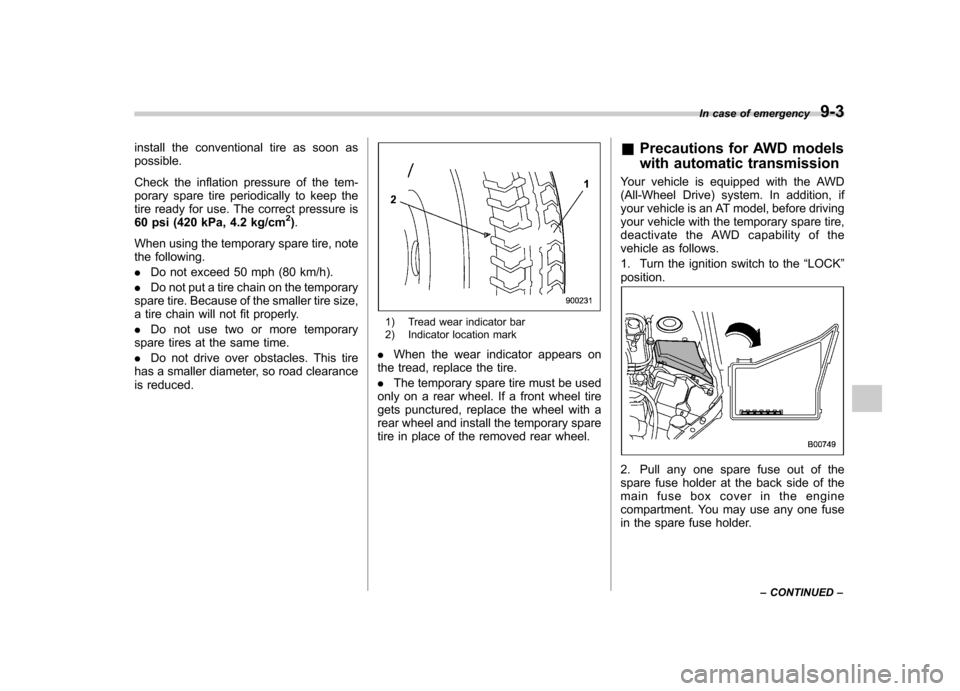
1) Tread wear indicator bar
2) Indicator location mark
. When the wear indicator appears on
the tread, replace the tire. . The temporary spare tire must be used
only on a rear wheel. If a front wheel tire
gets punctured, replace the wheel with a
rear wheel and install the temporary spare
tire in place of the removed rear wheel. &
Precautions for AWD models
with automatic transmission
Your vehicle is equipped with the AWD
(All-Wheel Drive) system. In addition, if
your vehicle is an AT model, before driving
your vehicle with the temporary spare tire,
deactivate the AWD capability of the
vehicle as follows.
1. Turn the ignition switch to the “LOCK ”
position.
2. Pull any one spare fuse out of the
spare fuse holder at the back side of the
main fuse box cover in the engine
compartment. You may use any one fuse
in the spare fuse holder. In case of emergency
9-3
– CONTINUED –
Page 330 of 438
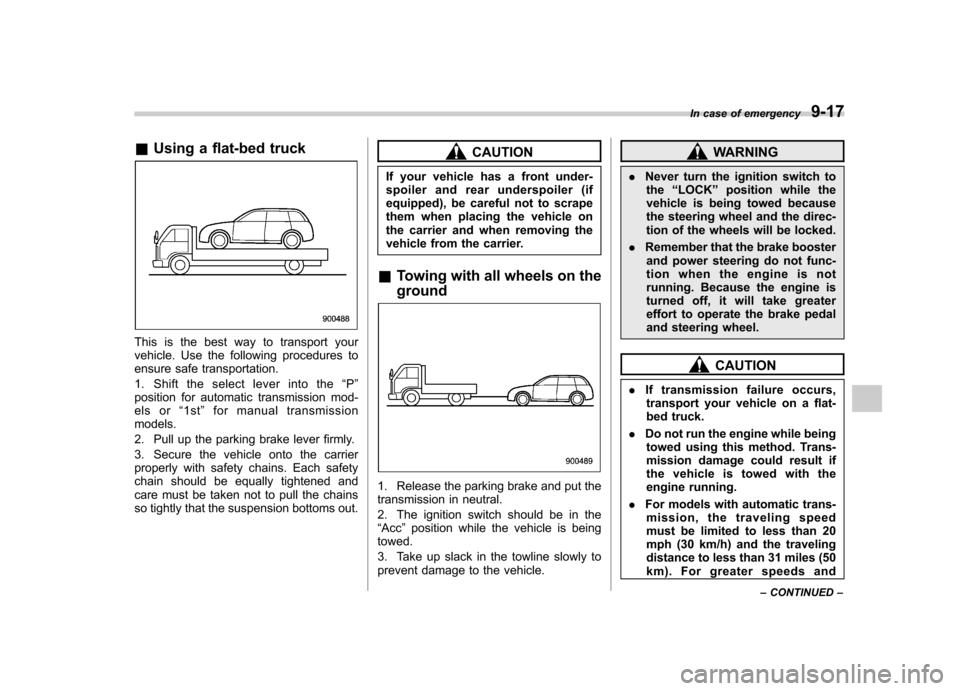
&Using a flat-bed truck
This is the best way to transport your
vehicle. Use the following procedures to
ensure safe transportation.
1. Shift the select lever into the “P ”
position for automatic transmission mod-
els or “1st ”for manual transmission
models.
2. Pull up the parking brake lever firmly.
3. Secure the vehicle onto the carrier
properly with safety chains. Each safety
chain should be equally tightened and
care must be taken not to pull the chains
so tightly that the suspension bottoms out.
CAUTION
If your vehicle has a front under-
spoiler and rear underspoiler (if
equipped), be careful not to scrape
them when placing the vehicle on
the carrier and when removing the
vehicle from the carrier.
& Towing with all wheels on the ground
1. Release the parking brake and put the
transmission in neutral.
2. The ignition switch should be in the “Acc ”position while the vehicle is being
towed.
3. Take up slack in the towline slowly to
prevent damage to the vehicle.
WARNING
. Never turn the ignition switch to
the “LOCK ”position while the
vehicle is being towed because
the steering wheel and the direc-
tion of the wheels will be locked.
. Remember that the brake booster
and power steering do not func-
tion when the engine is not
running. Because the engine is
turned off, it will take greater
effort to operate the brake pedal
and steering wheel.
CAUTION
. If transmission failure occurs,
transport your vehicle on a flat-
bed truck.
. Do not run the engine while being
towed using this method. Trans-
mission damage could result if
the vehicle is towed with the
engine running.
. For models with automatic trans-
mission, the traveling speed
must be limited to less than 20
mph (30 km/h) and the traveling
distance to less than 31 miles (50
km). For greater speeds and In case of emergency
9-17
– CONTINUED –