CD player SUBARU FORESTER 2013 SH / 3.G User Guide
[x] Cancel search | Manufacturer: SUBARU, Model Year: 2013, Model line: FORESTER, Model: SUBARU FORESTER 2013 SH / 3.GPages: 436, PDF Size: 15.3 MB
Page 201 of 436

5-28Audio
&Folder selection
NOTE . Selecting folders in this way is
possible only within a single disc. . Only MP3/WMA/AAC folders are re-
cognized when an attempt to select the
next or previous folder is made. If no
appropriate folder exists on the disc,
pressing the “
”or “”side of the
“ FOLDER/PTY/CAT ”button starts play-
back beginning with the first track.
Press the following buttons briefly.
Type A and B audio:
To select the next folder
To go back to the
previous folder
Type C audio:
To select the next folder
To go back to the
previous folder
Type D audio:
To select the next folder
To go back to the
previous folder
& How to eject a CD from the
player (type A, C and Daudio)
When a disc is being played back or when
a disc is in the player, press the
button. The disc will be ejected. NOTE . Avoid driving the vehicle with a CD
sticking out. Vibration might make it fall out.. If the disc is left ejected for more
than approximately 15 seconds after
the ignition switch is turned to the“ OFF ”position, a disc protection func-
tion will operate, automatically reload-
ing the disc. In this case, the disc is not played. &
How to eject CDs from the
player (type B)
! Ejecting a CD from the player
You can select and remove only one disc
at a time from the discs that are loaded.
1. Use the disc select button (from
to) to select the disc to be ejected.
2. Briefly press the
button. The
selected disc will be ejected. The disc
number indicator will flash at this time.
When you remove the ejected disc, the
disc number indicator will turn off.
To remove more discs in succession,
repeat steps 1 and 2. ! Ejecting all discs from the player
(all disc ejection mode)
1. If you continue to press the
button, the player will produce beep sound
and will enter the all disc ejection mode. At
this time, the disc number indicator and“ ALL EJECT ”indicator will flash.
2. Remove the disc that has been
ejected. The other discs loaded will then
be ejected one after another. If you do not
remove the disc that has been ejected, the“ All disc ejection mode ”will be canceled.
Page 202 of 436
NOTE .Avoid driving the vehicle with a CD
sticking out. Vibration might make it fall out.. If you press the
button while
the player is in all disc ejection mode,
the mode will be cancelled following
ejection of the disc that is currently
being ejected.. If you press the
button orbutton while the player is in all disc
ejection mode, the player will draw in
the discs that have been ejected and
play them. & When the following mes-
sages are displayed
If one of the following messages is
displayed while operating the CD player,
determine the cause based on the follow-
ing information. If you cannot clear those
messages, please contact your SUBARU
dealer. ! When “PUSH EJECT ”is displayed
Press the
button to eject the disc.
Check the disc for damage or deformation
and also check that the correct disc is
inserted. Do not try to eject the disc
forcibly. Mini CDs (i.e., 8 cm/3 inch CDs)
are not supported, and if inserted, they will
be immediately ejected and this message will be displayed. If the disc cannot be
ejected or this message remains dis-
played, please contact your SUBARU
dealer. !
When “CHECK DISC ”is displayed
Press the
button to eject the disc.
Check that the disc is not damaged or
scratched, and also check that the disc is
inserted correctly. This message may
appear when using some CD-RW discs.
Check that the disc type (i.e., 8 cm/3 inch
mini CDs are not supported) and data
format are correct. This player can only
play MP3, WMA (all models) and AAC
(type C and D audio) data formats. If the
disc cannot be ejected or this message
remains displayed, please contact your
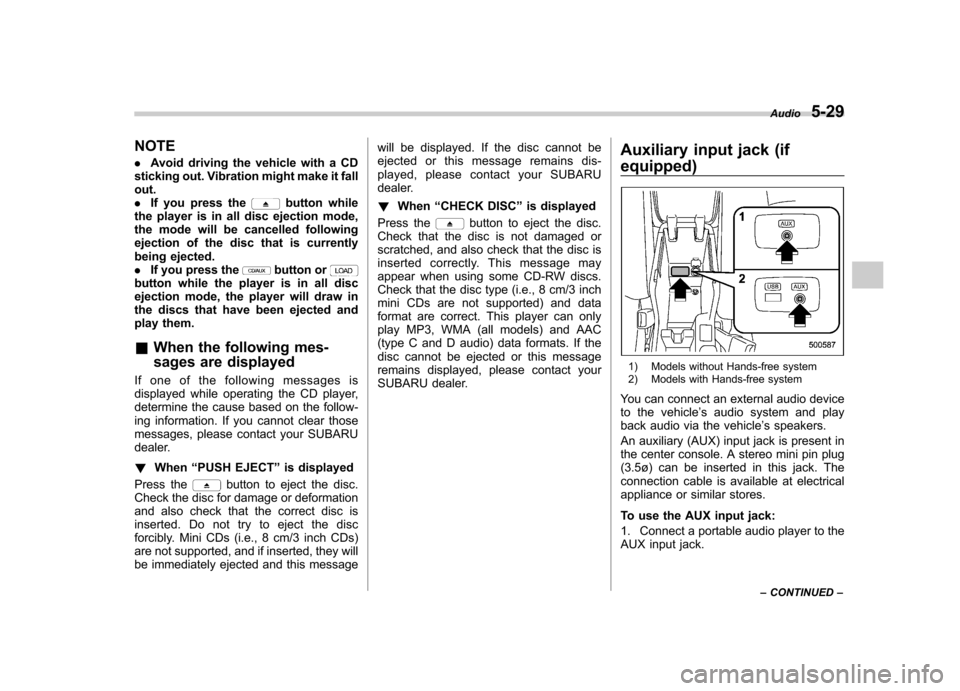
SUBARU dealer. Auxiliary input jack (if
equipped)
1) Models without Hands-free system
2) Models with Hands-free system
You can connect an external audio device
to the vehicle ’s audio system and play
back audio via the vehicle ’s speakers.
An auxiliary (AUX) input jack is present in
the center console. A stereo mini pin plug
(3.5ø) can be inserted in this jack. The
connection cable is available at electrical
appliance or similar stores.
To use the AUX input jack:
1. Connect a portable audio player to the
AUX input jack. Audio
5-29
– CONTINUED –
Page 203 of 436

5-30Audio
Type A and B audio
Type C and D audio
2. Press the “CD/AUX ”button on the
audio control panel to turn on the auxiliary
audio input.
3. Play back the portable audio player.
Refer to the instruction manual for the
portable audio player. NOTE . The AUX input jacks of the models
with the genuine SUBARU navigation
system are the 3.5 mm stereo jack type.
For detailed information, refer to the
Owner ’s Manual supplement for the
navigation system.. The output sound of the portable
audio player is not loud, and the sound
via the vehicle ’s speakers that are
connected to the vehicle audio set
may be very low. If you turn up the
volume of the audio set, the volume
becomes louder. However, when you
change from one portable audio player
to another one, the volume levels via
the vehicle ’s speakers may be signifi-
cantly louder compared to the prior device. To avoid a large volume differ-
ence, turn down the volume when you
change between portable audioplayers..
In some cases, when the sound
volume of the portable audio player is
low, the sound quality may become
impaired when you turn up the volume
of the vehicle audio system. In this
case, adjust the sound volume of the
portable audio player.. In some cases, noise occurs be-
cause of a bad connection between the
portable player and the vehicle audio
system. Try cleaning the stereo jack
and audio plug. . If the noise is not reduced, check for
disconnection of the cord or a malfunc-
tion of the portable player. Precautions to observe when
handling a compact disc
Use only compact discs (CDs, CD-Rs and
CD-RWs) that have the mark shown in the
following. Also, some compact discs
cannot be played.
Page 204 of 436
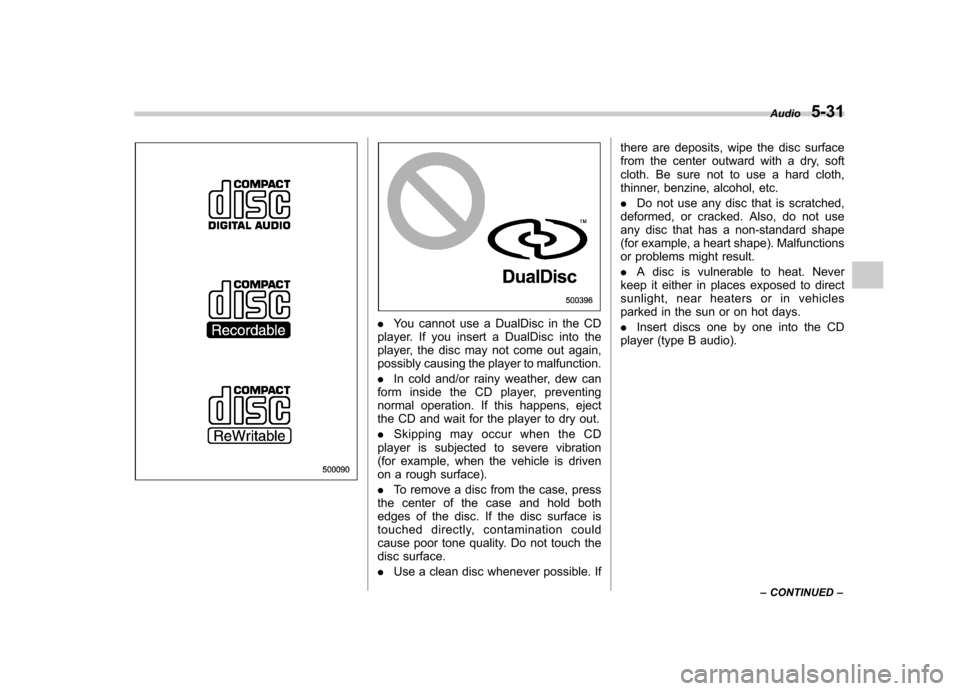
.You cannot use a DualDisc in the CD
player. If you insert a DualDisc into the
player, the disc may not come out again,
possibly causing the player to malfunction. . In cold and/or rainy weather, dew can
form inside the CD player, preventing
normal operation. If this happens, eject
the CD and wait for the player to dry out. . Skipping may occur when the CD
player is subjected to severe vibration
(for example, when the vehicle is driven
on a rough surface). . To remove a disc from the case, press
the center of the case and hold both
edges of the disc. If the disc surface is
touched directly, contamination could
cause poor tone quality. Do not touch the
disc surface. . Use a clean disc whenever possible. If there are deposits, wipe the disc surface
from the center outward with a dry, soft
cloth. Be sure not to use a hard cloth,
thinner, benzine, alcohol, etc. .
Do not use any disc that is scratched,
deformed, or cracked. Also, do not use
any disc that has a non-standard shape
(for example, a heart shape). Malfunctions
or problems might result. . A disc is vulnerable to heat. Never
keep it either in places exposed to direct
sunlight, near heaters or in vehicles
parked in the sun or on hot days. . Insert discs one by one into the CD
player (type B audio). Audio
5-31
– CONTINUED –
Page 207 of 436
5-34Audio
to in-vehicle equipment will be charged
when the ignition switch is in the “ON ”
or “Acc ”position. However, activation
of the iPod
®may be delayed if the
battery charge of the iPod®is low.
. If an iPod®does not activate after
operation, disconnect the connection
cable from the iPod
®and reset it. For
the resetting procedure, see the User ’s
Guide that comes with the iPod
®.
. If an iPod®and the connection cable
are connected improperly, the iPod®
cannot be powered on or will not be
recognized by in-vehicle equipment. In
this case, disconnect the connection
cable from the iPod
®, and then connect
it again.
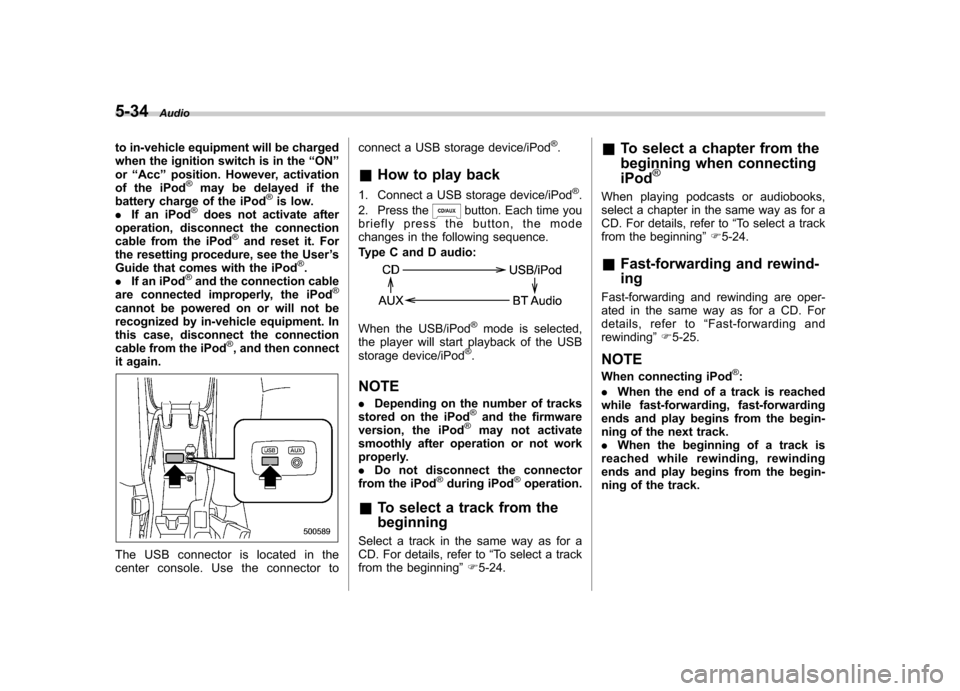
The USB connector is located in the
center console. Use the connector to connect a USB storage device/iPod
®.
& How to play back
1. Connect a USB storage device/iPod
®.
2. Press the
button. Each time you
briefly press the button, the mode
changes in the following sequence.
Type C and D audio:
When the USB/iPod®mode is selected,
the player will start playback of the USB
storage device/iPod
®.
NOTE . Depending on the number of tracks
stored on the iPod
®and the firmware
version, the iPod®may not activate
smoothly after operation or not work
properly.. Do not disconnect the connector
from the iPod
®during iPod®operation.
& To select a track from the beginning
Select a track in the same way as for a
CD. For details, refer to “To select a track
from the beginning ”F 5-24. &
To select a chapter from the
beginning when connecting iPod
®
When playing podcasts or audiobooks,
select a chapter in the same way as for a
CD. For details, refer to “To select a track
from the beginning ”F 5-24.
& Fast-forwarding and rewind- ing
Fast-forwarding and rewinding are oper-
ated in the same way as for a CD. For
details, refer to “Fast-forwarding and
rewinding ”F 5-25.
NOTE
When connecting iPod
®:
. When the end of a track is reached
while fast-forwarding, fast-forwarding
ends and play begins from the begin-
ning of the next track.. When the beginning of a track is
reached while rewinding, rewinding
ends and play begins from the begin-
ning of the track.
Page 211 of 436
5-38Audio
Models with Hands-free system
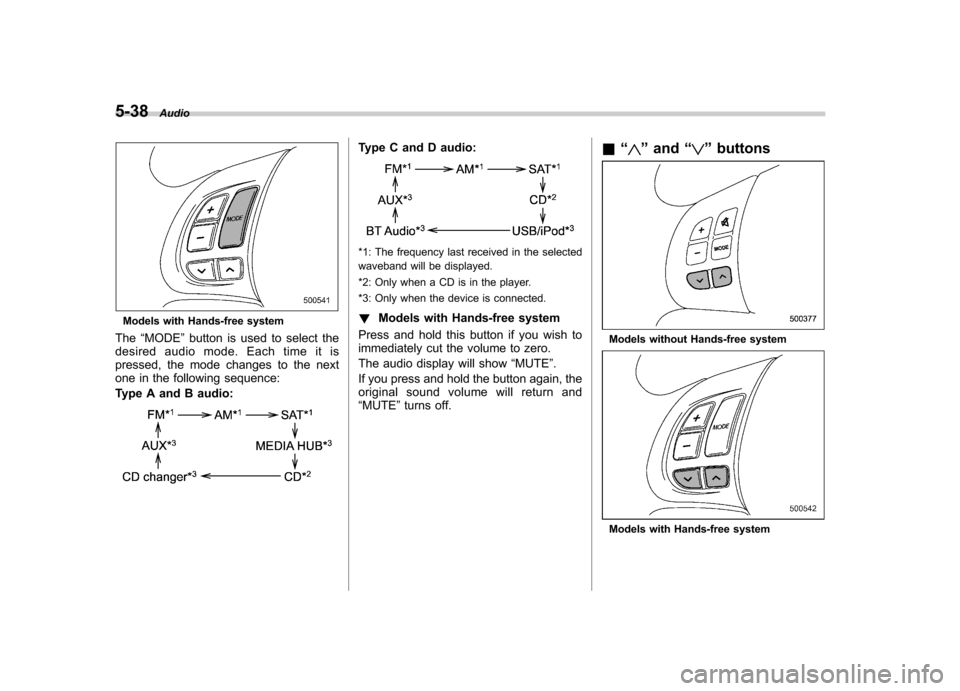
The “MODE ”button is used to select the
desiredaudiomode.Eachtimeitis
pressed, the mode changes to the next
one in the following sequence:
Type A and B audio:
Type C and D audio:
*1: The frequency last received in the selected
waveband will be displayed.
*2: Only when a CD is in the player.
*3: Only when the device is connected. ! Models with Hands-free system
Press and hold this button if you wish to
immediately cut the volume to zero.
The audio display will show “MUTE ”.
If you press and hold the button again, the
original sound volume will return and“ MUTE ”turns off. &
“
”and “”buttons
Models without Hands-free system
Models with Hands-free system
Page 213 of 436
5-40Audio
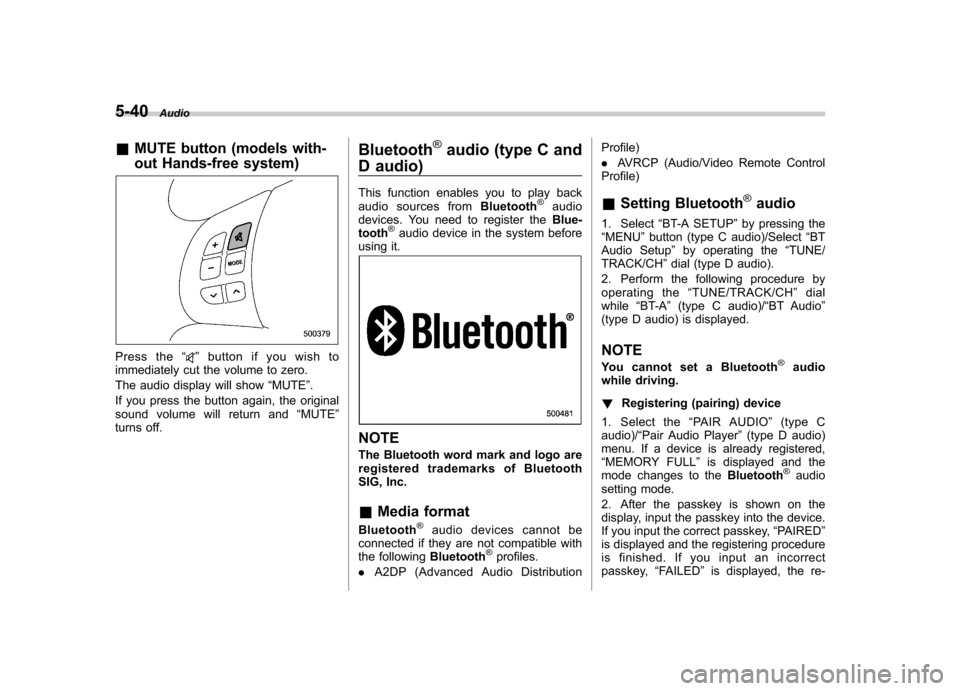
&MUTE button (models with-
out Hands-free system)
Press the “”button if you wish to
immediately cut the volume to zero.
The audio display will show “MUTE ”.
If you press the button again, the original
sound volume will return and “MUTE ”
turns off. Bluetooth
®audio (type C and
D audio)
This function enables you to play back
audio sources from Bluetooth
®audio
devices. You need to register the Blue-
tooth
®audio device in the system before
using it.
NOTE
The Bluetooth word mark and logo are
registered tradem arks of Bluetooth
SIG, Inc. & Media format
Bluetooth
®audio devices cannot be
connected if they are not compatible with
the following Bluetooth
®profiles.
. A2DP (Advanced Audio Distribution Profile) .
AVRCP (Audio/Video Remote Control
Profile)
& Setting Bluetooth
®audio
1. Select “BT-A SETUP ”by pressing the
“ MENU ”button (type C audio)/Select “BT
Audio Setup ”by operating the “TUNE/
TRACK/CH ”dial (type D audio).
2. Perform the following procedure by
operating the “TUNE/TRACK/CH ”dial
while “BT-A ”(type C audio)/ “BT Audio ”
(type D audio) is displayed.
NOTE
You cannot set a Bluetooth
®audio
while driving. ! Registering (pairing) device
1. Select the “PAIR AUDIO ”(type C
audio)/ “Pair Audio Player ”(type D audio)
menu. If a device is already registered, “ MEMORY FULL ”is displayed and the
mode changes to the Bluetooth
®audio
setting mode.
2. After the passkey is shown on the
display, input the passkey into the device.
If you input the correct passkey, “PAIRED ”
is displayed and the registering procedure
is finished. If you input an incorrect
passkey, “FAILED ”is displayed, the re-
Page 214 of 436

gistering procedure was not successful
and the mode changes to theBluetooth®
audio setting mode. NOTE
After the ignition switch is turned to the “LOCK ”position, the registered device
is not automatically connected to the
system even if the ignition switch is
turned to the “Acc ”or “ON ”position.
! Selecting device
1. Select the “SELECT AUDIO ”(type C
audio)/ “Select Audio Player ”(type D
audio) menu. If no devices are registered,“ EMPTY ”is displayed and the mode
changes to the Bluetooth
®audio setting
mode.
2. Select the “CONFIRM ”menu. If the
device is connected, “SELECTED ”is
displayed and the selecting procedure is
finished. If the device cannot be con-nected, “FAILED ”is displayed and the
selecting procedure was not successful. ! Setting passkey
1. Select the “SET PASSKEY ”menu.
After the currently set passkey is dis-
played, a new passkey can be entered.
2. Input the new passkey by operating the “TUNE/TRACK/CH ”dial. 3. Select the
“CONFIRM ”menu. The new
passkey is displayed, the passkey is
changed and the mode changes to theBluetooth
®audio setting mode.
! Deleting device
1. Select the “DELETE AUDIO ”(type C
audio)/ “Delete Audio Player ”(type D
audio) menu. If no devices are registered,“ EMPTY ”is displayed and the mode
changes to the Bluetooth
®audio setting
mode.
2. Select the “CONFIRM ”menu. “DE-
LETED ”is displayed and the mode
changes to the Bluetooth
®audio setting
mode. & Bluetooth
®audio operation
NOTE
Depending on the connected device, it
may not activate as per the following
items or not work smoothly. ! How to play back
Press the
button and select the “BT-
A ” (type C audio)/ “BT Audio ”(type D
audio) mode. ! To select a track from its beginning
Select a track in the same way as for a
CD. Refer to “To select a track from the
beginning ”F 5-24. !
Repeating
Repeating is operated in the same way as
for a CD. Refer to “Repeating ”F 5-25.
Each time you briefly press the
button (type C audio)/button (the
“ RPT ”button) (type D audio), the mode
changes in the following sequence.
! Random playback
Random playback is operated in the same
way as for a CD. Refer to “Random
playback ”F 5-26. Each time you press
and hold the
button (type C audio)/
press thebutton (the “RDM ”button)
briefly (type D audio), the mode changes
in the following sequence.
! Display selection (type C audio)
Select an item to be displayed using the
same way as for a CD. Refer to “Display
selection (type A, B and C audio) ”F 5-27.
Each time you briefly press the
Audio 5-41
– CONTINUED –
Page 425 of 436

14-2Index
A Abbreviation ................................................................... 3
ABS (Anti-lock Brake System) ..................................... 7-23
Warning light ......................................................... 3-19
Accessories ....................................................... 5-4, 11-45
Accessory power outlet ................................................. 6-9
Active head restraint ..................................................... 1-6
Air cleaner element ................................................... 11-15
Air conditioner
Manual climate control system ................................... 4-8
Air filtration system ..................................................... 4-11
Airflow selection Automatic climate control system ............................... 4-6
Manual climate control system ................................... 4-8
Alarm system ............................................................ 2-14
All-Wheel Drive warning light ....................................... 3-21
Aluminum wheel ....................................................... 11-37
Cleaning ............................................................... 10-3
Antenna system ........................................................... 5-3
Anti-lock Brake System (ABS) ..................................... 7-23
Arming the system ..................................................... 2-15
Armrest ....................................................................... 1-8
Ashtray ..................................................................... 6-11
AT OIL TEMP warning light ......................................... 3-17
Audio Antenna system ....................................................... 5-3
Auxiliary input jack ................................................. 5-29
Bluetooth
®audio .................................................... 5-40
CD player operation ............................................... 5-22
Control button ........................................................ 5-37
FM/AM radio operation ........................................... 5-13 iPod
®operations
.................................................... 5-32
Power and audio controls ......................................... 5-9
Satellite radio operations ......................................... 5-18
Set ........................................................................ 5-4
USB storage device operations ................................ 5-32
Auto-dimming mirror/compass .............................. 3-36, 3-38
Automatic climate control system ................................... 4-6
Automatic headlight beam leveler ................................. 3-31
Warning light .......................................................... 3-21
Automatic transmission ............................................... 7-15
Fluid ........................................................... 11-20, 12-9
MANUAL mode ...................................................... 7-19
Oil temperature warning light (AT OIL TEMP) ............. 3-17
Select lever ........................................................... 7-16
Shift lock function ................................................... 7-17
SPORT mode ........................................................ 7-20
Automatic/Emergency Locking Retractor (A/ELR) ........... 1-13
Auxiliary input jack ...................................................... 5-29
BBattery .................................................................... 11-43
Drainage prevention function ..................................... 2-5
Jump starting ......................................................... 9-10
Replacement (remote engine start transmitter) ........... 7-12
Replacement (remote keyless entry system) .............. 2-10
Bluetooth
®audio ........................................................ 5-40
Booster seat .............................................................. 1-28
Bottle holder ............................................................... 6-9
Brake Assist .................................................................... 7-22
Booster ....................................................... 7-22, 11-25