reset SUBARU FORESTER 2017 SJ / 4.G User Guide
[x] Cancel search | Manufacturer: SUBARU, Model Year: 2017, Model line: FORESTER, Model: SUBARU FORESTER 2017 SJ / 4.GPages: 634, PDF Size: 11.77 MB
Page 171 of 634
Instruments and controls/Warning and indicator lights
as the malfunction exists. When the
malfunction indicator is illuminated, the
system may not be able to detect or signal
low tire pressure as intended. TPMS
malfunctions may occur for a variety of
reasons, including the installation of re-
placement or alternate tires or wheels on
the vehicle that prevent the TPMS from
functioning properly. Always check the
TPMS malfunction telltale after replacing
one or more tires or wheels on your
vehicle to ensure that the replacement or
alternate tires and wheels allow the TPMS
to continue to function properly.
Should the warning light illuminate stea-
dily after blinking for approximately one
minute, have the system inspected by
your nearest SUBARU dealer as soon as
possible.
WARNING
If this light does not illuminate
briefly after the ignition switch is
turned ON or the light illuminates
steadily after blinking for approxi-
mately one minute, you should have
your Tire Pressure Monitoring Sys-
tem checked at a SUBARU dealer as
soon as possible.
If this light illuminates while driving,
never brake suddenly and keepdriving straight ahead while gradu-
ally reducing speed. Then slowly
pull off the road to a safe place.
Otherwise an accident involving
serious vehicle damage and serious
personal injury could occur.
If this light still illuminates while
driving after adjusting the tire pres-
sure, a tire may have significant
damage and a fast leak that causes
the tire to lose air rapidly. If you have
a flat tire, replace it with a spare tire
as soon as possible.
When a spare tire is mounted or a
wheel rim is replaced without the
original pressure sensor/transmitter
being transferred, the Low tire pres-
sure warning light will illuminate
steadily after blinking for approxi-
mately one minute. This indicates
the TPMS is unable to monitor all
four road wheels. Contact your
SUBARU dealer as soon as possible
for tire and sensor replacement and/
or system resetting.
If the light illuminates steadily after
blinking for approximately one min-
ute, promptly contact a SUBARU
dealer to have the system inspected.
CAUTION
The tire pressure monitoring system
is NOT a substitute for manually
checking tire pressure. The tire
pressure should be checked peri-
odically (at least monthly) using a
tire gauge. After any change to tire
pressure(s), the tire pressure mon-
itoring system will not re-check tire
inflation pressures until the vehicle
is first driven more than 25 mph (40
km/h). After adjusting the tire pres-
sures, increase the vehicle speed to
at least 25 mph (40 km/h) to start the
TPMS re-checking of the tire infla-
tion pressures. If the tire pressures
are now above the severe low
pressure threshold, the low tire
pressure warning light should turn
off a few minutes later. Therefore, be
sure to install the specified size for
the front and rear tires.
3-20
Page 187 of 634
Instruments and controls/Information display (Mexico–spec. models)
the average rate of fuel consumption.
When the low fuel warning light illumi-
nates, the driving range display flashes for
5 seconds. (The display first switches to
the driving range value if a different value
was previously displayed.)
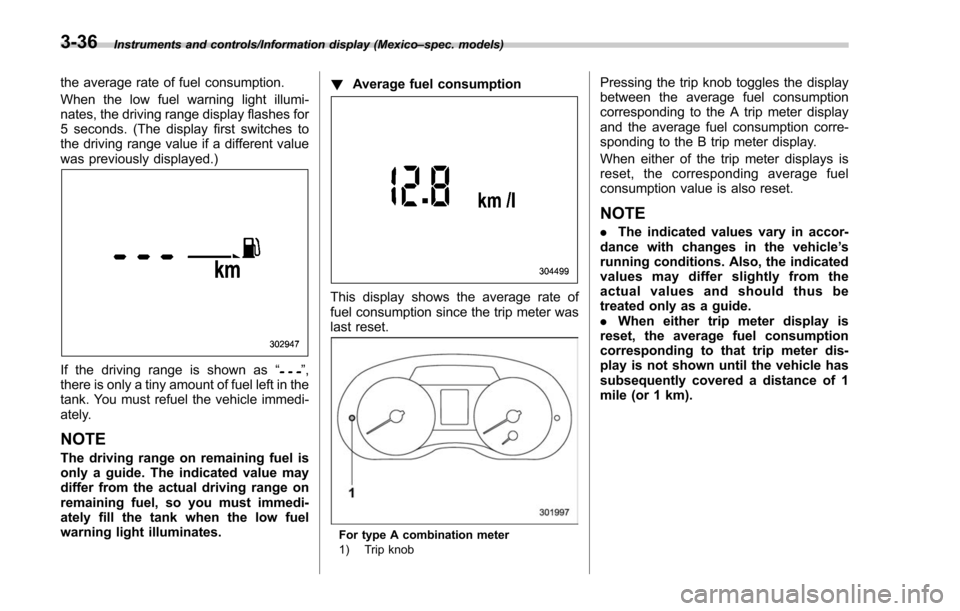
If the driving range is shown as “”,
there is only a tiny amount of fuel left in the
tank. You must refuel the vehicle immedi-
ately.
NOTE
The driving range on remaining fuel is
only a guide. The indicated value may
differ from the actual driving range on
remaining fuel, so you must immedi-
ately fill the tank when the low fuel
warning light illuminates. !
Average fuel consumption
This display shows the average rate of
fuel consumption since the trip meter was
last reset.
For type A combination meter
1) Trip knob
Pressing the trip knob toggles the display
between the average fuel consumption
corresponding to the A trip meter display
and the average fuel consumption corre-
sponding to the B trip meter display.
When either of the trip meter displays is
reset, the corresponding average fuel
consumption value is also reset.
NOTE
.The indicated values vary in accor-
dance with changes in the vehicle ’s
running conditions. Also, the indicated
values may differ slightly from the
actual values and should thus be
treated only as a guide.
. When either trip meter display is
reset, the average fuel consumption
corresponding to that trip meter dis-
play is not shown until the vehicle has
subsequently covered a distance of 1
mile (or 1 km).
3-36
Page 188 of 634
!Current fuel consumption
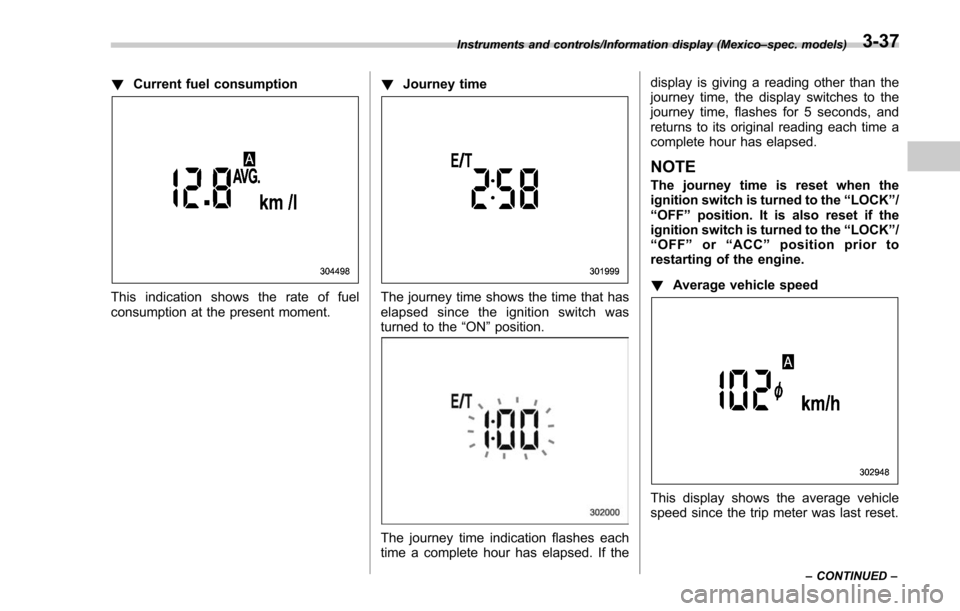
This indication shows the rate of fuel
consumption at the present moment. !
Journey timeThe journey time shows the time that has
elapsed since the ignition switch was
turned to the “ON”position.
The journey time indication flashes each
time a complete hour has elapsed. If the display is giving a reading other than the
journey time, the display switches to the
journey time, flashes for 5 seconds, and
returns to its original reading each time a
complete hour has elapsed.
NOTE
The journey time is reset when the
ignition switch is turned to the
“LOCK ”/
“ OFF ”position. It is also reset if the
ignition switch is turned to the “LOCK ”/
“ OFF ”or “ACC” position prior to
restarting of the engine.
! Average vehicle speed
This display shows the average vehicle
speed since the trip meter was last reset.
Instruments and controls/Information display (Mexico –spec. models)
–CONTINUED –3-37
Page 189 of 634
Instruments and controls/Information display (Mexico–spec. models)
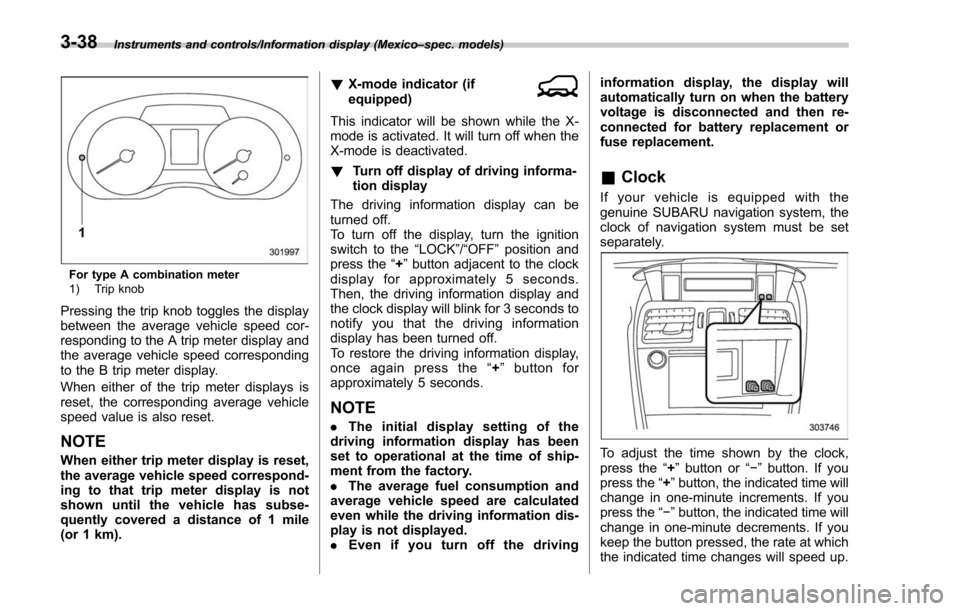
For type A combination meter
1) Trip knob
Pressing the trip knob toggles the display
between the average vehicle speed cor-
responding to the A trip meter display and
the average vehicle speed corresponding
to the B trip meter display.
When either of the trip meter displays is
reset, the corresponding average vehicle
speed value is also reset.
NOTE
When either trip meter display is reset,
the average vehicle speed correspond-
ing to that trip meter display is not
shown until the vehicle has subse-
quently covered a distance of 1 mile
(or 1 km). !
X-mode indicator (if
equipped)
This indicator will be shown while the X-
mode is activated. It will turn off when the
X-mode is deactivated.
! Turn off display of driving informa-
tion display
The driving information display can be
turned off.
To turn off the display, turn the ignition
switch to the “LOCK”/“OFF”position and
press the “+”button adjacent to the clock
display for approximately 5 seconds.
Then, the driving information display and
the clock display will blink for 3 seconds to
notify you that the driving information
display has been turned off.
To restore the driving information display,
once again press the “+ ” button for
approximately 5 seconds.
NOTE
. The initial display setting of the
driving information display has been
set to operational at the time of ship-
ment from the factory.
. The average fuel consumption and
average vehicle speed are calculated
even while the driving information dis-
play is not displayed.
. Even if you turn off the driving information display, the display will
automatically turn on when the battery
voltage is disconnected and then re-
connected for battery replacement or
fuse replacement.
&
Clock
If your vehicle is equipped with the
genuine SUBARU navigation system, the
clock of navigation system must be set
separately.
To adjust the time shown by the clock,
press the “+”button or “− ” button. If you
press the “+ ”button, the indicated time will
change in one-minute increments. If you
press the “− ”button, the indicated time will
change in one-minute decrements. If you
keep the button pressed, the rate at which
the indicated time changes will speed up.
3-38
Page 201 of 634
Instruments and controls/Multi function display
NOTE
The driving range on the remaining fuel
is calculated using the average fuel
consumption of the last 19 miles (30
km) driven. This value may be different
from the values calculated using the
average fuel consumption correspond-
ing to the driving distance of each trip
meter or the current fuel consumption.!Clock
The clock can be displayed in either 12-
hour display or 24-hour display. For details
about the setting, refer to “Current date
and time setting ”F 3-59.
NOTE
If the vehicle battery is disconnected,
the clock shown in the information bar
will be reset. Set the time again after
the vehicle battery is connected. For
details about the setting, refer to “To p
display setting ”F 3-68. !
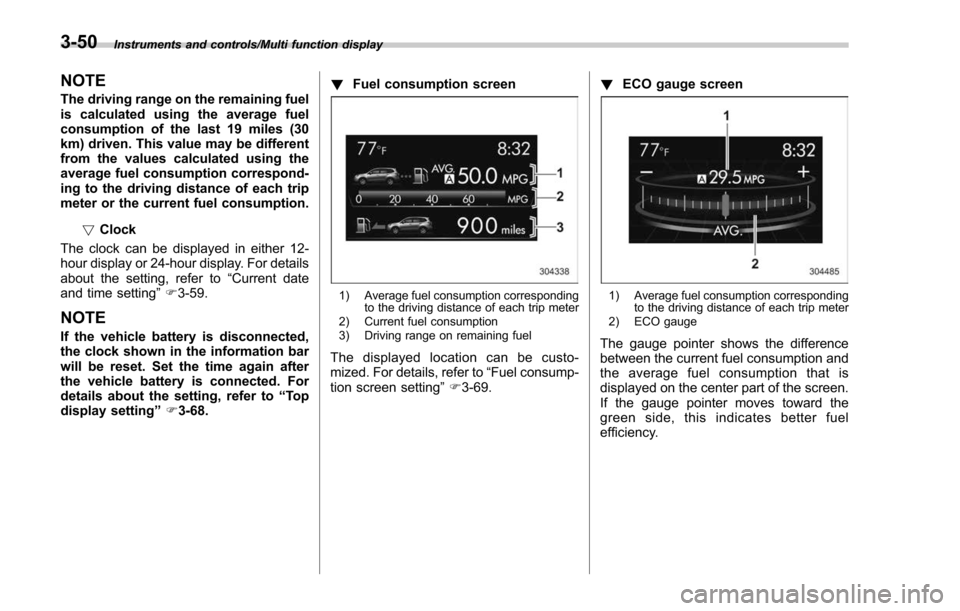
Fuel consumption screen
1) Average fuel consumption corresponding
to the driving distance of each trip meter
2) Current fuel consumption
3) Driving range on remaining fuel
The displayed location can be custo-
mized. For details, refer to “Fuel consump-
tion screen setting ”F 3-69. !
ECO gauge screen
1) Average fuel consumption corresponding
to the driving distance of each trip meter
2) ECO gauge
The gauge pointer shows the difference
between the current fuel consumption and
the average fuel consumption that is
displayed on the center part of the screen.
If the gauge pointer moves toward the
green side, this indicates better fuel
efficiency.
3-50
Page 204 of 634
This screen displays the status of the
EyeSight system.
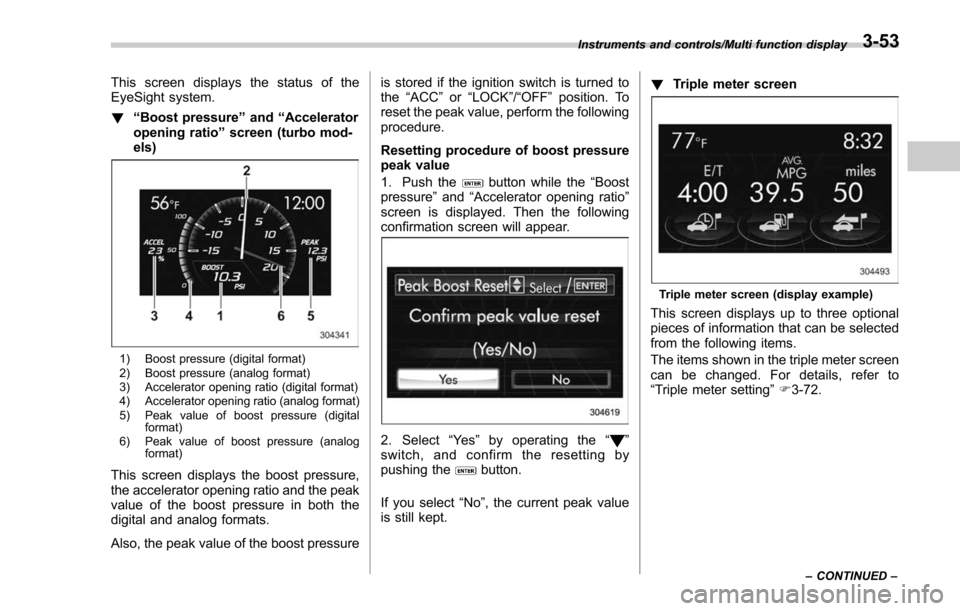
!“Boost pressure ”and “Accelerator
opening ratio ”screen (turbo mod-
els)
1) Boost pressure (digital format)
2) Boost pressure (analog format)
3) Accelerator opening ratio (digital format)
4) Accelerator opening ratio (analog format)
5) Peak value of boost pressure (digital format)
6) Peak value of boost pressure (analog format)
This screen displays the boost pressure,
the accelerator opening ratio and the peak
value of the boost pressure in both the
digital and analog formats.
Also, the peak value of the boost pressure is stored if the ignition switch is turned to
the
“ACC ”or “LOCK ”/“OFF ”position. To
reset the peak value, perform the following
procedure.
Resetting procedure of boost pressure
peak value
1. Push the
button while the “Boost
pressure ”and “Accelerator opening ratio ”
screen is displayed. Then the following
confirmation screen will appear.
2. Select “Ye s ”by operating the “”
switch, and confirm the resetting by
pushing the
button.
If you select “No”, the current peak value
is still kept. !
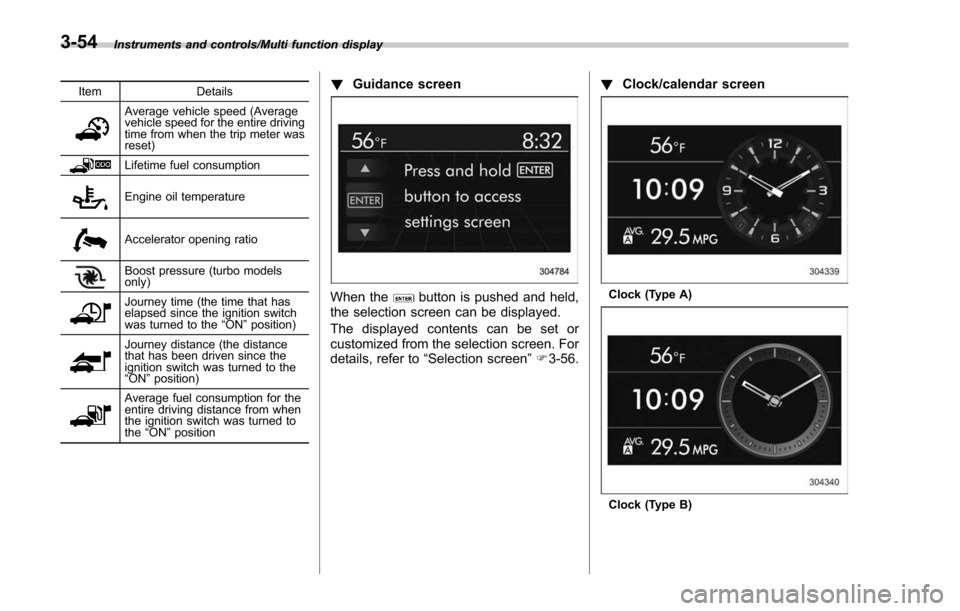
Triple meter screen
Triple meter screen (display example)
This screen displays up to three optional
pieces of information that can be selected
from the following items.
The items shown in the triple meter screen
can be changed. For details, refer to
“Triple meter setting ”F 3-72.
Instruments and controls/Multi function display
–CONTINUED –3-53
Page 205 of 634
Instruments and controls/Multi function display
ItemDetails
Average vehicle speed (Average
vehicle speed for the entire driving
time from when the trip meter was
reset)
Lifetime fuel consumption
Engine oil temperature
Accelerator opening ratio
Boost pressure (turbo models
only)
Journey time (the time that has
elapsed since the ignition switch
was turned to the“ON ”position)
Journey distance (the distance
that has been driven since the
ignition switch was turned to the
“ON ”position)
Average fuel consumption for the
entire driving distance from when
the ignition switch was turned to
the “ON ”position
! Guidance screen
When thebutton is pushed and held,
the selection screen can be displayed.
The displayed contents can be set or
customized from the selection screen. For
details, refer to “Selection screen” F3-56. !
Clock/calendar screenClock (Type A)
Clock (Type B)
3-54
Page 209 of 634
Instruments and controls/Multi function display
Top menuMenu option DescriptionPage
Initialize Reset to Defaults Reset all settings to the default settings. Yes or No 3-90
Lifetime Fuel Consumption Reset Clear logged lifetime fuel consumption data. Yes or No 3-91
Go Back Return to the top menu. —
Go Back —Return to the top menu. —
3-58
Page 241 of 634
Instruments and controls/Multi function display
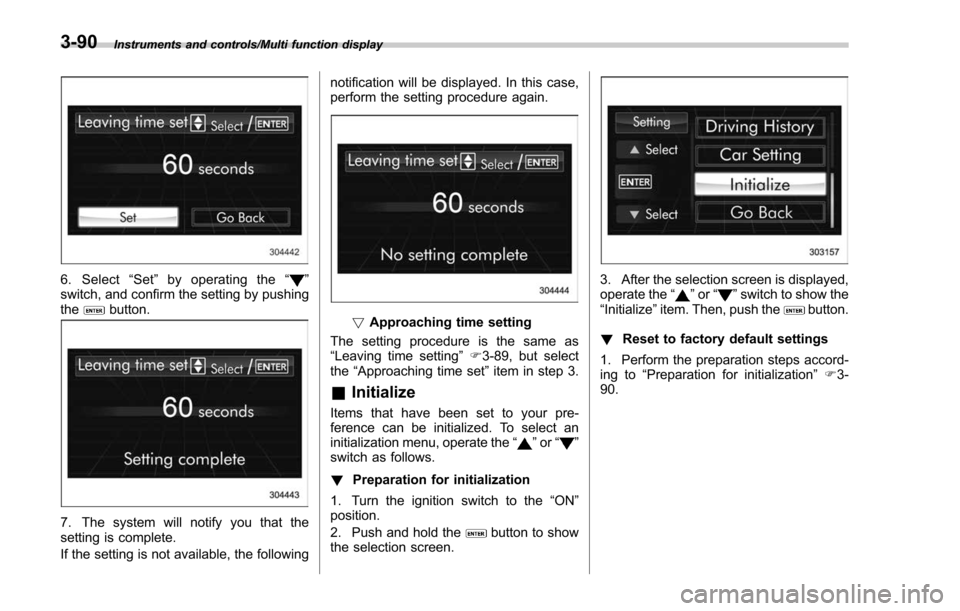
6. Select“Set ”by operating the “”
switch, and confirm the setting by pushing
the
button.
7. The system will notify you that the
setting is complete.
If the setting is not available, the following notification will be displayed. In this case,
perform the setting procedure again.
!
Approaching time setting
The setting procedure is the same as
“Leaving time setting ”F 3-89, but select
the “Approaching time set ”item in step 3.
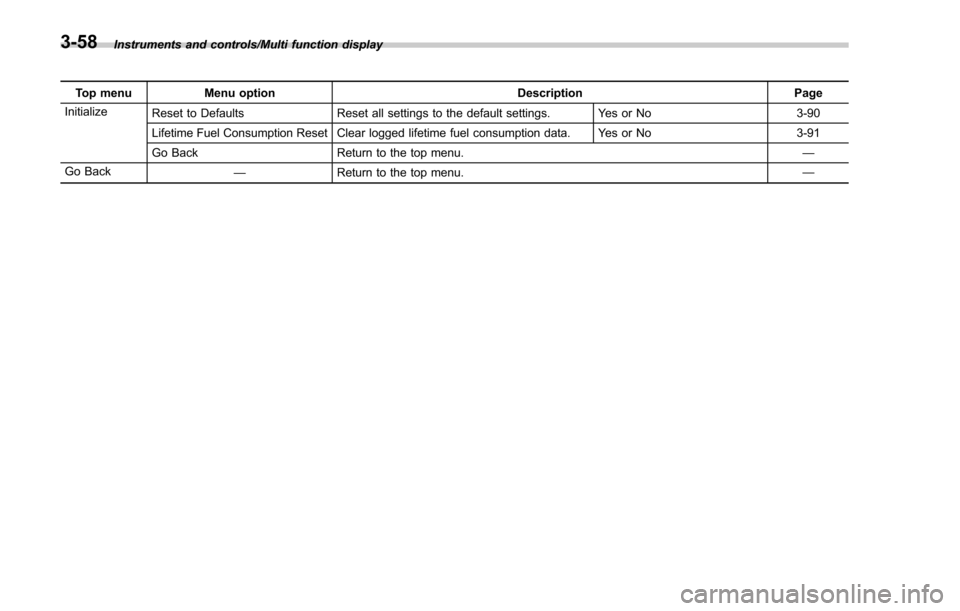
& Initialize
Items that have been set to your pre-
ference can be initialized. To select an
initialization menu, operate the “
”or “”
switch as follows.
! Preparation for initialization
1. Turn the ignition switch to the “ON ”
position.
2. Push and hold the
button to show
the selection screen.
3. After the selection screen is displayed,
operate the “”or “”switch to show the
“ Initialize ”item. Then, push thebutton.
! Reset to factory default settings
1. Perform the preparation steps accord-
ing to “Preparation for initialization ”F 3-
90.
3-90
Page 242 of 634
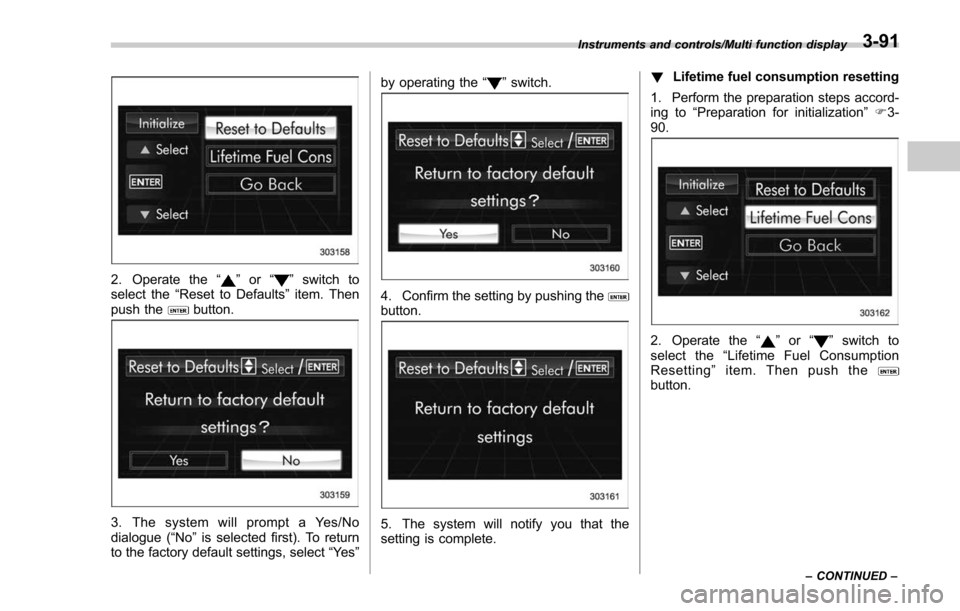
2. Operate the“”or “”switch to
select the “Reset to Defaults ”item. Then
push the
button.
3. The system will prompt a Yes/No
dialogue (“No ”is selected first). To return
to the factory default settings, select “Ye s”by operating the
“
”switch.
4. Confirm the setting by pushing thebutton.
5. The system will notify you that the
setting is complete. !
Lifetime fuel consumption resetting
1. Perform the preparation steps accord-
ing to “Preparation for initialization ”F 3-
90.
2. Operate the “”or “”switch to
select the “Lifetime Fuel Consumption
Resetting ”item. Then push the
button.
Instruments and controls/Multi function display
–CONTINUED –3-91