USB SUBARU FORESTER 2017 SJ / 4.G Owner's Manual
[x] Cancel search | Manufacturer: SUBARU, Model Year: 2017, Model line: FORESTER, Model: SUBARU FORESTER 2017 SJ / 4.GPages: 634, PDF Size: 11.77 MB
Page 355 of 634
Audio/Bluetooth®settings
&Setting Bluetooth details
! BT Devices Connection screen
1. Press the HOME button.
2. Touch the “SETTINGS”key and then
touch the
tab.
3. Touch the “BT Devices Connection ”
key and then select the desired device to
register.
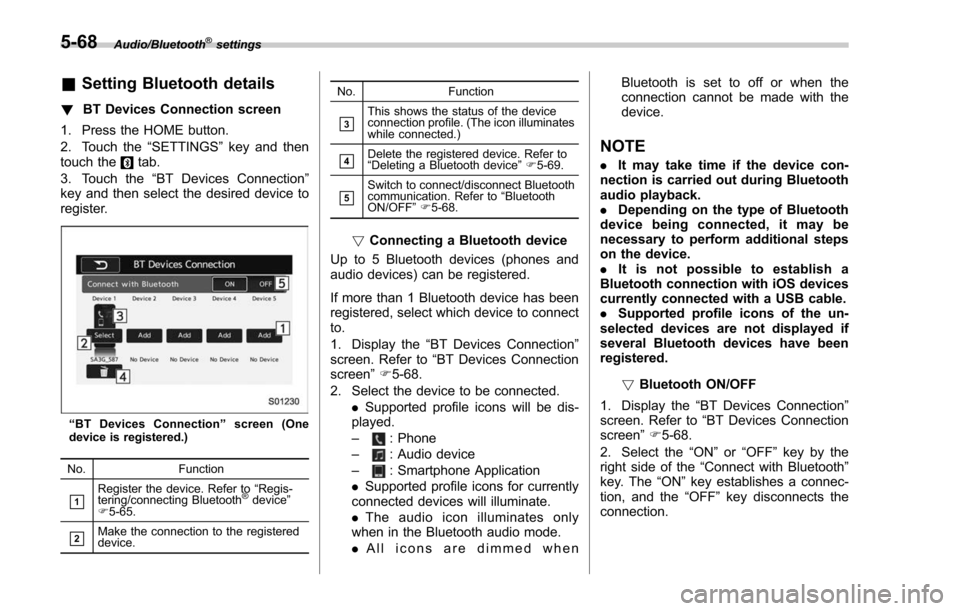
“ BT Devices Connection ”screen (One
device is registered.)
No. Function
&1Register the device. Refer to “Regis-
tering/connecting Bluetooth®device ”
F 5-65.
&2Make the connection to the registered
device. No. Function
&3This shows the status of the device
connection profile. (The icon illuminates
while connected.)
&4Delete the registered device. Refer to
“
Deleting a Bluetooth device ”F 5-69.
&5Switch to connect/disconnect Bluetooth
communication. Refer to “Bluetooth
ON/OFF ”F 5-68.
! Connecting a Bluetooth device
Up to 5 Bluetooth devices (phones and
audio devices) can be registered.
If more than 1 Bluetooth device has been
registered, select which device to connect
to.
1. Display the “BT Devices Connection ”
screen. Refer to “BT Devices Connection
screen” F5-68.
2. Select the device to be connected. .Supported profile icons will be dis-
played.
–
: Phone
–: Audio device
–: Smartphone Application
. Supported profile icons for currently
connected devices will illuminate.
. The audio icon illuminates only
when in the Bluetooth audio mode.
. All icons are dimmed when Bluetooth is set to off or when the
connection cannot be made with the
device.
NOTE
.
It may take time if the device con-
nection is carried out during Bluetooth
audio playback.
. Depending on the type of Bluetooth
device being connected, it may be
necessary to perform additional steps
on the device.
. It is not possible to establish a
Bluetooth connection with iOS devices
currently connected with a USB cable.
. Supported profile icons of the un-
selected devices are not displayed if
several Bluetooth devices have been
registered.
!Bluetooth ON/OFF
1. Display the “BT Devices Connection ”
screen. Refer to “BT Devices Connection
screen” F5-68.
2. Select the “ON”or “OFF ”key by the
right side of the “Connect with Bluetooth ”
key. The “ON”key establishes a connec-
tion, and the “OFF”key disconnects the
connection.
5-68
Page 371 of 634
Audio/Voice command system
&Command list
Recognizable voice commands and their
actions are shown below.
NOTE
. Some voice commands may not be
available depending on the market,
vehicle specifications or the device
connection status.
. Frequently used commands are
listed in the following tables.
. For devices that are not installed in
the vehicle, the related commands will
not be displayed on the screen. Also,
according to conditions, other com-
mands may not be displayed on the
screen.
. The functions available may vary
according to the system installed.
. Voice recognition language can be
changed. Refer to “Unit settings ”F 5-
18.
. The notations used in the com-
mands are as follows.
–<
>: Numbers, titles or
names to be spoken
– (
): There is no need to
speak the command, the voice
command system will recognize
the content. !
Basic command
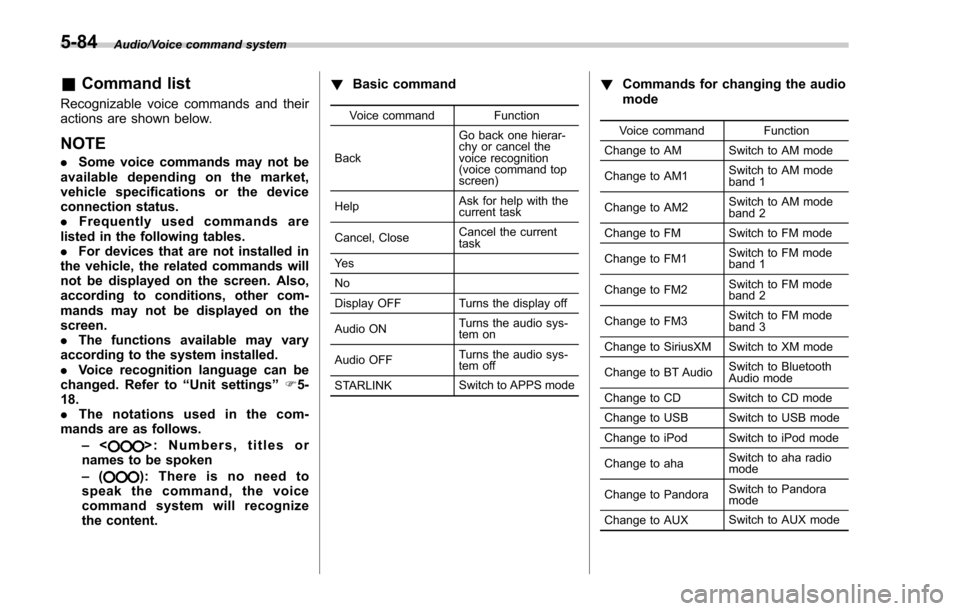
Voice command Function
Back Go back one hierar-
chy or cancel the
voice recognition
(voice command top
screen)
Help Ask for help with the
current task
Cancel, Close Cancel the current
task
Ye s
No
Display OFF Turns the display off
Audio ON Turns the audio sys-
tem on
Audio OFF Turns the audio sys-
tem off
STARLINK Switch to APPS mode
!
Commands for changing the audio
mode
Voice command Function
Change to AM Switch to AM mode
Change to AM1 Switch to AM mode
band 1
Change to AM2 Switch to AM mode
band 2
Change to FM Switch to FM mode
Change to FM1 Switch to FM mode
band 1
Change to FM2 Switch to FM mode
band 2
Change to FM3 Switch to FM mode
band 3
Change to SiriusXM Switch to XM mode
Change to BT Audio Switch to Bluetooth
Audio mode
Change to CD Switch to CD mode
Change to USB Switch to USB mode
Change to iPod Switch to iPod mode
Change to aha Switch to aha radio
mode
Change to Pandora Switch to Pandora
mode
Change to AUX Switch to AUX mode
5-84
Page 373 of 634
Audio/Voice command system
!Commands for SiriusXM radio con-
trol
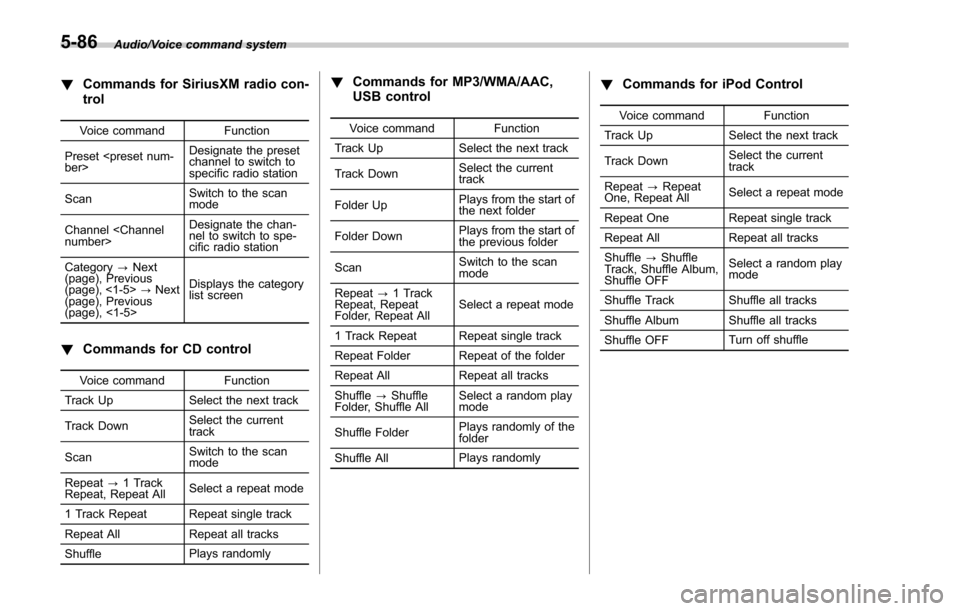
Voice command Function
Preset
channel to switch to
specific radio station
Scan Switch to the scan
mode
Channel
nel to switch to spe-
cific radio station
Category ?Next
(page), Previous
(page), <1-5> ?Next
(page), Previous
(page), <1-5> Displays the category
list screen
!
Commands for CD control
Voice command Function
Track Up Select the next track
Track Down Select the current
track
Scan Switch to the scan
mode
Repeat ?1 Track
Repeat, Repeat All Select a repeat mode
1 Track Repeat Repeat single track
Repeat All Repeat all tracks
Shuffle Plays randomly
!
Commands for MP3/WMA/AAC,
USB control
Voice command Function
Track Up Select the next track
Track Down Select the current
track
Folder Up Plays from the start of
the next folder
Folder Down Plays from the start of
the previous folder
Scan Switch to the scan
mode
Repeat ?1 Track
Repeat, Repeat
Folder, Repeat All Select a repeat mode
1 Track Repeat Repeat single track
Repeat Folder Repeat of the folder
Repeat All Repeat all tracks
Shuffle ?Shuffle
Folder, Shuffle All Select a random play
mode
Shuffle Folder Plays randomly of the
folder
Shuffle All Plays randomly
!
Commands for iPod Control
Voice command Function
Track Up Select the next track
Track Down Select the current
track
Repeat ?Repeat
One, Repeat All Select a repeat mode
Repeat One Repeat single track
Repeat All Repeat all tracks
Shuffle ?Shuffle
Track, Shuffle Album,
Shuffle OFF Select a random play
mode
Shuffle Track Shuffle all tracks
Shuffle Album Shuffle all tracks
Shuffle OFF Turn off shuffle
5-86
Page 617 of 634
14-2Index
A
Abbreviation................................................................... 3
ABS (Anti-lock Brake System) ..................................... 7-37
Warning light ......................................................... 3-21
Access key ................................................................. 2-9
Warning light ......................................................... 3-25
Accessories .............................................................. 11-38
Accessory power outlet ................................................. 6-9
Air cleaner element ................................................... 11-14
Air conditioner Automatic climate control .......................................... 4-7
Manual climate control .............................................. 4-8
Air filtration system ..................................................... 4-13
Air flow mode .............................................................. 4-8
Alarm system ............................................................ 2-25
All-Wheel Drive warning light ....................................... 3-23
Aluminum wheel ....................................................... 11-30
Cleaning ............................................................... 10-3
Antenna ...................................................................... 5-2
Anti-lock Brake System (ABS) ..................................... 7-37
Arming the system ..................................................... 2-26
Armrest ..................................................................... 1-11
Ashtray ..................................................................... 6-11
AT OIL TEMP warning light ......................................... 3-19
Audio aha
TMby HARMAN ................................................ 5-43
AM/FM radio ......................................................... 5-27
Antenna .................................................................. 5-2
AUX ..................................................................... 5-60
Base display audio set. ............................................. 5-3
Basic operation ...................................................... 5-17 Bluetooth audio
...................................................... 5-57
CD ....................................................................... 5-52
iPod ...................................................................... 5-55
Pandora
®.............................................................. 5-49
SiriusXM Satellite Radio .......................................... 5-36
STARLINK
TM7.0 Multimedia Plus audio set ................ 5-5
Steering switches for audio ...................................... 5-62
SUBARU STARLINK ............................................... 5-25
Unit setting ............................................................ 5-18
USB memory ......................................................... 5-54
Auto-dimming mirror/compass .......................... 3-108, 3-109
Automatic climate control .............................................. 4-7
Automatic headlight beam leveler ............................... 3-102
Warning light .......................................................... 3-32
Automatic Locking Retractor/Emergency Locking Retractor (ALR/ELR) ................................................ 1-17
B
Battery .................................................................... 11-36
Drainage prevention function ..................................... 2-7
Jump starting .......................................................... 9-9
Replacement (access key) ..................................... 11-45
Replacement (remote engine start transmitter) ........... 7-20
Replacement (transmitter) ...................................... 11-46
Bluetooth
®
Audio .................................................................... 5-57
Hands-free phone system ........................................ 5-70
Bluetooth
®settings ..................................................... 5-65
Registering/connecting Bluetooth®device .................. 5-65
Setting Bluetooth details .......................................... 5-68
Booster seat .............................................................. 1-36