ESP SUBARU FORESTER 2021 Getting Started Guide
[x] Cancel search | Manufacturer: SUBARU, Model Year: 2021, Model line: FORESTER, Model: SUBARU FORESTER 2021Pages: 140, PDF Size: 38.84 MB
Page 95 of 140
REAR-VISION CAMERA
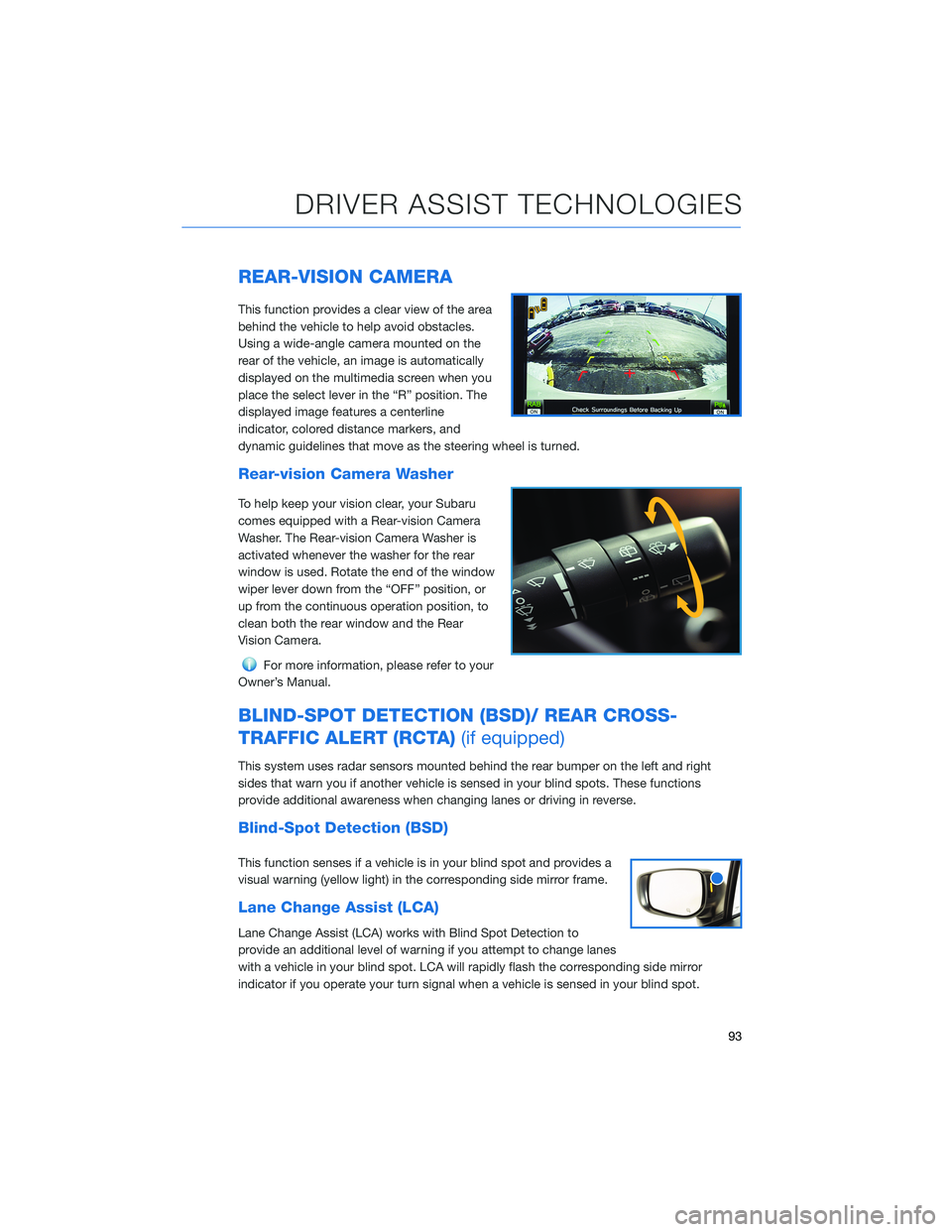
This function provides a clear view of the area
behind the vehicle to help avoid obstacles.
Using a wide-angle camera mounted on the
rear of the vehicle, an image is automatically
displayed on the multimedia screen when you
place the select lever in the “R” position. The
displayed image features a centerline
indicator, colored distance markers, and
dynamic guidelines that move as the steering wheel is turned.
Rear-vision Camera Washer
To help keep your vision clear, your Subaru
comes equipped with a Rear-vision Camera
Washer. The Rear-vision Camera Washer is
activated whenever the washer for the rear
window is used. Rotate the end of the window
wiper lever down from the “OFF” position, or
up from the continuous operation position, to
clean both the rear window and the Rear
Vision Camera.
For more information, please refer to your
Owner’s Manual.
BLIND-SPOT DETECTION (BSD)/ REAR CROSS-
TRAFFIC ALERT (RCTA)(if equipped)
This system uses radar sensors mounted behind the rear bumper on the left and right
sides that warn you if another vehicle is sensed in your blind spots. These functions
provide additional awareness when changing lanes or driving in reverse.
Blind-Spot Detection (BSD)
This function senses if a vehicle is in your blind spot and provides a
visual warning (yellow light) in the corresponding side mirror frame.
Lane Change Assist (LCA)
Lane Change Assist (LCA) works with Blind Spot Detection to
provide an additional level of warning if you attempt to change lanes
with a vehicle in your blind spot. LCA will rapidly flash the corresponding side mirror
indicator if you operate your turn signal when a vehicle is sensed in your blind spot.
DRIVER ASSIST TECHNOLOGIES
93
Page 96 of 140
Rear Cross-Traffic Alert (RCTA)
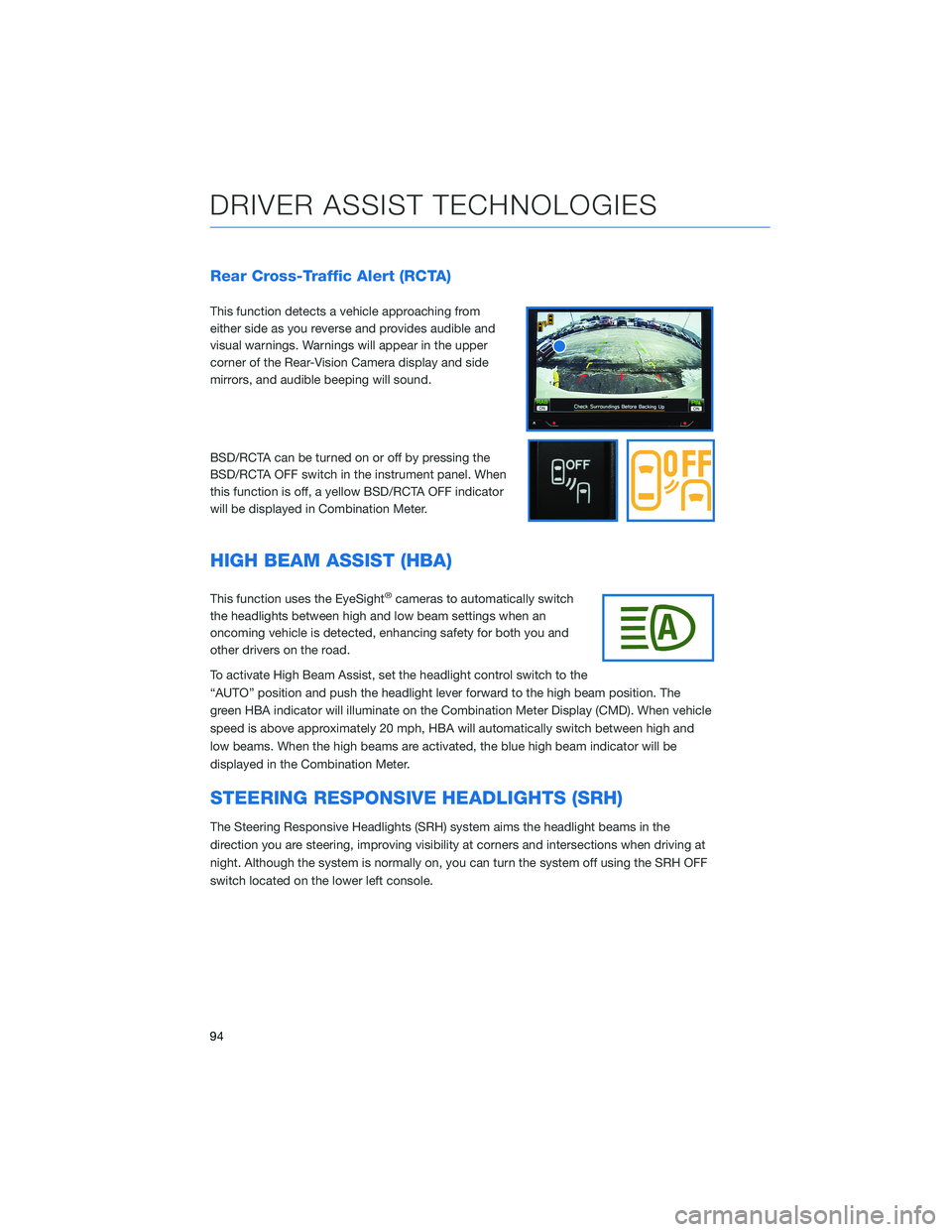
This function detects a vehicle approaching from
either side as you reverse and provides audible and
visual warnings. Warnings will appear in the upper
corner of the Rear-Vision Camera display and side
mirrors, and audible beeping will sound.
BSD/RCTA can be turned on or off by pressing the
BSD/RCTA OFF switch in the instrument panel. When
this function is off, a yellow BSD/RCTA OFF indicator
will be displayed in Combination Meter.
HIGH BEAM ASSIST (HBA)
This function uses the EyeSight®cameras to automatically switch
the headlights between high and low beam settings when an
oncoming vehicle is detected, enhancing safety for both you and
other drivers on the road.
To activate High Beam Assist, set the headlight control switch to the
“AUTO” position and push the headlight lever forward to the high beam position. The
green HBA indicator will illuminate on the Combination Meter Display (CMD). When vehicle
speed is above approximately 20 mph, HBA will automatically switch between high and
low beams. When the high beams are activated, the blue high beam indicator will be
displayed in the Combination Meter.
STEERING RESPONSIVE HEADLIGHTS (SRH)
The Steering Responsive Headlights (SRH) system aims the headlight beams in the
direction you are steering, improving visibility at corners and intersections when driving at
night. Although the system is normally on, you can turn the system off using the SRH OFF
switch located on the lower left console.
DRIVER ASSIST TECHNOLOGIES
94
Page 105 of 140
EYESIGHT®DISCLAIMER
EyeSight®is a driver assist technology which may not operate optimally under all driving
conditions. The driver is always responsible for safe and attentive driving. System
effectiveness depends on many factors such as vehicle maintenance, weather and road
conditions. See Owner’s Manual for complete details on system operations and limitations.
The Pre-Collision Braking system is designed to provide automatic braking that either
prevents a collision or reduces the severity of a frontal impact.
The Pre-Collision Throttle Management system is designed to reduce acceleration and
minimize the severity of certain frontal impacts.
Advanced Adaptive Cruise Control and Brake Light Recognition are designed to assist the
driver and are not substitutes for safe and attentive driving.
Lane Centering function operates only when used in conjunction with Advanced Adaptive
Cruise Control.
Lane Departure Prevention operates only when the lane markings are visible, and system
effectiveness depends on many factors.
Blind-Spot Detection, Lane Change Assist and Rear Cross Traffic Alert are systems
designed to assist the driver by monitoring the rear and side areas of the vehicle during a
lane change or reversing and are not a substitute for safe and attentive driving.
The Reverse Automatic Braking System is not a substitute for safe and attentive driving.
System effectiveness depends on many factors, such as vehicle maintenance, weather
and road conditions. Always exercise caution and use vehicle mirrors and the Rear-Vision
Camera when backing up. See Owner’s Manual for complete details on system operation
and limitations.
The Driver Focus Distraction Mitigation System is a driver recognition technology designed
to alert drivers if their attention to the road wavers or if the driver’s face appears to turn
away. The driver is always responsible for safe and attentive driving. System effectiveness
may be affected by articles of clothing worn on the head or face. See Owner’s Manual for
complete details on system operation and limitations.
EYESIGHT DISCLAIMER
103
Page 135 of 140
Shortest/Fastest/Economic . . . . . 124
Traffic Information . . . . . . . . . . . 126
MAPS/NAVIGATION . ........... 80
Checking for Map Updates . . . . . . 80
Updating Maps Over-the-Air .....80
Updating Maps Using Your PC/MAC . 81
MAPS OVERVIEW . . . . . . . . . . . . . 74
MEDIA . . . . . . . . ........... 65
Aux Input . . . . . . ...........65
Bluetooth
®................65
CD ....................65
USB / iPod . . . . . ...........65
MEMORY DRIVER’S SEAT ....... 107
MEMORY HEIGHT . . ......... 105
MYSUBARU . . . . . ........... 73
Service Appointment Scheduler . . . 73
MYSUBARU INTEGRATION....... 77
N
NEW VEHICLE BREAK-IN . . . . . . . . 51
O
OPERATION . . . . ............ 84
OVERHEAD CONSOLE .......... 33
OVERVIEW OF YOUR MULTIMEDIA
SYSTEM . . . . . . . . . . . . . . . . . 54
Various Systems . ...........54
OWNER’S RESOURCES . ......... 4
P
PAIRING A PHONE . . . . . . . . . . . . 66
PHONE . . . . . . . . ........... 79
POWER EXTERIOR MIRRORS . . . . . 18
Auto Tilt-down Mirror . . . ......18
POWER MOONROOF.......... 20
POWER REAR GATE (PRG)....... 11
From the Rear of the Vehicle . . . . . 12
Power Rear Gate Button . . . .....11
Power Rear Gate Lock . . . . . . . . . 13POWER WINDOWS . . . . ........ 20
PUSH-BUTTON IGNITION SWITCH . . 35
R
RADIO.................... 64
AM/FM Radio . . . . . . . . . .....64
Presets . . . . . . . ...........65
Satellite Radio . . . . ..........64
REARRANGING ICONS.......... 60
REAR SEAT REMINDER . . . . . . . . . 47
Passenger Occupant Detection and
Seatbelt Reminders . . . ........47
REAR VIEW MIRROR . . ......... 19
Auto-dimming Mirror . .........19
HomeLink
®5 Accessory Mirror . . . 19
REAR-VISION CAMERA . . . ...... 93
Rear-vision Camera Washer . . . . . . 93
REAR WINDOW WIPER . . . ...... 32
Rear-vision Camera Washer . . . . . . 32
RECEIVING A CALL . . . . . . . . . . . . 67
REVERSE AUTOMATIC BRAKING
(RAB) . . . . . . . . . ......... 95
ROOF RAIL CAPACITY.......... 52
S
SAFETY AND SECURITY OVERVIEW . . 75
SEATING . . . . .............. 16
Head Restraint Adjustment ......17
Manual Seats . . . . . . . . . . . . . . 16
Power Driver’s Seat (if equipped) . . . 16
Seatbelt Adjuster . . . .........17
SETTINGS AND UPDATES OVERVIEW . 78
Connect to Home Wi-Fi........78
Performing Software Updates . . . . . 78
SOUND . . . . ............... 79
SPARE TIRE AND JACK . . ....... 48
STARTING THE VEHICLE......... 35
Without Push-button Ignition . . . . . 35
With Push-button Ignition . . . . . . . 35
STEERING RESPONSIVE HEADLIGHTS
(SRH).................. 94
INDEX
133