SUBARU IMPREZA 2003 2.G Owners Manual
IMPREZA 2003 2.G
SUBARU
SUBARU
https://www.carmanualsonline.info/img/17/7227/w960_7227-0.png
SUBARU IMPREZA 2003 2.G Owners Manual
Page 363 of 425
Maintenance and service
11-40
4. Wait 5 to 10 minutes for the parking brake to cool
down. Repeat this procedure.
5. Check the parking brake stroke. If the parking
brake stroke is out of the specified range, adjust it
by turning the adjusting nut located on the parking
brake lever.Parking brake stroke: 7 – 8 notches / 44 lb (196 N, 20 kg)
WARNING
A safe location and situation should be se- lected for break-in driving.
CAUTION
Pulling the parking brake lever too forcefully
may cause the rear wheels to lock. To avoid
this, be certain to pull the lever up slowly and
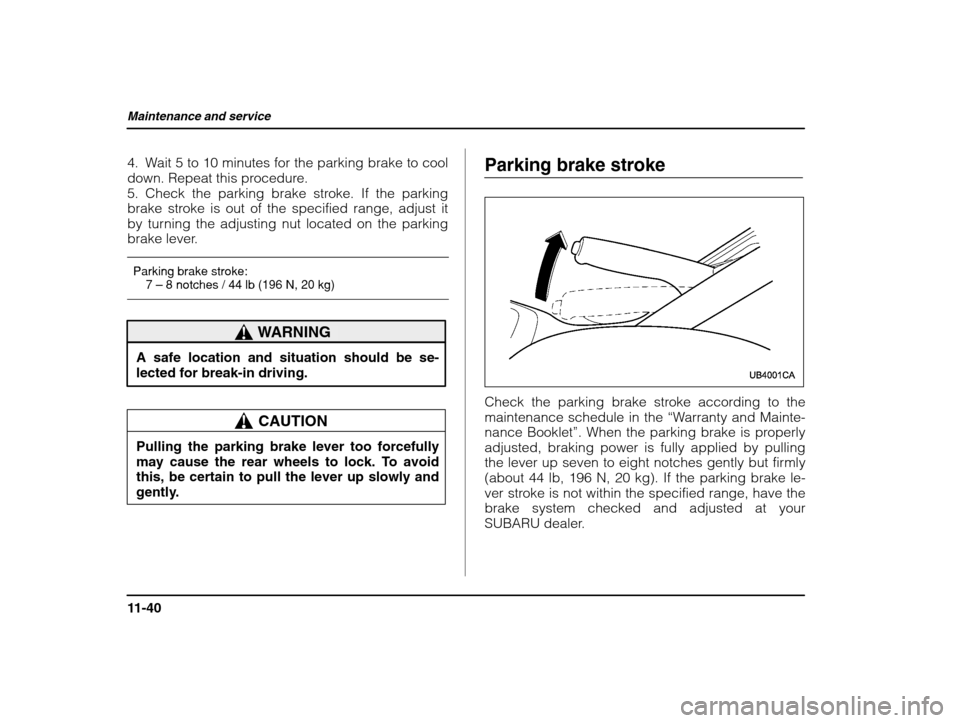
gently. Parking brake stroke
Check the parking brake stroke according to the
maintenance schedule in the
“Warranty and Mainte-
nance Booklet ”. When the parking brake is properly
adjusted, braking power is fully applied by pulling
the lever up seven to eight notches gently but firmly(about 44 lb, 196 N, 20 kg). If the parking brake le-
ver stroke is not within the specified range, have thebrake system checked and adjusted at your
SUBARU dealer.
Page 375 of 425
Maintenance and service
11-52
1) Stopper
2. Remove the wiper blade assembly by holding its
pivot area and pushing it in the direction shown by
the arrow while depressing the wiper blade stopper.1) Metal support
3. Grasp the locked end of the blade rubber as-
sembly and pull it firmly until the stoppers on the
rubber are free of the metal support.
Page 376 of 425
Maintenance and service
11-53
– CONTINUED –
1) Metal spines
4. If the new blade rubber is not provided with two
metal spines, remove the metal spines from the oldblade rubber and install them in the new blade rub-
ber.5. Align the claws of the metal support with the
grooves in the rubber and slide the blade rubber as-
sembly into the metal support until it locks.
Page 377 of 425
Maintenance and service
11-54
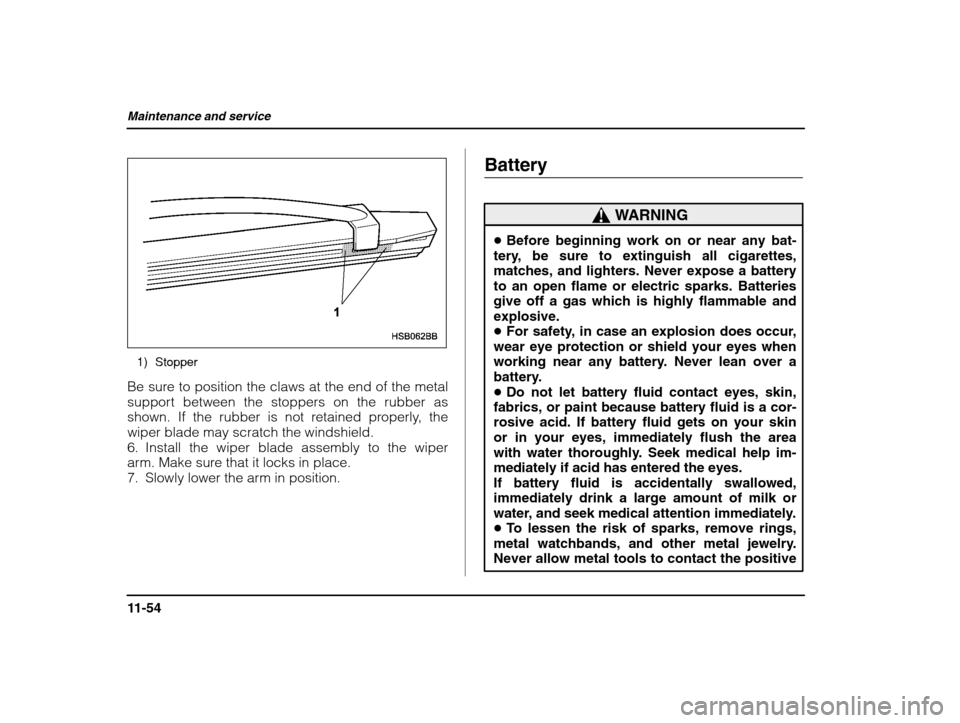
1) Stopper
Be sure to position the claws at the end of the metal
support between the stoppers on the rubber as
shown. If the rubber is not retained properly, thewiper blade may scratch the windshield.
6. Install the wiper blade assembly to the wiper
arm. Make sure that it locks in place.
7. Slowly lower the arm in position. Battery
WARNING
Before beginning work on or near any bat-
tery, be sure to extinguish all cigarettes,
matches, and lighters. Never expose a batteryto an open flame or electric sparks. Batteriesgive off a gas which is highly flammable andexplosive. For safety, in case an explosion does occur,
wear eye protection or shield your eyes when
working near any battery. Never lean over a
battery. Do not let battery fluid contact eyes, skin,
fabrics, or paint because battery fluid is a cor- rosive acid. If battery fluid gets on your skin or in your eyes, immediately flush the area
with water thoroughly. Seek medical help im-
mediately if acid has entered the eyes.If battery fluid is accidentally swallowed,
immediately drink a large amount of milk or
water, and seek medical attention immediately. To lessen the risk of sparks, remove rings,
metal watchbands, and other metal jewelry.
Never allow metal tools to contact the positive
Page 381 of 425
Maintenance and service
11-58
1) Fuse puller 2) Spare fuse
The fuse puller and spare fuses are stored in the
main fuse box cover in the engine compartment.A) Good B) Blown
If any lights, accessories or other electrical controls
do not operate, inspect the corresponding fuse. If a
fuse has blown, replace it.
1. Turn the ignition switch to the “LOCK” position
and turn off all electrical accessories.
2. Remove the cover.
3. Determine which fuse may be blown. The backside of each fuse box cover and the “Fuse and cir-
cuits” section in chapter 12 in this manual show the
circuit for each fuse.
Page 386 of 425
Maintenance and service
11-63
– CONTINUED –
1) Push 2) Pull
1. Disconnect the electrical connector while press-
ing the lock release tab.2. Remove the bulb holder from the headlight as-
sembly by turning it counterclockwise.
Page 387 of 425
Maintenance and service
11-64
3. Remove the bulb from the headlight assembly.
4. Install the new bulb.
5. Install the bulb holder in the headlight assembly
by turning it clockwise until it locks.
6. Reconnect the electrical connector.
Front turn signal light and parking light
1) Front turn signal light
2) Parking light
Page 388 of 425
Maintenance and service
11-65
– CONTINUED –
Front turn signal light bulbs
1. Remove the bulb socket from the headlight as-
sembly by turning it counterclockwise.
2. Pull the bulb out of the socket. Install a new bulb.
3. Set the bulb socket into the headlight assembly
and turn it clockwise until it locks.
Parking light bulbs
The headlight assembly must be removed before
the parking light bulbs can be replaced. When the
headlight assembly has been removed and then re-
installed, it may become necessary to make a head-
light aiming adjustment. It may be difficult to replace
the bulbs. Have your SUBARU dealer replace the bulbs if necessary.
: Clip : Hook
Page 390 of 425
Maintenance and service
11-67
– CONTINUED –
3. Remove three bolts and disconnect connectors, and then detach headlight assembly.
4. Remove the bulb socket from the headlight as-
sembly by turning it counterclockwise.
5. Pull the bulb out of the socket. Install a new bulb.
6. Set the bulb socket into the headlight assembly
and turn it clockwise until it locks.
Page 391 of 425
Maintenance and service
11-68
Front fog light (if equipped)
1. Remove the front fog light assembly by removing
the three bolts.
2. Disconnect the connector.
3. Remove the front fog light case cap by turning it
counterclockwise.