stop start SUBARU IMPREZA 2004 2.G Owner's Manual
[x] Cancel search | Manufacturer: SUBARU, Model Year: 2004, Model line: IMPREZA, Model: SUBARU IMPREZA 2004 2.GPages: 491, PDF Size: 5.93 MB
Page 280 of 491
7-11
Starting and operating
– CONTINUED –
!Starting a flooded engine
If the engine does not start, it may be flooded (exces-
sive fuel in the engine).
In case of a flooded engine, turn the starter motor for
five seconds with the accelerator pedal fully de-
pressed. Repeat this two or three times until the en-
gine starts. Release the ignition switch and accelera-
tor pedal as soon as the engine starts.Stopping the engine
The ignition switch should be turned off only when the
engine is idling.
Do not stop the engine when the vehicle is mov-
ing. This will cause loss of power to the power
steering and the brake booster, making steer-
ing and braking more difficult. It could also re-
sult in accidental activation of the “LOCK” po-
sition on the ignition switch, causing the steer-
ing wheel to lock.
Page 282 of 491
7-13
Starting and operating
– CONTINUED –
Shift into reverse ONLY when the vehicle has
completely stopped. It may cause damage to
the transmission to try shifting into reverse
when the vehicle is moving.
! Shifting speeds
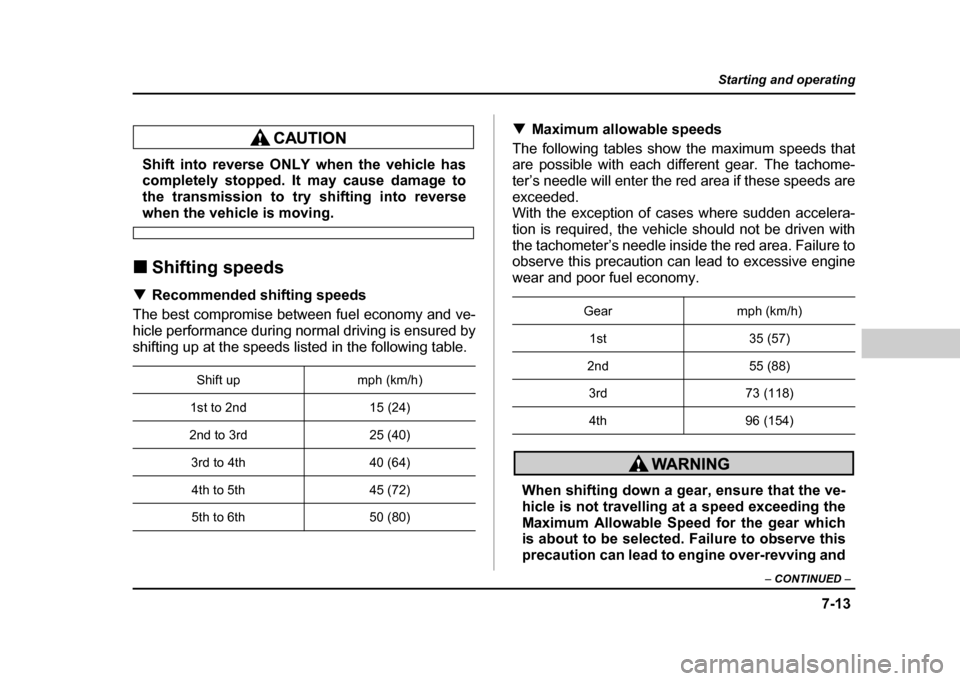
! Recommended shifting speeds
The best compromise between fuel economy and ve-
hicle performance during normal driving is ensured by
shifting up at the speeds listed in the following table. !
Maximum allowable speeds
The following tables show the maximum speeds that
are possible with each different gear. The tachome-
ter’s needle will enter the red area if these speeds are
exceeded.
With the exception of cases where sudden accelera-
tion is required, the vehicle should not be driven with
the tachometer’s needle inside the red area. Failure to
observe this precaution can lead to excessive engine
wear and poor fuel economy.
When shifting down a gear, ensure that the ve-
hicle is not travelling at a speed exceeding the
Maximum Allowable Speed for the gear which
is about to be selected. Failure to observe this
precaution can lead to engine over-revving and
Shift up mph (km/h)
1st to 2nd 15 (24)
2nd to 3rd 25 (40)
3rd to 4th 40 (64)4th to 5th 45 (72)
5th to 6th 50 (80)
Gear mph (km/h)
1st 35 (57)
2nd 55 (88) 3rd 73 (118)4th 96 (154)
Page 284 of 491
7-15
Starting and operating
– CONTINUED –
Manual transmission – 5 speed (ex-
cept WRX-STi)
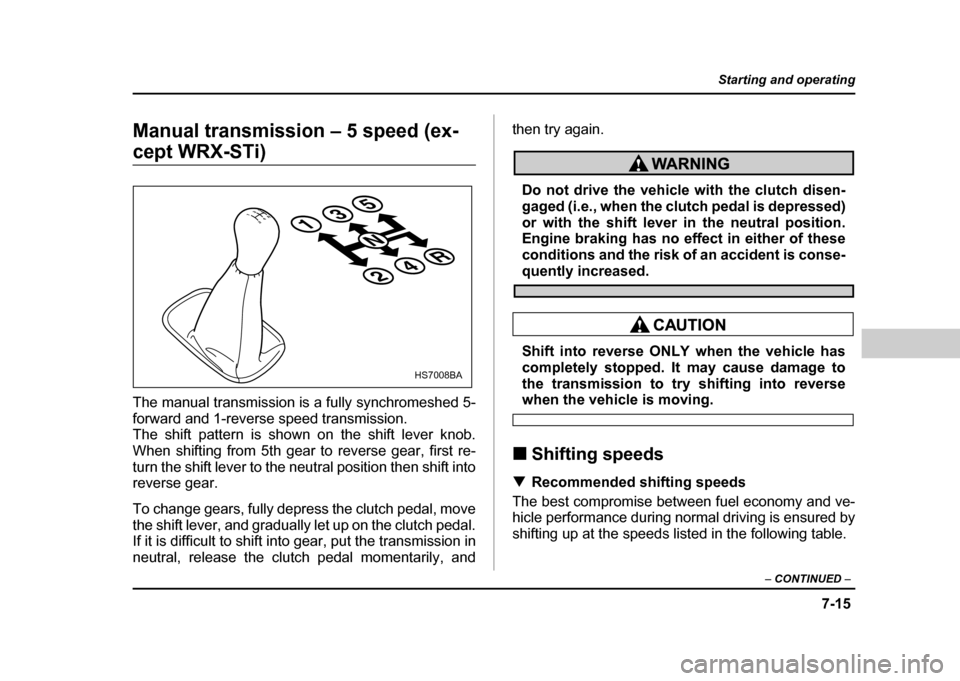
The manual transmission is a fully synchromeshed 5-
forward and 1-reverse speed transmission.
The shift pattern is shown on the shift lever knob.
When shifting from 5th gear to reverse gear, first re-
turn the shift lever to the neutral position then shift into
reverse gear.
To change gears, fully depress the clutch pedal, move
the shift lever, and gradually let up on the clutch pedal.
If it is difficult to shift into gear, put the transmission in
neutral, release the clutch pedal momentarily, and then try again.
Do not drive the vehicle with the clutch disen-
gaged (i.e., when the clutch pedal is depressed)
or with the shift lever in the neutral position.
Engine braking has no effect in either of these
conditions and the risk of an accident is conse-
quently increased.
Shift into reverse ONLY when the vehicle has
completely stopped. It may cause damage to
the transmission to try shifting into reverse
when the vehicle is moving.
! Shifting speeds
! Recommended shifting speeds
The best compromise between fuel economy and ve-
hicle performance during normal driving is ensured by
shifting up at the speeds listed in the following table.
135
24R
N
13524R
HS7008BA
Page 287 of 491
7-18
Starting and operating
Driver’s Control Center Differential
(DCCD) (WRX-STi)
Always use the utmost care when driving. Be-
ing overconfident because you are driving a ve-
hicle with a driver’s control center differential
could easily lead to a serious accident.
In the event of failure of the driver’s control
center differential, the “ ” indicator light will
flash and the auto mode and manual mode will
both stop functioning. Have the vehicle in-
spected by your Subaru dealer.
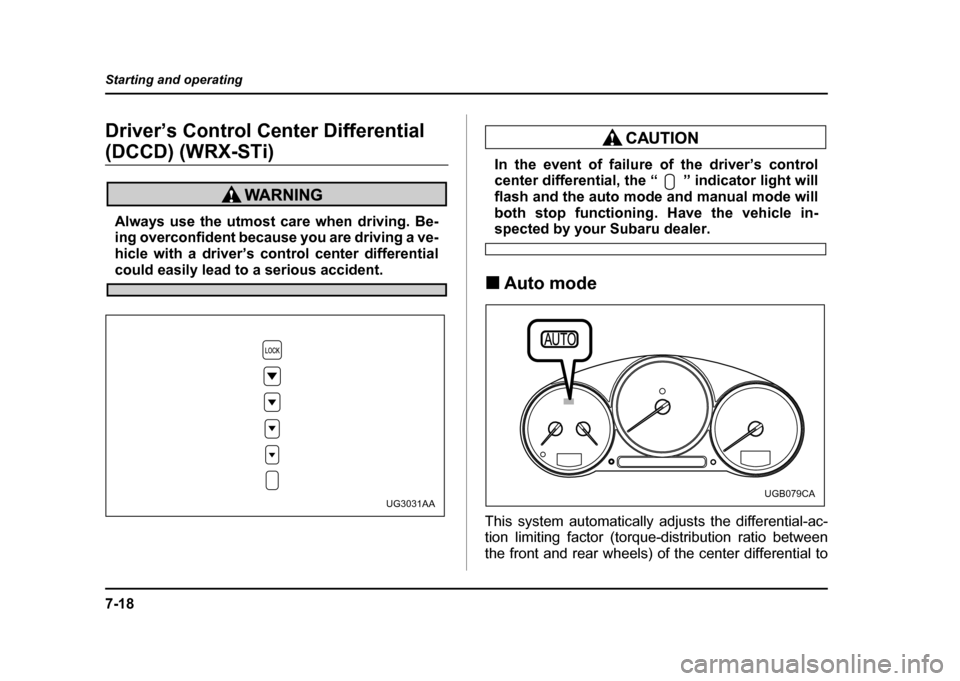
! Auto mode
This system automatically adjusts the differential-ac-
tion limiting factor (torque-distribution ratio between
the front and rear wheels) of the center differential to
UG3031AAUGB079CA
Page 290 of 491
7-21
Starting and operating
– CONTINUED –
mode.
NOTE "If the differential-limiting factor is large during
cornering maneuvers, a small speed difference
between the front and rear wheels may cause tight
corner braking (a phenomenon accompanied by
vibration and noise). This phenomenon does not
indicate a problem. It will disappear if the differen-
tial-action limiting factor is reduced. " Use the center-differential indicator light only as
a rough indication of the differential-action limit-
ing factor. ! Temporary release
When the driver stop the vehicle and pulls the parking-
brake lever after manually setting the differential-ac-
tion limiting factor, the factor is temporarily minimized.
The indicator in the combination meter continues to
show the driver’s selected differential-action limiting
factor. When the driver releases the parking-brake le-
ver, the factor set by the driver is restored.
Automatic transmission
The automatic transmission is electronically controlled
with 4-forward speeds and 1-reverse speed.
NOTE
Immediately after a disconnected battery is recon-
nected or ATF (automatic transmission fluid) is re-
placed, you may feel that the automatic transmis-
sion operation is somewhat unusual.
This results from erasure or invalidation of data
the on-board computer has collected and stored in
memory to allow the transmission to shift at the
most appropriate times for the current condition
of your vehicle. Optimized shifting will be restored
as the vehicle continues to be driven for a while.
Do not shift from the “P” or “N” position into
the “D”, “3”, “2”, “1” or “R” position while de-
pressing the accelerator pedal. This may cause
the vehicle to jump forward or backward.
" Shift into the “P” or “R” position only after
Page 291 of 491
7-22
Starting and operating
the vehicle is completely stopped. Shifting
while the vehicle is moving may cause damage
to the transmission."
Do not race the engine for more than five sec-
onds in any position except the “N” or “P” po-
sition when the brake is set or the tires are on
blocks. This may cause the automatic transmis-
sion fluid to overheat. " Avoid shifting from one of the forward driving
positions into the “R” position or vice versa un-
til the vehicle has completely stopped. Such
shifting may cause damage to the transmis-
sion. !
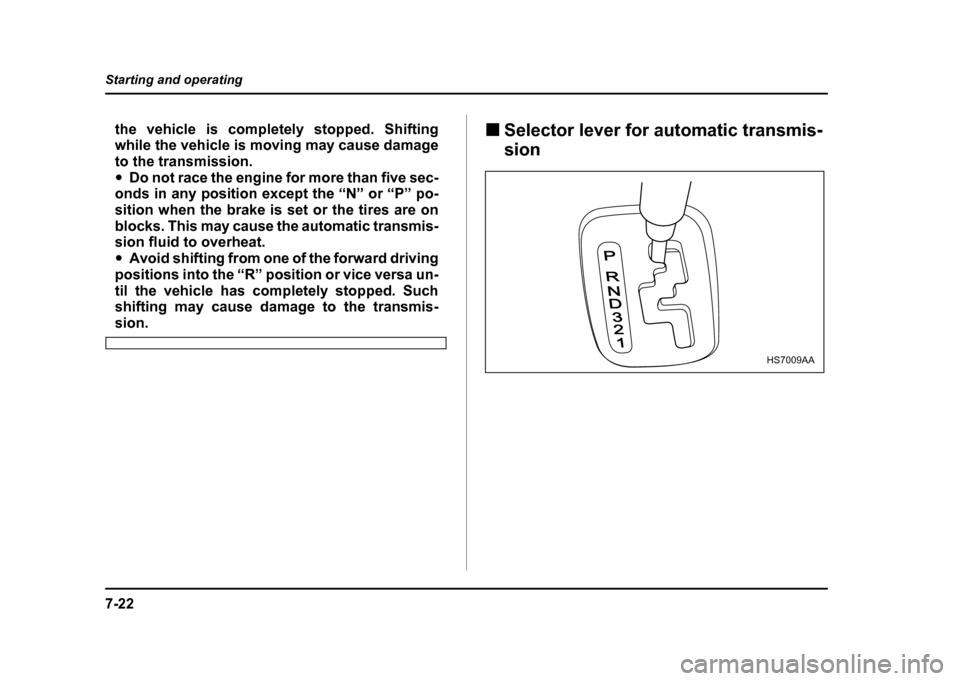
Selector lever for automatic transmis- sion
P
RND321
HS7009AA
Page 292 of 491
7-23
Starting and operating
– CONTINUED –
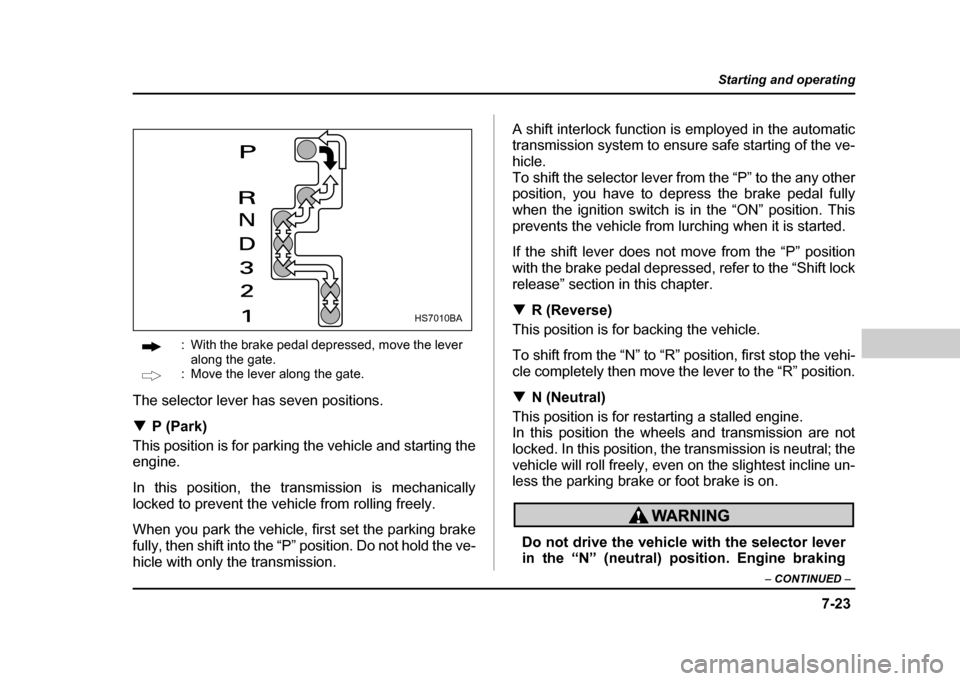
: With the brake pedal depressed, move the lever
along the gate.
: Move the lever along the gate.
The selector lever has seven positions. ! P (Park)
This position is for parking the vehicle and starting the
engine.
In this position, the transmission is mechanically
locked to prevent the vehicle from rolling freely.
When you park the vehicle, first set the parking brake
fully, then shift into the “P” position. Do not hold the ve-
hicle with only the transmission. A shift interlock function is employed in the automatic
transmission system to ensure safe starting of the ve-
hicle.
To shift the selector lever from the “P” to the any other
position, you have to depress the brake pedal fully
when the ignition switch is in the “ON” position. This
prevents the vehicle from lurching when it is started.
If the shift lever does not move from the “P” position
with the brake pedal depressed, refer to the “Shift lock
release” section in this chapter. !
R (Reverse)
This position is for backing the vehicle.
To shift from the “N” to “R” position, first stop the vehi-
cle completely then move the lever to the “R” position. ! N (Neutral)
This position is for restarting a stalled engine.
In this position the wheels and transmission are not
locked. In this position, the transmission is neutral; the
vehicle will roll freely, even on the slightest incline un-
less the parking brake or foot brake is on.
Do not drive the vehicle with the selector lever
in the “N” (neutral) position. Engine braking
HS7010BA
Page 295 of 491
7-26
Starting and operating
to which the selector lever has been moved.
When shifting down a gear, ensure that the ve-
hicle is not travelling at a speed exceeding the
Maximum Allowable Speed for the gear which
is about to be selected. Failure to observe this
precaution can lead to engine over-revving and
this in turn can result in engine damage.
In addition, sudden application of engine
brakes when the vehicle is travelling on a slip-
pery surface can lead to wheel locking; as a
consequence, control of the vehicle may be lost
and the risk of an accident increased.
! Driving tips
" Always apply the foot or parking brake when the ve-
hicle is stopped in the “D”, “3”, “2”, “1” or “R” position. " Always set the parking brake when parking your ve-
hicle. Do not hold the vehicle with only the transmis-sion." Do not keep the vehicle in a stationary position on
an uphill grade by using the “D”, “3”, “2”, or “1” position.
Use the brake instead.
The engine may, on rare occasions, knock when the vehicle rapidly accelerates or rapidly pulls away from
a standstill. This phenomenon is not an indication of a
problem in your vehicle. !
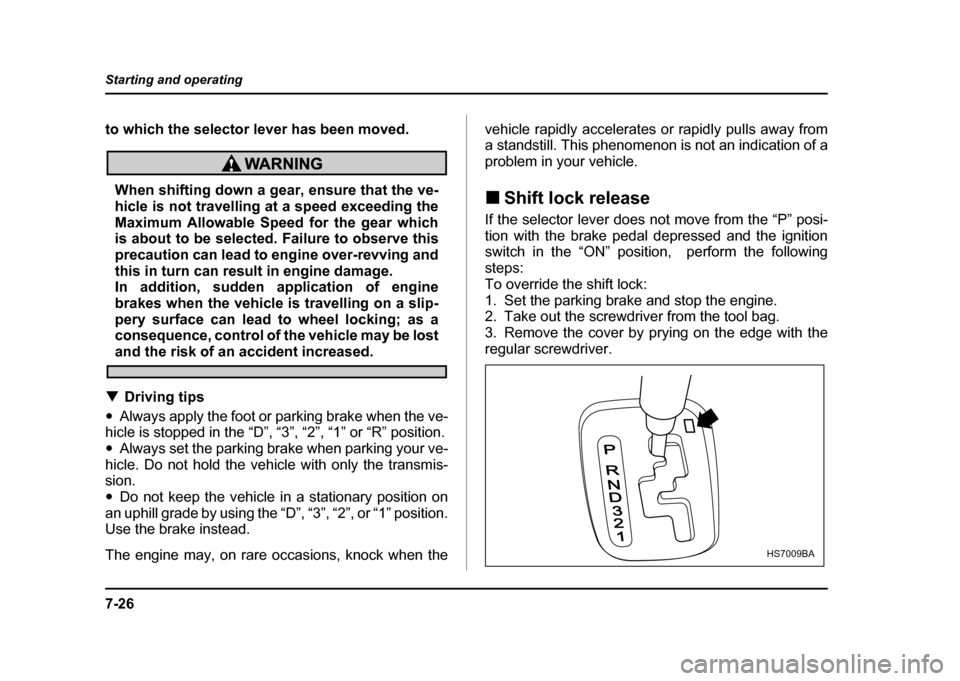
Shift lock release
If the selector lever does not move from the “P” posi-
tion with the brake pedal depressed and the ignition
switch in the “ON” position, perform the following steps:
To override the shift lock:
1. Set the parking brake and stop the engine.
2. Take out the screwdriver from the tool bag.
3. Remove the cover by prying on the edge with the
regular screwdriver.
P
RND321
HS7009BA
Page 297 of 491
7-28
Starting and operating
Power steering
The power steering system operates only when the
engine is running.
If you lose power steering assist because the engine
stops or the system fails to function, you can steer butit will take much more effort.
NOTE
Right after the engine has been started and before
it has warmed up, you may hear a noise coming
from areas adjacent to the power steering pump
which is located at the right-front area of the en-
gine compartment. This noise is normal. It does
not indicate power steering system trouble.
Do not hold the steering wheel at the fully
locked position left or right for more than five
seconds. This may damage the power steering
pump.
Braking !
Braking tips
Never rest your foot on the brake pedal while
driving. This can cause dangerous overheating
of the brakes and needless wear on the brake
pads and linings.
! When the brakes get wet
When driving in rain or after washing the vehicle, the
brakes may get wet. As a result, brake stopping dis-
tance will be longer. To dry the brakes, drive the vehi-
cle at a safe speed while lightly depressing the brake
pedal to heat up the brakes. ! Use of engine braking
Remember to make use of engine braking in addition
to foot braking. When descending a grade, if only the
foot brake is used, the brakes may start working im-
properly because of brake fluid overheating, caused
by overheated brake pads. To help prevent this, shift
into a lower gear to get stronger engine braking.
Page 298 of 491
7-29
Starting and operating
– CONTINUED –
!Braking when a tire is punctured
Do not depress the brake pedal suddenly when a tire
is punctured. This could cause a loss of control of the
vehicle. Keep driving straight ahead while gradually
reducing speed. Then slowly pull off the road to a safe
place. ! Brake system
! Two separate circuits
Your vehicle has two separate circuit brake systems.
Each circuit works diagonally across the vehicle. If one
circuit of the brake system should fail, the other half of
the system still works. If one circuit fails, the brake
pedal will go down much closer to the floor than usual
and you will need to press it down much harder. And a
much longer distance will be needed to stop the vehi- cle. ! Brake booster
The brake booster uses engine manifold vacuum to
assist braking force. Do not turn off the engine while
driving because that will turn off the brake booster, re-
sulting in poor braking power.
The brakes will continue to work even when the brake
booster completely stops functioning. If this happens,
however, you will have to push the pedal much harder than normal and the braking distance will increase. !
Disc brake pad wear warning indica- tors
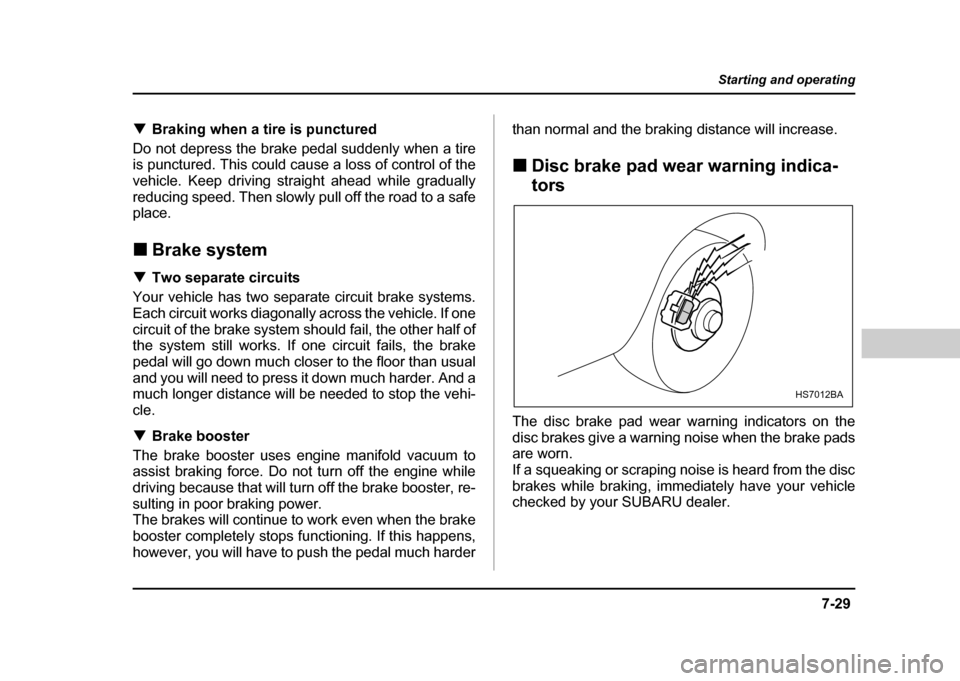
The disc brake pad wear warning indicators on the
disc brakes give a warning noise when the brake pads
are worn.
If a squeaking or scraping noise is heard from the disc
brakes while braking, immediately have your vehicle
checked by your SUBARU dealer.
HS7012BA