ignition SUBARU IMPREZA 2007 3.G Workshop Manual
[x] Cancel search | Manufacturer: SUBARU, Model Year: 2007, Model line: IMPREZA, Model: SUBARU IMPREZA 2007 3.GPages: 364, PDF Size: 11.91 MB
Page 143 of 364
3-34Instruments and controls
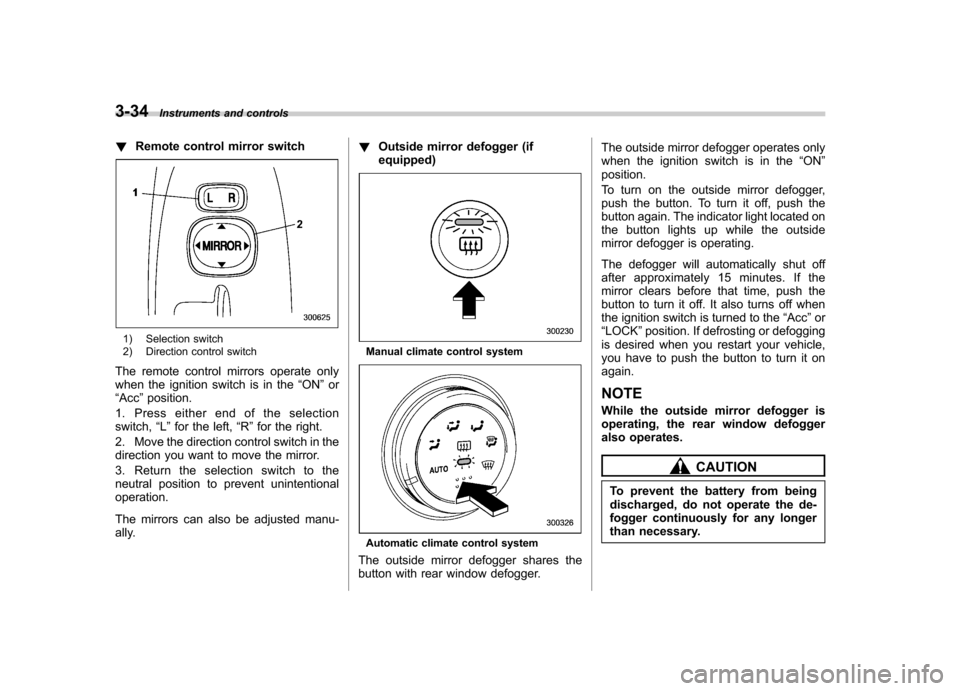
!Remote control mirror switch
1) Selection switch
2) Direction control switch
The remote control mirrors operate only
when the ignition switch is in the “ON ”or
“ Acc ”position.
1. Press either end of the selectionswitch, “L ” for the left, “R ”for the right.
2. Move the direction control switch in the
direction you want to move the mirror.
3. Return the selection switch to the
neutral position to prevent unintentionaloperation.
The mirrors can also be adjusted manu-
ally. !
Outside mirror defogger (ifequipped)Manual climate control system
Automatic climate control system
The outside mirror defogger shares the
button with rear window defogger. The outside mirror defogger operates only
when the ignition switch is in the
“ON ”
position.
To turn on the outside mirror defogger,
push the button. To turn it off, push the
button again. The indicator light located on
the button lights up while the outside
mirror defogger is operating.
The defogger will automatically shut off
after approximately 15 minutes. If the
mirror clears before that time, push the
button to turn it off. It also turns off when
the ignition switch is turned to the “Acc ”or
“ LOCK ”position. If defrosting or defogging
is desired when you restart your vehicle,
you have to push the button to turn it onagain. NOTE
While the outside mirror defogger is
operating, the rear window defogger
also operates.
CAUTION
To prevent the battery from being
discharged, do not operate the de-
fogger continuously for any longer
than necessary.
Page 148 of 364
4-4Climate control
!Fan speed control dial
The fan operates only when the ignition
switch is turned to the “ON ”position. The
fan speed control dial is used to select 4
fan speeds. ! Air flow control dial
This dial has the following five positions:
: Air flows through the instrument panel
outlets.
: Air flows through the instrument panel
outlets and the foot outlets.
: Air flows through the foot outlets and
some through the windshield defroster outlets.
: Air flows through the windshield
defroster outlets and foot outlets.
: Air flows through the windshield
defroster outlets. NOTE . You will find the notation “USE WITH
” on the air flow control dial plate.
This is intended to remind you to set
the air inlet selection lever in the “
”
position when defogging the wind- shield.
Defogging with the air inlet selection
lever set in the “
”position provides better defogging performance than in the
“
”position.
. When the dial is placed in the “”
or “”position, the air conditioner
compressor operates automatically re-
gardless of the position of the air
conditioner button to defog the wind-
shield quickly.
However the indicator on the air con-
ditioner button will not come on.
Also, you cannot stop the air condi-
tioner compressor by pressing the air
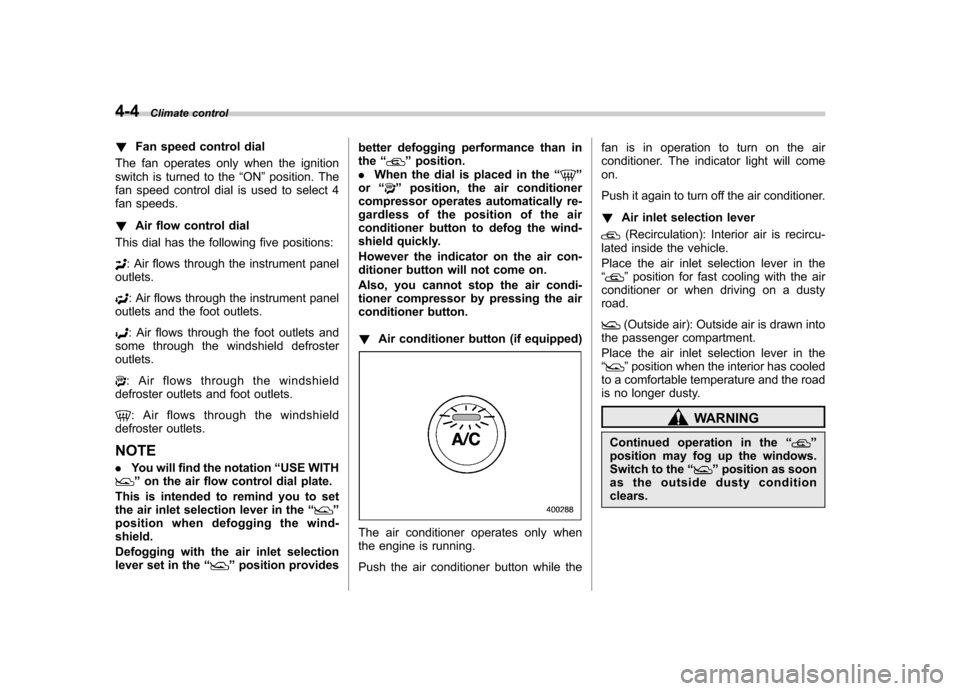
conditioner button. ! Air conditioner button (if equipped)
The air conditioner operates only when
the engine is running.
Push the air conditioner button while the fan is in operation to turn on the air
conditioner. The indicator light will comeon.
Push it again to turn off the air conditioner. !
Air inlet selection lever
(Recirculation): Interior air is recircu-
lated inside the vehicle.
Place the air inlet selection lever in the “
” position for fast cooling with the air
conditioner or when driving on a dusty road.
(Outside air): Outside air is drawn into
the passenger compartment.
Place the air inlet selection lever in the “
” position when the interior has cooled
to a comfortable temperature and the road
is no longer dusty.
WARNING
Continued operation in the “
”
position may fog up the windows.
Switch to the “
”position as soon
as the outside dusty condition clears.
Page 153 of 364
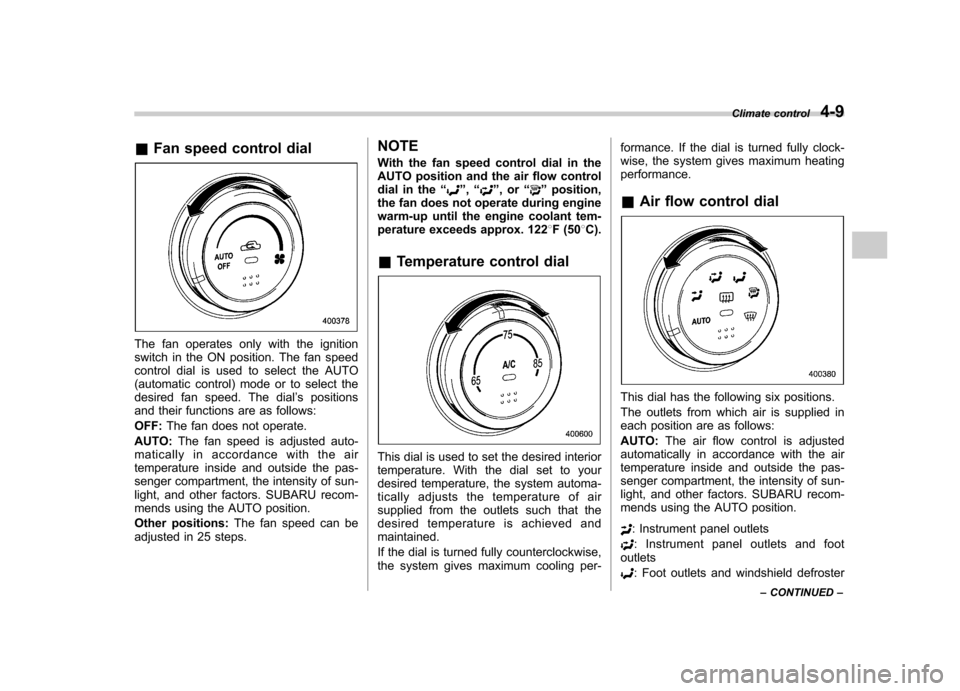
&Fan speed control dial
The fan operates only with the ignition
switch in the ON position. The fan speed
control dial is used to select the AUTO
(automatic control) mode or to select the
desired fan speed. The dial ’s positions
and their functions are as follows: OFF: The fan does not operate.
AUTO: The fan speed is adjusted auto-
maticallyinaccordancewiththeair
temperature inside and outside the pas-
senger compartment, the intensity of sun-
light, and other factors. SUBARU recom-
mends using the AUTO position.
Other positions: The fan speed can be
adjusted in 25 steps. NOTE
With the fan speed control dial in the
AUTO position and the air flow control
dial in the
“
”, “”,or “”position,
the fan does not operate during engine
warm-up until the engine coolant tem-
perature exceeds approx. 122 8F (50 8C).
& Temperature control dial
This dial is used to set the desired interior
temperature. With the dial set to your
desired temperature, the system automa-
tically adjusts the temperature of air
supplied from the outlets such that the
desired temperature is achieved andmaintained.
If the dial is turned fully counterclockwise,
the system gives maximum cooling per- formance. If the dial is turned fully clock-
wise, the system gives maximum heatingperformance. &
Air flow control dial
This dial has the following six positions.
The outlets from which air is supplied in
each position are as follows: AUTO: The air flow control is adjusted
automatically in accordance with the air
temperature inside and outside the pas-
senger compartment, the intensity of sun-
light, and other factors. SUBARU recom-
mends using the AUTO position.
: Instrument panel outlets
: Instrument panel outlets and foot
outlets
: Foot outlets and windshield defroster Climate control
4-9
– CONTINUED –
Page 162 of 364
5-4Audio
Type A audio set (if equipped)
The audio set will operate only when the ignition switch is in the “Acc ”or “ON ”position.
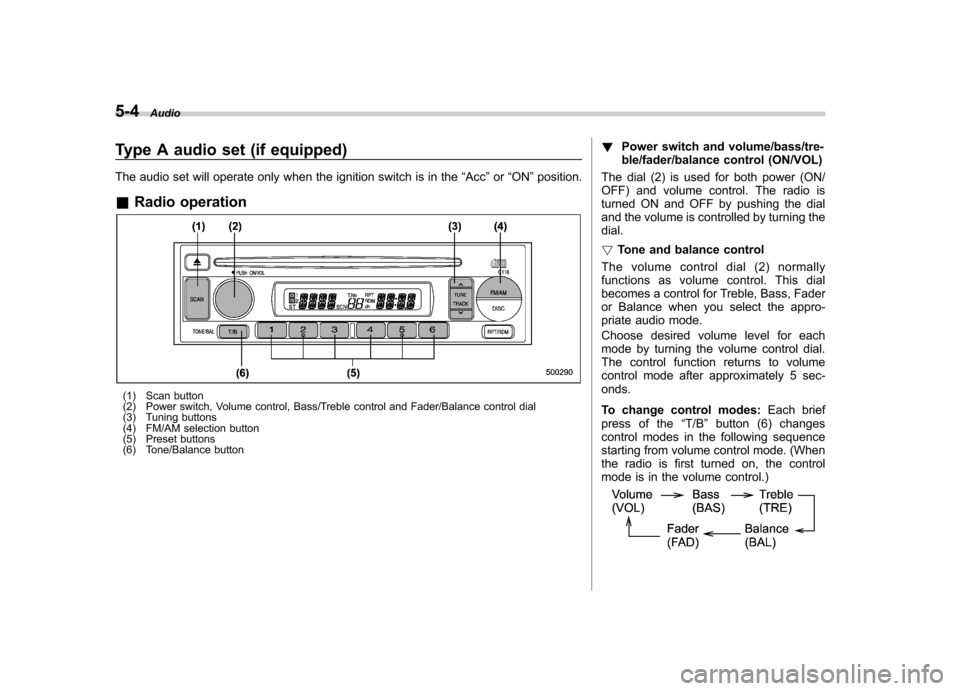
& Radio operation
(1) Scan button
(2) Power switch, Volume control, Bass/Treble control and Fader/Balance control dial
(3) Tuning buttons
(4) FM/AM selection button
(5) Preset buttons
(6) Tone/Balance button !
Power switch and volume/bass/tre-
ble/fader/balance control (ON/VOL)
The dial (2) is used for both power (ON/
OFF) and volume control. The radio is
turned ON and OFF by pushing the dial
and the volume is controlled by turning thedial. ! Tone and balance control
The volume control dial (2) normally
functions as volume control. This dial
becomes a control for Treble, Bass, Fader
or Balance when you select the appro-
priate audio mode.
Choose desired volume level for each
mode by turning the volume control dial.
The control function returns to volume
control mode after approximately 5 sec-onds.
To change control modes: Each brief
press of the “T/B ”button (6) changes
control modes in the following sequence
starting from volume control mode. (When
the radio is first turned on, the control
mode is in the volume control.)
Page 166 of 364
5-8Audio
! To select a track from its beginning
! Forward direction
Briefly press the “
”side of the button
(11) to skip to the beginning of the next
track. Each time this side of the button is
pressed, the indicated track number willincrease. ! Backward direction
Briefly press the “
”side of the button
(11) to skip to the beginning of the current
track. Each time this side of the button is
pressed, the indicated track number willdecrease. ! Fast-forwarding and fast-reversing
! Fast-forwarding
Press the “
”side of the button (11)
continuously to fast-forward the disc.
Release the button to stop fast-forwarding. ! Fast-reversing
Press the “
”side of the button (11)
continuously to fast-reverse the disc.
Release the button to stop fast-reversing. ! Repeat playback
Press the “RPT ”button (10) while a track
is playing to play the song repeatedly. The “ RPT ”indicator will come on and the song
will be played continuously. To cancel the repeat mode, press the button again.
Then the
“RPT ”indicator goes out, and
normal playback mode is restored. ! Random playback
Press the “RDM ”button (10) and hold it in
more than 2 seconds while a disc is being
played back to play all songs on the disc in
a random order. The “RDM ”indicator will
come on and all songs on the disc will be
played in a random order.
To cancel the random mode, press the
button again. Then the “RDM ”indicator
goes out, and normal playback mode isrestored. ! To eject a disc from the player
When a disc is being played back or when
a disc is in the player, press the ejectbutton “
”(7). The disc will be ejected.
The disc may be removed even when the
ignition switch is in the “LOCK ”position.
NOTE
Avoid driving the vehicle with a CD
sticking out, because vibration might
make it fall out.
Page 169 of 364
Type B audio set (if equipped)
The audio set will operate only when the ignition switch is in the“Acc ”or “ON ”position.
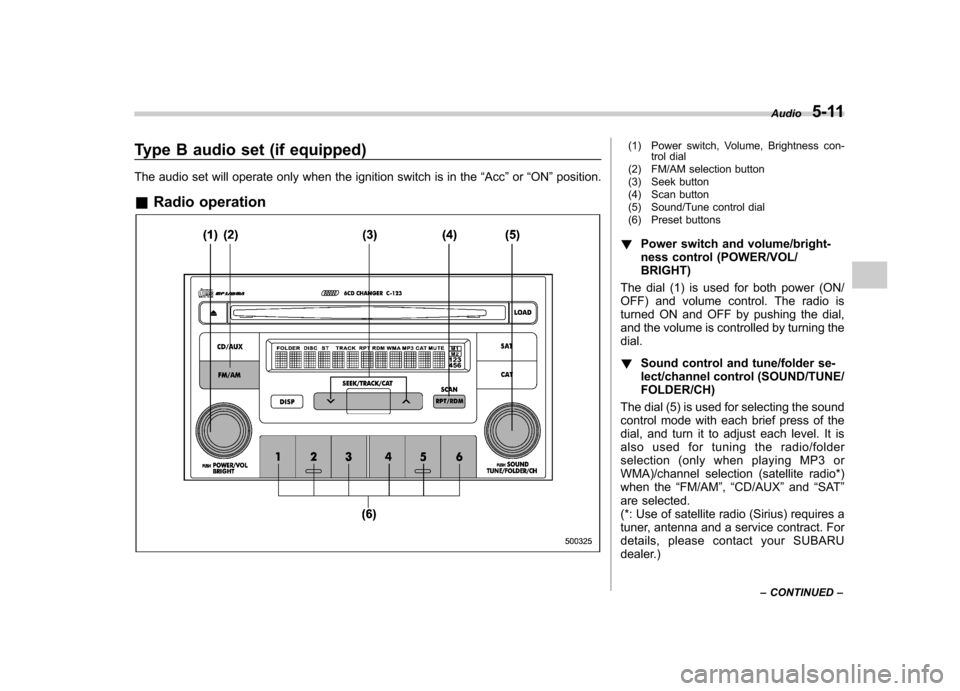
& Radio operation(1) Power switch, Volume, Brightness con-
trol dial
(2) FM/AM selection button
(3) Seek button
(4) Scan button
(5) Sound/Tune control dial
(6) Preset buttons
! Power switch and volume/bright-
ness control (POWER/VOL/BRIGHT)
The dial (1) is used for both power (ON/
OFF) and volume control. The radio is
turned ON and OFF by pushing the dial,
and the volume is controlled by turning thedial. ! Sound control and tune/folder se-
lect/channel control (SOUND/TUNE/FOLDER/CH)
The dial (5) is used for selecting the sound
control mode with each brief press of the
dial, and turn it to adjust each level. It is
also used for tuning the radio/folder
selection (only when playing MP3 or
WMA)/channel selection (satellite radio*)
when the “FM/AM ”, “CD/AUX ”and “SAT ”
are selected.
(*: Use of satellite radio (Sirius) requires a
tuner, antenna and a service contract. For
details, please contact your SUBARU
dealer.) Audio
5-11
– CONTINUED –
Page 175 of 364
!To select a track from its beginning
! Forward direction
Briefly press the “
”side of the button
(10) to skip to the beginning of the next
track. Each time the button is pressed, the
indicated track number will increase. ! Backward direction
Briefly press the “
”side of the button
(10) to skip to the beginning of the current
track. Each time the button is pressed, the
indicated track number will decrease. ! To select a folder (for MP3/WMA audio)
Turn the “TUNE/FOLDER/CH ”dial (14) to
select the folder. ! Fast-forwarding and fast-reversing
! Fast-forwarding
Press the “
”side of the button (10)
continuously to fast-forward the disc.
Release the button to stop fast-forwarding. ! Fast-reversing
Press the “
”side of the button (10)
continuously to fast-reverse the disc.
Release the button to stop fast-reversing. ! Repeat playback
Depress the “RPT/RDM ”button (11) while
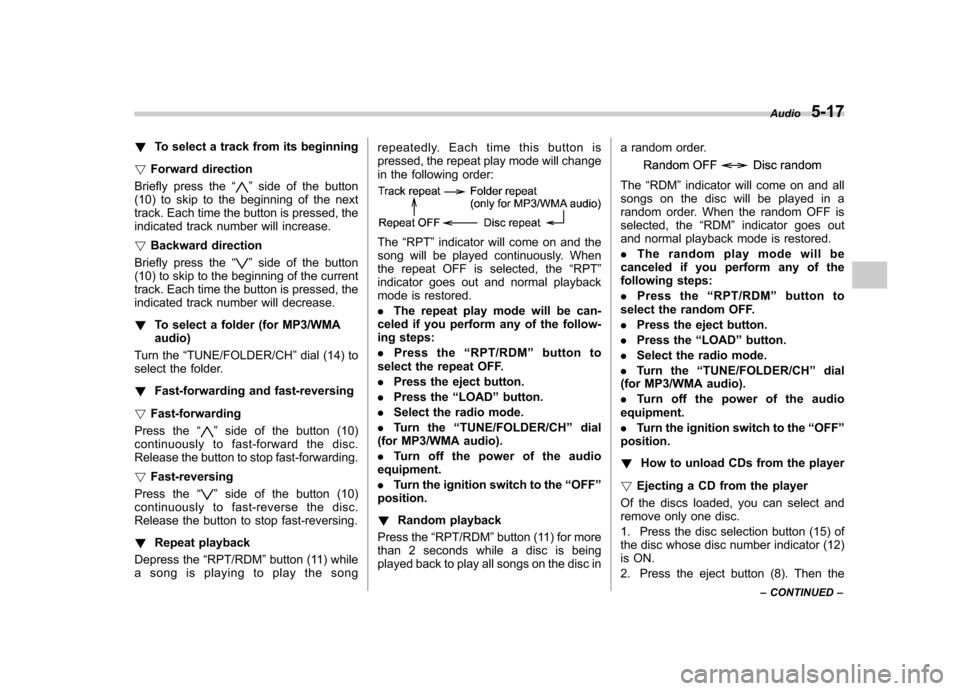
a song is playing to play the song repeatedly. Each time this button is
pressed, the repeat play mode will change
in the following order:
The
“RPT ”indicator will come on and the
song will be played continuously. When
the repeat OFF is selected, the “RPT ”
indicator goes out and normal playback
mode is restored. . The repeat play mode will be can-
celed if you perform any of the follow-
ing steps: . Press the “RPT/RDM ”button to
select the repeat OFF.. Press the eject button.
. Press the “LOAD ”button.
. Select the radio mode.
. Turn the “TUNE/FOLDER/CH ”dial
(for MP3/WMA audio).. Turn off the power of the audio
equipment.. Turn the ignition switch to the “OFF ”
position. ! Random playback
Press the “RPT/RDM ”button (11) for more
than 2 seconds while a disc is being
played back to play all songs on the disc in a random order.
The
“RDM ”indicator will come on and all
songs on the disc will be played in a
random order. When the random OFF is
selected, the “RDM ”indicator goes out
and normal playback mode is restored. . The random play mode will be
canceled if you perform any of the
following steps: . Press the “RPT/RDM ”button to
select the random OFF.. Press the eject button.
. Press the “LOAD ”button.
. Select the radio mode.
. Turn the “TUNE/FOLDER/CH ”dial
(for MP3/WMA audio).. Turn off the power of the audio
equipment.. Turn the ignition switch to the “OFF ”
position. ! How to unload CDs from the player
! Ejecting a CD from the player
Of the discs loaded, you can select and
remove only one disc.
1. Press the disc selection button (15) of
the disc whose disc number indicator (12)
is ON.
2. Press the eject button (8). Then the Audio
5-17
– CONTINUED –
Page 176 of 364
5-18Audio
disc number indicator associated with the
disc you have selected will blink, and the
disc will be ejected. To remove more discs
in succession, repeat Steps 1 and 2. If you
press the eject button after turning OFF
the ignition switch, only one disc will beejected. !Ejecting all discs from the player (All
disc ejection mode)
1. If you continue to press the eject
button (8) for more than 2 seconds, the
player will enter the all disc ejection mode.
2. Remove the disc that has been
ejected, the display indicates “CD ALL
EJECT ”(when the ignition switch is in the
“ Acc ”or “ON ”position) and disc indicator
will blink. The other discs loaded will then
be ejected one after another. If you do not
remove the ejected disc within 15 sec-
onds, the “All disc ejection mode ”will be
canceled. NOTE
Avoid driving the vehicle with a CD
sticking out, because vibration might
make it fall out.
CAUTION
Do not attempt to insert two or more discs into the slot at a time. Doing
so can cause mechanical damage to
the CD changer.
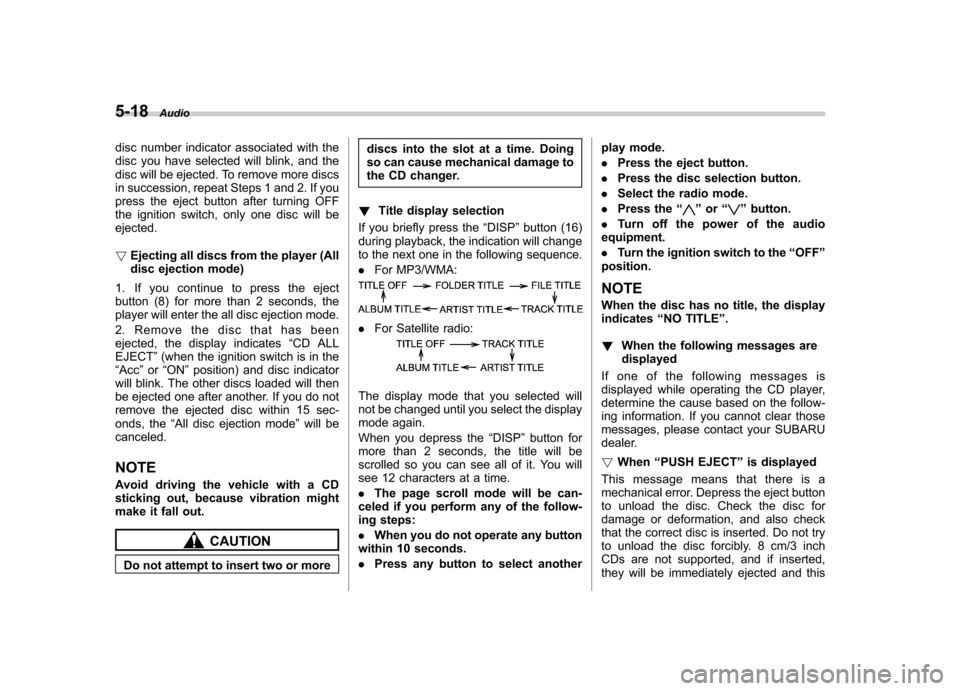
! Title display selection
If you briefly press the “DISP ”button (16)
during playback, the indication will change
to the next one in the following sequence. . For MP3/WMA:
.For Satellite radio:
The display mode that you selected will
not be changed until you select the display
mode again.
When you depress the “DISP ”button for
more than 2 seconds, the title will be
scrolled so you can see all of it. You will
see 12 characters at a time. . The page scroll mode will be can-
celed if you perform any of the follow-
ing steps: . When you do not operate any button
within 10 seconds.. Press any button to select another play mode..
Press the eject button.
. Press the disc selection button.
. Select the radio mode.
. Press the “
”or “”button.
. Turn off the power of the audio
equipment. . Turn the ignition switch to the “OFF ”
position.
NOTE
When the disc has no title, the display indicates “NO TITLE ”.
! When the following messages aredisplayed
If one of the following messages is
displayed while operating the CD player,
determine the cause based on the follow-
ing information. If you cannot clear those
messages, please contact your SUBARU
dealer. ! When “PUSH EJECT ”is displayed
This message means that there is a
mechanical error. Depress the eject button
to unload the disc. Check the disc for
damage or deformation, and also check
that the correct disc is inserted. Do not try
to unload the disc forcibly. 8 cm/3 inch
CDs are not supported, and if inserted,
they will be immediately ejected and this
Page 182 of 364
5-24Audio
! To insert a disc
1. Press one of the disc selection buttons
(3) (numbered from 1 to 6) for which the
disc indicator light (2) is off.
The disc indicator lights are located
directly above the corresponding disc
selection buttons.
2. The indicator will begin blinking. The
blinking will last for 15 seconds.
During this period, insert a desired disc,
and the disc will begin to play. (If any disc
is not inserted during this period, the disc
slot (1) door will close. Repeat Step 1.)
Be sure to hold a disc with the label side
(the side where titles are printed) up.
3. To insert another disc, repeat Steps 1
and 2 choosing a different disc selectionbutton. ! To insert six discs at a time
1. Press and hold the disc selection
button (3) number 1 until all disc indicators
begin blinking (approximately 1.5 sec-onds).
2. The indicators will blink for 15 sec-
onds. During this period, insert six discs.
3. When all discs are loaded, the first
disc will begin to play. (If no disc is
inserted within this 15 seconds, the entire
disc load sequence will be canceled.) !
To remove a disc
1. Press the desired disc selection button
(3) (numbered from 1 to 6) for which the
disc indicator light is on.
2. Press the eject button “
”(4). The
selected disc will be ejected and the
indicator light will begin blinking.
3. To remove another disc, repeat Steps
1 and 2 choosing a different disc selectionbutton.
(To remove discs when the ignition switch
is in the “LOCK ”position, press the eject
button “
”, and the first disc will be
ejected. Press the eject button “”again,
and the next disc will be ejected and so
on. At this time, the disc selection buttons
are disabled.) ! To remove all discs at one time
1. Press and hold the eject button “
”(4)
until all disc indicators begin blinking
(approximately 1.5 seconds), and the first
disc will be ejected.
2. When the disc is removed, the next
one will be ejected, and so on. ! To replace a playing disc with another
Simply press the desired one of disc
selection buttons (3) (numbered from 1 to 6) or press the disc selection button on
the radio unit to select the desired disc,
and the disc will begin to play. !
Disc indicators
Lit: when the corresponding storage tray is
occupied by a disc.
Blinking: Disc player is either in loading,
eject or changing mode.
OFF: No disc is loaded or the ignition
switch is in the “LOCK ”position.
! Open/Closed disc slot indicator
When the disc slot is open, the disc
indicators on both sides of the slotilluminate. ! Function control
Refer to CD changer control operating
instructions described in the “Type A audio
set ”or “Type B audio set ”section.
Page 190 of 364
6-6Interior equipment
&Rear passenger ’s cup holder
(if equipped)
CAUTION
When not in use, always keep the
cup holder stored while driving to
reduce the risk of injury in the event
of a sudden stop or an accident.
A dual cup holder is located at the back of
the center console. To use the cup holder,
open the lid by pulling its upper edge. Accessory power outlets
Power outlet beside front pocket
Power outlet in cargo area (if equipped)
Accessory power outlets are provided
beside the front pocket and in the cargo area. Electrical power (12V DC) from the
battery is available at any of the outlets
when the ignition switch is in either the“
Acc ”or “ON ”position.
You can use an in-car electrical appliance
by connecting it to an outlet.
The maximum power rating of an appli-
ance that can be connected varies among
outlets as shown in the following. Do not
use an appliance which exceeds the
indicated wattage for each outlet.
Outlet beside front pocket: 80W or less
Outlets in cargo area: 120W or less
When using appliances connected to two
outlets simultaneously, the total power
consumed by them must not exceed
120W.
CAUTION
. Do not attempt to use a cigarette
lighter in the cargo area power outlet.
. Do not place any foreign objects,
especially metal ones such as
coins or aluminum foil, into the
accessory power outlet. That
could cause a short circuit. Al-
ways put the cap on the acces-
sory power outlet when it is not
in use.
. Use only electrical appliances