display SUBARU IMPREZA 2016 5.G Driving Assist Manual
[x] Cancel search | Manufacturer: SUBARU, Model Year: 2016, Model line: IMPREZA, Model: SUBARU IMPREZA 2016 5.GPages: 98, PDF Size: 1.22 MB
Page 42 of 98
Adaptive Cruise Control
39
Adaptive Cruise Control is available when the engine is turned on.
■Setting Adaptive Cruise Control
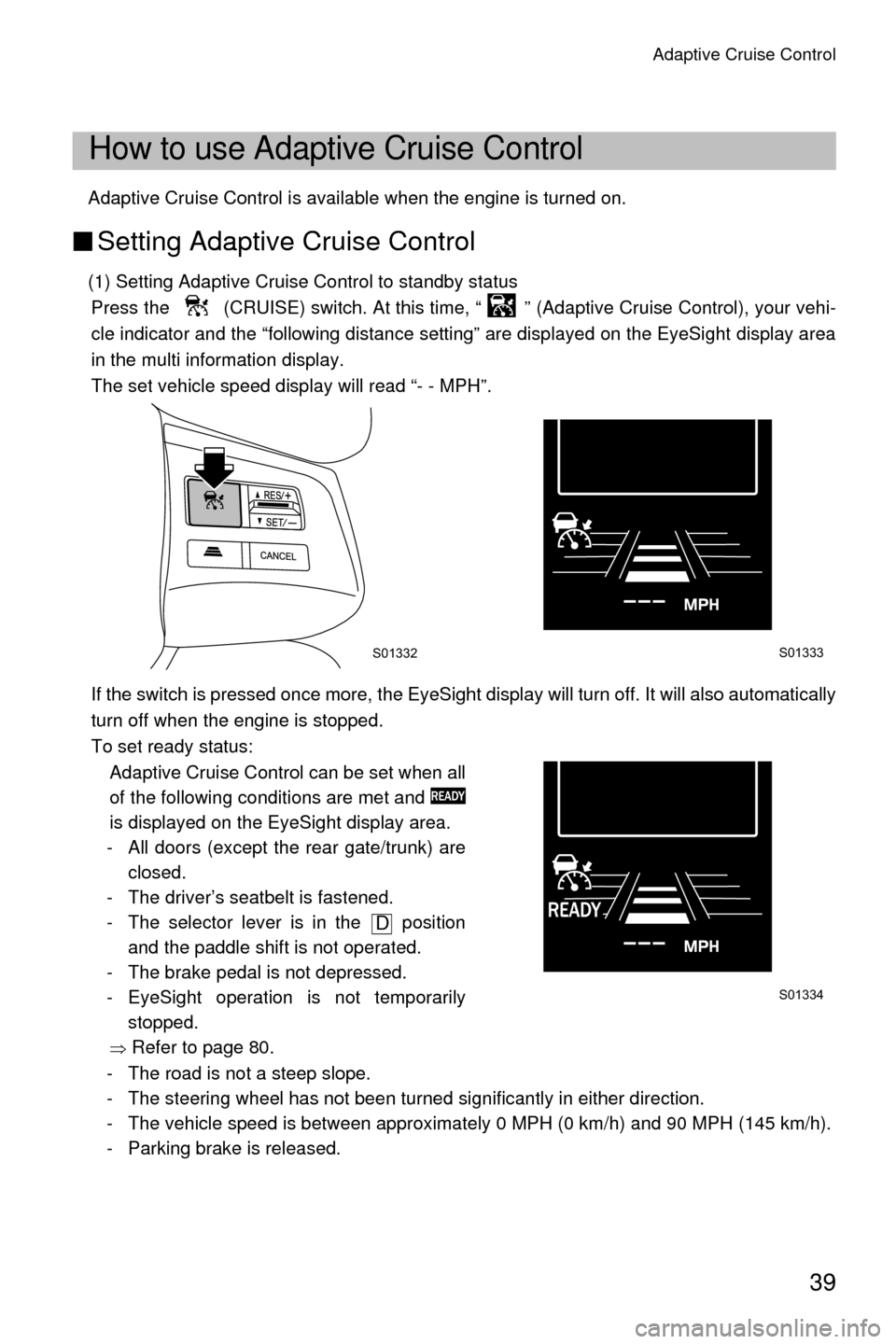
(1) Setting Adaptive Cruise Control to standby status
Press the (CRUISE) switch. At this time, “ ” (Adaptive Cruise Control), your vehi-
cle indicator and the “following distance setting” are displayed on the EyeSight display area
in the multi information display.
The set vehicle speed display will read “- - MPH”.
If the switch is pressed once more, the EyeSight display will turn off. It will also automatically
turn off when the engine is stopped.
To set ready status: Adaptive Cruise Control can be set when all
of the following conditions are met and
is displayed on the EyeSight display area.
- All doors (except the rear gate/trunk) are closed.
- The driver’s seatbelt is fastened.
- The selector lever is in the position and the paddle shift is not operated.
- The brake pedal is not depressed.
- EyeSight operation is not temporarily stopped.
Ÿ Refer to page 80.
- The road is not a steep slope.
- The steering wheel has not been turned significantly in either direction.
- The vehicle speed is between approximately 0 MPH (0 km/h) and 90 MPH (145 km/h).
- Parking brake is released.
How to use Adaptive Cruise Control
S01332S01333
S01334
D
Page 43 of 98
Adaptive Cruise Control
40
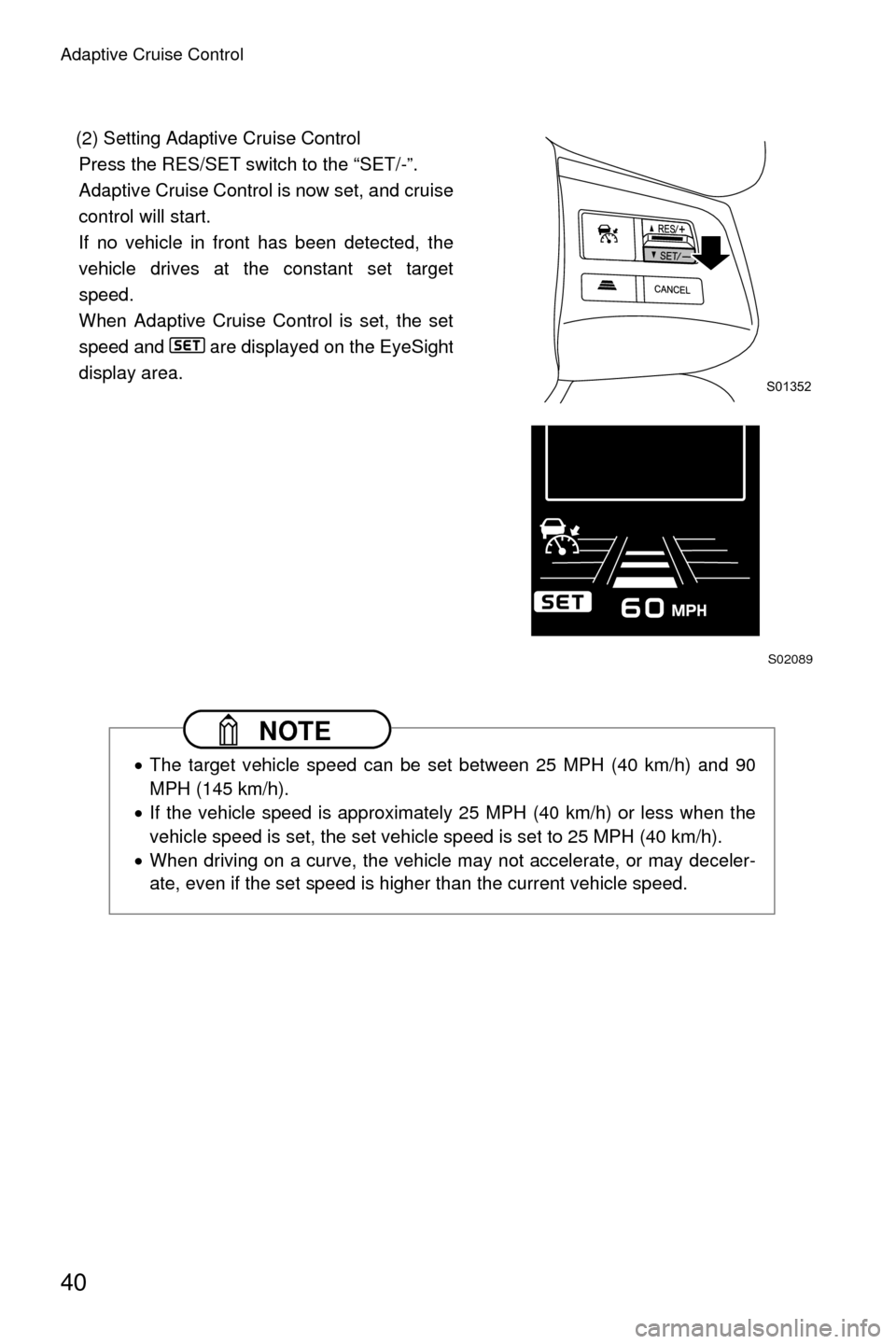
(2) Setting Adaptive Cruise ControlPress the RES/SET switch to the “SET/-”.
Adaptive Cruise Control is now set, and cruise
control will start.
If no vehicle in front has been detected, the
vehicle drives at the constant set target
speed.
When Adaptive Cruise Control is set, the set
speed and are displayed on the EyeSight
display area.
NOTE
• The target vehicle speed can be set between 25 MPH (40 km/h) and 90
MPH (145 km/h).
• If the vehicle speed is approximately 25 MPH (40 km/h) or less when the
vehicle speed is set, the set vehicle speed is set to 25 MPH (40 km/h).
• When driving on a curve, the vehicle may not accelerate, or may deceler-
ate, even if the set speed is higher than the current vehicle speed.
S01352
S02089
Page 46 of 98
Adaptive Cruise Control
43
■Increasing the set vehicle target speed
●
Using the RES/SET switch
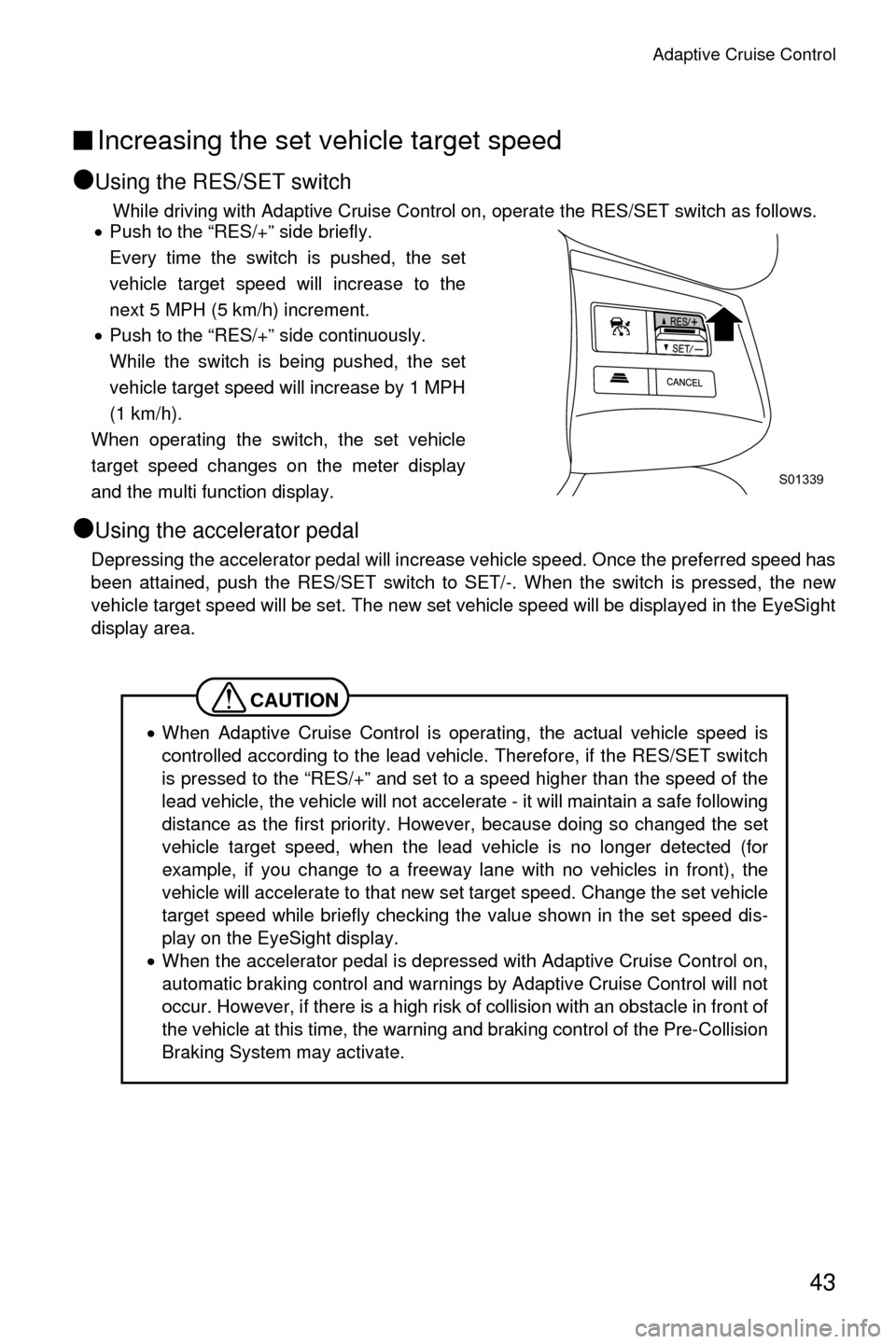
While driving with Adaptive Cruise Control on, operate the RES/SET switch as follows.
• Push to the “RES/+” side briefly.
Every time the switch is pushed, the set
vehicle target speed will increase to the
next 5 MPH (5 km/h) increment.
• Push to the “RES/+” side continuously.
While the switch is being pushed, the set
vehicle target speed will increase by 1 MPH
(1 km/h).
When operating the switch, the set vehicle
target speed changes on the meter display
and the multi function display.
●Using the accelerator pedal
Depressing the accelerator pedal will increase vehicle speed. Once the preferred speed has
been attained, push the RES/SET switch to SET/-. When the switch is pressed, the new
vehicle target speed will be set. The new set vehicle speed will be displayed in the EyeSight
display area.
CAUTION
• When Adaptive Cruise Control is operating, the actual vehicle speed is
controlled according to the lead vehicle. Therefore, if the RES/SET switch
is pressed to the “RES/+” and set to a speed higher than the speed of the
lead vehicle, the vehicle will not accelerate - it will maintain a safe following
distance as the first priority. However, because doing so changed the set
vehicle target speed, when the lead vehicle is no longer detected (for
example, if you change to a freeway lane with no vehicles in front), the
vehicle will accelerate to that new set target speed. Change the set vehicle
target speed while briefly checking the value shown in the set speed dis-
play on the EyeSight display.
• When the accelerator pedal is depressed with Adaptive Cruise Control on,
automatic braking control and warnings by Adaptive Cruise Control will not
occur. However, if there is a high risk of collision with an obstacle in front of
the vehicle at this time, the warning and braking control of the Pre-Collision
Braking System may activate.
S01339
Page 47 of 98
Adaptive Cruise Control
44
■Decreasing the set vehicle target speed
●
Using the RES/SET switch
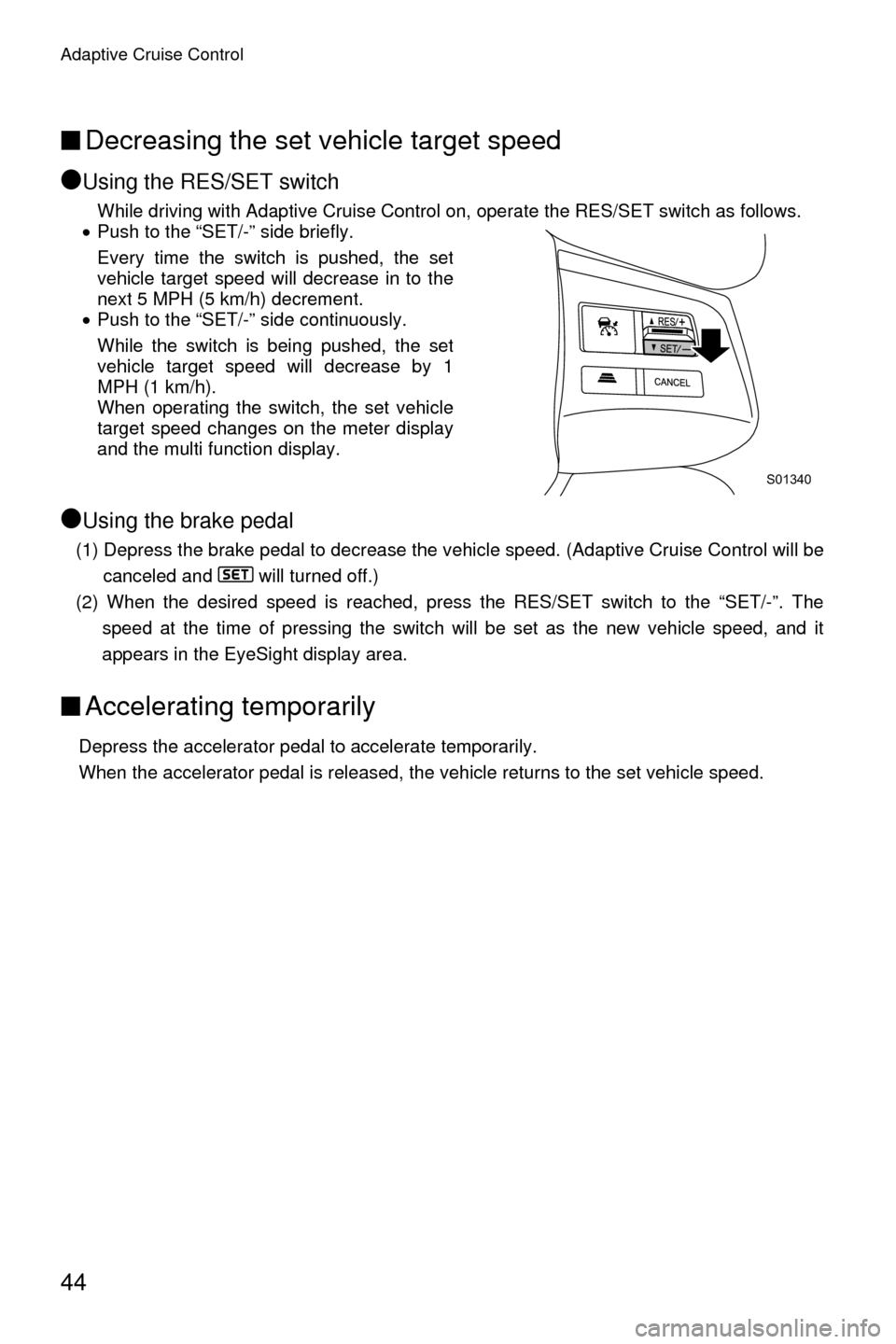
While driving with Adaptive Cruise Control on, operate the RES/SET switch as follows.
• Push to the “SET/-” side briefly.
Every time the switch is pushed, the set
vehicle target speed will decrease in to the
next 5 MPH (5 km/h) decrement.
• Push to the “SET/-” side continuously.
While the switch is being pushed, the set
vehicle target speed will decrease by 1
MPH (1 km/h).
When operating the switch, the set vehicle
target speed changes on the meter display
and the multi function display.
●Using the brake pedal
(1) Depress the brake pedal to decrease the vehicle speed. (Adaptive Cruise Control will be
canceled and will turned off.)
(2) When the desired speed is reached, press the RES/SET switch to the “SET/-”. The speed at the time of pressing the switch will be set as the new vehicle speed, and it
appears in the EyeSight display area.
■Accelerating temporarily
Depress the accelerator pedal to accelerate temporarily.
When the accelerator pedal is released, the vehicle returns to the set vehicle speed.
S01340
Page 48 of 98
Adaptive Cruise Control
45
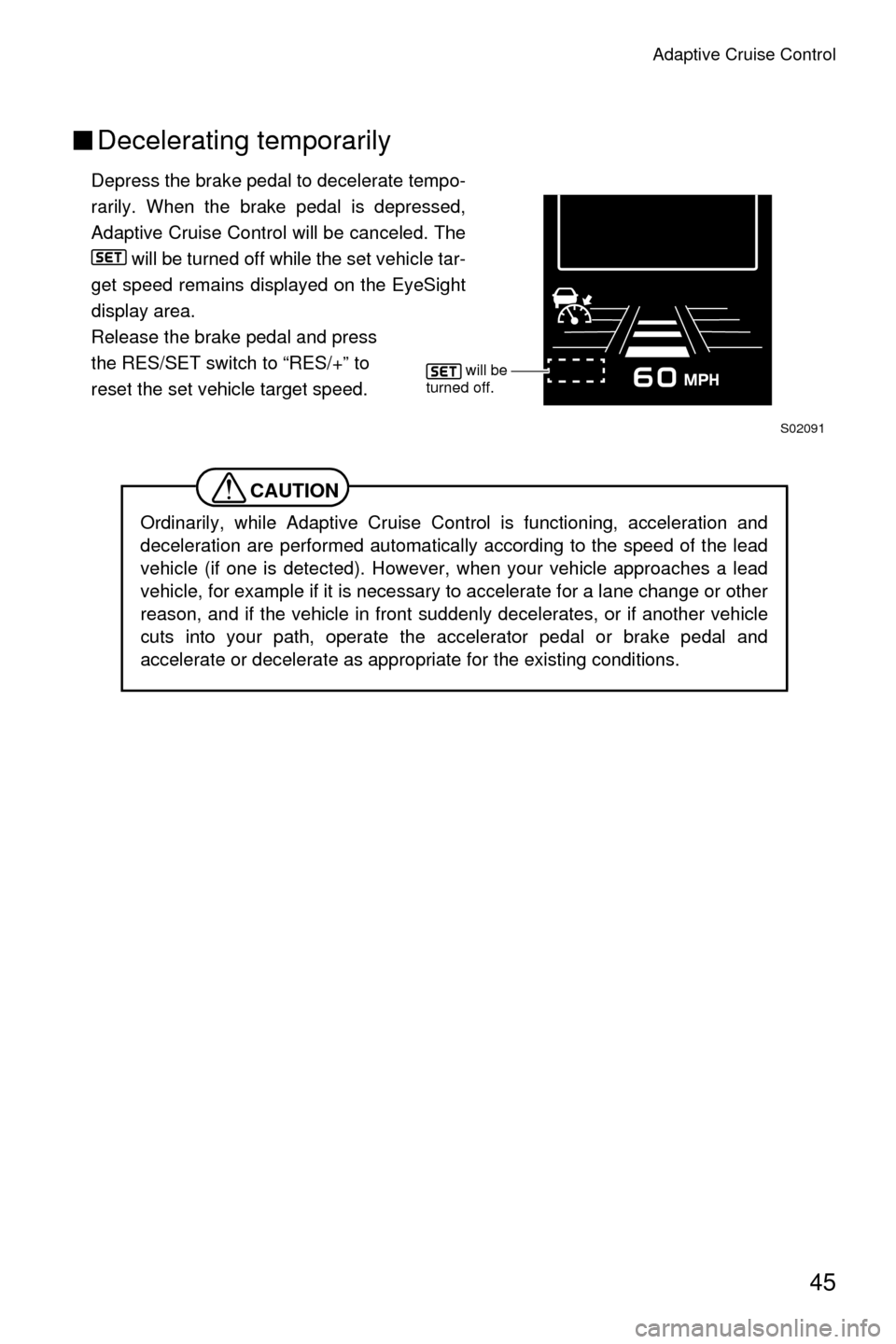
■Decelerating temporarily
Depress the brake pedal to decelerate tempo-
rarily. When the brake pedal is depressed,
Adaptive Cruise Control will be canceled. The
will be turned off while the set vehicle tar-
get speed remains displayed on the EyeSight
display area.
Release the brake pedal and press
the RES/SET switch to “RES/+” to
reset the set vehicle target speed.
CAUTION
Ordinarily, while Adaptive Cruise Control is functioning, acceleration and
deceleration are performed automatically according to the speed of the lead
vehicle (if one is detected). However, when your vehicle approaches a lead
vehicle, for example if it is necessary to accelerate for a lane change or other
reason, and if the vehicle in front suddenly decelerates, or if another vehicle
cuts into your path, operate the accelerator pedal or brake pedal and
accelerate or decelerate as appropriate for the existing conditions.
S02091
will be
turned off.
Page 50 of 98
Adaptive Cruise Control
47
■Canceling Adaptive Cruise Control
●
Canceling by driver operation
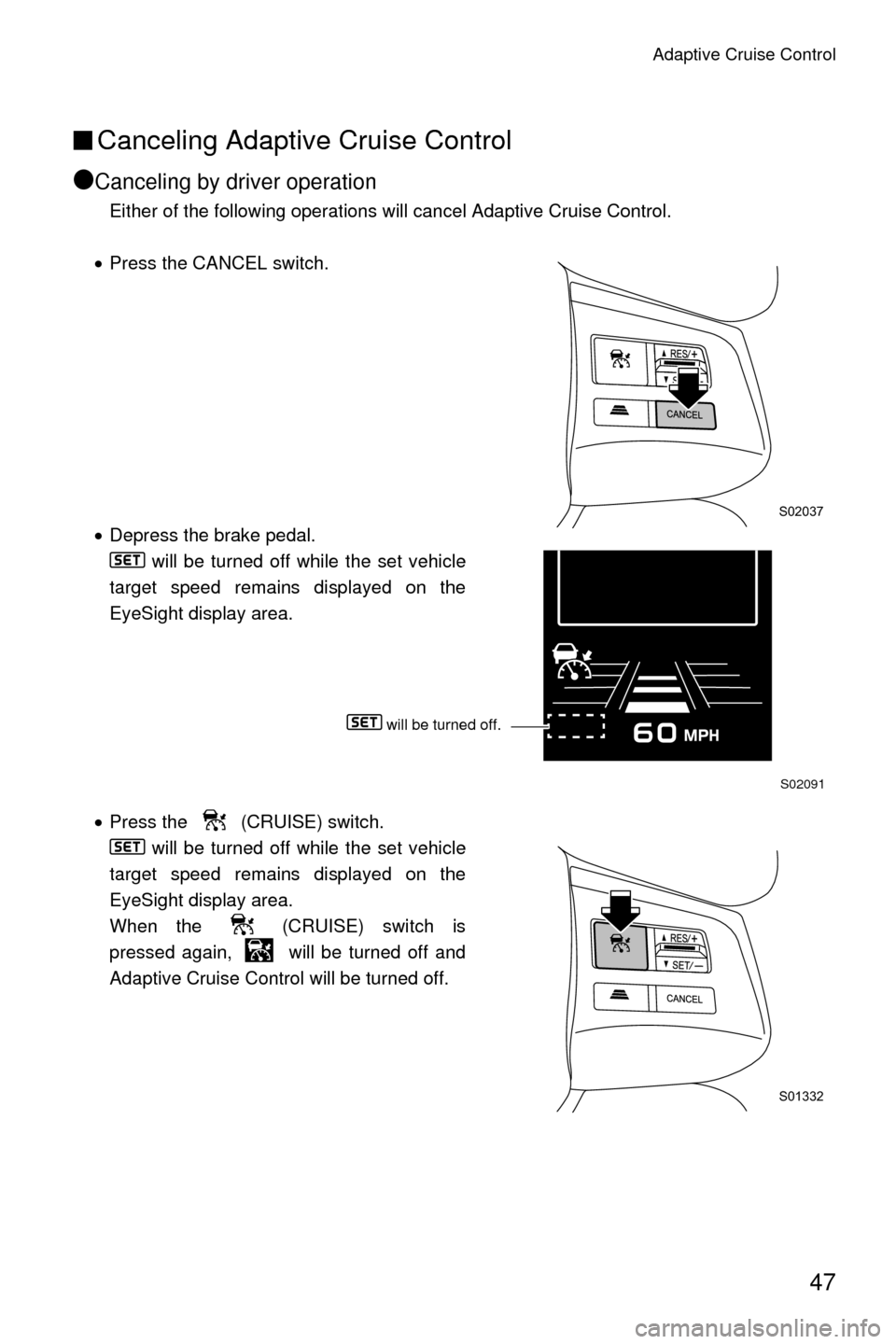
Either of the following operations will cancel Adaptive Cruise Control.
• Press the CANCEL switch.
• Depress the brake pedal.
will be turned off while the set vehicle
target speed remains displayed on the
EyeSight display area.
• Press the (CRUISE) switch.
will be turned off while the set vehicle
target speed remains displayed on the
EyeSight display area.
When the (CRUISE) switch is
pressed again, will be turned off and
Adaptive Cruise Control will be turned off.
S02037
S02091
S01332
will be turned off.
Page 51 of 98

Adaptive Cruise Control
48
●Automatic cancellation by the system
In the following cases, a buzzer will sound a
single long beep and Adaptive Cruise Con-
trol is automatically canceled. ( is dis-
played on the EyeSight display area.)
• Conditions for automatic cancellation
- The grade of the road is very steep.
- ABS, Vehicle Dynamics Control or Trac- tion Control Function is activated.
- The vehicle speed has exceeded approximately 100 MPH (160 km/h) while cruise con- trol is set.
- The steering wheel was turned significantly in either direction.
- The transmission select lever is moved to a position other than . •Cruise control can be resumed after the transmission select lever is returned to the
position.
- A paddle shift switch is operated while driving when the transmission select lever is in the position.• Cruise control can be resumed again after the shift indicator returns to .
- Any door (except the rear gate/trunk) is opened.
- The driver’s seatbelt is unfastened.
- EyeSight operation has temporarily stopped.
Ÿ Refer to page 80.
- EyeSight is malfunctioning.
Ÿ Refer to page 79.
- The Pre-Collision secondary braking has activated.
- Parking brake is applied.
S02092
D
D
D
D
Page 52 of 98

Adaptive Cruise Control
49
WARNING
Do not use Adaptive Cruise Control on slippery roads. Doing so may result in
an accident.
CAUTION
When shifting the selector lever to the position, Adaptive Cruise Control
will be automatically canceled. Do not shift the lever to the position unless
it is an emergency. Otherwise the engine brake may not operate, which could
cause an accident.
NOTE
•If EyeSight operation has temporarily stopped, the Pre-Collision Braking
System OFF indicator light and Lane Departure Warning OFF indicator
light illuminate, and the EyeSight temporary stop indicator is displayed on
the multi information display.
Ÿ Refer to page 80.
•If EyeSight is malfunctioning, the EyeSight warning indicator is displayed
on the multi information display, and the Pre-Collision Braking System OFF
indicator light and Lane Departure Warning OFF indicator light will also
illuminate. If this occurs, stop the vehicle in a safe location and then turn off
the engine and restart it. If the indicators remain illuminated after restarting
the engine, Adaptive Cruise Control cannot be used. This will not interfere
with ordinary driving; however the system should be inspected by a
SUBARU dealer as soon as possible.
Ÿ Refer to page 79.
• When the operation of Adaptive Cruise Control has been automatically
canceled, perform the set cruise control operation again after the condition
that caused the cancellation has been corrected. If the cruise control func-
tion cannot be set even after the condition has been corrected, EyeSight
may be malfunctioning. This will not interfere with ordinary driving; how-
ever contact a SUBARU dealer and have the system inspected.
N
N
Page 53 of 98
Adaptive Cruise Control
50
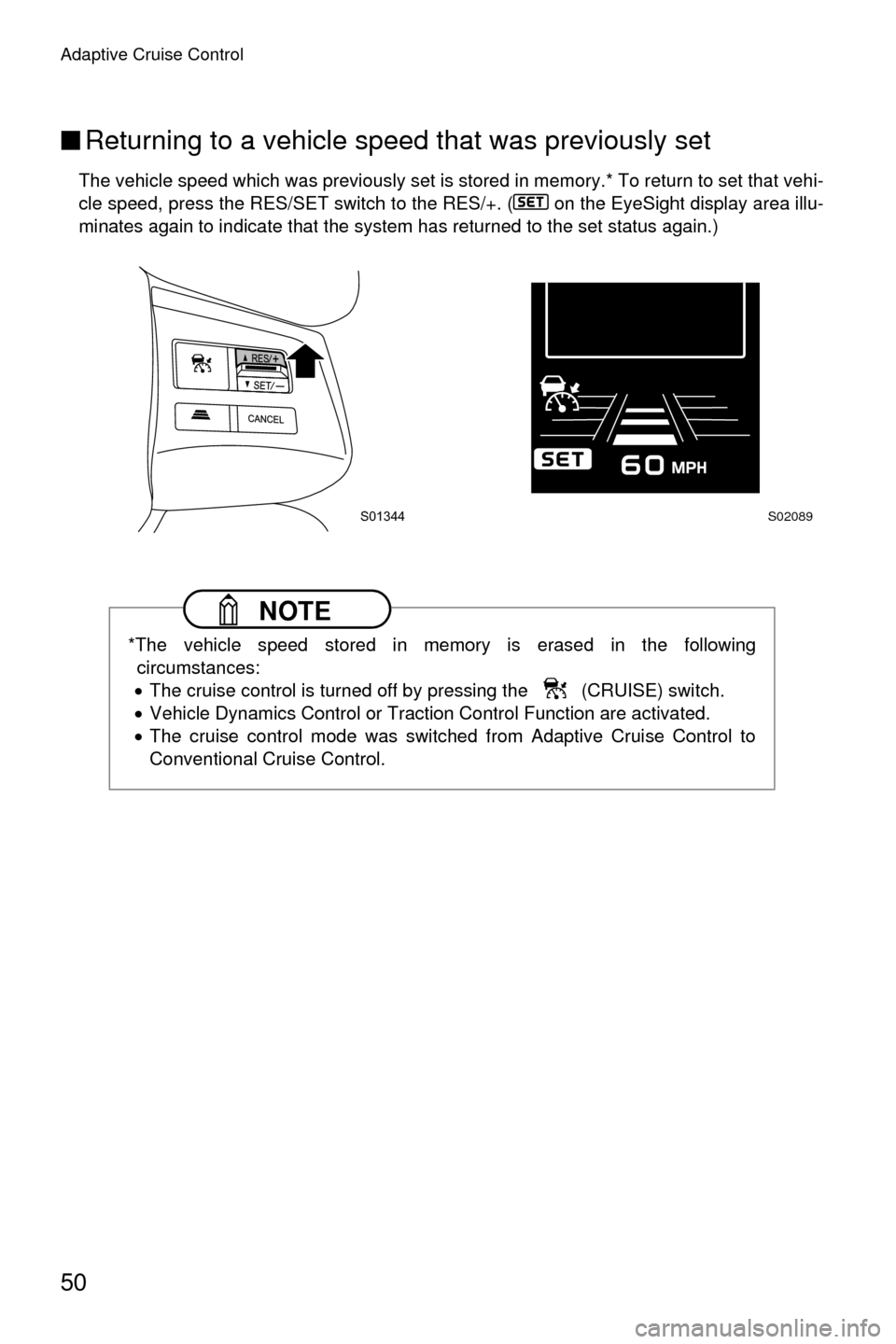
■Returning to a vehicle speed that was previously set
The vehicle speed which was previously set is stored in memory.* To return to set that vehi-
cle speed, press the RES/SET switch to the RES/+. ( on the EyeSight display area illu-
minates again to indicate that the system has returned to the set status again.)
NOTE
*The vehicle speed stored in memory is erased in the following
circumstances:
• The cruise control is turned off by pressing the (CRUISE) switch.
• Vehicle Dynamics Control or Traction Control Function are activated.
• The cruise control mode was switched from Adaptive Cruise Control to
Conventional Cruise Control.
S01344S02089
Page 54 of 98
Adaptive Cruise Control
51
■“Brake more” warning
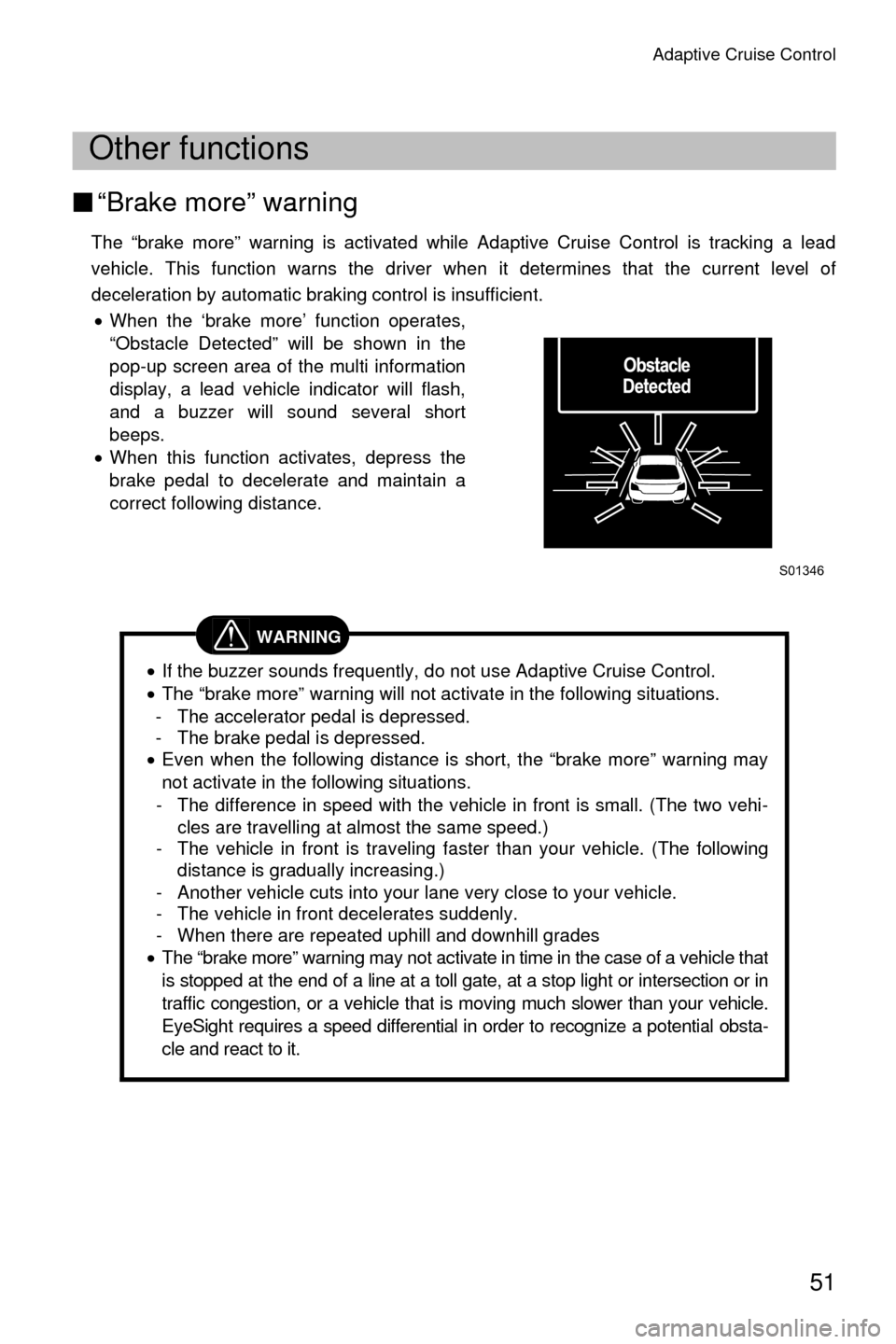
The “brake more” warning is activated while Adaptive Cruise Control is tracking a lead
vehicle. This function warns the driver when it determines that the current level of
deceleration by automatic braking control is insufficient.
• When the ‘brake more’ function operates,
“Obstacle Detected” will be shown in the
pop-up screen area of the multi information
display, a lead vehicle indicator will flash,
and a buzzer will sound several short
beeps.
• When this function activates, depress the
brake pedal to decelerate and maintain a
correct following distance.
Other functions
WARNING
•If the buzzer sounds frequently, do not use Adaptive Cruise Control.
• The “brake more” warning will not activate in the following situations.
- The accelerator pedal is depressed.
- The brake pedal is depressed.
• Even when the following distance is short, the “brake more” warning may
not activate in the following situations.
- The difference in speed with the vehicle in front is small. (The two vehi- cles are travelling at almost the same speed.)
- The vehicle in front is traveling faster than your vehicle. (The following
distance is gradually increasing.)
- Another vehicle cuts into your lane very close to your vehicle.
- The vehicle in front decelerates suddenly.
- When there are repeated uphill and downhill grades
• The “brake more” warning may not activate in time in the case of a vehicle that
is stopped at the end of a line at a toll gate, at a stop light or intersection or in
traffic congestion, or a vehicle that is moving much slower than your vehicle.
EyeSight requires a speed differential in order to recognize a potential obsta-
cle and react to it.
S01346