display SUBARU IMPREZA 2016 5.G Workshop Manual
[x] Cancel search | Manufacturer: SUBARU, Model Year: 2016, Model line: IMPREZA, Model: SUBARU IMPREZA 2016 5.GPages: 594, PDF Size: 5.36 MB
Page 208 of 594
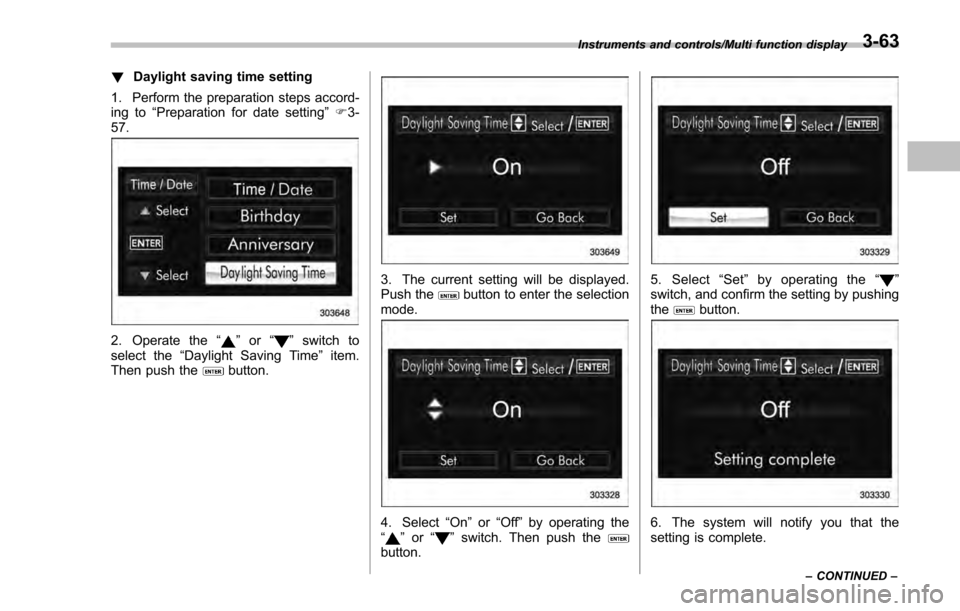
!Daylight saving time setting
1. Perform the preparation steps accord-
ing to “Preparation for date setting ”F 3-
57.
2. Operate the “”or “”switch to
select the “Daylight Saving Time ”item.
Then push the
button.
3. The current setting will be displayed.
Push thebutton to enter the selection
mode.
4. Select “On”or“Off ”by operating the
“” or “”switch. Then push thebutton.
5. Select “Set ”by operating the “”
switch, and confirm the setting by pushing
the
button.
6. The system will notify you that the
setting is complete.
Instruments and controls/Multi function display
–CONTINUED –3-63
Page 209 of 594
Instruments and controls/Multi function display
&Image quality and volume
settings
The image quality and volume settings
can be adjusted. To change the items,
operate the “
”or “”switch.
! Preparation for image quality and
volume settings
1. Turn the ignition switch to the “ON”
position.
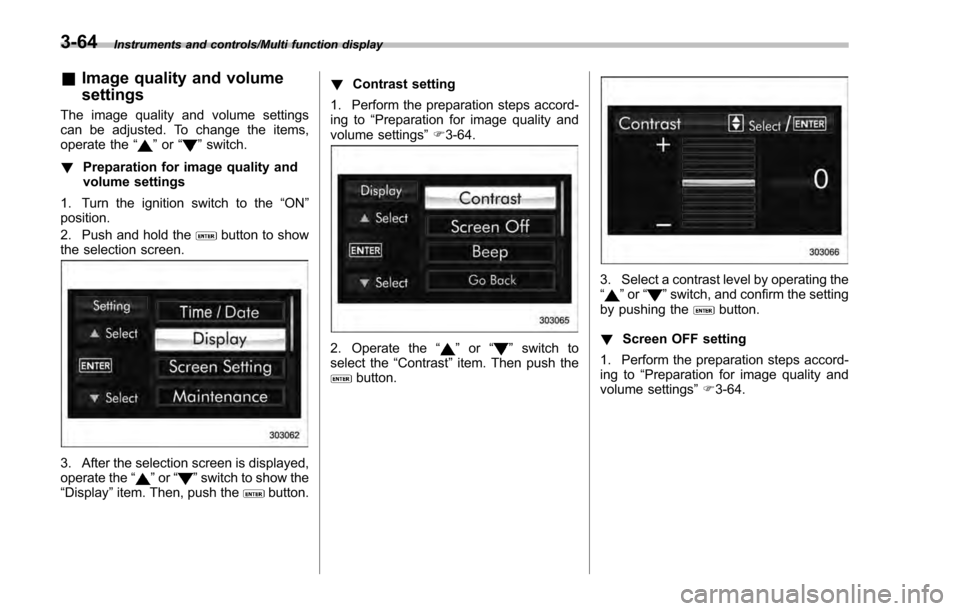
2. Push and hold the
button to show
the selection screen.
3. After the selection screen is displayed,
operate the “”or “”switch to show the
“Display ”item. Then, push thebutton. !
Contrast setting
1. Perform the preparation steps accord-
ing to “Preparation for image quality and
volume settings” F3-64.
2. Operate the “”or “”switch to
select the “Contrast”item. Then push the
button.
3. Select a contrast level by operating the
“”or “”switch, and confirm the setting
by pushing thebutton.
! Screen OFF setting
1. Perform the preparation steps accord-
ing to “Preparation for image quality and
volume settings” F3-64.
3-64
Page 210 of 594
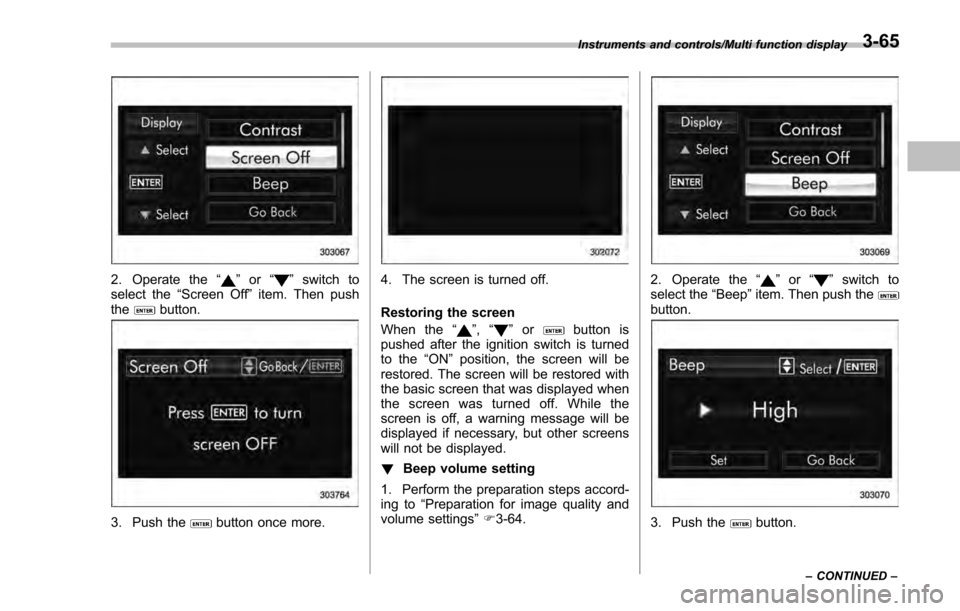
2. Operate the“”or “”switch to
select the “Screen Off ”item. Then push
the
button.
3. Push thebutton once more.
4. The screen is turned off.
Restoring the screen
When the “
”,“”orbutton is
pushed after the ignition switch is turned
to the “ON ”position, the screen will be
restored. The screen will be restored with
the basic screen that was displayed when
the screen was turned off. While the
screen is off, a warning message will be
displayed if necessary, but other screens
will not be displayed.
! Beep volume setting
1. Perform the preparation steps accord-
ing to “Preparation for image quality and
volume settings” F3-64.
2. Operate the “”or “”switch to
select the “Beep ”item. Then push the
button.
3. Push thebutton.
Instruments and controls/Multi function display
–CONTINUED –3-65
Page 211 of 594
Instruments and controls/Multi function display
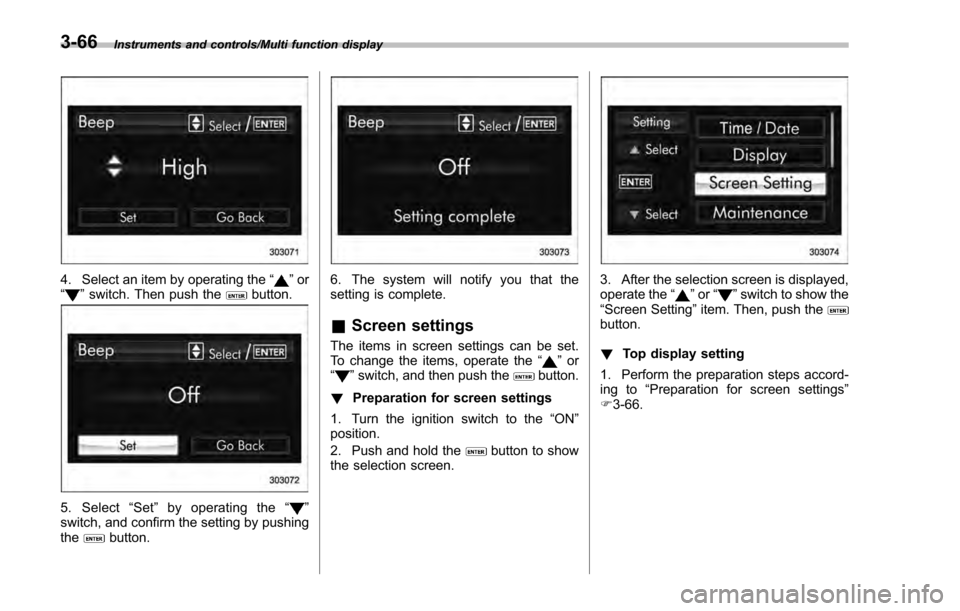
4. Select an item by operating the“”or
“” switch. Then push thebutton.
5. Select “Set ”by operating the “”
switch, and confirm the setting by pushing
the
button.
6. The system will notify you that the
setting is complete.
& Screen settings
The items in screen settings can be set.
To change the items, operate the “”or
“” switch, and then push thebutton.
! Preparation for screen settings
1. Turn the ignition switch to the “ON”
position.
2. Push and hold the
button to show
the selection screen.
3. After the selection screen is displayed,
operate the “”or “”switch to show the
“ Screen Setting ”item. Then, push the
button.
! Top display setting
1. Perform the preparation steps accord-
ing to “Preparation for screen settings”
F 3-66.
3-66
Page 212 of 594
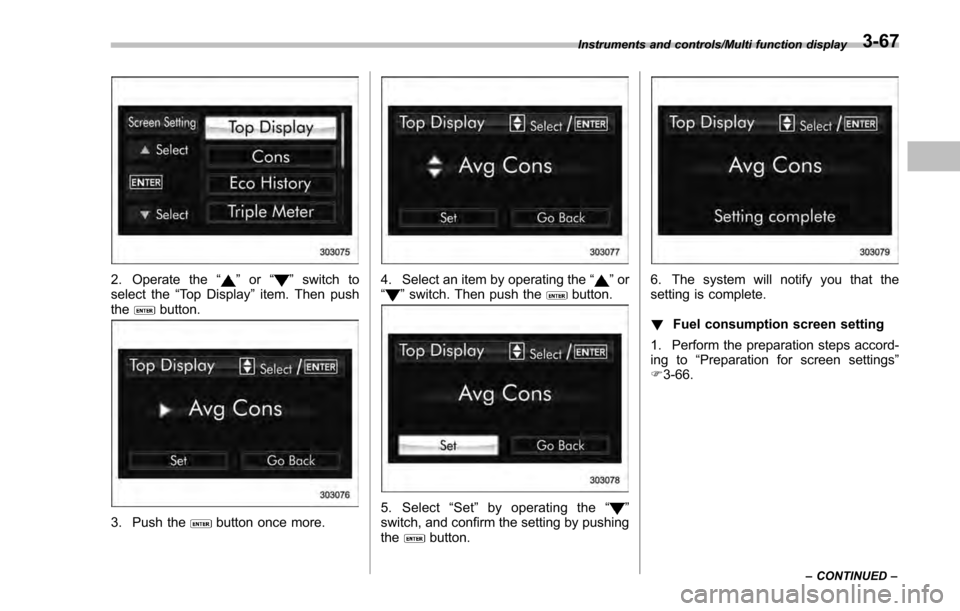
2. Operate the“”or “”switch to
select the “Top Display ”item. Then push
the
button.
3. Push thebutton once more.
4. Select an item by operating the “”or
“” switch. Then push thebutton.
5. Select “Set ”by operating the “”
switch, and confirm the setting by pushing
the
button.
6. The system will notify you that the
setting is complete.
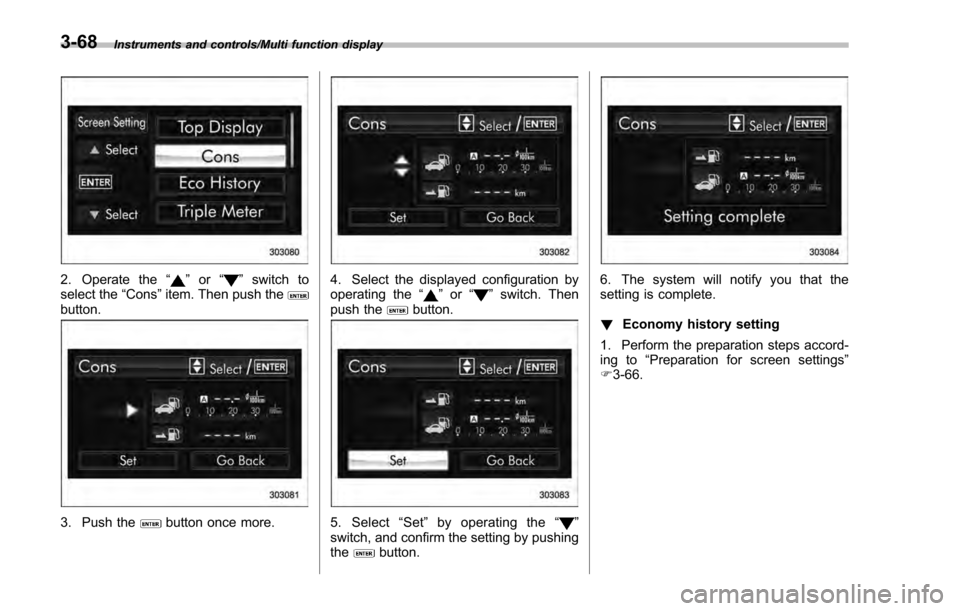
! Fuel consumption screen setting
1. Perform the preparation steps accord-
ing to “Preparation for screen settings”
F 3-66.
Instruments and controls/Multi function display
–CONTINUED –3-67
Page 213 of 594
Instruments and controls/Multi function display
2. Operate the“”or “”switch to
select the “Cons”item. Then push the
button.
3. Push thebutton once more.
4. Select the displayed configuration by
operating the “”or “”switch. Then
push thebutton.
5. Select “Set ”by operating the “”
switch, and confirm the setting by pushing
the
button.
6. The system will notify you that the
setting is complete.
! Economy history setting
1. Perform the preparation steps accord-
ing to “Preparation for screen settings”
F 3-66.
3-68
Page 214 of 594
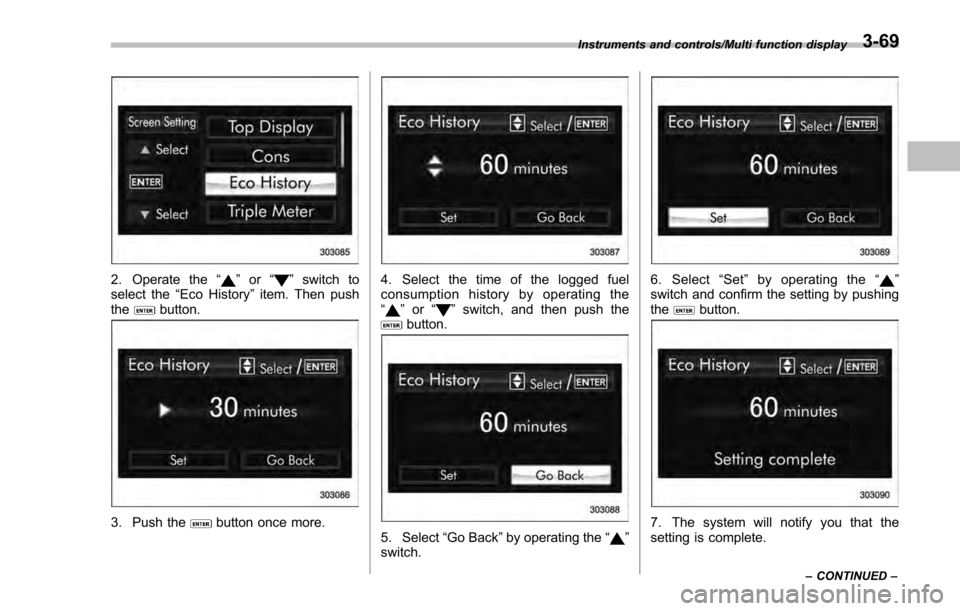
2. Operate the“”or “”switch to
select the “Eco History ”item. Then push
the
button.
3. Push thebutton once more.
4. Select the time of the logged fuel
consumption history by operating the
“
” or “”switch, and then push thebutton.
5. Select “Go Back”by operating the “”
switch.
6. Select “Set ”by operating the “”
switch and confirm the setting by pushing
the
button.
7. The system will notify you that the
setting is complete.
Instruments and controls/Multi function display
–CONTINUED –3-69
Page 215 of 594
Instruments and controls/Multi function display
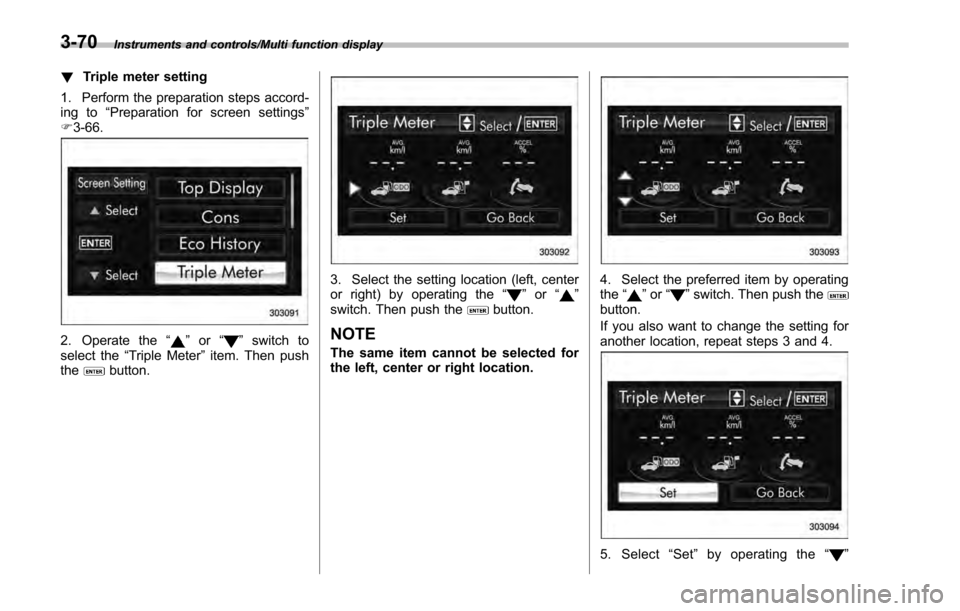
!Triple meter setting
1. Perform the preparation steps accord-
ing to “Preparation for screen settings ”
F 3-66.
2. Operate the “”or “”switch to
select the “Triple Meter ”item. Then push
the
button.
3. Select the setting location (left, center
or right) by operating the “”or “”
switch. Then push thebutton.
NOTE
The same item cannot be selected for
the left, center or right location.
4. Select the preferred item by operating
the “”or “”switch. Then push thebutton.
If you also want to change the setting for
another location, repeat steps 3 and 4.
5. Select “Set ”by operating the “”
3-70
Page 216 of 594
switch, and confirm the setting by pushing
thebutton.
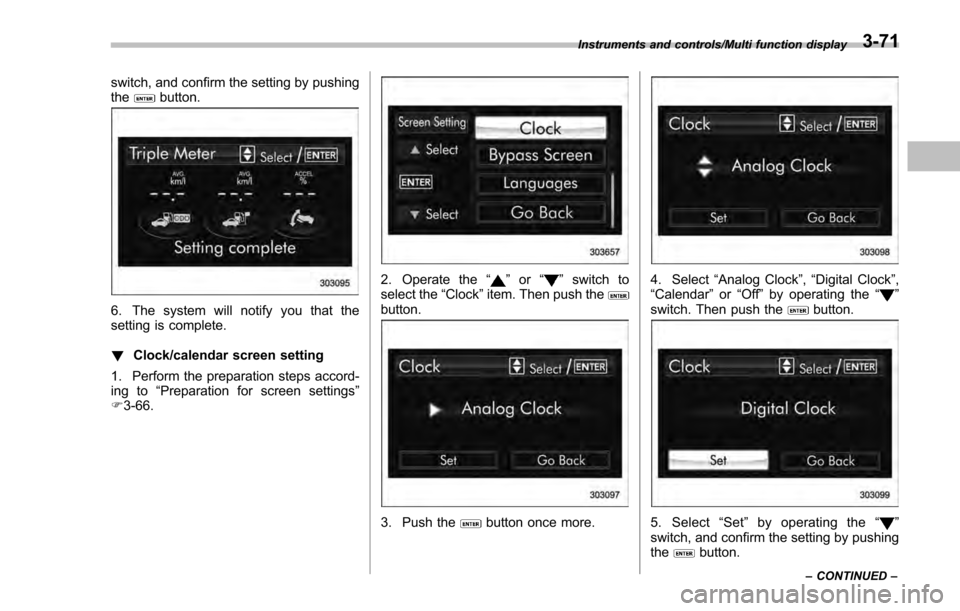
6. The system will notify you that the
setting is complete.
!Clock/calendar screen setting
1. Perform the preparation steps accord-
ing to “Preparation for screen settings ”
F 3-66.
2. Operate the “”or “”switch to
select the “Clock”item. Then push the
button.
3. Push thebutton once more.
4. Select “Analog Clock ”,“Digital Clock ”,
“Calendar ”or “Off ”by operating the “”
switch. Then push thebutton.
5. Select “Set ”by operating the “”
switch, and confirm the setting by pushing
the
button.
Instruments and controls/Multi function display
–CONTINUED –3-71
Page 217 of 594
Instruments and controls/Multi function display
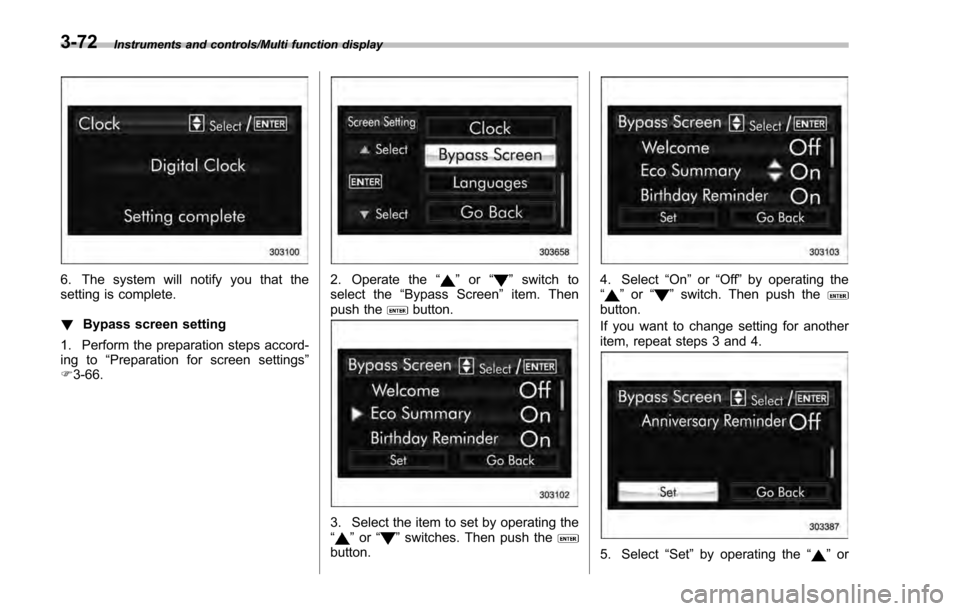
6. The system will notify you that the
setting is complete.
!Bypass screen setting
1. Perform the preparation steps accord-
ing to “Preparation for screen settings ”
F 3-66.2. Operate the “”or “”switch to
select the “Bypass Screen ”item. Then
push the
button.
3. Select the item to set by operating the
“” or “”switches. Then push thebutton.
4. Select “On”or“Off ”by operating the
“” or “”switch. Then push thebutton.
If you want to change setting for another
item, repeat steps 3 and 4.
5. Select “Set”by operating the “”or
3-72