SUBARU IMPREZA 2017 5.G Navigation Manual
IMPREZA 2017 5.G
SUBARU
SUBARU
https://www.carmanualsonline.info/img/17/7250/w960_7250-0.png
SUBARU IMPREZA 2017 5.G Navigation Manual
Page 59 of 224
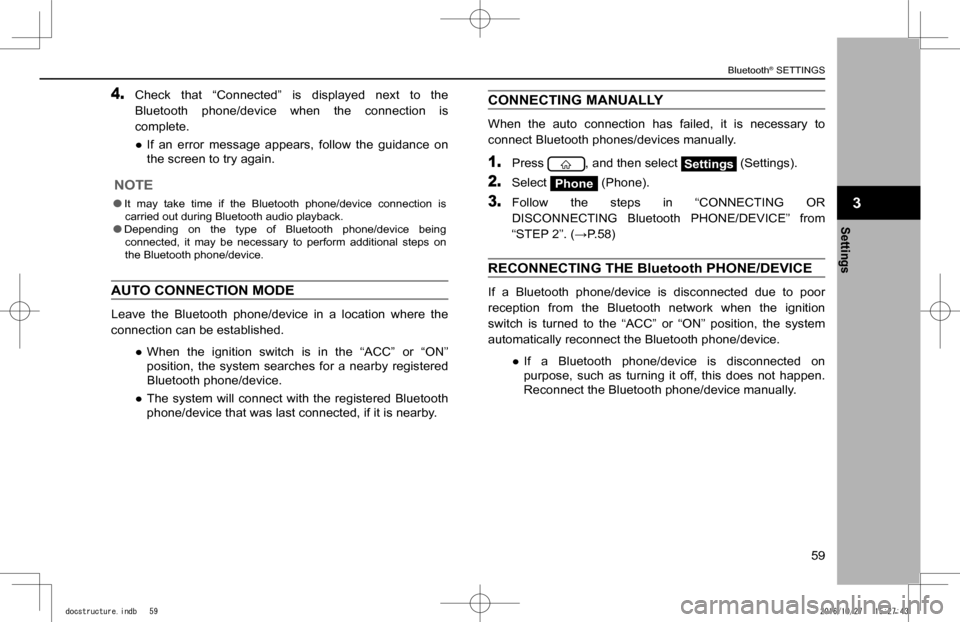
4. Check that “Connected” is displayed next to the
Bluetooth phone/device when the connection is
complete.
�
Page 60 of 224
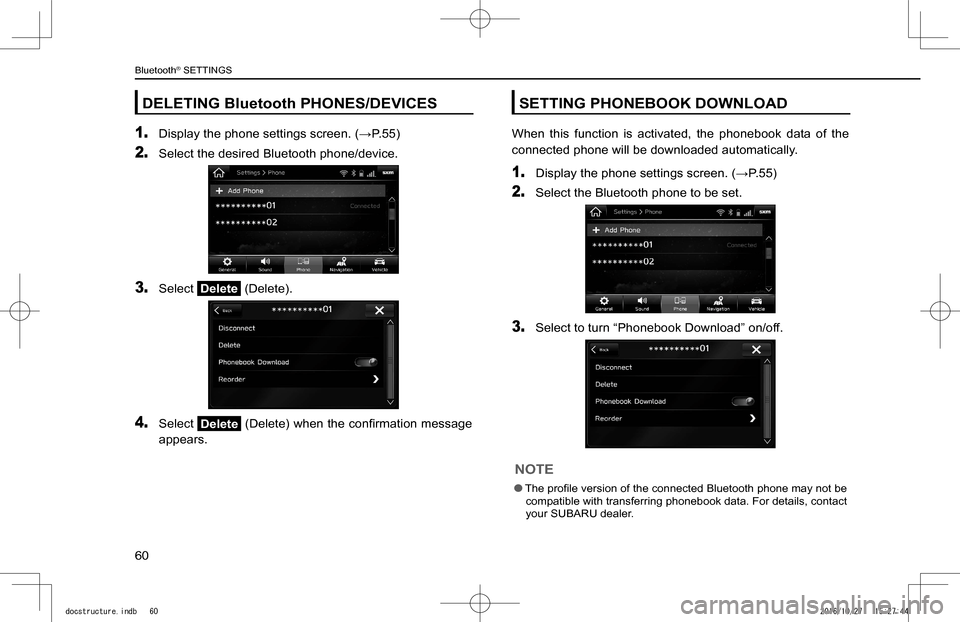
DELETING Bluetooth PHONES/DEVICES
1. Display the phone settings screen. (�WP.55)
2. Select the desired Bluetooth phone/device.
3. Select Delete (Delete).
4. Select Delete (Delete) when the con
Page 61 of 224
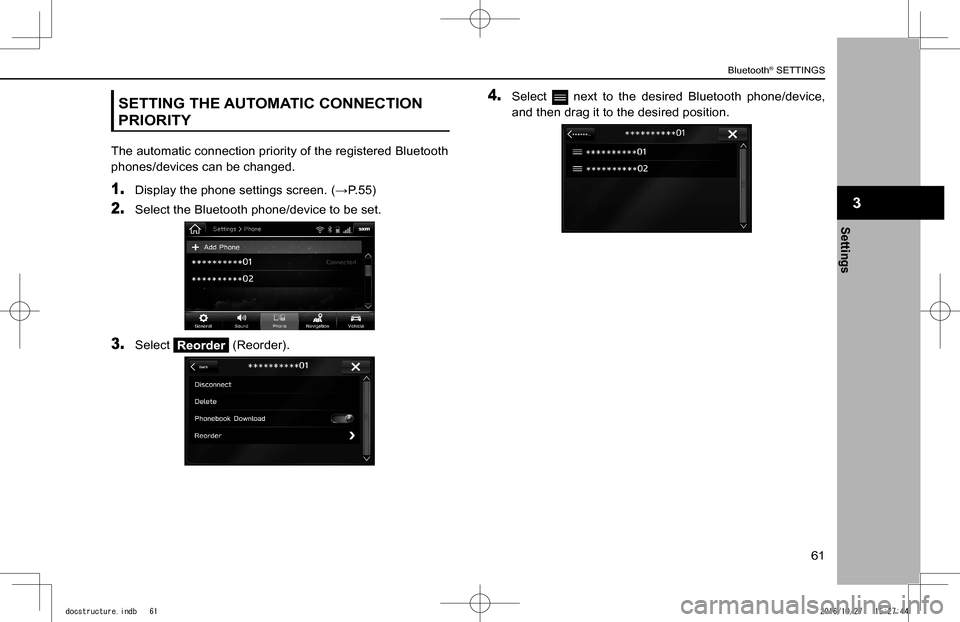
SETTING THE AUTOMATIC CONNECTION
PRIORITY
The automatic connection priority of the registered Bluetooth
phones/devices can be changed.
1. Display the phone settings screen. (�WP.55)
2. Select the Bluetooth phone/device to be set.
3. Select (Reorder).
4. Select next to the desired Bluetooth phone/device,
and then drag it to the desired position.
Settings
3
Bluetooth® SETTINGS
61
Settings
3
docstructure.indb 612016/10/27 15:27:44
Page 70 of 224
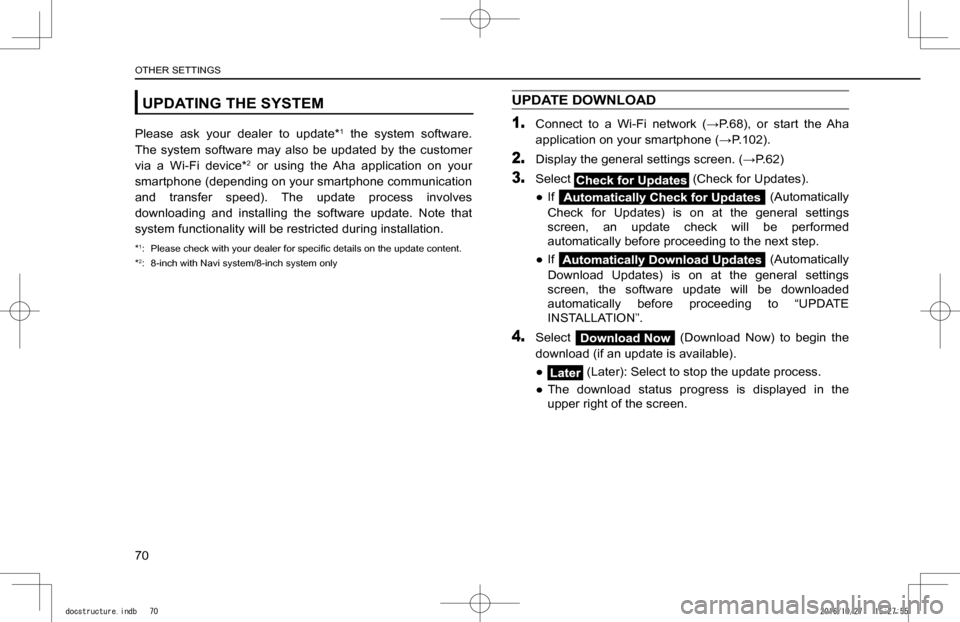
UPDATING THE SYSTEM
Please ask your dealer to update*1 the system software.
The system software may also be updated by the customer
via a Wi-Fi device*2 or using the Aha application on your
smartphone (depending on your smartphone communication
and transfer speed). The update process involves
downloading and installing the software update. Note that
system functionality will be restricted during installation.
*1: Please check with your dealer for speci
Page 74 of 224
OTHER SETTINGS
74
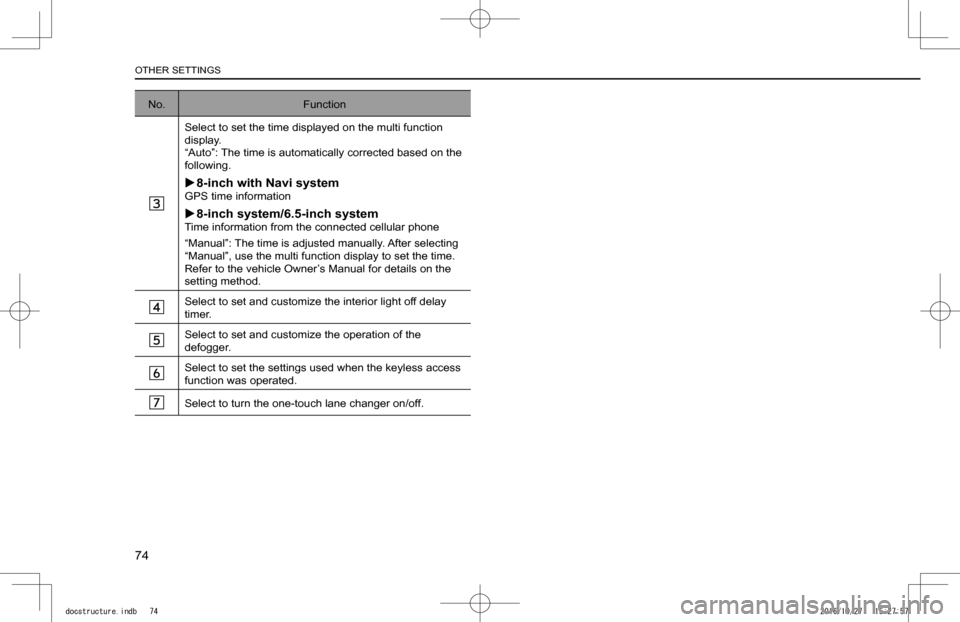
No.Function
Select to set the time displayed on the multi function display.“Auto”: The time is automatically corrected based on the following.
X8-inch with Navi systemGPS time information
X8-inch system/6.5-inch systemTime information from the connected cellular phone
“Manual”: The time is adjusted manually. After selecting “Manual”, use the multi function display to set the time. Refer to the vehicle Owner’s Manual for details on the setting method.
Select to set and customize the interior light off delay timer.
Select to set and customize the operation of the defogger.
Select to set the settings used when the keyless access function was operated.
Select to turn the one-touch lane changer on/off.
docstructure.indb 742016/10/27 15:27:57
Page 75 of 224
75
Phone
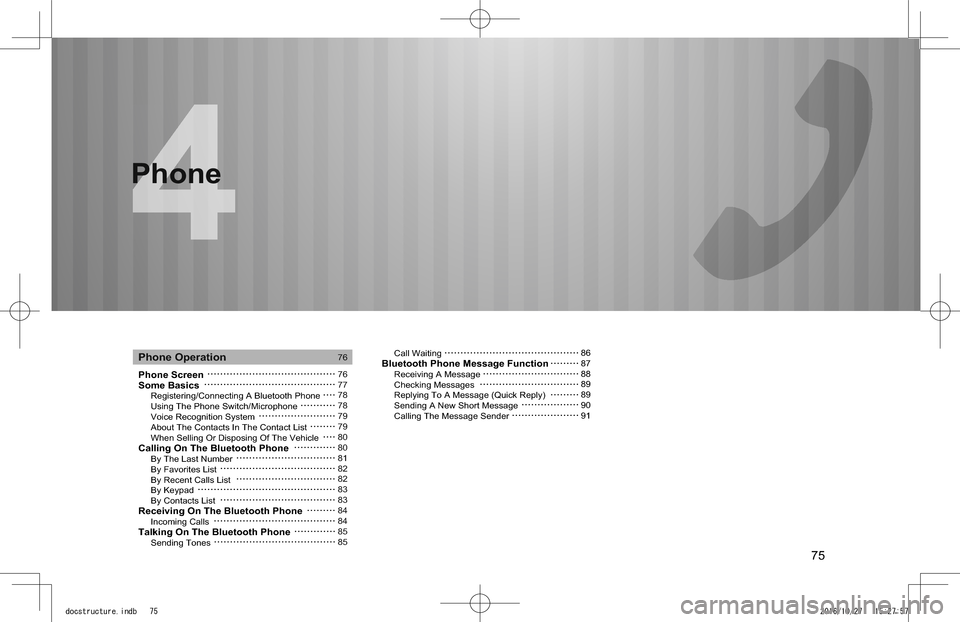
Phone ScreenSome Basics Registering/Connecting A Bluetooth Phone Using The Phone Switch/Microphone Voice Recognition System About The Contacts In The Contact List When Selling Or Disposing Of The VehicleCalling On The Bluetooth Phone By The Last Number By Favorites List By Recent Calls List By Keypad By Contacts ListReceiving On The Bluetooth Phone Incoming CallsTalking On The Bluetooth Phone Sending Tones
Call WaitingBluetooth Phone Message Function Receiving A Message Checking Messages Replying To A Message (Quick Reply) Sending A New Short Message Calling The Message Sender
Phone Operation76
7677787879798080818282838384848585
86878889899091
Phone
docstructure.indb 752016/10/27 15:27:57
Page 76 of 224
PHONE OPERATION (HANDS-FREE SYSTEM FOR CELLULAR PHONES)
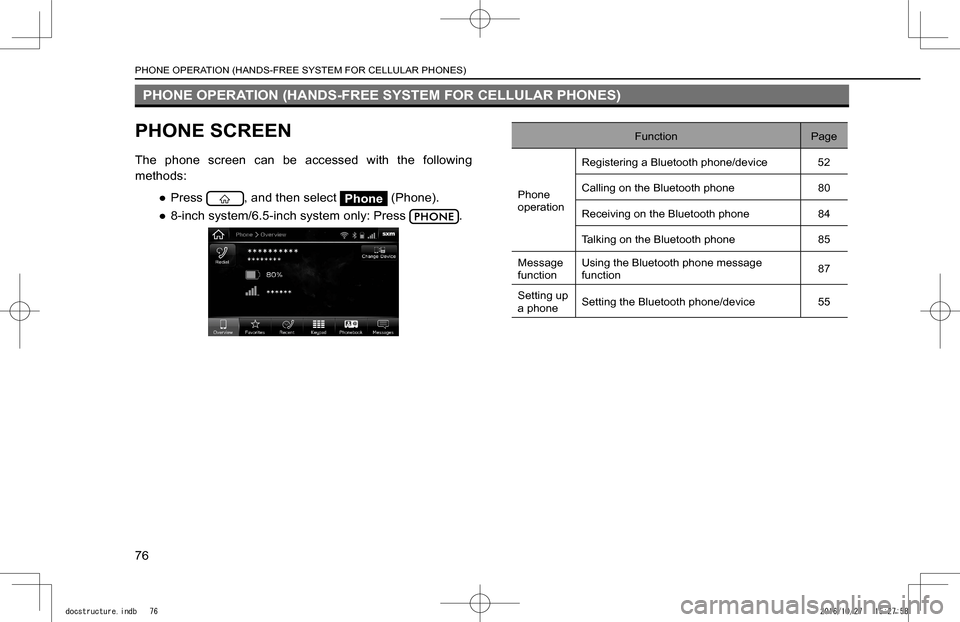
PHONE SCREEN
The phone screen can be accessed with the following
methods:
�
Page 77 of 224
SOME BASICS
The hands-free system enables calls to be made and
received without having to take your hands off the steering
wheel.
This system supports Bluetooth. Bluetooth is a wireless
data system that enables cellular phones to be used without
being connected by a cable or placed in a cradle.
The operating procedure of the phone is explained here.
WARNING
lWhile driving, do not use a cellular phone or connect the Bluetooth phone.
lThis system is
Page 79 of 224
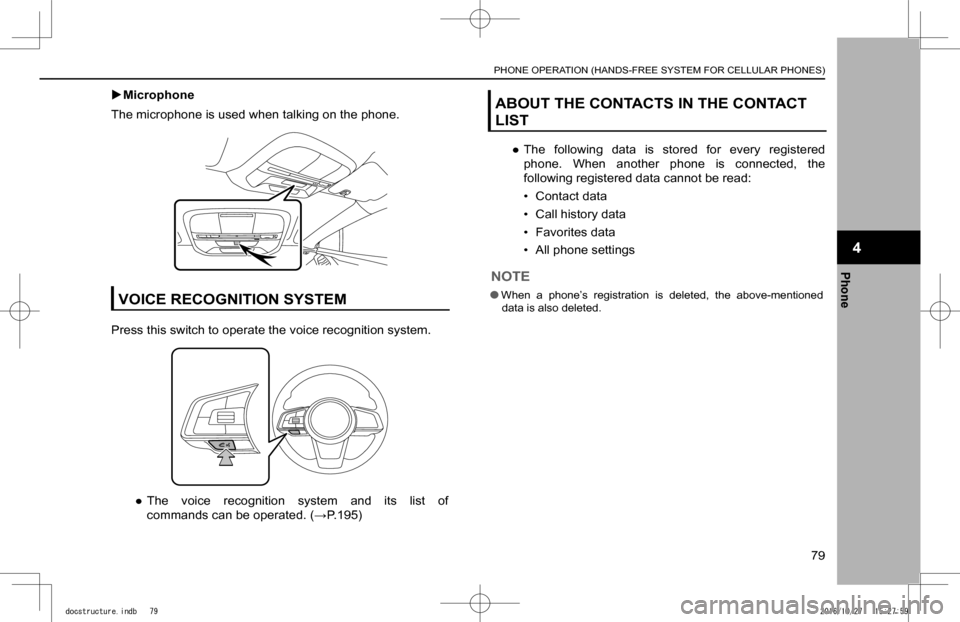
XMicrophone
The microphone is used when talking on the phone.
VOICE RECOGNITION SYSTEM
Press this switch to operate the voice recognition system.
�
Page 82 of 224
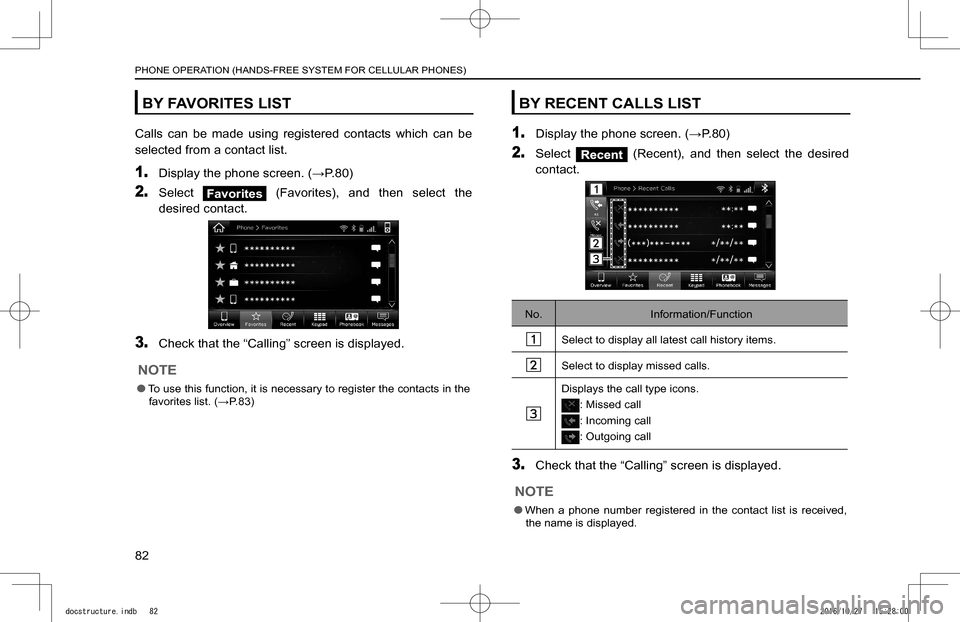
BY FAVORITES LIST
Calls can be made using registered contacts which can be
selected from a contact list.
1. Display the phone screen. (�:P.80)
2. Select Favorites (Favorites), and then select the
desired contact.
3. Check that the “Calling” screen is displayed.
NOTE
lTo use this function, it is necessary to register the contacts in the favorites list. (�:P.83)
BY RECENT CALLS LIST
1. Display the phone screen. (�:P.80)
2. Select (Recent), and then select the desired
contact.
No.Information/Function
Select to display all latest call history items.
Select to display missed calls.
Displays the call type icons.
: Missed call
: Incoming call
: Outgoing call
3. Check that the “Calling” screen is displayed.
NOTE
lWhen a phone number registered in the contact list is received, the name is displayed.
PHONE OPERATION (HANDS-FREE SYSTEM FOR CELLULAR PHONES)
82
docstructure.indb 822016/10/27 15:28:00