SUBARU IMPREZA 2017 5.G Navigation Manual
IMPREZA 2017 5.G
SUBARU
SUBARU
https://www.carmanualsonline.info/img/17/7250/w960_7250-0.png
SUBARU IMPREZA 2017 5.G Navigation Manual
Page 133 of 224
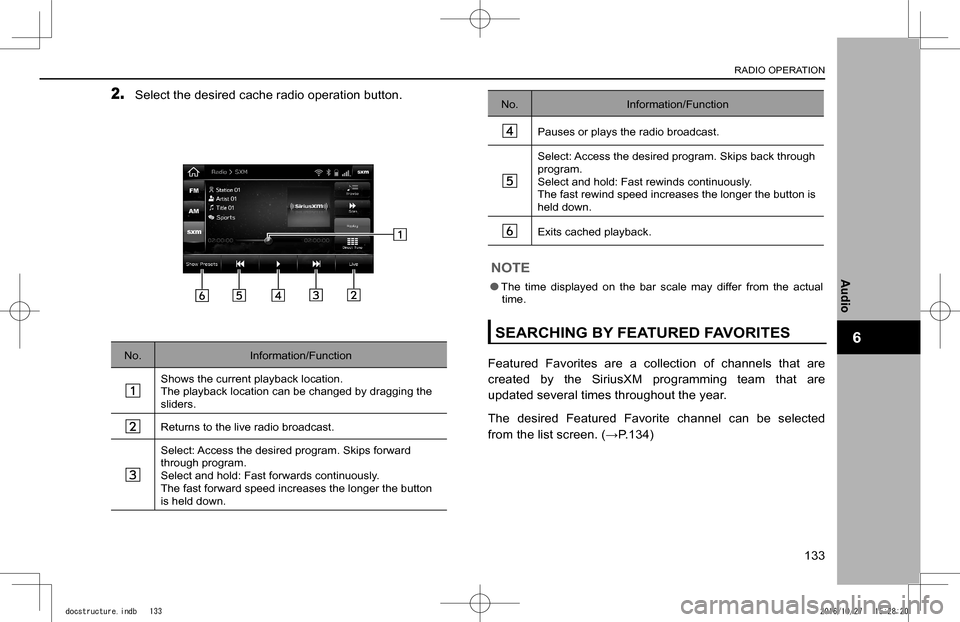
2. Select the desired cache radio operation button.
No.Information/Function
Shows the current playback location.The playback location can be changed by dragging the sliders.
Returns to the live radio broadcast.
Select: Access the desired program. Skips forward through program.Select and hold: Fast forwards continuously. The fast forward speed increases the longer the button is held down.
No.Information/Function
Pauses or plays the radio broadcast.
Select: Access the desired program. Skips back through program.Select and hold: Fast rewinds continuously. The fast rewind speed increases the longer the button is held down.
Exits cached playback.
NOTE
lThe time displayed on the bar scale may differ from the actual time.
SEARCHING BY FEATURED FAVORITES
Featured Favorites are a collection of channels that are
created by the SiriusXM programming team that are
updated several times throughout the year.
The desired Featured Favorite channel can be selected
from the list screen. (�WP.134)
RADIO OPERATION
133
Audio
6
docstructure.indb 1332016/10/27 15:28:20
Page 135 of 224
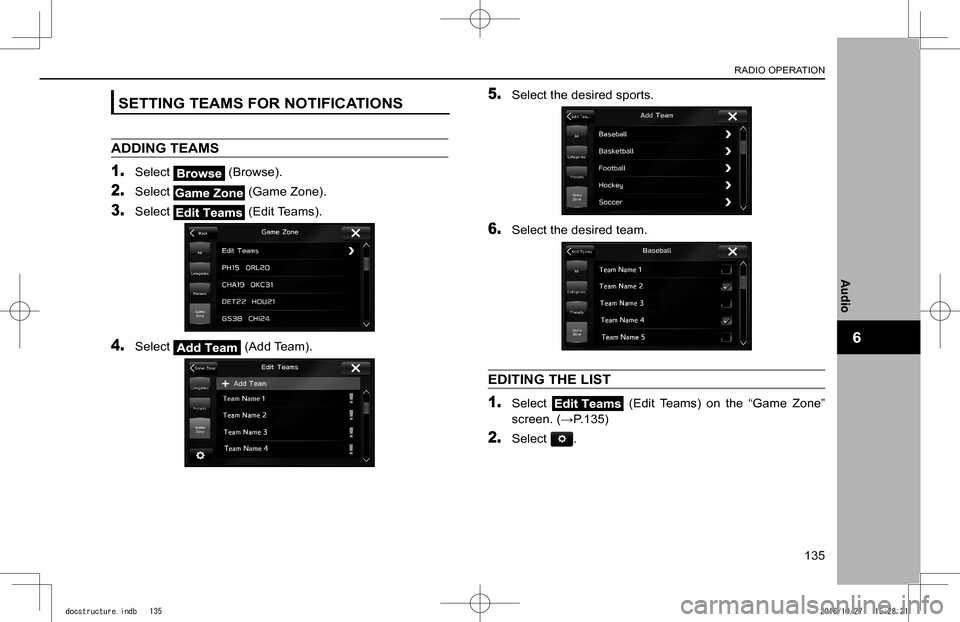
SETTING TEAMS FOR NOTIFICATIONS
ADDING TEAMS
1. Select (Browse).
2. Select (Game Zone).
3. Select (Edit Teams).
4. Select (Add Team).
5. Select the desired sports.
6. Select the desired team.
EDITING THE LIST
1. Select (Edit Teams) on the “Game Zone”
screen. (�WP.135)
2. Select .
RADIO OPERATION
135
Audio
6
docstructure.indb 1352016/10/27 15:28:21
Page 142 of 224
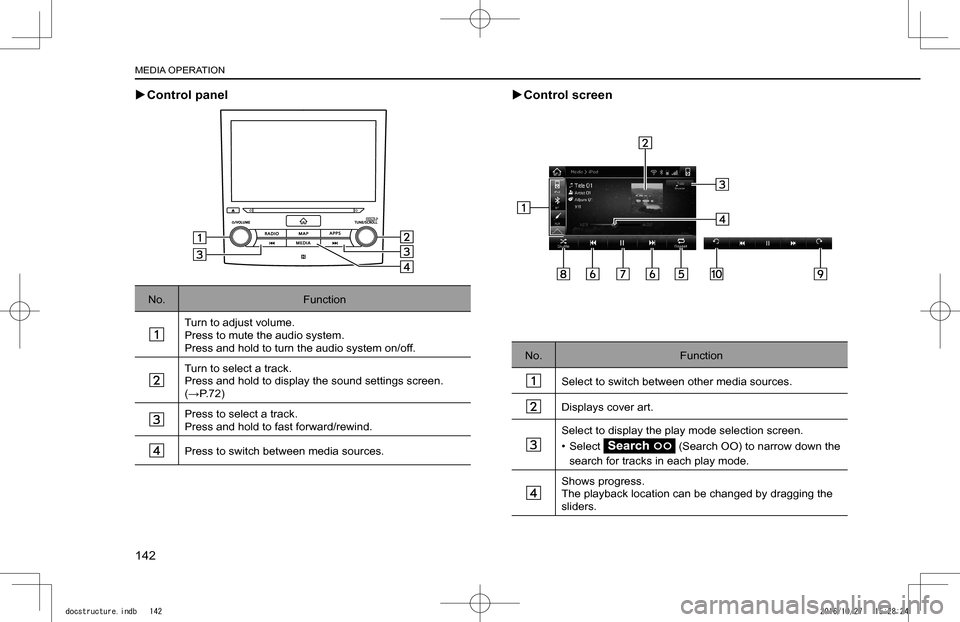
XControl panel
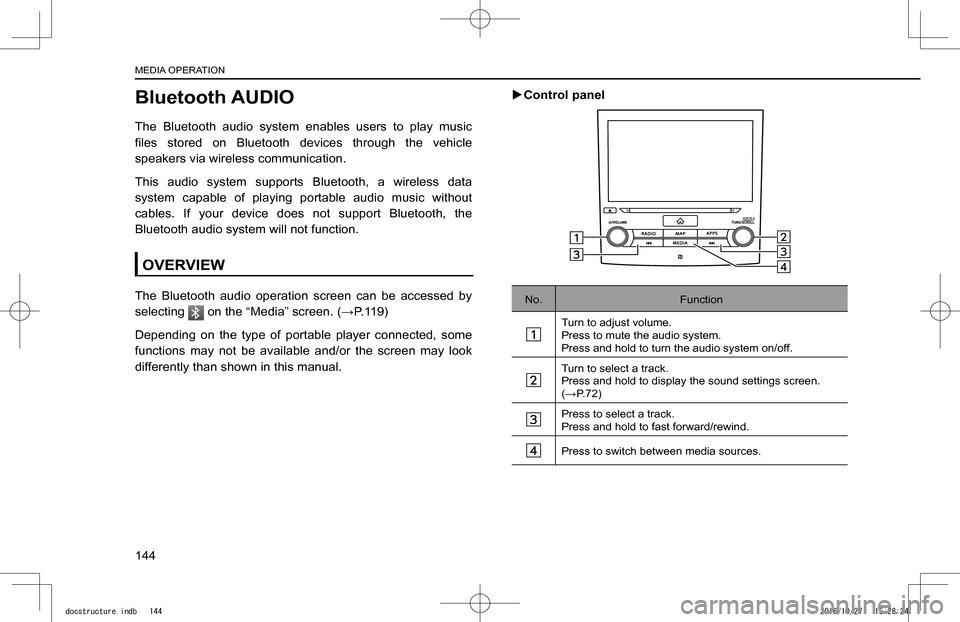
No.Function
Turn to adjust volume.Press to mute the audio system.Press and hold to turn the audio system on/off.
Turn to select a track.Press and hold to display the sound settings screen. (�WP.72)
Press to select a track.Press and hold to fast forward/rewind.
Press to switch between media sources.
XControl screen
No.Function
Select to switch between other media sources.
Displays cover art.
Select to display the play mode selection screen.
• Select (Search OO) to narrow down the
search for tracks in each play mode.
Shows progress.The playback location can be changed by dragging the sliders.
MEDIA OPERATION
142
docstructure.indb 1422016/10/27 15:28:24
Page 144 of 224
Bluetooth AUDIO
The Bluetooth audio system enables users to play music
Page 145 of 224
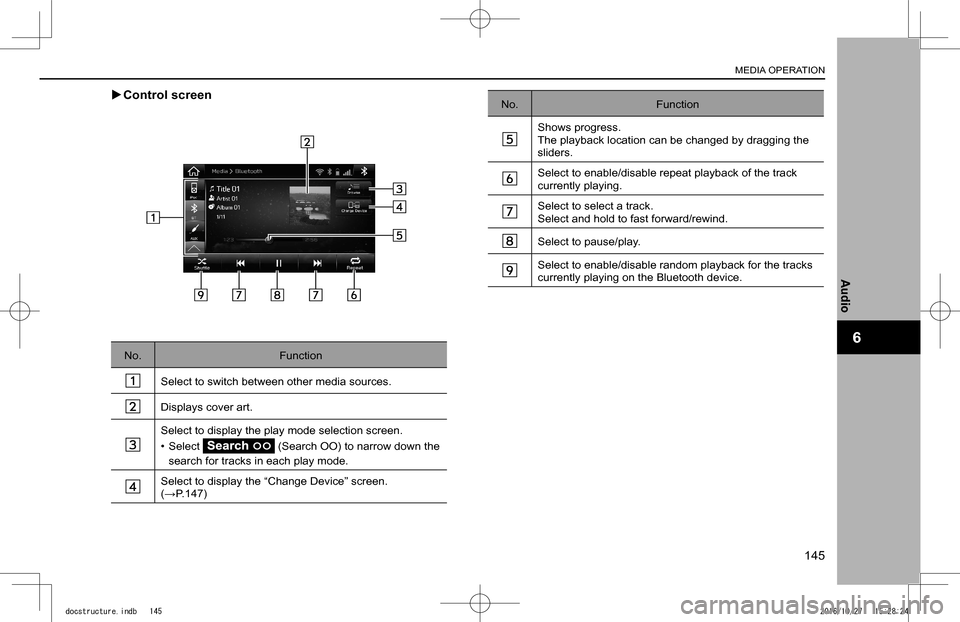
XControl screen
No.Function
Select to switch between other media sources.
Displays cover art.
Select to display the play mode selection screen.
• Select (Search OO) to narrow down the
search for tracks in each play mode.
Select to display the “Change Device” screen. (�WP.147)
No.Function
Shows progress.The playback location can be changed by dragging the sliders.
Select to enable/disable repeat playback of the track currently playing.
Select to select a track.Select and hold to fast forward/rewind.
Select to pause/play.
Select to enable/disable random playback for the tracks currently playing on the Bluetooth device.
MEDIA OPERATION
145
Audio
6
docstructure.indb 1452016/10/27 15:28:24
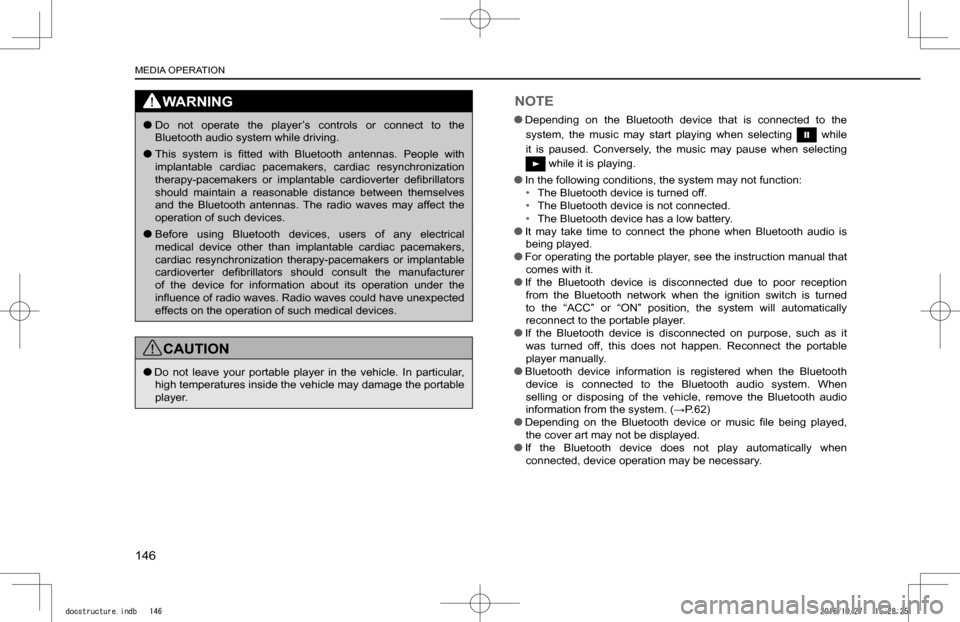
Page 146 of 224
WARNING
lDo not operate the player’s controls or connect to the Bluetooth audio system while driving.
lThis system is
Page 147 of 224
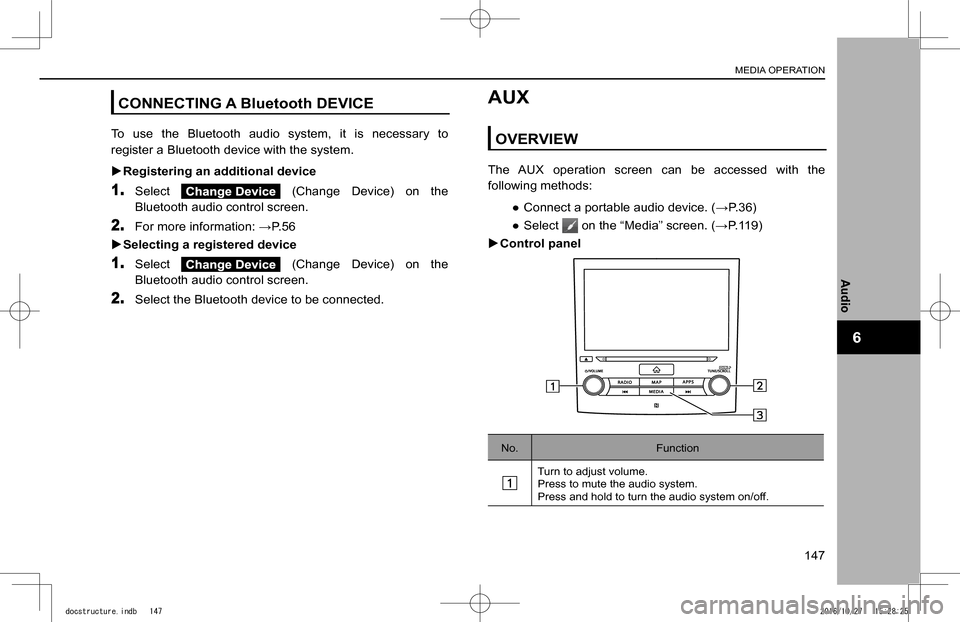
CONNECTING A Bluetooth DEVICE
To use the Bluetooth audio system, it is necessary to
register a Bluetooth device with the system.
XRegistering an additional device
1. Select (Change Device) on the
Bluetooth audio control screen.
2. For more information: �WP.56
XSelecting a registered device
1. Select (Change Device) on the
Bluetooth audio control screen.
2. Select the Bluetooth device to be connected.
AUX
OVERVIEW
The AUX operation screen can be accessed with the
following methods:
�
Page 148 of 224
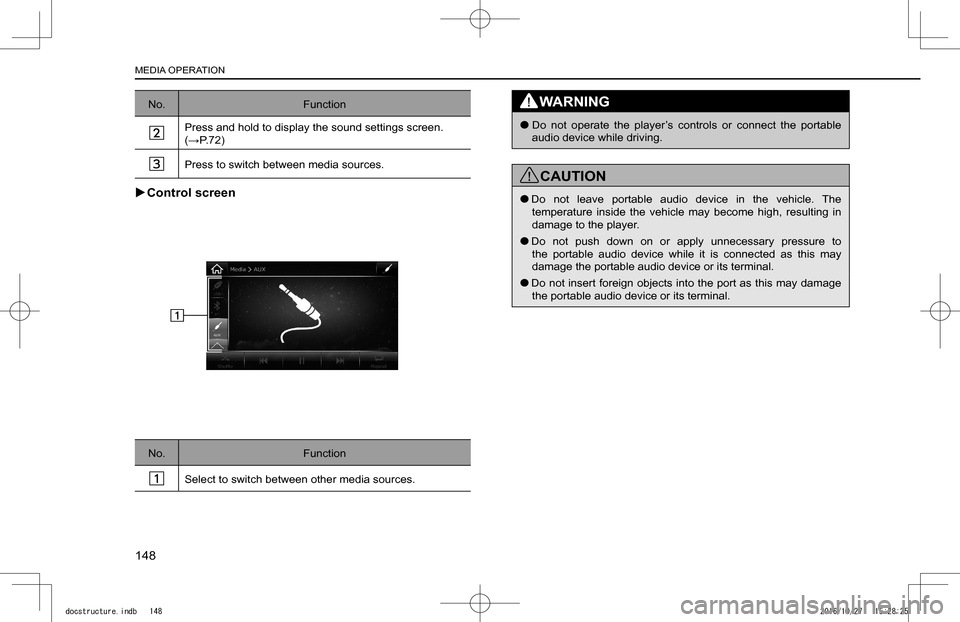
No.Function
Press and hold to display the sound settings screen. (�WP.72)
Press to switch between media sources.
XControl screen
No.Function
Select to switch between other media sources.
WARNING
lDo not operate the player’s controls or connect the portable audio device while driving.
CAUTION
lDo not leave portable audio device in the vehicle. The temperature inside the vehicle may become high, resulting in damage to the player.
lDo not push down on or apply unnecessary pressure to the portable audio device while it is connected as this may damage the portable audio device or its terminal.
lDo not insert foreign objects into the port as this may damage the portable audio device or its terminal.
MEDIA OPERATION
148
docstructure.indb 1482016/10/27 15:28:25
Page 149 of 224
AUDIO REMOTE CONTROLS
STEERING WHEEL CONTROLS
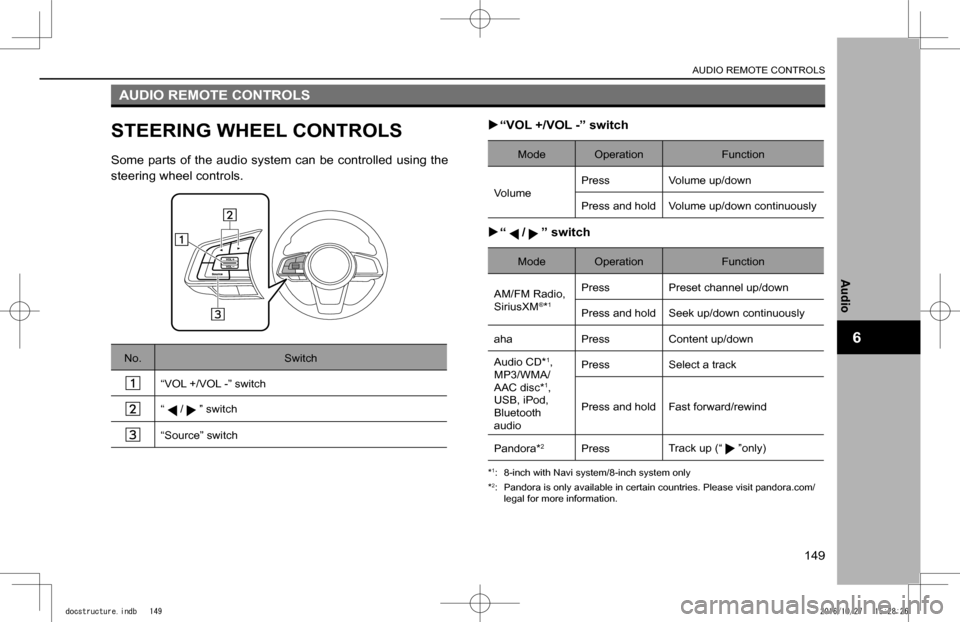
Some parts of the audio system can be controlled using the
steering wheel controls.
No.Switch
“VOL +/VOL -” switch
“/” switch
“Source” switch
X“VOL +/VOL -” switch
Mode OperationFunction
VolumePressVolume up/down
Press and hold Volume up/down continuously
X“/” switch
Mode OperationFunction
AM/FM Radio, SiriusXM®*1
PressPreset channel up/down
Press and hold Seek up/down continuously
ahaPressContent up/down
Audio CD*1,MP3/WMA/AAC disc*1,USB, iPod, Bluetooth audio
PressSelect a track
Press and hold Fast forward/rewind
Pandora*2PressTrack up (“”only)
*1: 8-inch with Navi system/8-inch system only
*2: Pandora is only available in certain countries. Please visit pandora.com/legal for more information.
AUDIO REMOTE CONTROLS
149
Audio
6
docstructure.indb 1492016/10/27 15:28:26
Page 150 of 224
X“Source” switch
Mode OperationFunction
AllPressChange audio modes
NOTE
lIn the aha, Pandora*1 and SUBARU STARLINK*2 mode, some operation may be done on the screen depend on the selected APPS.
*1: Pandora is only available in certain countries. Please visit pandora.com/legal for more information.
*2: 8-inch with Navi system/8-inch system only
AUDIO REMOTE CONTROLS
150
docstructure.indb 1502016/10/27 15:28:26