Apps SUBARU IMPREZA 2017 5.G Navigation Manual
[x] Cancel search | Manufacturer: SUBARU, Model Year: 2017, Model line: IMPREZA, Model: SUBARU IMPREZA 2017 5.GPages: 224, PDF Size: 24.61 MB
Page 1 of 224
This supplement contains explanations and instructions for correctly operating the following systems. · Navigation System · Audio and Visual System · Handsfree System · APPSIf your vehicle contains one of the systems above, be sure to check the contents of this supplement carefully.If you transfer the ownership of the vehicle to another person, make sure that this supplement is provided with the Owner’s Manual inside the vehicle.The information, speci!cations and illustrations in this supplement are valid at the time of publication. Fuji Heavy Industries reserves the right to change the speci!cations and design without prior notice, with no obligation to perform the same or equivalent changes to vehicles sold in the past.This Owner’s Manual supplement applies to all models, and describes all devices, including manufacturer-installed options. This means that information may be included about devices that are not installed in your vehicle.Refer to P.14 for details on each of the di"erent models.
SUBARU STARLINK is the “in-car connectivity system” available on select Subaru vehicles.
FUJI HEAVY INDUSTRIES LTD., TOKYO, JAPAN
is a registered trademark of Fuji Heavy Industries Ltd.
©Copyright 2016, Fuji Heavy Industries Ltd.
Foreword
1
docstructure.indb 12016/10/27 15:27:29
Page 2 of 224
Quick Guide
Basic Function
Settings
Phone
Apps
Audio
Navigation System (8-inch with Navi system only)
Siri/Voice Recognition System
Appendix / What To Do If / Index
TABLE OF CONTENTS1
2
3
4
5
6
7
8
9
· Basic Operation... 118 · Radio Operation... 122 · Media Operation... 137 · Audio Remote Controls... 149
· System Types... 14 · Main Product Features... 18 · Overview Buttons... 20 · Home Screen... 21
· Steering Wheel Controls... 32
· Basic Information Before Operation... 34 · Rear View Camera... 44
· Registering A Bluetooth Phone/Device For The First Time... 52 · Registering A Bluetooth Phone/Device... 56
· General Settings... 62 · Sound Settings... 71 · Vehicle Customization... 73
· Calling On The Bluetooth Phone... 80 · Receiving On The Bluetooth Phone.... 84
· Talking On The Bluetooth Phone... 85 · Bluetooth Phone Message Function... 87
· SUBARU STARLINK... 97 · ahaTM... 102 · Pandora®*... 106 · Apple CarPlay... 109 · Android Auto... 111
· SiriusXM Travel Link... 113
· Troubleshooting... 212 · Index... 219
· Basic Operation... 160 · Destination Search... 170 · Route Guidance... 178 · Setup... 185
· SUBARU Map Update... 189
· Siri... 192 · Voice Recognition System Operation... 195
13
33
51
75
93
117
159
191
203
*: Pandora is only available in certain countries. Please visit pandora.com/legal for more information.
2
docstructure.indb 22016/10/27 15:27:29
Page 3 of 224
Quick Guide
Basic Function
Settings
Phone
Apps
Audio
Navigation System (8-inch with Navi system only)
Siri/Voice Recognition System
Appendix / What To Do If / Index
TABLE OF CONTENTS1
2
3
4
5
6
7
8
9
· Basic Operation... 118 · Radio Operation... 122 · Media Operation... 137 · Audio Remote Controls... 149
· System Types... 14 · Main Product Features... 18 · Overview Buttons... 20 · Home Screen... 21
· Steering Wheel Controls... 32
· Basic Information Before Operation... 34 · Rear View Camera... 44
· Registering A Bluetooth Phone/Device For The First Time... 52 · Registering A Bluetooth Phone/Device... 56
· General Settings... 62 · Sound Settings... 71 · Vehicle Customization... 73
· Calling On The Bluetooth Phone... 80 · Receiving On The Bluetooth Phone.... 84
· Talking On The Bluetooth Phone... 85 · Bluetooth Phone Message Function... 87
· SUBARU STARLINK... 97 · ahaTM... 102 · Pandora®*... 106 · Apple CarPlay... 109 · Android Auto... 111
· SiriusXM Travel Link... 113
· Troubleshooting... 212 · Index... 219
· Basic Operation... 160 · Destination Search... 170 · Route Guidance... 178 · Setup... 185
· SUBARU Map Update... 189
· Siri... 192 · Voice Recognition System Operation... 195
13
33
51
75
93
117
159
191
203
*: Pandora is only available in certain countries. Please visit pandora.com/legal for more information.
3
docstructure.indb 32016/10/27 15:27:29
Page 13 of 224
13
Quick Guide
Overview ButtonsHome Screen“Phone” Screen“Map” Screen“Radio” Screen“Media” Screen“Apps” Screen“Settings” Screen
Steering Wheel Controls
System Types
Main Product Features
Basic Function
Steering Wheel Controls
14
18
20
2021222426272830
32
32
Quick Guide
docstructure.indb 132016/10/27 15:27:32
Page 15 of 224
SYSTEM TYPES
15
1
Quick Guide
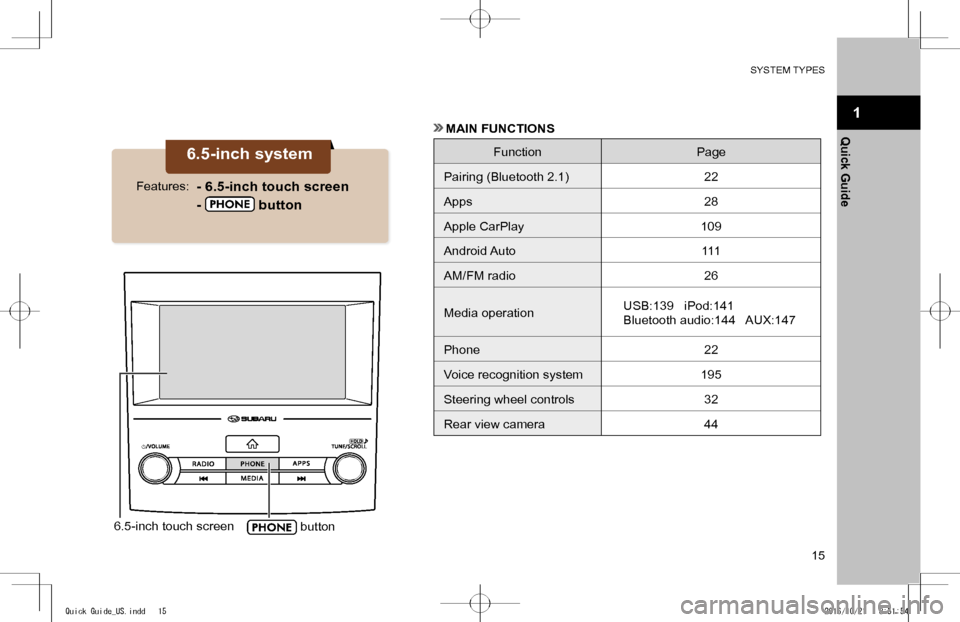
6.5-inch touch screen button
6.5-inch system
- 6.5-inch touch screen
- button
Features:
MAIN FUNCTIONS
FunctionPage
Pairing (Bluetooth 2.1)22
Apps28
Apple CarPlay109
Android Auto111
AM/FM radio26
Media operationUSB:139 iPod:141
Bluetooth audio:144 AUX:147
Phone 22
Voice recognition system195
Steering wheel controls32
Rear view camera44
Quick Guide_US.indd 152016/10/21 8:51:54
Page 16 of 224
SYSTEM TYPES
16
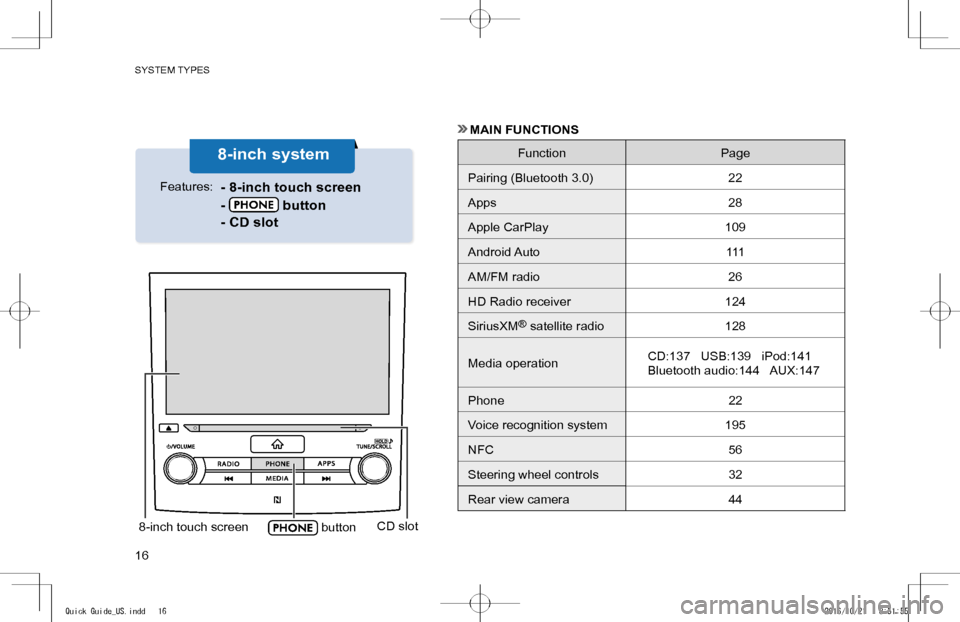
8-inch touch screen buttonCD slot
8-inch system
- 8-inch touch screen
- button
- CD slot
Features:
MAIN FUNCTIONS
FunctionPage
Pairing (Bluetooth 3.0)22
Apps28
Apple CarPlay109
Android Auto111
AM/FM radio26
HD Radio receiver124
SiriusXM® satellite radio128
Media operationCD:137 USB:139 iPod:141
Bluetooth audio:144 AUX:147
Phone 22
Voice recognition system195
NFC56
Steering wheel controls32
Rear view camera44
Quick Guide_US.indd 162016/10/21 8:51:55
Page 17 of 224
SYSTEM TYPES
17
1
Quick Guide
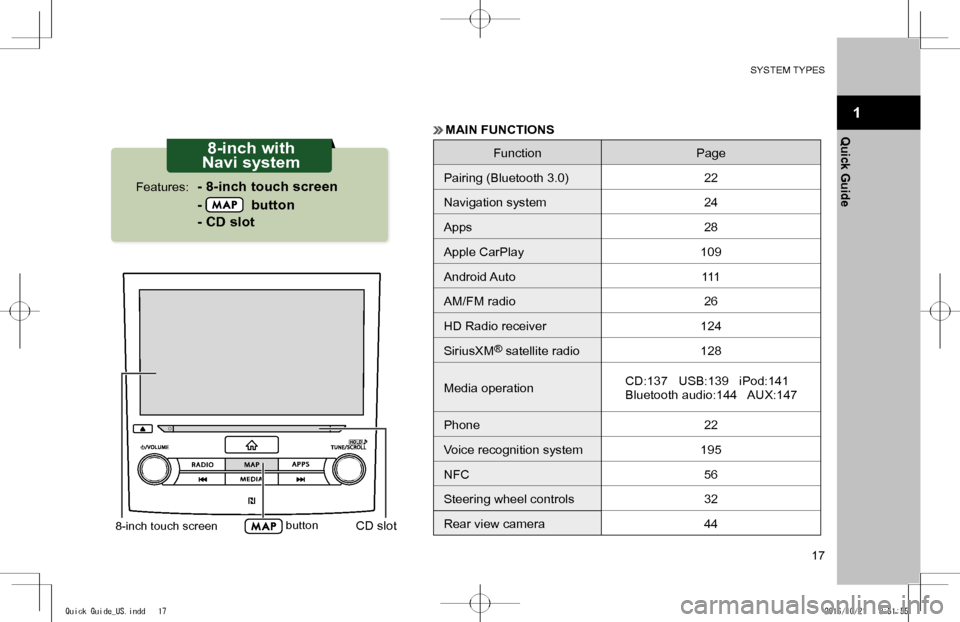
8-inch touch screen buttonCD slot
8-inch with
Navi system
- 8-inch touch screen
- button
- CD slot
Features:
MAIN FUNCTIONS
FunctionPage
Pairing (Bluetooth 3.0)22
Navigation system24
Apps28
Apple CarPlay109
Android Auto111
AM/FM radio26
HD Radio receiver124
SiriusXM® satellite radio128
Media operationCD:137 USB:139 iPod:141
Bluetooth audio:144 AUX:147
Phone 22
Voice recognition system195
NFC56
Steering wheel controls32
Rear view camera44
Quick Guide_US.indd 172016/10/21 8:51:55
Page 21 of 224
BASIC FUNCTION
21
1
Quick Guide
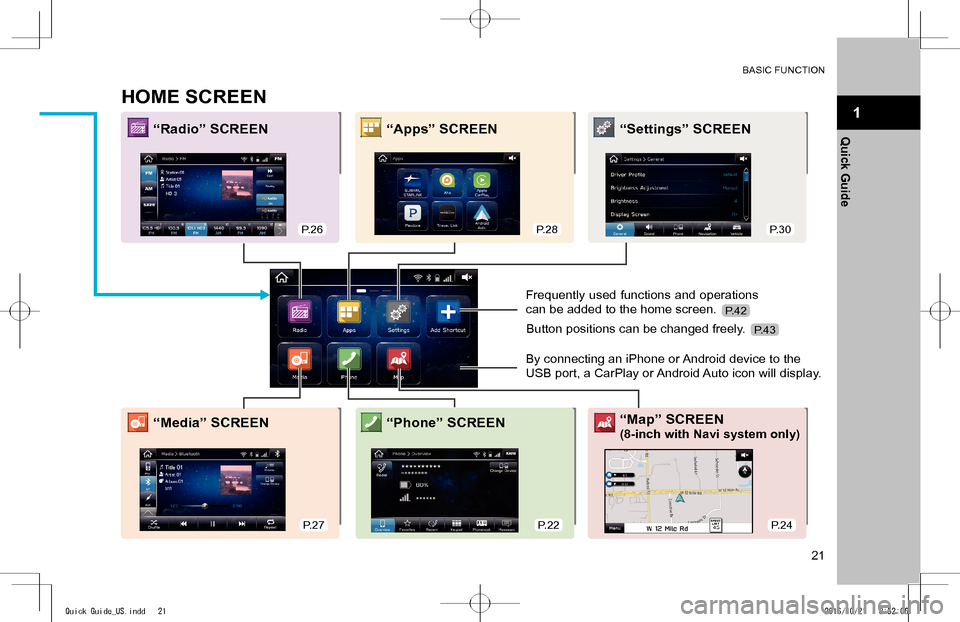
HOME SCREEN
“Radio” SCREEN“Apps” SCREEN“Settings” SCREEN
“Media” SCREEN“Map” SCREEN
(8-inch with Navi system only)“Phone” SCREEN
Frequently used functions and operations
can be added to the home screen.
By connecting an iPhone or Android device to the
USB port, a CarPlay or Android Auto icon will display.
Button positions can be changed freely.
P.26P.28P.30
P.27P.22P.24
P.42
P.43
Quick Guide_US.indd 212016/10/21 8:52:06
Page 28 of 224
BASIC FUNCTION
28
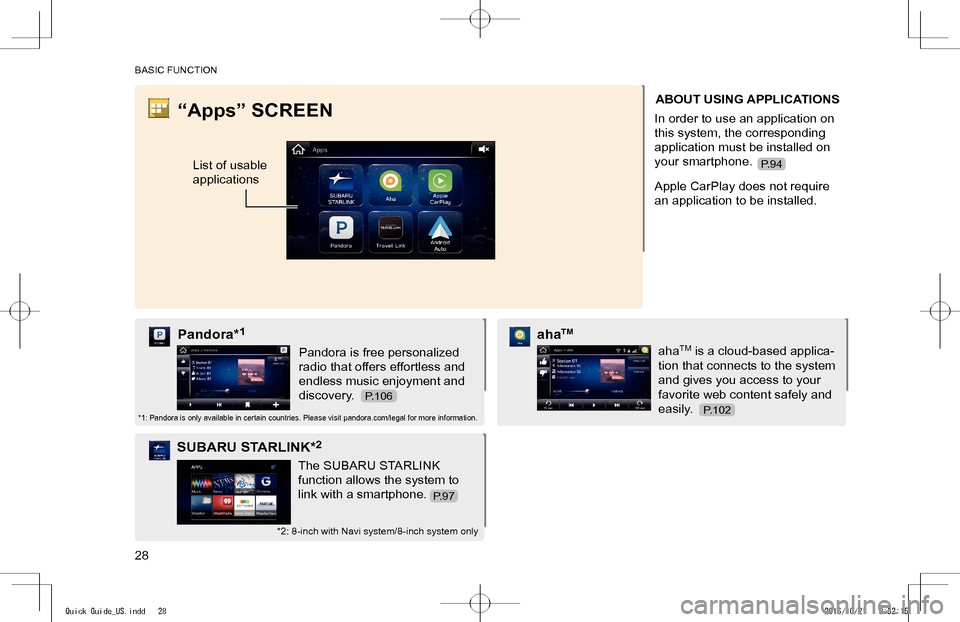
“Apps” SCREEN
List of usable
applications
ABOUT USING APPLICATIONS
In order to use an application on
this system, the corresponding
application must be installed on
your smartphone.
Apple CarPlay does not require
an application to be installed.
Pandora is free personalized
radio that offers effortless and
endless music enjoyment and
discovery.
Pandora*1
*1: Pandora is only available in certain countries. Please visit pandora.com/legal for more information.
The SUBARU STARLINK
function allows the system to
link with a smartphone.
SUBARU STARLINK*2
*2: 8-inch with Navi system/8-inch system only
ahaTM is a cloud-based applica-
tion that connects to the system
and gives you access to your
favorite web content safely and
easily.
ahaTM
P.106
P.94
P.102
P.97
Quick Guide_US.indd 282016/10/21 8:52:15
Page 93 of 224
93
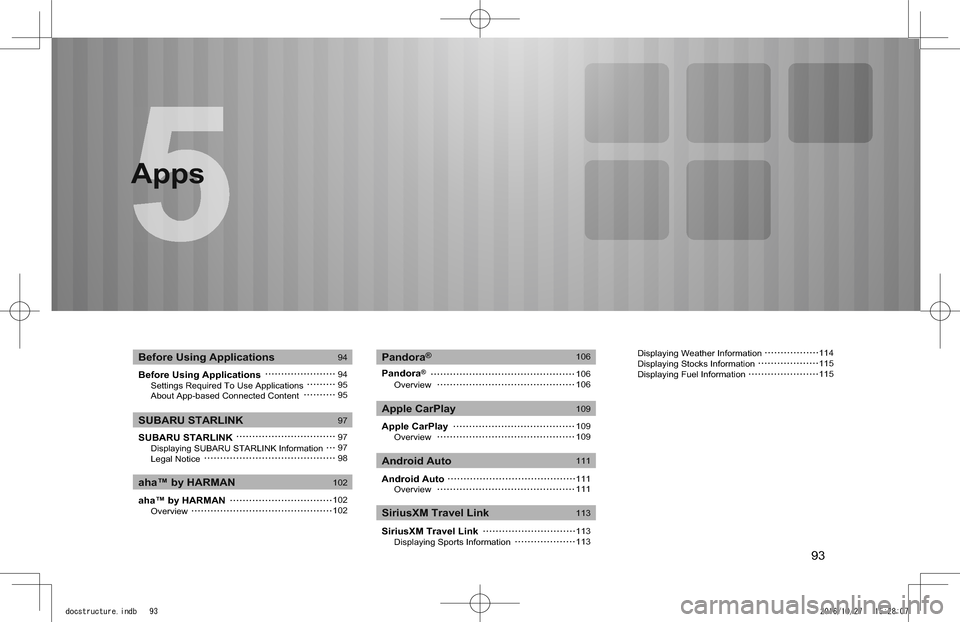
Apps
Before Using Applications Settings Required To Use Applications About App-based Connected Content
SUBARU STARLINK Displaying SUBARU STARLINK Information Legal Notice
aha™ by HARMAN Overview
Pandora®
Overview
Apple CarPlay Overview
Android Auto Overview
SiriusXM Travel Link Displaying Sports Information
Before Using Applications
aha™ by HARMAN
Pandora®
Apple CarPlay
Android Auto
SiriusXM Travel Link
SUBARU STARLINK
94
949595
97
979798
102
102102
106
106106
109
109109
111
111111
113
113113
Apps
Displaying Weather Information Displaying Stocks Information Displaying Fuel Information
114115115
docstructure.indb 932016/10/27 15:28:07