jack SUBARU IMPREZA 2022 Getting Started Guide
[x] Cancel search | Manufacturer: SUBARU, Model Year: 2022, Model line: IMPREZA, Model: SUBARU IMPREZA 2022Pages: 124, PDF Size: 33.04 MB
Page 4 of 124
PASSENGER/CARGO AREAS
FOLDING THE REAR SEATS...40
CHILD SAFETY LOCKS .......40
LATCH/ANCHOR ............41
REAR SEAT REMINDER .......42
TRUNK LID OPENER
(Sedan Models) ..............42
INTERNAL SAFETY TRUNK
RELEASE WITH SELF-
ILLUMINATING HANDLE
(Sedan Models) ..............43
CARGO COVER .............43
SPARE TIRE AND JACK .......44
ENGINE COMPARTMENT
HOOD PROP................45
2.0L ENGINE ................46
ADDITIONAL SPECIFICATIONS
NEW VEHICLE BREAK-IN ......47
ENGINE OIL ................47
ENGINE OIL CAPACITY .......47
ROOF RAIL CAPACITY .......48
TRAILER TOWING CAPACITY . . 48
TIRE PRESSURE MONITORING
SYSTEM (TPMS) .............48
STARLINK OVERVIEW
OVERVIEW OF YOUR
MULTIMEDIA SYSTEM ........50
BUTTONS ..................50
TOUCHSCREEN .............52
STEERING WHEEL
CONTROLS .................53
VOICE RECOGNITION ........54
STARLINK HOME
HOME SCREEN ICONS .......56
REARRANGING ICONS .......56
ADDING SHORTCUTS ........57
DRIVER PROFILE
CREATING A DRIVER
PROFILE...................58
MULTIMEDIA
RADIO.....................60
MEDIA .....................61
PHONE
PAIRING A PHONE ...........62
MAKING A CALL .............62
RECEIVING A CALL ..........63
TEXT MESSAGES ............64
APPS
SUBARU STARLINK®
IN-VEHICLE APPS ...........65
SUBARU STARLINK®
MOBILE APP ................67
MYSUBARU ................68
MAPS (if equipped)
MAPS OVERVIEW ............69
CREATING HOME AND WORK
PROFILES ..................69
STARLINK SAFETY AND
SECURITY
SAFETY AND SECURITY
OVERVIEW .................70
ENROLLMENT ..............71
MYSUBARU INTEGRATION ....72
SUBARU STARLINK
®
WI-FI HOTSPOT .............72
SETTINGS AND UPDATES
SETTINGS AND UPDATES
OVERVIEW.................73
SOUND ....................74
PHONE ....................74
MAPS/NAVIGATION ..........75
CLOCK ....................76
EYESIGHT
EYESIGHT®OVERVIEW .......79
OPERATION ................79
FUNCTIONS ................80
STEERING WHEEL
CONTROLS .................85
LANE DEPARTURE WARNING
AND PRE-COLLISION BRAKING
SYSTEM OFF SWITCHES ......86
TABLE OF CONTENTS
2
Page 36 of 124
ACCESSORY CONNECTIONS
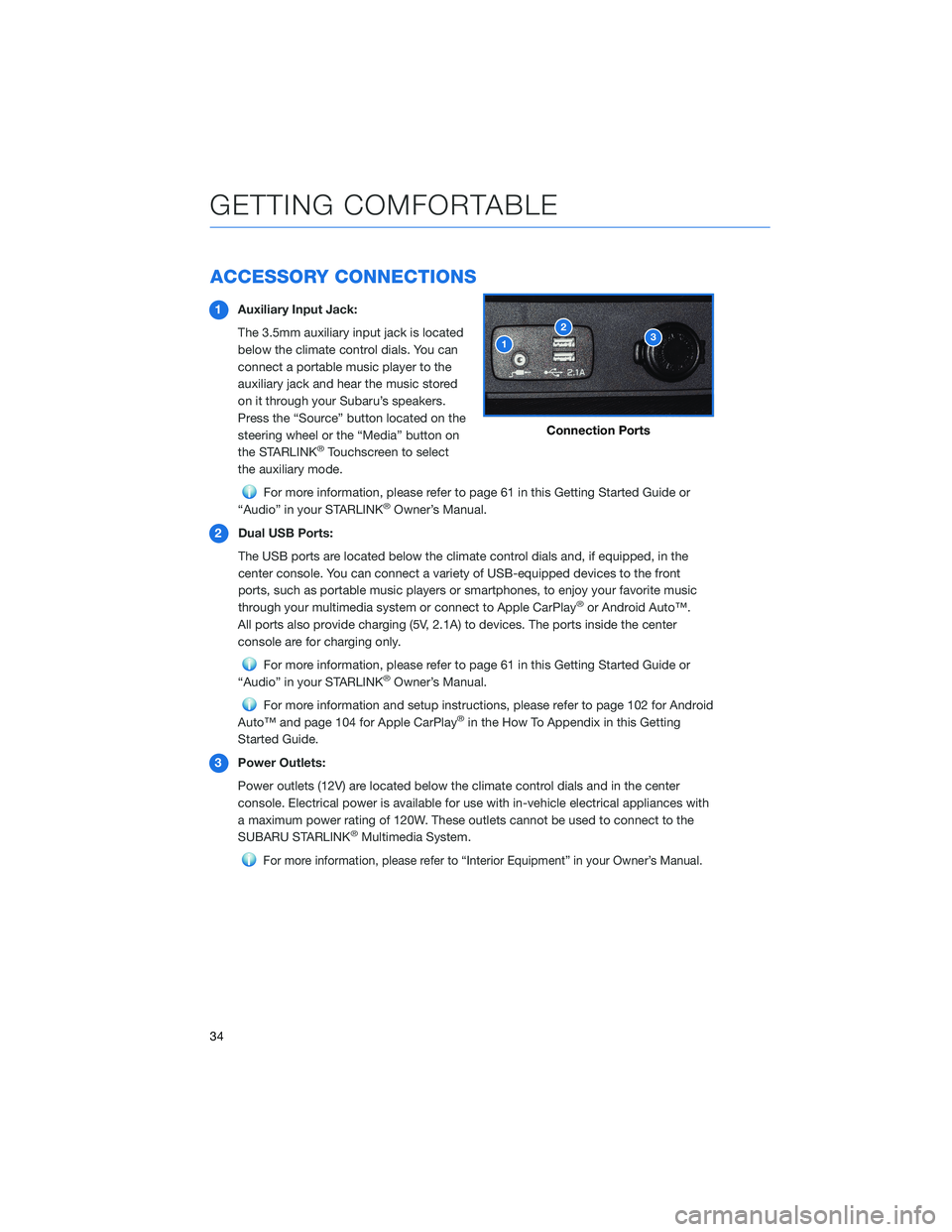
1Auxiliary Input Jack:
The 3.5mm auxiliary input jack is located
below the climate control dials. You can
connect a portable music player to the
auxiliary jack and hear the music stored
on it through your Subaru’s speakers.
Press the “Source” button located on the
steering wheel or the “Media” button on
the STARLINK
®Touchscreen to select
the auxiliary mode.
For more information, please refer to page 61 in this Getting Started Guide or
“Audio” in your STARLINK®Owner’s Manual.
2 Dual USB Ports:
The USB ports are located below the climate control dials and, if equipped, in the
center console. You can connect a variety of USB-equipped devices to the front
ports, such as portable music players or smartphones, to enjoy your favorite music
through your multimedia system or connect to Apple CarPlay
®or Android Auto™.
All ports also provide charging (5V, 2.1A) to devices. The ports inside the center
console are for charging only.
For more information, please refer to page 61 in this Getting Started Guide or
“Audio” in your STARLINK®Owner’s Manual.
For more information and setup instructions, please refer to page 102 for Android
Auto™ and page 104 for Apple CarPlay®in the How To Appendix in this Getting
Started Guide.
3 Power Outlets:
Power outlets (12V) are located below the climate control dials and in the center
console. Electrical power is available for use with in-vehicle electrical appliances with
a maximum power rating of 120W. These outlets cannot be used to connect to the
SUBARU STARLINK
®Multimedia System.
For more information, please refer to “Interior Equipment” in your Owner’s Manual.
Connection Ports
GETTING COMFORTABLE
34
Page 46 of 124
SPARE TIRE AND JACK
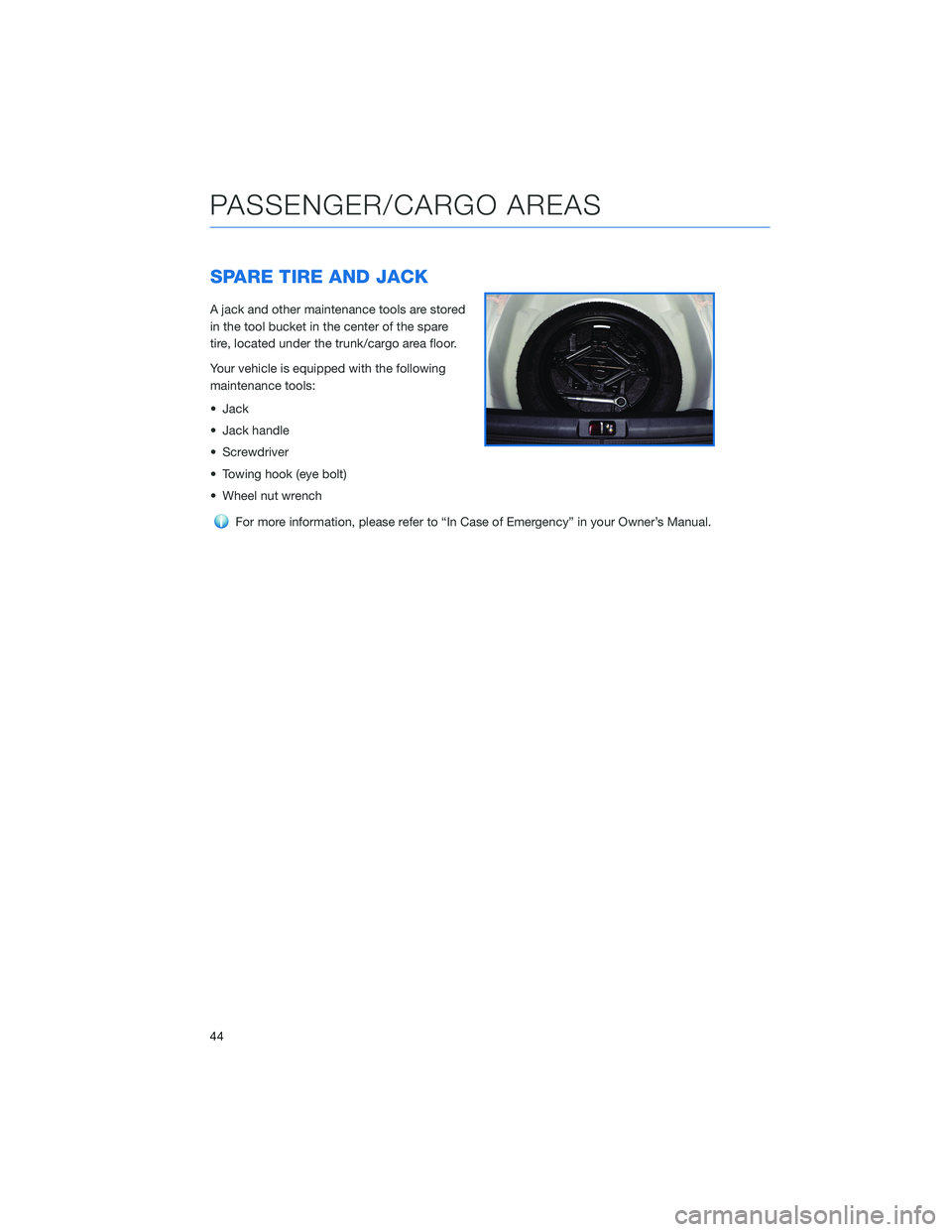
A jack and other maintenance tools are stored
in the tool bucket in the center of the spare
tire, located under the trunk/cargo area floor.
Your vehicle is equipped with the following
maintenance tools:
• Jack
• Jack handle
• Screwdriver
• Towing hook (eye bolt)
• Wheel nut wrench
For more information, please refer to “In Case of Emergency” in your Owner’s Manual.
PASSENGER/CARGO AREAS
44
Page 63 of 124
Presets
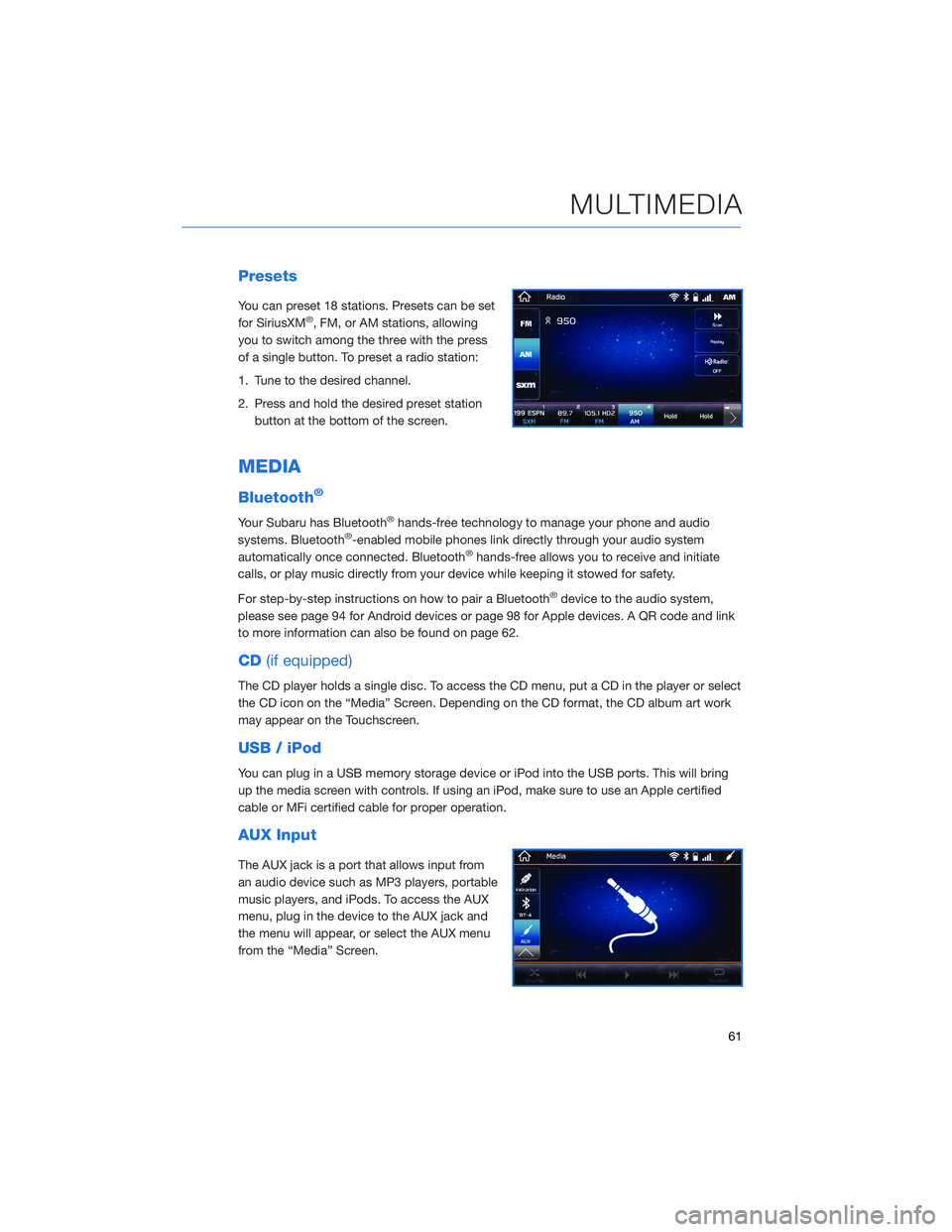
You can preset 18 stations. Presets can be set
for SiriusXM®, FM, or AM stations, allowing
you to switch among the three with the press
of a single button. To preset a radio station:
1. Tune to the desired channel.
2. Press and hold the desired preset station button at the bottom of the screen.
MEDIA
Bluetooth®
Your Subaru has Bluetooth®hands-free technology to manage your phone and audio
systems. Bluetooth®-enabled mobile phones link directly through your audio system
automatically once connected. Bluetooth®hands-free allows you to receive and initiate
calls, or play music directly from your device while keeping it stowed for safety.
For step-by-step instructions on how to pair a Bluetooth
®device to the audio system,
please see page 94 for Android devices or page 98 for Apple devices. A QR code and link
to more information can also be found on page 62.
CD (if equipped)
The CD player holds a single disc. To access the CD menu, put a CD in the player or select
the CD icon on the “Media” Screen. Depending on the CD format, the CD album art work
may appear on the Touchscreen.
USB / iPod
You can plug in a USB memory storage device or iPod into the USB ports. This will bring
up the media screen with controls. If using an iPod, make sure to use an Apple certified
cable or MFi certified cable for proper operation.
AUX Input
The AUX jack is a port that allows input from
an audio device such as MP3 players, portable
music players, and iPods. To access the AUX
menu, plug in the device to the AUX jack and
the menu will appear, or select the AUX menu
from the “Media” Screen.
MULTIMEDIA
61
Page 121 of 124
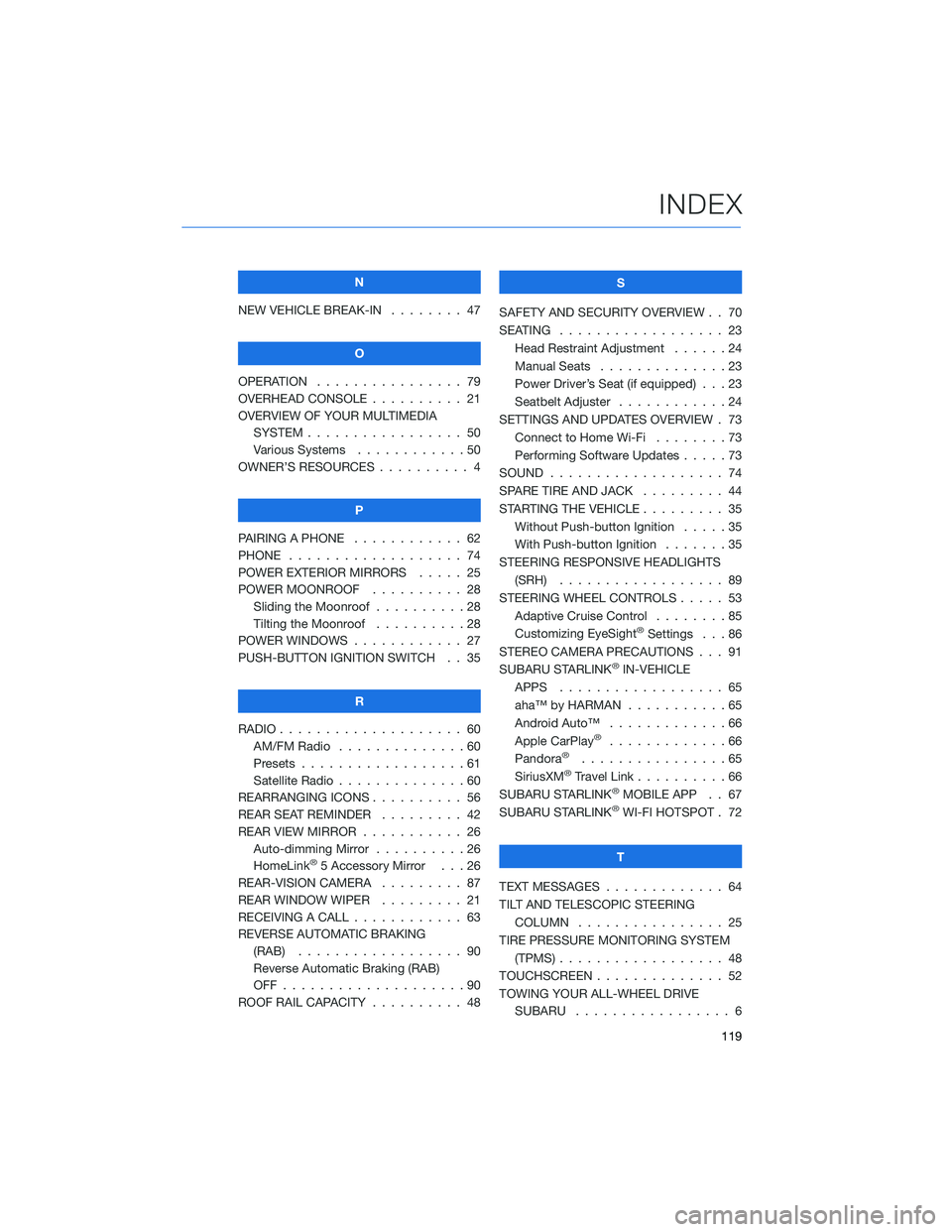
N
NEW VEHICLE BREAK-IN . . . . . . . . 47
O
OPERATION . . . . . ........... 79
OVERHEAD CONSOLE . ......... 21
OVERVIEW OF YOUR MULTIMEDIA SYSTEM . . . . . . . . . . . . . . . . . 50
Various Systems . . ..........50
OWNER’S RESOURCES . . ........ 4
P
PAIRING A PHONE . . . . . . . . . . . . 62
PHONE . . . . . . . . . .......... 74
POWER EXTERIOR MIRRORS . . . . . 25
POWER MOONROOF .......... 28
Sliding the Moonroof ..........28
Tilting the Moonroof ..........28
POWER WINDOWS . . .......... 27
PUSH-BUTTON IGNITION SWITCH . . 35
R
RADIO . . . . . . . . . . .......... 60
AM/FM Radio . . . ...........60
Presets . . . . . . . . . . . . . . . . . . 61
Satellite Radio . . . . . .........60
REARRANGING ICONS . ......... 56
REAR SEAT REMINDER . . . ...... 42
REAR VIEW MIRROR . .......... 26
Auto-dimming Mirror . . . . . . . . . . 26
HomeLink
®5 Accessory Mirror . . . 26
REAR-VISION CAMERA ......... 87
REAR WINDOW WIPER . . . . . .... 21
RECEIVING A CALL . . . . . . . . . . . . 63
REVERSE AUTOMATIC BRAKING (RAB) . . . . . . . ........... 90
Reverse Automatic Braking (RAB)
OFF....................90
ROOF RAIL CAPACITY .......... 48 S
SAFETY AND SECURITY OVERVIEW . . 70
SEATING . . . . . ............. 23
Head Restraint Adjustment . .....24
Manual Seats . . . . . . . . . . . . . . 23
Power Driver’s Seat (if equipped) . . . 23
Seatbelt Adjuster . . . . ........24
SETTINGS AND UPDATES OVERVIEW . 73 Connect to Home Wi-Fi ........73
Performing Software Updates . . . . . 73
SOUND . . . . . .............. 74
SPARE TIRE AND JACK . . . ...... 44
STARTING THE VEHICLE ......... 35
Without Push-button Ignition . . . . . 35
With Push-button Ignition . . . . . . . 35
STEERING RESPONSIVE HEADLIGHTS (SRH) .................. 89
STEERING WHEEL CONTROLS ..... 53
Adaptive Cruise Control . .......85
Customizing EyeSight
®Settings . . . 86
STEREO CAMERA PRECAUTIONS . . . 91
SUBARU STARLINK
®IN-VEHICLE
APPS . . . . . . . . . ......... 65
aha™ by HARMAN . . . . . . . ....65
Android Auto™ . . ...........66
Apple CarPlay
®.............66
Pandora®................65
SiriusXM®Travel Link ..........66
SUBARU STARLINK®MOBILE APP . . 67
SUBARU STARLINK®WI-FI HOTSPOT . 72
T
TEXT MESSAGES . . . . . . ....... 64
TILT AND TELESCOPIC STEERING COLUMN . . . . ............ 25
TIRE PRESSURE MONITORING SYSTEM (TPMS) . . . . . . . . . . . ....... 48
TOUCHSCREEN . . . . . . . . . ..... 52
TOWING YOUR ALL-WHEEL DRIVE SUBARU ................. 6
INDEX
119