CD player SUBARU IMPREZA WRX 2012 4.G User Guide
[x] Cancel search | Manufacturer: SUBARU, Model Year: 2012, Model line: IMPREZA WRX, Model: SUBARU IMPREZA WRX 2012 4.GPages: 416, PDF Size: 14.37 MB
Page 206 of 416
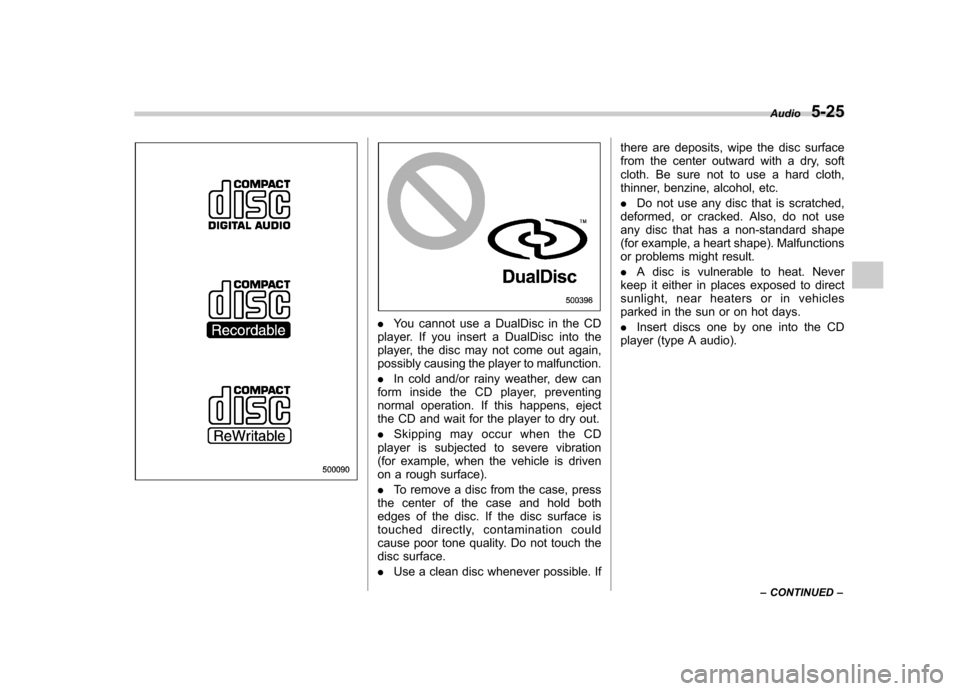
.You cannot use a DualDisc in the CD
player. If you insert a DualDisc into the
player, the disc may not come out again,
possibly causing the player to malfunction. . In cold and/or rainy weather, dew can
form inside the CD player, preventing
normal operation. If this happens, eject
the CD and wait for the player to dry out. . Skipping may occur when the CD
player is subjected to severe vibration
(for example, when the vehicle is driven
on a rough surface). . To remove a disc from the case, press
the center of the case and hold both
edges of the disc. If the disc surface is
touched directly, contamination could
cause poor tone quality. Do not touch the
disc surface. . Use a clean disc whenever possible. If there are deposits, wipe the disc surface
from the center outward with a dry, soft
cloth. Be sure not to use a hard cloth,
thinner, benzine, alcohol, etc. .
Do not use any disc that is scratched,
deformed, or cracked. Also, do not use
any disc that has a non-standard shape
(for example, a heart shape). Malfunctions
or problems might result. . A disc is vulnerable to heat. Never
keep it either in places exposed to direct
sunlight, near heaters or in vehicles
parked in the sun or on hot days. . Insert discs one by one into the CD
player (type A audio). Audio
5-25
– CONTINUED –
Page 209 of 416
5-28Audio
iPod
®cannot be operated using the
click wheel on the iPod®(except some
models). . When using an iPod
®by connecting
it to in-vehicle equipment, the order of
the list items displayed on the in-
vehicle equipment may be different
from that on the iPod
®. However, this
does not indicate a malfunction.. An iPod
®battery that is connected
to in-vehicle equipment will be charged
when the ignition switch is in the “ON ”
or “Acc ”position. However, activation
of the iPod
®may be delayed if the
battery charge of the iPod®is low.
. If an iPod®does not activate after
operation, disconnect the connection
cable from the iPod
®and reset it. For
the resetting procedure, see the User ’s
Guide of the iPod
®.
. If an iPod®and the connection cable
are connected improperly, the iPod®
cannot be powered on or will not be
recognized by in-vehicle equipment. In
this case, disconnect the connection
cable from the iPod
®, and then connect
it again.
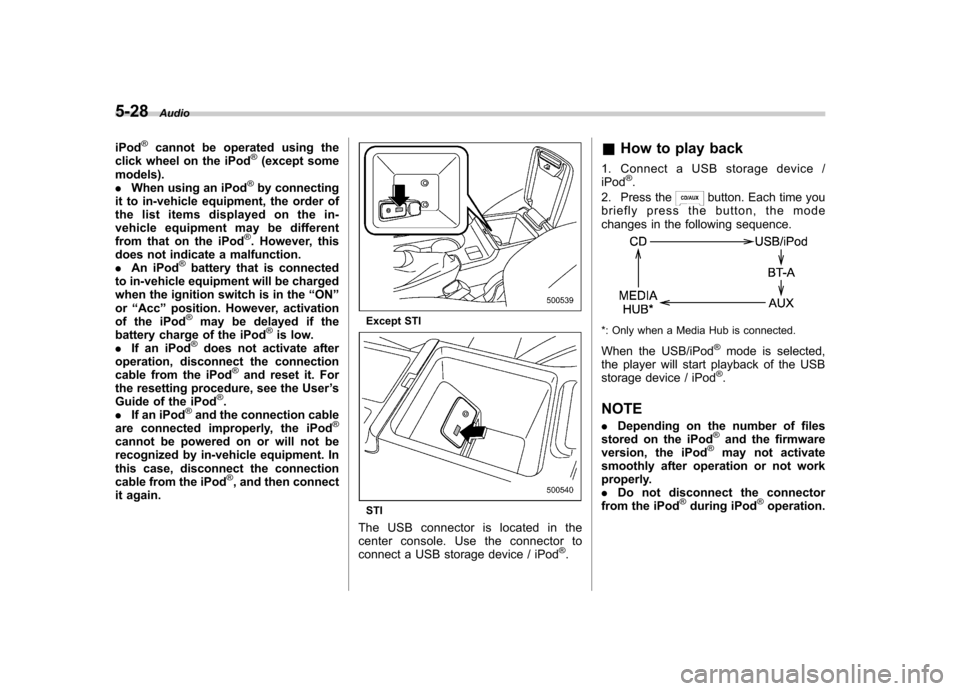
Except STI
STI
The USB connector is located in the
center console. Use the connector to
connect a USB storage device / iPod
®. &
How to play back
1. Connect a USB storage device /iPod
®.
2. Press the
button. Each time you
briefly press the button, the mode
changes in the following sequence.
*: Only when a Media Hub is connected.
When the USB/iPod
®mode is selected,
the player will start playback of the USB
storage device / iPod
®.
NOTE . Depending on the number of files
stored on the iPod
®and the firmware
version, the iPod®may not activate
smoothly after operation or not work
properly.. Do not disconnect the connector
from the iPod
®during iPod®operation.
Page 212 of 416
Audio control buttons
These buttons are located on the spokes
of the steering wheel. They allow the
driver to control audio functions without
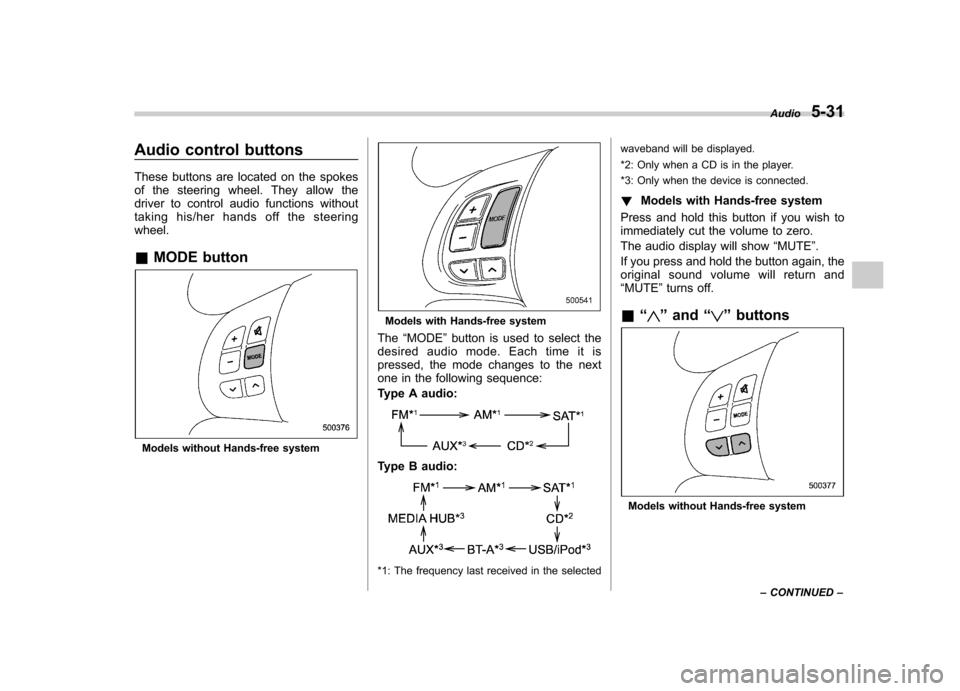
taking his/her hands off the steeringwheel. &MODE button
Models without Hands-free system
Models with Hands-free system
The “MODE ”button is used to select the
desired audio mode. Each time it is
pressed, the mode changes to the next
one in the following sequence:
Type A audio:
Type B audio:
*1: The frequency last received in the selected waveband will be displayed.
*2: Only when a CD is in the player.
*3: Only when the device is connected.
! Models with Hands-free system
Press and hold this button if you wish to
immediately cut the volume to zero.
The audio display will show “MUTE ”.
If you press and hold the button again, the
original sound volume will return and “ MUTE ”turns off.
& “
”and “”buttons
Models without Hands-free system Audio
5-31
– CONTINUED –
Page 405 of 416

14-2Index
A
ABS (Anti-lock Brake System) ..................................... 7-26
Warning light ......................................................... 3-18
Accessories ....................................................... 5-4, 11-39
Accessory power outlet ................................................. 6-8
Active head restraint ..................................................... 1-5
Air cleaner element ................................................... 11-13
Air conditioner Automatic climate control system ............................... 4-8
Manual climate control system ................................... 4-3
Air filtration system ..................................................... 4-13
Airflow selection Automatic climate control system ............................... 4-8
Manual climate control system ................................... 4-3
Alarm system ............................................................ 2-15
Aluminum wheel ....................................................... 11-30
Cleaning ............................................................... 10-3
Antenna system ........................................................... 5-3
Anti-lock Brake System (ABS) ..................................... 7-26
Arming the system ..................................................... 2-16
Armrest ....................................................................... 1-8
Ashtray ..................................................................... 6-10
Audio Antenna system ....................................................... 5-3
Auxiliary input jack ................................................. 5-23
Bluetooth
®audio .................................................... 5-33
CD player operation ............................................... 5-16
Control button ........................................................ 5-31
FM/AM radio operation ........................................... 5-10
iPod
®operations .................................................... 5-26
Power and sound controls ......................................... 5-7 Satellite radio operations
......................................... 5-13
Set ........................................................................ 5-4
USB storage device operations ................................ 5-26
Auto-dimming mirror/compass .............................. 3-37, 3-38
Automatic climate control system ................................... 4-8
Automatic transmission Fluid ..................................................................... 12-7
Automatic/Emergency Locking Retractor (A/ELR) ........... 1-12
Auxiliary input jack ...................................................... 5-23
B Battery .................................................................... 11-36
Drainage prevention function ..................................... 2-5
Jump starting .......................................................... 9-9
Replacement (remote engine start transmitter) ........... 7-12
Replacement (remote keyless entry system) .............. 2-11
Bluetooth
®audio ........................................................ 5-33
Booster seat .............................................................. 1-27
Bottle holder ............................................................... 6-7
Brake Assist .................................................................... 7-25
Booster ....................................................... 7-25, 11-20
Fluid ........................................................... 11-18, 12-7
Pad and lining ...................................................... 11-22
Parking ....................................................... 7-33, 11-23
Pedal .................................................................. 11-20
System .................................................................. 7-25
Brake pedal Free play ............................................................. 11-20
Reserve distance .................................................. 11-21
Brake system ............................................................. 7-25