ignition SUBARU IMPREZA WRX STI 2011 Repair Manual
[x] Cancel search | Manufacturer: SUBARU, Model Year: 2011, Model line: IMPREZA WRX STI, Model: SUBARU IMPREZA WRX STI 2011Pages: 459, PDF Size: 6.66 MB
Page 195 of 459
Black plate (197,1)
北米Model "A1110BE-C" EDITED: 2010/ 12/ 17
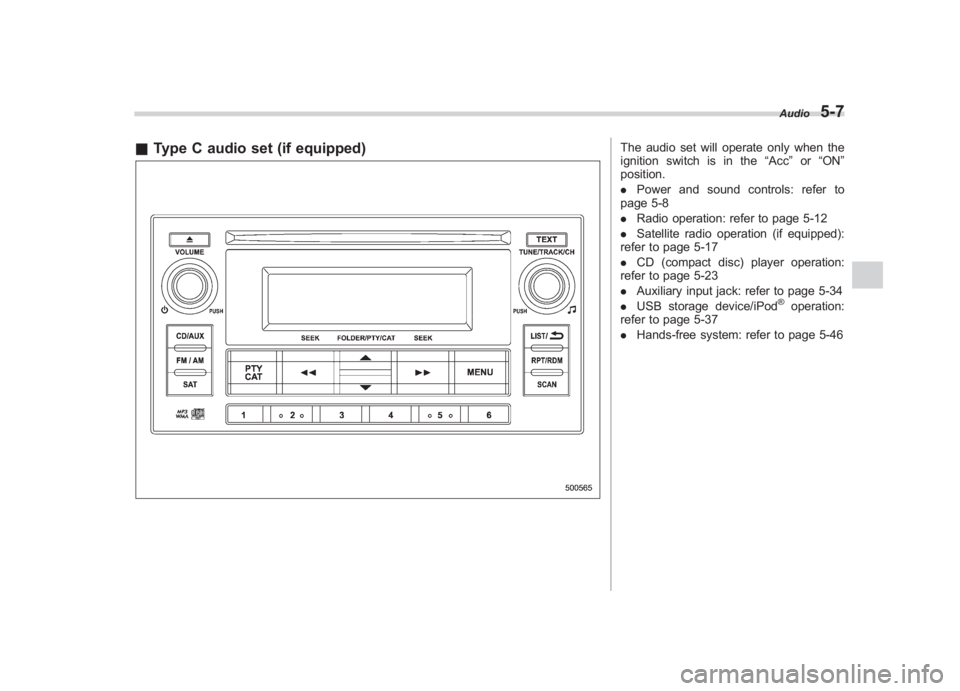
& Type C audio set (if equipped)
The audio set will operate only when the
ignition switch is in the “Acc”or “ON ”
position.
. Power and sound controls: refer to
page 5-8
. Radio operation: refer to page 5-12
. Satellite radio operation (if equipped):
refer to page 5-17
. CD (compact disc) player operation:
refer to page 5-23
. Auxiliary input jack: refer to page 5-34
. USB storage device/iPod
®operation:
refer to page 5-37
. Hands-free system: refer to page 5-46Audio
5-7
5
Page 218 of 459
Black plate (220,1)
北米Model "A1110BE-C" EDITED: 2010/ 12/ 17
5-30
Audio
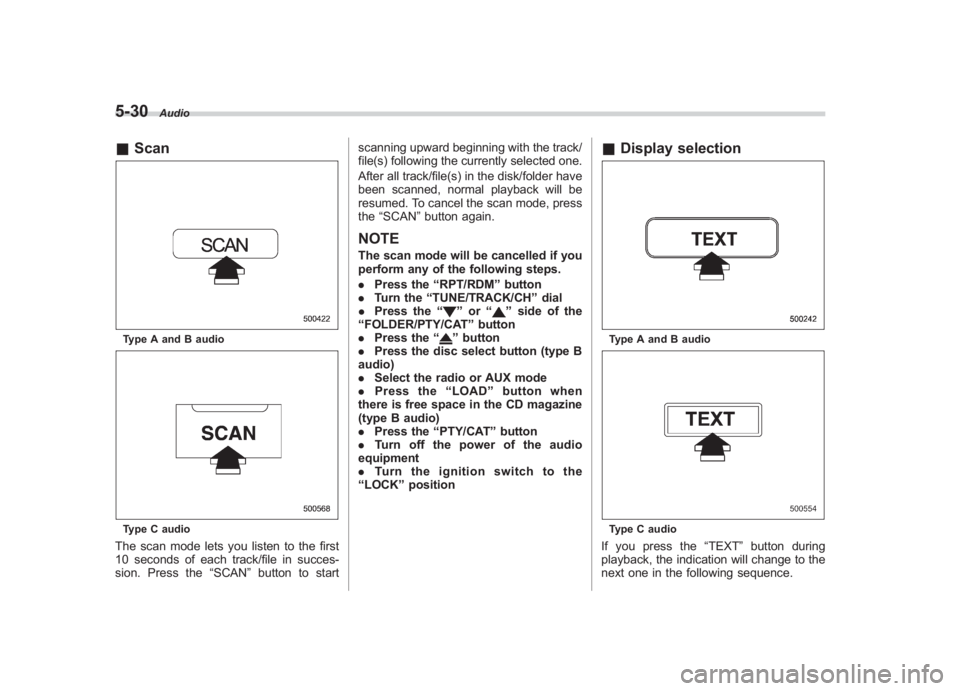
& ScanType A and B audioType C audioThe scan mode lets you listen to the first
10 seconds of each track/file in succes-
sion. Press the “SCAN”button to start scanning upward beginning with the track/
file(s) following the currently selected one.
After all track/file(s) in the disk/folder have
been scanned, normal playback will be
resumed. To cancel the scan mode, press
the
“SCAN ”button again.
NOTEThe scan mode will be cancelled if you
perform any of the following steps.
. Press the “RPT/RDM ”button
. Turn the “TUNE/TRACK/CH ”dial
. Press the “
”or “
”side of the
“ FOLDER/PTY/CAT ”button
. Press the “
”button
. Press the disc select button (type B
audio)
. Select the radio or AUX mode
. Press the “LOAD ”button when
there is free space in the CD magazine
(type B audio)
. Press the “PTY/CAT ”button
. Turn off the power of the audio
equipment
. Turn the ignition switch to the
“ LOCK ”position
& Display selectionType A and B audioType C audioIf you press the “TEXT ”button during
playback, the indication will change to the
next one in the following sequence.
Page 220 of 459
Black plate (222,1)
北米Model "A1110BE-C" EDITED: 2010/ 12/ 17
5-32
Audio
& How to eject a CD from the
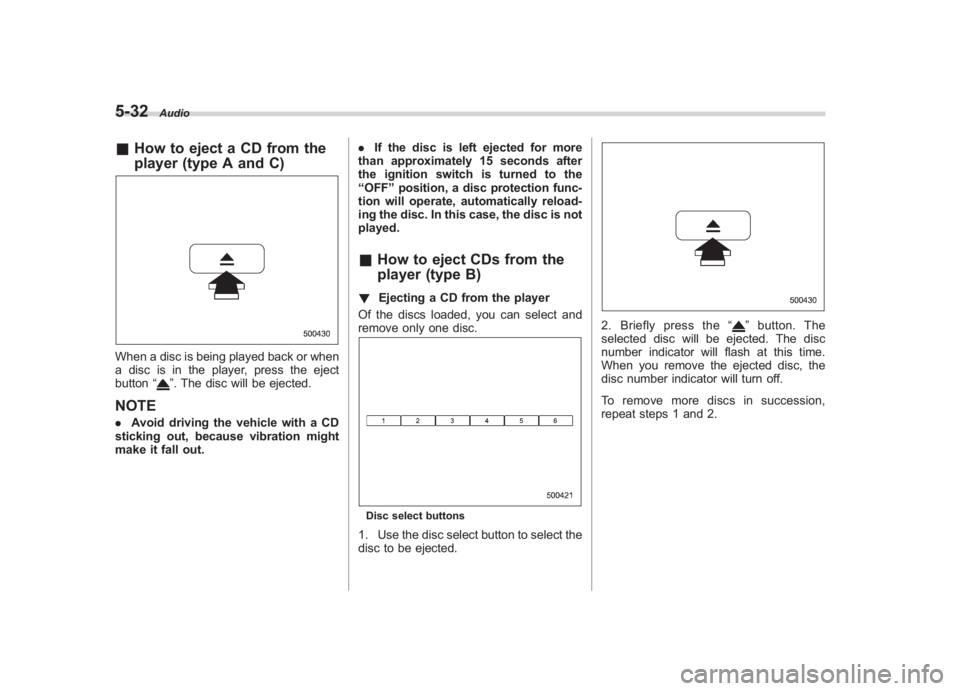
player (type A and C)When a disc is being played back or when
a disc is in the player, press the eject
button “
”. The disc will be ejected.
NOTE.Avoid driving the vehicle with a CD
sticking out, because vibration might
make it fall out. .
If the disc is left ejected for more
than approximately 15 seconds after
the ignition switch is turned to the
“ OFF ”position, a disc protection func-
tion will operate, automatically reload-
ing the disc. In this case, the disc is not
played.
& How to eject CDs from the
player (type B)! Ejecting a CD from the player
Of the discs loaded, you can select and
remove only one disc.Disc select buttons1. Use the disc select button to select the
disc to be ejected.
2. Briefly press the “
”button. The
selected disc will be ejected. The disc
number indicator will flash at this time.
When you remove the ejected disc, the
disc number indicator will turn off.
To remove more discs in succession,
repeat steps 1 and 2.
Page 226 of 459
Black plate (228,1)
北米Model "A1110BE-C" EDITED: 2010/ 12/ 17
5-38
Audio
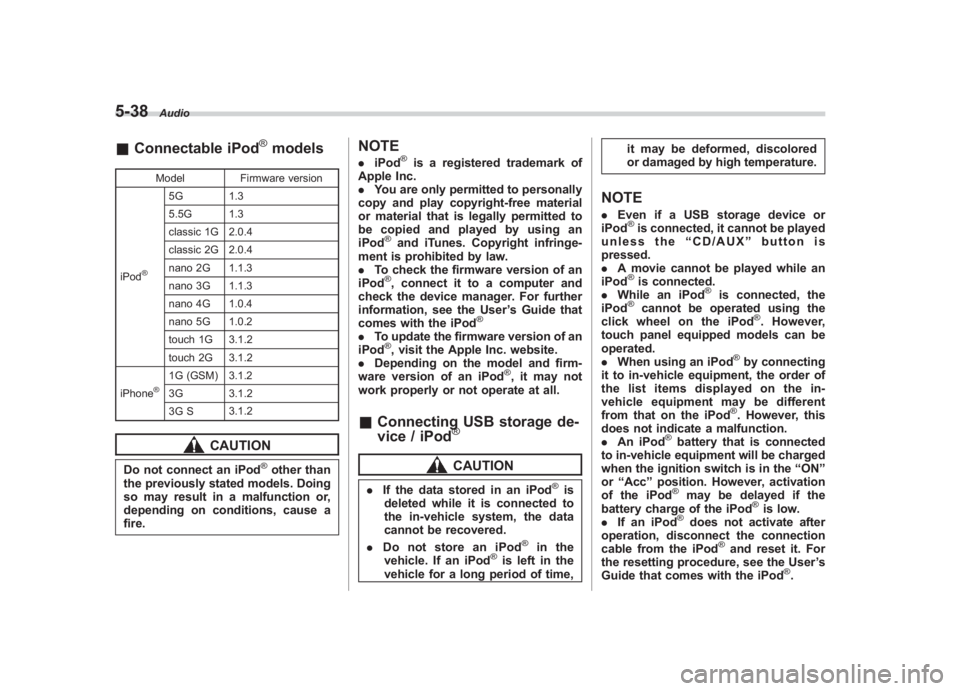
& Connectable iPod
®models
Model Firmware version
iPod
®
5G 1.3
5.5G 1.3
classic 1G 2.0.4
classic 2G 2.0.4
nano 2G 1.1.3
nano 3G 1.1.3
nano 4G 1.0.4
nano 5G 1.0.2
touch 1G 3.1.2
touch 2G 3.1.2
iPhone
®
1G (GSM) 3.1.2
3G 3.1.2
3G S 3.1.2
CAUTION
Do not connect an iPod
®other than
the previously stated models. Doing
so may result in a malfunction or,
depending on conditions, cause a
fire.
NOTE. iPod
®is a registered trademark of
Apple Inc.
. You are only permitted to personally
copy and play copyright-free material
or material that is legally permitted to
be copied and played by using an
iPod
®and iTunes. Copyright infringe-
ment is prohibited by law.
. To check the firmware version of an
iPod®, connect it to a computer and
check the device manager. For further
information, see the User ’s Guide that
comes with the iPod
®
. To update the firmware version of an
iPod
®, visit the Apple Inc. website.
. Depending on the model and firm-
ware version of an iPod
®, it may not
work properly or not operate at all.
& Connecting USB storage de-
vice / iPod
®CAUTION
. If the data stored in an iPod
®is
deleted while it is connected to
the in-vehicle system, the data
cannot be recovered.
. Do not store an iPod
®
in the
vehicle. If an iPod
®is left in the
vehicle for a long period of time, it may be deformed, discolored
or damaged by high temperature.
NOTE.
Even if a USB storage device or
iPod
®is connected, it cannot be played
unless the “CD/AUX ”button is
pressed.
. A movie cannot be played while an
iPod®is connected.
. While an iPod
®
is connected, the
iPod
®
cannot be operated using the
click wheel on the iPod
®. However,
touch panel equipped models can be
operated.
. When using an iPod
®by connecting
it to in-vehicle equipment, the order of
the list items displayed on the in-
vehicle equipment may be different
from that on the iPod®. However, this
does not indicate a malfunction.
. An iPod
®battery that is connected
to in-vehicle equipment will be charged
when the ignition switch is in the “ON ”
or “Acc ”position. However, activation
of the iPod®
may be delayed if the
battery charge of the iPod
®is low.
. If an iPod
®does not activate after
operation, disconnect the connection
cable from the iPod
®and reset it. For
the resetting procedure, see the User ’s
Guide that comes with the iPod
®.
Page 234 of 459
Black plate (236,1)
北米Model "A1110BE-C" EDITED: 2010/ 12/ 17
5-46
Audio
! How to play back
Press the “CD/AUX”button and select the
“BT-A ”mode.
! To select a track from its beginning
Select a track in the same way that a track
is selected when a CD is played. Refer to
“To select a track from its beginning” F5-
26.
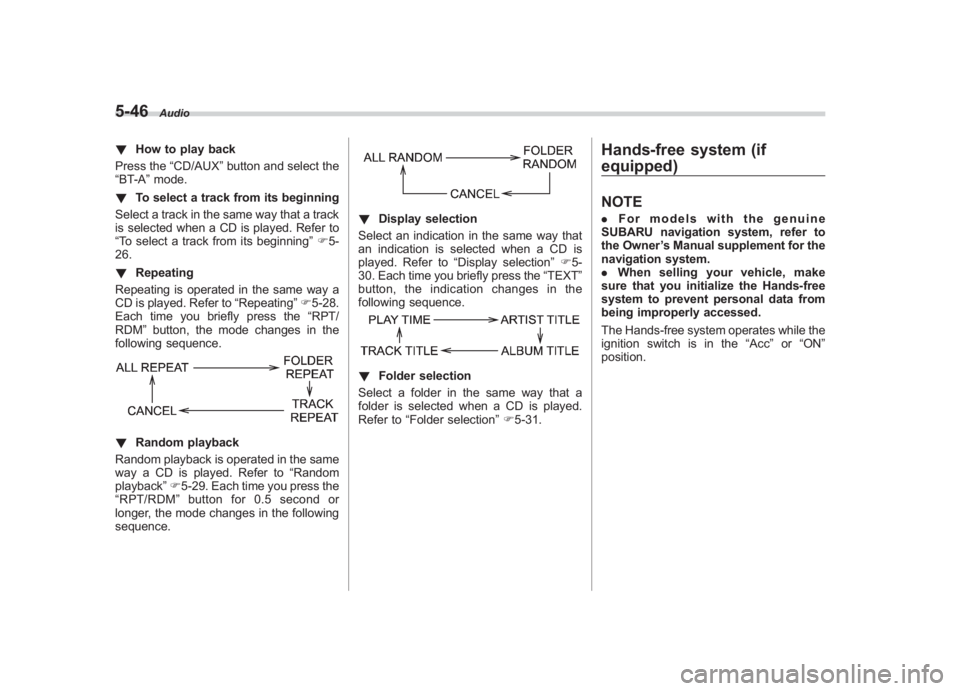
! Repeating
Repeating is operated in the same way a
CD is played. Refer to “Repeating”F 5-28.
Each time you briefly press the “RPT/
RDM ”button, the mode changes in the
following sequence.! Random playback
Random playback is operated in the same
way a CD is played. Refer to “Random
playback” F5-29. Each time you press the
“ RPT/RDM ”button for 0.5 second or
longer, the mode changes in the following
sequence.
! Display selection
Select an indication in the same way that
an indication is selected when a CD is
played. Refer to “Display selection ”F 5-
30. Each time you briefly press the “TEXT”
button, the indication changes in the
following sequence.! Folder selection
Select a folder in the same way that a
folder is selected when a CD is played.
Refer to “Folder selection ”F 5-31.
Hands-free system (if
equipped)NOTE. For models with the genuine
SUBARU navigation system, refer to
the Owner ’s Manual supplement for the
navigation system.
. When selling your vehicle, make
sure that you initialize the Hands-free
system to prevent personal data from
being improperly accessed.
The Hands-free system operates while the
ignition switch is in the “Acc”or “ON ”
position.
Page 235 of 459
Black plate (237,1)
北米Model "A1110BE-C" EDITED: 2010/ 12/ 17
& Tips for the Hands-free sys-
tem! Bluetooth
®
NOTEThe Bluetooth word mark and logo are
registered trademarks of Bluetooth
SIG, Inc.
It is possible to connect a cell phone to the
in-vehicle equipment through the Blue-
tooth
®format (wireless) to make a phone
call from the in-vehicle equipment or take
an incoming phone call.
Since the Bluetooth
®format is wireless, a
connection between the in-vehicle equip-
ment and the cell phone can be made
without placing them in close proximity of
each other. The cell phone can be used with it left in the breast pocket or bag.
NOTE.
The Hands-free system may not
operate properly under the following
conditions.
–The cell phone is turned off.
– The cell phone is not in the
phone call area.
– The battery of the cell phone has
run down.
– The cell phone is not connected
to the Hands-free system.
– The cell phone is behind the seat
or in the glove box.
– A metal material covers or
touches the cell phone.
. Depending on the type of cell phone
that is used, the screen on the cell
phone may remain illuminated while
the ignition switch is in the “ON ”
position. If this occurs, turn the illumi-
nation off by adjusting the cell phone
settings.
. Depending on the setting of the cell
phone, the dial lock function may be
activated after making a call. Deacti-
vate the automatic dial lock function of
the cell phone before using the Hands-
free system.
. Depending on the type of cell phone
that is used, operation and the sound volume may be different from those of
cell phones currently used.
.
When the ignition switch is turned to
the “LOCK ”position during a call, the
call may be disconnected or continued
on the cell phone depending on the
type of cell phone that is used. Note
that operation of the cell phone may be
necessary if the call is continued on the
cell phone.
. Do not speak at the same time as the
other party during a call. If you and the
party speak at the same time, it may be
difficult for the other party to hear your
voice and vice versa. This is normal.
. The receiver sound volume should
be set as low as possible. Otherwise,
the party you are calling may notice an
undesirable echo sound.
. Speak clearly and loudly.
. Your voice may be difficult to be
heard by the party under the following
conditions.
–Driving on a rough road.
– Driving at a high speed.
– Driving with a window open.
– When air from the ventilator
blows directly towards the micro-
phone.
– When the sound coming from the
ventilator is loud.
Audio
5-47
– CONTINUED –
5
Page 252 of 459
Black plate (254,1)
北米Model "A1110BE-C" EDITED: 2010/ 12/ 17
6-2
Interior equipment
Interior lightsWhen leaving your vehicle, make sure the
lights are turned off to avoid battery
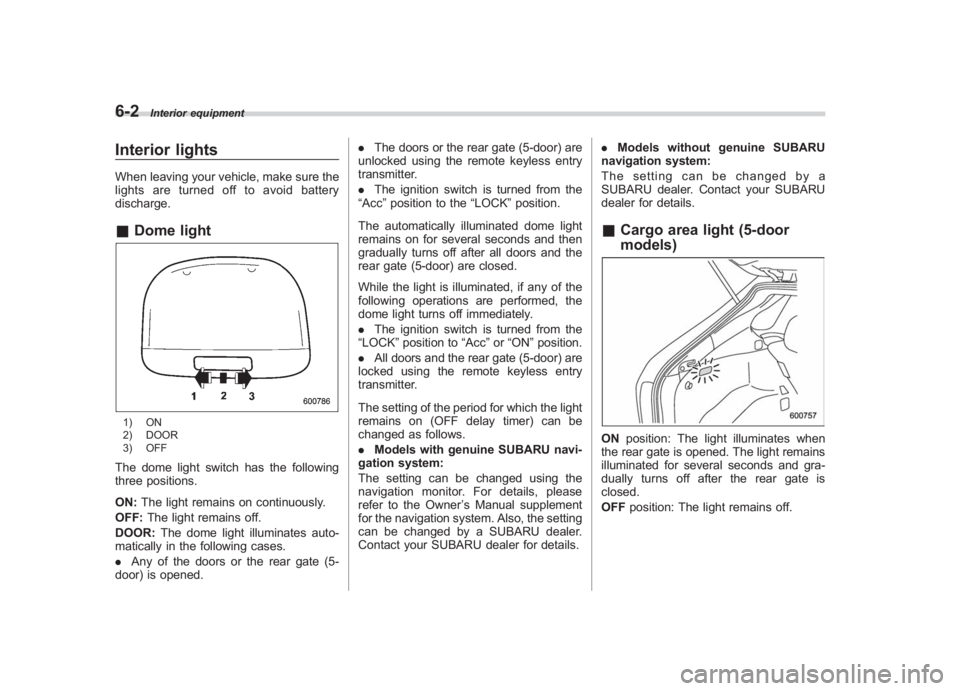
discharge.& Dome light1) ON
2) DOOR
3) OFFThe dome light switch has the following
three positions.
ON: The light remains on continuously.
OFF: The light remains off.
DOOR: The dome light illuminates auto-
matically in the following cases.
. Any of the doors or the rear gate (5-
door) is opened. .
The doors or the rear gate (5-door) are
unlocked using the remote keyless entry
transmitter.
. The ignition switch is turned from the
“Acc ”position to the “LOCK”position.
The automatically illuminated dome light
remains on for several seconds and then
gradually turns off after all doors and the
rear gate (5-door) are closed.
While the light is illuminated, if any of the
following operations are performed, the
dome light turns off immediately.
. The ignition switch is turned from the
“LOCK” position to “Acc”or “ON ”position.
. All doors and the rear gate (5-door) are
locked using the remote keyless entry
transmitter.
The setting of the period for which the light
remains on (OFF delay timer) can be
changed as follows.
. Models with genuine SUBARU navi-
gation system:
The setting can be changed using the
navigation monitor. For details, please
refer to the Owner ’s Manual supplement
for the navigation system. Also, the setting
can be changed by a SUBARU dealer.
Contact your SUBARU dealer for details. .
Models without genuine SUBARU
navigation system:
The setting can be changed by a
SUBARU dealer. Contact your SUBARU
dealer for details.
& Cargo area light (5-door
models)ON position: The light illuminates when
the rear gate is opened. The light remains
illuminated for several seconds and gra-
dually turns off after the rear gate is
closed.
OFF position: The light remains off.
Page 253 of 459
Black plate (255,1)
北米Model "A1110BE-C" EDITED: 2010/ 12/ 17
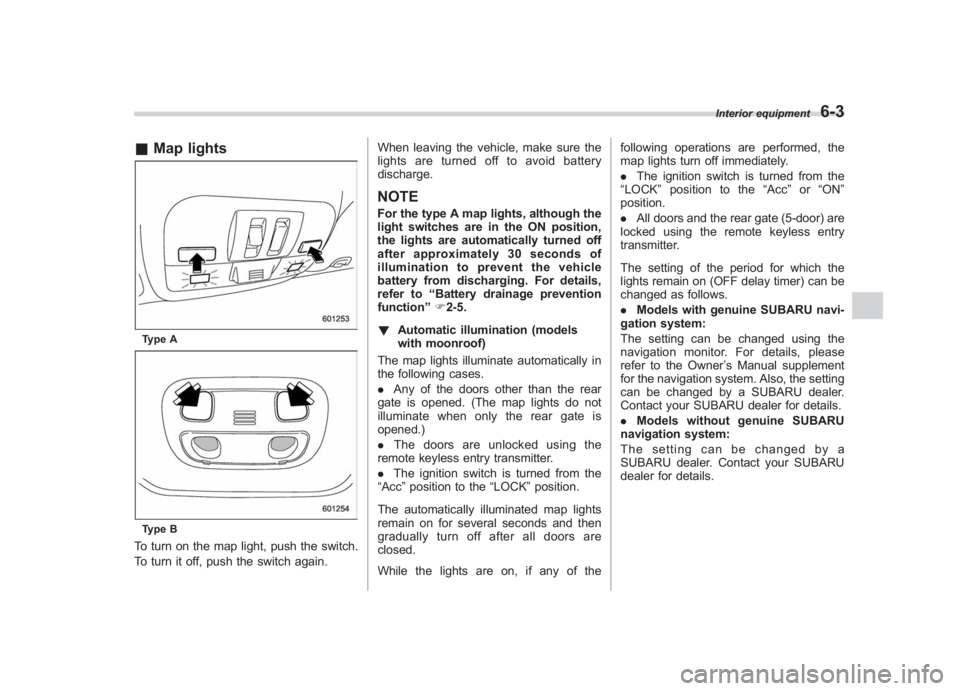
& Map lightsType AType BTo turn on the map light, push the switch.
To turn it off, push the switch again. When leaving the vehicle, make sure the
lights are turned off to avoid battery
discharge.
NOTEFor the type A map lights, although the
light switches are in the ON position,
the lights are automatically turned off
after approximately 30 seconds of
illumination to prevent the vehicle
battery from discharging. For details,
refer to
“Battery drainage prevention
function” F2-5.
! Automatic illumination (models
with moonroof)
The map lights illuminate automatically in
the following cases.
. Any of the doors other than the rear
gate is opened. (The map lights do not
illuminate when only the rear gate is
opened.)
. The doors are unlocked using the
remote keyless entry transmitter.
. The ignition switch is turned from the
“Acc ”position to the “LOCK”position.
The automatically illuminated map lights
remain on for several seconds and then
gradually turn off after all doors are
closed.
While the lights are on, if any of the following operations are performed, the
map lights turn off immediately.
.
The ignition switch is turned from the
“ LOCK ”position to the “Acc ”or “ON ”
position.
. All doors and the rear gate (5-door) are
locked using the remote keyless entry
transmitter.
The setting of the period for which the
lights remain on (OFF delay timer) can be
changed as follows.
. Models with genuine SUBARU navi-
gation system:
The setting can be changed using the
navigation monitor. For details, please
refer to the Owner ’s Manual supplement
for the navigation system. Also, the setting
can be changed by a SUBARU dealer.
Contact your SUBARU dealer for details.
. Models without genuine SUBARU
navigation system:
The setting can be changed by a
SUBARU dealer. Contact your SUBARU
dealer for details.
Interior equipment
6-3
6
Page 258 of 459
Black plate (260,1)
北米Model "A1110BE-C" EDITED: 2010/ 12/ 17
6-8
Interior equipment
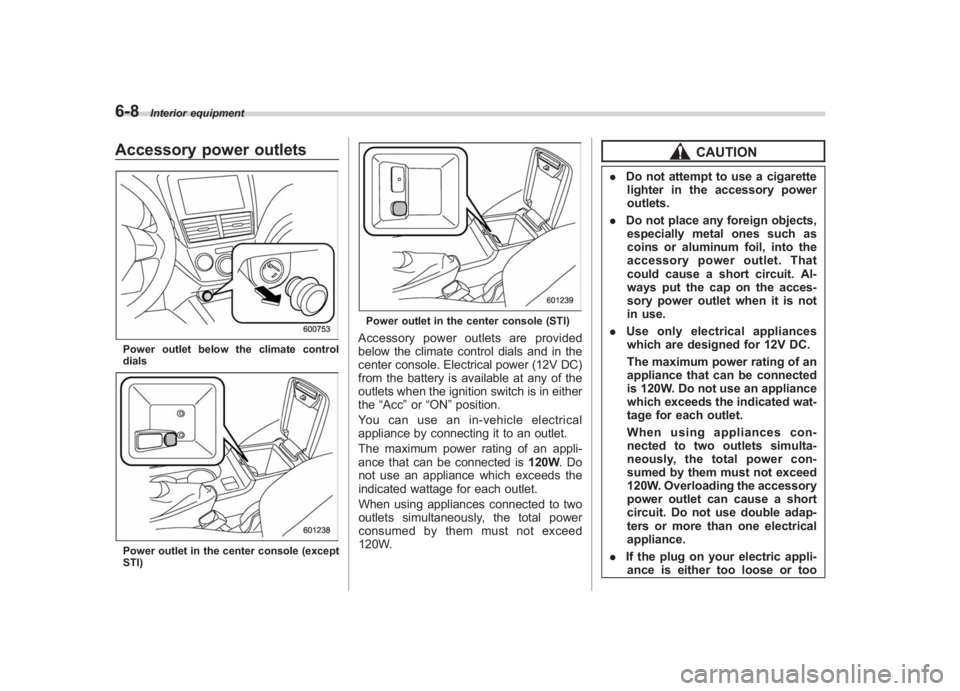
Accessory power outletsPower outlet below the climate control
dialsPower outlet in the center console (except
STI)
Power outlet in the center console (STI)Accessory power outlets are provided
below the climate control dials and in the
center console. Electrical power (12V DC)
from the battery is available at any of the
outlets when the ignition switch is in either
the “Acc ”or “ON ”position.
You can use an in-vehicle electrical
appliance by connecting it to an outlet.
The maximum power rating of an appli-
ance that can be connected is 120W.Do
not use an appliance which exceeds the
indicated wattage for each outlet.
When using appliances connected to two
outlets simultaneously, the total power
consumed by them must not exceed
120W.
CAUTION
. Do not attempt to use a cigarette
lighter in the accessory power
outlets.
. Do not place any foreign objects,
especially metal ones such as
coins or aluminum foil, into the
accessory power outlet. That
could cause a short circuit. Al-
ways put the cap on the acces-
sory power outlet when it is not
in use.
. Use only electrical appliances
which are designed for 12V DC.
The maximum power rating of an
appliance that can be connected
is 120W. Do not use an appliance
which exceeds the indicated wat-
tage for each outlet.
When using appliances con-
nected to two outlets simulta-
neously, the total power con-
sumed by them must not exceed
120W. Overloading the accessory
power outlet can cause a short
circuit. Do not use double adap-
ters or more than one electrical
appliance.
. If the plug on your electric appli-
ance is either too loose or too
Page 259 of 459
Black plate (261,1)
北米Model "A1110BE-C" EDITED: 2010/ 12/ 17
tight for the accessory power
outlet, this can result in a poor
contact or cause the plug to get
stuck. Only use plugs that fit
properly.
. Use of an electric appliance in the
accessory power outlet for a long
period of time while the engine is
not running can cause battery
discharge.
. Before driving your vehicle, make
sure that the plug and the cord
on your electrical appliance will
not interfere with your shifting
gears and operating the accel-
erator and brake pedals. If they
do, do not use the electrical
appliance while driving.
& Use with a cigarette lighter (if
equipped)To use the accessory power outlet below
the climate control as a cigarette lighter
socket, purchase the cigarette lighter plug,
which is an optional accessory. A cigarette
lighter plug is available from your
SUBARU dealer.
The cigarette lighter operates only when
the ignition switch is in the “ON”or “Acc ”
position.
To use the cigarette lighter, push in the
knob and wait a few moments. It will
automatically spring up when ready for
use.
WARNING
To avoid being burned, never grasp
the lighter by the end with the
heating element. Doing so could
result in injury and could also
damage the heating element.
CAUTION
. Do not hold the lighter pushed in,
because it will overheat.
. The electrical power socket lo-
cated in the center console is
originally designed to use a gen- uine SUBARU cigarette lighter
plug. Do not use a non-genuine
cigarette lighter plug in the sock-
et. Doing so may cause a short-
circuit and overheating, resulting
in a fire.
. If the socket is ever used for a
plug-in accessory such as a cell
phone, that may damage the
portion of the socket ’s internal
mechanism that causes a cigar-
ette lighter plug to “pop out ”
after its lighter element is heated.
Therefore, do not place a cigar-
ette lighter plug in a socket that
has been used, even once, to
power a plug-in accessory. Doing
so may cause the plug to stick
and overheat, creating a potential
fire hazard.
Interior equipment
6-9
6