turn signal SUBARU LEGACY 2004 4.G User Guide
[x] Cancel search | Manufacturer: SUBARU, Model Year: 2004, Model line: LEGACY, Model: SUBARU LEGACY 2004 4.GPages: 525, PDF Size: 5.68 MB
Page 149 of 525
3-6
Instruments and controls
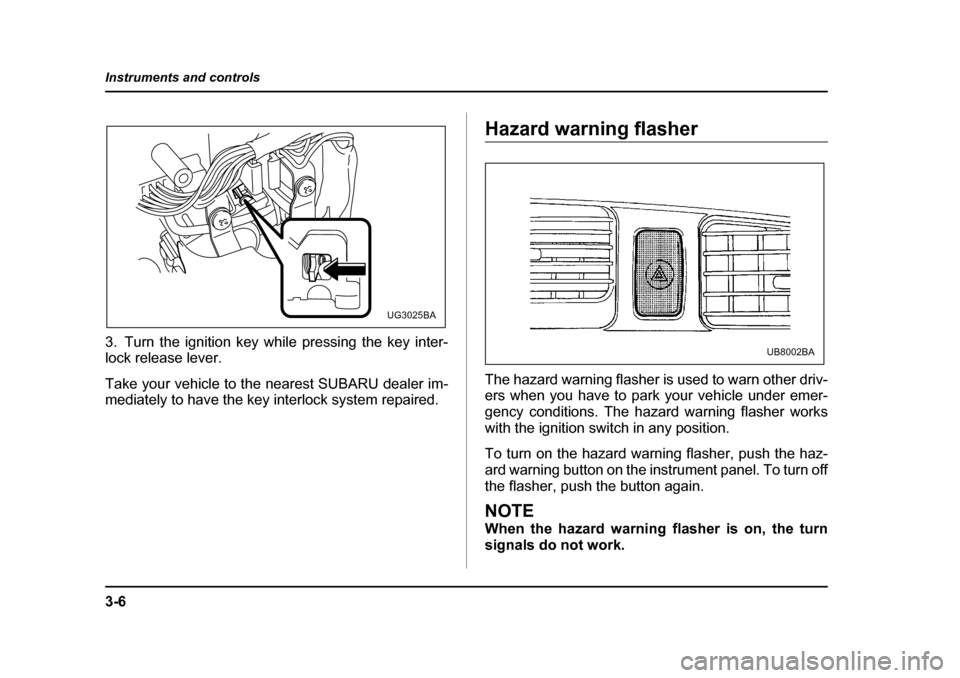
3. Turn the ignition key while pressing the key inter-
lock release lever.
Take your vehicle to the nearest SUBARU dealer im-
mediately to have the key interlock system repaired.
Hazard warning flasher
The hazard warning flasher is used to warn other driv-
ers when you have to park your vehicle under emer-
gency conditions. The hazard warning flasher works with the ignition switch in any position.
To turn on the hazard warning flasher, push the haz-
ard warning button on the instrument panel. To turn off
the flasher, push the button again.
NOTE
When the hazard warning flasher is on, the turn
signals do not work.
UG3025BA
UB8002BA
Page 160 of 525
3-17
Instruments and controls
– CONTINUED –
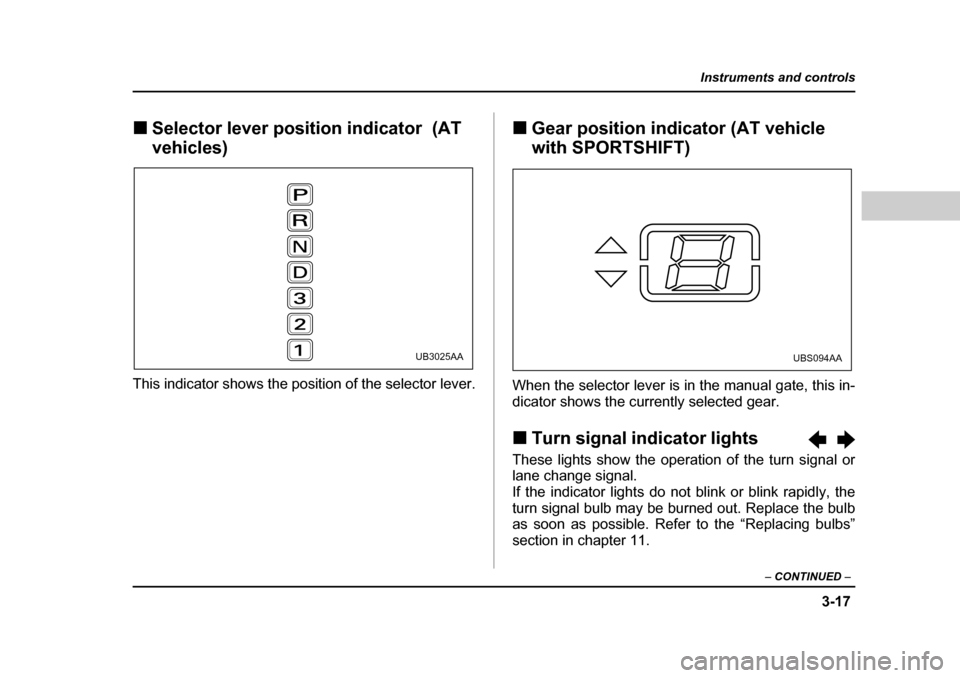
„Selector lever position indicator (AT
vehicles)
This indicator shows the position of the selector lever. „
Gear position indicator (AT vehicle with SPORTSHIFT)
When the selector lever is in the manual gate, this in-
dicator shows the currently selected gear. „ Turn signal indicator lights
These lights show the operation of the turn signal or
lane change signal.
If the indicator lights do not blink or blink rapidly, the
turn signal bulb may be burned out. Replace the bulb
as soon as possible. Refer to the “Replacing bulbs”
section in chapter 11.
UB3025AAUBS094AA
Page 162 of 525
3-19
Instruments and controls
– CONTINUED –
Light control switch
To prevent battery discharge resulting from ac-
cidentally leaving your lights on when your ve-
hicle is parked, the light switch operates only
when the ignition switch is in the “ON” posi-
tion. In any other position, the vehicle’s lights
will be out.
If you park your vehicle on a roadside at night,
use the hazard warning flasher to alert the other
drivers.
The light switch operates only when the ignition switch
is in the “ON” position. „
Headlights
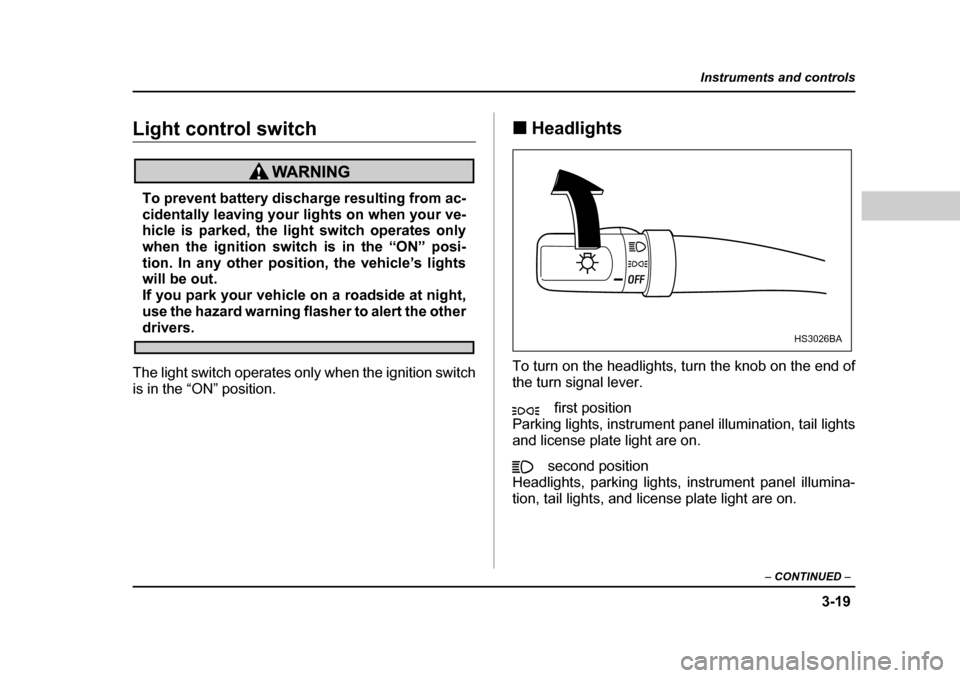
To turn on the headlights, turn the knob on the end of
the turn signal lever. first position
Parking lights, instrument panel illumination, tail lights
and license plate light are on.
second position
Headlights, parking lights, instrument panel illumina-
tion, tail lights, and license plate light are on.HS3026BA
Page 163 of 525
3-20
Instruments and controls
„
High/low beam change (dimmer)
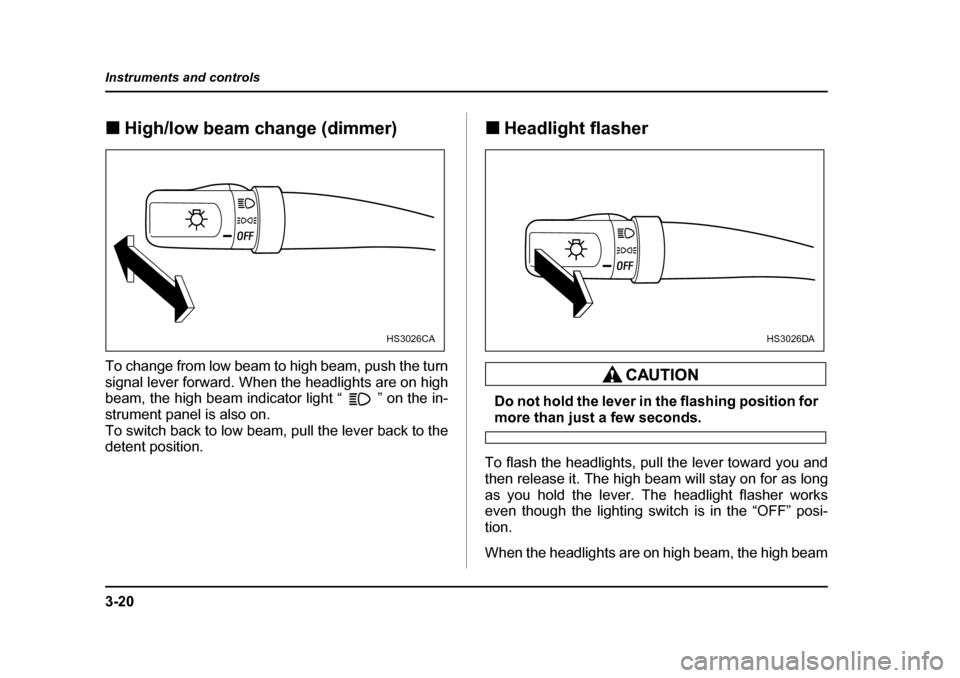
To change from low beam to high beam, push the turn
signal lever forward. When the headlights are on high
beam, the high beam indicator light “ ” on the in-
strument panel is also on.
To switch back to low beam, pull the lever back to the
detent position. „
Headlight flasher
Do not hold the lever in the flashing position for
more than just a few seconds.
To flash the headlights, pull the lever toward you and
then release it. The high beam will stay on for as long
as you hold the lever. The headlight flasher works
even though the lighting switch is in the “OFF” posi-tion.
When the headlights are on high beam, the high beam
HS3026CAHS3026DA
Page 164 of 525
3-21
Instruments and controls
– CONTINUED –
indicator light “ ” on the instrument panel also
comes on. „Daytime running light system
The tail lights, parking lights, and side marker
lights are not turned on by the daytime running
light system. The light switch must always be
turned to the “ ” position when it is dark
outside.
The low beam headlights will automatically come on at
reduced brightness when the engine has started, un-
der the following conditions:y The parking brake is fully released.
y The light switch is in the “OFF” or “ ” position.
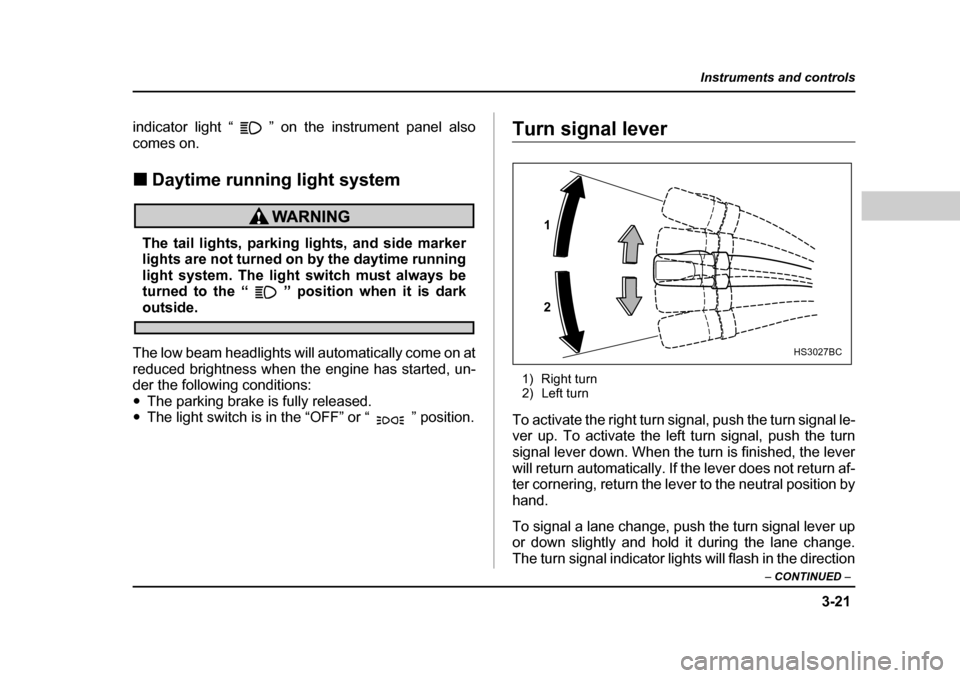
Turn signal lever
1) Right turn
2) Left turn
To activate the right turn signal, push the turn signal le-
ver up. To activate the left turn signal, push the turn
signal lever down. When the turn is finished, the lever
will return automatically. If the lever does not return af-
ter cornering, return the lever to the neutral position by
hand.
To signal a lane change, push the turn signal lever up
or down slightly and hold it during the lane change.
The turn signal indicator lights will flash in the direction
1 2
HS3027BC
Page 222 of 525
5-21
Audio
– CONTINUED –
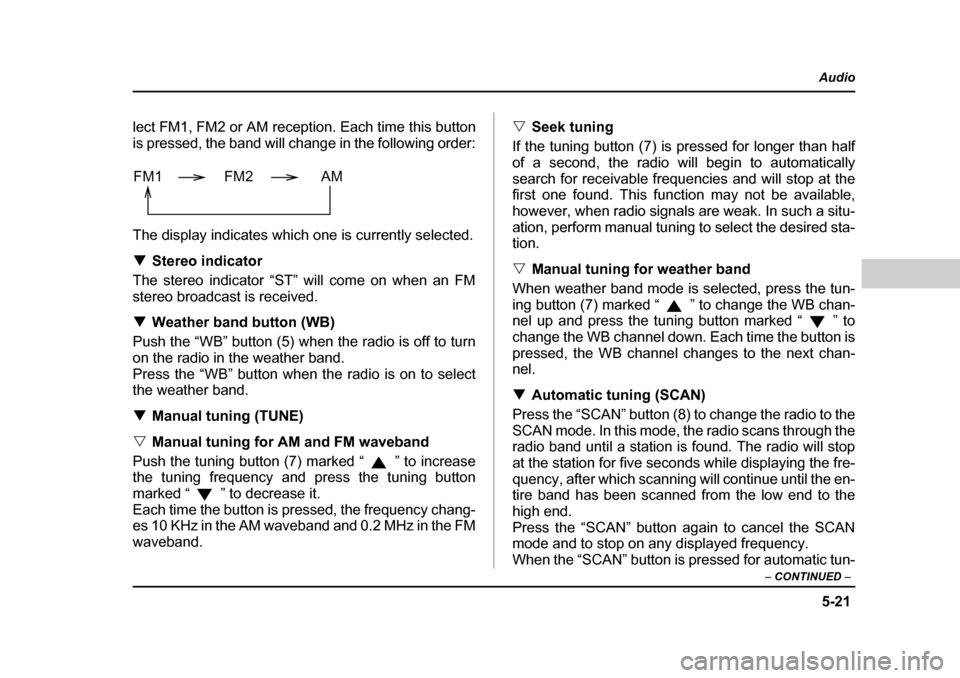
lect FM1, FM2 or AM reception. Each time this button
is pressed, the band will change in the following order:
The display indicates which one is currently selected. TStereo indicator
The stereo indicator “ST” will come on when an FM
stereo broadcast is received. T Weather band button (WB)
Push the “WB” button (5) when the radio is off to turn
on the radio in the weather band.
Press the “WB” button when the radio is on to select
the weather band. T Manual tuning (TUNE)
V Manual tuning for AM and FM waveband
Push the tuning button (7) marked “ ” to increase
the tuning frequency and press the tuning button
marked “ ” to decrease it.
Each time the button is pressed, the frequency chang-
es 10 KHz in the AM waveband and 0.2 MHz in the FM
waveband. V
Seek tuning
If the tuning button (7) is pressed for longer than half
of a second, the radio will begin to automatically
search for receivable frequencies and will stop at the
first one found. This function may not be available,
however, when radio signals are weak. In such a situ-
ation, perform manual tuning to select the desired sta-
tion. V Manual tuning for weather band
When weather band mode is selected, press the tun-
ing button (7) marked “ ” to change the WB chan-
nel up and press the tuning button marked “ ” to
change the WB channel down. Each time the button is
pressed, the WB channel changes to the next chan-
nel. T Automatic tuning (SCAN)
Press the “SCAN” button (8) to change the radio to the
SCAN mode. In this mode, the radio scans through the
radio band until a station is found. The radio will stop
at the station for five seconds while displaying the fre-
quency, after which scanning will continue until the en-
tire band has been scanned from the low end to the
high end.
Press the “SCAN” button again to cancel the SCAN
mode and to stop on any displayed frequency.
When the “SCAN” button is pressed for automatic tun-
FM1 FM2 AM
Page 228 of 525
5-27
Audio
– CONTINUED –
„OnStar® system operation (models
with OnStar® system)
When the OnStar system operates and a call is initiat-
ed, the message “CALL” will be shown on the display,
and the speakers will automatically switch over to the
incoming voice signal.
NOTE
A call will not be suspended even if the ignition
key is turned to the Off position. In such a case,
however, the audio system will turn off when the
call is ended.
McIntosh audio set (if equipped)
The audio set will operate only when the ignition
switch is in the “ACC” or “ON” positions.
The power amplifier for this audio set is mount-
ed under the front passenger’s seat. The ampli-
fier will become hot if the audio continues to
operate.
Never touch the amplifier. Doing so could
cause burns.
Page 233 of 525
5-32
Audio
wish to listen. T
Weather band button (WB)
Press the “WB” button (2) to choose weather band.
The display will show WB.
Use the tuning dial to select the station to which you
wish to listen. T Manual tuning
Turn the tuning dial (3) outer tuner to increase or de-
crease the reception frequency in individual steps.
FM band: 0.2 MHz steps
AM band: 10 kHz steps
Weather band: 1 step (1 channel)
T Seek tuning (SEEK)
If the Tuning dial (3) outer tuner is turned for longer
than half of a second, the radio will begin to automati-
cally search for receivable frequencies and will stop at
the first one found. This function may not be available,
however, when radio signals are weak. In such a situ-
ation, perform manual tuning to select the desired sta- tion. T Scan tuning (SCAN)
Press the “SCAN” button (4) to change the radio to the
SCAN mode. In this mode, the radio scans through the
radio band until a station is found. The radio will stop at the station for five seconds while displaying the fre-
quency, after which scanning will continue until the en-
tire band has been scanned.
Turn the tuning dial (3) inner tuner again to cancel the
SCAN mode and to stop on any displayed frequency.
Scan tuning may not function properly if the station re-
ception is weakened by distance from the station or
proximity to tall buildings and hills. T
Preset tuning
Press any one of the preset buttons (5) to select the
corresponding, previously-registered radio station.
The LED at the top of that button will turn on. V Manual preset
y Use the tuning dial (3) to select the radio station
which you wish to register. y Choose the preset button (5) to which you wish to
assign that station and press it continuously for a peri-
od of more than 2 seconds. When the radio station has
been successfully registered, the display will flash the
corresponding radio frequency on and off once.
NOTE y Each preset button can be used to store both an
FM station and an AM station. y If the power supply is interrupted by disconnec-
tion of the battery, memory presets will be cleared
Page 239 of 525
5-38
Audio
1. Press the “Disc select” button (16) of the disc
whose “DISC” indicator is ON.
2. Press the “EJECT” button (11). Then the “DISC” in-
dicator associated with the disc you have selected will
blink, and the disc will be ejected.
To remove more discs in succession, repeat Steps 1
and 2. V
Ejecting all discs from the player (All disc ejec-
tion mode)
1. If you continue to press the “EJECT” button (11),
the player will produce beep sound and will enter the
all disc ejection mode.
2. Remove the disc that has been ejected. The other
discs loaded will then be ejected one after another. If
you do not remove the disc that has been ejected, the
“All disc ejection mode” will be canceled.
NOTE
Avoid driving the vehicle with a CD sticking out,
because vibration might make it fall out. „ OnStar® system operation (models
with OnStar® system)
When the OnStar system operates and a call is initiat-
ed, the message “CALL” will be shown on the display,
and the speakers will automatically switch over to the incoming voice signal.
NOTE
A call will not be suspended even if the ignition
key is turned to the Off position. In such a case,
however, the audio system will turn off when the
call is ended.
Page 346 of 525
8-27
Driving tips
– CONTINUED –
ground.
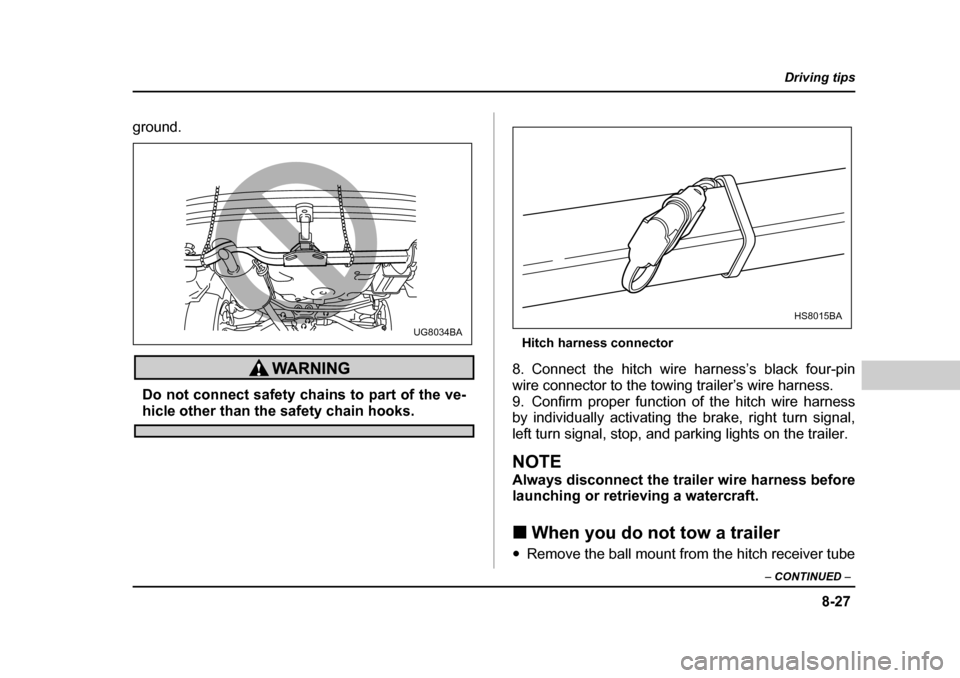
Do not connect safety chains to part of the ve-
hicle other than the safety chain hooks. Hitch harness connector
8. Connect the hitch wire harness’s black four-pin
wire connector to the towing trailer’s wire harness.
9. Confirm proper function of the hitch wire harness
by individually activating the brake, right turn signal,
left turn signal, stop, and parking lights on the trailer.
NOTE
Always disconnect the trailer wire harness before
launching or retrieving a watercraft. „ When you do not tow a trailer
y Remove the ball mount from the hitch receiver tube
UG8034BA
HS8015BA